
Samsung Chromebook Plus V2 360
4.3Editor score
FHD+ glossy touch display
360-degree convertible hinge
Ten-hour stated battery life
A laptop with pen touchscreen combines a responsive display with a stylus for handwriting, sketching, navigation, and precise on-screen editing. The best choice depends on more than whether a pen is included: screen quality, pressure sensitivity, hinge flexibility, processing power, and battery life can materially improve the experience.
This guide compares ten touchscreen laptops listed with compatible styluses, covering conventional laptops, Chromebooks, and convertible 2-in-1 devices. We evaluated the supplied specifications, including processor, memory, storage, display resolution, connectivity, operating system, included accessories, portability, and stated battery capabilities.
Each recommendation highlights a different use case, from compact writing and note-taking to high-resolution creative work and everyday productivity. The selections show that users can find capable pen-enabled systems at several levels, while details such as pen quality and touchscreen flexibility vary considerably. Prices and availability can change.
4.3Editor score

4.2Editor score

4.5Editor score
As an Amazon Associate we earn from qualifying purchases.
The comparison below places every pen-capable touchscreen laptop side by side, highlighting the differences in display size, processor class, memory, storage, operating system, and convertible design.




The HP 15.6 HD Touch is a conventional touchscreen laptop aimed at users who want a large writing surface without paying for a premium convertible. It carries a 4.1 rating and pairs a 15.6-inch 1366-by-768 touch panel with an Intel Core i3-1215U processor, 8GB of RAM, and a 256GB SSD. A capacitive stylus is bundled in the package.
We may earn a commission when you buy through this link, at no additional cost to you.
Its strongest qualities are straightforward usability and a generous screen. The six-core, eight-thread processor can support common productivity tasks, browsing, coding tools, and media consumption. The included aluminum stylus does not use Bluetooth and does not require charging, which removes the usual pairing and battery anxiety. Windows 11 Home in S mode and a front-facing camera add everyday utility.
The main limitations are the entry-level 1366-by-768 resolution and modest 8GB memory configuration. The storage is also fairly compact, although its solid-state drive should provide faster operation than a conventional hard drive. Users who need color-accurate design work, large files, intensive multitasking, or a highly detailed display may need a stronger specification tier.
This model makes sense for handwritten notes, classroom work, document annotation, casual sketching, and general home productivity. Choose it when a large screen, straightforward laptop layout, and bundled pen matter more than premium display quality. It is a practical starting point for users entering the pen touchscreen category.
The bundled capacitive stylus supports direct interaction without pairing or charging. Its magnetic end cap and aluminum-alloy body make it convenient to carry, although it may not offer the pressure sensitivity, palm rejection, or tilt controls available with specialized active pens.
The 15.6-inch panel offers ample room for writing and reviewing documents. Its HD resolution keeps the system approachable for general use, though creators may want a higher-resolution display for finer visual detail.
We may earn a commission when you buy through this link, at no additional cost to you.
The Dell Inspiron 15.6 Touch combines a high-refresh Full HD touch display with more substantial everyday specifications than most entry models. Its 4.2 rating reflects a balanced package built around an Intel Core i5-1334U processor, 16GB DDR4 RAM, and a 256GB NVMe SSD. The listing also includes an SVT stylus and a 5-in-1 Type-C hub.
We may earn a commission when you buy through this link, at no additional cost to you.
The display is especially notable for its 1920-by-1080 resolution, 120Hz refresh rate, thin bezels, and multitouch response. That combination suits scrolling, presentations, video playback, and casual gaming better than a basic HD panel. Inside, the ten-core processor has eight efficiency cores, two performance cores, and 12 threads, making it well suited to multitasking, browser-heavy work, and productivity applications.
Windows 11 Home, Wi-Fi 6, Bluetooth, and the bundled hub support connected work. The opened seal for upgrade-only means buyers should understand the configuration before purchasing. Storage is the clearest constraint: 256GB can become limiting when working with large media libraries, project files, or multiple demanding applications.
The Dell is a strong recommendation for students and office users who want a polished touchscreen without converting their computer into a tablet. Its combination of 16GB memory, a 120Hz Full HD panel, modern processor, and useful accessories offers greater everyday headroom than the basic HP model.
A 120Hz panel makes touch navigation and scrolling feel more fluid, while Full HD resolution provides noticeably finer detail. The result is well suited to presentations, document work, and media viewing on a larger canvas.
The 16GB of DDR4 memory gives this model more room for simultaneous applications than systems with 8GB. The Core i5 processor and NVMe storage further support quick startup, responsive multitasking, and routine professional workloads.
We may earn a commission when you buy through this link, at no additional cost to you.
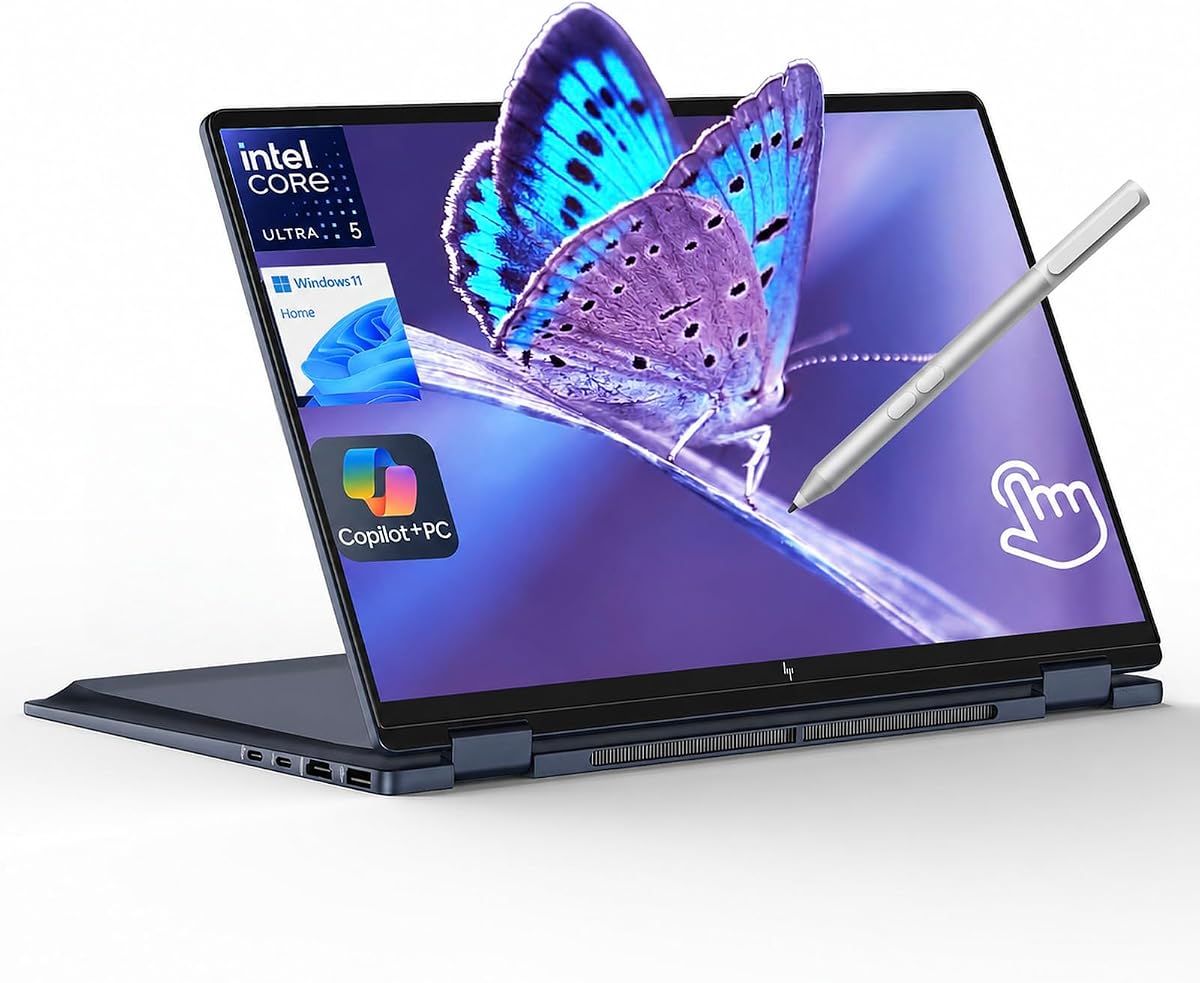
The HP OmniBook X Flip 14 stands out as the most complete balance of pen support, display quality, portability, performance, and connectivity in this guide. It has a 4.6 rating and uses a 14-inch 1920-by-1200 IPS touch display with edge-to-edge glass, 400 nits of brightness, and an 89.5% screen-to-body ratio. Its 2-in-1 chassis can be viewed flat, folded, or flipped.
We may earn a commission when you buy through this link, at no additional cost to you.
The Intel Core Ultra 5 226V contributes an eight-core processor, integrated Intel Arc 130V graphics, a 40-TOPS NPU, PCIe 5.0 support, Thunderbolt 4, and LPDDR5X memory. With 16GB of RAM and a 512GB SSD, it has a strong specification base for drawing, editing, development, and general productivity. HP also states up to 22 hours and 45 minutes of battery life.
Security and usability features include a walk-away lock, wake-on-approach, automatic screen dimming, screen-time reminders, screen-distance reminders, and a backlit keyboard. The bundled stylus is supplied by the seller rather than being identified as an HP active pen, so buyers should confirm its exact pressure sensitivity and compatibility before relying on advanced drawing features.
This laptop is ideal for users who write, sketch, annotate, and also need a capable conventional notebook. Its 14-inch size balances a useful writing area with portability, while the high-resolution panel is suitable for detailed creative work. The broad feature set and convertible flexibility justify calling it the overall recommendation.
The WUXGA IPS panel offers more usable detail than a standard HD screen, while 400-nit brightness improves visibility in ordinary ambient light. Edge-to-edge multitouch glass creates a modern canvas for writing, editing, and presentations.
The laptop can shift among several viewing positions without becoming a limited-purpose tablet. Two Thunderbolt 4 connections, HDMI 2.1, USB-C 3.1, and two USB-A 3.1 ports make it easier to connect displays, storage, accessories, and peripherals.
We may earn a commission when you buy through this link, at no additional cost to you.
The Samsung 12.2 Chromebook Plus is designed for users who value a compact touchscreen, a flexible hinge, and a generous collection of accessories. It carries a 4.1 rating and combines a 12.2-inch Full HD touchscreen with an Intel Celeron 3965Y processor and 4GB LPDDR3 memory. The package includes a stylus, wireless mouse, and docking-station set.
We may earn a commission when you buy through this link, at no additional cost to you.
Its 360-degree hinge allows use as a laptop or tablet, making it suitable for handwritten notes, browsing, media viewing, and online classes. Chrome OS supports thousands of apps, cloud backup, and built-in virus protection. The 720p HD camera supports video calls and virtual meetings, while Intel HD Graphics handle everyday visual content.
Storage is presented as 224GB, consisting of 64GB eMMC, a 128GB SSD in the 7-in-1 docking station, and a 32GB MicroSD card with adapter. The bundle also includes charging and data cables and a cleaning cloth. Port selection includes USB 3.0, two USB-C connections, a MicroSD reader, and a headset connection, supplemented by 802.11ac Wi-Fi and Bluetooth.
This is a sensible choice for web-centric students and travelers who want a complete accessory set. However, 4GB RAM limits heavy multitasking, and Chrome OS may not satisfy users whose required desktop applications or professional software are Windows-specific.
The stylus and wireless mouse cover two common input needs, while the docking station adds both USB connectivity and extra SSD storage. It reduces the need to carry several separate accessories for a mobile workstation.
At 11.35 by 8.20 inches and 2.98 pounds, the system is easy to carry. The folding hinge supports writing in tablet mode, watching in stand-like positions, and conventional keyboard use when needed.
We may earn a commission when you buy through this link, at no additional cost to you.
The Samsung Chromebook Plus V2 360 is an appealing entry into pen-enabled computing because it combines a 12.2-inch Full HD+ touch display, a 360-degree hinge, and an included stylus with a full-metal body. It has a 4.3 rating and runs Chrome OS. The Intel Celeron 3965Y is a dual-core, dual-thread processor with a 1.5GHz base clock.
We may earn a commission when you buy through this link, at no additional cost to you.
The 16:10 glossy panel supports Samsung Stylus and provides enough resolution for handwritten notes, browser work, streaming, and online education. Samsung lists up to 10 hours of battery life, while the x360 hinge permits laptop, yoga, flip, and tablet modes. The keyboard deck also includes a 13-megapixel camera, complementing the 1-megapixel front camera.
Memory is limited to 4GB of soldered LPDDR3, and internal storage consists of 64GB eMMC plus a 64GB SD card. Connectivity includes two USB-C ports, one USB-A port, a combined audio jack, a MicroSD reader, Wi-Fi 5, and Bluetooth. External display support through USB-C allows expansion to one 4K monitor.
The laptop is best for students, families, and casual users focused on web applications, Google services, handwriting, and video communication. It is less appropriate for heavy application loading, professional creative software, or users who require a large Windows application library.
The x360 hinge gives the Chromebook genuine flexibility. It can function as a traditional notebook, fold into a sharing position, stand for media viewing, or become a tablet for more direct touch interaction.
The FHD+ 16:10 display offers more detail than a standard HD panel and a useful balance for notes and browsing. Stylus support and Chrome OS make it particularly approachable for annotation and online learning.
We may earn a commission when you buy through this link, at no additional cost to you.
The Samsung Galaxy Book5 Pro 360 is the premium choice in this roundup, combining a 16-inch 2880-by-1800 Dynamic AMOLED touch display with an included S Pen, an Intel Core Ultra 7 processor, and up to 25 hours of stated battery life. Its 4.5 rating reflects a highly featured design aimed at creators, students, and mobile professionals.
We may earn a commission when you buy through this link, at no additional cost to you.
Its display provides a wide color gamut, 120Hz refresh rate, and an anti-glare-oriented viewing experience described as Dynamic AMOLED 2X. The S Pen supports multitouch gestures and enhanced tilt sensitivity, making it better suited to detailed writing and drawing than a simple capacitive stylus. Dolby Atmos adds another layer to the entertainment and media experience.
The system supports AI-oriented functions through AI Select, while Phone Link, Quick Share, and Auto Hotspot make it more integrated with compatible Galaxy devices and a phone. Connectivity is strong for a slim Windows notebook: HDMI, USB-A, two Thunderbolt 4 ports, a headphone jack, and a microSD slot are included.
This is the strongest option for someone who treats the display and pen as creative tools rather than optional extras. The large high-resolution canvas and advanced pen input are particularly valuable for illustration, detailed notes, and editing. Buyers who prioritize maximum portability should note the size of the 16-inch screen.
Enhanced tilt sensitivity allows the included S Pen to behave more naturally when shading, sketching, or adding detail at different angles. The large 3K panel gives that input substantially more working space than a conventional notebook display.
A wide-gamut AMOLED display, smooth 120Hz motion, and up to 25 hours of stated battery life make this system well suited to long creative sessions away from an outlet. The broad port selection reduces dependence on adapters.
We may earn a commission when you buy through this link, at no additional cost to you.
The Lenovo Flex 14 combines a familiar convertible design, a Full HD 14-inch touchscreen, and an included active pen. It has a 4.4 rating and pairs the AMD Ryzen 5 3500U mobile processor with Radeon Vega 8 graphics, 12GB DDR4 RAM, and a 256GB NVMe SSD. Its specification level favors general productivity rather than demanding creative software.
We may earn a commission when you buy through this link, at no additional cost to you.
The active pen allows users to draw and take notes directly on the display, offering a more specialized input experience than a finger. A physical webcam shutter provides straightforward privacy, and the listing cites up to 10 hours of battery life with recharge technology capable of reaching 80 percent in one hour.
HDMI, USB-C, and USB 3.1 connections cover common accessories. The 1920-by-1080 display is a meaningful step up from basic HD models for reading documents, editing, and handwriting. However, the Ryzen 5 3500U belongs to an earlier processor generation and may not match newer alternatives in efficiency or specialized workloads.
Windows 10 is also an older operating system release, so buyers should consider the availability of future support and upgrades. Even so, the Flex 14 remains a coherent option for writing, media consumption, remote work, and everyday Windows tasks where a bundled active pen and privacy shutter are meaningful benefits.
The physical webcam shutter can close the camera without relying only on software controls. Combined with the included active pen, these features suit classroom, meeting, and mobile-note-taking environments.
A 12GB memory allocation and NVMe storage give the Flex 14 more practical headroom than many basic Chromebooks. The Ryzen 5 chip and Radeon Vega 8 graphics remain suitable for common office, web, and media tasks.
We may earn a commission when you buy through this link, at no additional cost to you.
The HP 15.6 i5 Touch is a traditional laptop that prioritizes internal specifications over display resolution or convertible flexibility. It has a 3.8 rating, which is the lowest among these selections, but its 16GB RAM, 512GB SSD, and Intel Core i5-1235U processor create a strong foundation for everyday productivity.
We may earn a commission when you buy through this link, at no additional cost to you.
The 12th-generation processor includes 10 cores and 12 threads, with a stated base speed of 1.3GHz and turbo speed up to 4.4GHz. Intel Iris Xe Graphics support routine visual workloads. A front-facing camera, built-in microphone, HDMI, and a micro-edge anti-glare display round out the practical feature set.
A capacitive stylus is included in the bundle. It uses an aluminum-alloy body, has a magnetic cap, requires no pairing, and needs no charging. That simplicity is useful for casual handwriting and navigation, though the supplied description does not indicate active pressure levels, palm rejection, or tilt sensitivity.
This model is appropriate for users who want a normal keyboard-and-screen laptop with more memory and storage than the entry-level HP option. Its limitations are the 1366-by-768-style HD presentation described in the listing and the constrained flexibility of a fixed laptop design. For pen-heavy creative work, a higher-resolution convertible would be preferable.
The 16GB allocation supports heavier browser use and multiple background applications. Combined with a 512GB solid-state drive, it provides more room for files and fewer compromises than basic 8GB and 256GB configurations.
Because the capacitive stylus requires neither charging nor Bluetooth, it is easy to begin using immediately. It is a practical choice for annotations and handwriting, though advanced digital-art features are not specified.
We may earn a commission when you buy through this link, at no additional cost to you.
The HP OmniBook 5 Flip offers an accessible route into pen-enabled convertible computing. Its 4.2 rating accompanies a 14-inch 1920-by-1200 IPS multitouch display, an Intel Core 5 120U processor, 8GB DDR5 RAM, and a 512GB SSD. A capacitive stylus is bundled, and the display rotates for tablet or tent use.
We may earn a commission when you buy through this link, at no additional cost to you.
The Core 5 120U has two performance cores and eight efficiency cores, totaling 12 threads with a stated turbo range up to 5GHz. That processor is designed to balance responsiveness and efficiency for productivity, browsing, media, and routine creative work. Integrated Intel graphics handle everyday display and light graphical tasks.
The Full HD+ panel offers wide viewing angles and more detail than a standard HD touchscreen. Other useful features include Microsoft Copilot, tuned stereo speakers with HP Audio Boost, and a 5MP IR camera with HDR switching. Windows 11 Home provides the full conventional desktop environment rather than a Chrome OS workflow.
The main compromise is the 8GB memory capacity, which may be restrictive for heavy multitasking or demanding software. Nevertheless, the 512GB drive, convertible design, sharp panel, and included stylus make this a well-rounded choice for students and home users who want more flexibility than a standard notebook.
Rotating the display into tent or tablet mode makes handwritten notes and sketching more natural. The IPS touchscreen remains useful for direct navigation even when the laptop is used conventionally.
DDR5 memory, a 512GB SSD, and the efficiency-focused Core 5 processor provide a current platform for studying and working. The stereo system and IR camera add value for calls and entertainment.
We may earn a commission when you buy through this link, at no additional cost to you.
The Lenovo IdeaPad 5i 16 is built around a large 16-inch pen touchscreen and a generous internal configuration. Its 5.0 rating is the highest listed here, with an Intel Core 5 120U processor, 16GB DDR5 RAM, and a 512GB SSD. The included capacitive stylus expands the range of hands-on tasks available on the large canvas.
We may earn a commission when you buy through this link, at no additional cost to you.
The 1920-by-1200 IPS touch display includes glass and runs at 60Hz. Its 300-nit brightness and 45% NTSC color coverage are acceptable for productivity, browsing, and general media, though the color specification is less ambitious than that of a premium wide-gamut display. The 16-inch format creates ample space for writing, reference documents, and data entry.
A backlit keyboard, numeric keypad, HD Audio, webcam, and memory card slot make it useful as a desk-oriented productivity machine. The Core 5 120U offers 10 cores and 12 threads, balancing performance and efficiency. Windows 11 Home supports standard desktop software, while Office 365 is listed among the package features.
This is a compelling recommendation for someone who wants a large pen workspace without moving to a premium AMOLED model. It is particularly suitable for spreadsheet work, classroom use, document review, and multitasked home productivity. The tradeoff is portability, since the sizeable chassis is less convenient to carry than a 12.2- or 14-inch convertible.
A 16-inch display gives notes, forms, presentations, and reference material plenty of space. The numeric keypad also complements the larger chassis for spreadsheet and accounting tasks.
The Core 5 processor, 16GB of memory, and 512GB storage form a balanced configuration for everyday Windows work. Backlighting, HD Audio, and a memory card slot support daily work and media use.
We may earn a commission when you buy through this link, at no additional cost to you.
The best pen touchscreen balances input quality, display capability, performance, battery life, and portability. Because the included stylus varies considerably, buyers should determine how they will use the device before choosing a model.
In short, choose a specialized active or S Pen for advanced drawing and precise annotation. A basic capacitive stylus is sufficient for notes, forms, and everyday navigation.
For detailed work, favor a high-resolution, bright panel. For basic notes and browsing, resolution and a comfortable viewing surface may matter more than premium color specifications.
Choose a convertible for regular handwritten work or media viewing in multiple positions. Choose a fixed laptop for keyboard-heavy tasks where stability and a traditional viewing angle matter most.
Use 16GB for heavier multitasking and desktop applications. An 8GB configuration can work for light tasks, but it provides less room when many browser-based services are open.
Match storage to the amount of media you keep offline. Confirm whether memory is soldered, whether the seal has been opened, and whether expansion relies on a card reader or external drive.
Prioritize stated battery life when working away from outlets. Choose a smaller convertible for frequent travel, or a larger screen when portability is less important.
Choose Chrome OS for web-first, low-maintenance use. Choose Windows when specialized desktop software, file formats, peripherals, or business applications are important.
Match ports to your existing accessories and check whether a dock is already included. Backlighting, stereo audio, and a privacy shutter can be more valuable day to day than a minor processor difference.
Begin by configuring the pen in the operating system, checking for an optional driver or accessory application, and testing pressure, palm rejection, and tilt behavior if the stylus supports those features. Use a light hand for basic capacitive input, and place the device in a stable position before annotating. Calibrate the touchscreen if the operating system provides calibration controls and verify that intended touches register accurately.
Clean both the pen tip and display with a soft microfiber cloth, avoiding abrasive materials and excessive liquid. Keep the stylus capped or stored in a safe compartment so the tip is not damaged or contaminated. Do not press hard against the screen, and avoid placing the laptop face-down with the pen loose on the display, where it could scratch the glass or create an accidental mark.
For handwriting, begin with short sessions and adjust palm-rejection or ignore-touch settings when available. Use compatible drawing or note-taking applications that support the stylus features you need. When traveling, close the device properly, keep the display away from direct heat and prolonged sunlight, and use the included case or sleeve to protect the hinge and touchscreen.
Yes. Touchscreen laptops generally support finger input for tapping, scrolling, zooming, and selecting items. A stylus adds precision and may provide pressure sensitivity, tilt detection, hover support, or palm rejection. The best option therefore depends on whether you need basic navigation or more detailed handwriting and illustration.
No. Some of the listed bundles use simple capacitive pens that require no charging or pairing, while others include active pens or an S Pen with more advanced functions. Compare pressure levels, tilt response, palm rejection, and included replacement tips. A stylus that works for notes may not provide the control needed for professional digital art.
A convertible is usually better for frequent handwriting, sketching, reading, and media viewing because the screen can rotate into tablet or tent positions. A standard laptop can be preferable for keyboard-heavy work and a conventional viewing setup. The best choice depends on how often and where you plan to use the pen.
It is helpful but not always essential. Four or eight gigabytes can be sufficient for light browsing, basic documents, and stylus notes, particularly in Chrome OS. Sixteen gigabytes provides better room for large browser workloads, creative applications, and multitasking. Users running demanding software should also consider the processor and storage capacity.
It can improve clarity and make small writing easier to read, especially on larger screens. More important for creative work, a higher resolution also reveals finer strokes and texture. Resolution alone does not determine stylus quality; pressure response, palm rejection, tilt control, and screen size also shape the experience.
Only the models with convertible or folding hinges can physically be used as tablets. The Samsung Chromebooks, Lenovo Flex 14, Lenovo IdeaPad 5i 16, HP OmniBook X Flip 14, HP OmniBook 5 Flip, and Galaxy Book5 Pro 360 support multiple positions. The fixed-screen HP 15.6 models and Dell Inspiron retain a standard laptop shape.
Both Windows and Chrome OS support touch and pen workflows, but they serve different needs. Chrome OS is streamlined for browser-based study and cloud-centered work, while Windows supports a wider range of professional desktop applications. Check your required software and peripheral compatibility before deciding which platform is more suitable.
Use a soft microfiber cloth to clean the glass and keep a protective cover on the pen tip. Avoid hard pressure and do not leave the pen resting directly against the display. A sleeve or protective case helps prevent scratches during transport, particularly for convertible models whose screens rotate frequently.
The HP OmniBook X Flip 14 is the strongest all-around recommendation because it combines a high-resolution 3:2-style work area, convertible flexibility, modern processing, generous memory and storage, strong connectivity, and long stated battery life. The Galaxy Book5 Pro 360 takes the premium route with its 3K AMOLED display, advanced S Pen, wide color gamut, and extensive connectivity, while the Samsung Chromebook Plus V2 360 represents a focused, portable writing setup.
Your priority should determine which trade-offs are acceptable. Choose a large display for documents and spreadsheets, a compact 12.2-inch chassis for travel, a Windows system for conventional applications, or Chrome OS for a simple web-focused workflow. If drawing is central, verify pressure sensitivity and tilt support rather than relying on the word touchscreen or the mere inclusion of a stylus.
Before purchasing, compare the current listing details, stylus contents, display specifications, connectivity, and operating system. Prices, configurations, included accessories, and availability can change, so checking the latest product page will help ensure that the selected laptop still matches your needs and budget.