
Portable Blu-ray Player and Burner
3.8Editor score
Compact USB 3.0 design
Type-C and USB-A connectors
CD and DVD burning
Portable brushed-shell enclosure
Our External Blu Ray Drive guide compares 10 portable models for playback, burning, connectivity, disc support, portability, and everyday reliability.
An external Blu-ray drive can restore access to physical media, add disc burning to a modern computer, and turn a laptop into a flexible media workstation. A useful model should match your formats, connect without unnecessary hassle, and provide enough power and portability for wherever you plan to use it.
We compared the ten options in this guide by their stated disc support, playback and writing functions, computer compatibility, connection options, portability, and practical extras such as card readers or USB hubs. The list includes conventional burners, slim multi-function drives, and one model designed specifically around 4K UHD playback.
Each pick explains what it does best, where its capabilities stop, and which users should consider it. Software requirements deserve special attention because many drives read Blu-ray discs but still need separate playback software. Product listings and availability change, so compare current specifications and current prices before purchasing.
3.8Editor score

4.7Editor score

4.2Editor score
The table below compares all ten drives by their core purpose, disc capabilities, connections, portability, and standout features, making it easier to narrow the field before reading the full reviews.




The archgon Premium Aluminum External USB 3.0 UHD 4K Blu-Ray Writer Super Drive for PC and Mac has a 4.2 rating and stands apart from this list because it is the only model explicitly designed to read 4K UHD Blu-ray discs. It combines that capability with a CNC aluminum body and support for conventional Blu-ray, DVD, and CD media.
We may earn a commission when you buy through this link, at no additional cost to you.
Its format flexibility is impressive. The drive can read UHD, read and write regular Blu-ray, and handle DVD and CD media with suitable software. M-DISC BD-R support adds another layer of appeal for users interested in long-term archival recording, while the USB 3.0 interface makes it a natural companion to a modern desktop or Windows laptop.
The critical limitation is software. CyberLink PowerDVD is recommended for 4K UHD playback and must be purchased separately. The listing also notes that suitable UHD software was not available for Mac at the time described, meaning Mac users could read and write ordinary Blu-ray, DVD, and CD discs but could not expect the same UHD experience.
This is the premium pick for Windows users who own 4K UHD discs and understand that the software is a separate part of the setup. It is less appropriate for someone seeking a simple all-in-one package, a Mac-based 4K workstation, or the extra card-reader and USB-hub functions found on several less expensive models.
This drive serves a specialized need that the other models do not claim to meet. Its 4K UHD playback support makes it relevant for building a Windows-based 4K disc library, provided you obtain compatible playback software and check the Ultra HD Blu-ray Advisor tool before purchasing.
M-DISC BD-R support and an aluminum body give this model a more archival and premium-oriented profile. The stated ability to write ordinary Blu-ray media also makes it more versatile than a read-only 4K drive would be.
We may earn a commission when you buy through this link, at no additional cost to you.
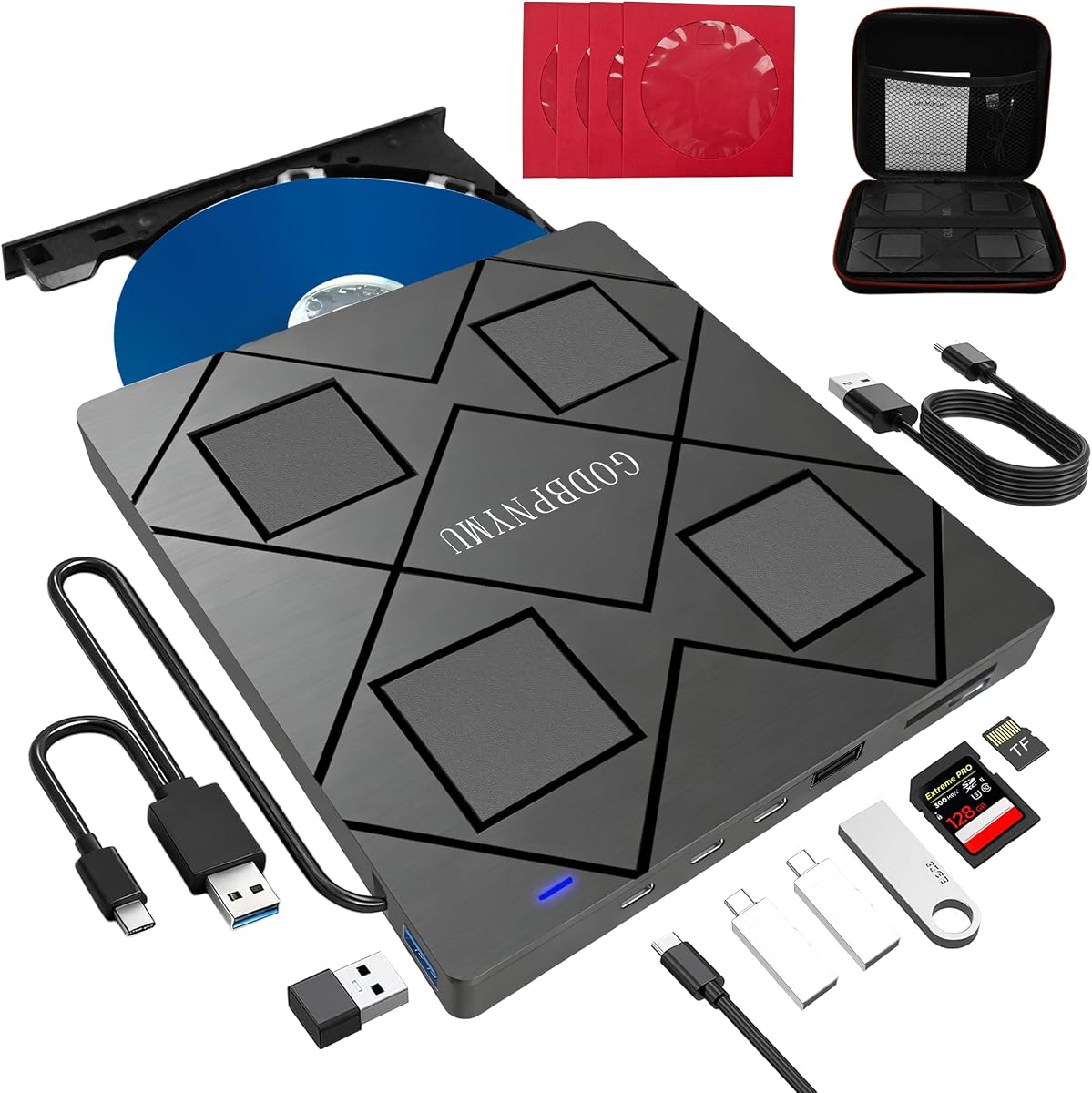
The 8-in-1 External Blu-ray Drive, USB-C Hub & Card Reader for Laptop carries a 4.2 rating and prioritizes useful connectivity alongside disc access. Its hub includes two USB-C ports, one USB 3.0 port, one USB 2.0 port, and a card-reader slot, allowing it to serve as a compact workstation accessory.
We may earn a commission when you buy through this link, at no additional cost to you.
The optical drive reads and burns BD, DVD, and CD formats, including 100GB BD-XL discs for reading. Maximum Blu-ray recording capacity is 50GB, while stated speeds reach 6x for Blu-ray, 8x for DVD, and 24x for CD. 3D Blu-ray playback is supported, but suitable third-party software is required and 4K playback is not supported.
Its slim 5.5-by-5.5-inch body weighs 300 grams and includes a carrying case plus four disc sleeves. The bundled USB-A to DC 5V power cable can improve reading stability in underpowered situations, although that cable is for power rather than data transfer. TF and SD cards cannot be read at the same time.
This is a compelling option for a laptop owner who wants more than disc playback, especially if limited USB ports are an everyday frustration. It is less suitable for 4K UHD collectors because that format is outside its stated capabilities, and buyers who need simultaneous SD and TF card access should choose a different design.
The integrated hub turns the drive into a more useful desk or travel companion. It can accommodate common peripherals such as a mouse, keyboard, cooling fan, or flash drive while preserving the drive's optical functions.
The low-profile enclosure, embedded cable system, carrying case, and disc sleeves make this model convenient to organize. The optional auxiliary power connection is particularly relevant when reading speed or disc recognition appears inconsistent.
We may earn a commission when you buy through this link, at no additional cost to you.
The BUFFALO 6X Portable Blu-ray Drive has a 4.7 rating, making it one of the strongest-rated products in this guide. It plays and burns Blu-ray, DVD, and CD media, supports Mac and Windows computers, and combines those functions with a slim, portable enclosure made in Japan.
We may earn a commission when you buy through this link, at no additional cost to you.
The drive provides 6x Blu-ray read and write speeds, along with 8x DVD read and write speeds. It includes M-DISC support for creating temperature-, light-, and humidity-resistant recordings described as potentially lasting up to 1,000 years. Its USB 3.2 Gen 1 Type-A connection comes with a Type-C adapter for broader laptop compatibility.
The enclosure measures 6 by 5 by 0.5 inches and weighs 0.5 pounds, making it straightforward to carry. A two-year manufacturer warranty provides useful support, while TAA compliance and US-based support may matter in professional or institutional buying environments. The product does not state 4K UHD support.
This is the most balanced overall recommendation for someone who wants proven disc playback, real writing capability, broad computer compatibility, and a strong warranty without paying for a specialized 4K system. It is especially appropriate for Windows or Mac users with a collection of standard Blu-ray, DVD, and CD media.
Unlike several slim alternatives that only read Blu-ray, this model writes Blu-ray as well as DVD and CD. That makes it a practical single-device solution for playback, disc creation, software installation, and archival workflows.
Its low-profile body and light weight suit mobile use, while the two-year warranty and US-based support add confidence. TAA compliance also gives this model a distinct advantage for government, education, and other managed procurement environments.
We may earn a commission when you buy through this link, at no additional cost to you.
The External blu ray Drive,8-in-1External blueray/DVD Drive for pc has a 4.2 rating and combines disc functions with a four-port USB hub. It reads and burns Blu-ray, DVD, and CD media, while the hub adds two USB-C ports, one USB 3.0 port, and one USB 2.0 port.
We may earn a commission when you buy through this link, at no additional cost to you.
Its stated disc speeds are 6x for Blu-ray reading, 8x for DVD reading, and 24x for CD reading, with matching write speeds for BD-R, DVD, and CD. It can read 100GB BD-XL media but cannot record to that format, and its maximum Blu-ray recording capacity is 50GB. 3D Blu-ray playback is supported with third-party software.
A dual-interface cable covers USB-A and USB-C computers, and the 5.5-by-5.5-inch, 300-gram enclosure is easy to carry. The listing notes broad support for Windows and macOS, including mainstream laptops and desktops. It is not designed for TVs, tablets, phones, or vehicle systems.
The buying case is strongest for users who want a drive, card reader, and USB hub in one compact accessory. Its trade-offs are straightforward: there is no 4K UHD playback, BD-XL recording is unavailable, and a single TF or SD card may be used at a time. Otherwise, it delivers a broad and practical feature set.
The built-in hub is the defining feature. It helps a modern laptop regain room for peripherals while the optical drive handles physical media, reducing the number of separate adapters a user needs to carry.
The drive handles common 25GB and 50GB Blu-ray media and read-only 100GB BD-XL discs. Understanding this limit prevents surprises when a 4K disc or archival BD-XL recording workflow is the actual goal.
We may earn a commission when you buy through this link, at no additional cost to you.
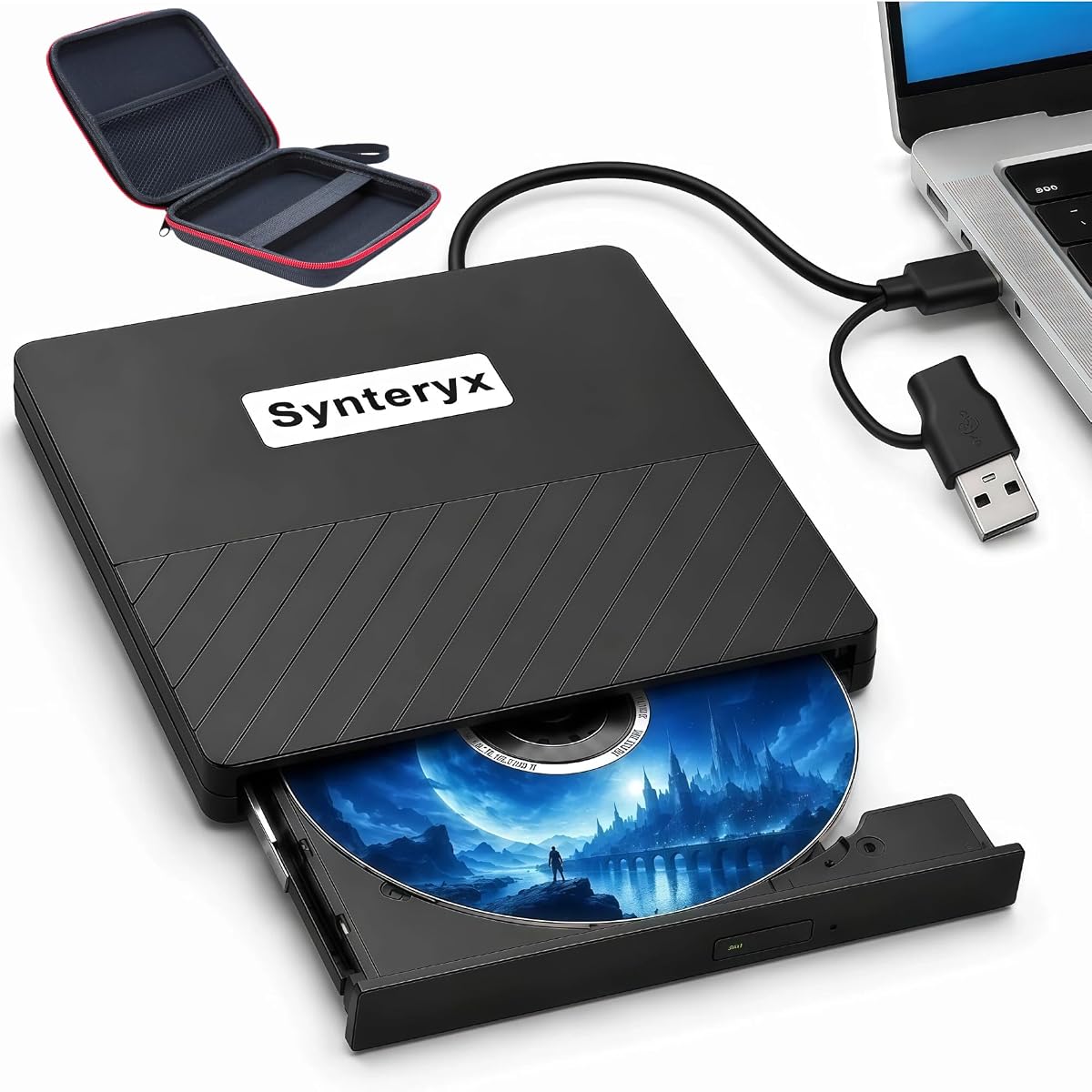
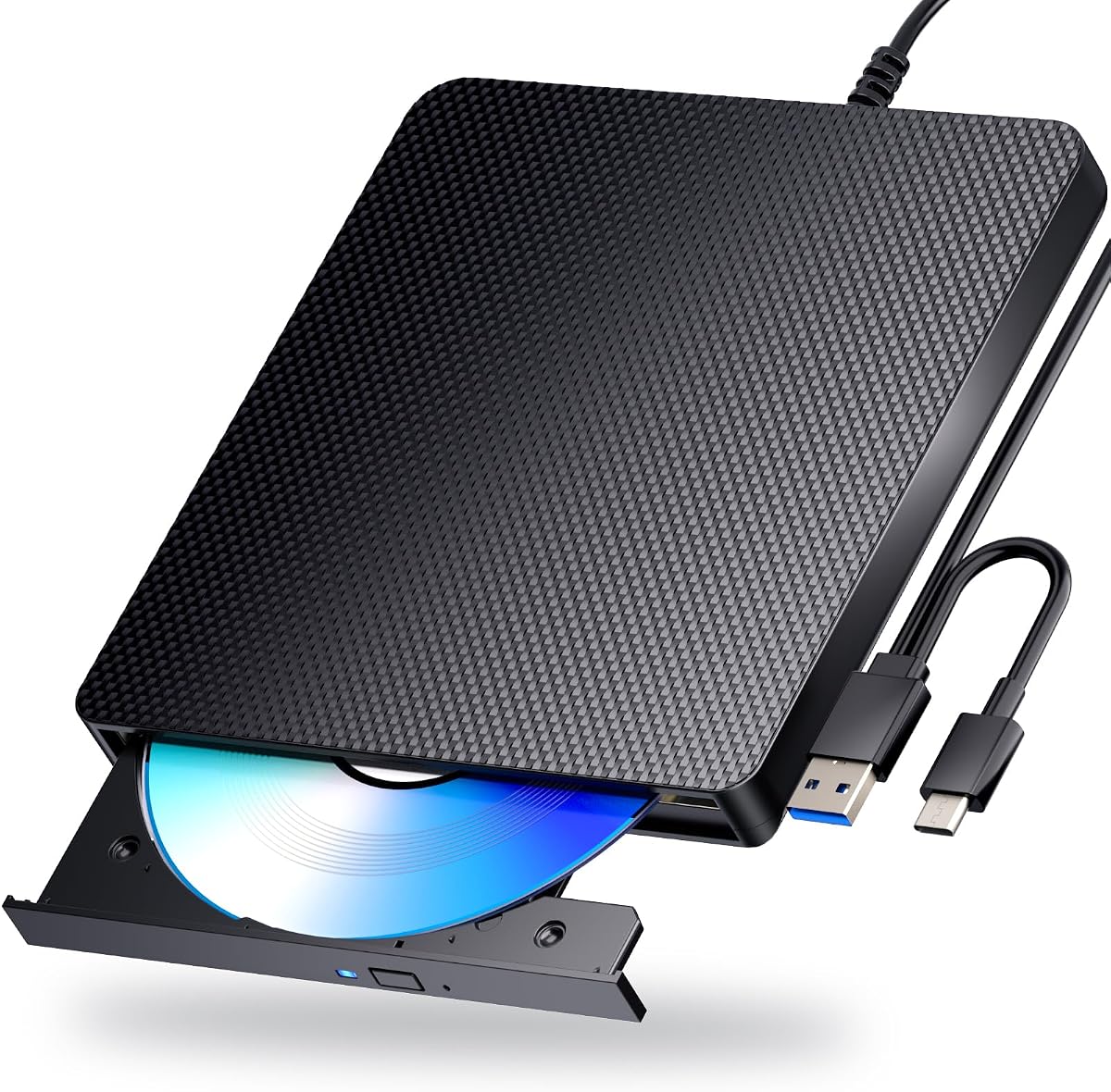
The External Blu-ray Drive, Portable Blu-ray Player & CD DVD Burner – USB 3.0 & Type-C BD/DVD/CD Reader, Plug and Play, Lightweight for Windows/Mac/Linux (2 in 1) has a 3.8 rating and offers a simple two-device approach to optical media.
We may earn a commission when you buy through this link, at no additional cost to you.
It reads Blu-ray at up to 6x, DVD at up to 8x, and CD at up to 24x. It can burn CDs and DVDs but cannot burn Blu-ray discs. Playback software such as PowerDVD or Leawo is required for Blu-ray content, while the physical drive connects through USB 3.0 or Type-C.
The brushed-texture shell and embedded data cable make it easy to carry, while the 5Gbps USB interface suits modern laptops and desktops. Compatibility is stated for Windows, Mac, and Linux, but not for Chromebooks, televisions, tablets, iPads, vehicles, or similar devices.
This is the budget choice for a user whose priorities are reading Blu-ray discs and creating CDs or DVDs without paying for full Blu-ray writing. It is not the right pick for archiving high-definition Blu-ray media, playing 4K UHD discs, or building a more expansive multi-port hub.
The combination of plug-and-play setup, dual connectors, and broad desktop operating system support keeps the learning curve small. It is a practical way to install software from a disc or revisit a physical media collection on a computer without a built-in optical drive.
The key limitation is that Blu-ray is read-only within this model. It remains useful for CD and DVD creation, but anyone needing to author Blu-ray discs should favor a model that explicitly supports BD-R writing.
We may earn a commission when you buy through this link, at no additional cost to you.
The External blu ray Drive,USB CD/DVD Drive for Laptops, DVD Burner has a 4.0 rating and is aimed at users who want a conventional external optical drive with both playback and recording functions. It supports 3D Blu-ray viewing and writes BD-R, BD-RE, DVD-R, DVD-RW, CD-R, and CD-RW media.
We may earn a commission when you buy through this link, at no additional cost to you.
Third-party Blu-ray player software must be purchased separately for movie playback. The drive connects by standard USB and draws power from the computer without a complex driver installation, making the initial setup relatively direct for Windows and macOS users.
The listing recommends a rear-case USB port on desktop computers and an attached power adapter on laptops for steadier operation during high-speed burning. It also notes that some Windows 11 installations may encounter compatibility issues, so confirming the drive with your exact computer setup is important.
Its matte, scratch-resistant body and anti-skid rubber feet are practical touches for frequent travel. This model suits a user who creates mixed-format physical media, although it lacks the card reader and hub offered by several similarly compact alternatives.
Support for both single-layer and rewritable Blu-ray formats, along with DVD and CD media, gives this model a broad authoring toolkit. It can handle everyday backup media, software distribution, and music or video disc creation in one enclosure.
Although the drive is bus-powered, stable power becomes more important when writing at higher speeds. Connecting directly to a motherboard port on a desktop or using the recommended power connection on a laptop can reduce recognition or writing problems.
We may earn a commission when you buy through this link, at no additional cost to you.
The Dainty External Blu ray Drives Player Read Compatible CD DVD Burner USB 3.0 / Type-C BD DVD Burner Blu ray Player for pc, Windows 7-11 & Mac(Black) has a 3.9 rating and emphasizes stable operation in a compact enclosure.
We may earn a commission when you buy through this link, at no additional cost to you.
The drive manages Blu-ray discs up to 100GB, CDs, DVDs, and dual-layer DVDs. It uses a 5Gbps USB 3.0 connection and combines USB 3.0 and Type-C interfaces in one cable for easier carrying and storage. An additional USB power cable is designed to reduce interruptions and burning failures caused by insufficient power.
Compatibility covers Windows, macOS, and Linux for use with PCs and laptops. Blu-ray playback and writing require separate software such as PowerDVD, Leawo Blu-ray Player, AnyDVD, or VLC Media Player, none of which is included with the product.
This model is a sensible choice for a desktop user working with large Blu-ray media who wants more power flexibility than a basic bus-powered design. It should not be considered for televisions, tablets, PS4 systems, iPads, Chromebooks, projectors, or vehicle use.
The auxiliary power lead is a meaningful feature for optical writing and sustained playback. It gives users a way to address instability associated with insufficient bus power rather than relying solely on the primary data cable.
Support for 100GB Blu-ray media makes this model relevant to users with larger disc libraries. Windows, macOS, and Linux support broaden its usefulness, provided suitable optical software is installed.
We may earn a commission when you buy through this link, at no additional cost to you.
The External blu ray Drive,USB CD/DVD Drive for Laptops, DVD Burner has a 4.7 rating and stands out for broad compatibility and a straightforward connection design. It supports 3D Blu-ray playback and writing across BD-R, BD-RE, DVD-R, DVD-RW, CD-R, and CD-RW formats.
We may earn a commission when you buy through this link, at no additional cost to you.
Separate USB-A and Type-C connection cables are included, allowing the drive to work with both traditional and newer computer ports without an adapter. The listing states compatibility with Windows 11, Windows 10, Windows 8.1, Windows 7, macOS, and Linux.
Third-party software is required for Blu-ray movie playback. The drive does not need additional drivers for normal use, but the listing notes that some Windows 11 installations may have compatibility issues. For stable high-speed writing, it recommends a direct rear USB connection on desktops or a laptop power adapter.
This is an attractive general-purpose model for users who want one drive across multiple operating systems. It has a high rating and a generous range of disc-writing functions, but it does not include the card reader, USB hub, 4K UHD playback, or M-DISC features found elsewhere in the list.
Support for Windows, macOS, and Linux makes this model useful for mixed-device workspaces. The included USB-A and Type-C cables simplify the physical connection on both older and modern laptops.
This drive covers the core needs of physical playback, software installation, backups, and disc creation. Its 4.7 rating makes it a strong alternative for anyone who values simple operation and cross-platform flexibility over extra hub functions.
We may earn a commission when you buy through this link, at no additional cost to you.
The External Blu Ray CD DVD Drive, USB 3.0 Type C Blu ray Burner BD Player Read/Write Portable Bluray Drive Slim Optical Blue Ray CD DVD Reader for Laptop PC Windows 11 MacBook Pro Air Desktop Linux OS has a 4.2 rating and provides a practical mix of optical and file-transfer functions.
We may earn a commission when you buy through this link, at no additional cost to you.
The 5-in-1 design combines Blu-ray, DVD, and CD access with two USB ports and an SD/TF card slot. It can play music, watch movies, back up data, install programs, and transfer files. USB 3.0 and Type-C cables make the unit usable with modern laptops and desktops, and the listing says no driver is required.
Compatibility is listed for Windows 11 and 10 PCs, Mac OS systems, MacBook Pro and Air, iMac, desktop computers, and Linux. It is not compatible with iPads, tablets, projectors, televisions, Chrome OS, cars, or smartphones. It also does not play 4K Ultra HD discs.
This model makes the most sense for a laptop owner who needs a physical disc drive, a couple of extra USB connections, and a convenient way to transfer camera or phone media. It is less appropriate for a 4K disc collection, and the embedded cable design means it is not as flexible when one connector type is preferred for a particular setup.
Two USB ports and a memory card slot turn the drive into a small connectivity station. This is particularly useful when a slim laptop has limited ports and the user regularly transfers images or videos from removable media.
Plug-and-play operation removes much of the setup complexity, while USB 3.0 and Type-C connections cover the most common computer interfaces. The drive remains focused on computers rather than televisions, mobile systems, or vehicles.
We may earn a commission when you buy through this link, at no additional cost to you.
The Dainty External Blu ray Drives Player Read Compatible BD DVD Drive USB 3.0 / Type-C CD DVD Burner Blu ray Player for pc, Windows 7-11 & Mac(Black) has a 5.0 rating, the highest numerical rating among the listed products. It is designed for compact disc access across common desktop platforms.
We may earn a commission when you buy through this link, at no additional cost to you.
The drive supports Blu-ray media up to 100GB, CDs up to 700MB, standard DVDs up to 4.7GB, and dual-layer DVDs up to 8.5GB. It combines USB 3.0 and Type-C connectors in one cable, while a separate power cable is included to improve stability during reading and writing.
Windows, macOS, and Linux compatibility make it suitable for many PC and laptop environments. Optical playback and writing still require dedicated software such as PowerDVD, Leawo Blu-ray Player, AnyDVD, or VLC Media Player. The product does not include that software.
The 5.0 rating makes this a compelling option for a user seeking a compact drive with broad format handling and flexible connectivity. The rating should not remove the need to verify your own operating system and software needs, and it does not change the stated exclusions for TVs, tablets, Chromebooks, projectors, and vehicles.
The 5.0 rating signals strong customer satisfaction, while the supported capacity range covers standard and larger optical media. That combination is useful for users who want one compact unit to handle a varied disc collection.
Combining USB 3.0 and Type-C connectors reduces the need to carry separate primary cables. The auxiliary power connection adds another layer of flexibility for sustained tasks, while the compact enclosure remains easy to store.
We may earn a commission when you buy through this link, at no additional cost to you.
Choosing an external Blu-ray drive involves matching disc formats, playback software, writing needs, power behavior, and computer connections. The most important distinction is whether you need basic playback, everyday authoring, multi-port expansion, or true 4K UHD support.
Start with the physical media already in your collection and the formats you expect to create. Standard Blu-ray, DVD, and CD support is common, but the details matter. Some drives read 100GB BD-XL discs while only writing 50GB dual-layer media, and others cannot write Blu-ray at all. The archgon model adds 4K UHD reading, while the budget portable player is limited to Blu-ray reading plus CD and DVD writing.
An optical drive is hardware, while commercial Blu-ray movie playback usually requires separate software. CyberLink PowerDVD is the principal recommendation for the archgon 4K UHD drive, and other products mention PowerDVD, Leawo, AnyDVD, or VLC Media Player. Some listings also distinguish ordinary Blu-ray playback from 3D or UHD playback, so check whether the required software and operating system are available for your computer.
Read-only capability is sufficient for watching movies, installing software, and accessing archived discs. It is not sufficient for creating backups, distributing media, or preserving family recordings. Favor a model that explicitly writes BD-R or BD-RE when you need Blu-ray creation, and verify DVD and CD writing support if those formats are part of your workflow.
4K UHD and 3D Blu-ray are separate capabilities. The archgon drive is the only product here that states 4K UHD support, and its listing also warns that suitable UHD playback software for Mac was not available. Several lower-cost models support 3D Blu-ray, while the 8-in-1 and 5-in-1 designs explicitly exclude 4K playback. A drive labeled simply as Blu-ray compatible should not be assumed to handle every high-definition format.
USB-A remains common on desktop PCs, while USB-C is increasingly important on modern laptops. Some models include a Type-C adapter, some provide a combined cable, and others include separate USB-A and Type-C leads. Check the connector arrangement against your computer and the way you travel. Also confirm that the operating system is supported; the included models variously list Windows, macOS, and Linux, with some noting limitations on certain Windows 11 installations.
Several compact drives also function as USB hubs or card readers. The 8-in-1 models provide multiple USB-A and USB-C ports plus a TF/SD slot, while the 5-in-1 drive offers two USB ports and card reading. These additions can reduce clutter, but they are most useful when your computer has few ports. Remember that the SD and TF slots generally accept only one card at a time.
Drive size matters if the unit will move between home, office, and travel. The slimmest options measure about 5.5 by 5.5 inches and weigh 300 grams, while the BUFFALO model is 6 by 5 inches and weighs 0.5 pounds. Embedded cables improve organization, while auxiliary power leads may help when a laptop cannot reliably supply enough current. For desktop writing, a direct rear USB connection to the motherboard is often recommended.
M-DISC support can matter if your goal is long-term preservation rather than everyday media exchange. The BUFFALO 6X and archgon drives explicitly support M-DISC recording, with the former describing its media as resistant to temperature, light, and humidity. A normal BD-R disc can still be useful, but M-DISC support offers a different preservation proposition and should be verified against your software workflow.
Begin by checking your computer's operating system, available connection, and the required disc format. Connect the drive with the appropriate USB-A or Type-C cable, wait for the system to recognize it, and insert a disc with the printed side facing the correct direction. Install suitable optical software before attempting commercial Blu-ray movie playback, and confirm that the selected program supports the exact format you need.
When reading discs, handle them by the edges and keep the label surface free of fingerprints, scratches, and adhesive residue. Avoid opening the drive enclosure, pushing discs past the tray or slot mechanism, and using damaged media. For writing, use reliable blank media, close any other intensive USB applications, and follow the burning software's prompts through completion before removing the disc.
For stable results, connect a desktop to a rear USB port when possible and use the recommended power connection on a laptop during sustained writing. Keep the drive on a level, nonslip surface, protect its cable from sharp bends, and use the included case or sleeves for transport. Periodically check for software updates, and do not attempt illegal firmware downgrades because they may damage stated functionality.
Most do for commercial Blu-ray movies. The product descriptions repeatedly mention PowerDVD, Leawo, AnyDVD, or VLC Media Player, depending on the drive and desired function. A computer may recognize the disc hardware without being able to play protected Blu-ray movies. Check that your chosen software supports Windows or macOS and that it supports 3D or 4K UHD if those formats are required.
No. The budget Portable Blu-ray Player and Burner can read Blu-ray but cannot write it, while the BUFFALO 6X, archgon, and several other models explicitly support Blu-ray writing. If disc creation is important, confirm the exact writable formats, such as BD-R or BD-RE, rather than relying on a general description of the drive as a burner.
4K UHD refers to high-resolution Blu-ray video, while 3D Blu-ray uses stereoscopic presentation. These are independent features, and support for one does not guarantee support for the other. In this list, the archgon drive explicitly supports 4K UHD, while several other models advertise 3D playback but explicitly do not support 4K.
Many of the listed drives state compatibility with macOS and Linux, including the BUFFALO 6X and the Dainty dual-interface models. However, the archgon listing notes that suitable 4K UHD software was not available for Mac in the best knowledge of the seller, so hardware support and UHD playback support are not necessarily the same thing. Check both the operating system and playback software before buying for a non-Windows computer.
Possible causes include insufficient power, an unstable cable or port, a dirty or damaged disc, missing system software, and an unsupported format. Start by testing the disc in another drive, reseating the connection, and trying a rear USB port on a desktop. On laptops, use the auxiliary power lead where available. Also verify that the disc type and region are compatible with the drive and software.
These products are generally designed for computers rather than entertainment devices. Multiple listings explicitly exclude televisions, projectors, vehicles, tablets, smartphones, game consoles, and other systems. The BUFFALO model is presented as compatible with Windows and Mac computers, while the Dainty products list PCs, laptops, and supported operating systems rather than smart TVs or consoles.
An integrated hub is useful if your laptop has few ports and you regularly connect a mouse, keyboard, flash drive, or cooling fan. The 8-in-1 models offer several ports and card reading, while the 5-in-1 model provides two USB ports and an SD/TF slot. If your computer already has ample connectivity, a simpler dedicated optical drive may be easier to carry and use.
Keep the drive in its case when it is not in use, and protect discs in sleeves or a separate organizer. Avoid heat, moisture, direct sunlight, and impact. Route the integrated or attached cable without sharp bends, and use a stable surface during writing. Keeping discs away from scratches helps preserve reliable playback and recording performance over time.
The BUFFALO 6X Portable Blu-ray Drive is the strongest all-around option because it combines a 4.7 rating, full Blu-ray, DVD, and CD writing, M-DISC support, broad Windows and Mac compatibility, and a two-year warranty. The Portable Blu-ray Player and Burner is the budget choice for users who mainly need Blu-ray reading plus CD and DVD creation, while the archgon drive is the specialized premium option for Windows-based 4K UHD playback.
Your priority should follow the actual task. Choose full Blu-ray writing for disc creation, M-DISC support for archival work, 4K UHD compatibility for high-resolution movie collections, and a USB hub only when extra ports will genuinely improve your setup. Do not overlook software: several drives need separate playback tools, and 3D, UHD, Mac, and Linux capabilities vary across the models.
Before ordering, verify the current listing details, supported formats, connector arrangement, operating system compatibility, and current price. Ratings and product offerings can change over time, and software availability may also evolve. Taking those final checks seriously will help ensure the chosen drive matches your computer, disc collection, and intended workflow.