
N64 RCA to HDMI Adapter
5.0Editor score
Complete console connection kit
RCA composite video input
HDMI television compatibility
Simple three-step installation
Our N64 GameCube HDMI Converter guide compares 10 adapters for video quality, aspect ratio, power needs, setup ease, and display compatibility.
An N64 GameCube HDMI Converter bridges the analog video output of classic Nintendo consoles with modern HDTVs, monitors, and projectors. A useful adapter should provide a stable connection, preserve the consoles’ 4:3 presentation, and avoid adding noticeable delay. The right choice also depends on whether you value plug-and-play simplicity, widescreen options, or a more advanced signal path.
We compared all ten products by examining console compatibility, video processing, aspect-ratio controls, included cables, power requirements, resolution claims, and installation details. The list covers direct console adapters, three-in-one designs, and RCA-based kits. It also highlights important differences such as native-resolution output, optional backup power, and whether audio is carried by the converter.
The first choice suits buyers seeking an adaptable three-console solution, while other picks serve different priorities such as a complete installation kit or a straightforward all-in-one cable. Each review explains the product’s strongest features and practical limitations. Product details, ratings, and availability can change, so confirm the current listing before making a final purchase.
5.0Editor score

4.4Editor score

3.8Editor score
The comparison below organizes all ten converters by connection method, console support, display features, and setup requirements, making it easier to identify the model that best matches your Nintendo hardware and television.




This 4.4-rated three-in-one HD Link is the strongest all-around choice in the group. It converts analog S-Video signals from the N64, GameCube, and SNES into HDMI for modern televisions, monitors, and projectors. Its most useful feature is the physical 4:3 and 16:9 switch, which gives buyers more control over how classic games fill a widescreen display.
We may earn a commission when you buy through this link, at no additional cost to you.
The adapter emphasizes upgraded signal processing with attention to color, resolution, and image detail. Because the console-specific end connects to proprietary analog output while a detachable HDMI cable handles the display connection, users can substitute a longer or higher-quality cable when needed. That flexibility makes the design more accommodating than a permanently attached lead, especially in entertainment centers with awkward television placement.
The principal trade-off is that the listing does not clearly state whether audio is transmitted. Its claims center on video conversion, and a blue display generally points to an input or connection issue. You should therefore verify whether your original Nintendo AV cable or another audio route is required. The product is also limited to the three named Nintendo systems rather than serving as a universal converter.
This is a strong recommendation for a multi-console collection, particularly if you alternate between N64, GameCube, and SNES games and value a physical widescreen option. It balances broad compatibility, flexible cabling, and a straightforward installation. Those features make it a practical central choice for anyone building a classic Nintendo display setup.
The detachable design lets you use the supplied HDMI connection or substitute a longer cable. That is useful when the television sits behind a stand, inside a cabinet, or farther from the console than the original lead can reach.
The 4:3 and 16:9 switch is valuable because classic Nintendo games were originally framed for 4:3 displays. Choosing the appropriate mode can produce a more intentional image on a modern widescreen screen.
We may earn a commission when you buy through this link, at no additional cost to you.
This 4.2-rated adapter is a simple option for connecting an N64, GameCube, or SNES to a modern HD television. It includes an HDMI cable and advertises conversion to 720p or 1080p, making it appealing to buyers who want one shared device for several classic Nintendo systems without searching for extra display cables.
We may earn a commission when you buy through this link, at no additional cost to you.
The product is described as plug-and-play, although an external power supply is required. That requirement adds one more step compared with converters that draw enough current from the console’s analog port. The listing also claims no screen lag, which is reassuring for action-heavy games, though the wording does not provide independent timing measurements.
Buyers should take note of the repeated warning that there is no sound and a blue screen can appear if the connection is unsuccessful. This suggests that video is the central function and that the correct input or power sequence matters. Audio compatibility is not clearly detailed in the supplied information, so check the package contents and console-specific instructions before relying on it for a complete setup.
Choose this adapter if your priority is a straightforward three-console solution with an HDMI cable included. It may be less convenient than no-power models, but the broader console support and stated HD output make it a practical option for households that want one device across multiple classic Nintendo systems.
Compatibility with the N64, GameCube, and SNES reduces the need for separate display adapters. It is especially useful for collectors who move between systems in the same room.
Because the converter needs external power, users should connect and power it before checking the television input. This prevents a confusing blue screen during initial setup.
We may earn a commission when you buy through this link, at no additional cost to you.
This 4.2-rated N64 HDMI Link Converter supports the N64, GameCube, SNES, and SFC. It transforms their analog RGB signals into digital HDMI output for modern smart televisions, monitors, and projectors. The combination of four-console support and no-extra-power operation makes it a convenient central solution for a varied Nintendo collection.
We may earn a commission when you buy through this link, at no additional cost to you.
Its most notable feature is support for both 16:9 and 4:3 output. That switch is especially relevant when moving between a widescreen television and a display with a more traditional shape. The plug-and-play design also removes the need to install software, add adapters, or arrange a separate power supply for normal use.
The listing warns that a blue screen generally means no video input has been detected and advises checking the connection method. It also says there is no sound, so this converter should not be treated as a complete solution for analog audio. Those limitations are acceptable for buyers who already route console sound through a television, sound system, or separate audio cable.
This is a good recommendation when you own several supported systems and want convenient aspect-ratio switching without external power. Its four-platform compatibility distinguishes it from basic three-in-one leads. Verify your audio arrangement and follow the connection sequence carefully to get the expected picture.
Support for N64, GameCube, SNES, and SFC means the same adapter can serve many cartridge-based Nintendo systems. It reduces clutter for users with several regional console variants.
Physical 16:9 and 4:3 selection helps match the converter to different display shapes. It also reduces the need to rely on television scaling controls.
We may earn a commission when you buy through this link, at no additional cost to you.
This 3.8-rated converter distinguishes itself by extracting the S-Video signal from the N64, GameCube, SNES, or SFC Multi-Out port and sending that signal through HDMI. Because S-Video carries separate color and luminance information, the resulting image can look cleaner than a standard RCA composite connection. It is a technically focused option for viewers who care about signal quality.
We may earn a commission when you buy through this link, at no additional cost to you.
The included 1.5-meter HDMI cable has nickel-plated connectors, and the converter’s HDMI port also accepts nickel-plated plugs. The product is designed for direct operation without an external power adapter. A Micro USB port is provided only as optional backup power in unusual circumstances, such as an unstable display or missing signal; no Micro USB cable is included.
Its major limitation is equally important: the converter outputs the console’s original resolution rather than upscaling to high-definition resolutions. That is not a defect for purists who prefer an unaltered image, but buyers expecting sharper 720p or 1080p output should look elsewhere. The product description also does not promise audio output, so existing console audio may need a separate route.
This is the premium pick for buyers who specifically value the S-Video signal path and a no-frills native-resolution presentation. It is less suitable for those seeking HD upscaling, but it offers a clear technical advantage over composite-based designs. Confirm that your console’s Multi-Out connection and your display’s HDMI input are available before purchasing.
S-Video separates brightness from color information, providing a cleaner starting signal than yellow RCA composite. This can preserve more visible detail before the image reaches the television.
Keeping the original console resolution leaves scaling to the display. Some enthusiasts prefer that transparency, while others may want the converter itself to produce a higher-resolution image.
We may earn a commission when you buy through this link, at no additional cost to you.
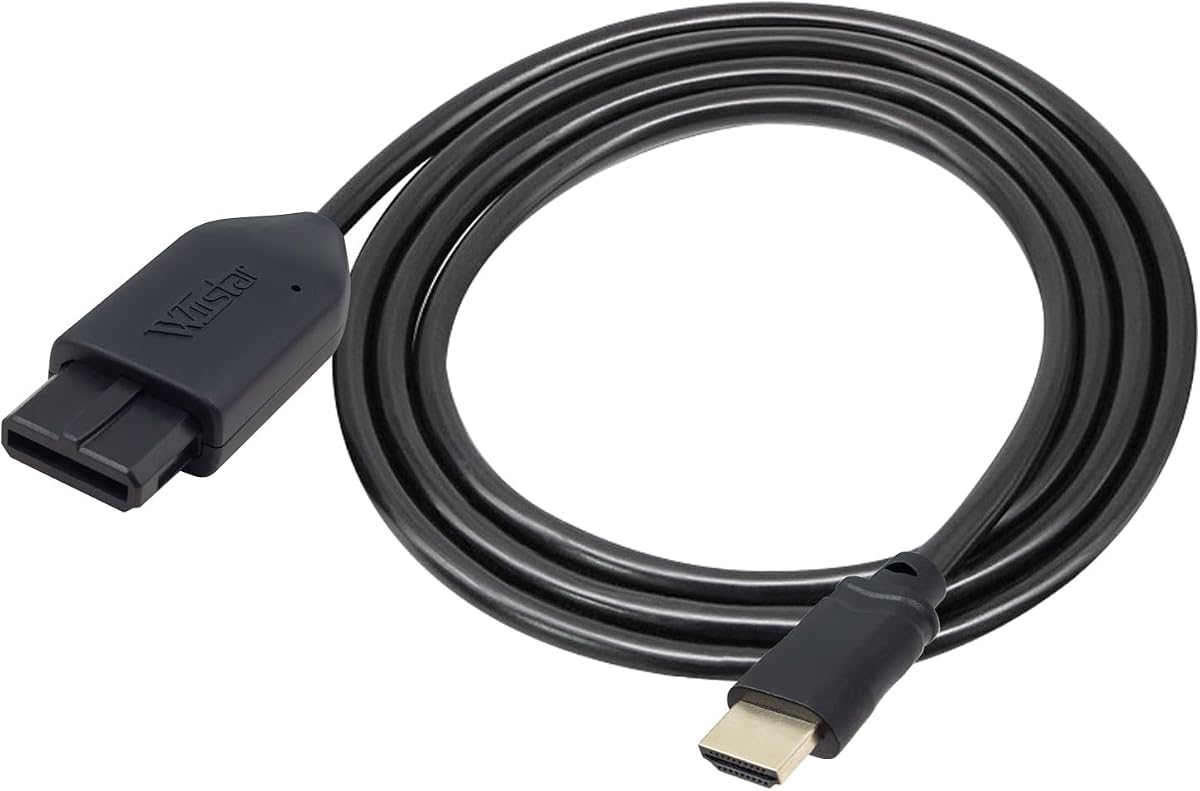
This 4.0-rated all-in-one HDMI link is built around convenience. Its console-specific N64 end plugs directly into the system, while an integrated 1.5-meter HDMI cable reaches the display. The product also supports the GameCube, SNES, and SFC, giving the compact design broader usefulness than a strictly single-console lead.
We may earn a commission when you buy through this link, at no additional cost to you.
The converter takes analog signals from the supported Nintendo systems and outputs them digitally through HDMI. The supplied information describes the image as brighter and sharper than earlier AV output, with particular attention to upscaled signal processing, color, and resolution. It advertises 1080p60 output, while explicitly noting that 720p60 is not supported.
That single-resolution limitation could matter if your television or settings are better suited to 720p, although many modern displays handle 1080p60 without difficulty. The listing says there is no sound, so users should expect to connect audio separately. It also states that a blue screen means the television has not detected a valid video input.
The best candidate for this adapter is someone who wants the cleanest possible N64 installation without a separate converter box. The integrated connector eliminates an extra cable and the absence of normal-use power simplifies the arrangement. Choose it when 1080p60 output meets your needs and you already have a suitable audio solution.
The built-in console connector and integrated HDMI lead create a compact setup. It is particularly convenient when the console is close to the television and a separate adapter box would be inconvenient.
The explicit 1080p60-only statement makes this easier to evaluate than vague resolution claims. Ensure your television and preferred settings support that mode before installation.
We may earn a commission when you buy through this link, at no additional cost to you.
This 4.2-rated adapter combines support for the N64, GameCube, and SNES with an included HDMI cable. It is designed as an uncomplicated way to move those consoles onto newer televisions, and the stated no-lag operation is particularly relevant for fast games in which input delay can be immediately noticeable.
We may earn a commission when you buy through this link, at no additional cost to you.
A physical 16:9 conversion option helps adapt traditional game framing to contemporary widescreen televisions. The product also states that no additional power supply is required, so setup can be completed without finding a suitable outlet or adding another power brick beside the console.
The principal uncertainty is audio. The listing warns that no sound or a blue screen can appear if the connection is unsuccessful, but it does not clearly promise that the adapter carries analog audio. Treat video conversion as the confirmed function and verify the current package details if sound is essential. The included customer-support commitment and replacement policy also add some reassurance.
This is a sensible pick for a player who regularly uses the N64, GameCube, or SNES and wants a single uncomplicated adapter. Its included cable, broad three-system support, and no-extra-power design reduce setup friction. It is less suited to collectors seeking a specific S-Video or native-resolution feature.
A converter that requires no extra power and includes the display cable is practical for routine use. The system can be connected, moved, or switched without rebuilding a larger installation.
The listed 16:9 conversion gives classic games a more suitable option on modern flat-panel displays. Users can also adjust their television’s own picture and framing controls for further refinement.
We may earn a commission when you buy through this link, at no additional cost to you.
This 5.0-rated RCA-to-HDMI kit stands out as the most complete package in the list. It includes a 6-foot N64 AV cable, a 4.9-foot HDMI cable, an AV-to-HDMI converter, a 5V 1A power adapter, and a longer USB cable. A buyer can assemble a working connection without separately sourcing several essential leads.
We may earn a commission when you buy through this link, at no additional cost to you.
The converter accepts the yellow, white, and red RCA connections from compatible Nintendo AV leads and outputs HDMI at advertised 720p or 1080p60 modes. It supports PAL and NTSC input standards, making it relevant to owners of consoles from different regions. The kit also remains useful with older televisions that have RCA input, although the converter itself is intended for HDMI displays.
Its main technical compromise is that it uses RCA composite video rather than the cleaner S-Video path used by some competing products. USB power is required, and the setup involves connecting the console cable, linking the converter to the television, and then applying power. Despite these limitations, the comprehensive package reduces both cost and effort compared with buying each component separately.
This is the best budget choice for a first-time retro setup, a family using several Nintendo systems, or anyone who values clear instructions and included accessories. It also provides a practical bridge if you want one installation for multiple consoles. The 5.0 rating is strong, although buyer feedback volume and individual display results should still inform the final decision.
The included console lead, HDMI cable, converter, and USB power components remove the most common source of setup friction. It is particularly helpful for first-time users who may not know which additional adapters are needed.
PAL and NTSC input support broadens compatibility for owners of consoles sold in different regions. The television must still be set to the matching source format for a stable image.
We may earn a commission when you buy through this link, at no additional cost to you.
This 4.4-rated ZUZONG adapter is a direct HDMI bridge for the N64, GameCube, SNES, and SFC. It is designed specifically for Nintendo’s proprietary analog connections, and the plug-and-play approach means no drivers, software, or complex configuration are required. That makes it approachable for both occasional players and dedicated collectors.
We may earn a commission when you buy through this link, at no additional cost to you.
The physical 4:3 and 16:9 switch is the adapter’s most useful display feature. It allows users to change the output framing without navigating complicated television menus, which is helpful when moving a console between displays. The manufacturer states that the product underwent testing before shipment, providing some reassurance about basic construction and intended operation.
The compatibility limitation is clear: the HD link supports only the listed Nintendo systems and does not work with other consoles. Audio is not clearly described, so those who require sound through a single combined connection should verify that detail before buying. As with the other analog converters, correct input selection is essential to avoid a blank or blue screen.
Choose this adapter for a focused Nintendo setup that values aspect-ratio control and simple installation. Its rating and broad four-system compatibility make it a credible middle-ground option, particularly for owners who do not need a composite-based television cable or a more complex signal specification.
The adapter targets the proprietary outputs of four classic Nintendo systems. This focused compatibility makes setup predictable for users whose collection is centered on those platforms.
A driver-free design means the converter can work immediately with compatible hardware and a television. There is no computer-based configuration stage between connecting the console and playing.
We may earn a commission when you buy through this link, at no additional cost to you.
This 4.2-rated Kaico adapter combines broad classic-console support with a clean installation. It works with the Nintendo 64, Super Nintendo, Super Famicom, and GameCube through their proprietary analog ports, using a direct connection rather than a long collection of separate leads. That makes it a practical option for a multi-system gaming corner.
We may earn a commission when you buy through this link, at no additional cost to you.
The listing identifies support for both S-Video and composite outputs, giving it more flexibility in how it obtains a video signal. It also states that no additional power is needed. The all-in-one design is a major convenience for N64 users because the dedicated console connector and HDMI output are integrated into one unit.
The product does not list a physical 4:3 or 16:9 switch, so aspect-ratio adjustment may need to be handled through television settings. Audio transfer is also not clearly explained, making it prudent to verify whether an existing AV cable or separate audio connection is necessary. A twelve-month repair-and-replacement warranty adds useful coverage, although packaging may vary.
This is a strong choice for buyers who want a simple, powered-free adapter spanning several Nintendo systems. It is especially appealing when minimizing cable clutter matters more than having a dedicated aspect-ratio switch. Check the available ports on your console and the audio needs of your display before finalizing the setup.
The integrated connector arrangement reduces the number of separate pieces around the console. It is especially helpful in compact setups where loose adapter leads are inconvenient.
Support for S-Video and composite gives users more than one way to obtain video. The preferred connection can depend on the console cable and display arrangement available.
We may earn a commission when you buy through this link, at no additional cost to you.
This 4.4-rated portable HD Link is designed for the N64, GameCube, and SNES. It converts analog S-Video to HDMI for modern smart televisions, monitors, and projectors, while the 4:3 and 16:9 switch provides practical control over image framing. Its compact three-in-one approach is well suited to a small retro-gaming display.
We may earn a commission when you buy through this link, at no additional cost to you.
The product highlights upscaled signal processing and improved color, resolution, and detail. It also claims unnoticeable lag during play, which is important when a converter sits between the console and display. The detachable design permits a different or extended HDMI cable when the standard arrangement does not suit the furniture or screen position.
The listing does not explain audio handling, so the adapter should be considered primarily as a video bridge. Its short or limited lead may also require a longer cable in a large entertainment center. The stated one-year warranty provides some reassurance, and the claim of no radio-frequency emission may be useful to buyers creating a tidy, interference-conscious setup.
Choose this model if you need one compact adapter for three Nintendo systems and value aspect-ratio control. It closely mirrors the strengths of the leading three-console option but is presented as a portable model. Verify cable reach and your audio requirements before purchase to ensure it fits your particular setup.
The portable three-in-one format keeps the installation visually simple and focused. It works well for users connecting one classic Nintendo system at a time to a modern display.
The listing emphasizes unnoticeable lag during gameplay. While no numerical test result is supplied, the design goal is appropriate for action, racing, and competitive games where responsiveness matters.
We may earn a commission when you buy through this link, at no additional cost to you.
The right converter depends on your console ports, display type, audio arrangement, and preference between upscaling and native output. Use the following factors to narrow the field before making a purchase.
Start by confirming how your console sends analog video to a television. The N64, GameCube, SNES, and SFC use proprietary console ends on their official AV cables, while some installations instead begin with standard RCA leads. Converters designed around the Multi-Out or proprietary connector can be especially tidy, whereas RCA-based systems require a matching console AV cable and may offer broader usefulness with older displays.
S-Video and RCA composite are not equivalent source paths. S-Video separates luminance and chroma information, which generally produces a cleaner and more detailed picture than the combined yellow composite signal. A converter that explicitly extracts S-Video is attractive for image quality, while a composite converter is still useful when that is the only available source and may make installation simpler.
Classic Nintendo games were generally composed for 4:3 screens, but modern televisions and projectors usually use 16:9. A physical switch lets you choose the converter’s framing without repeatedly entering television menus. Widescreen modes can fill the screen, while 4:3 may preserve the original composition more faithfully. Consider how much screen space you value versus how closely you want the image to retain its intended shape.
Conversion to HDMI does not automatically mean the image is rendered in high definition. Some converters upscale the source and advertise 720p or 1080p modes, while others preserve the console’s native resolution and let the display scale the image. Higher advertised modes can improve apparent sharpness and presentation, although they do not restore detail that was never present in the original graphics.
Some adapters draw sufficient power from the console’s analog port and operate without a separate supply. Others require USB power, which adds a cable and may be essential for reliable operation in certain combinations. Backup-power ports are different from mandatory power: they can help if a display is unstable but are not normally needed. Read the power notes carefully to avoid a setup that fails intermittently.
Several listings focus on video and do not clearly state that audio passes through the converter. Nintendo consoles can usually provide sound through their original AV connections, RCA audio leads, or a separate system connected to the television. If you already route audio through a soundbar, amplifier, or another input, that may be sufficient. If you expect one cable to carry both sound and picture, verify that capability before purchasing.
A complete kit can be the simplest choice for a first installation, while a detachable HDMI lead offers better placement flexibility. Fixed one-piece cables reduce loose components, and proprietary connector designs avoid lengthy RCA arrangements. Compare what is actually included: some products supply only the converter, while others provide HDMI leads, console AV cables, USB cables, and power adapters.
The destination must have an HDMI input, and some legacy consoles use PAL or NTSC signals. Converters that explicitly support both standards are more flexible for regional hardware. Modern televisions may also require you to select the correct HDMI input, disable overscan, or adjust picture scaling. Checking these details beforehand prevents a correctly connected converter from appearing defective.
Begin by identifying the correct console-side connection. If the adapter uses a proprietary Nintendo plug, connect it firmly to the N64, GameCube, SNES, or SFC while the system is powered off. If it accepts RCA input, attach the matching yellow video plug and the appropriate white and red audio plugs. Route the cables without creating sharp bends near either connector.
Next, connect the converter to the television or projector through HDMI. Select the correct HDMI input on the display, turn on the console, and allow a few moments for the signal to synchronize. If the screen remains blue, reseat the console connection, verify that the television has selected the intended input, and supply any required USB power. For PAL or NTSC consoles, select the matching television source format.
For the clearest image, begin with the converter’s 4:3 mode on a widescreen television, then compare it with 16:9 output. Adjust the television’s picture size and overscan controls only after choosing the converter’s aspect ratio. Keep the converter and cables dry, avoid hanging heavy components from the connector, and disconnect the console-side plug before moving the system to reduce wear on the proprietary port.
It depends on the specific converter, and several listings in this guide focus only on video. The safest approach is to treat the HDMI adapter as a video bridge and use the console’s original audio connection, an appropriate RCA audio lead, or a separate sound system. Confirm the current product description before purchase if you require picture and sound through one combined cable.
Yes, many three-in-one adapters support the N64, GameCube, and SNES through compatible console-side connections. Some extend support to the Super Famicom as well. Always confirm the exact console list and connector type because products that accept RCA require the correct official or compatible AV cable.
Generally, yes. S-Video carries luminance and color information separately, so it usually begins with a cleaner signal than RCA composite. The final result still depends on the converter’s processing, the display, and the source cable, but a dedicated S-Video input is generally the preferred choice when both are available.
Not in the same sense as modern high-definition games. Some devices upscale the analog picture and output 720p or 1080p, while others preserve the original console resolution. Upscaling can produce a larger and cleaner-looking image, but it cannot recreate graphical detail that was absent from the original source.
A blue screen usually means the television has not detected a valid video input. Check that the console-side connector is fully seated, the correct HDMI input is selected, and any required power is connected. Also verify that the television format matches the console’s PAL or NTSC signal and reconnect the cable at both ends.
Choose 4:3 when preserving the original framing and shape of classic Nintendo games matters most. Choose 16:9 when you want the image to occupy more of a widescreen display. Many converters include a physical switch, allowing you to compare both modes before deciding which looks best for your television.
It depends on the model. Several products operate using power from the console’s analog port, while the RCA-based kit and certain other adapters require USB power. A Micro USB backup-power port is optional unless unusually unstable output occurs, so read the distinction carefully before installing the device.
Yes, provided the projector or monitor has an HDMI input and supports the converter’s output mode. Monitors can be especially useful for classic games because their smaller size may make 4:3 output comfortable to view. Adjust the display’s aspect ratio, scaling, and overscan controls after selecting the desired converter mode.
The 3-in-1 HD Link stands out as the most adaptable overall choice because it supports the N64, GameCube, and SNES, offers physical 4:3 and 16:9 switching, and permits a detachable HDMI cable. The RCA-to-HDMI kit is the best budget route for buyers who want every necessary cable and power component included, while the dedicated S-Video converter is the most technically focused premium option.
Before ordering, prioritize the connection method your console actually supports, the presence of a usable aspect-ratio switch, and whether you need upscaling or native-resolution output. Power requirements and audio routing deserve equal attention. A converter that looks excellent on paper can still be inconvenient if it requires an extra power lead, cannot carry your preferred sound connection, or includes a cable too short for your setup.
Finally, check the current listing, included components, compatibility notes, and customer feedback before purchasing. Ratings and product details can change over time, and display scaling behavior varies by television or projector. Confirming those details helps ensure that the chosen N64 GameCube HDMI Converter integrates cleanly with your classic Nintendo hardware and modern viewing equipment.