
Canon MegaTank G3270
4.1Editor score
Up to 7,700 color pages
Wireless print copy scan
Simple LCD display
Printers with liquid ink, also called ink tank or refillable printers, can be a smart choice for households and home offices that print regularly. Instead of relying on small replaceable cartridges, these models use refillable tanks, reducing the frequency of ink replacements while supporting sharp text, color documents, photos, copies, and scans.
This guide compares 10 HP Smart Tank, Canon MegaTank, and Epson EcoTank options using the supplied specifications. The evaluation considers included page yield, refill convenience, wireless functions, all-in-one capabilities, print quality claims, display features, and the needs of different users, from budget-conscious households to higher-volume home offices.
The list begins with the HP Smart Tank 5003 and includes several Epson EcoTank models, the Canon MegaTank G3270, and the more productivity-focused EcoTank Pro ET-5150. Each review explains the strongest reasons to consider the model, along with relevant trade-offs. Product details and availability can change, so readers should verify current specifications and pricing before purchasing.
4.1Editor score

4.2Editor score

4.0Editor score
As an Amazon Associate we earn from qualifying purchases.
The comparison below highlights the major differences among the 10 refillable-ink printers, including stated page yield, printing functions, wireless support, and notable productivity features.
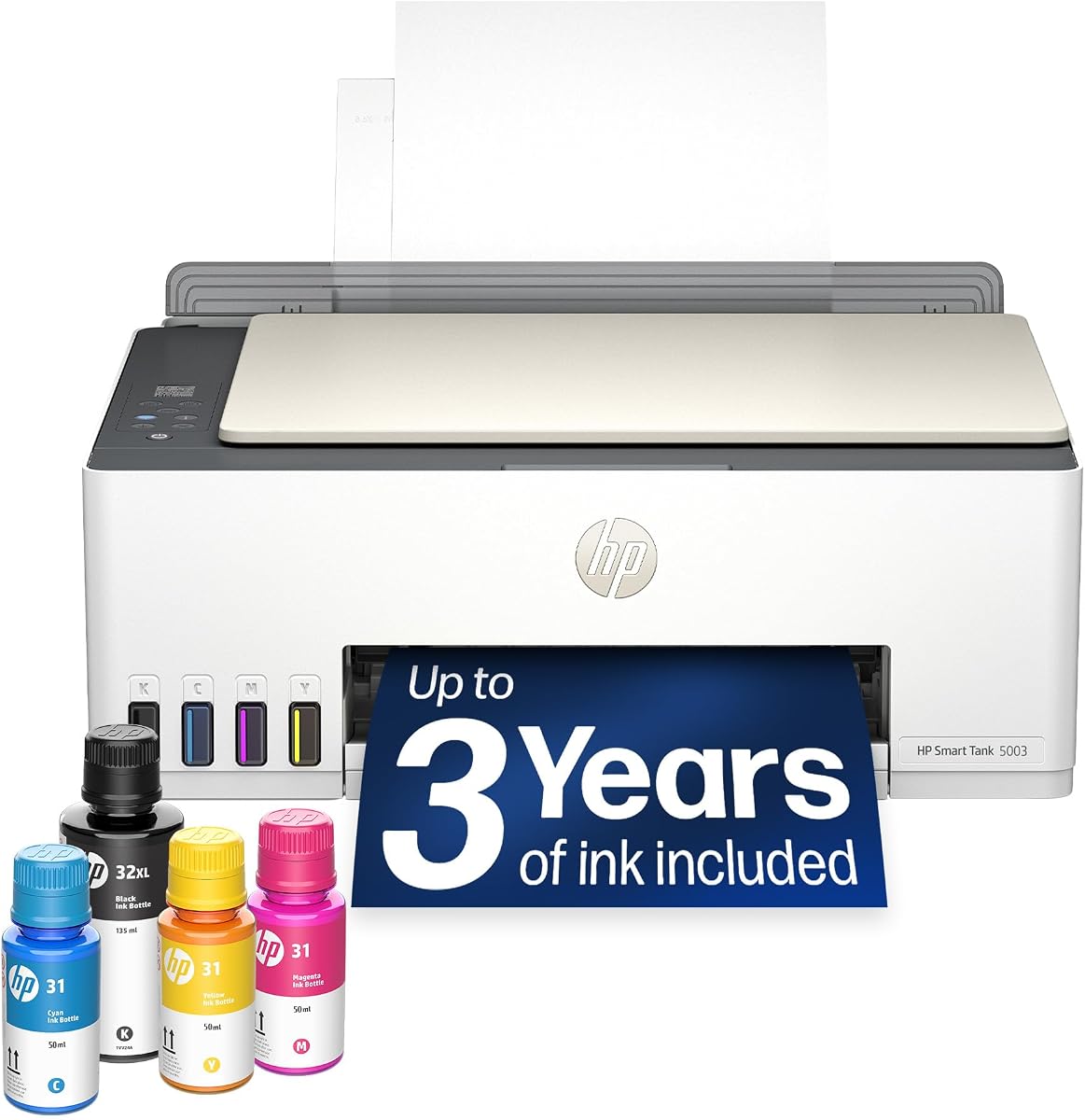




The HP Smart Tank 5003 combines a refillable ink system, wireless printing, and basic all-in-one functions in a home-focused package. Its 3.9 rating places it behind the strongest Epson and Canon models in this comparison, but the supplied specifications present a compelling ownership proposition: up to three years of HP Ink are included, with up to 6,000 color or black pages available out of the box.
We may earn a commission when you buy through this link, at no additional cost to you.
Its greatest advantage is straightforward ownership. HP's cartridge-free tanks accept ink bottles that plug into place and drain, avoiding the squeezing and spilling associated with some refill systems. The printer can print, copy, and scan, while wireless and mobile support make it convenient for documents stored on a phone, tablet, or computer. Borderless output broadens its usefulness for photos and graphics as well as ordinary school or office papers.
The main trade-off is that its stated 3.9 rating is lower than the ratings of the Canon MegaTank G3270, Epson EcoTank ET-2803, and several other EcoTank models. It also lacks automatic duplexing, which may matter for frequent two-sided documents. Nevertheless, the generous starting ink supply and uncomplicated refill process can make it a practical choice for households that want to avoid frequent cartridge purchases.
This is a strong all-around recommendation for users who print a mixture of homework, recipes, reports, photos, and everyday business documents. Choose it if wireless access, simple refilling, and a long initial ink supply matter more than duplex printing or a large control display. It is also particularly compelling for anyone moving away from an ink cartridge printer and wanting fewer replacement interruptions.
With up to three years of ink and as many as 6,000 color or black pages stated, the Smart Tank 5003 offers a generous starting point. That makes it useful for buyers who want to estimate printing needs before ordering their first bottles.
The keyed bottle connection is designed to let ink drain into the tank without squeezing. Wireless and mobile printing add flexibility for people who work from home or print directly from mobile devices.
We may earn a commission when you buy through this link, at no additional cost to you.
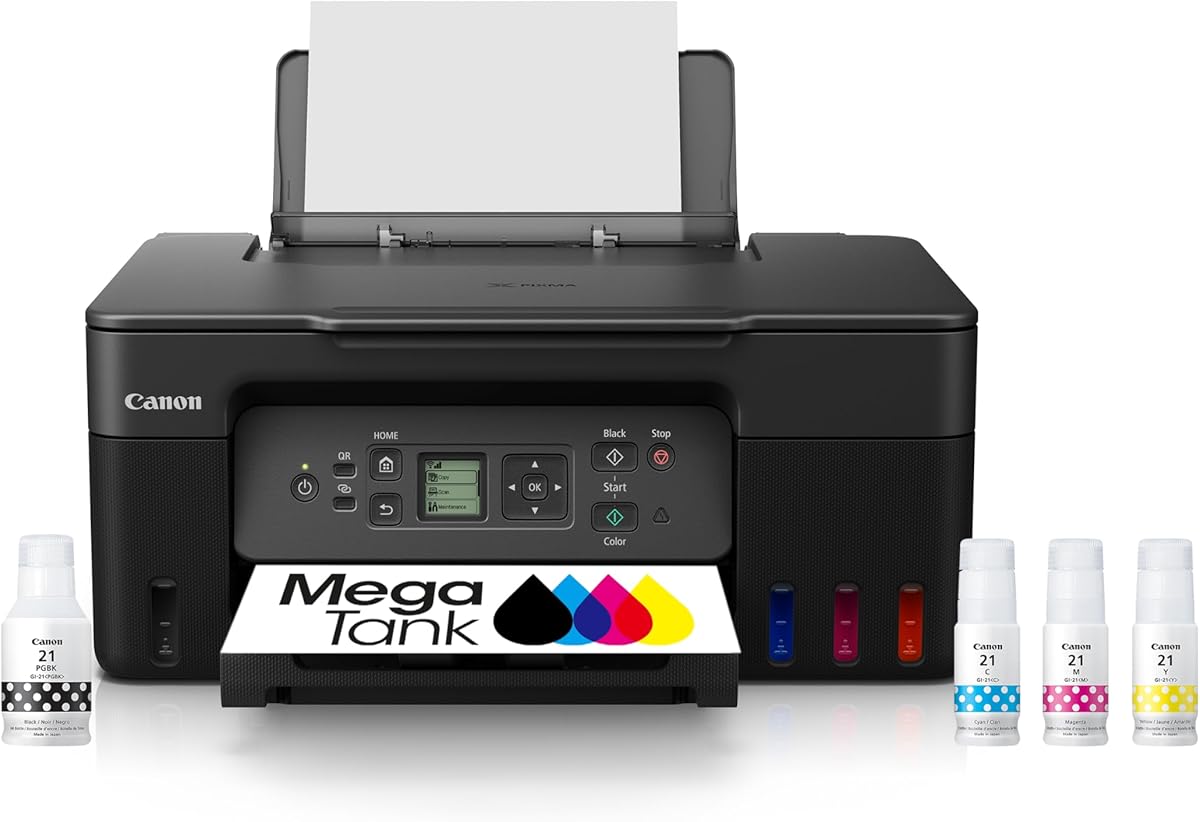
The Canon MegaTank G3270 is a straightforward wireless all-in-one with a 4.1 rating and one of the most attractive page-yield figures in the group. Canon states that the included inks can produce up to 6,000 black-and-white pages or 7,700 color pages, making it a practical option for cost-conscious households that want to print frequently without replacing small cartridges.
We may earn a commission when you buy through this link, at no additional cost to you.
The feature set covers the fundamentals well. It prints, copies, and scans over a wireless connection, while a 1.35-inch square LCD provides an on-device way to review settings and navigate basic tasks. Up to two years of ink are included, reducing the likelihood of needing another refill immediately after setup. That combination of capacity, useful controls, and wireless support gives the G3270 a well-rounded budget position.
Its primary limitation is that the stated specifications identify single-sided printing only. There is no indication of automatic duplexing, so producing two-sided documents may require manually flipping pages. The 4.1 rating is also lower than the Epson EcoTank ET-2803's 4.2, although the difference is small enough that page yield and preferred brand or ecosystem considerations can reasonably influence the decision.
The MegaTank G3270 is best for students, families, and budget-focused home users who value color page capacity, wireless access, and a small physical display. It may be less suitable for an office with frequent two-sided reports, but for single-sided schoolwork, web pages, forms, shopping lists, and occasional photos, it offers a compelling balance of function and economy.
The claim of up to 7,700 color pages leads this comparison. Combined with up to two years of included ink, it gives budget-conscious buyers a long initial printing runway.
The 1.35-inch square LCD is convenient for navigating the printer without relying entirely on a phone or computer. It also makes the copy and scan functions more approachable for everyday users.
We may earn a commission when you buy through this link, at no additional cost to you.
The Epson EcoTank ET-2803 earns the highest rating in this comparison at 4.2 and is one of the most complete refillable-ink all-in-ones for home use. Its supplied specifications emphasize cartridge-free printing, high-capacity ink tanks, wireless connectivity, a built-in scanner and copier, and up to 7,500 color pages or 4,500 black pages from a replacement set.
We may earn a commission when you buy through this link, at no additional cost to you.
Its EcoFit bottles and high-capacity tanks simplify replenishment, while Epson's Micro Piezo Heat Free technology is described as producing sharp text and color photos and graphics across virtually any paper type. The built-in high-resolution flatbed scanner and color display support direct copying and navigation. Mobile printing works through AirPrint or the Epson Smart Panel app, and hands-free voice-activated printing adds convenient hands-free access.
The clearest compromise is the absence of automatic duplexing in the stated feature list. Users who regularly print lengthy two-sided reports may find manual page flipping inconvenient. Epson also strongly recommends genuine ink because non-genuine ink could cause damage not covered by the limited warranty. These are meaningful considerations, but neither undermines its position as a polished home printer.
The ET-2803 is an excellent recommendation for people who want strong rating, high page yield, wireless printing, and versatile scanning and copying in one unit. It suits families, students, remote workers, and creative users who value convenient mobile access and dependable color output. It may be less attractive for duplex-heavy offices, but it remains one of the strongest general-purpose choices in the guide.
Epson highlights sharp text as well as colorful photos and graphics. This dual capability makes the ET-2803 suitable for school projects, household documents, recipes, and occasional image printing.
Wireless, AirPrint, Epson Smart Panel, and voice-activated printing provide several convenient ways to begin a job. The result is a printer that fits naturally into a phone-centered or connected home workflow.
We may earn a commission when you buy through this link, at no additional cost to you.
The Epson EcoTank ET-2800 is a wireless color all-in-one built around refillable ink tanks and straightforward home use. Its 4.0 rating is supported by a feature list that includes printing, copying, scanning, up to 7,500 color pages, up to 4,500 black pages, and up to two years of included ink.
We may earn a commission when you buy through this link, at no additional cost to you.
Epson's high-capacity tank system uses ink bottles rather than conventional cartridges, reducing the frequency of replacement work. The supplied description also states that one bottle set is equivalent to approximately 90 individual cartridges. Micro Piezo Heat Free technology supports vivid, detailed documents and images, while a stated speed of up to 10 ISO pages per minute gives the model useful momentum for longer black-and-white jobs.
As with several other all-in-ones in this list, automatic duplexing is not identified among the supplied features. That makes it less convenient for routine two-sided reports. The warning about genuine ink is also important: Epson says non-genuine ink could cause damage not covered under the limited warranty, so buyers should treat ink compatibility as part of the ownership decision rather than an afterthought.
The ET-2800 is a sensible recommendation for households and home offices that want a reliable color refill system without moving to a premium productivity model. It works well for school assignments, household administration, occasional photographs, and mixed document printing. Those who prioritize automatic two-sided output should investigate a different model, but this printer otherwise offers a capable and familiar EcoTank feature set.
High-capacity tanks and bottle-based refills mean the printer can cover thousands of pages between supplies. That is particularly useful for active homes where a cartridge could otherwise run out during a busy school or work cycle.
The stated rate of up to 10 ISO pages per minute helps this model handle larger monochrome jobs. It also includes scanning and copying, making it a versatile addition to a home office.
We may earn a commission when you buy through this link, at no additional cost to you.
The Epson EcoTank ET-4800 is a wireless color all-in-one centered on high-capacity ink tanks, straightforward refilling, and a useful combination of printing, scanning, and copying. Its 3.8 rating is the lowest among the ten products, but the supplied specifications still present several reasons to consider it as a balanced home-office option.
We may earn a commission when you buy through this link, at no additional cost to you.
Epson's EcoFit bottles make replenishing the high-capacity tanks easy and less stressful than dealing with tiny cartridges. The refill approach also supports the brand's goal of reducing cartridge waste. Micro Piezo Heat Free technology is credited with sharp text and impressive color photos and graphics, while the built-in high-resolution flatbed scanner and color display improve document handling and on-device navigation.
The principal drawback is the 3.8 rating, which trails even the other HP models in the guide. The supplied data does not state a page-yield figure or included-ink duration, making it harder to compare expected output directly with models advertising 6,000, 7,500, or 7,700 color pages. Buyers seeking the most transparent capacity information may favor a competitor with clearly stated figures.
The ET-4800 remains worth considering for users who value a large tank system, wireless capabilities, and a straightforward all-in-one format. It is appropriate for a home office that regularly copies and scans alongside printing reports, proposals, graphics, and photos. Its lower rating should prompt buyers to compare current customer feedback and verify that its available configuration meets their capacity and feature needs.
The EcoTank design holds more liquid ink than a conventional cartridge arrangement. EcoFit bottles then provide a relatively neat way to replenish the supply when levels fall.
The combination of color output, a high-resolution flatbed scanner, a copier, and a display makes this more than a single-function printer. It can handle a broad mix of household and office documents.
We may earn a commission when you buy through this link, at no additional cost to you.
The HP Smart Tank Plus 570 stands out for its stated capacity of up to 8,000 color pages or 6,000 black pages from the included supplies. It also supports printing, copying, scanning, borderless output, and wireless mobile printing. Its 3.8 rating is tied for the lowest in the comparison, so the main reason to favor it is the combination of high stated yield and HP's refill experience.
We may earn a commission when you buy through this link, at no additional cost to you.
HP describes a simple, mess-free refill process in which bottles are plugged into the cartridge-free tank and allowed to drain. With up to two years of Original HP Ink included, the printer is positioned for low-cost, high-volume use. Its wireless features make it possible to print from supported mobile devices, while the borderless function broadens its use for photos and other image-heavy material.
The lower rating and single-sided printing limitation deserve attention. A high page estimate does not replace the need to assess speed, paper handling, and long-term reliability, especially for users who print two-sided documents frequently. The supplied information also focuses more heavily on capacity and convenience than on advanced productivity features, so the Smart Tank Plus 570 may feel less sophisticated than the EcoTank Pro models.
This model is a good fit for households that expect regular color printing, want many pages before the first refill, and prefer the convenience of a wireless all-in-one. It can serve families producing school projects, activity pages, photographs, and shopping documents. Users with more advanced office requirements should compare scan quality, paper capacity, and duplex needs before making this their primary printer.
The stated 8,000-color-page potential gives the Smart Tank Plus 570 one of the strongest starting yields in the list. It is especially appealing to buyers who expect regular color use.
Wireless and mobile printing make the all-in-one easier to share within a household. Borderless printing adds useful flexibility for photographs and graphics as well as standard documents.
We may earn a commission when you buy through this link, at no additional cost to you.
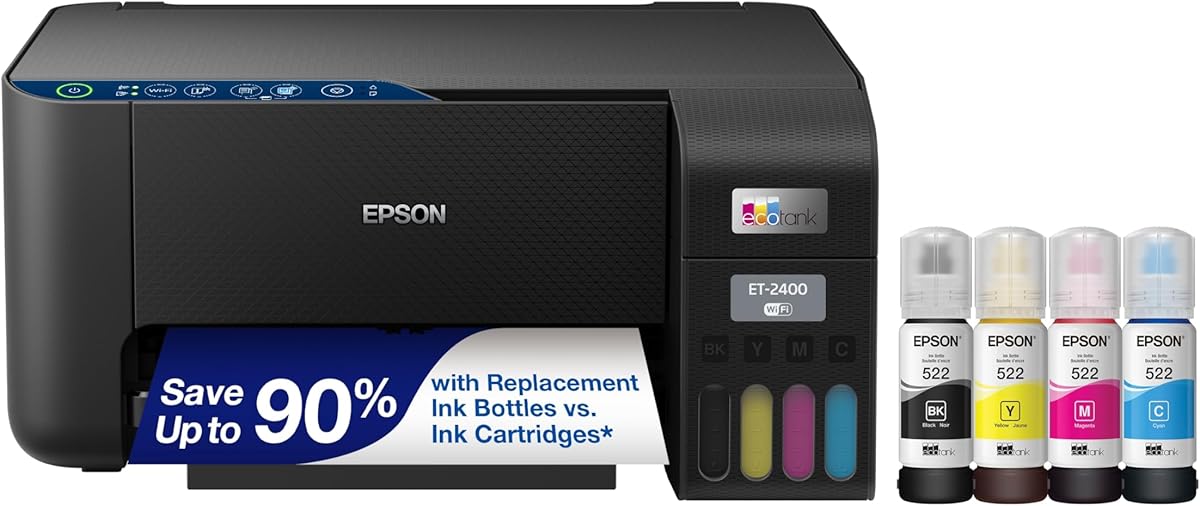
The Epson EcoTank ET-2400 is a wireless color all-in-one that offers a 4.0 rating, high-capacity tanks, and a stated yield of up to 7,200 color pages or 4,500 black pages. It is designed to give home users the operational convenience of an ink tank system without introducing the complexity of a higher-end office printer.
We may earn a commission when you buy through this link, at no additional cost to you.
Epson's high-capacity tanks and keyed EcoFit bottles are presented as an easy, worry-free refill method. Up to two years of ink in the box provides a substantial initial buffer, and the printer, scanner, and copier functions cover common household tasks. The supplied specifications also highlight zero cartridge waste and Micro Piezo Heat Free technology for sharp text and colorful photos and graphics across different paper types.
Its clearest limitations are the lack of an indicated duplex function and the physical size that high-capacity tanks may require. The available space should be checked before purchase, particularly in a small home office. Buyers should also factor in Epson's recommendation to use genuine ink to maintain optimal print quality and performance, since non-genuine ink may cause damage outside the limited warranty.
The ET-2400 is a compelling recommendation for users who prioritize low replacement frequency, wireless functionality, and an integrated scanner and copier. It suits students, families, and home-based workers who regularly produce color documents but do not require premium office speed. Those needing automatic two-sided output should look elsewhere, while others will find a capable, well-rounded refillable printer.
A set of replacement ink can cover up to 7,200 color pages according to the supplied data. That scale is attractive for homes where color documents and photos are part of the weekly routine.
Wireless printing, scanning, and copying provide the core functions most home users need. Epson's image-quality technology broadens the output beyond plain text.
We may earn a commission when you buy through this link, at no additional cost to you.
This HP Smart Tank 5003 listing shares the same core product name and stated three-year ink allowance as the first-ranked model, but it appears under a different ASIN and carries a 3.8 rating. It offers a cartridge-free all-in-one with printing, copying, scanning, borderless output, and wireless mobile support.
We may earn a commission when you buy through this link, at no additional cost to you.
The included supplies can produce up to 6,000 color or black pages, according to the supplied information. Refilling uses HP's plug-and-drain bottle system, which is intended to be less messy and easier than handling small cartridges. For a household that wants to reduce replacement frequency, the three-year stated supply and substantial starting page count form the model's strongest case.
The 3.8 rating is lower than that of most competitors and may make a careful buyer examine recent customer feedback more closely. The listed functions are also single-sided, and there is no automatic duplexing or advanced display information. As with other HP tank printers, the included ink and later replacement supplies should be considered as a system, and buyers should review compatibility details before ordering additional bottles.
This listing is best suited to users who prioritize a long initial ink period, simple refills, and wireless access more than advanced productivity. It can handle school assignments, household forms, reports, and photos while also providing scan and copy functions. Compare it with the other Smart Tank 5003 listing and consider warranty, availability, and seller details before deciding between identical model names.
The stated three-year ink allowance is among the longest in the guide. It gives new owners a broad margin before a substantial refill is likely to be necessary.
Printing, copying, scanning, borderless output, and mobile printing cover the most common needs. The result is a versatile unit for mixed household document and image output.
We may earn a commission when you buy through this link, at no additional cost to you.
The Epson EcoTank ET-2903 is a highly specified home all-in-one with a 4.1 rating, up to three years of included ink, and stated speeds of 11 black pages or 6 color pages per minute. Its 100-sheet paper tray and 1.44-inch color display also distinguish it from simpler refillable models in the guide.
We may earn a commission when you buy through this link, at no additional cost to you.
The included supply can handle up to 3,600 black pages or 6,500 color pages. Supersized tanks and uniquely keyed EcoFit bottles make refilling simple and help prevent bottle mix-ups. For output quality, Epson states a 5760 by 1440 dpi resolution and highlights support for photographs and text. The Heat-Free technology uses a permanent printhead designed to last for the life of the printer.
The supplied information does not identify automatic duplexing, so users who depend on two-sided office documents should verify that capability before buying. Epson also notes that non-genuine ink could cause damage not covered by the limited warranty. Beyond those points, the ET-2903 offers a compelling package through its 100-sheet tray, color display, zero warmup time, and support for AirPrint, Mopria Print Service, Mopria Scan, and Epson Smart Panel.
This is an excellent recommendation for a busy home or hybrid workspace that values fast monochrome output, substantial paper capacity, and modern device integration. It works especially well for students, remote employees, and families that print a mixture of reports, images, schoolwork, and scanned documents. The combination of capacity, speed, and connected features makes it one of the most versatile EcoTank options here.
Up to 11 black pages per minute gives the ET-2903 an advantage for larger monochrome tasks. The 100-sheet input tray reduces the need for frequent paper refills during busy periods.
Support for Epson Smart Panel, AirPrint, Mopria Print Service, and Mopria Scan provides several convenient routes for printing and scanning. The 1.44-inch color display improves local navigation.
We may earn a commission when you buy through this link, at no additional cost to you.
The Epson EcoTank Pro ET-5150 is the productivity-focused choice in this guide. It carries a 4.0 rating but distinguishes itself with speeds of up to 17 black pages or 9.5 color pages per minute, a fast first page, and no warmup time. That makes it better aligned than most models here with a home office that regularly produces substantial document volumes.
We may earn a commission when you buy through this link, at no additional cost to you.
The refill system uses high-yield Epson ink bottles, with each set stated to cover up to 7,500 black pages or 6,000 color pages. Epson compares the cost of replacement ink favorably with color laser toner, while the cartridge-free format is intended to reduce waste. DURABrite ET pigment inks are designed for crisp monochrome text and vibrant color, and the PrecisionCore permanent printhead is engineered to last for the life of the printer.
Its trade-offs are less about the core printing proposition and more about positioning. This is an EcoTank Pro model aimed at higher-volume environments, so buyers not printing frequently may not need all of its capability. Automatic duplexing is not stated in the supplied information, and a premium-tier model can be less practical for occasional users who value compactness or a lower initial commitment. Current feature availability should be confirmed before purchase.
The ET-5150 is the recommended model for active home offices, educators, and small workgroups that need faster output than a conventional home ink tank provides. It is particularly attractive for users who want a permanent printhead, pigment-based color, strong page yield, and quick first-page performance in a refillable system. For those priorities, it represents the most productivity-oriented option among the ten products.
The stated 17 black pages and 9.5 color pages per minute, fast first page, and no warmup time help reduce delays. These features make the model more suitable for active workspaces than casual printing.
Epson's PrecisionCore printhead is designed to remain with the printer for its lifetime, while DURABrite ET pigment inks support crisp text and vibrant color. The combination targets dependable, long-term output.
We may earn a commission when you buy through this link, at no additional cost to you.
The right liquid-ink printer depends on how much you print, which tasks you need, and how much attention you want to give refilling and setup. The following factors are the most important ones to evaluate before choosing a model.
Start with the number of pages you realistically print each month, including color pages, copies, school projects, receipts, and images. Models in this guide advertise starting yields ranging from approximately 3,600 to 8,000 color pages, but real output varies with document content, print settings, maintenance, and the specific ink set used. A household that prints occasionally may not exhaust even one initial bottle set, while a remote worker producing weekly reports may benefit from the largest stated supplies.
Liquid ink eliminates small cartridge swaps, but the refill process still differs between brands. HP describes a plug-in bottle system that lets ink drain into the tank, while Epson uses keyed EcoFit bottles designed for simple filling. Canon's MegaTank system likewise prioritizes bottled ink. Keyed containers and clearly separated tanks can reduce mix-ups, and a visible tank makes it easier to monitor remaining ink before beginning a large job.
Decide whether a printer, scanner, copier, or some combination is necessary. Every model in the guide is described as an all-in-one, but feature depth varies. The Epson ET-2903 adds a 1.44-inch color display and a 100-sheet tray, the Canon G3270 includes a 1.35-inch square LCD, and the EcoTank Pro ET-5150 focuses on speed. A basic model may be enough for occasional copying, while a larger display and faster throughput suit a shared office.
Most of the listed printers support wireless printing, and the Epson ET-2803 adds voice-activated printing. Mobile support varies: Epson models reference AirPrint, Mopria Print Service, Mopria Scan, and Epson Smart Panel, while HP models emphasize wireless and mobile printing. Consider the devices already used in your home and whether everyone needs direct access or whether one computer manages the printer on behalf of the household.
Epson's models receive particular emphasis on sharp text, photo and graphic quality, and different paper compatibility. The ET-2903 states a maximum resolution of 5760 by 1440 dpi, while the ET-5150 uses DURABrite ET pigment inks for crisp black-and-white and vivid color output. HP also claims sharper text and richer colors for Smart Tank models. If photo quality is a priority, use compatible photo paper and review independent sample impressions when possible.
Speed becomes important when documents regularly exceed a page or two. The Epson ET-4800 is described as producing up to 10 ISO black pages per minute, the ET-2903 reaches 11 black pages and 6 color pages, and the EcoTank Pro ET-5150 reaches 17 black pages and 9.5 color pages. The ET-5150 also states a fast first page and no warmup time, making it the strongest fit for higher-volume office-style work.
Automatic duplex printing can materially reduce paper use and time spent flipping pages, but it is not stated for the models in this guide. The Canon G3270 and HP Smart Tank models are specifically described as single-sided, while duplex capability is simply absent from the supplied features for the Epson options. Confirm the exact configuration before buying if two-sided documents are routine. Paper tray capacity also matters; the ET-2903's stated 100-sheet tray is the clearest capacity figure provided.
Refillable printers are usually economical when genuine or clearly compatible bottled ink is available, but ink remains a recurring ownership cost. Epson strongly recommends genuine ink because non-genuine ink could cause damage not covered by the limited warranty. HP models should likewise be paired with the intended Original HP Ink system. Check regional bottle availability, included bottle quantities, and the warranty terms before purchase, since convenience depends on obtaining the correct supplies consistently.
Begin by unpacking the printer, removing any transport restraints, and installing the supplied ink before powering it on. Keep the device on a flat, stable surface with enough room to access the refill ports, paper tray, scanner lid, and output area. Connect it to the wireless network or computer using the manufacturer's setup process, then print a test page and a nozzle check if the output appears uneven or faded.
Refill only when the relevant tank needs attention. Open the correct fill port, confirm the bottle color and model, seat the bottle securely, and allow the ink to drain according to the manufacturer's instructions. Do not squeeze bottles that are designed to drain, mix ink colors, or leave an incorrectly fitted bottle in place. After filling, reseal each bottle and store it upright in a temperature-appropriate location for future use.
For consistent results, use suitable paper and clean the scanner glass regularly. Check the app or printer display for firmware updates, review the ink levels before large jobs, and keep the print area free of dust. When colors look wrong, run the appropriate cleaning cycle. Do not use unapproved ink or solvents, and contact support if a refill does not register or if a nozzle remains clogged after the recommended maintenance steps.
A printer with liquid ink is an all-in-one or single-function device that stores ink in refillable internal tanks rather than using small replaceable cartridges. Bottled ink is added directly to the tanks, and the printer draws liquid ink onto the paper. This approach is particularly useful for frequent print volumes because it reduces the need for frequent cartridge replacements.
They often are when the printer is used regularly and compatible bottled ink is reasonably available. The supplied specifications repeatedly emphasize high page yields, equivalent cartridge-set comparisons, and reduced replacement frequency. Actual cost depends on the pages you print, ink used for each job, bottle pricing, regional availability, and whether you use compatible or manufacturer-recommended supplies.
Yes, several models in this guide specifically support color photos and graphics. Epson highlights Micro Piezo Heat Free technology on multiple EcoTank models, while the ET-2903 states a maximum resolution of 5760 by 1440 dpi. Best results require appropriate photo paper, appropriate printer settings, and a fresh nozzle-cleaning cycle when needed.
MegaTank, EcoTank, and Smart Tank are brand-specific names for refillable ink printer systems. Canon uses MegaTank, Epson uses EcoTank and EcoTank Pro, and HP uses Smart Tank and Smart Tank Plus. Their refill mechanisms, included page claims, controls, print technology, and performance vary, so the product specifications matter more than the family name alone.
Automatic duplex printing is not stated in the supplied information for the models in this guide. The Canon MegaTank G3270 and HP Smart Tank models are described as single-sided, while the Epson listings do not identify automatic duplexing in their supplied features. If double-sided output is essential, confirm the exact model configuration before purchasing.
Most models here support wireless or mobile printing. The Epson ET-2803 and ET-2903 reference AirPrint, Mopria Print Service, Mopria Scan, and Epson Smart Panel, while HP models list mobile and wireless printing. You will need a compatible device, the printer connected to the same network, and the appropriate app or print service installed and configured.
Compatibility depends on the model and the terms of its warranty. Epson explicitly says non-genuine ink could cause damage not covered by the limited warranty, and it recommends genuine ink for optimal performance. HP models are designed around Original HP Ink. Check the manufacturer's guidance and warranty terms before using another ink source, especially if print quality and equipment protection are priorities.
The exact dimensions are not provided in the supplied product data, and models vary in size. High-capacity tanks require enough room to access each fill port and remove bottles without tipping the printer. Allow additional clearance for paper output, the scanner lid, and the paper tray, and check the current product listing for exact measurements before placing the printer in a small office.
The Epson EcoTank ET-2803 stands out as the strongest general recommendation because it combines the highest rating, a 4.2, with a 4,500-page black and 7,500-page color claim, wireless connectivity, scanning, copying, and mobile printing. The Canon MegaTank G3270 is the budget pick, offering up to 7,700 color pages and a useful LCD, while the Epson EcoTank Pro ET-5150 is the premium choice for buyers who prioritize faster document output and a permanent PrecisionCore printhead.
For most households, the right choice comes down to printing volume, connectivity, and local control needs. Pick a model with a generous initial ink supply if you print frequently, verify that your phone and computer support its app or print service, and consider a physical display if family members will use the printer independently. If two-sided documents are common, confirm duplex support rather than assuming it is included.
Finally, review the current listing, warranty, ink availability, and dimensions before ordering. Ratings, product configurations, included supplies, and page-yield claims can change over time, and the two Smart Tank 5003 listings have different ASINs despite sharing the same model name. Checking those details at the point of purchase helps ensure the selected liquid-ink printer fits your workflow, supplies, and space.