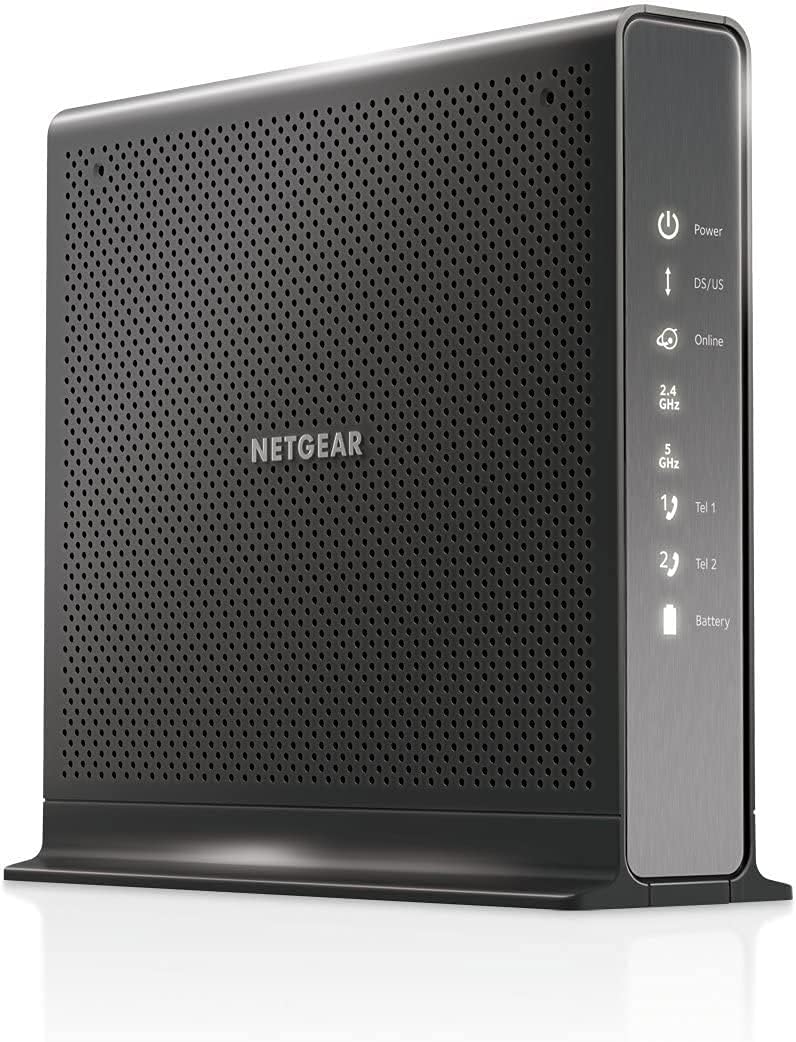
NETGEAR Nighthawk C7000 Renewed
4.2Editor score
DOCSIS 3.0 modem
Dual-band AC1900 WiFi
Four Gigabit Ethernet ports
Explore the best cable modem WiFi router combo options, comparing DOCSIS standards, WiFi performance, provider compatibility, wired ports, coverage, and
A cable modem WiFi router combo combines two essential home-network functions in one enclosure: a DOCSIS cable modem for receiving internet through a coaxial connection and a WiFi router for distributing that connection throughout your home. The right unit can simplify setup, reduce visual clutter, and provide enough speed and coverage for streaming, gaming, work, and connected devices.
The products in this guide were compared using the supplied specifications, including DOCSIS generation, wireless standard, aggregate WiFi speed, provider compatibility, Ethernet and USB connectivity, claimed coverage, device capacity, management options, and security features. Renewed models are included where their specifications and availability make them relevant, with condition and warranty details worth confirming before purchase.
Each review explains the strongest reasons to consider a particular combo, along with compatibility limitations, shared-use concerns, and other trade-offs. The list covers newer DOCSIS 3.1 systems, value-oriented DOCSIS 3.0 options, a voice-enabled model, and products designed for different household sizes. Availability, provider support, and prices can change, so verify current details before ordering.
4.2Editor score

4.1Editor score

3.9Editor score
This side-by-side comparison highlights the major differences among the ten selected combos, including DOCSIS version, wireless generation, maximum provider plan guidance, wired connectivity, and standout features.

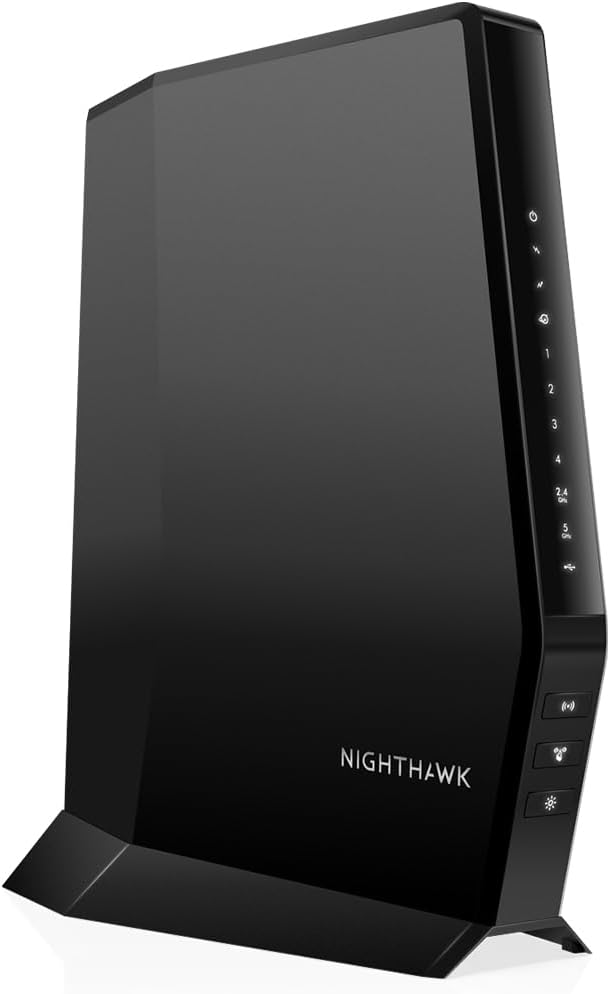


The NETGEAR Nighthawk CAX30 combines a DOCSIS 3.1 cable modem with dual-band AX2700 WiFi 6 routing in a single unit. Its 4.1 rating reflects a generally capable device, but the more important story is its balanced mix of multi-gigabit modem capability, modern wireless features, and four Gigabit Ethernet ports. For households using compatible cable plans and searching for a straightforward all-in-one upgrade, it is the strongest general recommendation in this guide.
We may earn a commission when you buy through this link, at no additional cost to you.
The modem side supports Gigabit-plus cable download speeds and includes DOCSIS 3.1 OFDMA for better responsiveness during congested periods. The supplied compatibility information specifically calls out Xfinity plans up to 800Mbps, Spectrum plans up to 1Gbps, and Cox plans up to 1Gbps. On the wireless side, AX2700 WiFi 6 is claimed to cover as much as 2,000 square feet and support more than 25 connected devices, although actual results depend on the home, construction materials, placement, and client devices.
Four Gigabit Ethernet ports provide dependable options for a desktop, gaming console, television, or network storage unit. The Nighthawk app assists with installation, WiFi management, speed testing, device pausing, and guest-network creation. WPA3 encryption, firewall protection, denial-of-service prevention, automatic security considerations, and a NETGEAR Armor trial add useful layers, though continued Armor use requires a separate subscription.
The principal compromise is compatibility. This CAX30 is for US cable internet service and is not compatible with Verizon, AT&T, CenturyLink, DirecTV, DISH, or bundled voice plans. The dual-band radio design also falls short of tri-band systems for exceptionally crowded wireless environments. Even so, it offers a more future-oriented modem platform, useful app-based management, and enough Ethernet connectivity for most homes, making it our Editor's Choice.
DOCSIS 3.1 provides useful headroom for faster compatible cable plans, while AX2700 WiFi 6 handles modern phones, laptops, televisions, and household automation devices. This combination makes the CAX30 a sensible middle ground between a basic DOCSIS 3.0 unit and a high-end tri-band system.
The Nighthawk app puts guided setup, guest access, speed tests, and connected-device controls in one place. It is particularly helpful for users who want useful network management without maintaining a separate standalone router.
We may earn a commission when you buy through this link, at no additional cost to you.
The NETGEAR Nighthawk C7000 pairs a DOCSIS 3.0 modem with AC1900 dual-band WiFi 5 routing. Its 4.2 rating is among the stronger results in this collection, and the combination remains attractive for households seeking a proven, straightforward all-in-one device without paying for a top-tier multi-gigabit platform. It is especially relevant when the available cable plan is no faster than 800Mbps.
We may earn a commission when you buy through this link, at no additional cost to you.
The supplied specifications list compatibility with Xfinity internet plans up to 800Mbps and Cox plans up to 500Mbps. It is not compatible with fiber, DSL, satellite, Verizon, AT&T, CenturyLink, DirecTV, DISH, or bundled cable voice service. AC1900 represents combined theoretical wireless throughput across the 2.4GHz and 5GHz bands, so it should not be interpreted as the speed of a single client. Beamforming+ is intended to improve range and reduce dead spots.
Four Gigabit Ethernet ports support computers, game consoles, streaming devices, and network storage, while a USB 2.0 port adds another connection option. The free Nighthawk app provides guided setup, speed tests, device pausing, network management, and browser-based setup is also available. Security features include WPA/WPA2 encryption, double firewall protection, denial-of-service prevention, and automatic firmware updates.
Its clearest limitation is technological age. DOCSIS 3.0 and WiFi 5 do not offer the headroom of DOCSIS 3.1 and WiFi 6, so it is less attractive if your provider currently offers gigabit or faster service and you expect a long ownership period. For compatible plans around 800Mbps, however, this model balances useful speed, good wired connectivity, and straightforward management exceptionally well.
The C7000's DOCSIS 3.0 modem is designed around cable plans up to 800Mbps, matching many widely available residential tiers. It offers an economical way to consolidate modem and router hardware without giving up four Gigabit Ethernet connections.
AC1900 WiFi 5 remains practical for everyday browsing, video, and online gaming. Beamforming+ helps focus wireless signals toward connected clients, while separate 2.4GHz and 5GHz bands allow compatible devices to select the most suitable network.
We may earn a commission when you buy through this link, at no additional cost to you.
This renewed NETGEAR Nighthawk CAX30 brings the same broad modem-router concept as the first-ranked model while adding a renewed-market route into a capable DOCSIS 3.1 setup. Its 4.2 rating is strong, and the supplied description emphasizes support for 1Gbps-plus internet service, WiFi 6, four Gigabit Ethernet ports, and link aggregation for compatible multi-gigabit local networking configurations.
We may earn a commission when you buy through this link, at no additional cost to you.
The renewed status is the defining feature. It may appeal to buyers who recognize the CAX30 platform and want its DOCSIS 3.1 capability without acquiring a completely new unit. The listing describes a built-in cable modem, next-generation WiFi 6, improved indoor and outdoor coverage, and support for lag-free gaming, 4K HD streaming, and browsing. Those are manufacturer-stated capabilities rather than independent test results.
Four Gigabit Ethernet ports make the unit useful for devices that benefit from stable wired connections. The mention of link aggregation is particularly notable for advanced users with compatible switches, storage systems, or a need to combine network capacity, although correct configuration and matching equipment are essential. NETGEAR Armor is also included to help protect connected devices from online threats.
Because this is a renewed product, buyers should examine the seller's condition description, warranty terms, return policy, and included accessories before ordering. The listing gives less explicit provider-plan guidance than the standard CAX30 entry, making direct confirmation with the internet provider especially important. Subject to those checks, it is a compelling premium multi-gig option for a buyer who specifically wants this hardware platform in renewed condition.
Link aggregation support distinguishes this listing from many basic modem-router combos. Properly matched network equipment can use multiple connections for local traffic, an advantage for users moving large files or operating advanced local storage.
Renewed hardware can provide access to a capable platform with varying physical and cosmetic condition. Reviewing the seller's grading, warranty coverage, return window, and functional guarantees is essential before treating a renewed unit as equivalent to a new purchase.
We may earn a commission when you buy through this link, at no additional cost to you.
This CAX30 listing combines a DOCSIS 3.1 modem, 32×8 channel bonding, and AX2700 dual-band WiFi 6 in one enclosure. Its 4.1 rating reflects a capable all-in-one platform, while the supplied plan guidance says it is suitable for compatible cable provider plans up to 2Gbps. Buyers should still confirm that their exact provider and service tier support the specific modem.
We may earn a commission when you buy through this link, at no additional cost to you.
The wireless system is advertised for coverage up to 2,000 square feet and as many as 25 concurrent devices. AX2700 provides a substantial combined throughput class across 2.4GHz and 5GHz, making it suitable for common mixed-device households. As with every wireless router, placement, walls, floors, neighboring networks, and client hardware determine the actual experience rather than the maximum label alone.
Connectivity is a meaningful strength. Four Gigabit Ethernet ports can serve gaming consoles, desktop computers, streaming players, and storage devices, while a USB 3.0 port supports compatible peripherals. Port aggregation is supported, which can be valuable in a properly designed local network. The Nighthawk app simplifies WiFi configuration and management, and NETGEAR Armor supplies a security trial with an optional paid continuation.
This model remains limited to US cable internet service and excludes Verizon, AT&T, CenturyLink, DSL providers, DirecTV, DISH, and bundled voice plans. Although its plan guidance supports faster services than some other listings, provider approval remains the deciding factor. For a compatible high-tier cable plan and a medium-to-large home, the combination of DOCSIS 3.1, WiFi 6, app management, and flexible wired connections is a strong all-around fit.
DOCSIS 3.1 and 32×8 bonding prepare the device for faster compatible cable tiers. This makes the CAX30 attractive for users who want a modem that can accommodate future service increases without moving to a separate router immediately.
Four Gigabit Ethernet connections support a variety of fixed devices, while USB 3.0 and port aggregation offer additional options. Advanced users should confirm that their attached equipment supports the relevant standards before relying on these features.
We may earn a commission when you buy through this link, at no additional cost to you.
The ARRIS Surfboard G34 is a compact DOCSIS 3.1 cable modem and AX3000 WiFi 6 router for US cable service. Its 3.7 rating is the lowest in this group, but the underlying specifications position it as a capable option for very fast compatible plans, including cable service up to 2.5Gbps. The modem and router functions are combined in a relatively space-conscious enclosure.
We may earn a commission when you buy through this link, at no additional cost to you.
DOCSIS 3.1 performance gives the G34 meaningful headroom for ultrafast streaming, gaming, and downloads. Its dual-band AX3000 WiFi is advertised at up to 3Gbps combined wireless performance, which can help when numerous modern devices share the network. Four Gigabit Ethernet ports support desktops, televisions, consoles, and other wired systems without requiring a separate multiport switch for several devices.
Setup is designed to be direct. Connect the coaxial cable, power the unit, activate it with the cable provider, and then join the default WiFi or customize the network name and password. The compact housing and simple status indicators are useful in areas where a larger router would be inconvenient. The supplied information also states that SURFboard modems are CableLabs certified and were tested and qualified for Cox, Xfinity, and Spectrum.
The trade-offs are provider dependence and the lower rating. Model approval, exact plan tiers, and activation procedures vary, so buyers should confirm support directly with their service provider before ordering. It also cannot serve fiber, DSL, or satellite networks. For a compatible fast-tier cable plan, the G34 remains a straightforward, space-efficient choice with modern modem and wireless standards.
The G34 combines DOCSIS 3.1 and WiFi 6 without the physical bulk associated with many full-size networking appliances. Its simple indicators make it easy to determine whether the cable, power, upstream, downstream, and online states are functioning.
Support for cable plans up to 2.5Gbps is among the strongest plan figures in this guide. Actual internet throughput still depends on the provider's network, the plan, the coaxial installation, and the devices using the connection.
We may earn a commission when you buy through this link, at no additional cost to you.
The renewed NETGEAR Nighthawk C7000 offers a DOCSIS 3.0 modem and AC1900 WiFi 5 router in one device. Its 4.2 rating is among the best in the guide, and the supplied specifications identify cable plans up to 800Mbps as its primary range. The renewed listing is aimed at buyers seeking a functional established model with useful coverage and a broad set of connections.
We may earn a commission when you buy through this link, at no additional cost to you.
The wireless side is claimed to cover up to 1,800 square feet and support 30 connected devices. AC1900 combines 2.4GHz and 5GHz performance, allowing compatible clients to use the less crowded 5GHz band when appropriate. This is an older generation compared with WiFi 6 alternatives, but it can remain suitable for routine streaming, browsing, schoolwork, and gaming on appropriately sized cable plans.
The supplied specifications describe broad provider compatibility, including major cable providers such as Xfinity and Cox, while explicitly excluding Verizon, Spectrum, AT&T, CenturyLink, DSL providers, DirecTV, DISH, and bundled voice service. The broad input-voltage range of 120–240 volts can also make the unit convenient in different locations, although local power standards and accessories should still be considered.
Renewed condition is the main issue requiring attention. Cosmetic wear, prior-use history, included accessories, warranty duration, and return terms can vary, so the listing should be reviewed carefully. If the unit is supported by a seller providing adequate protection, it offers a proven DOCSIS 3.0 design, four Gigabit Ethernet ports, strong stated device capacity, and a favorable rating without requiring a newer WiFi 6 platform.
The stated 1,800-square-foot coverage and 30-device capacity make the renewed C7000 suitable for many medium homes. Placement near the center of the living area and away from obstructions generally helps wireless clients receive a stronger signal.
A condition grade and warranty can make one renewed unit more attractive than another. Confirm the stated functionality, included cables, return window, and coverage before finalizing the purchase.
We may earn a commission when you buy through this link, at no additional cost to you.
The NETGEAR Nighthawk CAX80 is the most advanced networking platform in this guide, combining DOCSIS 3.1 with AX6000 WiFi 6. Its 3.9 rating is not the highest, but the specifications justify serious consideration for large homes, dense device environments, and users who want the highest wireless aggregate throughput represented here. It also adds a multi-gigabit wired port beyond the four standard Gigabit connections.
We may earn a commission when you buy through this link, at no additional cost to you.
According to the supplied information, the tri-band AX6000 system covers up to 2,500 square feet and supports more than 30 connected devices. Compared with dual-band models, the additional radio configuration can improve device distribution across a busy home. The claimed 6Gbps aggregate wireless figure represents a maximum class across the bands rather than a guaranteed individual-device result, so placement and client limitations remain important.
The CAX80 includes one 2.5 Gigabit Ethernet port and four Gigabit Ethernet ports. That 2.5Gbps connection is particularly useful for a compatible workstation, high-end network storage system, or other device capable of benefiting from a local multi-gigabit link. DOCSIS 3.1 OFDMA is designed to improve response during congestion, while the Nighthawk app provides setup, WiFi management, speed testing, device pausing, and guest-network controls.
Compatibility remains the decisive constraint. The supplied details list Xfinity plans up to 800Mbps, Spectrum plans up to 1Gbps, and Cox plans up to 1Gbps, while excluding major non-cable providers and bundled voice plans. The hardware may exceed the requirements of a smaller home or modest cable tier. For a large, busy household willing to verify provider support, its tri-band radio, high claimed capacity, and multi-gigabit wired option form the most premium feature set here.
AX6000 and a tri-band configuration provide more aggregate wireless capacity than the dual-band choices in this guide. That headroom is most valuable when numerous phones, televisions, computers, and smart-home devices compete for limited radio time.
The 2.5 Gigabit Ethernet port adds a faster local option alongside four conventional Gigabit ports. It can serve advanced connected equipment without requiring the entire home network to use multi-gigabit connections.
We may earn a commission when you buy through this link, at no additional cost to you.
The NETGEAR Nighthawk C7100V is unusual because it combines a DOCSIS 3.0 cable modem, AC1900 WiFi 5 router, and Xfinity Voice service in one device. Its 4.2 rating is among the strongest here, while the defining feature is support for two phone lines. It is intended specifically for compatible Xfinity cable and voice plans up to 600Mbps rather than general-purpose cable use.
We may earn a commission when you buy through this link, at no additional cost to you.
The integrated VoIP functionality adds a meaningful service layer to the standard modem-router design. Two Voice over IP ports allow supported home phone connections, and an optional battery backup can provide up to eight hours of standby or five hours of talk time according to the supplied information. That makes the unit relevant to households that value traditional phone service during a power interruption.
For data, the C7000-style AC1900 dual-band wireless platform is designed for routine streaming, downloads, browsing, and online gaming. Four Gigabit Ethernet ports support computers, consoles, televisions, and other wired devices, while two USB ports add peripheral flexibility. DOCSIS 3.0 provides the modem foundation, although this is an older standard compared with the DOCSIS 3.1 options in the guide.
The trade-off is specialization. Its stated compatibility is limited to Xfinity cable and voice plans up to 600Mbps, so it is unsuitable for fiber, DSL, satellite, or unrelated cable voice systems. Buyers should also verify current voice support and backup-battery requirements with the provider. For an eligible Xfinity household that wants internet, WiFi, and two telephone lines from one unit, it delivers a service combination few alternatives can match.
The C7100V consolidates three functions rather than two. For eligible customers, it simplifies the arrangement by connecting compatible Xfinity voice lines alongside cable internet and wireless networking.
The optional battery backup is designed to preserve standby and talk time when household power fails. Buyers should confirm battery requirements and provider activation details to ensure the feature works as expected.
We may earn a commission when you buy through this link, at no additional cost to you.
The NETGEAR C6250 is a DOCSIS 3.0 modem-router combo aimed at households with relatively modest cable service. It has a 4.2 rating and pairs the modem with AC1600 dual-band WiFi 5. The supplied information lists service guidance of up to 300Mbps for Spectrum and Xfinity and up to 250Mbps for Cox, making provider and plan compatibility the most important purchasing considerations.
We may earn a commission when you buy through this link, at no additional cost to you.
The stated wireless coverage reaches as much as 1,500 square feet and supports up to 25 connected devices. That is adequate for apartments, smaller homes, and uncomplicated device environments, but it is less suitable for large floors plans or dozens of high-bandwidth clients. AC1600 combines the two wireless bands into a maximum aggregate class rather than promising that speed on every device.
Two Gigabit Ethernet ports support a computer, printer, game console, storage drive, or similar wired device. A USB port adds another connection point. DOCSIS 3.0 with 16×4 channel bonding forms the modem core, while parental controls and WEP, WPA, and WPA2 security protocols cover basic household management and access control.
The clear limitation is scalability. Two Ethernet ports may require an additional switch in a home with several fixed devices, while the listed plan speeds are much lower than those supported by newer DOCSIS 3.1 products. Nevertheless, for a compatible smaller plan and compact living space, the C6250 offers a recognized two-in-one design, a favorable rating, and straightforward coverage in a smaller package.
The 1,500-square-foot claim and 25-device capacity align well with apartments and modest houses. In these environments, the C6250 can provide useful wireless performance without the complexity or physical footprint of a more advanced system.
Provider support differs by region and plan tier. Because the C6250 is intended for lower cable speeds, confirm the exact plan with the provider before ordering to avoid an incompatible combination.
We may earn a commission when you buy through this link, at no additional cost to you.
The ARRIS SURFboard SBG7600AC2 combines a DOCSIS 3.0 modem and AC2350 dual-band WiFi router in a single unit. Its 4.3 rating is the highest among the ten products, while the supplied specifications support cable plans up to 800Mbps and include four Gigabit Ethernet ports. It is a mature, widely recognized combination for compatible US cable networks.
We may earn a commission when you buy through this link, at no additional cost to you.
AC2350 provides more aggregate wireless capacity than several AC1900 and AC1600 choices in this guide. The product information also describes improved coverage for streaming and downloading throughout the home. Four Gigabit Ethernet ports offer ample wired connectivity for computers, televisions, game systems, and storage devices, making it practical for homes that want both wired and wireless access.
Management is centered on the SURFboard Central App. The supplied instructions say users can download the app, follow the activation process, customize the WiFi name and password, add devices, monitor connected devices in real time, and use parental controls such as time limits and internet pausing. This makes routine household administration more accessible to less technical users.
The important qualification is that the listing explicitly tells buyers to check provider compatibility. Approval for plans up to 800Mbps does not mean every provider, region, or service tier will support the model. It also uses older DOCSIS 3.0 and WiFi 5 technology. Still, for a compatible 800Mbps plan, the SBG7600AC2 combines the guide's highest rating with a generous port count and capable app-based control.
The SURFboard Central App brings activation, wireless customization, device monitoring, and parental controls into a guided interface. It is a practical feature for households that want clearer visibility over connected clients.
Four Gigabit Ethernet connections make this one of the strongest choices for fixed devices without requiring an immediate switch. They can support a mix of entertainment, gaming, and computing equipment around the home.
We may earn a commission when you buy through this link, at no additional cost to you.
Choosing a cable modem WiFi router combo requires balancing provider approval, internet-plan speed, wireless coverage, wired connections, and management features. The most important step is eliminating hardware that your cable provider does not support, then matching the remaining specifications to the size and demands of your household.
A technically capable modem is still unusable if the provider does not certify its model for your region and service tier. The products here support US cable internet, but their stated limits vary: some target plans up to 300Mbps, others reach 800Mbps, 1Gbps, 2Gbps, or 2.5Gbps. Xfinity, Spectrum, and Cox are mentioned across several listings, while Verizon, AT&T, CenturyLink, DSL, fiber, satellite, DirecTV, and DISH are generally excluded. Bundled voice plans also disqualify many ordinary modem-router combinations. The C7100V is the exception because integrated Xfinity voice is its defining function.
Confirm the exact model number, your provider, your location, and your plan tier before buying. Provider support can change, and a general compatibility statement does not guarantee activation for every package. Ask the provider whether the device is approved for your intended speed and whether activation or a separate router is required.
DOCSIS 3.0 is the standard used by the C7000, C7100V, C6250, and SBG7600AC2. It remains practical for the lower and middle plan ranges those devices target. DOCSIS 3.1 appears in the CAX30, G34, and CAX80, adding multi-gigabit capability and OFDMA features designed to improve responsiveness under network congestion. The distinction matters most if your provider already offers a gigabit or faster tier or if you want more room to grow.
Choose DOCSIS 3.0 for a compatible plan that the product explicitly supports. Choose DOCSIS 3.1 for faster service, greater future headroom, or better responsiveness expectations. Never assume a faster radio or DOCSIS standard can exceed the speed provisioned by your provider.
The guide includes WiFi 5 and WiFi 6 models. WiFi 5 combinations such as the C7000, C7100V, C6250, and SBG7600AC2 remain suitable for many households. WiFi 6 choices add newer capabilities and more aggregate headroom, with the dual-band CAX30 and G34 serving general use and the tri-band CAX80 targeting larger, busier networks. These figures describe combined maximum classes and should not be read as a guarantee for every wireless client.
Prioritize the radio configuration, coverage, and device count that match your home. Higher aggregate speed is most useful when many devices use WiFi simultaneously. For a small home with modest demand, a proven dual-band WiFi 5 system may be entirely adequate.
Coverage claims range from approximately 1,500 square feet for the C6250 to 2,500 square feet for the CAX80. The smaller NETGEAR models are positioned for apartments and modest houses, while the AX2700 CAX30 and AX3000 G34 target broader coverage and the AX6000 CAX80 targets the largest homes in this group. Building materials, floors, electrical interference, router location, and the capabilities of client devices can all reduce real-world results.
Estimate square footage before comparing labels, then place the router in a central, elevated location. Avoid enclosed cabinets and locations beside large electronics. If the home has several floors, thick walls, or extensive outdoor coverage needs, a stronger tri-band system or dedicated mesh system may be more appropriate.
Ethernet remains important for gaming consoles, desktop computers, smart televisions, network storage, and other devices that benefit from a stable wired link. Four Gigabit Ethernet ports appear on the C7000, CAX30, G34, CAX80, and SBG7600AC2. The C6250 has two, while the C7100V combines four with two telephone ports and two USB connections. The CAX80 stands out with one 2.5 Gigabit Ethernet port for compatible high-bandwidth local equipment.
Count the wired devices you expect to connect before choosing. A four-port unit is easier to expand than a two-port model, while USB is useful for compatible storage or peripherals rather than acting as a replacement for Ethernet. Advanced users should also investigate port aggregation, link aggregation, and multi-gigabit support before purchasing.
NETGEAR models in this guide emphasize the Nighthawk app for guided setup, WiFi management, speed tests, device pausing, and guest-network controls. ARRIS devices use the SURFboard Central App, which the G34 and SBG7600AC2 listings emphasize for activation, network naming, device monitoring, and parental controls. App-based management is convenient for routine adjustments without opening the router's administration interface.
Choose a model whose software workflow fits your household. Review whether the app supports your preferred browser and mobile device, and check whether advanced functions remain available without a paid subscription. Security features such as guest networks, parental controls, WPA3, firewall protection, and automatic updates can add meaningful value.
Modern home networks benefit from WPA3 or WPA/WPA2 encryption, firewall protection, denial-of-service defenses, guest networks, and automatic firmware maintenance. Several NETGEAR products also include a NETGEAR Armor trial with enhanced protection against online threats. The trial provides a way to evaluate the service, but continued use requires a separate subscription.
Prioritize built-in protections and timely firmware updates even if you do not subscribe to optional security services. Change administrative credentials, use a strong WiFi password, keep the router's software updated, and confirm whether the provider requires activation through its own portal. Ongoing support and replacement policies also vary by seller, especially for renewed devices.
Begin by confirming that the provider supports the exact model and service tier. Connect the combo to a suitable coaxial wall outlet, attach the included power supply, and allow it to boot before using a smartphone or computer to begin the activation flow. Some providers complete activation automatically, while others require a browser-based portal, account authentication, or a call to support. Avoid canceling existing service until the replacement has been activated and verified.
After activation, use the Nighthawk or SURFboard app to complete guided setup, create a strong WiFi password, update the administrative credentials, and configure a separate guest network. Rename the device if that makes it easier to identify on your network. Check for firmware updates, review connected clients, and test speed near the router before evaluating performance in the rooms where you actually use the internet.
For maintenance, keep the unit in a central, open, elevated location with adequate ventilation. Dust away the vents gently, avoid placing cables where they can be pinched, and do not reset the device unnecessarily. Review connected devices periodically, remove unfamiliar clients, change guest passwords when guests leave, and check the provider's compatibility or support information whenever your cable plan changes.
A combo can be simpler because it reduces the number of devices, cables, and administration interfaces in the home. It may also make provider setup more straightforward because the modem and router work together. However, separate equipment can provide more router choice, easier upgrades, and clearer separation of cable service from wireless needs. The better choice depends on your provider, plan, technical preferences, and how quickly you expect to change equipment.
Search your provider's supported-equipment list using the exact model number, then confirm that it is approved for your location and internet-plan tier. General statements in a product listing are not always sufficient. Providers may update compatibility lists, and some models support voice differently than standard internet service. Installation and activation through the provider are normally required before the equipment will provide normal service.
DOCSIS 3.1 is most valuable if your provider offers gigabit or faster cable plans and you want room for future service increases. DOCSIS 3.0 can be sufficient for the lower and middle tiers supported by products such as the C7000, C6250, and SBG7600AC2. Your provider's available plan speed and approved equipment list matter more than the newest label in isolation.
It can, but the included coverage figure is only an estimate. Home size, floor plan, building materials, router placement, neighboring networks, and client device limitations all affect results. The smaller C6250 and C7000 are more appropriate for modest homes, while the AX2700 and AX3000 systems cover more ground. The AX6000 CAX80 is aimed at the largest and busiest homes in this guide.
Ethernet is generally preferable when the console is near a router port because it provides a stable connection with minimal wireless contention. The CAX30, C7000, G34, CAX80, C7100V, and SBG7600AC2 include four Gigabit Ethernet ports for this purpose. WiFi 6 can perform well for nearby devices, but placement, interference, and device support still influence the result.
A renewed unit has previously been owned and returned, then made available for resale in some condition. It may provide access to an established hardware platform, but its cosmetic condition, included accessories, warranty, and return terms depend on the seller. Review those details closely and confirm that the modem is eligible for provider activation just as you would with a new unit.
Usually not. The router portion creates and manages the local WiFi network, while the modem portion connects to the cable provider. Some providers may require particular settings or supported equipment, and a separate router could be useful if you need advanced features, better mesh coverage, or an easier future upgrade path. Confirm the provider's activation requirements before removing an existing router.
No. These products are cable modem routers designed for DOCSIS service over a coaxial connection, and the supplied compatibility information explicitly excludes fiber, DSL, and satellite service. A compatible cable provider must also approve the exact model. Customers with non-cable internet should choose the gateway supplied or recommended by their respective provider.
The NETGEAR Nighthawk CAX30 is the most balanced overall recommendation because it combines DOCSIS 3.1, dual-band WiFi 6, four Gigabit Ethernet ports, and accessible app management. The renewed NETGEAR C7000 stands out for value-oriented households on compatible plans up to 800Mbps, while the tri-band NETGEAR CAX80 offers the highest wireless class and a multi-gigabit Ethernet port for larger, busier networks.
Before choosing, prioritize provider approval, the maximum speed of your actual service tier, and the number of wired devices you need to connect. Faster DOCSIS and WiFi standards are valuable, but they cannot improve a slower internet plan. Match the radio and coverage claims to your home, consider Ethernet needs, and review optional security services before assuming they belong in your setup.
Finally, check current availability, seller details, warranty coverage, and prices immediately before ordering. Provider compatibility and product listings can change, while renewed units vary from one seller to another. Those checks can make the difference between a smooth activation and an avoidable return, especially when selecting a specialized voice-enabled or multi-gigabit model.