
PSxMemCard Game Memory Card
4.5Editor score
Broad classic console support
128×64 OLED display
Front USB-C updates
Expandable microSD storage
This PS1 and PS2 memory card replacement guide compares virtual adapters, 1MB PS1 cards, and 256MB PS2 cards for compatibility and ease of use.
Finding a PS1 and PS2 memory card replacement involves choosing between a traditional physical card and a modern microSD-based virtual memory card adapter. A useful replacement should match the console, preserve game saves, support the required save format, and provide dependable performance without complicated setup or unnecessary features.
This guide compares ten options based on stated compatibility, storage capacity, supported console functions, physical design, included accessories, user controls, and ease of use. It covers dedicated PS1 cards, a high-capacity PS2 card, and versatile PSxMemCard-style adapters that can create virtual saves for both classic console families.
The selections reveal different strengths: some products prioritize the simplest replacement experience, while others expand storage through microSD cards and offer configurable virtual card sizes. Each review explains who benefits most from the format, while current ratings, availability, and prices should be checked before purchasing.
4.5Editor score

4.7Editor score

4.6Editor score
The comparison below places traditional PS1 cards, a dedicated PS2 card, and microSD-based virtual memory card adapters side by side. The differences center on console support, storage method, configurability, and setup complexity, helping buyers identify the most appropriate replacement for their collection.



The PSxMemCard Game Memory Card is a versatile virtual memory card solution rated 4.5 out of 5. It supports PS2, PS1, and PS One consoles while adding a 128×64 pixel OLED screen, two front buttons, and a front USB-C firmware connection. That combination makes it more informative and adaptable than a conventional plug-in save card.
We may earn a commission when you buy through this link, at no additional cost to you.
Its standout capability is flexible virtual memory management. Users can create 128KiB PS1 cards, select PS2 virtual card sizes from 1MB through 64MB, and let the device detect running games to create dedicated save cards automatically. The bundled 8GB microSD card can hold over 60,000 128KB PS1 cards or more than 8,000 8MB PS2 cards, with expansion stated up to 2TB.
Compatibility also extends to PS1 and PS2 homebrew launch methods, including FreePSXBoot, FreeMCBoot, OpenTuna, Unirom, and Tonyhax. Those capabilities go beyond ordinary save replacement, but they make the device attractive to owners who enjoy experimenting with their classic systems. The OLED and update port are especially useful when configuring or troubleshooting virtual cards.
The main trade-off is that this is a more complex product than a conventional 1MB card. Buyers must understand virtual card creation, microSD storage, and the device menu, and they should preserve important files independently. Even so, it is an excellent choice for a collection spanning both console generations, particularly for players who value capacity, visibility, and firmware maintenance.
The included microSD card and expandable capacity let users organize far more virtual saves than a traditional memory card can hold. Separate card images and configurable PS2 sizes make it easier to maintain saves for different games and experiments.
The OLED screen provides immediate feedback about system status, while the two buttons make menu navigation more approachable. A front-facing USB-C port keeps firmware upgrades separate from normal console connections.
We may earn a commission when you buy through this link, at no additional cost to you.
The BITFUNX PSxMemCard Gen2 is the highest-rated option in this guide at 4.7 out of 5. It is a four-in-one approach to classic-console storage, supporting PS1, PS One, PS2, and PSX-style save management through microSD-based virtual memory cards while presenting important status information on an OLED display.
We may earn a commission when you buy through this link, at no additional cost to you.
The adapter can create 128KiB PS1 virtual cards for compatible PS1, PS One, and PS2 systems. For PS2, it supports virtual cards at 1MB, 2MB, 4MB, 8MB, 16MB, 32MB, and 64MB. It can identify the running game and generate a dedicated card, reducing the chance that saves from unrelated titles are mixed together.
Storage is generous. The included 8GB microSD card reportedly accommodates over 60,000 128KB PS1 cards or over 8,000 8MB PS2 cards, and the device supports microSD capacities up to 2TB. The 128×64 pixel OLED, two front navigation buttons, and front-facing USB-C firmware connection make a technical product easier to manage day to day.
Homebrew support includes FreePSXBoot through Unirom or Tonyhax, plus FreeMCBoot, OpenTuna, and other exploits. This broadens the value for technically interested collectors, though it is not necessary for ordinary saving. Overall, the Gen2 is the most balanced recommendation for players seeking broad compatibility, clear controls, and abundant storage without giving up PS1 support.
Game detection can create dedicated virtual memory cards automatically, making the adapter practical for collections with numerous titles. This keeps saves organized while reducing repetitive manual setup.
The bundled microSD and support for much larger cards remove the tight storage limit associated with native 1MB and 256MB products. That makes the adapter more useful for long-term collecting and experimentation.
We may earn a commission when you buy through this link, at no additional cost to you.
The Kaico SD2PSX Gen2 is rated 4.6 out of 5 and provides a focused way to manage PS1 and PS2 saves through an included 8GB microSD card. Its plug-and-play design requires no additional software, making it a practical middle ground between a basic physical card and a more extensively featured virtual adapter.
We may earn a commission when you buy through this link, at no additional cost to you.
For PS1 and PS One, it creates 128KiB virtual memory cards and supports launching FreePSXBoot through Unirom or Tonyhax. For PS2, it supports FreeMCBoot, OpenTuna, and other exploits, along with virtual card sizes ranging from 1MB to 64MB. That range allows users to match storage needs to different games and preferences.
Capacity is excellent for normal save management. The included 8GB microSD can store more than 60,000 128KB PS1 cards or over 8,000 8MB PS2 cards, while microSD media up to 2TB is supported. A front USB-C connection provides a direct route for firmware updates, helping keep the device ready for software revisions.
Kaico adds a twelve-month warranty that includes support, repairs, and replacements for PSxMemCard adapters, which is a meaningful advantage for buyers who want some reassurance. It is a strong recommendation for users prioritizing simplicity and coverage, though those wanting an OLED interface should look at the BITFUNX or PSxMemCard alternatives.
The adapter is designed to work directly with PlayStation 1 and PlayStation 2 systems. This reduces setup friction for players who want to manage saves without building a separate software environment.
The stated twelve-month warranty provides access to support, repairs, and replacements. It can be reassuring for a device intended to become part of a long-term classic gaming setup.
We may earn a commission when you buy through this link, at no additional cost to you.
The Ps1 PlayStation Memory Card 1M NXL-PSX01 has a 4.4 out of 5 rating and offers the most traditional replacement experience in the list. It provides a physical 1MB card with 15 blocks, using the format and behavior expected by original PlayStation software without requiring an adapter, menu, or microSD card.
We may earn a commission when you buy through this link, at no additional cost to you.
Its stated compatibility covers PS One, PS, PSX, and PS1 games. It also works with a PS2 when that console is running PS1 games. This makes it a sensible choice for a player whose collection consists mainly of original PlayStation titles and whose console is already equipped to read physical memory cards.
The card avoids every complication associated with virtual memory systems. There is no card-image creation, firmware process, or possibility of the wrong virtual size being selected. It also remains physically independent of external storage, so the owner has fewer accessories to carry or maintain.
The obvious limitation is capacity. Fifteen blocks may be adequate for a few games, but larger collections can outgrow a single 1MB card. It also does not address PS2 games that require native PS2 save cards. For a straightforward PS1 restoration or one-console setup, however, it remains an uncomplicated and dependable choice.
The card inserts directly into a compatible console, making it one of the least complicated options. Users can begin saving without learning virtual memory workflows or arranging removable storage.
Support for PS1, PSX, PS One, and PS1 games on PS2 covers the principal original PlayStation use cases. It is most relevant to retro collections rather than native PS2 gaming.
We may earn a commission when you buy through this link, at no additional cost to you.
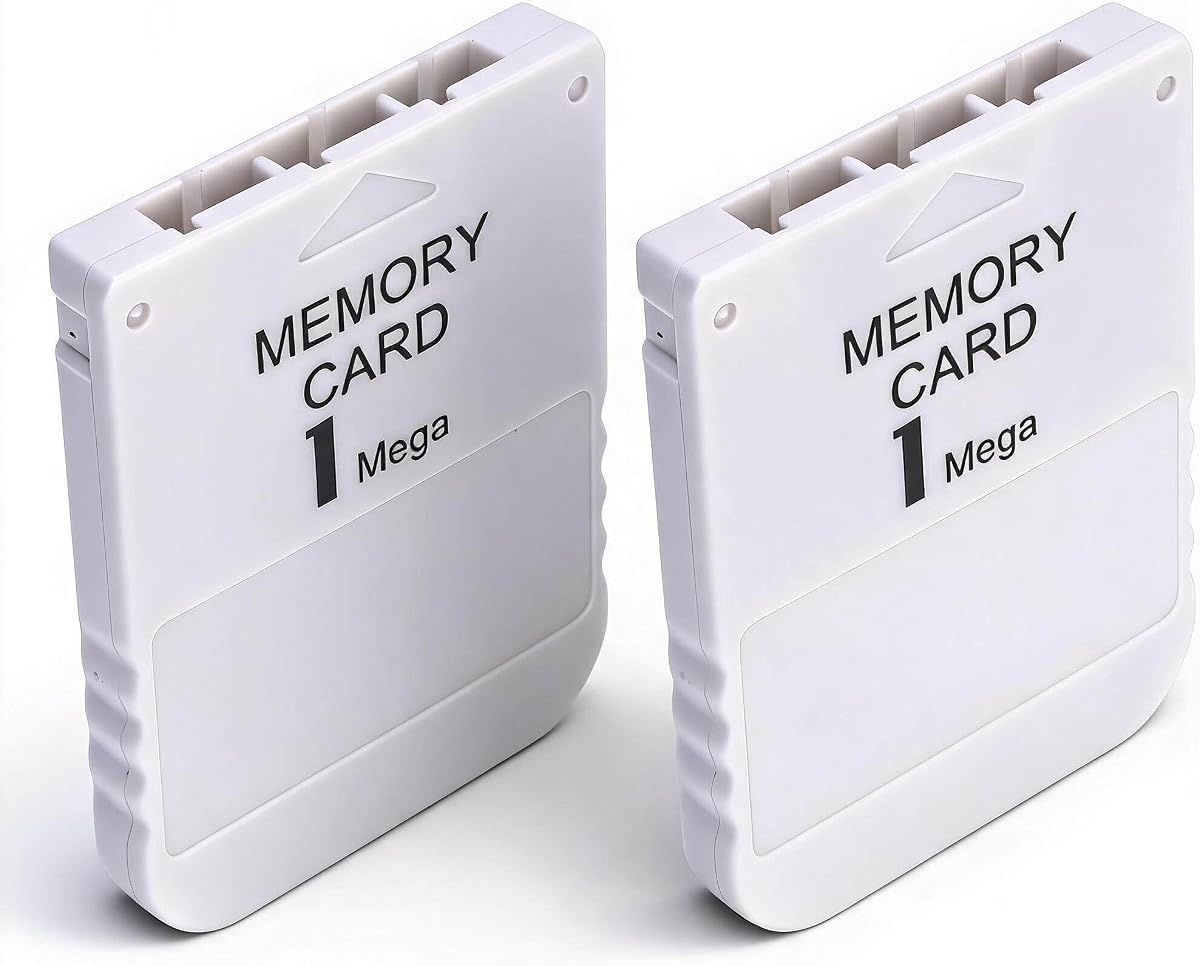
The Pomya 1MB Memory Card two-piece set has a 3.8 out of 5 rating and focuses on a straightforward PS1 replacement package. Each card provides 1MB of storage, sufficient for classic games that include saving functionality, while the two-card format gives owners more flexibility than a single-card pack.
We may earn a commission when you buy through this link, at no additional cost to you.
The cards emphasize quick read and write performance, allowing games to recognize them and return players to their progress with less delay. Their portable, lightweight construction also makes them easy to store with a console or carry between setups, which is useful for collectors who move their equipment.
A multipack can serve several practical purposes. One card might hold general saves, another could be reserved for a specific game or play style, and the pair provides a basic backup if one card is lost or damaged. The product is designed as a PS1 alternative to an original card, so its scope is narrower than the virtual adapters.
The rating is lower than those of the leading products, and no detailed block count is provided in the supplied information. The pair also does not offer the expandability or system visibility of microSD-based devices. Still, for PS1-only play and buyers who value two physical cards, it provides a functional and convenient package.
A second physical card can serve as a backup or a separate save library. This separation is useful when a player wants to keep different games or configurations independently organized.
The stated read and write performance is intended to minimize loading and saving delays. That makes the cards more appropriate for active play than as inactive collection pieces.
We may earn a commission when you buy through this link, at no additional cost to you.
The 1MB PS1 ABS Memory Card has a 5.0 out of 5 rating, making it the highest-rated product in the selection. It is a compact, single-card replacement intended specifically for PS1 consoles, offering 1MB of storage and a lightweight gray ABS shell measuring 2.20 by 1.65 by 0.27 inches.
We may earn a commission when you buy through this link, at no additional cost to you.
The card is described as suitable for use alongside or in place of an original memory card. Its capacity can meet the needs of many PS1 games and hold multiple save files, while the stated fast read and write behavior supports responsive loading and saving when the console recognizes the card.
ABS construction is intended to resist everyday wear and damage without adding bulk to a console. The compact dimensions also make the card easy to carry and store, which complements its use with compact original hardware.
Its strengths are focused rather than comprehensive. It is restricted to 1MB, ships as a single card, and does not cover PS2 games requiring larger native memory. Buyers should also verify the console model and card fit, as the listing specifically recommends confirming compatibility. For a basic PS1 replacement, however, its perfect rating and clean design make it an appealing option.
The small, lightweight shell fits naturally into a classic console setup and avoids adding unnecessary bulk. It is easy to keep with the console when the system is moved or stored.
One megabyte provides room for saves from multiple compatible PS1 titles. It is a practical capacity for players building a modest collection rather than maintaining an extensive archive.
We may earn a commission when you buy through this link, at no additional cost to you.
The PlayStation 1 Memory Card Sony 1MB is presented as an original Sony-manufactured card with a 3.8 out of 5 rating. It provides 1 megabit, or 128KB, divided into 15 standard blocks, reproducing the familiar storage arrangement associated with original PlayStation memory cards.
We may earn a commission when you buy through this link, at no additional cost to you.
Its compatibility extends across original PlayStation, PS1, PSX, and PS One consoles, and the supplied information states that it can save PS1 game data on a PS2. The physical format means it can be inserted directly into a compatible memory card slot, requiring no adapters, software, or virtual-card preparation.
Original manufacturer positioning may appeal to owners restoring a console with period-appropriate accessories. The standard 15-block arrangement is particularly relevant for games that display remaining blocks or divide saves into recognizable sections. It also provides the conventional behavior expected by original-era software.
The distinction between 1MB naming and 1 megabit technical capacity is important. At 128KB, this is the traditional 15-block format, not the 1MB capacity claimed by several third-party cards. It cannot replace a native PS2 memory card. Nevertheless, for original PS1 hardware and PS1 titles running on PS2, it is a simple, authentic-looking option.
The familiar card format and manufacturer positioning suit owners who want a period-style accessory. It avoids the appearance and setup complexity of a modern virtual adapter.
The standard block arrangement reflects the memory structure used by original PlayStation software. It also gives users an immediate way to evaluate remaining save space on supported titles.
We may earn a commission when you buy through this link, at no additional cost to you.
The Two 1MB PS1 Cards set has a 3.9 out of 5 rating and offers a simple pair of physical cards for PS1 game consoles. Each card is stated to offer 1MB of capacity, enough for multiple classic game saves, while the two-piece package makes a backup or separate save library easy to maintain.
We may earn a commission when you buy through this link, at no additional cost to you.
The cards are made from ABS and are described as resistant to breaking and fading. Their fast read and write behavior is intended to reduce game-loading and save delays, giving players a smoother experience when moving through supported titles. Lightweight construction also makes the set convenient to carry or store.
The multipack format offers a modest advantage over buying a single card. One card can remain in active use while the other stores a copy, or each can contain a different group of games. This arrangement is particularly helpful for collectors who value a physical inventory rather than a centralized microSD library.
These remain PS1-focused 1MB cards and offer no support for native PS2 game saves. Their rating is also lower than the leaders, and the supplied details do not mention a precise block count. For uncomplicated PS1 use, especially where two cards are useful, they provide a functional alternative to more complex virtual systems.
Keeping a second card makes it possible to preserve a separate copy of important saves. This offers basic insurance without configuring a larger storage system.
The ABS shell is intended to withstand regular handling, while the small size fits easily into a console drawer or carrying case. Both qualities suit a physical retro-gaming setup.
We may earn a commission when you buy through this link, at no additional cost to you.
The 256M PS2 Memory Card is a dedicated high-capacity option rated 4.3 out of 5. Unlike products aimed primarily at PS1 save files, it provides 256MB for PlayStation 2 games, giving owners substantially more room for modernized PS2 titles, custom data, and other console information.
We may earn a commission when you buy through this link, at no additional cost to you.
It is stated to work with all PS2 versions, including both the original standard body and the Slim line. This broad hardware compatibility makes it a practical replacement for a varied console collection. The product also works with PSX and arcade systems according to its stated capabilities, extending its relevance beyond a single console family.
Operation is described as simple plug-and-play, with no boot disc required. That distinction is useful for buyers who want native card behavior without learning virtual memory card management or creating images on a microSD card. The high-speed design is intended to provide efficient reads and writes during normal gameplay.
Its limitation is focus. This is not a PS1 physical card, so it does not directly replace the small 15-block cards used by original PlayStation software. It also lacks the scalable storage and configurable sizes of the PSxMemCard-style devices. For PS2 players seeking a generous, simple native card, it is a targeted and effective choice.
A 256MB capacity provides more room than standard dedicated memory cards. It suits owners who play modernized PS2 titles that benefit from additional save space.
Compatibility with standard and Slim PS2 systems simplifies replacement across different hardware revisions. The plug-and-play approach also avoids any additional disc-based setup.
We may earn a commission when you buy through this link, at no additional cost to you.
The Single 1MB PS1 Card is the most minimal traditional replacement in the list, with a 3.8 out of 5 rating. It provides a 1MB physical card intended as a direct replacement for original PS1 memory hardware, allowing supported games to recognize and use it without a virtual adapter or external storage device.
We may earn a commission when you buy through this link, at no additional cost to you.
The stated capacity is sufficient for games with saving functions, and the card is designed around quick read and write operation. That focus helps reduce the waiting associated with loading games and recording progress. A lightweight, compact body also makes it easy to keep with a console and carry between gaming locations.
Unlike the two-card alternatives, this package includes only one card. That may be preferable for a buyer who owns one console or only needs enough space for a small group of games. It also removes the need to decide how to organize or back up a second physical card.
The 1MB limit means it may not suit a large PS1 library, and it offers no support for native PS2 game saves. Its rating is also among the lower results, reflecting a basic product with limited distinguishing features. Nevertheless, for someone seeking a uncomplicated, portable PS1 card, it completes the range of traditional options in this guide.
A single included card keeps the purchase uncomplicated and avoids unnecessary accessories. It is a logical choice for a single-console player with a modest save collection.
The lightweight design is easy to carry, store, or place in a travel case. That makes the card practical for retro gaming setups that move between locations.
We may earn a commission when you buy through this link, at no additional cost to you.
The right replacement depends on which console you use, how many games you want to save, and whether you prefer a direct physical card or a configurable microSD-based system. Consider compatibility, storage, setup demands, and intended homebrew use before choosing.
A physical 1MB card is designed for PS1, PSX, and PS One games, and many of these cards can also store PS1 saves on a PS2. A native 256MB card is intended for PS2 software. A virtual memory card adapter can support both console families, making it the broadest option for a mixed collection.
Choose the card format that matches the games you actually play, not merely the console model in your possession. PS2 games often require a dedicated PS2 save format and more space than original PlayStation titles.
Traditional 1MB cards provide a limited amount of space and may suit a handful of titles. The 256MB PS2 option offers more room for native PS2 saves, while microSD adapters can store thousands of virtual card images and support much larger media. Assess the number of games, required game-specific card sizes, and whether you want room for future purchases.
More capacity is useful, but it should be matched to realistic needs. A large virtual library is unnecessary for one or two games, while a small physical card may become frustrating as a collection expands.
Physical cards offer the shortest learning curve because they insert directly into the console. Virtual adapters create separate save files on microSD media, provide larger storage, and support multiple virtual card sizes. That additional flexibility comes with card creation, menu navigation, and file-management considerations.
Physical simplicity suits a small collection or one-console setup. A virtual adapter better serves owners with many games, multiple console generations, or a need to organize save files separately.
Check the stated support for PS1, PS One, PSX, standard PS2, and Slim PS2 systems. The virtual adapters in this guide expressly cover both primary console families, while the dedicated PS2 card supports standard and Slim hardware. Traditional PS1 cards are narrower and generally focus on original PlayStation games.
Compatibility also matters if a console has been modified. Confirm the card type expected by the system, especially when a modification method relies on specific virtual-card behavior or firmware features.
The PSxMemCard-style products support launch methods including FreePSXBoot, FreeMCBoot, OpenTuna, Unirom, and Tonyhax, as described in their product information. These features can be important for owners of modified consoles who want flexible homebrew workflows. They are not necessary for ordinary game saving.
If homebrew is important, review the exact supported methods and required setup. If it is not, prioritize a device with a clear interface, understandable menus, and compatibility with the games in your library.
The PSxMemCard and BITFUNX devices include a 128×64 pixel OLED display, two front buttons, and a front USB-C firmware connection. These features make status visible and configuration more convenient. Products without a display are simpler, but users may need to rely more heavily on external indicators or documentation.
A front update port is especially useful for keeping the device current without disturbing the console. Choose a model whose controls and update process appear understandable for your experience level.
The leading virtual adapters include an 8GB microSD card, allowing use without an immediate additional storage purchase. Some also include a twelve-month warranty with support, repairs, and replacements. Traditional cards need no separate storage accessory, while multipacks include an extra physical card.
Compare the complete package rather than focusing only on headline capacity. A bundled card, warranty, or second physical card can make one option more convenient than another with similar core specifications.
Traditional memory cards use compact, lightweight construction, while virtual adapters are necessarily larger because they contain electronics, controls, a display, and removable storage. ABS housings are used by several physical products and are presented as resistant to wear and damage.
Choose a form factor that suits your setup. A small card is convenient for travel, while a desktop-style virtual adapter may be better kept beside a frequently used console.
For a physical memory card, confirm that the console is powered off, insert the card into the appropriate slot with the correct orientation, and restart the system. Once the console recognizes the card, launch a compatible game and create a new save. If the game does not detect the card, remove it, inspect the contacts, and try again rather than repeatedly forcing it into the slot.
A virtual memory card adapter requires more deliberate setup. Install the included or supported microSD card, connect the adapter using the appropriate method for the console, and follow the device menu to format or configure it if prompted. Create a virtual card of the required size, select the intended game, and confirm that saves appear in the expected location before closing the menu.
Protect stored data by keeping the microSD card handle gently and avoiding abrupt removal. Maintain separate copies of important save files, use the device's firmware update function when needed, and keep the console and card surfaces free from moisture, dust, and static discharge. For physical cards, clean the contacts gently with a dry, lint-free cloth if the console struggles to recognize them.
A dedicated PS1 card generally stores PS1 game saves and may also work on a PS2 running PS1 games, but it does not replace a native PS2 memory card. A microSD-based virtual adapter is the more versatile choice because it can create separate virtual cards for both PS1 and PS2. Compatibility should be confirmed against the product's stated specifications before purchase.
A 1MB physical card is designed primarily for PS1 games and uses the traditional memory card format. A 256MB card provides substantially more space for PS2 games and may support additional console functions. Buyers should consider the games in their collection rather than treating the larger number as automatically better for every system.
Neither format is universally more reliable. Physical cards require fewer configuration steps, while virtual adapters depend on microSD media, firmware, file organization, and correct card creation. A virtual adapter can be highly convenient when configured properly, but an important save should always be backed up outside the console.
The leading PSxMemCard-style options in this guide include an 8GB microSD card, so many buyers can begin using them without buying storage immediately. Confirm that the card is properly installed and recognized before creating virtual saves. Larger or faster media may still be useful for extensive libraries.
The number depends on how much space each game uses and how the software organizes its save data. Some titles occupy only a few blocks, while others require more, so a 1MB card can support a meaningful collection but may not accommodate every game in a large library. Multiple cards or a virtual adapter offer more flexibility.
A native 256MB PS2 card is not the same format as the small physical cards required by original PlayStation consoles. For cross-generation use, choose a virtual adapter that expressly supports creating 128KiB PS1 cards and compatible PS2 virtual cards. Confirm both formats before transferring or managing save data.
The stated 128×64 pixel OLED displays the device's current system status, helping users confirm settings and recognize the state of the adapter. The two front buttons are intended for menu navigation. It is a convenience feature rather than a substitute for checking save-file organization on the microSD card.
Firmware updates can keep the device current, improve compatibility, or provide fixes for problems encountered during use. Use the front USB-C connection and the manufacturer's update process, and follow the supplied instructions carefully. Do not interrupt the process once it has begun, and keep a backup of save files before a major update.
The BITFUNX PSxMemCard Gen2 stands out as the strongest all-around choice because it combines broad PS1 and PS2 compatibility, a 4.7 rating, an OLED display, automatic game detection, and expandable microSD storage. The PSxMemCard Game Memory Card offers similar breadth with a strong feature set, while the Kaico SD2PSX Gen2 is particularly appealing for straightforward installation and warranty coverage.
Buyers with a small, PS1-focused collection can choose a simple 1MB physical card. The single-card and two-card sets are portable and require almost no configuration, while the Sony-styled card appeals to owners seeking the familiar 15-block original format. For native PS2 games and substantial save space, the 256MB PS2 card is the more relevant dedicated solution.
Before making the final choice, verify the console model, game formats, storage needs, and desired level of setup complexity. Also check the current listing, rating, included accessories, and price at the time of purchase, since availability and pricing can change even when the underlying product features remain the same.