
Noctua NF-P12 redux-1700 PWM
4.8Editor score
Pressure-optimized 120mm design
4-pin PWM control
Maximum 1,700 RPM
25.1 dBA maximum noise
Discover the best static pressure fans for PC cooling with comparisons of airflow, noise, bearing design, RPM control, radiator fit, and build quality.
Static pressure fans for PC cooling are designed to move air through restrictive spaces such as CPU heatsinks, radiator fins, dust filters, and narrow case openings. Unlike general-purpose case fans, they prioritize focused airflow and resistance to back pressure, making them especially useful for compact, air-cooled, and liquid-cooled systems.
This guide compares ten 120 mm PWM options using the specifications and product information supplied by each manufacturer. The list evaluates static pressure, airflow, speed range, noise characteristics, bearing design, fan thickness, lighting, daisy-chain convenience, and suitability for heatsinks and radiators.
Each review explains where the fan fits best and where its compromises may matter. Ratings reflect the supplied marketplace feedback, while product details and availability can change over time, so readers should verify current specifications, dimensions, and retailer listings before purchasing.
4.8Editor score
4.7Editor score

4.6Editor score
The comparison below places all ten fans on the features that matter most for restrictive PC cooling positions, including pressure capability, airflow, motor speed, and control or lighting options.


The ARCTIC P12 Slim PWM PST three-pack is a compact answer to a common PC-building problem: a conventional 25mm fan fits physically, but the available mounting space does not support that thickness. With a height of only 15mm, these fans are intended for small-form-factor cases and other constrained installations where maintaining airflow through a restrictive component is still important.
We may earn a commission when you buy through this link, at no additional cost to you.
ARCTIC identifies the design as optimized for static pressure, which makes it more appropriate for heatsinks and radiators than a fan chosen solely for bulk air circulation. The listed pressure figure is 1.33 mmH₂O, while airflow reaches 34.51 CFM, or 58.62 m³/h. A 4-pin PWM connection and a 200–2,100 RPM range allow the motherboard or fan controller to balance cooling output and noise.
The compromise is that the slim format does not deliver the same volume of air as a full-thickness model. It also offers no integrated lighting, so builders seeking a coordinated illuminated interior would need to look elsewhere. Even so, the three-fan pack provides a straightforward way to equip several compact radiators, top-mounted positions, or restricted heatsink assemblies.
This is a strong pick for small systems, especially when standard 25mm fans will not physically fit. It is less compelling as a general replacement for large open-airframe cases, where higher-capacity 25mm fans can create a more effective cooling arrangement. For compactness combined with genuine pressure capability, however, it is one of the most targeted options in this guide.
The 1.33 mmH₂O pressure specification makes this fan more purposeful around fins, dense heatsinks, and radiator restrictions than a conventional airflow-oriented case fan. Its narrow profile allows pressure-focused cooling to remain practical where a 25mm frame cannot be installed.
The 200–2,100 RPM range and 4-pin PWM control make it practical to reduce output during idle periods and increase it under load. This flexibility is valuable in compact systems where a constantly running fan could be more noticeable than it would be in a larger chassis.
We may earn a commission when you buy through this link, at no additional cost to you.
The Noctua NF-P12 redux-1700 PWM carries a 4.8 rating and is designed around a clear goal: deliver useful pressure-oriented airflow without allowing a 120mm fan to become unnecessarily loud. Its pressure-optimized blade design is intended for air-based CPU coolers, radiators, and low-noise chassis ventilation, giving it broader relevance than a pure decorative case fan.
We may earn a commission when you buy through this link, at no additional cost to you.
The fan reaches a maximum of 1,700 RPM and includes 4-pin PWM control, allowing compatible motherboards to vary speed automatically. Its listed maximum noise level is 25.1 dBA, and the manufacturer emphasizes a balance between performance and quiet operation. A stated lifespan of more than 150,000 hours also supports its positioning as a long-term component rather than a disposable upgrade.
Compared with newer high-speed designs, its 1,700 RPM ceiling is modest, and maximum airflow is not emphasized in the supplied specifications. It also has no addressable RGB lighting, making it less suitable for builders who want the fans themselves to be a visual feature. The streamlined redux edition instead focuses on core cooling performance, control, and a relatively understated appearance.
The NF-P12 redux-1700 PWM is a strong all-around recommendation for CPU coolers, radiators, and quiet systems. It is particularly compelling for users who want a pressure-capable fan with automatic speed control and a refined acoustic profile rather than maximum RPM or illuminated frames.
The NF-P12 redux-1700 PWM favors a balanced operating profile instead of chasing the highest possible RPM. Its 1,700 RPM maximum and automatic PWM support make it well suited to systems where sound levels matter as much as the ability to move air.
The pressure-optimized blades are suitable for CPU air coolers, water-cooling radiators, and general chassis ventilation. This flexibility lets one fan family cover several positions, especially when a builder wants consistency without adding lighting to the design.
We may earn a commission when you buy through this link, at no additional cost to you.
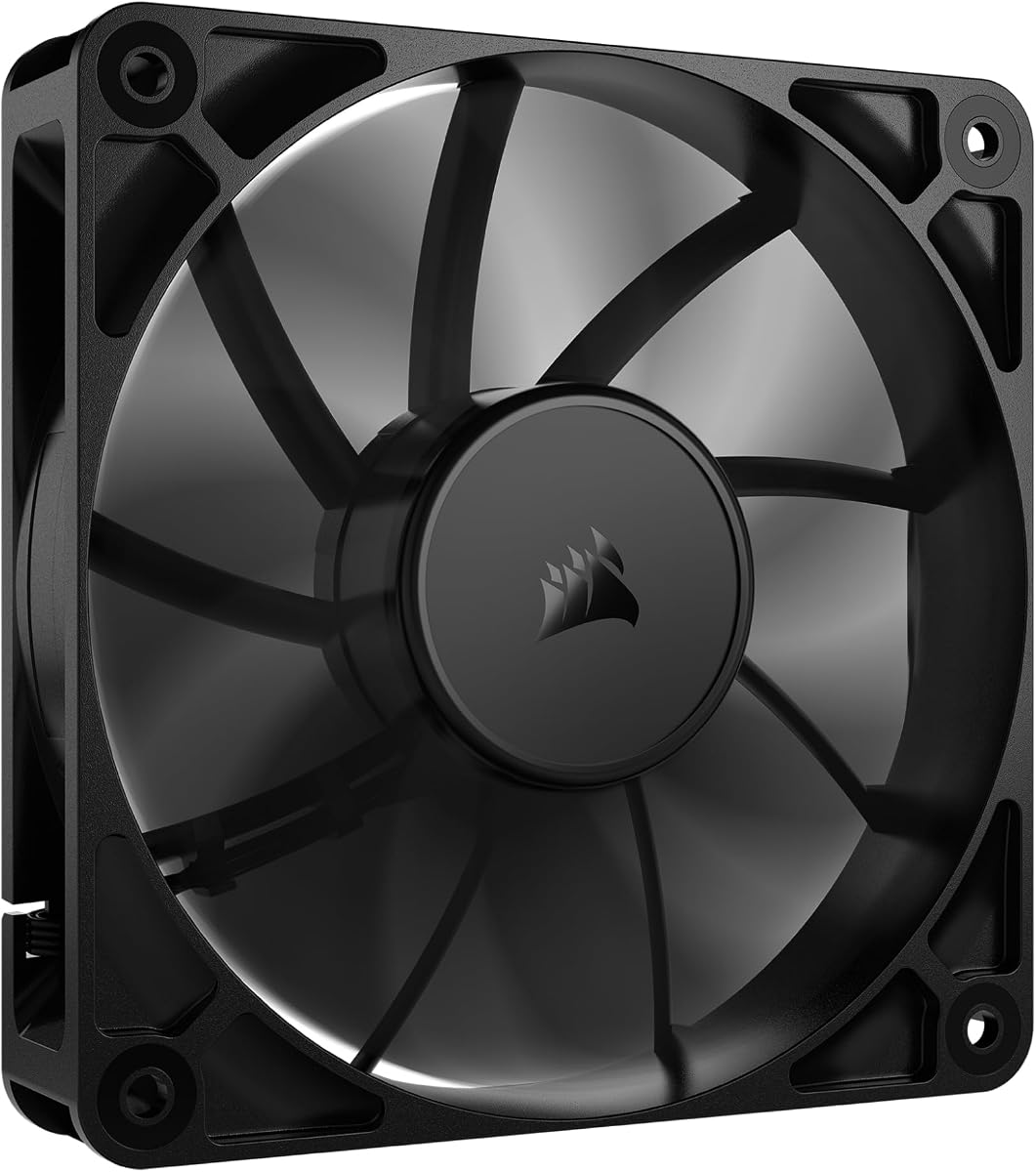
The single-pack CORSAIR RS120 PWM stands out with a listed static pressure of 4.15 mmH₂O, the highest figure among the standard non-ARGB models in this comparison. Combined with airflow of up to 72.8 CFM and a maximum speed of 2,100 RPM, it is built for demanding positions where a conventional case fan may struggle to move air through dense fins.
We may earn a commission when you buy through this link, at no additional cost to you.
CORSAIR AirGuide technology uses anti-vortex vanes to direct airflow toward components and maintain concentrated cooling when mounted to a radiator or heatsink. The magnetic dome bearing is designed to reduce friction, noise, and wear, while the daisy-chain connection allows multiple fans to be controlled through one 4-pin PWM connector. Together, these details make the RS120 convenient for multi-fan radiator arrangements.
The tradeoff is that this listing contains only one fan, so a complete multi-position installation requires additional units. It also does not provide integrated lighting. Users who want the same general motor and airflow characteristics in an illuminated build may need to consider the ARGB version instead.
The RS120 PWM is our leading high-pressure option because its specifications directly address restrictive cooling locations while preserving modern PWM control. Choose it for a performance radiator, a demanding CPU heatsink, or a case where moving air through a filter is the priority. It is less essential for an open, spacious chassis where simpler fans are adequate.
A 4.15 mmH₂O pressure rating gives the RS120 a substantial advantage in radiator and heatsink positions. That specification is particularly relevant where fin density, bends, filters, or tightly packed components reduce the amount of air that reaches the far side of a cooling surface.
Daisy-chain wiring helps builders install several RS120 fans without assigning every fan to a separate PWM header. The result is a neater cable arrangement and simpler control through a compatible motherboard header or fan controller.
We may earn a commission when you buy through this link, at no additional cost to you.
The Thermalright TL-C12C X3 is a three-fan package that combines a 1.53 mmH₂O static pressure rating with a listed airflow of 66.17 CFM. That combination makes it a credible option for CPU coolers, radiators, and case ventilation, particularly for builders who want to equip several positions at once.
We may earn a commission when you buy through this link, at no additional cost to you.
Its maximum speed of 1,550 RPM is below the range of several competing models, but the four-pin PWM interface gives compatible motherboards automatic control based on operating conditions. The included S-FDB bearing is intended to reduce blade vibration, while four soft silicone corner pads help limit vibration transferred through the frame. The specification also lists current draw of 0.20A.
A potential installation limitation is the listed cable length of up to 55cm, which may be less convenient in a large tower case or with radiator placement far from the motherboard. The lower speed ceiling may also leave some performance on the table compared with the 2,000-RPM-class alternatives, particularly in extremely dense radiators.
The TL-C12C X3 is a compelling practical pick for a complete small cooling kit, three radiator positions, or a case refresh. It delivers the core traits of a useful static-pressure fan—solid airflow, PWM control, vibration reduction, and a three-pack format—without introducing unnecessary lighting or complex control requirements.
The listed 66.17 CFM airflow is unusually substantial for this category and supports effective cooling around CPU heatsinks and radiators. The three-fan package also makes it practical to match intake and exhaust positions without mixing unrelated fan models.
The S-FDB bearing and silicone corner pads work together to reduce the vibration that can accompany a 120mm fan. These features are valuable for users who want pressure-capable cooling without making every installed position a prominent source of mechanical noise.
We may earn a commission when you buy through this link, at no additional cost to you.
This single-fan version of the ARCTIC P12 Slim PWM PST is aimed at compact PCs where the 15mm frame is the decisive advantage. It shares the pressure-optimized design and 1.33 mmH₂O rating of the three-pack model, offering airflow of 34.51 CFM and a speed range from 200 to 2,100 RPM.
We may earn a commission when you buy through this link, at no additional cost to you.
The wide RPM range provides considerable control over noise and output. ARCTIC specifically identifies the fan for use on heat sinks and radiators, so its narrow body does not prevent it from serving as a genuine pressure fan rather than a lightweight case circulator. The 0.3 Sone noise specification further supports use in systems where acoustic output is a concern.
Because the fan is only 15mm thick, its airflow is lower than that of full-thickness 120mm alternatives. Builders should not equate its compact dimensions with equivalent cooling capacity, and they should verify that the case, heatsink, or radiator supports slim fans rather than standard 25mm hardware. There is also no integrated RGB lighting.
This listing is best for a one-position upgrade in a constrained build, such as a slim radiator or a compact CPU heatsink. It is less appropriate for a user who wants maximum cooling from a 120mm position and has room for a full-thickness fan.
The 15mm thickness is the defining benefit. It gives builders an option when standard 25mm fans overlap components or cannot be mounted, while still providing PWM control and a pressure-optimized blade design for restrictive cooling surfaces.
A 200–2,100 RPM range allows fine adjustment of fan output. Lower speeds can reduce sound during lighter workloads, while the upper end is available for periods when the processor or other internal components generate more heat.
We may earn a commission when you buy through this link, at no additional cost to you.
The black CORSAIR RS120 ARGB triple pack combines high airflow with integrated lighting, making it a natural choice for a visible gaming build that still needs capable radiator or heatsink fans. Its listed airflow reaches 72.8 CFM, maximum speed is 2,100 RPM, and static pressure is rated at 2.8 mmH₂O.
We may earn a commission when you buy through this link, at no additional cost to you.
Eight LEDs in each fan support customizable effects through a compatible motherboard's built-in ARGB control. The daisy-chain arrangement allows the group to use one 4-pin PWM connector and one +5V ARGB connector. That simplifies both speed management and lighting synchronization compared with a collection of independently wired illuminated fans.
Its 2.8 mmH₂O pressure rating is lower than the 4.15 mmH₂O figure given for the standard RS120, despite sharing the stated 72.8 CFM airflow. Buyers who need the maximum specified pressure or who plan to use very dense radiators should pay close attention to that distinction. The ARGB wiring also adds a requirement that must be met by the motherboard or controller.
This package is ideal for builders who want one product to cover both cooling and illumination across several positions. It works particularly well for radiator fans, exhaust fans, and unobstructed case areas in a coordinated illuminated system. The requirement for compatible 5V ARGB control is the main condition to check before buying.
The daisy-chain layout is one of the most useful features of this package. A single PWM connection controls fan speed, while one 5V ARGB connection manages the synchronized lighting, reducing the number of separate cables a builder must route.
The stated 72.8 CFM airflow makes the RS120 ARGB suitable for radiator positions and prominent case locations. Its AirGuide vanes are designed to focus airflow toward hot components, while the magnetic dome bearing is intended to minimize friction and noise.
We may earn a commission when you buy through this link, at no additional cost to you.
The five-pack ARCTIC P12 PWM PST is a comprehensive option for rebuilding an entire case cooling layout. It combines a 4.8 rating with a 2.20 mmH₂O static pressure rating, 56.30 CFM airflow, and a 200–1,800 RPM range, making it more versatile than the slim P12 variants.
We may earn a commission when you buy through this link, at no additional cost to you.
PWM Sharing Technology allows the included fans to share PWM control signals, which reduces the number of motherboard headers required when several are installed together. The fans can stop below 5% PWM, supporting a near-zero state for quiet idle operation, while the listed 0.3 Sone noise specification reflects ARCTIC's focus on a quiet motor.
The motor uses a neodymium-iron-boron ring magnet, which ARCTIC says improves efficiency. The manufacturer also links a lower motor temperature to longer service life, claiming that its motor has a four-times longer lifespan than the predecessor. These are manufacturer statements, but the combination of efficient motor design and PWM sharing makes the package attractive for coordinated installations.
This set is most appropriate for a full case refresh with several intake, exhaust, radiator, or heatsink positions. It is less attractive for a single-fan purchase, and the 1,800 RPM ceiling is not as high as the best alternatives. It is also a plain black design without ARGB, making it a better fit for restrained or performance-focused builds.
Five matching fans remove the need to mix different brands, sizes, or finishes across a system. This is useful for radiators, CPU coolers, front intake positions, and rear or top exhaust positions where consistent airflow characteristics are desirable.
PWM Sharing Technology allows compatible fans to follow one control signal. Builders can therefore use fewer PWM headers, which is especially helpful in compact cases or when a motherboard offers a limited number of controllable fan connectors.
We may earn a commission when you buy through this link, at no additional cost to you.
The white CORSAIR RS120 ARGB triple pack is designed for builders who want visible cooling hardware that coordinates with a light-colored case. It retains the RS family's listed airflow of 72.8 CFM, maximum speed of 2,100 RPM, and static pressure rating of 2.8 mmH₂O.
We may earn a commission when you buy through this link, at no additional cost to you.
Each fan contains eight LEDs with customizable effects, and the daisy-chain design allows the trio to share one 4-pin PWM connector and one +5V ARGB connector. AirGuide anti-vortex vanes help direct air toward radiators and heatsinks, while the magnetic dome bearing is intended to lower friction and noise.
As with the black ARGB set, the lighting system requires compatible 5V ARGB control. That distinction matters because older three-pin RGB headers are not interchangeable with 5V ARGB, and connecting incompatible systems is unsafe. The white finish is also less likely to blend into a dark chassis, so this is primarily an aesthetic choice for coordinated white builds.
This pack is a good fit for a white gaming system, a showcase build with a glass side panel, or a radiator illuminated from a visible position. It combines serious airflow specifications with a polished appearance, making it easier to satisfy cooling and visual goals with a matched set.
A triple pack of white RS120 fans creates a consistent appearance across radiators, CPU coolers, and visible case positions. The integrated lighting and matching frame avoid the visual mismatch that can occur when white components are paired with different-colored fan sets.
The 2,100 RPM maximum and 72.8 CFM airflow make the set suitable for restrictive cooling positions, while one shared PWM and ARGB connection simplifies synchronization. The result is a practical combination of airflow capability and coordinated visual control.
We may earn a commission when you buy through this link, at no additional cost to you.
This single-pack CORSAIR RS120 ARGB provides a way to add one illuminated high-airflow fan without purchasing a larger group. It offers 72.8 CFM of listed airflow, a maximum speed of 2,100 RPM, and a static pressure rating of 2.8 mmH₂O, making the specification set suitable for radiator and heatsink positions.
We may earn a commission when you buy through this link, at no additional cost to you.
Eight LEDs provide customizable lighting through a compatible motherboard, while the daisy-chain feature allows this fan to be combined with additional RS120 units using one PWM and one ARGB connection. Anti-vortex AirGuide vanes focus airflow toward hot components, and the magnetic dome bearing is designed to minimize friction, noise, and wear.
The single-fan format is a limitation for builders who want a matching multi-fan set, although it avoids forcing unnecessary purchases. The 5V ARGB connection is also an important compatibility requirement. Its 2.8 mmH₂O rating trails the standard RS120's 4.15 mmH₂O figure, so extremely dense radiator applications may favor the non-lighting model.
This listing works well for a targeted upgrade, such as replacing one visible case fan or adding one illuminated radiator position. It is a flexible middle ground between basic PWM fans and full illuminated packs, with enough airflow and speed control to serve restrictive cooling locations.
The daisy-chain design means users can start with one illuminated fan and expand later without abandoning the same product family. This is useful when a case needs only one additional position or when lighting should be concentrated in a visible area.
The listed static pressure and airflow figures make the fan appropriate for radiators, CPU heatsinks, and filtered intake positions. The AirGuide vanes help preserve a directed stream instead of allowing the airflow to disperse throughout the case.
We may earn a commission when you buy through this link, at no additional cost to you.
The triple-pack CORSAIR RS120 PWM combines the high-pressure characteristics of the single RS120 with enough fans to populate a full radiator. It provides a listed static pressure of 4.15 mmH₂O, airflow of 72.8 CFM, and a maximum speed of 2,100 RPM for each fan.
We may earn a commission when you buy through this link, at no additional cost to you.
Daisy-chain wiring allows the group to be controlled through one 4-pin PWM connector, reducing header requirements and simplifying installation. CORSAIR AirGuide vanes are designed to direct airflow through radiator and heatsink positions, while the magnetic dome bearing is intended to reduce friction and mechanical noise.
The absence of lighting makes this set less visually expressive than the ARGB alternatives, but that simplicity can also make it easier to integrate into restrained or work-focused systems. Running multiple high-speed fans may produce more audible output than a slower set, making a well-tuned PWM curve and unobstructed mounting important. The exact acoustic behavior will also depend on the case, radiator, and installed hardware.
This is a strong pick for a new liquid-cooling radiator, a dense tower heatsink, or a system-wide replacement that needs substantial pressure capability. For visible builds requiring synchronized color, the ARGB triple pack is the alternative; for pure cooling, this standard PWM set is the stronger specification match.
The 4.15 mmH₂O static pressure rating is the standout figure in this package. It provides additional margin for radiators, dense heatsinks, filters, and other components that create resistance to airflow.
The daisy-chain arrangement allows the three fans to share one PWM connection. This reduces motherboard header consumption and creates a simpler cable route, particularly when the group is mounted to a 360mm radiator.
We may earn a commission when you buy through this link, at no additional cost to you.
Choosing a static pressure fan means balancing resistance to airflow, actual air volume, noise, mounting constraints, motor control, and the physical demands of the position where the fan will operate.
Static pressure describes a fan's ability to continue moving air when airflow is restricted. This matters most behind dense radiator fins, deep CPU heatsinks, bendy or tightly packed case sections, and filtered intake positions. A fan with a strong pressure rating can force air through these obstacles instead of allowing the usable flow to collapse. The products here range from 1.33 to 4.15 mmH₂O, so the appropriate figure depends on the severity of the restriction.
Choose static pressure according to the actual cooling surface. A radiator or dense tower heatsink benefits from a higher-rated pressure fan, while an open case position may not need the same capability. A useful approach is to match the fan's pressure emphasis to the obstruction rather than assuming the largest number is always necessary.
Airflow indicates how much air a fan can move under its stated test conditions. It is not the same as static pressure, even though strong static-pressure models often perform well in both areas. Airflow becomes especially important in larger cases, multi-fan radiators, and configurations where several components need simultaneous cooling. The listed specifications range from 34.51 CFM for the slim ARCTIC models to 72.8 CFM for the RS120 family.
Use airflow as a complementary metric rather than treating it as a universal ranking. A high-pressure fan with moderate airflow may be ideal for a small heatsink, while a high-flow model can better support a large radiator or spacious chassis. Evaluate both figures against the size of the target cooling surface.
All ten products use a 4-pin PWM connection, allowing compatible motherboards and fan controllers to adjust speed based on system demand. This allows a quiet idle state and greater output under load. Wider speed ranges provide more opportunity to tune airflow and sound, but they also give the motor more opportunities to become loud if the control curve is set aggressively.
Look for a useful zero or near-zero state as well as a sufficiently high maximum. Builders with several fans should also consider sharing features such as ARCTIC PWM Sharing Technology or CORSAIR daisy-chain connections, which can reduce the number of required headers and simplify cable management.
Cooling performance is only useful if the resulting noise is acceptable. Some products state noise in Sone, while others provide a dBA figure, making direct comparisons difficult. Maximum published figures also represent specific operating conditions and should not be treated as a complete prediction of system acoustics. Bearing type, frame vibration, mounting screws, radiator resonance, and case construction all affect the final result.
A pressure fan with a high maximum speed may need a thoughtful PWM curve. Builders should use vibration-absorbing mounting pads where possible, tighten screws evenly, and avoid leaving the fan loosely mounted. The Thermalright model's silicone pads and the Noctua's quiet-operation emphasis are worth noting, while all fans benefit from careful installation.
The bearings in this guide include ARCTIC's quiet motor approach, Noctua's long-life design, Thermalright's S-FDB bearing, and CORSAIR's Magnetic Dome bearing. Bearings influence friction, vibration, durability, and noise, but they do not determine static pressure on their own. A well-designed bearing can help a pressure fan run smoothly over time, yet the blade and motor design remain equally important to cooling performance.
Compare bearing claims together with the manufacturer's support and stated operating life. Also consider the mounting system: anti-vibration pads and balanced frame design can make a practical difference in perceived noise even when a fan's headline noise figure appears similar to a competitor's.
Nine of the listed models are standard 120×120×25mm fans, while the ARCTIC P12 Slim is only 15mm thick. The slim model is essential in small-form-factor cases and other installations where a standard fan will not fit, but its lower airflow figure reflects the space it occupies. Standard-thickness fans generally offer greater air volume and broader radiator compatibility.
Before buying, measure the available clearance rather than relying only on the nominal fan size. Check whether a CPU heatsink uses overlapping fans, whether a radiator supports slim models, and whether cable bends will fit behind the frame. Physical compatibility can matter more than a small specification difference.
ARGB lighting is available on the CORSAIR RS120 ARGB models, with eight LEDs per fan and support for customizable motherboard control. These models require a compatible 5V ARGB header or controller. The standard RS120 models, Noctua fan, and ARCTIC products focus on cooling rather than illumination and avoid adding the extra lighting connection.
Choose illuminated fans when the cooling hardware will be visible and coordinated lighting is part of the build. For a restrained system, a plain black or white fan can look more intentional. Always verify connector type and voltage before installation, and check that the motherboard includes a compatible header or that a controller is available.
The list includes single, three-pack, and five-pack options. Single fans suit targeted replacements, while matching packs make it easier to create balanced intake and exhaust arrangements. The CORSAIR daisy-chain and ARCTIC PWM sharing features can also reduce the motherboard headers needed for a multi-fan group. This is particularly useful in cases with a limited number of fan headers or long cable routes.
Count the positions you actually need before selecting a pack. Adding more fans than required can create additional cost, cable complexity, and noise. Conversely, matching models across a case make fan curves and visual layouts easier to manage. Consider radiator size, mounting screws, cable reach, and the number of available headers before finalizing a multipack choice.
Before installation, confirm that the fan size, thickness, connector type, and mounting pattern match the case, heatsink, or radiator. Use the supplied screws where appropriate, avoid overtightening them, and route cables so they do not touch the rotating blades. For ARGB models, verify that the motherboard provides a 5V ARGB header; do not connect the lighting lead to a 12V RGB header.
Connect the 4-pin PWM lead to a compatible CPU fan, system fan, or radiator header, then configure a fan curve in the motherboard software. Start with a moderate curve and adjust it based on component temperatures and noise. A pressure fan still needs unobstructed intake and exhaust airflow, so avoid placing it behind cable bundles, drive cages, filters that are already heavily loaded, or other restricted surfaces.
During routine care, power down the system and disconnect the power supply before opening the case. Check that dust has not accumulated on the blades and that the frame is securely mounted. Use gentle compressed air or a soft brush, keep liquids away from the electronics, and inspect the cable bends. If a fan develops grinding, scraping, excessive vibration, or irregular rotation, replace it rather than forcing it to continue operating.
A static pressure fan is primarily used in restricted positions where air must pass through radiator fins, dense CPU heatsinks, filters, or other obstructions. Its blade and motor design help maintain airflow through resistance. These fans can also ventilate a case, but they are most valuable where ordinary bulk-air fans may struggle to push air through a dense surface.
Not automatically. A static-pressure fan is optimized for moving air through resistance, but its noise depends on the motor, blade design, maximum speed, bearing, and operating curve. Every model here supports PWM control, allowing it to run more quietly at lower speeds when less cooling is required. Proper mounting and vibration control also affect the result.
Matching models makes airflow behavior and fan curves easier to manage and can create a more consistent build. It is especially helpful when a radiator and case exhaust share a PWM control system. Matching is not required, however, if different positions have very different pressure requirements, such as a dense radiator intake and an open exhaust.
Yes, if the radiator's physical size and mounting hardware support 120mm fans. Check both the fan thickness and mounting pattern, as slim 15mm models are not universally compatible with every radiator or CPU cooler. For dense radiators, prioritize the fan's pressure rating and ensure that the complete radiator-and-fan assembly has sufficient case clearance.
A 4-pin PWM connection controls fan speed, while a 5V ARGB connection controls lighting on compatible ARGB fans. Some illuminated products in this guide use both connections. The two systems are separate, and the 5V ARGB plug must not be connected to a 12V RGB header. Use the supplied cables or manufacturer-approved adapters.
No. The 4-pin PWM control found across this list allows the motherboard or controller to vary speed according to temperature and the configured curve. Many systems spend substantial time at lower RPM, where reduced airflow and noise may be sufficient. Maximum speed is most useful during heavy loads or when a restrictive cooling surface requires additional pressure.
They can be highly effective in the installations for which they are designed, but they are not directly equivalent in air volume. The ARCTIC P12 Slim offers a lower listed airflow figure than full-thickness models, offset by its much smaller thickness. It is best chosen when clearance is the priority and space for a standard 25mm fan is unavailable.
The correct number depends on the case volume, hardware heat output, radiator size, and airflow path. Positive pressure can reduce dust intake, while balanced intake and exhaust usually provides efficient circulation. Rather than adding fans indiscriminately, position them where they can feed cooling surfaces and ensure that the exhaust path is not blocked by cable bends or other obstructions.
The CORSAIR RS120 PWM stands out for its 4.15 mmH₂O static pressure rating, 72.8 CFM airflow, and convenient daisy-chain control, making it our leading choice for demanding radiator and heatsink positions. The Noctua NF-P12 redux-1700 PWM is ideal for quiet, pressure-focused builds, while the Thermalright TL-C12C X3 offers a balanced three-fan package with PWM control and useful airflow.
Prioritize pressure for dense radiators and restrictive heatsinks, airflow for larger cooling surfaces and open case positions, and fit before aesthetics. Check fan thickness, connector requirements, header availability, and mounting compatibility first. ARGB is worthwhile for a visible synchronized build, but lighting should remain secondary to the cooling requirements of the system.
Product specifications, ratings, and retailer availability can change, so verify the latest listing before ordering. Compare the current fan dimensions, pressure and airflow figures, bearing details, PWM range, connector types, and included mounting hardware against the specific position where each fan will operate.