
Brother P-Touch PTH110BP
4.7Editor score
Professional TZe tape support
Fifteen-label memory
Four included tape rolls
Compare 10 handheld label makers for text options, connectivity, tape compatibility, portability, durability, print features, and ease of use at home.
A handheld label maker turns the vague job of identifying belongings into a quick, organized system for cables, storage bins, pantry goods, school supplies, office files, and personal items. The best models combine easy text entry, clear previews, portable construction, and labels that remain readable in the places they are used.
This guide compares ten label makers based on the features listed for each product, including keyboard style, display, fonts, symbols, printing formats, app support, battery design, cutting options, and compatible tapes. The list covers compact personal devices, professional P-Touch models, and rechargeable Bluetooth machines for more flexible labeling workflows.
Each review identifies the product's strongest applications and practical trade-offs, with a badge reserved for the three leading picks. Ratings reflect the supplied product data, while feature details come from the listed descriptions. Prices can change, so check the current listing before purchasing.
4.7Editor score

4.4Editor score

4.3Editor score
The comparison below highlights the major differences in input methods, displays, creative controls, connectivity, tape systems, and portability, making it easier to match a label maker to a particular organization system.





The Brother P-Touch PT-N10 is a compact personal label maker designed for dorm rooms, travel, student belongings, and light household organization. It carries a 4.3 rating and stands out for colorful Btag tapes, easy-peel backings, and a friendly full QWERTY keyboard. Its emphasis is expressive labeling rather than industrial identification.
We may earn a commission when you buy through this link, at no additional cost to you.
The device includes three fonts in six styles, including underline and italic treatments, plus 10 frames and 200 symbols. It can print two lines with a combined height of 7mm, while the 12-character screen lets users check text and estimated tape length before committing. A built-in cutter creates clean edges, and memory retains 10 frequently used labels.
The main limitation is the narrow 12-character display, which can make longer phrases less convenient to edit. It also works exclusively with 12mm-wide, 13.1-foot Brother Btag tapes. Those constraints are reasonable for personal use, but buyers wanting broader tape compatibility or more workspace-oriented identification should look at the PTH110BP or P-touch Pro.
Choose the PT-N10 when colorful, removable labels and simple personal organization matter most. It is especially useful for identifying moving boxes, school supplies, travel gear, and everyday items with short, memorable names. For durable technical labels or wider professional workflows, consider a Brother model built around TZe tape.
The Btag system's 17 colorful options make the PT-N10 useful where plain black-on-white labels would feel utilitarian. Split, easy-peel backings support quick application and damage-free removal, which is valuable for dorm rooms, shared spaces, and temporary organization projects.
The preview screen and 10-label memory reduce the need to retype common labels. Although the display is modest, it provides enough information to check text and tape length before printing, making repeated household labeling more efficient.
We may earn a commission when you buy through this link, at no additional cost to you.
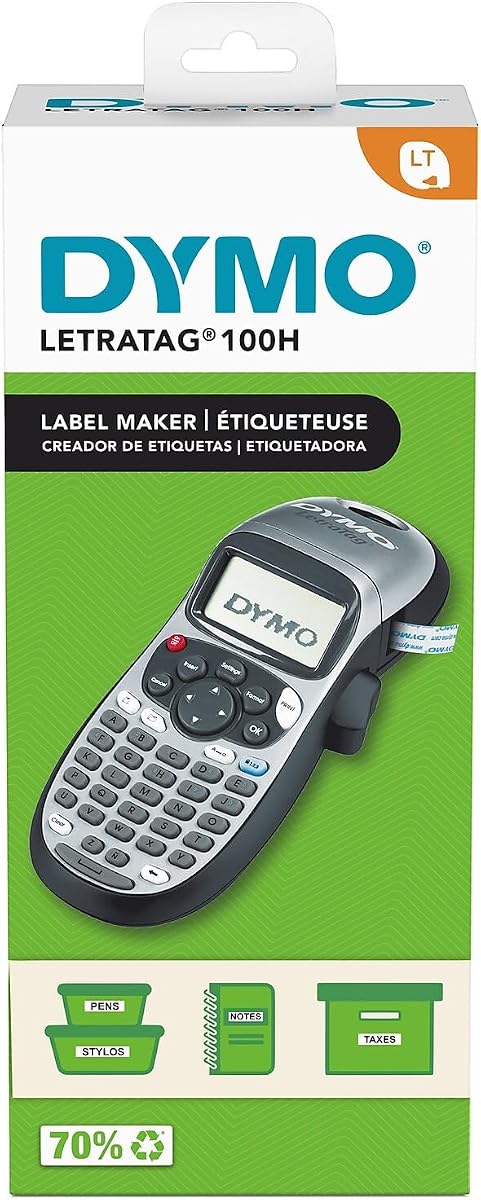
The DYMO LetraTag 100H Plus is a straightforward handheld label maker for office and home organization. Its 4.6 rating reflects a well-liked balance of compact handling and useful formatting controls. It is a practical option for shoppers who want recognizable DYMO styling without a large professional machine.
We may earn a commission when you buy through this link, at no additional cost to you.
Users can choose from five font sizes, seven print styles, and eight box styles, while the graphical display previews the selected effect before printing. The package includes a half-inch black-on-white paper cassette, a half-inch black-on-clear plastic cassette, and a magnetic holder. Auto-off functionality helps conserve power when the device is not being used.
The fixed formatting options are less expansive than the app-driven customization found on the SUPVAN E10, E11, and E12. It is also focused on half-inch LT cassettes rather than a broad family of tape formats. Even so, the 100H Plus handles short, practical labels efficiently and remains easy to carry between rooms or work areas.
This model suits people creating file names, pantry labels, storage labels, and general household identifiers. The included magnetic holder adds useful placement flexibility, while the clear display helps new users get comfortable with the buttons. Choose it for no-fuss organization; choose a more advanced model if graphics, symbols, or mobile templates are essential.
The graphical display is the central feature for this model. Seeing font effects and box styles before printing makes the 100H Plus approachable for beginners and reduces the likelihood of wasting a label on an unintended layout.
Paper and clear plastic cassettes cover common indoor labeling needs, and the magnetic holder supports convenient mounting. This makes the bundle more versatile for a new labeling system than a bare machine with a single roll.
We may earn a commission when you buy through this link, at no additional cost to you.
The DYMO LabelManager 160 is a balanced handheld label maker that serves home, office, school, and small-business organization. It earns a 4.4 rating and stands out through its QWERTY keyboard, one-touch smart keys, large display, and generous library of text formats. It offers more everyday flexibility than a basic fixed-format model.
We may earn a commission when you buy through this link, at no additional cost to you.
The editing interface includes more than 20 text formats and over 200 symbols, making it useful for file folders, supplies, pantry goods, and storage areas. The bundle contains three half-inch by 23-foot D1 cassettes with black print on white tape. Automatic power-off helps manage energy use, and the device is designed to be carried easily between locations.
Its most significant limitation is the lack of Bluetooth app editing. Users who want phone-based templates, icons, or continuous design workflows may prefer the SUPVAN E11, E12, or E10. The LabelManager 160 also centers on D1 cassettes, so it does not provide the broader TZe tape selection available from several Brother models.
This is our Editor's Choice because it delivers the strongest combination of a readable screen, familiar keyboard, efficient editing keys, and useful included supplies. It suits anyone who wants capable handheld labeling without requiring a rechargeable device or mobile app.
The large display gives more context than compact character-only screens, helping users check names and formats. Combined with the QWERTY layout and one-touch smart keys, it reduces the friction of entering longer or more precise labels.
Three D1 cassettes provide enough material to begin organizing several areas without sourcing rolls separately. Their black-on-white format also suits professional file, bin, and inventory labeling where clarity matters more than decoration.
We may earn a commission when you buy through this link, at no additional cost to you.
The Brother P-Touch PTH110BP is the strongest premium pick in this group, combining a 4.7 rating with professional formatting and durable TZe tape support. It is designed for small businesses, workshops, storage systems, file folders, and cable management, where labels may face moisture, peeling, fading, or rough handling.
We may earn a commission when you buy through this link, at no additional cost to you.
The machine provides three professional fonts, 14 decorative frames, and more than 250 symbols. A preview display helps prevent errors, while one-touch keys speed up common tasks. Its built-in memory stores as many as 15 labels for quick reprints, and it can operate on six AAA batteries or an optional AC adapter for extended use.
The bundle includes one sample black-on-white tape and three full-length 12mm tapes, making it a complete starting package. The requirement for separate batteries, or a separately sold adapter, is less convenient than a built-in rechargeable battery. The model also lacks the Bluetooth app editing found on the SUPVAN E series.
Choose the PTH110BP when label durability, professional appearance, and efficient reprints are priorities. It is a strong all-round system for people who want a Brother machine but do not need the specialized cable shortcuts or wider tape range of the P-touch Pro.
Brother TZe tapes are described as laminated and water-resistant, with construction designed to resist fading, peeling, and harsh conditions. That makes the machine suitable for locations where ordinary paper labels would deteriorate quickly.
Three fonts, 14 frames, and more than 250 symbols provide a versatile visual library. Storing up to 15 labels is especially useful for repeated categories, equipment identifiers, and standardized workplace labels that would otherwise be retyped.
We may earn a commission when you buy through this link, at no additional cost to you.
The SUPVAN E11 combines a physical QWERTY keyboard with Bluetooth app printing, giving it a flexible two-mode workflow. Its 4.5 rating places it among the stronger choices for home, garage, pantry, office, and school labeling, particularly for users who want phone-based design tools without giving up direct keyboard entry.
We may earn a commission when you buy through this link, at no additional cost to you.
The app includes more than 30 fonts, over 50 frames, and more than 660 icons, with 17 built-in languages. Users can save templates locally, while the machine also prints directly from its keyboard for frequent tasks. Its 1200mAh rechargeable battery is advertised to provide up to one month of use per charge, and the compact body weighs 0.5 pound.
The notable advantage is material efficiency: the listed 0.2-inch margin is much smaller than the margin cited for other machines. It also supports continuous and die-cut labels, allowing flexible lengths or batch-oriented production. The absence of a stated backlit display may be a drawback in dim workspaces, and the richest creative tools require the app.
Choose the E11 for users who alternate between quick keyboard labels and elaborate app-created designs. It is a compelling option for mixed household and professional projects, though the E12 may appeal more to people who work in low-light conditions and want a clearer screen.
The keyboard is useful for short, repetitive labels that do not warrant opening a phone. When icons, frames, multilingual text, or saved templates are needed, the Bluetooth connection expands the creative range without sacrificing the physical input method.
The 0.2-inch margin can leave more of each roll available for printed content. Combined with support for continuous and die-cut tape, this makes the E11 useful for projects that vary in length or need multiple labels prepared in a batch.
We may earn a commission when you buy through this link, at no additional cost to you.
The DYMO LetraTag 100H Silver is a compact thermal label maker aimed at straightforward home and office tasks. It has a 4.6 rating and shares the familiar strengths of the LetraTag line: a graphical preview, straightforward formatting, and a portable form that suits quick labeling around the house or workplace.
We may earn a commission when you buy through this link, at no additional cost to you.
Users can select five font sizes, seven print styles, and eight box styles before printing. The graphical display shows the chosen effects, helping users produce predictable labels without navigating a complex app. Automatic power-off conserves energy during periods of inactivity, and thermal printing means no ink or toner is required.
The included half-inch black-on-white paper cassette provides a starting point, but the package is less generous than bundles with multiple tapes or a magnetic holder. The fixed set of styles also offers less creative freedom than app-equipped models with hundreds of icons. Neither issue prevents effective everyday organization.
This model makes sense for consumers who value a familiar handheld process and mostly need functional identifiers. It is well suited to kitchens, closets, file folders, and small office systems. Buyers seeking Bluetooth control, more symbols, or wider tape options should explore the SUPVAN E10 or E12.
The physical controls and graphical display make the Silver model approachable without requiring account creation or phone pairing. This direct experience is valuable for quick jobs that involve creating a handful of familiar labels.
Thermal output eliminates routine ink and toner concerns. The machine is therefore positioned for users who want predictable text labels and convenient storage rather than colorful printing or complex graphic artwork.
We may earn a commission when you buy through this link, at no additional cost to you.
The SUPVAN E12 builds on app-connected labeling with a backlit LCD, making it a strong option for users who work in varied lighting conditions. It has a 4.4 rating and provides both a physical keyboard for direct entry and Bluetooth app access for elaborate designs, templates, and multilingual content.
We may earn a commission when you buy through this link, at no additional cost to you.
Its app offers more than 30 fonts, over 50 frames, and more than 660 icons across 17 languages, with locally saved templates available at no stated cost. The 1200mAh rechargeable battery is advertised to last up to one month per charge. A 0.2-inch margin improves tape efficiency, and the bundle includes four tapes.
Compared with the E11, the principal distinction is the E12's backlit screen, which improves visibility in bright or low-light conditions. It lacks an explicitly stated automatic power-off function, so users may need to manage the rechargeable battery more attentively. It also shares the general limitation of app-based workflows: advanced graphics require pairing and setup.
Choose the E12 for mixed creative and practical labeling where screen readability is important. It is well suited to office files, home organization, pantry goods, and school supplies, particularly for users who want reusable templates and a large selection of symbols and frames.
The backlit display makes text and layout choices easier to inspect in dim rooms, closets, workshops, and evening use. That visibility can reduce corrections and makes the device a better fit for mobile or shared workspaces than a hard-to-read screen.
The built-in battery avoids recurring battery purchases and supports use away from a power outlet. Bluetooth editing then gives users access to a large graphics library and saved templates, while the keyboard remains available for routine labels.
We may earn a commission when you buy through this link, at no additional cost to you.
The SUPVAN E10 is the best budget pick for buyers who want mobile app control and rechargeable convenience without paying for a larger professional machine. It carries a 4.3 rating and is aimed at homes, offices, schools, kitchens, and device identification, covering both decorative and functional labeling needs.
We may earn a commission when you buy through this link, at no additional cost to you.
Its app requires no fees or registration and provides 40 fonts, 30 frames, and more than 450 icons. The rechargeable battery is described as lasting a full month on a single charge. Continuous tape supports custom lengths, while die-cut labels allow batch printing, and the built-in cutter separates completed labels.
The listed labels are described as laminated, waterproof, oil-proof, anti-scratch, and heat-resistant, making them suitable for kitchen and bathroom environments. The exact screen specification is not provided, so buyers who rely heavily on on-device editing should examine the physical interface. The app library is also less extensive than that of the E12.
Choose the E10 for budget-conscious users who want no-fee phone editing, durable labels, and the flexibility of two tape formats. It is a particularly good fit for shared households and offices that need attractive labels for containers, cables, folders, and name tags.
The absence of registration and stated fees removes two common barriers to phone-based labeling. Users can open the editing tools, customize content, and create labels without committing to a recurring service.
Continuous labels can be resized for individual items, while die-cut stock supports repeated batches. The integrated cutter then removes labels cleanly, reducing the need for scissors during a busy sorting session.
We may earn a commission when you buy through this link, at no additional cost to you.
The Brother P-Touch PT-N20 is a personal desktop label maker that also works as a portable handheld device. It has a 4.3 rating and builds on the colorful Btag approach with a 16-character preview, additional frames, and slightly more room for two-line text than the smaller PT-N10.
We may earn a commission when you buy through this link, at no additional cost to you.
Its styling library includes three fonts, seven font styles, 15 frames, and 250 symbols. Users can combine words and symbols on two lines with a combined height of 9mm. A full QWERTY keyboard supports direct entry, while the built-in cutter trims each label. Memory stores 10 labels for convenient reprints.
The machine remains tied to half-inch, 13.1-foot Btag tapes, and the 15 frames may still be modest beside app-driven options with hundreds of icons. Its preview is longer than the PT-N10's, yet it still cannot display very long messages in full. These limits make it most appropriate for concise personal labels.
Choose the PT-N20 for dorm rooms, studios, workshops, and homes where color and personality matter. It is especially useful for short reminders, gift labels, creative storage categories, and belongings that need removable identification. For demanding technical labeling, a TZe-based Brother model is more versatile.
The 16-character display provides a more useful view of the message being prepared than a very narrow screen. It also previews label content and estimated length, helping prevent unnecessary test prints.
The Btag system's colorful tape choices and split backing make labels more visually engaging and easier to apply. This combination works well for personal organization, shared rooms, and projects where the label is part of the decor.
We may earn a commission when you buy through this link, at no additional cost to you.
The Brother P-Touch Pro PTH111 is designed for technical identification, electrical panels, cables, workshop equipment, and durable outdoor labels. It has a 4.6 rating and stands apart through specialized one-touch keys for cable wrap, cable flag, faceplate, and serialize labeling.
We may earn a commission when you buy through this link, at no additional cost to you.
A graphical LCD lets users preview two-line labels before printing. The device offers three fonts and more than 300 symbols, while its lightweight, durable body and detachable wrist strap support mobile work. It accepts Brother Genuine TZe tapes in 3.5, 6, 9, and 12mm widths, offering considerable flexibility for cables, panels, and smaller components.
Power comes from six AAA batteries or an AC adapter that must be purchased separately. The model does not provide Bluetooth app editing, so highly graphical or template-heavy projects are less convenient than on the SUPVAN models. Its advantage lies instead in purposeful shortcut keys and rugged labeling formats.
Choose the PTH111 for electricians, facilities teams, makers, technicians, and serious home organizers. It is the most specialized option in the group, built for work where cable direction, panel identification, serial tracking, and durable materials are more important than colorful personal messages.
Four dedicated shortcuts make common technical formats easier to produce. Cable Wrap and Cable Flag improve consistency, while Faceplate and Serialize keys support organized identification in panels and equipment inventories.
Support for 3.5, 6, 9, and 12mm TZe tapes lets users match the label to delicate cables, compact equipment, or larger panels. The range, combined with laminated tape options, is ideal for workspaces where durability and precision matter.
We may earn a commission when you buy through this link, at no additional cost to you.
The right handheld label maker depends on the labels you need, the surfaces they will occupy, and how much design flexibility you want. Consider input speed, tape compatibility, portability, and durability before comparing features.
Tape format determines the range of projects a machine can handle. Brother Btag models are dedicated to colorful, removable 12mm labels, while DYMOs use LT or D1 cassettes and Brother professional models use TZe tape. The TZe-supported machines cover widths from 3.5mm to 12mm, which matters for small cables, panels, folders, and larger storage bins. Always confirm the exact system rather than assuming all half-inch tapes are interchangeable.
Choose a model based on the labels already in your home or the surfaces you need to identify. Dedicated systems are simple, while broader ecosystems can reduce the need for separate machines.
A full QWERTY keyboard is comfortable for names, file titles, and longer descriptions, especially when repeated editing is common. Smaller fixed-format devices are easier to master but offer fewer text choices. Bluetooth app input adds icons, frames, multilingual options, and saved templates, but it requires phone setup. Some hybrid models provide both, allowing quick keyboard labels and elaborate app designs on the same machine.
Choose the interface you will genuinely use. More features do not improve the experience if they make routine labeling unnecessarily complicated.
A preview screen helps catch misspellings, length problems, and unwanted formatting before tape is used. The Brother PT-N10 has a 12-character display, the PT-N20 extends to 16 characters, and the SUPVAN E12 adds backlighting. The DYMO LetraTag models use a graphical display, while the PTH110BP and P-touch Pro emphasize professional label previews. Consider both screen length and readability in the locations where you will use the device.
A clear preview is especially valuable when tape costs, label lengths, or exact placement matter. Larger is not always necessary, but adequate visibility can prevent repeated mistakes.
Compact, lightweight bodies suit school, travel, shared spaces, and mobile projects. The SUPVAN E11 is listed at 0.5 pound, and the Brother P-touch Pro includes a detachable wrist strap for carrying between workspaces. Battery-powered models are convenient but may require regular replacements. Rechargeable SUPVAN models avoid disposable batteries and are advertised to run for up to one month per charge, although actual use depends on activity and settings.
Choose power based on portability first and convenience second. If the device remains on a desk, replaceable batteries may be perfectly adequate; if it travels regularly, a rechargeable body is more useful.
Paper labels work well for files, pantry containers, and lightweight indoor items. Plastic, laminated, waterproof, oil-proof, scratch-resistant, or heat-resistant options are better for kitchens, bathrooms, garages, cables, and outdoor equipment. Brother TZe tape is highlighted for laminated, water-resistant performance, while the SUPVAN E10 includes laminated labels. Match the label construction to exposure rather than assuming every tape performs equally.
For temporary personal labels, easy-peel removable backing may matter more than extreme durability. For permanent infrastructure, prioritize resistance to moisture, oil, heat, and wear.
Fixed-format machines commonly provide five font sizes, several print styles, and a handful of frames. App-connected models expand into dozens of fonts, hundreds of frames, and thousands of graphics. Greater creative freedom is valuable for gifts, school projects, social events, and color-coded systems, but it can slow simple tasks. Pay attention to saving templates, one-touch shortcuts, batch printing, and memory so advanced capability remains efficient.
Choose creativity when presentation is part of the label's purpose. Choose direct formatting and fast editing when the main goal is functional identification.
Label makers frequently reprint the same room names, equipment IDs, pantry categories, or storage contents. The Brother PT-N10 and PT-N20 store 10 labels, while the PTH110BP stores 15. The SUPVAN E10 supports die-cut tape for batch printing, and the E11 and E12 also work with continuous and die-cut labels. These features can reduce typing and help maintain consistent naming across a project.
Choose a model with memory or batch support if you label multiple items of the same type. For one-off projects, the direct printing workflow may be sufficient.
Bundles can include several tapes, different label materials, or mounting accessories. The DYMO LetraTag 100H Plus includes paper and clear plastic cassettes plus a magnetic holder. The Brother PTH110BP includes four tapes, while the LabelManager 160 and SUPVAN E10 bundles include three each. Four tapes are listed with the SUPVAN E11 and E12. Include this in the decision because a starter package can determine how soon the machine is useful.
Compare tape quantity, width, length, and material rather than merely counting rolls. Also note whether adapters or extra batteries are included.
Begin by installing the correct tape or cassette and checking that the mechanism recognizes it. Open the device, enter text using the physical keyboard or app, and adjust the font, frame, symbols, or line arrangement as needed. For app-connected models, pair the device through Bluetooth, select a compatible template, and confirm that the text fits the available label length.
Use the preview screen before printing, checking spelling, capitalization, spacing, and tape length. For exact identification, leave a small blank margin at the start of the text so it remains easy to read. After printing, use the built-in cutter where provided and peel the label slowly from its backing to avoid stretching or pulling the adhesive.
Store the machine in a dry place with the tape compartment closed, and keep the print head and cutter free from adhesive residue. Follow the manufacturer's guidance for the specific tape system, and use compatible consumables rather than forcing substitutes. Remove batteries during extended storage if the model uses replaceable cells, and recharge a rechargeable model before placing it in storage for a long period.
Usually, a label maker is designed for its own tape format or cartridge system. Brother Btag, Brother TZe, DYMO LT, and DYMO D1 labels are not interchangeable even when some share the same width. Check the manufacturer and exact model before buying additional consumables, and avoid forcing an incompatible roll into the compartment.
No. Keyboard-only models such as the DYMO LabelManager 160 and several Brother P-Touch devices provide complete labeling without an app. Bluetooth is useful when you want saved templates, icons, frames, multilingual text, or more advanced visual designs. Consider how often you expect to use those extras before adding the setup complexity.
The Brother P-Touch Pro PTH111 is the most specialized choice in this list. It includes dedicated Cable Wrap, Cable Flag, Faceplate, and Serialize keys, plus compatibility with four TZe tape widths. The PTH110BP is also suitable for durable workshop labels, but it does not list the same technical shortcut controls.
Choose labels described as water-resistant, waterproof, oil-proof, or easy to clean. The SUPVAN E10's laminated tape is specifically positioned for kitchen and bathroom use, while Brother TZe tape offers durable, water-resistant options. Surface preparation and proper application also matter, so clean and dry the area before attaching the label.
The ideal amount depends on your typical labels. A 12-character display is adequate for short names and categories, while a 16-character screen offers more context. The larger graphical displays on DYMO and Brother professional models are helpful for two-line labels, formatting, and technical identifiers, particularly when exact content matters.
Rechargeable models are convenient for frequent portable use because they avoid recurring disposable-battery purchases. Battery-operated machines can be equally practical on a desk and may suit users who prefer a simple power system. The listed SUPVAN rechargeable batteries are advertised to last up to one month per charge, although actual duration varies with use.
Yes, when the machine is paired with a compatible outdoor-capable tape. Brother TZe and the SUPVAN E10's laminated labels are described for demanding environments. Not every label in a bundle has the same water resistance, so confirm the specific tape material and adhesive before using it outdoors or in a wet location.
A bundle can be more practical if you want to begin labeling immediately or plan several categories. The LabelManager 160, PTH110BP, and SUPVAN E10 bundles include three or four tapes, while the LetraTag 100H Plus also includes a magnetic holder. Compare tape material and width, because the number of rolls matters less than whether they suit your surfaces.
The Brother P-Touch PTH110BP leads the premium recommendations with durable TZe tape, professional formatting, a useful preview, and 15-label memory. The DYMO LabelManager 160 is the most balanced standalone option, combining a QWERTY keyboard, large display, smart keys, and three included D1 cassettes. The SUPVAN E10 is the best budget choice for no-fee app editing and rechargeable operation.
Prioritize the label system first, because correct tape compatibility determines what you can label and where. Then consider whether you need a large preview, physical shortcuts, Bluetooth graphics, rechargeable power, or specialized cable formats. Compact personal models excel at short colorful labels, while professional Brother machines suit durable and technical identification.
Before buying, check the current listing for tape details, included accessories, availability, and price. Product features and promotions can change over time, and comparing the latest listing with your labeling habits will help you select a handheld label maker that remains useful beyond the initial organizing project.