
ACMER S1
4.3Editor score
2500mW diode laser
130 x 130mm workspace
Acmerstudio software included
99% preassembled design
A cheap laser engraver can make personalized gifts, labels, decorations, and small-batch products without requiring a large workshop. The best value is not determined by sticker price alone: laser power, accuracy, safety features, software, build quality, and the included accessories all shape how useful a machine will be.
We compared 10 affordable laser engravers using the specifications and features listed for each model. The list covers compact hobby machines, enclosed all-in-one systems, touchscreen engravers, portable tools, and more advanced dual-laser or high-power models for demanding projects.
Each review explains who the machine is best suited for, what stands out, and where compromises may arise. Product configurations and promotions can change, so readers should verify the current listing, bundle contents, specifications, and safety requirements before purchasing.
4.3Editor score

4.5Editor score

4.6Editor score
As an Amazon Associate we earn from qualifying purchases.
The table below gives a quick side-by-side view of laser class, output, work area, and defining features. It highlights why some machines suit simple hobby work while others are better for enclosed, high-speed, or highly portable projects.



The ACMER S1 combines a 2500mW diode laser with a remarkably compact frame and a largely turnkey setup, making it one of the most approachable options in this guide. It carries a 4.3 rating and stands out for its free Acmerstudio software, broad operating-system support, and almost completely preassembled construction. For buyers who want to begin engraving without investing in a large enclosed machine, it offers a focused, practical entry point.
We may earn a commission when you buy through this link, at no additional cost to you.
Its headline specifications include a 455±5nm wavelength, 2mm focal length, engraving speeds up to 10,000mm/min, and 0.01mm repeatable positioning accuracy. The 130 x 130mm working area is small compared with the 300mm and 400mm alternatives here, but that limitation can work in the machine's favor: a compact bed is easier to support, organize, and use for small gifts, tags, labels, and decorative pieces. The machine can engrave wood, bamboo, leather, plastic, PCB, aluminum oxide, and ceramics, and can cut thin plywood, MDF, and acrylic.
Its most significant tradeoff is the Class 4 designation. Even though the machine is compact and beginner-friendly, that classification means safe operation depends on following the manufacturer’s instructions, controlling the beam path, and using suitable protective measures. The small bed also means large signs, oversized panels, and high-volume batch layouts are outside its most practical range. Users needing greater safety enclosure and roomier production should look toward the xTool M2 or BlazeX M3 rather than treating extra power as the only upgrade.
The ACMER S1 is a strong recommendation for first-time buyers, students, and home hobbyists who want inexpensive access to detailed engraving and light cutting. It is particularly appealing because Acmerstudio is included at no additional cost, while LightBurn and LaserGRBL are also supported. Choose it for compact projects and learning; move up if your planned work soon includes larger materials, enclosed production, or more demanding metal and plastic applications.
The 99% preassembled design removes much of the usual setup friction. With the laser head installation described as taking about a minute, new users can concentrate on learning files, focus, materials, and power settings rather than assembling a complicated frame and rail system.
Acmerstudio provides a free starting point, while support for LightBurn and LaserGRBL gives experienced users more familiar options. NC, DXF, BMP, JPG, and PNG support also makes it easier to reuse artwork created in different applications.
We may earn a commission when you buy through this link, at no additional cost to you.
The xTool M2 is the most balanced recommendation for DIY makers who value an enclosed design, approachable software, and room to expand. Its 4.5 rating reflects a polished combination of a 10W diode laser, a Class 1 enclosed body, and two integrated cameras. The cameras provide a live workspace preview, while motion control supports a convenient place-and-go positioning workflow that can reduce wasted material.
We may earn a commission when you buy through this link, at no additional cost to you.
xTool Studio is designed to make the machine accessible without requiring advanced design skills. It provides ready-made templates and an integrated AI image generator, allowing users to begin with text, imported artwork, or a generated design. At the same time, the machine supports a broad creative range covering cardstock, felt, leather, wood, paper, fabric, and many other materials. Its architecture can evolve beyond the supplied laser, although the CMYK inkjet module and 3W infrared laser are optional purchases.
The important limitation is that the standalone package does not include the CMYK inkjet module or RA3 Lite Rotary attachment. Buyers who want color printing must plan for the additional module, while users needing cylindrical engraving will also need the appropriate accessory. The base configuration is still versatile, but its advertised multifunction potential becomes more compelling after those expansions. The enclosure and real-time monitoring also add bulk, so dedicated workspace space is advisable.
This is a strong fit for home crafters, gift makers, educators, and early-stage sellers who want a safer, friendlier system than an open-frame engraver. It is particularly useful when accurate placement matters or when the same machine should eventually support printing, infrared engraving, or rotary work. For simple low-cost experimentation, the ACMER S1 is more economical; for exceptional power and production scale, the xTool S1 40W is the better destination.
The dual-camera system offers a real-time view of the work area and works with motion control to support fast placement. This is especially helpful with small or irregularly shaped pieces that can be difficult to position accurately from appearance alone.
Optional inkjet and infrared modules make the M2 more than a conventional laser engraver. They are not required for ordinary wood, leather, fabric, and paper projects, but they provide a path toward color printing, print-to-cut work, and engraving on additional metal or plastic surfaces.
We may earn a commission when you buy through this link, at no additional cost to you.
The BlazeX M3 is one of the most complete starter packages in the guide, combining a 10W laser, protective enclosure, honeycomb bed, tool kit, and 13 sample engraving materials. Its 4 rating does not lead the field, but the supplied equipment and safety design make it a credible choice for beginners who want a ready-to-use desktop system rather than a barebones frame. The laser is advertised for more than 300 material types, including wood, leather, glass, and coated metal.
We may earn a commission when you buy through this link, at no additional cost to you.
The 0.01mm precision figure is useful for detailed work, and the machine can handle engraving and cutting in one system. Its honeycomb bed supports small pieces while improving airflow beneath the material and helping shield the work surface. A stronger feature is the stated Class 1 safety rating, supported by a fan for smoke and odor extraction and sensors that stop operation when the unit tilts or its lid opens.
Users should still understand that a general material list is not a guarantee that every surface will engrave identically. Glass, coated metal, and other materials may require preparation, testing, and suitable settings. The enclosure also makes the setup less flexible for very large pieces than an open-frame model, while accessories such as a rotary roller, risers, air assist, and purifier remain separate upgrades. Compatibility with LightBurn, LaserGRBL, and CutLabX is a major strength, and support is available across Windows, macOS, iOS, and Android.
The M3 makes sense for beginners who value a complete package, home-safe enclosure, and broad workflow options. It may be especially attractive in classrooms or creative studios where a ready-made kit reduces the need to source a bed, enclosure, and initial materials separately. Those who prioritize the highest customer rating or a large integrated display may prefer another model, but this package remains well matched to entry-level experimentation.
The enclosure, honeycomb bed, tool kit, and sample materials remove several common early purchases. This makes the package easier to unpack and understand than a minimal machine that leaves the sourcing of essential accessories to the buyer.
Automatic stopping when the lid opens or the machine tilts addresses two common causes of an unsafe setup. The integrated exhaust fan also helps manage smoke and odor, although ventilation and material-specific safety guidance remain important.
We may earn a commission when you buy through this link, at no additional cost to you.
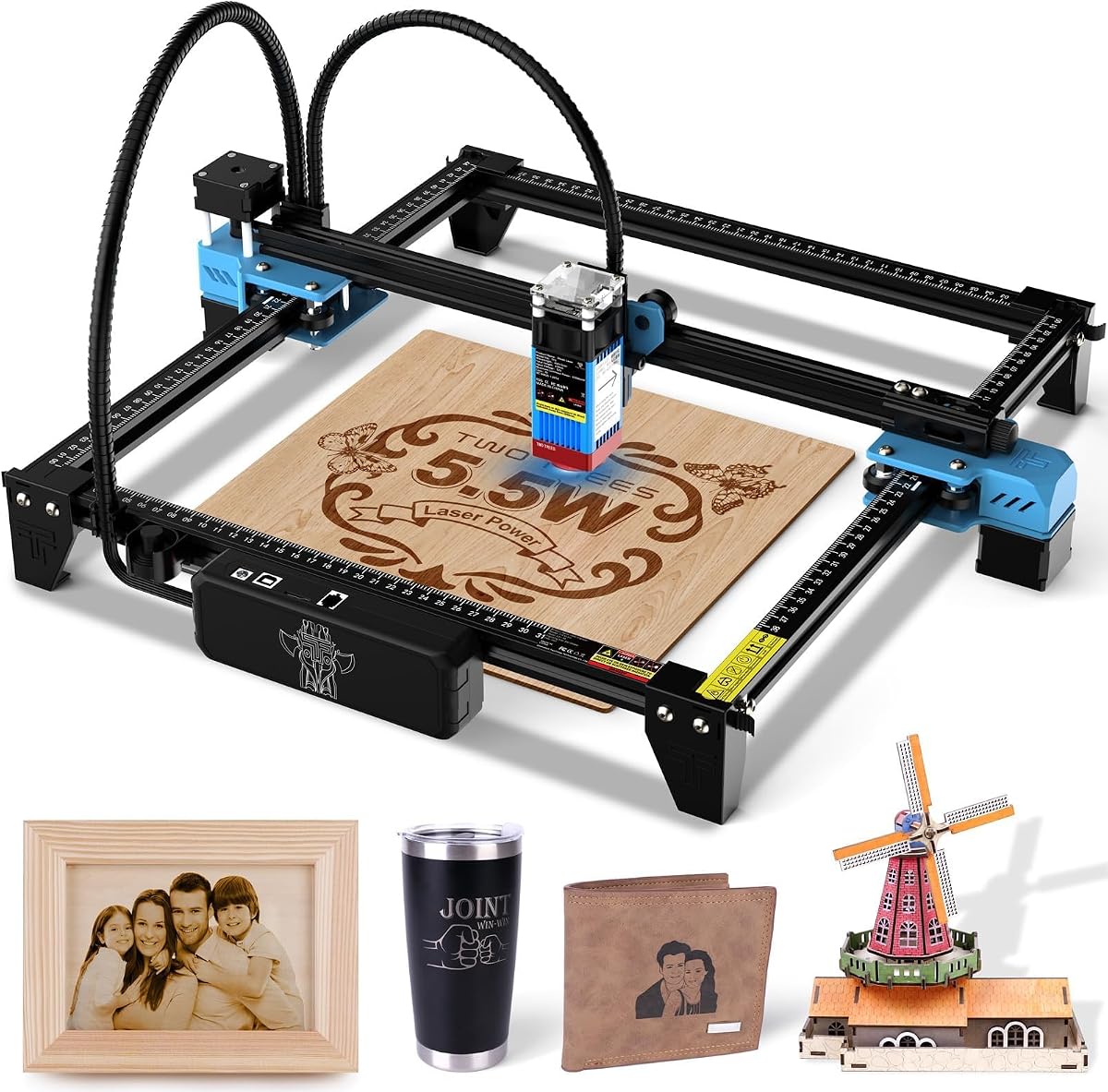
The Twotrees TTS-55 Pro combines 5500mW of laser output with a 300 x 300mm work area, offering more cutting capability and room than the most compact budget engravers. Its 4.3 rating reflects a capable package with a 23mm focal length, a fine 0.08 x 0.46mm spot, and engraving accuracy stated as high as 0.1mm. It is built for makers who want to work beyond delicate markings without moving to a much larger production machine.
We may earn a commission when you buy through this link, at no additional cost to you.
The included metal air-assisted nozzle and red laser shield support cleaner cuts and safer setup. According to the product information, the machine can cut 5mm plywood, 3mm acrylic, and 0.7mm leather, while also engraving wood, paper, leather, acrylic, and stainless steel. LD+FAC+C-Lens compression technology is intended to concentrate the beam for sharper engraving and stronger cutting. A dual-core 32-bit control board supports speeds as high as 30,000mm/min.
Control options are unusually flexible for this class. It supports online operation, TF-card offline engraving, and built-in Wi-Fi for app or browser control. LaserGRBL and LightBurn compatibility means users can choose a simple or more advanced workflow depending on the computer system. The main compromise is its Class II open-frame format, which calls for more careful beam management than a fully enclosed system. The product listing also mixes the TTS-55 Pro name with a reference to the TTS-50 Pro in its support description, so buyers should carefully confirm the exact model and included components.
This is a compelling choice for serious hobbyists, small workshops, and sellers producing mixed wood, acrylic, leather, and metal orders. Its 300mm square bed is more versatile than the ACMER S1 and its stated speed is useful for batch jobs. It makes less sense for a closed-classroom environment or buyers who want plug-and-play safety. In those cases, the BlazeX M3 or xTool M2 provides a more enclosed and beginner-focused experience.
A 5500mW laser gives this machine more cutting headroom than typical entry-level 2.5W and 6W units. That makes it useful for thin plywood and acrylic, provided the correct settings, focus, airflow, and protective procedures are used.
Wi-Fi, USB, TF-card offline work, LaserGRBL, and LightBurn support give users several ways to prepare and run jobs. This is helpful for quick standalone engraving as well as more structured computer-based production.
We may earn a commission when you buy through this link, at no additional cost to you.
The xTool F2 is built for creators who want more than one type of laser work in a portable desktop system. Its 15W diode laser handles cutting, embossing, and common engraving, while the 5W infrared module supports deep, dark color marking on metal. With a 4.4 rating, the F2 stands out for the combination of dual-laser capability, a 50MP camera, and a stated speed of up to 6000mm/s.
We may earn a commission when you buy through this link, at no additional cost to you.
The high-resolution camera provides a detailed view of the workspace and supports alignment accuracy of up to 0.1mm on small pieces. Material presets simplify setup, while the stated 0.00199-inch motion accuracy supports precise placement. The machine arrives assembled and weighs 4.6kg, which makes it easier to move than a large cabinet engraver. That portability is relevant to fairs, pop-ups, workshops, and on-site personalization services.
The F2 remains a Class 4 laser engraver, with 15,000mW diode output and 5,000mW infrared output. Its enclosed, leak-proof design and built-in fan help contain fumes, and a purifier is available as an option. Accessories such as the RA3 and Slide Extension can add rotary capability and a more efficient batch workflow. The sophisticated electronics also make this more complex than a basic open-frame engraver, so buyers should be comfortable learning its camera, presets, and dual-laser processes.
The F2 is an excellent match for small businesses and advanced hobbyists who need one machine to address multiple materials. It is particularly valuable when metal color marking, 3D embossing, rapid batch work, and mobile operation are priorities. For those needing a larger cutting bed or broader production capacity, the xTool S1 is the stronger companion. For casual personalization with a simple pocket device, consider the LaserPecker LP1 Plus instead.
The 15W diode is suited to standard engraving, embossing, and thicker material cutting, while the 5W infrared laser provides a distinct path for color marking on metal. Having both in one enclosure reduces the need for separate equipment when a project mix changes.
The 50MP camera gives operators a much clearer view than a basic fixed-position display. That visibility is particularly valuable for jewelry, tags, coasters, and other small pieces where a small placement error can ruin the project.
We may earn a commission when you buy through this link, at no additional cost to you.
The xTool S1 40W is the premium production choice in this guide, combining the highest listed rating of 4.6 with 40,000mW of laser output and a spacious 23.93 x 15.16-inch bed. It is designed for creators who need to cut and engrave larger panels, produce batches of personalized items, or handle a demanding mix of wood, acrylic, metal, and curved surfaces. Its enclosure and safety-focused design also separate it clearly from basic open-frame models.
We may earn a commission when you buy through this link, at no additional cost to you.
The S1 can cut 18mm cherry wood in a single pass and engrave at speeds up to 600mm/s. Patented Pin-point Positioning supports placement, while AutoPassthrough Technology is designed for projects extending to as much as 3000mm. The included rotary bundle adds support for curved objects such as tumblers. Its xTool Creative Space software includes material presets, AI-assisted design, and more than 1,000 step-by-step project tutorials, reducing the learning curve for new users.
Safety is unusually thorough for a powerful desktop system. The protective cover filters 99% of laser light, while the enclosure blocks smoke and noise. Five flame sensors can halt operations when flame is detected, complemented by an emergency stop and lid-open stop. The 3mm aerospace-grade aluminum frame provides stability for a machine of this size. The tradeoff is physical scale: it requires a dedicated work area, and its power and bed size are unnecessary for occasional tiny tags or portable crafts.
Choose the S1 when output, large-bed versatility, batch production, and polished software justify a more capable investment. It is ideal for small businesses, professional fabricators, signage makers, and makers ready to move beyond light hobby projects. The xTool F2 may be more portable, and the M2 better suited to enclosed home crafting, but the S1 delivers the strongest combination of speed, bed size, and production-focused features here.
The wide bed can hold projects that would exceed the square areas of most compact engravers. A stated capacity of up to 119 dog tags in one run illustrates how the combination of bed size and speed supports repeatable production layouts.
Light-filtering enclosure, flame detection, an emergency stop, and a lid-open stop work together as multiple layers of protection. These features are especially relevant for a high-output machine used around family members, customers, or coworkers.
We may earn a commission when you buy through this link, at no additional cost to you.
The LONGER Ray5 10W pairs a 10W laser module with a generous 400 x 400mm work area and an integrated 3.5-inch touchscreen. Its 4.3 rating reflects a capable general-purpose DIY machine, especially for users who want roomier layouts than a 300mm square bed. The 0.06 x 0.06mm spot and stated 0.01mm precision are particularly attractive for crisp lettering, logos, and detailed patterns.
We may earn a commission when you buy through this link, at no additional cost to you.
A 240MHz ESP32 multi-core processor supports responsive operation and the ability to control multiple engraving machines from one device. The touchscreen provides a convenient local interface, while USB, TF-card, Wi-Fi, and app-based control offer several ways to transfer and run work. LaserGRBL and LightBurn compatibility gives users access to common professional workflows. The product information states that the machine can cut up to 20mm wood and 30mm acrylic, though actual results depend heavily on material preparation, settings, and the number of passes.
Safety provisions include an emergency stop, motion protection that shuts the machine down during abnormal vibration, heat protection, a protective cover, and safety goggles. A hidden active cooling system is intended to extend laser life. Because the title also references a 60W configuration, buyers need to confirm that the selected listing is genuinely the 10W version and review which frame, module, and accessories are included. The screen is useful, but experienced users may still prefer more capable desktop software for complex layouts.
The Ray5 is a good fit for home makers with a growing collection of signs, coasters, gifts, and household items. Its 400mm bed makes it more flexible for panels and batch arrangements, while the touchscreen lowers the barrier for routine work. Buyers prioritizing a fully enclosed design should consider the xTool M2 or BlazeX M3. For small, highly portable projects, the LaserPecker LP1 Plus offers a dramatically different form factor.
The 400 x 400mm area provides useful room for signs, larger blanks, and multi-piece layouts. It occupies more desk space than a 130mm or 300mm machine, but remains a practical middle ground between compact hobby units and large production beds.
USB, TF card, Wi-Fi, and app control make it possible to choose between offline operation and connected workflows. LightBurn and LaserGRBL support ensures the machine is not tied to a single approach when users become more experienced.
We may earn a commission when you buy through this link, at no additional cost to you.
The ELIDOR Z6 stands out with a perfect 5 rating, a 6W laser module, and a weight of only 2.13kg. It is a compelling option for users who want more power and precision than the smallest budget units without carrying the weight and complexity of a larger production system. The 300 x 300mm work area supports a useful range of gift, label, jewelry, and home décor projects.
We may earn a commission when you buy through this link, at no additional cost to you.
Its 0.04 x 0.14mm spot, accuracy stated as high as 0.01mm, and speed of up to 10,000mm/min are designed for crisp text, portraits, graphics, and personalized patterns. The listed material coverage includes wood, leather, acrylic, cardboard, ceramic, glass, and metal. LaserGRBL and LightBurn support spans Windows, macOS, and Linux, and common NC, DXF, BMP, JPG, and PNG files can be imported.
The main limitation is that the product information does not identify an integrated touchscreen or enclosure. It is therefore better suited to users who are comfortable setting up a computer-based workflow and managing an open machine responsibly. Material preparation may also be necessary for some glass and metal surfaces. Its strong customer rating is encouraging, but ratings should not replace checking current software compatibility, included components, and material guidance before a purchase.
The Z6 is well matched to mobile hobbyists, craft-fair operators, classrooms, and small businesses seeking a lightweight machine with meaningful power. It is more attractive than the ACMER S1 for cutting and larger work, yet simpler than the dual-laser xTool F2. If safety without an enclosure is the priority, the BlazeX M3 or xTool M2 may be a better fit despite their greater size and complexity.
The narrow stated laser spot helps preserve fine lines in lettering, logos, and portraits. Combined with the high speed, it allows the machine to work quickly through the many small elements commonly found in personalized gifts.
At 2.13kg, the Z6 is easy to carry between a home workshop, classroom, or craft event. Its reliance on desktop software reduces weight and complexity but means users should plan for a laptop or compatible computer.
We may earn a commission when you buy through this link, at no additional cost to you.
The AlgoLaser 8W is the most straightforward choice for users who do not want a computer for every project. It has a perfect 5 rating and combines an 8W diode laser, a 3.5-inch HD touchscreen, and the AlgoOS operating system. Users can sketch, type, or import designs directly on the display, while LightBurn, LaserGRBL, and phone app access provide routes into more advanced workflows when needed.
We may earn a commission when you buy through this link, at no additional cost to you.
The machine is advertised as 95% preassembled, with core modules, belts, limit switches, and cable routing factory-aligned. A flip-down focus column allows users to rest it on the material, lock the height, and return it to position. This setup can materially reduce the frustration of losing a separate focus block. Wi-Fi, USB, and SD-card transfer options make it possible to keep simple work local while retaining connected and offline file paths.
The 400 x 400mm work area and stated 15,000mm/min speed support signs, coasters, gifts, décor, and light batches. AlgoOS includes more than 400 stated material presets, drag-and-drop positioning, and a repeat-processing mode. Safety features include flame detection, overheat alerts, a large emergency stop button, and included goggles. The main drawback is that this is not described as an enclosed machine, so home users still need to create a controlled operating environment and keep the beam path secure.
The integrated screen is excellent for quick text, simple logos, and imported artwork, reducing dependence on a connected workstation. Computer and phone support remain valuable for vector editing, advanced file preparation, and more intricate production jobs.
With more than 400 listed presets, AlgoOS aims to make repeated work more consistent. Users can select a suitable material profile, position the design visually, and then process multiple items using the repeat feature.
We may earn a commission when you buy through this link, at no additional cost to you.
The LaserPecker LP1 Plus serves a different purpose from the desktop engravers in this guide: it is designed to travel. Its pocket-sized body, adjustable stand, magnetic base, and ability to run from a power bank make it an appealing choice for quick personalization away from a permanent workshop. It carries a 4.2 rating, and its core appeal is convenience rather than large-bed production.
We may earn a commission when you buy through this link, at no additional cost to you.
The product information states that setup takes less than two minutes, while the cross-platform app allows users to import photos or doodles and begin work. The adjustable stand supports 360-degree engraving angles and the magnetic base helps secure small items. Compatible non-metal materials include wood, leather, acrylic, and paper. These qualities make the machine useful for quick labels, simple gifts, prototypes, and light craft sessions.
There are firm boundaries. The instructions specify a 200mm distance between the laser lens and the material surface, and the included ruler is intended to help maintain that setting. Metal engraving is not supported, so buyers who regularly work with stainless steel or coated metal should choose a more conventional diode or infrared system. Its limited size also means it is unsuitable for signs, panels, production batches, and anything requiring a fixed bed.
Choose the LP1 Plus for beginners, travelers, students, and makers who want an inexpensive first engraving experience with minimal setup. It is particularly useful when projects must be completed away from home or when a full desktop machine would occupy too much space. Users ready to move into thicker materials, metal, larger work areas, or repeat business production should instead consider the ACMER S1, ELIDOR Z6, or one of the enclosed systems.
The compact format and power-bank compatibility remove the need for a dedicated bench setup. That makes the LP1 Plus useful for demonstrations, travel, and quick projects where portability matters more than batch throughput.
The adjustable 360-degree stand allows the laser head to approach an item from different positions. Combined with the magnetic base, it offers flexible handling for lightweight wood, leather, paper, and acrylic pieces.
We may earn a commission when you buy through this link, at no additional cost to you.
The right inexpensive laser engraver depends on project size, material range, operating environment, and the level of guidance or automation you want. These factors help separate a convenient first tool from a machine capable of supporting demanding personal or commercial work.
Laser output is one of the clearest indicators of potential cutting capability, but it is not the only factor that determines results. The models here range from 2500mW in the ACMER S1 to 40,000mW in the xTool S1, with intermediate 6W, 8W, 10W, and 5500mW options. Higher output generally gives a machine more energy to work with, which can make deeper cuts and faster engraving possible. It does not guarantee clean results on every material, however. Material coatings, density, moisture, color, composition, focus, and machine configuration all affect the outcome.
For light engraving of wood, leather, paper, cardboard, and thin plastics, a lower-output machine may be sufficient. Thin plywood and acrylic cutting usually calls for more headroom than basic personalization. Infrared lasers add a distinct capability for color marking on metal, while dual-laser systems let users choose between two processes. Users should choose power based on realistic project plans rather than assuming the highest number is automatically the most useful.
The work area determines the largest piece that can be positioned in one job. The ACMER S1 offers a compact 130 x 130mm space, while several popular models use 300 x 300mm or 400 x 400mm beds. The xTool S1 goes much further with a 23.93 x 15.16-inch rectangular bed designed for panels and batch layouts. A large bed offers more layout freedom, but it also demands more desk space, stronger support, and careful material preparation.
For keychains, jewelry, labels, and small gifts, a 130mm bed may be adequate. Signs, coasters, larger plaques, and multiple products per run are better served by a 300mm or 400mm machine. A wide rectangular bed can be especially useful for long signage or repeated batches. Measure the intended materials before choosing, and also consider the machine’s physical footprint, lid clearance, exhaust routing, and access to a suitable power outlet.
An enclosed laser system is generally more appropriate for homes, classrooms, and shared workspaces than an open frame. The xTool M2, BlazeX M3, xTool F2, and xTool S1 are described with enclosure-based safety features, while the xTool M2 and BlazeX M3 carry stated Class 1 ratings. Other models, including the ACMER S1, Twotrees TTS-55 Pro, LONGER Ray5, and AlgoLaser 8W, require more careful separation of the operating area and protection of the beam path.
Safety is not just a checkbox. Review the laser class, enclosure design, emergency stop, lid or tilt sensors, flame detection, heat protection, eyewear, extraction, and manufacturer guidance. Suitable protective equipment, ventilation, secure material placement, and an unobstructed emergency path are still important. Buyers should never operate a laser without reading the included instructions and understanding which materials and surfaces are safe to engrave.
Precision figures can help distinguish machines intended for crisp lettering and detailed graphics from basic marking systems. Listed accuracy ranges from 0.01mm repeatability or positioning on several models to 0.1mm on the Twotrees TTS-55 Pro. Maximum speeds range from 10,000mm/min on several units to 30,000mm/min on the Twotrees, 15,000mm/min on the AlgoLaser, and 6000mm/s on the xTool F2. Different speed scales make direct comparison imperfect, so buyers should look for the combination of accuracy, control, and material results rather than one number alone.
The camera-based systems add another layer of visual control. The xTool M2 uses dual cameras, the F2 uses a 50MP camera, and the S1 emphasizes pin-point positioning. These displays can reduce placement errors on small or irregular products. For simple text, the AlgoLaser touchscreen and its presets may be enough. In all cases, a stable focus method and a consistent material setup matter as much as the headline precision.
Software determines how easily artwork moves from a design program to the machine. The ACMER S1 includes Acmerstudio and also supports LightBurn and LaserGRBL. The xTool M2 uses xTool Studio, while the xTool F2 and S1 use material presets and an advanced design-oriented interface. The AlgoLaser AlgoOS allows direct touchscreen work and supports LightBurn, LaserGRBL, and the AlgoLaser app. BlazeX supports LightBurn, LaserGRBL, and CutLabX, while LONGER supports LightBurn and LaserGRBL.
Beginners may value templates, onboard controls, and material presets, while advanced users may want detailed control over paths, passes, and parameters. Check operating-system support and file formats such as DXF, SVG, NC, BMP, JPG, or PNG where applicable. A machine that supports both a friendly standalone interface and established desktop software is usually the most flexible over time.
Portability ranges from the pocket-sized LaserPecker LP1 Plus to desktop machines weighing several kilograms. The ELIDOR Z6 weighs 2.13kg, the xTool F2 weighs 4.6kg, and the xTool S1 has the largest work area and strongest power in this group. Lightweight designs are easier to move between rooms, craft fairs, or classes, but they usually have smaller beds and less power. Larger systems are harder to relocate but better suited to production.
Included equipment can materially change the value of a package. The BlazeX M3 includes an enclosure, honeycomb bed, tools, and 13 materials. The ACMER S1 arrives almost fully assembled with software, while the xTool F2 includes a base plate and material kit. The xTool S1 is a rotary bundle, and several other models mention optional rotary, air-assist, purifier, or extension accessories. Compare what is in the box rather than judging the headline configuration alone.
Laser engraving can produce smoke, odor, and airborne particles, even when a machine has an integrated fan. Some systems add a protective cover, exhaust fan, purifier option, or enclosed work chamber. The correct approach is to read the material safety guidance, use proper extraction, and ensure the machine has adequate clearance around its vents. A quieter, enclosed arrangement may be more practical for home use, while a ventilated workshop can accommodate a higher-output open machine.
Workflow matters just as much. Touchscreen-first products suit quick standalone sessions, camera-based products suit precise placement, and computer-driven systems suit advanced editing. A portable machine fits demonstrations and travel, while a large bed fits batch production. Buyers who are still defining their project types should prioritize a flexible software platform, stable hardware, and enough included accessories to begin without a second purchase.
Before the first job, place the machine on a stable, level surface with the recommended clearance around vents and moving parts. Read the full manual, identify the laser class, inspect the lens and rails, and confirm that the emergency stop, lid sensor, exhaust, and other safety features work. Prepare a suitable test material, secure it to the bed, and establish focus using the machine’s recommended method. Test on scrap material before attempting a final piece.
Import or create artwork using compatible software, then verify dimensions, scale, line weight, and the order of engraving and cutting operations. Confirm that all colors, strokes, and closed shapes are intended before starting. Use the prescribed material preset or conduct a small parameter test when the exact surface is unfamiliar. Keep the machine attended, maintain good ventilation, and never look into or directly expose anyone to the beam.
For ongoing care, clean the lens and protective window according to the manufacturer’s instructions, remove debris from the bed and extraction path, and check belts, cables, fasteners, and the lens height. Work with clean, compatible materials and avoid unknown plastics, coatings, or treated surfaces. Store the machine in a dry, stable environment, cover it against dust when appropriate, and update software or firmware as directed. If you notice unusual noise, heat, smoke, damaged cables, or inconsistent cutting power, stop using the machine and seek support.
Compact diode engravers are generally the simplest and least expensive category for beginners. The ACMER S1, for example, offers a 2500mW laser, a small work area, and free Acmerstudio software. These machines are best for light engraving and cutting on compatible materials rather than thick production stock. A larger enclosed unit may cost more but can be easier to operate safely around other people.
No. More power can improve cutting depth and reduce the need for repeated passes, but it also increases safety considerations and may create a different balance between engraving, cutting, and material preparation. A modest laser can produce excellent results on wood, leather, and thin plastics. Choose power based on the materials you expect to use, the available workspace, and your ventilation and safety setup.
The xTool S1 40W has the largest stated bed in this guide at 23.93 x 15.16 inches. The LONGER Ray5 and AlgoLaser provide square 400 x 400mm areas, while the xTool F2 is intended more for portable and batch workflows. Large beds help with panels and multiple pieces, but they require more space and a suitable power and ventilation arrangement.
It depends on the machine and the metal. Some diode systems can mark certain coated, anodized, or prepared metals, while the xTool F2 includes a 5W infrared laser specifically for color marking on metal. The LaserPecker LP1 Plus explicitly does not support metal engraving. Always verify the material guidance and perform a small test because bare metals and reflective surfaces can behave differently from wood or acrylic.
No. An enclosure and integrated safety systems can reduce exposure and contain some fumes, but operators must still follow the manual, use suitable ventilation, avoid opening the enclosure during operation, and keep combustible materials away from the working area. Emergency stops and sensors should never be bypassed, and protective measures may differ for flammable, toxic, or unknown materials.
A touchscreen is easier for routine jobs because you can create simple text, import artwork, select a preset, and position a design without opening desktop software. The AlgoLaser 8W is the clearest example, with a 3.5-inch display and AlgoOS. Computer software remains useful for advanced edits, vector designs, batch layouts, and detailed control, so the most flexible systems support both approaches.
Avoid unknown plastics, PVC, vinyl, unknown coatings, reflective metals, and any material whose safety has not been established for your specific laser. Some plastics release hazardous fumes, while coated or treated surfaces may burn or produce irritating smoke. Check the manufacturer’s material guide, test only on appropriate scrap pieces, and use proper extraction whenever a process produces visible smoke or odor.
Use the ventilation specified by the machine manufacturer and allow for proper exhaust routing. A built-in fan may help with local smoke and odor control, but it may not replace a suitable room ventilation system, especially with enclosed machines operating nearby. Keep the exhaust path unobstructed and consider the materials being processed, since a filter suitable for one process may not be suitable for another.
For the most affordable way to begin, the ACMER S1 combines a 2500mW diode, free software, a preassembled design, and a compact frame. The xTool M2 is the most balanced all-around option for home makers because it adds an enclosed Class 1 design, dual cameras, approachable software, and optional expansion. For premium production, the xTool S1 40W provides the largest bed, highest listed rating, strong safety features, and rotary support.
The right choice depends on the work you expect to do. A portable LP1 Plus suits quick non-metal crafts away from a workbench, while ELIDOR and AlgoLaser offer more power and a larger work area. A large enclosed model is worthwhile for batch production, but it is not automatically the right choice for a beginner making small gifts. Prioritize the materials, workspace, safety level, software, and accessories that support your actual projects.
Before ordering, confirm the exact variant and bundle contents, review current customer feedback, and check the latest listing details. Product configurations, software, accessory availability, and promotions can change, so current information should guide the final purchase. Use the included instructions, appropriate ventilation, and suitable protective measures for every project.