
Lenovo ThinkCentre Tiny M70q
4.2Editor score
10-core i5-14400T
DDR5 memory support
Windows 11 Pro
Three-year warranty
Explore the best Intel Core i5 Mini PC options, comparing 10 compact systems for performance, connectivity, memory, storage, displays, and productivity.
An Intel Core i5 Mini PC packs the processing power associated with mainstream desktop computing into a chassis small enough for a crowded desk, a home office, or a mounted display. The best models balance processor capability, memory, storage, networking, display support, thermals, and practical expandability without demanding the desk space of a conventional tower.
This guide compares 10 systems using the specifications and feature details supplied for each model. The evaluation considers processor generation, core and thread counts, installed memory, storage, wired and wireless connectivity, video outputs, operating systems, size, and features such as dual networking, multiple displays, VESA mounting, cooling, and business management tools.
The top selections show why there is no single right mini PC for every buyer. One model emphasizes balanced business performance, another offers extensive networking and quad-display support, and a third delivers strong value with a powerful 14th Gen processor. Availability and pricing change frequently, so confirm the current configuration and deal before ordering.
4.2Editor score

4.5Editor score

4.5Editor score
The comparison below places each mini PC side by side, highlighting processor class, memory and storage, display flexibility, and the connectivity features most relevant to home, office, classroom, and specialist installations.


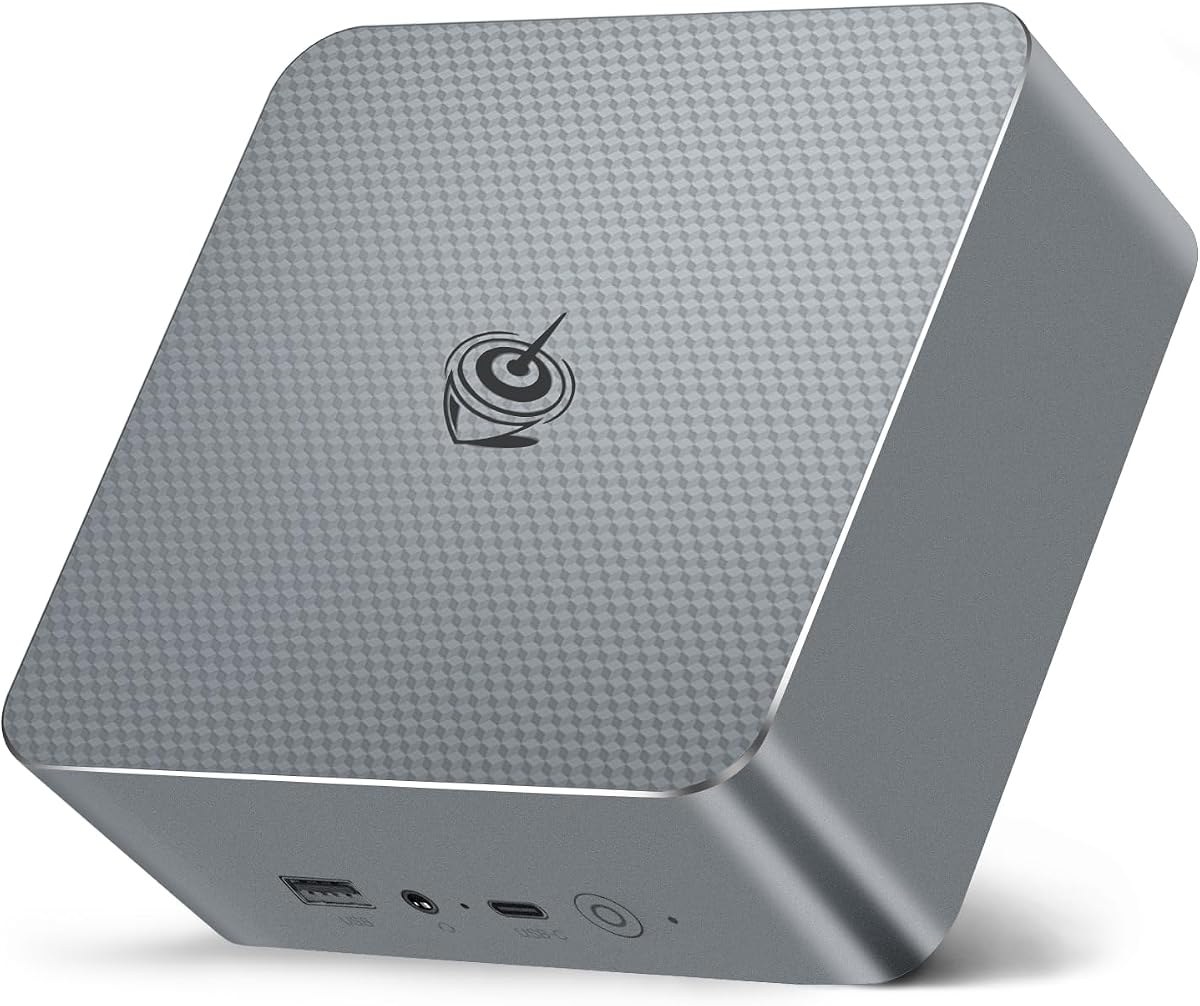

The ASUS NUC 13 Pro is the strongest all-around choice in this guide, combining the Intel Core i5-1340P with 16GB of dual-channel DDR4 memory and a 512GB M.2 PCIe storage configuration. Its 4.5 rating reflects a capable and compact enterprise platform, while the 4×4-inch form factor makes it appropriate for professional workspaces where every inch of desk space matters.
We may earn a commission when you buy through this link, at no additional cost to you.
Its hybrid processor provides 4 performance cores and 8 efficiency cores, along with 16 threads, 12MB of Smart Cache, and turbo speeds up to 4.60GHz. The system also includes Intel Iris Xe graphics, two Thunderbolt 4 connections with DisplayPort and USB4 capabilities, two HDMI 2.1 ports, 2.5Gb Ethernet, Wi-Fi 6E, and Bluetooth 5.3. That combination supports demanding office applications, multiple displays, fast wired networking, and peripheral-heavy desks without a full-size tower.
The main advantage over many compact alternatives is its management-oriented feature set. The Intel NUC Pro Software Suite includes boot redirection, hardware KVM, power control, alarms, remote remediation, beyond-firewall support, cloud-based management, and unattended system control. These features are particularly relevant to IT departments, while the upgradeable and repairable design extends the value proposition. The title says 512TB SSD even though the feature details specify 512GB, so buyers should verify the actual capacity before purchase.
This is the recommended Intel Core i5 Mini PC for offices, studios, reception areas, and users who need a compact system with enterprise connectivity. It is especially persuasive when two Thunderbolt-connected displays, high-speed networking, VESA mounting, and centralized remote management matter more than obtaining the newest processor generation.
The NUC Pro Software Suite is the defining advantage for organizational buyers. It supports remote control, boot redirection, unattended operation, and system alarms, capabilities that can simplify maintenance across multiple deployed systems.
Thunderbolt 4, dual HDMI, 2.5Gb Ethernet, and Wi-Fi 6E create a flexible connection platform. The system can serve as a compact workstation behind one or more displays while retaining fast network access and broad peripheral support.
We may earn a commission when you buy through this link, at no additional cost to you.
The Lenovo ThinkCentre Neo 50q Gen 5 combines a business-oriented 13th Gen Intel Core i5-13420H processor with a particularly compact 1-liter chassis. Its perfect 5.0 rating makes it an especially strong recommendation for buyers who prioritize a polished office system, straightforward installation, and flexible placement over maximum processor core count.
We may earn a commission when you buy through this link, at no additional cost to you.
The eight-core, 12-thread processor is designed for office applications, browsing, meetings, and routine multitasking. DDR5 memory and PCIe NVMe storage support responsive operation, while Windows 11 Pro is professionally installed and tested by the seller. The system can be positioned upright, laid flat, or installed in a compatible mounting arrangement, and its front USB-A, USB-C, and audio access makes it convenient in shared environments.
Display flexibility is another strength. Two DisplayPort outputs and one HDMI connection allow support for up to three independent displays, useful for financial workflows, monitoring dashboards, creative work, and supervisory screens. TPM 2.0 and a Kensington Security Slot support business deployment, although buyers seeking heavier virtualization or high-end content creation may find the eight-core processor less expansive than options with 10, 12, or 14 cores.
Choose the ThinkCentre Neo 50q when a professional 1L design, Windows 11 Pro, security features, and three-monitor support are the priorities. It is particularly suitable for offices, classrooms, retail counters, and shared workspaces where reliability, compactness, and simple deployment matter.
The 1L chassis offers one of the most space-conscious designs in the roundup. Its ability to stand upright, lie flat, or fit a compatible mounting solution makes it easy to adapt to different desks and shared work areas.
Windows 11 Pro, TPM 2.0, and a physical security slot make this a practical managed-office choice. The seller-installed operating system reduces initial configuration work for administrators and individual users.
We may earn a commission when you buy through this link, at no additional cost to you.
The MINISFORUM NAB5R stands out for combining 12-core Intel Core i5 performance with an unusually rich networking and display feature set. It carries a 4.5 rating and is a compelling choice for users who need more than the conventional two-display, one-network-port mini PC arrangement.
We may earn a commission when you buy through this link, at no additional cost to you.
The Core i5-13500H provides 12 cores and 16 threads, 18MB of Smart Cache, and turbo speeds up to 4.7GHz. It is paired with 16GB of DDR4-3200 memory and a 512GB M.2 2280 PCIe 4.0 SSD, with memory expandable to 64GB and storage support reaching 4TB using two 2TB drives sold separately. Two HDMI and two USB-C video outputs support up to four 4K displays at 60Hz.
Networking is the major specialty. Two 2.5Gb Ethernet ports make the NAB5R useful for firewall, link-aggregation, file-server, and network-storage roles, while dual-band Wi-Fi 6E and Bluetooth 5.2 cover wireless use. The included Windows 11 IoT Enterprise edition is positioned for stable, long-lived deployments in healthcare, banking, retail, and manufacturing. Buyers who need standard Windows for consumer applications should verify their requirements before committing.
The NAB5R is recommended for compact multi-screen offices, network experimentation, digital signage, and technically inclined users who value high-speed dual networking. Its expanded ports and strong processor make it a specialized alternative to more conventional office mini PCs.
Dual 2.5Gb Ethernet ports are unusual in this category and open more advanced network roles. The system can connect to two networks or support tasks requiring dedicated high-speed links without relying on an add-in adapter.
The mix of two HDMI and two USB-C video outputs enables a wide four-monitor workspace. This makes the NAB5R practical for financial dashboards, control-room views, shared analysis screens, and productivity setups that exceed two displays.
We may earn a commission when you buy through this link, at no additional cost to you.
This HP Mini PC is a straightforward business desktop with 16GB of DDR4 memory, a 256GB PCIe NVMe SSD, and an Intel Core i5 six-core processor rated up to 3.7GHz. Its 4.3 rating and Windows 11 Pro installation make it an appealing option for standard office computing, remote access, and display-focused work.
We may earn a commission when you buy through this link, at no additional cost to you.
Its compact enclosure measures 6.97 by 6.89 by 1.35 inches and weighs 2.76 pounds, allowing it to sit behind a monitor, occupy a small shelf, or fit into a crowded workspace. The front panel includes USB 3.1 Gen 2, USB-C Gen 2, and headset connections, while the rear adds dual DisplayPort, four USB 3.1 ports, and Gigabit Ethernet. Intel UHD Graphics 630 drives the two DisplayPort outputs.
The 16GB memory capacity is useful for browser-heavy sessions, office applications, and concurrent business software, while NVMe storage supports quick startup and file access. The trade-offs are the relatively small 256GB drive and the older UHD 630 graphics, neither of which is ideal for large local media libraries or demanding modern graphics workloads. The listed performance claims should also be understood as configuration-specific rather than comparable to a 12-core i5.
This HP is best for mainstream offices, reception desks, digital signage, and home users who want a simple Windows 11 Pro system with physical display outputs. It is less compelling when storage capacity, modern integrated graphics, or high core-count multitasking are primary requirements.
The slim chassis reduces visual clutter without removing practical access to USB, audio, display, and network connections. Front-mounted ports are particularly useful when the system is positioned beneath or behind a monitor.
Sixteen gigabytes of DDR4 is a useful foundation for office applications, web meetings, and multiple browser tabs. The compact storage capacity should be checked against the volume of files and applications the buyer plans to retain.
We may earn a commission when you buy through this link, at no additional cost to you.
The GMKtec M3 is built around the Intel Core i5-12450H, an eight-core, 12-thread processor with a 12MB cache and turbo capability up to 4.4GHz. Its standout attraction is the generous 1TB M.2 NVMe storage, making it a practical choice for users who want more local file capacity than the typical compact desktop provides.
We may earn a commission when you buy through this link, at no additional cost to you.
The supplied listing states that the M3 includes 16GB of dual-channel DDR4, although the same feature section also refers to 32GB, creating a configuration ambiguity that should be resolved before purchase. Storage uses the M.2 2280 NVMe form factor, and an additional M.2 2242 SATA position allows further expansion. Intel Iris Xe graphics support three independent 4K displays through two HDMI outputs and one USB-C display connection.
Connectivity includes a 2.5Gb RJ45 network port, dual-band Wi-Fi 6, Bluetooth 5.2, and multiple high-speed USB connections. The 45W operating design is suitable for everyday computing, browsing, playback, and office work. A VESA mounting kit and HDMI cable are included, making it easier to place the system behind a display and keep the desk uncluttered.
Choose the GMKtec M3 if storage capacity is a higher priority than having the latest processor generation. It is a sensible option for local media, larger project files, and general productivity, but buyers should verify both the installed RAM and operating-system status against the final package details.
A 1TB NVMe drive is the M3's most conspicuous practical advantage. It reduces reliance on external storage for applications, project files, media collections, and routine work documents.
The included VESA hardware allows the mini PC to sit behind a compatible display. Dual-band Wi-Fi, Bluetooth, and 2.5Gb Ethernet also cover both fixed and mobile desk arrangements.
We may earn a commission when you buy through this link, at no additional cost to you.
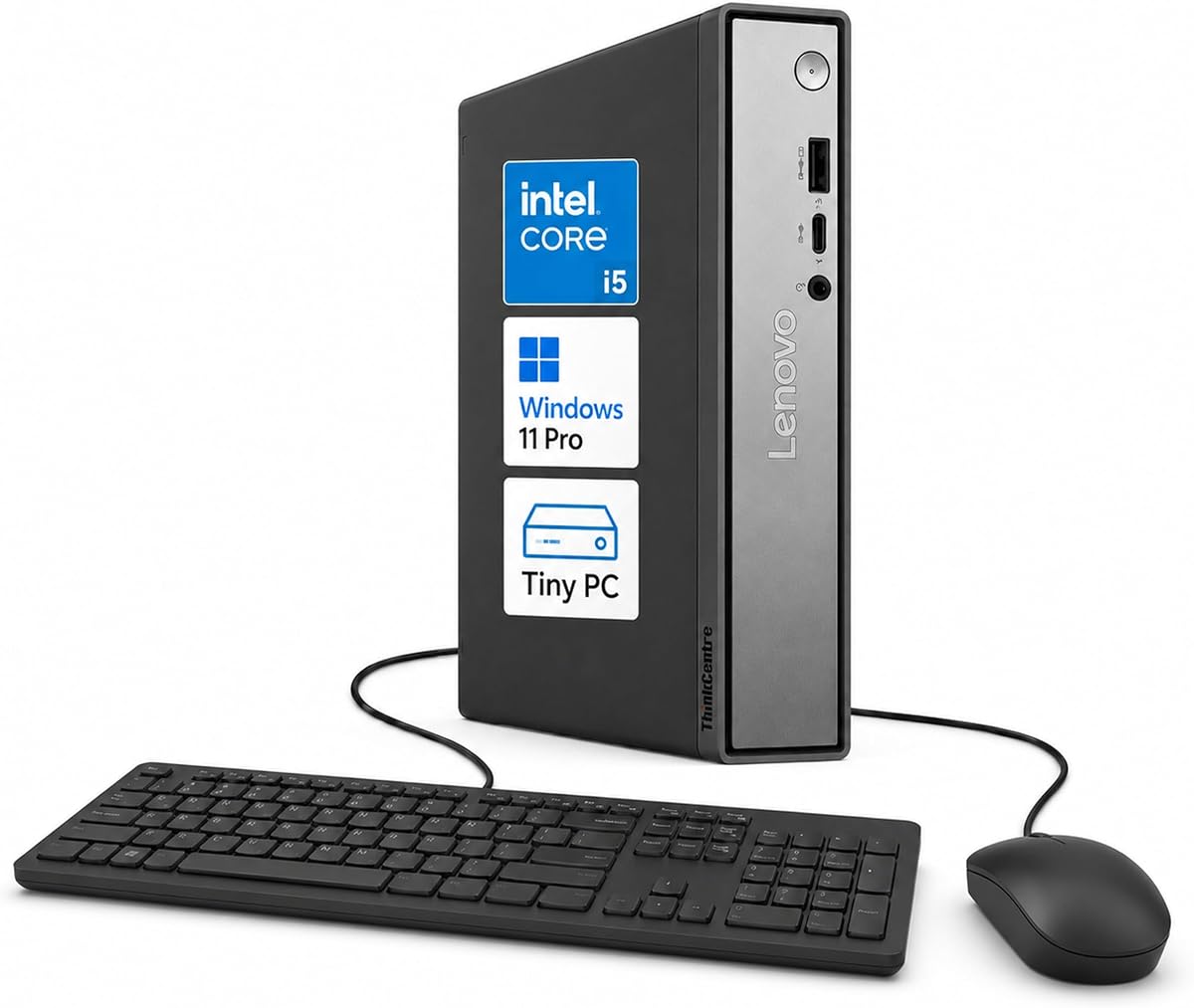
The Lenovo ThinkCentre Tiny M70q offers a refined business proposition built around the 10-core Intel Core i5-14400T, 16GB of DDR5 memory, and a 512GB NVMe SSD. Its 4.2 rating does not lead the category, but the combination of a modern processor, Windows 11 Pro, and a stated three-year warranty makes it especially relevant to professional buyers.
We may earn a commission when you buy through this link, at no additional cost to you.
The i5-14400T combines 6 performance cores and 4 efficiency cores, offers 20MB of cache, and reaches a maximum turbo frequency of 4.5GHz. Its lower-power T-series design is intended to balance processing capability and efficiency. Intel UHD 770 graphics support everyday streaming, presentations, and productivity, while Wi-Fi 6, RJ-45 Ethernet, and Bluetooth 5.1 cover the major connectivity requirements.
Its strongest differentiator is ownership support. The listing states that buyers receive a three-year Lenovo warranty and a three-year OEM genuine limited warranty, which can reduce uncertainty compared with systems offering shorter coverage. Windows 11 Pro adds professional security and productivity features, and the listing also notes that memory and drive upgrades are available. Buyers should consult the product description for complete upgrade and warranty conditions.
The M70q is best for conventional business offices, education, remote learning, and professional home offices where long-term support matters. It is less attractive for heavy parallel workloads that would benefit from a higher-core-count H-series processor, but it remains a polished and capable compact desktop.
A stated three-year warranty helps make this mini PC easier to justify for professional deployment. The accompanying Windows 11 Pro environment adds familiar security and management tools for office use.
The 10-core i5-14400T balances 6 performance cores with 4 efficiency cores. This hybrid design is well suited to interactive office work where responsive performance and reasonable energy use both matter.
We may earn a commission when you buy through this link, at no additional cost to you.
The KAMRUI Hyper H2 leads this roundup in raw processor configuration, using the Intel Core i5-14500HX with 14 cores, 20 threads, and turbo speeds up to 4.9GHz. Its 4.5 rating reflects a performance-focused design suited to heavy multitasking, virtual machines, code compilation, large spreadsheets, and demanding business applications.
We may earn a commission when you buy through this link, at no additional cost to you.
The system includes 16GB of DDR4 memory and a 512GB PCIe 4.0 NVMe SSD. Dual memory slots support expansion to 64GB, while two M.2 positions allow total storage to reach 4TB according to the supplied details. These expansion paths are useful for buyers who expect workloads to grow rather than treating the initial configuration as fixed.
Display and peripheral support are equally substantial. HDMI 2.0, DisplayPort 1.4, and a full-featured USB-C connection support three 4K displays at 60Hz. Seven USB ports, Gigabit Ethernet, Wi-Fi 6, and Bluetooth 5.2 reduce the need for adapters. A dual-fan thermal system uses copper heat pipes and a dedicated SSD heatsink to support sustained workloads, though the H-series platform naturally demands more power than lower-power office processors.
The Hyper H2 is the option to consider for power users who want the highest core count in a palm-sized enclosure. It is less appropriate for simple browsing or basic office systems where efficiency is the priority, and buyers should confirm the installed operating system and exact display behavior before ordering.
Fourteen cores and 20 threads offer considerable scheduling capacity for many applications, virtual machines, and compilation tasks. This configuration is aimed at users who regularly need more processing headroom than a conventional six-core office mini PC.
Two memory slots and dual M.2 positions make the Hyper H2 easier to adapt over time. The system combines this upgrade potential with three-display support and a broad selection of USB connections.
We may earn a commission when you buy through this link, at no additional cost to you.
This Intel NUC 13 Pro listing earns a 4.6 rating, the highest among the mini PCs reviewed, and pairs that favorable reception with a compact 4.6 by 4.4 by 2.1-inch chassis. Its Core i5-1340P configuration, 16GB of memory, and 512GB M.2 SSD make it a polished option for compact professional workspaces.
We may earn a commission when you buy through this link, at no additional cost to you.
The processor contains 4 performance cores and 8 efficiency cores, with 16 threads and turbo speeds up to 4.6GHz. Intel Iris Xe graphics are supported by two HDMI 2.1 and two Thunderbolt 4 connections, allowing the listing to describe support for four displays, including high-resolution output configurations. Intel i226 Ethernet provides speeds up to 2.5Gbps, alongside Wi-Fi 6E and Bluetooth 5.3.
A major strength is the tiny footprint. The NUC can sit on a desk, be placed below a large display, or use VESA mounting to create an all-in-one-style arrangement. Storage is less generous than several competing systems, and the listing mentions an optional 2.5-inch SSD for expansion. Buyers should also note that the mini PC uses an external power adapter rather than a built-in supply.
The Intel NUC 13 Pro is best for display-heavy offices, home theaters, and professional users who value a highly compact and polished system. Its warranty coverage and broad connectivity make it more compelling for long-term deployment than as a casual browsing box.
The compact enclosure preserves a 12-core processor and extensive connectivity despite occupying very little desk space. It can be mounted behind a display, making it useful where an all-in-one appearance is preferred.
Two HDMI ports and two Thunderbolt 4 connections provide multiple high-resolution display routes. This flexibility is useful for trading dashboards, creative workspaces, media systems, and multi-screen productivity.
We may earn a commission when you buy through this link, at no additional cost to you.
The Beelink EQI13 combines a 13th Gen Intel Core i5-13420H with 16GB of DDR4 memory, a 500GB PCIe 4.0 M.2 SSD, and dual 2.5Gb Ethernet. It holds a 4.5 rating and distinguishes itself through a compact enclosure, an integrated power supply, and networking features that are uncommon in similarly small office systems.
We may earn a commission when you buy through this link, at no additional cost to you.
The eight-core, 12-thread processor reaches up to 4.6GHz and carries a 12MB cache. Memory uses two slots with support for up to 64GB, while dual M.2 PCIe 4.0 positions can accommodate as much as 4TB using two 2TB drives. The storage arrangement gives buyers more choice than a basic model with a single drive position.
The built-in 85W power supply means the system can operate with one power cable, keeping the desk cleaner than designs with separate power bricks. Two HDMI ports support a dual 4K display setup, and the remaining connections include USB-C, three USB 3.2 ports, one USB 2.0 port, a 3.5mm audio jack, and two 2.5Gb Ethernet ports. A cooling system with a silent fan, SSD heatsink, and dustproof design is designed to manage sustained operation.
The EQI13 is a compelling choice for users who want a tidy single-cable mini PC with fast dual networking. It is well suited to office tasks, design applications, web use, media, and selected gaming, while buyers needing very large local storage should account for the 500GB starting capacity.
The integrated 85W power supply removes the separate brick from the desk. That practical design is especially useful for installations behind monitors, at reception desks, and in compact shared workspaces.
Two 2.5Gb Ethernet ports support more advanced fixed-network arrangements. Two memory slots and dual M.2 positions allow the system to scale as application and file requirements increase.
We may earn a commission when you buy through this link, at no additional cost to you.
The HP EliteDesk 800 G4 offers a familiar business mini-PC design with a six-core Intel Core i5-8500T, 16GB of DDR4 memory, and an NVMe SSD. Its 4.0 rating is the lowest in the group, but the renewed status and 256GB storage position it as a practical value-oriented option for basic work rather than demanding new processors.
We may earn a commission when you buy through this link, at no additional cost to you.
The i5-8500T operates at up to 3.5GHz and provides six cores for routine computing, browsing, office applications, and light multitasking. Its compact chassis fits neatly on or under a desk, while HDMI and DisplayPort outputs support a dual-monitor arrangement. Wi-Fi, Bluetooth, and Windows 11 64-bit provide a broadly compatible everyday platform.
The system has been professionally tested and renewed, and the listing notes that it may carry minor cosmetic wear. This condition should be considered alongside the remaining hardware life, included accessories, and the specific seller's coverage. The listing describes 16GB of RAM and 256GB of storage in its title, while the feature section refers to 250GB, so exact capacity should also be verified.
Choose the EliteDesk 800 G4 when basic Windows computing, familiar business hardware, and dual-monitor support are the priorities. It is less appropriate for modern content creation, intensive multitasking, or buyers who want the newest platform, but it can serve as a sensible secondary office computer when a refurbished-style condition is acceptable.
Six cores and 16GB of memory are sufficient for document work, browser sessions, communications, and common office applications. The NVMe drive helps keep routine startup and file access responsive despite the older processor generation.
A renewed system may show minor cosmetic marks despite functional testing. Buyers should review the condition description, included accessories, warranty terms, and return policy before treating it as a full-value new purchase.
We may earn a commission when you buy through this link, at no additional cost to you.
The most useful mini PC is the one that matches your processor needs, display plan, network environment, and willingness to expand. Use the following factors to compare the ten models beyond their marketing labels and processor generations.
Core count, thread count, processor generation, and turbo behavior reveal how much parallel work a mini PC can handle. The selection ranges from the six-core i5-8500T to the 14-core i5-14500HX, with most newer options using 8, 10, or 12 cores. More cores can help with many browser tabs, office applications, virtual machines, code compilation, and simultaneous background tasks, but they also tend to require more power and cooling. Processor suffix matters as well: H-series models prioritize performance, while T-series models generally target lower power and quieter operation.
Choose more cores for heavy multitasking and specialist workloads. For ordinary browsing, email, documents, and video calls, an eight-core processor with adequate memory is usually a more balanced choice.
Memory determines how many applications and data sets the system can keep active without relying heavily on slower storage. The guide includes models with 16GB of DDR4 or DDR5, and several support expansion to 64GB. DDR5 can offer improved efficiency and bandwidth, although real benefits depend on the specific platform. Check whether the listed memory uses two matched modules for dual-channel operation and confirm the maximum supported capacity and module type before upgrading.
For most buyers, 16GB is the sensible starting point, while 32GB or 64GB is worth considering for virtual machines, specialist software, and sustained heavy multitasking. Avoid treating maximum expansion as equivalent to memory included in the box.
Storage configurations range from 256GB to 1TB, and the available M.2 positions differ by model. NVMe storage delivers faster system and application access than traditional SATA drives, making it preferable for an everyday desktop. A single larger drive can be simple, while multiple M.2 slots allow additional storage, a separate boot drive, or a dedicated data volume. Some systems also offer a 2.5-inch bay, though adapters may be required.
Match storage to the files you expect to keep locally. Choose the 1TB GMKtec M3 when capacity is important, and favor models with multiple M.2 slots when you may add storage later. Check the exact installed capacity when a listing contains conflicting figures.
The number and type of video outputs determine how many independent monitors can be used and which adapters are required. Two DisplayPort outputs suit many professional monitor arrangements, while systems with two HDMI and two USB-C outputs can support four displays. Intel Iris Xe and Intel UHD integrated graphics are appropriate for office work, presentations, media playback, and general productivity, but they are not equivalent to a dedicated gaming or workstation GPU. Verify maximum resolution, refresh rate, and whether each USB-C port supports DisplayPort Alternate Mode.
Choose dual-display support for a standard productivity desk, three displays for larger workspaces, and four displays for trading, monitoring, or creative installations. Ensure your monitors use compatible adapters where USB-C video output is required.
Wired networking can make a major difference in offices where reliability and transfer speed matter. Most models include Gigabit Ethernet, while the ASUS NUC 13 Pro, MINISFORUM NAB5R, Intel NUC 13 Pro listing, and Beelink EQI13 feature 2.5Gb Ethernet connections. Dual high-speed ports can support firewall, link-aggregation, file-server, and network-storage use cases, although ordinary users may only need one. Wi-Fi 6 or 6E and current Bluetooth versions cover wireless peripherals and flexible installations.
For routine web and office use, Wi-Fi 6 and Gigabit Ethernet are usually sufficient. Consider dual 2.5Gb Ethernet if you plan advanced networking, fast large-file transfers, or a dedicated storage role, and confirm the security features required by your organization.
Operating-system selection affects compatibility, management, and setup. Most systems in the guide include Windows 11 Pro or a related Windows 11 edition, while the MINISFORUM NAB5R specifically carries Windows 11 IoT Enterprise for longer operational lifecycles. Professional systems may also include TPM 2.0, physical security slots, remote management tools, and enhanced Windows security features. The HP EliteDesk 800 G4 is renewed and includes Windows 11, while some other listings do not clearly identify the operating system included with the exact package.
Choose Windows 11 Pro for general business use, Windows 11 IoT Enterprise for dedicated embedded or controlled deployments, and verify the operating system before ordering any listing that leaves it unclear. Check whether the operating system is genuinely included rather than implied by the processor family.
Mini PCs are commonly placed behind monitors, under desks, in retail environments, or inside shared workspaces. A 1L Lenovo chassis and the 4×4-inch ASUS NUC are particularly space-conscious. VESA mounting can create a cleaner all-in-one arrangement, but buyers should confirm included hardware and compatible mount patterns. Power design also affects cable management: the Beelink EQI13 uses a built-in 85W supply, while several competitors rely on external adapters.
Measure the intended location and verify mounting hardware before purchase. Favor a built-in power supply if a single-cable installation matters, and make sure the included adapter and power brick have room for ventilation.
Compact systems generate heat because their components operate in limited space, and sustained workloads can expose weak cooling. The KAMRUI Hyper H2 uses a dual-fan thermal system with copper heat pipes and an SSD heatsink, while the Beelink EQI13 emphasizes a silent fan, dustproof design, and SSD cooling. Business buyers should also consider the stated three-year warranty coverage on the ASUS NUC and Lenovo ThinkCentre M70q, as well as seller support and local service access. Warranty length does not guarantee suitability, but it can materially reduce ownership risk.
Prioritize models with credible cooling and support for sustained workloads. Compare warranty terms, included accessories, local service options, and return policies, especially for renewed systems or marketplace listings with limited documentation.
Begin by unboxing the mini PC, checking the included components, and comparing the power adapter with the device requirements. Connect the power supply, monitor, keyboard, mouse, and network cable before switching it on. If the system includes Windows, complete the initial setup, connect to the intended Wi-Fi network, and install essential security and productivity applications. If the operating system is not included, confirm that before purchasing or installing only from a trusted source.
Position the system where airflow can reach its vents, and do not place it inside a closed cabinet unless ventilation is explicitly supported. Leave a small amount of room around rear and side connections. Use compatible VESA hardware when mounting behind a display, and route cables so they do not pull against the ports. For network-heavy roles, connect the highest-speed Ethernet port appropriate for the setup and verify link speed in the operating system.
Keep the system updated, maintain a current backup of important files, and periodically clear temporary storage when the drive begins to feel constrained. Avoid unnecessary power cuts while Windows is updating. Clean exterior vents with compressed air after powering down, keep liquids away from the chassis, and check that the room retains enough free space for cooling. Review warranty and local service instructions before opening the system or changing memory or storage.
Yes, the Core i5 models in this guide are well suited to browsing, email, office applications, video meetings, document collaboration, and routine multitasking. Systems with 10 or more cores and 16GB of memory provide additional headroom for demanding applications, virtual machines, and specialist software. The best choice depends more on workload, storage, and display needs than on the Core i5 label alone.
The MINISFORUM NAB5R supports up to four 4K displays through two HDMI and two USB-C video connections, making it the strongest option for maximum screen count. The ASUS NUC 13 Pro and the listed Intel NUC 13 Pro also offer dual HDMI and dual Thunderbolt 4 connections for four-display arrangements. The Lenovo ThinkCentre Neo 50q supports up to three displays, while many others focus on dual-monitor configurations.
Several do, including the ASUS NUC 13 Pro, Lenovo ThinkCentre Neo 50q, HP Core i5 Mini PC, Lenovo ThinkCentre Tiny M70q, and HP EliteDesk 800 G4 listing. The MINISFORUM NAB5R is specifically described as having Windows 11 IoT Enterprise preinstalled. For other products, buyers should verify the exact package and operating-system status before ordering.
Many models support SO-DIMM memory upgrades and additional M.2 storage, but the limits differ by product. The ASUS NUC 13 Pro supports up to 64GB of dual-channel DDR4 and includes an additional M.2 2242 position, while several alternatives support dual M.2 configurations. The Lenovo ThinkCentre M70q listing also notes memory and drive upgrade options. Always check the manufacturer's specifications and the product's own service guidance before purchasing components.
Yes, many mini PCs are designed for placement behind a display or in a home entertainment setup. The ASUS NUC and Intel NUC 13 Pro listings specifically mention VESA mounting, and the GMKtec M3 includes a VESA mount with screws. Check the mount pattern, video output compatibility, audio routing, and whether the system supports the desired resolution and refresh rate.
Gigabit Ethernet is widely sufficient for web traffic, office applications, calls, and standard file sharing. The 2.5Gb Ethernet found on several systems offers more than twice the theoretical bandwidth, which is useful for fast storage transfers, large backups, and advanced network roles. It is most beneficial when both the switch, network equipment, storage, and connected computer can handle the higher speed.
A mini PC can suit continuous operation when its cooling and workload match the design. The KAMRUI Hyper H2 and Beelink EQI13 place particular emphasis on sustained-operation cooling, while business-oriented models offer management and remote-control features. Leave ventilation space, use a stable power source, maintain updates, and monitor thermal behavior when running continuous or CPU-intensive tasks.
A renewed model can be a reasonable choice for basic office duties when the lower acquisition cost outweighs the older hardware and cosmetic uncertainty. The HP EliteDesk 800 G4 in this guide is professionally tested and renewed but may show minor cosmetic wear. Review the condition, storage capacity, included accessories, warranty, and return terms carefully before purchasing.
The ASUS NUC 13 Pro is the best overall option because it combines a capable 12-core processor, 16GB of dual-channel memory, fast networking, excellent display connectivity, and a business management suite. The Lenovo ThinkCentre Neo 50q is an attractive premium office choice with a 1L design and Windows 11 Pro, while the KAMRUI Hyper H2 serves value-focused buyers who prioritize high core count, expansion, and three-display support.
Prioritize the features your work will actually use. Match processor power to application load, choose at least 16GB of memory for comfortable productivity, confirm that storage is sufficient, and verify display adapters before selecting a multi-monitor model. Advanced networking users should pay close attention to dual 2.5Gb Ethernet, while business buyers should consider Windows editions, security tools, management functions, and warranty coverage.
The marketplace can change configurations, bundles, and promotions over time. Check the current listing, processor, memory, storage, operating system, ports, and included accessories before purchasing, and compare the latest price with the complete feature set. The right Intel Core i5 Mini PC is the one that provides the needed capability while fitting the available space, displays, and network.