
USX MOUNT Full Motion TV Wall Mount
4.7Editor score
26–65 inch TV support
77 pound weight limit
400 x 400 mm VESA
Wide swivel adjustment
Full motion wall mounts give a 50 inch TV the freedom to extend, swivel, and tilt while reclaiming space around the viewing area. A capable mount should match the television’s VESA pattern and weight, clear nearby furniture, and move smoothly without looking loose or difficult to position.
We compared all ten mounts using the supplied specifications, focusing on television compatibility, load capacity, articulation range, wall clearance, extension, installation requirements, and added features such as leveling and cable management. The list includes options for standard stud spacing, wider VESA patterns, long reach, and compact installation.
Each pick highlights a different balance of movement, reach, construction, and convenience for a 50 inch television. Product listings, configurations, and market conditions may change, so shoppers should confirm current dimensions, included hardware, and television specifications before ordering.
4.7Editor score

4.8Editor score

4.8Editor score
As an Amazon Associate we earn from qualifying purchases.
The comparison below places each mount’s television size range, weight limit, VESA support, movement, and extension side by side, making it easier to identify the model that fits your wall, television, and preferred viewing position.




The Mounting Dream Full Motion TV Wall Mount is the strongest all-around choice for a 50 inch set, combining a 4.8 rating with compatibility for televisions from 32 to 70 inches. Its 110 pound capacity and maximum VESA pattern of 400 x 400 mm comfortably cover a large share of modern 50 inch televisions without forcing shoppers toward an oversized bracket.
We may earn a commission when you buy through this link, at no additional cost to you.
Movement is the mount’s defining strength. It tilts five degrees upward and 15 degrees downward, swivels left or right, extends to 17.5 inches, and retracts to 3.4 inches. Six articulating arms support the television, while robot welding is used in the construction process to create a sturdy frame. Post-installation leveling of plus or minus three degrees also helps correct minor alignment changes that often occur after the wall plate is anchored.
There are some installation constraints to accept. The bracket is designed around standard 16 inch stud spacing and is explicitly not intended for drywall-only installation. Shoppers whose studs are farther apart should follow the manufacturer’s alternative-model guidance rather than improvising. Concrete anchors are not listed as standard contents, although the supplied information says they can be available upon request.
This is the most balanced recommendation for a typical 50 inch television in a conventional living room, bedroom, or viewing area. It offers enough extension to improve sightlines, enough retraction to save space, and useful tilt without becoming an oversized long-arm system. Buyers should still check the television’s exact VESA holes, weight, wall construction, and rear input clearance before installation.
The combination of swivel, tilt, extension, and retraction lets the display move toward a preferred seat without permanently occupying floor space. That makes the mount especially useful in rooms where viewers do not always sit in the same location.
A paper template, pre-labeled hardware bags, clear instructions, and an Allen key storage design simplify setup. The included leveling range also provides a useful final adjustment after the television is attached.
We may earn a commission when you buy through this link, at no additional cost to you.
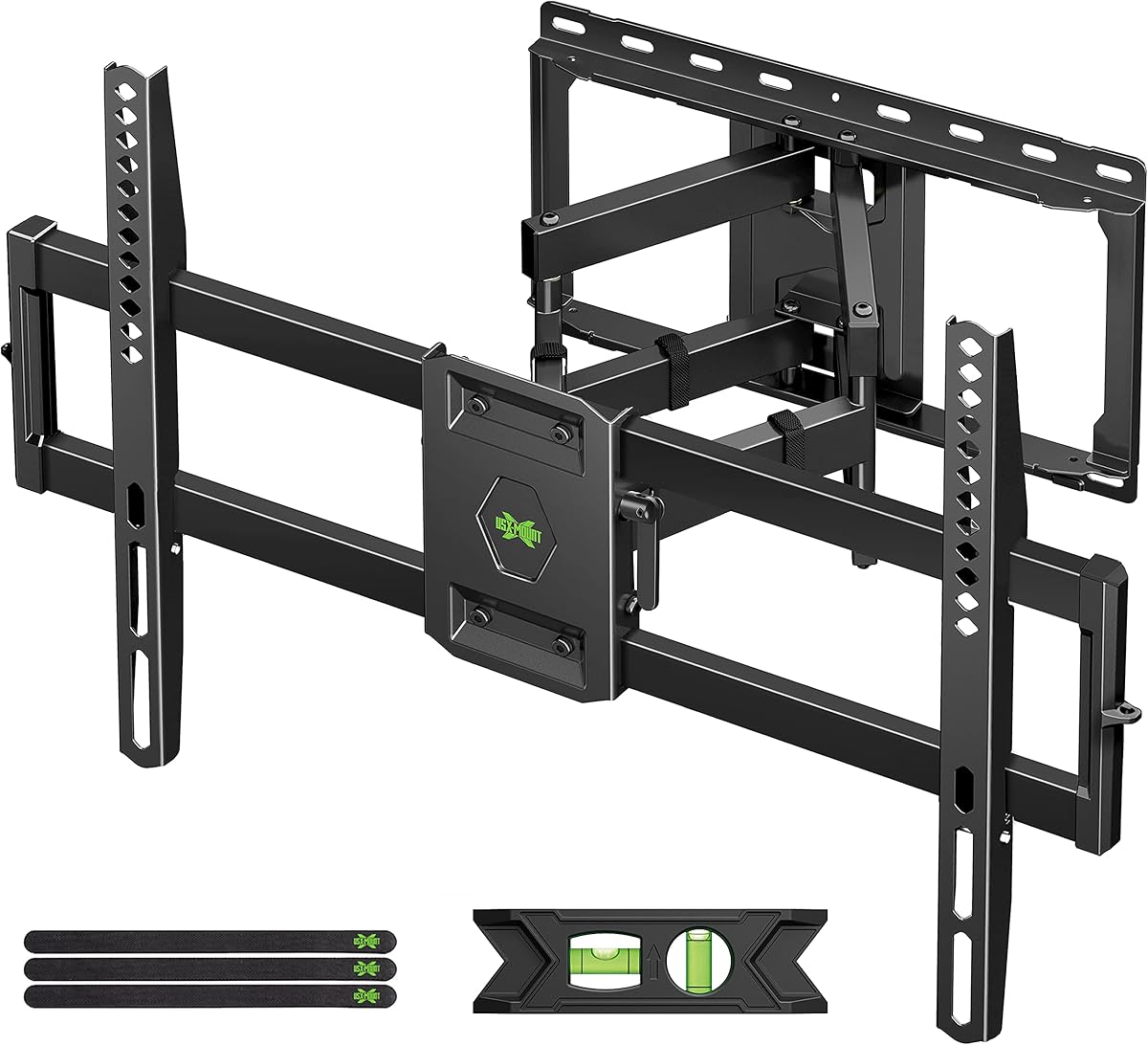
The USX MOUNT Perfect Center is a value-focused articulating mount that carries a 4.7 rating and comfortably accommodates most 50 inch televisions. Its stated size range extends from 26 to 65 inches, the weight limit is 77 pounds, and the maximum VESA pattern reaches 400 x 400 mm, giving users several ways to confirm television compatibility.
We may earn a commission when you buy through this link, at no additional cost to you.
The bracket can swivel up to 90 degrees in either direction, depending on the television, and tilts five degrees up or 15 degrees down. It extends to 16.7 inches and returns to a compact 2.81 inches, making it more versatile than a basic fixed mount without taking on the footprint of a very long arm. Post-installation leveling adds another degree of installation flexibility.
Wall construction matters. The product is designed for wood studs or solid concrete and explicitly should not be installed into drywall alone. Concrete anchors are not included in the package, which may add a separate step for concrete walls. M8 x 50 millimeter screws are available from the manufacturer upon request, and the supplied hardware includes TV screws, spacers, and washers.
For a shopper who wants dependable articulation and a well-organized installation kit without moving to a heavy-duty or long-reach model, this USX MOUNT is a strong value. It is particularly appropriate when the television weighs less than 77 pounds, fits the listed VESA range, and will be attached to a stud or properly anchored concrete surface.
The perfect-center design and wide swivel range make it possible to pull the display away from a nearby wall or direct it toward a corner-mounted arrangement. Actual movement can vary depending on screen size and the surrounding room.
The package includes labeled bags containing multiple M4, M6, and M8 screws, matching spacers, and washers. A bubble level and cable ties add useful installation and organization accessories.
We may earn a commission when you buy through this link, at no additional cost to you.
This Mounting Dream Swivel and Tilt mount earns a 4.8 rating and is designed specifically around many 26 to 55 inch televisions, making it a natural fit for a 50 inch model. It supports displays up to 60 pounds and accommodates VESA patterns up to 400 x 400 millimeters, so weight and hole spacing still need to be checked before purchase.
We may earn a commission when you buy through this link, at no additional cost to you.
The bracket extends to 17.1 inches and retracts to 3.1 inches, giving it a meaningful adjustment range for moving around furniture or changing the viewing angle. It tilts five degrees upward and 15 degrees downward, swivels toward the viewer’s seat, and offers plus or minus three degrees of post-installation leveling. These controls cover the most common reasons to select a full motion mount.
Its primary limitation is the comparatively low 60 pound capacity, which leaves less margin than several competing options. The product guidance also notes that corner installation is intended only for smaller televisions, making this model less suitable for a large-screen corner arrangement. As with the other Mounting Dream products here, drywall-only installation is not supported.
This mount is best for a 50 inch television that is within the 60 pound limit and whose owner values a proven compact design over a longer reach or higher load rating. Its 4.8 rating, 17.1-inch extension, generous VESA range, and leveling system make it a compelling choice for bedrooms, offices, and conventional living spaces.
The upward and downward tilt range allows the screen to be angled away from windows, lamps, and other reflective surfaces. Swivel movement complements tilt when the main viewing position is off-center.
Instructions, pre-labeled hardware, cable ties, and a bubble level support an organized setup. Concrete anchors can be obtained separately from the manufacturer for appropriate solid-concrete installations.
We may earn a commission when you buy through this link, at no additional cost to you.
The USX MOUNT Dual Arm is a versatile full motion option for a 50 inch television, carrying a 4.7 rating and supporting displays up to 99 pounds. Its 32 to 70 inch size range and 75 x 75 to 400 x 400 millimeter VESA compatibility cover a broad selection of common television configurations.
We may earn a commission when you buy through this link, at no additional cost to you.
Its dual articulating arms extend the screen 13.89 inches and retract to a compact 2.59 inches. The mount tilts down 12 degrees and up 5 degrees, then swivels to align with the viewer. It can be attached to 12 or 16 inch wood studs as well as concrete or brick, which gives it broader installation flexibility than mounts limited to a single wall type.
The cold-rolled steel frame is designed around an extra-strong load-bearing structure. Installation is organized around attaching the brackets to the television, securing the wall plate, and joining the two sections. Concrete anchors, M8 x 50 millimeter screws, and missing parts are available directly from the manufacturer’s support team.
This is a practical recommendation for anyone who wants a relatively compact dual-arm design and has more than one potential wall surface. While its 13.89-inch reach is shorter than the long-arm alternatives, the strong weight rating, broad wall compatibility, and tight retraction make it a balanced option for a 50 inch set.
Support for 12 and 16 inch wood studs, concrete, and brick makes the mount easier to use across different homes. The correct anchors and screws must still be selected for the specific wall construction.
The articulated structure provides useful lateral movement while maintaining a relatively close retracted position. This is helpful in rooms where the screen must sit near a wall but still be redirected.
We may earn a commission when you buy through this link, at no additional cost to you.
The Amazon Basics Articulating TV Wall Mount offers a straightforward route to full motion positioning for a 50 inch television. It has a 4.6 rating, supports displays from 26 to 55 inches, and carries an 80 pound weight limit. The stated VESA range extends from 3.9 by 3.9 inches to 15.7 by 15.7 inches.
We may earn a commission when you buy through this link, at no additional cost to you.
Its standout movement comes from a 180-degree swivel, allowing the screen to turn toward different parts of a room. The articulating section extends from 2.6 to 16.3 inches, while the television can tilt 10 degrees upward or 5 degrees downward. That combination is useful for reducing glare and moving the screen around a desk, seating area, or corner.
The mount is designed for a single stud, which simplifies some installations compared with a two-stud bracket. The package includes mounting hardware, a bubble level, a mounting template, and a user manual. However, the supplied information does not provide the same detailed list of compatible wall materials found for several competing mounts, so installers should verify their wall type and obtain suitable anchors independently.
Amazon Basics is a sensible choice for a 50 inch set that falls within the size, weight, and VESA limits and whose owner wants especially broad swivel movement. It is less suitable for unusually large VESA patterns or installations requiring explicit support for concrete or brick without further confirmation.
The 180-degree swivel lets the television face different seating areas or reposition around nearby obstructions. It can be particularly useful in flexible multipurpose rooms.
A single-stud design can make wall planning easier in homes where locating two studs is inconvenient. The television’s weight, VESA pattern, and the wall structure still need to be checked before drilling.
We may earn a commission when you buy through this link, at no additional cost to you.
The USX Mount for 42 to 90 inch televisions is built with a larger television in mind, but its 4.7 rating, 132 pound capacity, and broad VESA range make it more than capable of supporting a 50 inch set. Maximum VESA compatibility reaches 600 x 400 millimeters, unusually generous among the mounts in this guide.
We may earn a commission when you buy through this link, at no additional cost to you.
Dual articulating arms pull the display out to 16.49 inches and retract it to 2.4 inches. Tilt ranges five degrees upward to 15 degrees downward, and post-installation leveling adjusts plus or minus three degrees. The swivel specification is plus or minus 45 degrees, so it offers less lateral travel than the 90-degree models, but the additional reach and weight capacity serve a different purpose.
The maximum 16-inch wood-stud spacing is an important installation detail. When working with 16 inch studs, the manufacturer instructs installers to use the outermost edge of the holes on both wall plates. Concrete anchors are not supplied and must be requested if needed. Standard hardware, a bubble level, cable ties, and detailed instructions are included.
This mount is a strong choice for a 50 inch television that is heavier than usual, has a large VESA pattern, or shares a wall with a plan to upgrade to a larger display later. Buyers who require extremely wide swivel movement should choose a model with a 90-degree range, but those who prioritize capacity and reach will find this option well suited.
The 132 pound limit provides additional margin over most competing brackets. That makes the mount relevant for larger or heavier televisions within the 50 inch category and for future upgrades.
A maximum VESA range of 600 x 400 millimeters is one of the strongest specifications in the guide. It offers useful flexibility for televisions with relatively wide mounting patterns.
We may earn a commission when you buy through this link, at no additional cost to you.
The Perlegear Long Arm is the standout premium selection for a 50 inch television because it combines a 4.8 rating with exceptional reach. It supports 26 to 70 inch displays up to 100 pounds and accommodates VESA patterns from 100 x 100 to 400 x 400 millimeters, which is a strong compatibility range for a 50 inch set.
We may earn a commission when you buy through this link, at no additional cost to you.
Its defining feature is 31.65 inches of extension, nearly twice the reach of many competing mounts. The arm retracts to only 2.83 inches, preserving a clean appearance when movement is not needed. It swivels 90 degrees in either direction, tilts five degrees upward or 15 degrees downward without tools, and includes plus or minus three degrees of post-install leveling.
The reinforced wall plate and solid hinge pin are designed to maintain stability at full extension. A single articulating arm creates a long, smooth path into corner positions, allowing the screen to be moved away from a side wall or centered around a unique room layout. The trade-off is obvious: the extended arm needs substantial physical clearance and may put the display farther from seated viewers than a standard articulating mount.
Installation requires a single wood stud or solid concrete, and drywall alone is explicitly unsuitable. A detailed instruction manual, drilling template, and labeled hardware are included. This is the best pick for buyers who value maximum movement, corner flexibility, and premium reach more than a short wall projection or a narrow swivel range.
The 31.65-inch extension can bring a screen forward from behind furniture or around the edge of a wall. It is especially valuable in rooms with unusual seating arrangements where a conventional bracket cannot position the display well.
Thicker heavy-duty steel, a reinforced wall plate, and a solid hinge pin support the arm at its stated capacity. Proper anchoring to a stud or solid concrete remains essential to realize that stability.
We may earn a commission when you buy through this link, at no additional cost to you.
The ELIVED Full Motion TV Wall Mount is a compact articulating option for lighter 50 inch televisions. It carries a 4.6 rating, supports displays from 26 to 60 inches, and holds up to 77 pounds. Its 100 x 100 to 400 x 400 millimeter VESA range includes the common patterns used by many 50 inch sets.
We may earn a commission when you buy through this link, at no additional cost to you.
The mount swivels 90 degrees left or right, tilts five degrees up or 10 degrees down, and permits plus or minus five degrees of screen-level adjustment. A cold-rolled steel three-arm structure provides the articulation, while robot welding is used to create the bracket frame. These dimensions make it useful for directing a screen around a room without relying on a very long extension arm.
Cable management is more considered than on many competing models because three cable covers are included. Buyers also receive a bubble level, standard mounting hardware, and step-by-step instructions. As with many full motion mounts, drywall alone is not a valid installation surface; the wall must provide the necessary structural support.
This is a good match for a 50 inch OLED, LED, or comparable set that falls below 77 pounds and needs strong swivel control in a relatively compact arrangement. The trade-offs are a lower capacity than the heavier-duty models and less tilt range in one direction, but the included cable covers and three-arm construction make it convenient for tidy installations.
The 90-degree swivel provides enough lateral movement to redirect a 50 inch television toward a side seat or away from an obstruction. The displayed angle can vary depending on the television and room geometry.
Three supplied cable covers help reduce the visible clutter around the articulated arms. They do not replace a dedicated in-wall cable route, but they can make an exposed installation neater.
We may earn a commission when you buy through this link, at no additional cost to you.
The USX STAR is a balanced full motion mount for a 50 inch television, with a 4.7 rating and a stated capacity of 110 pounds. It fits most 32 to 70 inch displays and supports VESA patterns from 50 x 50 to 400 x 400 millimeters, giving it broad compatibility across a range of television backs.
We may earn a commission when you buy through this link, at no additional cost to you.
The screen tilts five degrees upward and 12 degrees downward, swivels up to 45 degrees in either direction, and offers plus or minus four degrees of leveling adjustment. Extension reaches 14.25 inches, while the retracted position is only 2.56 inches. That makes the bracket useful for moderate repositioning without occupying as much depth as a long-arm model.
The product is described as UL listed and has a relatively light, slim design. The package includes all standard mounting hardware, a template, and a user manual with installation videos. Concrete anchors are available if requested, which is important for shoppers installing into solid concrete rather than wood framing.
This mount is most appropriate for a 50 inch set that needs dependable load support, glare control, and moderate swivel movement. It may not be the first choice for someone who requires 90-degree corner positioning, but its 110 pound limit, slim retraction, and 14.25-inch reach provide a useful combination for conventional living spaces.
The 2.56-inch retracted profile keeps the display close to the wall between uses. It is a practical feature in tight rooms where the television’s visual presence should remain understated.
Tilting helps redirect the screen away from reflections, while plus or minus four degrees of leveling helps correct horizontal placement. The 45-degree swivel is narrower than some alternatives but remains effective for many seating layouts.
We may earn a commission when you buy through this link, at no additional cost to you.
The ECHOGEAR MaxMotion combines a 4.8 rating with broad support for large televisions, making it a capable choice for a 50 inch set. It supports 42 to 90 inch displays up to 125 pounds and is described as compatible with major brands including LG, Sony, Vizio, and Samsung.
We may earn a commission when you buy through this link, at no additional cost to you.
Its 130-degree swivel provides wide lateral movement, while a 22-inch extension lets the screen move forward from the wall. When retracted, it remains 2.4 inches away, one of the closest profiles in the guide. The heavy-duty steel frame is designed for the stated television sizes and weight, while the broad brand compatibility gives shoppers a straightforward starting point for fit checks.
The included drilling template and hardware kit simplify preparation, and the manufacturer offers installation support seven days a week. The supplied information emphasizes broad VESA compatibility and major brand support but does not state a precise maximum VESA width and height. Buyers should therefore inspect the rear mounting pattern and use the manufacturer’s compatibility guidance before ordering.
This mount is a strong upper-range choice for a 50 inch television that needs a high weight limit, broad swivel, and substantial extension. Its large-frame construction may require more space around the mounting area than smaller mounts, but it is especially attractive for owners who want the option to move the screen across a wide arc.
The 130-degree swivel gives the screen an especially broad range of directional movement. This is useful for viewing from multiple seats, angled furniture layouts, or a position near the edge of a room.
A 125 pound load capacity and support for displays up to 90 inches provide a comfortable margin for a 50 inch television. The included template and manufacturer support can help users plan the installation.
We may earn a commission when you buy through this link, at no additional cost to you.
The right full motion mount depends on television fit, wall structure, desired reach, and the amount of directional movement required. Before choosing a model, compare VESA patterns, weight limits, extension, swivel, tilt, and installation requirements rather than focusing only on screen size.
VESA describes the horizontal and vertical distance between the four mounting holes on the back of a television. A 50 inch model may use a relatively square pattern or a wider rectangular pattern, so screen size alone cannot determine compatibility. Review the television manual or measure the holes, then compare them with the mount’s supported minimum and maximum VESA range.
Choose a bracket that supports the exact pattern without exceeding its stated limits.
Mount capacity should exceed the television’s listed weight rather than merely equal it. This provides margin for differences between manufacturers, optional larger stands, and everyday handling. All ten mounts here support at least 60 pounds, but their upper limits range from 77 to 132 pounds, making a heavier set easier to accommodate with a high-capacity model.
Verify both the television weight and the mount’s rated capacity.
A full motion bracket places more leverage on its wall connection as the arm extends, making the wall structure especially important. Most products in this guide support wood studs or solid concrete, and many explicitly prohibit drywall-only installation. Some also accommodate brick. Stud spacing matters because a wide bracket that bridges two studs may not fit narrower framing.
Locate the studs, confirm spacing, and use approved anchors for the wall type.
Extension determines how far the television can be pulled away from the wall to improve sightlines, clear furniture, or reach a corner. Standard options in this guide extend about 13.9 to 17.5 inches, while the Perlegear reaches 31.65 inches. Longer movement requires more clear floor space and careful planning so the extended screen does not hit a person, table, or nearby wall.
Measure the available depth in both retracted and extended positions.
Swivel moves the screen horizontally, while tilt changes its vertical angle to reduce glare or align the screen. Swivel specifications range from 45 to 90 degrees for most models, while the ECHOGEAR offers 130 degrees. Tilt commonly extends five degrees upward and 10 to 15 degrees downward. Wider movement is useful in corner positions and rooms with multiple seating areas.
Match the movement range to the room’s seating plan.
A low-profile mount keeps the television close to the wall when extended movement is unnecessary. Retracted depths in this guide run from 2.4 to 3.4 inches, which can produce a cleaner appearance in a compact room. Full motion hardware necessarily has a deeper structure than a fixed bracket, so consider cable visibility and the overall look when the arms are folded back.
Compare retracted depth against the available wall space.
Pre-labeled hardware, drilling templates, bubble levels, and detailed instructions can make a substantial difference during installation. The products here vary in what they include, and concrete anchors are absent from several packages. A few manufacturers offer replacement screws, anchors, or missing parts directly through customer support. Check what is supplied before scheduling a wall-cutting project.
Confirm included fasteners and any additional wall anchors.
Post-installation leveling corrects small horizontal alignment issues that can make a large screen look uneven. Most options here provide plus or minus three or four degrees of adjustment, while the ELIVED allows plus or minus five degrees. Cable ties or covers can reduce visible clutter around the arms, although exposed cables cannot be hidden completely in every installation.
Prioritize leveling for precise placement and cable accessories for tidiness.
Begin by identifying the television’s weight, VESA pattern, and required rear clearance. Locate two wall studs or a suitable solid-concrete surface, verify that the mount’s dimensions match the framing, and check for electrical wiring or plumbing before drilling. Use the supplied template and manufacturer instructions to establish a level wall plate.
Attach the television-side brackets to the back of the display while it is safely supported. Connect the wall plate to the appropriate studs or approved anchors, join the articulating sections, and attach the television. Tighten the fasteners according to the instructions, then use the leveling mechanism to correct the screen’s horizontal position.
Move the display slowly within the manufacturer’s stated swivel, tilt, and extension limits. Avoid forcing the arm beyond its mechanical stops, supporting the television while changing its position, and keeping the screen away from heat sources or direct weather exposure. Periodically check that the fasteners remain tight and that the mount operates smoothly without unusual sagging or creaking.
No. A mount can support the right screen size but still be incompatible with the television’s weight or VESA pattern. Check the rear mounting-hole spacing, screen weight, and the mount’s minimum and maximum VESA range before purchasing. Also confirm that the television’s depth leaves enough room for cables and that its rear controls remain accessible.
Most of the mounts in this guide should not be installed on drywall alone because the articulated arm creates leverage on the attachment point. Install into wood studs or use suitable anchors in solid concrete or brick, following the manufacturer’s instructions. Drywall-only mounting is especially unsuitable for long-reach models because the movement places greater stress on the fasteners.
The right amount depends on furniture placement, viewing angles, and the room layout. Most selected mounts extend roughly 14 to 18 inches, while the Perlegear reaches 31.65 inches for corner or around-the-obsstruction positioning. Measure the space available and make sure the extended screen will not strike furniture, people, or an adjacent wall.
Swivel rotates the television left and right to accommodate different seating positions or place the screen around a corner. Tilt angles the screen upward or downward, mainly to control glare and improve viewing comfort. Full motion mounts combine both movements with extension, giving the user several ways to position a 50 inch display.
It depends on the design. Some brackets are designed for a single stud, while others use a wall plate with two attachment points. Wider wall plates may also require studs spaced exactly 16 inches apart. Identify the framing before buying and compare it with the mount’s installation diagram, because an incorrect stud layout can prevent a secure installation.
A television’s display technology does not determine compatibility by itself. The important factors are weight, VESA pattern, rear thickness, and the position of ports. Verify those specifications, and ensure the articulated arms will not press against cables or obstruct ventilation and rear-mounted controls when the screen is tilted or swiveled.
No. Several products in this guide include standard mounting hardware but do not include concrete anchors. Some manufacturers make appropriate 10 x 50 millimeter anchors or other required fasteners available through customer support. Concrete installation also requires suitable wall depth and a sound mounting surface, so consult the anchor and television mount instructions before proceeding.
Allow a flexible loop of cable behind the television so it can move without being pulled taut, and secure excess length to the arm or wall with appropriate ties. Some mounts include cable covers or ties, while others provide only the basic hardware. In-wall routing may offer a cleaner result, but it requires confirming wall construction and following local electrical safety requirements.
The Mounting Dream Full Motion TV Wall Mount is the best overall choice because it combines broad 50 inch television compatibility, 110 pound capacity, six-arm articulation, 17.5 inches of extension, and useful leveling. The USX MOUNT Perfect Center stands out as the budget pick, while the Perlegear Long Arm earns the premium designation for its exceptional 31.65-inch reach and 90-degree swivel.
For most buyers, prioritize exact VESA compatibility, weight capacity, wall structure, and room clearance before focusing on the widest possible swivel. A 50 inch television usually fits comfortably within these systems, and a more restrained mount can be easier to position, less likely to interfere with furniture, and more suitable for a conventional room.
Current product configurations and market conditions can change, so verify the latest dimensions, included hardware, customer-support options, and listing details before buying. Checking the television manual and wall measurements will prevent the most common compatibility problems and lead to a more secure, satisfying installation.