
TRENDnet TK-803R 8-Port KVM Switch
4.0Editor score
Eight VGA computer connections
USB and PS/2 console support
Up to 2048 x 1536 resolution
Hot-key and button switching
Standard 19-inch 1U chassis
A rackmount KVM switch gives administrators one-console control of multiple computers, servers, or workstations without crowding the rack. The best model depends on connector type, supported resolution, port count, rack depth, security features, and whether you need a standalone switch or an integrated console.
We compared ten products spanning eight-port and sixteen-port designs, VGA and HDMI connections, 1080p and 4K support, basic push-button operation, and advanced controls such as IR remotes, RS232, EDID emulation, and automatic switching. The list covers standalone switches, drawer consoles, and installations requiring larger-scale device management.
Our selections illustrate the range of available designs rather than implying identical performance. The MT-VIKI HDMI switch stands out for balanced features, the TRENDnet offers a straightforward traditional solution, and rack consoles lead the premium category. Product details and current prices can change, so confirm specifications with the seller before purchasing.
4.0Editor score

4.2Editor score

4.6Editor score
As an Amazon Associate we earn from qualifying purchases.
The table below compares the ten products by their practical rackmount form, connectivity, supported display output, control methods, and included equipment, making it easier to identify the right model for a server room, control room, or compact installation.



The MT-VIKI 8 Port VGA KVM Switch offers a practical way to manage as many as eight computers through one monitor, keyboard, and mouse. Its 4.5 rating is the highest among the standalone eight-port products in this guide. The 1U 19-inch rack format makes it especially suitable for environments where space and simple cable organization matter.
We may earn a commission when you buy through this link, at no additional cost to you.
Its strongest feature is the generous accessory package. The switch includes eight two-in-one USB and VGA KVM cables, a wire-extended desktop selector, and a power adapter, reducing the need for a separate accessory order. Users can select a computer through the physical buttons or from a more distant desktop position with the wired selector. USB 2.0 connectivity supports the console keyboard and mouse, while the product data indicates broad compatibility with several Windows, Linux, and Novell environments.
The limitation is video technology. VGA is appropriate for many established server and control-room systems, but it does not match the native clarity and modern connectivity of HDMI. Its listed operating system support also reflects older platforms alongside Windows 7 and Linux. The product is therefore most compelling for organizations that need reliable multi-computer control over existing VGA equipment rather than a modern 4K workstation environment.
This is an excellent choice for small server rooms, security rooms, and legacy control systems where eight VGA computers must share one console. The included cables, straightforward controls, and positive rating make it a strong value-oriented pick. Verify that your computers and monitor use VGA before buying, since an adapter alone will not provide the same experience as native HDMI.
The extended desktop selector lets an administrator change sources without reaching the rack. This is useful when the rack is closed, mounted high, or located behind another workstation.
Eight integrated USB and VGA cables are supplied, with four measuring 5 feet and four measuring 6 feet. That mix supports a range of rack arrangements while reducing initial accessory needs.
We may earn a commission when you buy through this link, at no additional cost to you.
The MT-VIKI 8 Port HDMI KVM Switch is the most balanced standalone model in the guide, combining native HDMI connectivity, 4K support, and several control methods in a 1U enclosure. Its 4.2 rating reflects a generally positive reception, while the broad operating system list makes it suitable for mixed Windows, Mac, and Linux environments.
We may earn a commission when you buy through this link, at no additional cost to you.
Administrators can switch through front-panel buttons, a wire-desktop selector, or an included IR remote. The wired option is valuable when the rack is not in the operator's direct line of sight, and the remote provides convenient access from a nearby desk. Eight HDMI and USB KVM cables are included, and the switch has four USB 2.0 ports that can accommodate wireless keyboard and mouse combinations as described in the product information.
Its main limitation is the 30Hz ceiling at 4K. That is ample for many control displays and productivity screens, but it will not satisfy users who need 4K at 60Hz for fast motion or high-refresh-rate operation. It also requires its included power adapter, although that is normal for an active HDMI switching unit. There is no listed EDID emulation, RS232 control, or automatic switching in the product data.
Choose this model when you want eight HDMI systems on one console and value flexible switching over maximum refresh rate. It is particularly appropriate for IT departments, test benches, and control rooms that want a modern display connection without moving to a sixteen-port or more advanced enterprise unit.
Front buttons, a wired desktop selector, and an IR remote cover both hands-on and remote operation. This makes the switch adaptable to different rack positions and administrator preferences.
Four USB 2.0 console ports expand the available connections for a keyboard, mouse, and compatible accessories. Wireless keyboard and mouse support is explicitly included in the product information.
We may earn a commission when you buy through this link, at no additional cost to you.
The TESmart 8X1 HDMI KVM Switch is designed for administrators who want more control than a basic push-button box. It manages up to eight HDMI computers from one USB keyboard, mouse, and display, with support for 3840 x 2160 at 30Hz. Its 4.0 rating places it in the middle of the field, but the extensive control options distinguish it clearly from simpler alternatives.
We may earn a commission when you buy through this link, at no additional cost to you.
The most valuable feature is the combination of EDID emulation and multiple switching methods. EDID emulators on the input ports help maintain consistent display information, reducing disruption when sources change. Operators can use the IR remote, front panel, keyboard hot keys, mouse wheel, RS232, IP commands, or automatic detection. Timed automatic switching is particularly useful for monitoring desks where attention must rotate among several systems.
Two practical additions to the feature set are hot swapping and external USB connectivity. Users can add or remove devices without shutting down connected PCs, and the extra USB 2.0 hub ports can accommodate items such as barcode scanners or storage devices. The trade-offs are a more complex control ecosystem and the need to supply AAA batteries for the remote because they are not included.
This is a strong choice for control rooms, technical support desks, and administrators who value automation and stable display behavior. The three-year warranty and technical support further strengthen the package. It is less suitable for a small installation that needs only the simplest possible switch operation, but it offers excellent flexibility for a multi-system environment.
Per-input EDID emulation helps connected systems retain display information during source changes. This can reduce disrupted layouts and repetitive manual resolution adjustments.
Front controls suit routine use, while RS232, IP commands, hot keys, and automatic switching support specialized equipment and monitoring applications. The range allows administrators to match the interface to the environment.
We may earn a commission when you buy through this link, at no additional cost to you.
The MT-VIKI 17-Inch VGA Console combines an integrated display, keyboard, touchpad, and eight-port VGA KVM switch in a single 1U drawer. It targets server rooms and control centers where technicians need direct physical access to connected systems. Its 3.6 rating is lower than the leading standalone switches, so buyers should consider fit and legacy connectivity carefully.
We may earn a commission when you buy through this link, at no additional cost to you.
The all-in-one format is its defining advantage. Pulling the console out provides a complete workstation without needing a separate monitor at the rack. The product also has a VGA console output for an external display, OSD and keyboard hot-key switching, push buttons, and two-level administrator and user security. Its aluminum interior and steel drawer shell are designed for professional use, while the handle and lock support controlled access.
The main concern is size. The console dimensions are 18.9 by 22.1 by 1.77 inches, and the specified mounting depth runs from 23.6 to 31.8 inches. Cable routing behind the drawer can also affect whether the unit moves smoothly, particularly in a shallower rack. VGA is the second limitation, making the product better suited to established equipment than newer high-resolution HDMI installations.
Buy this console when rack depth is confirmed, an integrated workstation is valuable, and the attached computers use VGA. It offers a complete physical management solution and may be more appropriate than a standalone switch in situations where technicians frequently work directly inside the cabinet. For shallower racks or modern display needs, the 15.6-inch HDMI console may align better.
The integrated 17-inch screen, keyboard, and touchpad turn the drawer into a self-contained administration station. It eliminates the need to roll a separate monitor and input device to the cabinet.
Two-level password security separates administrator and user access, while the physical lock helps protect the drawer when it is closed. These features suit shared facilities and managed server rooms.
We may earn a commission when you buy through this link, at no additional cost to you.
The MT-VIKI 15.6-Inch HDMI Rack Mount KVM Console integrates a display, keyboard, touchpad, and eight-port HDMI switch into a 1U drawer. Its 4.6 rating is the highest of all ten products, combining a strong user response with a versatile format for rack-based administration. It is the premium choice in this guide because it provides a complete workstation rather than only a switching device.
We may earn a commission when you buy through this link, at no additional cost to you.
The console supports eight HDMI computers and displays at 1920 x 1080 at 60Hz. Users can switch through an OSD, hot keys, or push buttons, and an HDMI console output allows an external monitor to be connected. Two-level password security supports separate administrator and user permissions, with up to eight authorized users and an administrator view according to the product information.
Its adjustable depth system is especially useful. Short rails fit 18.9- to 23.6-inch racks, while long rails cover 23.6- to 31.5-inch depths. Buyers should still check cable clearance in shallower cabinets. The screen is Full HD rather than 4K, but 60Hz operation and 1080p output suit most console duties, including server administration and security monitoring.
This console is a compelling choice for organizations that want technicians to work directly within a rack and value a complete, secured workstation. The included eight HDMI cables, short and long rails, power adapter, and manual make installation planning straightforward. It is less appropriate where a 4K desktop is essential, but for general rack operations, the balance is excellent.
Two rail sets allow the console to fit a broad range of standard rack depths. Measuring the cabinet and its cable clearance before ordering is still essential for smooth drawer operation.
Administrator and user access levels make the console practical for shared technical environments. The OSD, hot keys, and physical buttons provide multiple ways to navigate connected systems.
We may earn a commission when you buy through this link, at no additional cost to you.
The TRENDnet TK-803R is a traditional eight-port rackmount KVM switch built around VGA, USB, and PS/2 connectivity. It manages as many as eight computers with a single keyboard, monitor, and mouse. Its 4.0 rating is solid, and the uncomplicated design makes it a sensible option for organizations that value established interfaces over newer HDMI or USB-C features.
We may earn a commission when you buy through this link, at no additional cost to you.
The console side supports both USB and PS/2, while connected computers use USB. Video output reaches up to 2048 x 1536, which is useful for standard administrative displays but below modern 4K standards. Hot keys and front push buttons provide two straightforward ways to change sources. The switch also supports Windows, Linux, Unix, and Mac OS according to the supplied information.
The most important purchasing consideration is that compatible KVM cables are not included. Buyers must select TK-CU06, TK-CU10, or TK-CU15 cables according to their layout. This can make the complete setup more expensive and less convenient than products that include integrated cables. VGA video also means the switch is better for legacy server fleets than current high-resolution workstations.
The TK-803R earns the budget designation because its core function is direct and well understood. It fits a standard 19-inch 1U rack, includes a two-year manufacturer protection, and offers flexible console input choices. Choose it for established VGA infrastructure when cable purchases and display resolution are acceptable, or consider the first MT-VIKI model when an all-in-one package matters more.
USB and PS/2 console support lets administrators use a broader range of input devices. This is useful when older equipment still relies on PS/2 connections.
The product information identifies the switch as NDAA and TAA compliant for applicable government customers in the United States and Canada. That status may be relevant for institutional and public-sector installations.
We may earn a commission when you buy through this link, at no additional cost to you.
The ANGEET 16-Port HDMI KVM Switch is built for denser installations, controlling as many as sixteen computers from one monitor and keyboard-mouse pair. Its 4.1 rating is solid, and it is the only product here combining sixteen HDMI inputs, 4K at 60Hz, EDID simulation, and USB 3.0 in a 1U format.
We may earn a commission when you buy through this link, at no additional cost to you.
Display flexibility is a major strength. The unit supports 4K at 60Hz, backward-compatible 4K at 30Hz, 2560 x 1440 at 120Hz, and ultrawide monitors. EDID simulation stores resolution and refresh information and helps maintain consistent window positions when users move between computers. Six USB 3.0 ports provide additional connections for a keyboard, mouse, printer, flash drive, or SD and TF card media.
Administrators can switch through numbered panel buttons, a wired remote with a digital display, or RS232 at a listed baud rate of 115200. Active-source LEDs provide visible status. Compatibility extends across Windows, macOS, Linux, Chrome OS, and devices including PS5 and TV boxes according to the product data. Plug-and-play operation means no special driver is required.
This is the appropriate pick for test laboratories, server rooms, and technical environments that need more than eight HDMI sources or require 4K at 60Hz. Sixteen USB cables and the power adapter are included, while a one-year warranty is stated. Be aware that the broader connection count and advanced features add complexity that a small four- or eight-port installation may not need.
4K at 60Hz and 1440p at 120Hz give this model a clear advantage for modern, high-refresh displays. EDID simulation further supports continuity when switching among operating systems.
Six USB 3.0 ports and built-in TF and SD card slots make the console useful beyond a simple keyboard and mouse. The listed transfer rate of 5Gbps supports faster peripheral workflows than USB 2.0.
We may earn a commission when you buy through this link, at no additional cost to you.
The MT-VIKI 8-Port HDMI Console is a standalone 1U HDMI switch designed to make a rack more accessible. It controls up to eight computers through one display, keyboard, and mouse at up to 4K at 30Hz. Its 3.5 rating is the second-lowest in the guide, so the main buying case rests on its switching flexibility and included equipment rather than exceptional customer sentiment.
We may earn a commission when you buy through this link, at no additional cost to you.
Three control options are provided: front-panel buttons, a wired desktop selector, and an IR remote. The wired selector is useful where the rack sits beyond arm's reach, while the remote allows convenient source changes from a nearby desk. The four USB hub ports are intended to accommodate a keyboard, mouse, and compatible wireless receiver setup. Eight integrated USB and HDMI cables are also supplied.
The product is advertised as plug-and-play and requires no software. Compatibility information includes several Windows versions, Mac OS, and Linux, along with DDC and automatic identification support. These are practical features for a straightforward installation, but the product data does not mention EDID emulation, RS232, timed automatic switching, or security controls. Those omissions distinguish it from the TESmart and ANGEET models.
The MT-VIKI is best for administrators who want straightforward remote and desktop selection at 4K, especially when eight sources and a full cable package are priorities. Its lower rating suggests buyers should pay close attention to seller details, warranty terms, and compatibility before purchasing. A more highly rated HDMI alternative may be preferable when customer support and advanced control features carry greater importance.
Physical buttons, a wired selector, and an IR remote provide flexible access from different positions. This is more varied than a basic push-button-only rack switch.
The included set of eight USB and HDMI KVM cables simplifies the initial connection of hosts. Rack ears and a manual complete the installation package.
We may earn a commission when you buy through this link, at no additional cost to you.
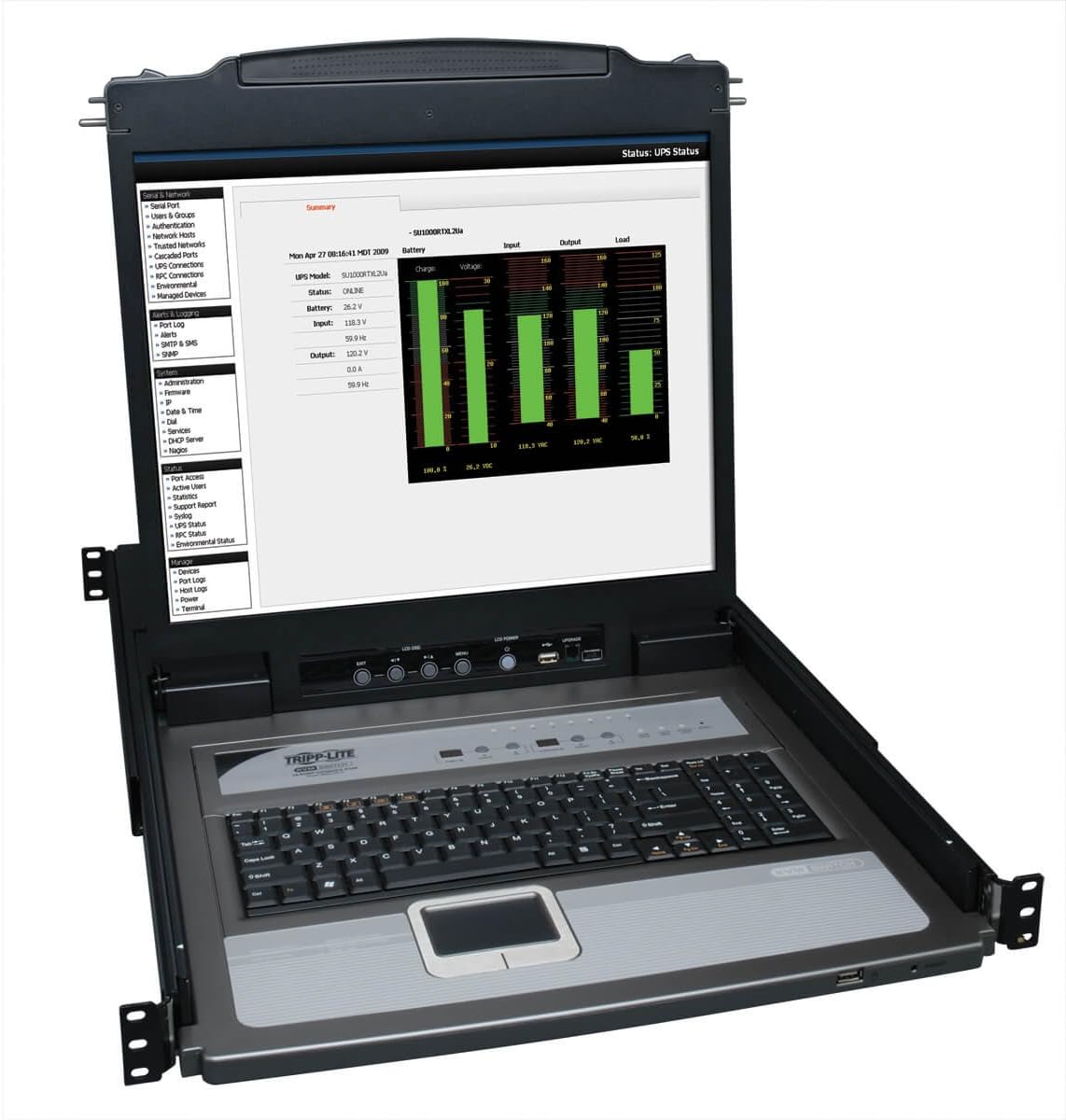
The Tripp Lite NetDirector B020-U08-19-K is a large 1U rack console with a 19-inch display, keyboard, touchpad, and an integrated eight-port KVM switch. Its 4.5 rating is among the strongest in the guide. It is built for institutional environments where a sizable built-in screen and broad expansion potential justify a specialized console.
We may earn a commission when you buy through this link, at no additional cost to you.
Eight P778-series USB and PS/2 combo cable kits are included, and additional ports permit an external PS/2 or USB console or an IP remote access unit. The stated ability to control as many as 504 computers through daisy-chaining up to 31 additional B022-U16 switches gives it unusual scalability. Two-level password security provides a basic separation between users and administrators.
The obvious trade-off is physical size and the one-year limited manufacturer warranty. A 19-inch drawer requires more rack depth and may be less convenient in a compact cabinet than the 15.6-inch or 17-inch alternatives. The console is designed for organizations with a steady need for local access and broad daisy-chain expansion rather than a small fixed installation.
Choose this Tripp Lite model for data centers, control rooms, and enterprise facilities that value a large integrated display, extensive cabling support, and a potential path to hundreds of connected computers. The 4.5 rating supports its reputation as a capable traditional console, while buyers should account for the larger chassis and shorter warranty when comparing it with newer integrated models.
Daisy-chaining compatible switches can expand the installation far beyond the eight local ports. This makes the console relevant to facilities that expect their managed computer count to grow.
External console connections provide flexibility for an additional monitor or input setup, while the IP remote access unit option extends the system's reach beyond the rack.
We may earn a commission when you buy through this link, at no additional cost to you.
The Tripp Lite B042-004 is a four-port 1U rackmount KVM switch for users who do not need to control a large number of systems. It operates one VGA monitor with a USB or PS/2 keyboard and mouse, and its 3.4 rating is the lowest among the products reviewed. The smaller port count and traditional display interface should guide the purchase decision.
We may earn a commission when you buy through this link, at no additional cost to you.
The switch provides an on-screen display menu for source selection and supports up to 2048 x 1536 video. Its console works with both USB and PS/2 input devices, while connected computers can use either interface through compatible P780-series cable kits. The product also supports daisy-chaining as many as 15 additional B042-series switches, producing a stated capacity of 244 computers.
Its limitations are substantial for modern display environments. VGA is the only listed video connection, and four direct ports are fewer than those offered by most eight-port competitors. The one-year warranty is also shorter than the TESmart's stated three years. Furthermore, the product data does not list HDMI, EDID emulation, USB hub ports, or remote switching, so it offers a deliberately focused feature set.
This model makes sense for a small rack, branch office, or compact testing setup with four legacy computers. Its OSD, 1U housing, and daisy-chain capability provide useful flexibility without the bulk of an integrated console. For more than four systems or modern high-resolution monitors, one of the HDMI options will generally be a more appropriate investment.
The four-port configuration provides a manageable way to consolidate basic computer access. An OSD makes source selection clearer than a bank of unlabeled buttons.
Daisy-chaining compatible units can extend the installation to many more computers. This allows a compact initial setup to grow without replacing the core management approach.
We may earn a commission when you buy through this link, at no additional cost to you.
A useful rackmount KVM decision starts with the equipment already in the rack and the way technicians will operate it. The most important choices are connector type, display requirements, port capacity, physical fit, control method, security, and the full cost of the connection kit.
Start by examining every host computer and the console display. VGA products serve older servers and control systems well, but HDMI switches are necessary for modern screens and computers that lack VGA outputs. A KVM switch cannot create a native digital video signal from a computer that only offers VGA without additional, imperfect conversion. Review both sides of every planned connection instead of assuming a shared adapter will preserve image quality, refresh rate, or keyboard and mouse functionality.
Resolution alone does not tell the whole story. Several models support 4K at 30Hz, while the ANGEET unit supports 4K at 60Hz and 1440p at 120Hz. Integrated displays are typically 1920 x 1080 at 60Hz, while traditional VGA switches may reach 2048 x 1536. Match the output to the actual monitor and the tasks performed on the connected machine. Fast-motion applications, detailed video, and modern productivity interfaces benefit from higher refresh rates, while administrative work may be fully satisfied at lower rates.
Choose enough ports for present needs and realistic near-term expansion. Eight ports cover many small offices, control rooms, and test benches, while sixteen ports are useful for denser server or laboratory environments. The Tripp Lite B042-004 serves only four direct hosts but supports daisy-chain expansion. Do not pay for ports that will never be used, but do not under-plan a rack that already has a clear growth path. Larger port counts can also complicate cable management and make port labels more important.
A standard 19-inch, 1U faceplate is only the first part of rack compatibility. Integrated drawer consoles also need sufficient depth, adequate clearance behind the drawer, and room for the attached cables. The MT-VIKI 15.6-inch console includes short and long rails, while the 17-inch model specifies a 23.6- to 31.8-inch range. Measure the cabinet, rails, power connections, and cable bend before ordering. A console that is physically too deep may interfere with other equipment or prevent the drawer from closing.
Front-panel buttons are dependable for nearby operation, but a desktop selector or remote becomes valuable when the rack is closed or difficult to reach. The MT-VIKI HDMI and TESmart models offer several methods, and the ANGEET model adds RS232 for structured control. Automatic switching is useful for monitoring environments where sources should rotate at a fixed interval. More options add flexibility, although they can also make the system more complex. Choose the control style that matches the operator rather than selecting the largest list of features.
The console must support the keyboard and mouse configuration in use, including wireless receivers. Some switches provide extra USB hub ports for scanners, storage, printers, or card readers. The TESmart and ANGEET models support USB peripherals beyond the basic console, while the ANGEET adds USB 3.0 and memory-card slots. Confirm whether the host-side cables carry data and power, as described for the MT-VIKI products, and verify whether cables are included before budgeting for a full installation.
EDID emulation can preserve display settings and window positions when switching between computers, a significant benefit in multi-OS environments. The TESmart and ANGEET switches explicitly provide this feature. Integrated consoles may also offer two-level passwords, administrator views, and user permissions for shared facilities. RS232, IP commands, and hot keys suit administrators who want scripted or centralized control. For a small static setup, these features may be optional; for a control room or shared rack, they can materially improve workflow and reduce repeated configuration.
The complete package affects both installation effort and long-term usability. Several MT-VIKI products include eight host cables, a selector, rack hardware, and a power adapter. The TRENDnet requires compatible cables sold separately, while the Tripp Lite console includes eight cable kits. Compare warranty duration and support terms as well: the TESmart lists three years, TRENDnet offers two years, and both Tripp Lite products list one year. The best product is the one that includes everything needed for the intended rack, not necessarily the one with the longest box.
Begin with a complete inventory of the host computers, console display, keyboard, mouse, and any peripherals that must be shared. Confirm that the KVM cables match each computer's video and USB or PS/2 connectors. For a drawer console, measure the rack depth and check cable clearance before mounting the rails. Connect the console side first, secure each host cable with labels, and then power the system if the chosen model requires an external adapter.
Power on the display and connected computers, then test the KVM's front-panel controls. Learn its hot-key sequence, desktop selector behavior, remote commands, OSD menus, or automatic switching interval before relying on it in an operational setting. Move through every port and confirm that the image, keyboard, mouse, USB peripherals, and audio or serial functions where applicable behave as expected. Label both the KVM inputs and host ends so a future technician can identify each connection quickly.
Care for the installation by avoiding tension on the attached cables, frequent connector removal, and blocked ventilation. Keep the console cables clear of moving drawer rails and do not force a drawer that resists opening. Periodically inspect the power adapter, plug connections, and rack hardware, and clean the switch exterior with a dry, soft cloth. Keep firmware, drivers, or management software updated where a model requires it, and back up customized OSD, EDID, or network settings before making changes.
A rackmount KVM switch connects multiple computers to a separate monitor, keyboard, and mouse. A rackmount KVM console includes the display, keyboard, and often a touchpad in a pull-out drawer along with the switching hardware. Switches suit hot-desking and dedicated workstations, while integrated consoles are designed for direct administration inside a server rack or control cabinet.
A native VGA KVM switch generally expects a VGA display input, so a passive adapter cannot turn that output into HDMI. A dedicated VGA-to-HDMI active converter may be used within the system's supported limits, but it can introduce compatibility, resolution, and latency issues. If the connected computers or monitor use HDMI, an HDMI KVM model is the more reliable choice.
No. The MT-VIKI products in this guide generally include host cable sets, and the Tripp Lite 19-inch console includes eight cable kits. The TRENDnet TK-803R is compatible with separately sold TK-CU06, TK-CU10, or TK-CU15 cables. Always check the package list to determine what must be purchased separately.
EDID emulation gives a connected computer consistent information about the console display's capabilities. This can help prevent resolution, refresh rate, and window-position changes when switching between hosts. The TESmart and ANGEET models explicitly list per-input or system EDID emulation, which is particularly useful when several operating systems share one monitor.
For standard server administration, documentation, dashboards, and general office work, 4K at 30Hz can provide a sharp and usable image. It is less suitable for fast-moving content, high-refresh gaming, or demanding video work. The ANGEET switch supports 4K at 60Hz and 1440p at 120Hz for installations that need a higher refresh rate.
The number depends on both local ports and expansion capabilities. These products range from four local ports on the Tripp Lite B042-004 to sixteen on the ANGEET switch. Some traditional units can be daisy-chained, with the Tripp Lite models listing much larger potential totals, but expansion requires compatible switches, correct cables, and careful configuration.
It depends on the model. The MT-VIKI VGA switch states that host USB and VGA connections supply power and that no power supply is required, although a power adapter is also listed in the package. HDMI switches in this guide, including the MT-VIKI, TESmart, and ANGEET models, use an included external adapter for reliable operation.
Choose a standalone switch if operators already have a suitable monitor and keyboard at a dedicated desk or control station. Choose an integrated console when technicians need to work directly at the rack and the cabinet has sufficient depth and space. Integrated consoles offer greater convenience at the rack but are larger, more specialized, and potentially more expensive.
The MT-VIKI 8 Port HDMI KVM Switch is the strongest all-around standalone choice, with 4K at 30Hz, three switching methods, and eight included cables. The TRENDnet TK-803R is the budget pick for established VGA and PS/2 equipment, while the MT-VIKI 15.6-Inch HDMI Console is the premium option for organizations that need an integrated, secured rack workstation.
Prioritize native connector compatibility, usable display specifications, and the correct number of ports before considering optional controls. EDID emulation is valuable for consistent multi-computer operation, and remote or desktop switching helps when a rack is difficult to access. Integrated users should measure depth carefully, and anyone buying a product without included cables should plan for that additional cost.
Check the current listing, package contents, warranty terms, and compatibility details before ordering, since product configurations and prices can change. For a smaller VGA installation, an eight-port package with included leads may be ideal; for a modern control room, HDMI 4K support and automation deserve more attention. The best rackmount KVM switch is ultimately the one that fits the existing equipment, rack, and daily operating workflow without unnecessary complexity.