
HUANUO FlowLift Pro Monitor Arm
4.5Editor score
Visual tension calibration window
Tool-free VESA plate attachment
Resists screen droop
A single monitor arm can transform a crowded desktop into a cleaner, more comfortable workspace by lifting the display and freeing room beneath it. The best models combine stable support, smooth movement, flexible viewing angles, practical cable routing, and an installation method suited to your desk.
This guide compares ten single monitor arms across screen-size limits, weight capacities, VESA compatibility, mounting options, reach, height adjustment, tilt, swivel, rotation, and cable management. It includes mechanical, gas-spring, and spring-assisted designs for home offices, studios, gaming areas, and productivity-focused workstations.
Each review identifies the stand most likely to suit a particular setup, from a straightforward arm for standard monitors to heavier-duty options for ultrawides. Ratings and specifications reflect the supplied product information, while prices and availability can change, so confirm the latest listing details before purchasing.
4.5Editor score

4.3Editor score
4.5Editor score
As an Amazon Associate we earn from qualifying purchases.
The table below compares all ten arms by display range, support capacity, key adjustment, and mounting approach, making it easier to identify the model that matches your monitor and desk.




The WALI Adjustable Single Monitor Arm is a versatile choice for users who want broad monitor compatibility and a generous range of movement. It carries a 4.3 rating, supports most flat or curved LCD and LED displays from 13 to 34 inches, and accommodates flat screens weighing as much as 26.4 pounds. Its combination of reach, lift, swivel, tilt, rotation, and cable management makes it a well-rounded desk upgrade.
We may earn a commission when you buy through this link, at no additional cost to you.
Adjustment is the arm's defining strength. The screen can extend 19.3 inches from the desk and rise up to 17.3 inches above it, while the head offers 180 degrees of swivel in either direction, tilt from 70 degrees up to 45 degrees down, and full 360-degree rotation. These ranges allow a monitor to move toward the user, shift to the side for shared viewing, or rotate into portrait orientation. Built-in cable guides help keep the arm from becoming a source of visual clutter.
There are a few compatibility details to consider. Curved displays have a reduced maximum load of 19.8 pounds, so heavy ultrawides should not automatically be treated as equivalent to flat panels. WALI also recommends a wooden desk, preferably one without a crossbeam blocking the underside. Both the C-clamp and grommet options support desks between 0.39 and 2.76 inches thick, which covers many common work surfaces but not every thick or highly specialized desktop.
This is our top overall recommendation because it offers an unusually useful balance of compatibility, adjustment range, and structural features without limiting users to one monitor size. It is especially suitable for a 27- to 34-inch productivity display, a standard office monitor being repositioned for greater comfort, or a setup that needs both clamp and grommet installation options. Buyers should verify the monitor's VESA pattern, dimensions, and weight before ordering.
The long reach and substantial vertical lift make it easier to place a large display near eye level and pull it closer for focused work. Swivel and rotation also support alternate layouts such as sharing a screen across a desk.
Mounting the display above the desktop creates room for a larger keyboard, mouse pad, notebook, or docking station. Integrated cable guides help separate the monitor's wiring from the working area.
We may earn a commission when you buy through this link, at no additional cost to you.
The HUANUO FlowLift Single Monitor Mount combines a 4.6 rating with a broad adjustment envelope and a simple installation process. Designed for 13- to 32-inch LCD monitors weighing 4.4 to 19.8 pounds, it supports standard 75x75mm and 100x100mm VESA patterns. That makes it a strong candidate for office, study, and general productivity setups where frequent repositioning is useful.
We may earn a commission when you buy through this link, at no additional cost to you.
The arm can rise 39.6 centimeters above the desktop and offers a tilt range of 50 degrees backward to 85 degrees forward, along with 90-degree swivel in either direction and 360-degree rotation. Users can raise the display, rotate it into portrait mode, or turn it sideways for collaboration without repeatedly working with separate adjustment screws. The stated goal is stable positioning at the selected angle, with tension determined by the monitor's weight.
HUANUO states that the stand uses automotive-grade components and has passed 20,000 motion tests, supporting its positioning as a durable daily-use option. Installation is simplified by a one-piece design, included hardware, and a three-step process. A C-clamp and grommet base provide alternatives, while the recommended desk thickness is 0.59 to 3.54 inches. Wooden surfaces are advised, and the underside should be free of beams or panels that obstruct the base.
This FlowLift model is a good match for users who regularly change a standard monitor's angle and want fine control without a premium-tier design. It may not be the right choice for a display larger than 32 inches, but for common productivity monitors it offers strong rating, movement, and installation convenience. Confirm that the desk has a suitable mounting area and that the display's weight and VESA layout match the stated limits.
The one-hand adjustment concept makes this arm useful for users who alternate between focused work, video calls, and shared viewing. A broad tilt range also allows the screen to face upward when needed.
The motion-tested core and adjustable tension are intended to withstand repeated repositioning. As with any monitor arm, proper tension calibration is essential to maintain stability.
We may earn a commission when you buy through this link, at no additional cost to you.
The ErGear Single Monitor Arm is an efficient all-around option for users who value quick installation, easy cable organization, and a broad adjustment range. It has a 4.4 rating and fits most flat or curved monitors from 13 to 34 inches, with a maximum load of 19.8 pounds. Standard 75x75mm and 100x100mm VESA patterns are supported.
We may earn a commission when you buy through this link, at no additional cost to you.
Its tool-free VESA plate is the standout installation feature. After securing the base to the desk, the user can attach or remove the display without aligning and tightening mounting screws each time. The arm also includes upgraded cable clips that open without tools, making it easier to route or release cables while maintaining a tidy setup. Ergonomic movement includes 17.5 inches of height adjustment, 18.1 inches of reach, plus 80-degree upward and 50-degree downward tilt, 90-degree swivel, and 360-degree rotation.
The construction emphasizes stability through a wider VESA head and a tighter-fitting plate. ErGear says its durable core has passed more than 20,000 cycles, which supports suitability for regular adjustments. Desk installation can use a C-clamp for surfaces 0.39 to 2.56 inches thick or a grommet base for surfaces 0.39 to 2.95 inches thick. Buyers should still verify the underside of the desk for obstructions before drilling or clamping.
This arm is particularly attractive to buyers who install equipment frequently or rotate their monitor between workstation and presentation positions. Its support limit is lower than the WALI model's flat-screen maximum, so heavier displays require careful checking. For most standard and larger office monitors within the stated range, however, the combination of tool-free mounting, cable access, and flexible articulation is difficult to overlook.
A tool-free quick-release plate simplifies both initial setup and later removal of the display. This is useful when equipment must be moved between rooms or rearranged around other desk accessories.
The opening cable clips make it possible to add, remove, or reroute wiring without a separate tool. They help keep cables aligned with the arm rather than allowing them to fall loosely behind the display.
We may earn a commission when you buy through this link, at no additional cost to you.
The HUANUO FlowLift Pro Monitor Arm is the most feature-oriented selection in this roundup. It carries a 4.5 rating and uses a MechaSpring arm intended to maintain consistent support without relying on a traditional gas pressure system. The arm supports 13- to 32-inch monitors weighing 4.4 to 15.4 pounds with 75x75mm or 100x100mm VESA mounting patterns.
We may earn a commission when you buy through this link, at no additional cost to you.
Its most distinctive feature is the PrecisionView tension window. Instead of estimating spring tension by feel, the user can watch a yellow indicator move while calibrating the arm to the monitor's weight. This makes initial setup more methodical and reduces the likelihood of over-tightening. The LockSteady system is also designed to resist droop and permit one-finger movement, while the stated 90% professional-grade metal construction and TÜV Rheinland certification add confidence for users who prioritize durability.
The tool-free InstaMount VESA plate further separates this model from conventional arms. A simplified base and screw are accompanied by a snap-in plate, allowing the monitor to be attached or removed more easily. The product is also backed by the American Chiropractic Association, with the stated ergonomic goal of making it easier to raise the screen toward eye level and fine-tune its position. It is intended for coding, design, analysis, gaming, and screen sharing, provided the display remains within its weight range.
This premium pick is best for users who frequently adjust a lightweight or midweight display and want installation and tension setup to be as intuitive as possible. Its 15.4-pound limit excludes many heavy ultrawides, and HUANUO recommends wood desks between 0.59 and 3.54 inches thick. For a compatible monitor and a suitable desktop, the visual tension feedback, resistance to droop, and quick-release plate create a notably thoughtful ownership experience.
The visible indicator removes much of the uncertainty from spring calibration. Users can make incremental adjustments and observe the response rather than relying entirely on how the arm feels.
The LockSteady system is designed to keep a set position without constant correction while still allowing smooth, light-touch movement. That balance suits users who alternate between focused and collaborative work.
We may earn a commission when you buy through this link, at no additional cost to you.
The VIVO Single 13 to 38 inch Monitor Arm is a budget-minded choice that extends beyond the usual standard-monitor range. It has a 4.5 rating, supports displays weighing up to 22 pounds, and accommodates regular 13- to 32-inch monitors as well as ultrawide displays up to 38 inches. Both 75x75mm and 100x100mm VESA patterns are supported.
We may earn a commission when you buy through this link, at no additional cost to you.
Its movement package includes 90-degree tilt in either direction, 360-degree swivel, 360-degree rotation, and 16 inches of height adjustment along the center pole. Rotation allows the display to move between portrait and landscape orientation, which is valuable for coding, document work, or a vertically oriented secondary panel. The heavy-duty clamp can be hand-tightened on desks up to 3.25 inches thick, and an optional grommet base is included for users who prefer a permanent installation.
Detachable cable clips on the arms and center pole help route power and audiovisual wiring, while the detachable VESA plate simplifies attaching the monitor. The included hardware and instructions reduce the number of separate purchases required for setup. Although the arm offers full swivel and rotation, its 360-degree swivel range differs from the more directional 180-degree articulation of some mechanical models.
This is our best budget pick because it combines broad ultrawide compatibility, a useful 22-pound capacity, and flexible desk installation at an accessible tier. It is a particularly strong option for gamers, creators, and productivity users with a large but not excessively heavy display. As with every VESA mount, buyers should confirm the mounting pattern and weight of their monitor before ordering.
The 38-inch upper limit and 22-pound capacity make this arm more accommodating than many basic single mounts. That range covers common large monitors while still requiring attention to the individual display's specifications.
Full rotation makes it easier to switch between standard landscape viewing and portrait orientation. The feature is particularly useful for long documents, code, or vertically oriented creative applications.
We may earn a commission when you buy through this link, at no additional cost to you.
The HUANUO Single Monitor Mount with gas spring is a popular choice for users who want a display to float into position with minimal effort. It has a 4.6 rating and supports 13- to 32-inch monitors between 4.4 and 19.8 pounds. Compatibility includes the standard 75x75mm and 100x100mm VESA patterns, making it suitable for many mainstream office and gaming displays.
We may earn a commission when you buy through this link, at no additional cost to you.
The gas spring core allows one-handed height adjustment and helps the arm remain stable after it has been positioned. Movement includes a 39.6-centimeter lift, a tilt range of 50 degrees backward to 30 degrees forward, 90-degree swivel on either side, and 360-degree rotation. Compared with the HUANUO FlowLift model's 85-degree forward tilt, this model's upward range is more limited, so buyers who need a nearly vertical viewing angle should examine that distinction carefully.
The mounting system offers both a C-clamp and a grommet base, and the included one-piece design is intended to make installation straightforward. All required hardware is included, while the desk must accommodate a thickness of 0.59 to 3.54 inches. A wooden tabletop without interfering beams or panels is recommended. HUANUO says its automotive-grade gas spring cores have passed 20,000 motion tests for long-term use.
The arm also helps reclaim workspace by replacing a vertical monitor stand and its heavy desktop base with a desk-mounted design. That creates room for a full-size keyboard and mouse pad while keeping the screen elevated. This model is best for standard-sized monitors that users will raise, lower, or rotate frequently, and it is less appropriate for displays over 32 inches or setups requiring a steep upward viewing angle.
The gas spring mechanism makes it straightforward to raise and lower the display while keeping the selected position. This can be especially useful for quickly sharing a screen or returning to a seated viewing position.
Moving the display onto the arm frees the space previously occupied by its base. Users can spread out a keyboard, mouse, notes, or docking equipment without the monitor taking over the central work area.
We may earn a commission when you buy through this link, at no additional cost to you.
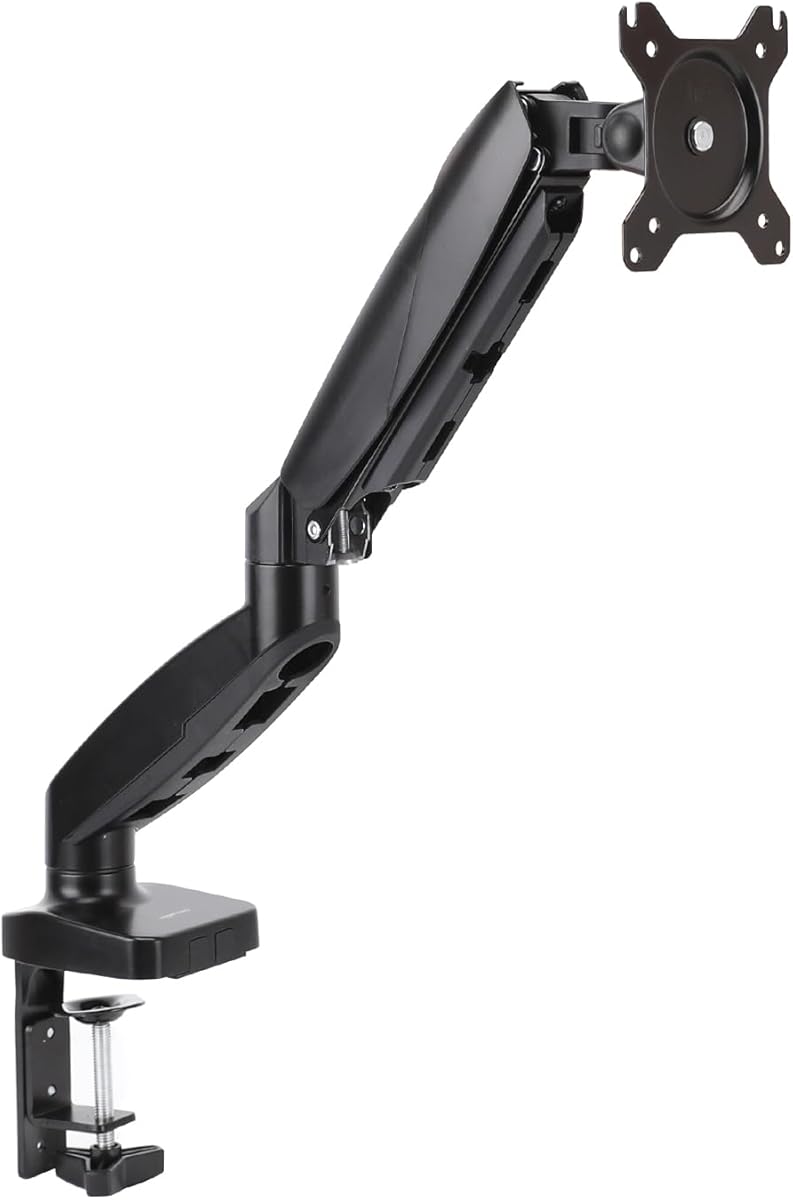
The Amazon Basics Gas Spring Single Monitor Arm is a focused option for mainstream 15- to 27-inch displays. It carries a 4.3 rating and supports monitors weighing 4.4 to 15.4 pounds with either 75x75mm or 100x100mm VESA mounting patterns. Its narrower screen range makes it most appropriate for conventional office and productivity monitors rather than large ultrawides.
We may earn a commission when you buy through this link, at no additional cost to you.
The arm can extend up to 20.5 inches, allowing a user to bring the display closer for reading, editing, or detailed work. It offers an extensive tilt range of 90 degrees backward to 85 degrees forward, 90-degree swivel in either direction, and 360-degree rotation. Gas-spring tension is adjustable according to monitor weight, which helps the screen remain stable rather than drifting or sagging after positioning.
One practical note is that the joints may feel stiff when the product is new because they are tightened for transport. The instructions must be followed to adjust the tension and joints before normal use. Spacer selection and screw length also depend on the monitor's mounting depth, so users should not assume that every VESA-compatible display will accept the included hardware without inspection.
Installation includes both a C-clamp and a grommet option, accommodating desktop thicknesses from 0.39 to 4 inches. That is one of the broader clamp ranges among the listed products and may be useful for thicker wooden desks. A step-by-step manual is included. This arm is best for someone with a relatively light standard monitor who values close positioning, full rotation, and straightforward gas-spring movement more than ultrawide support.
The 20.5-inch extension can reduce the distance between the user and the display. This is useful for text-heavy work, design review, and other tasks where fine visual detail matters.
Both edge-clamp and grommet installation are included, and the stated range extends to desks four inches thick. Users should still check the underside for crossbeams and confirm the correct mounting depth.
We may earn a commission when you buy through this link, at no additional cost to you.
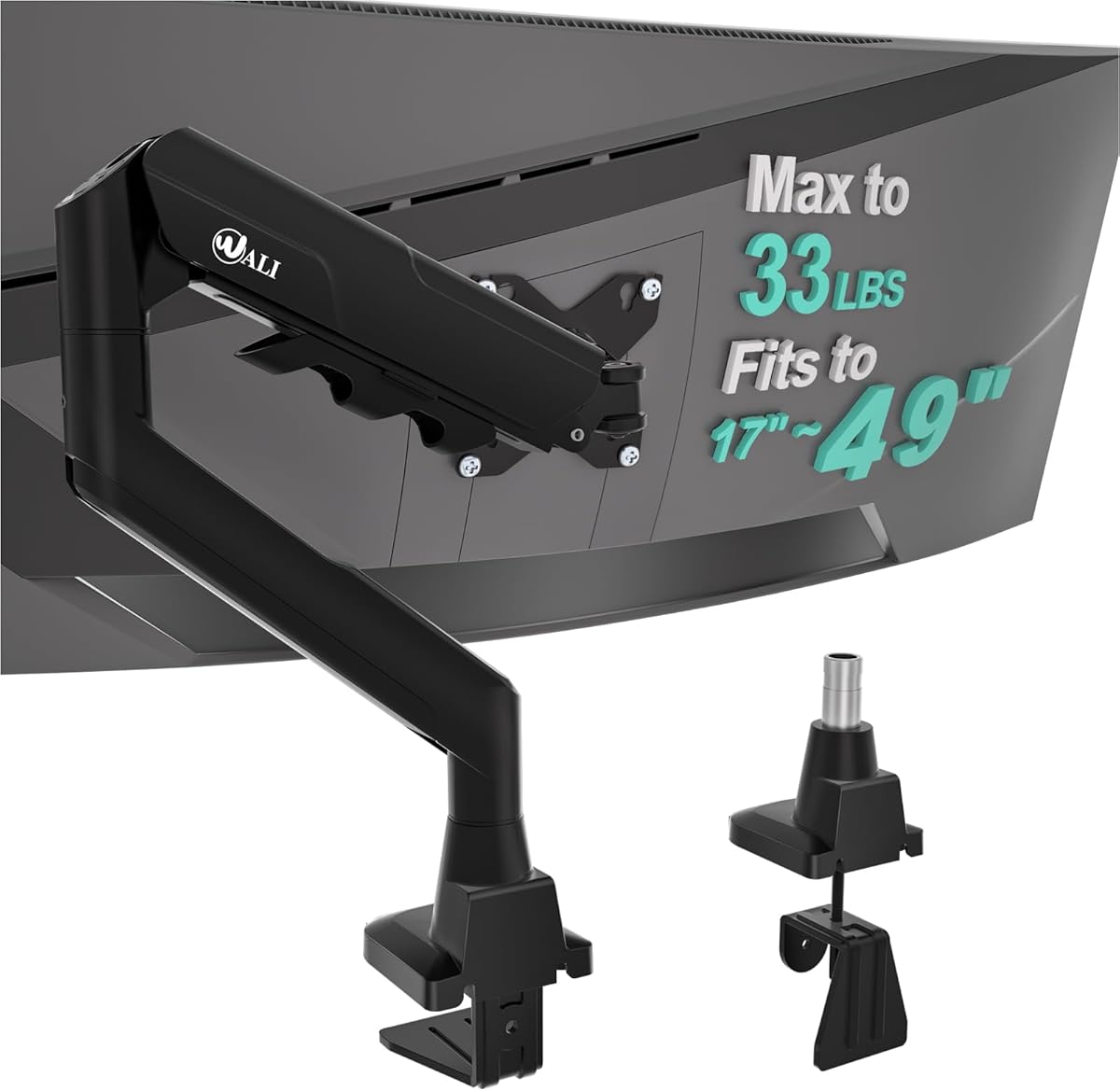
The WALI Ultrawide Single Monitor Arm is built for the largest display in this guide. It has a 4.3 rating and supports 17- to 49-inch flat or 1800R curved LCD and LED screens, with a maximum load of 33 pounds. The 75x75mm and 100x100mm VESA patterns cover the most common back-panel layouts found on mainstream and large-format monitors.
We may earn a commission when you buy through this link, at no additional cost to you.
Its physical range is impressive. The display can extend 21.14 inches from the desk and rise 20.59 inches above it, while the head provides 90-degree swivel in both directions, 75-degree tilt upward and downward, and 360-degree rotation. Those specifications make it well suited to a large curved gaming display, a spacious productivity monitor, or a workstation screen that needs to shift between viewing angles.
WALI uses a wider VESA head and a tighter-fitting VESA panel to improve the connection between arm and display. Its durable core has reportedly been tested through more than 20,000 cycles, supporting repeated adjustment. Built-in cable management runs along the arms to reduce loose wiring. Both C-clamp and grommet bases are available for desks 0.39 to 1.96 inches thick, and the manufacturer recommends a wooden desk without a blocking crossbeam.
This is the clear choice for an oversized or curved display, particularly when the monitor's weight approaches the upper end of the available range. It may be unnecessary for a smaller display, and the 1.96-inch maximum desktop thickness is narrower than several competing arms allow. Buyers should verify both the monitor's weight and VESA layout, then inspect the desk underside before selecting a mounting method.
A 33-pound capacity and reinforced VESA connection give this arm a meaningful advantage for large displays. The broad size range also offers flexibility when a workspace may later be upgraded to an ultrawide screen.
The 20.59-inch lift and wide swivel range help bring a massive display into a more practical viewing position. This can be particularly useful in rooms where a large screen would otherwise sit too low.
We may earn a commission when you buy through this link, at no additional cost to you.
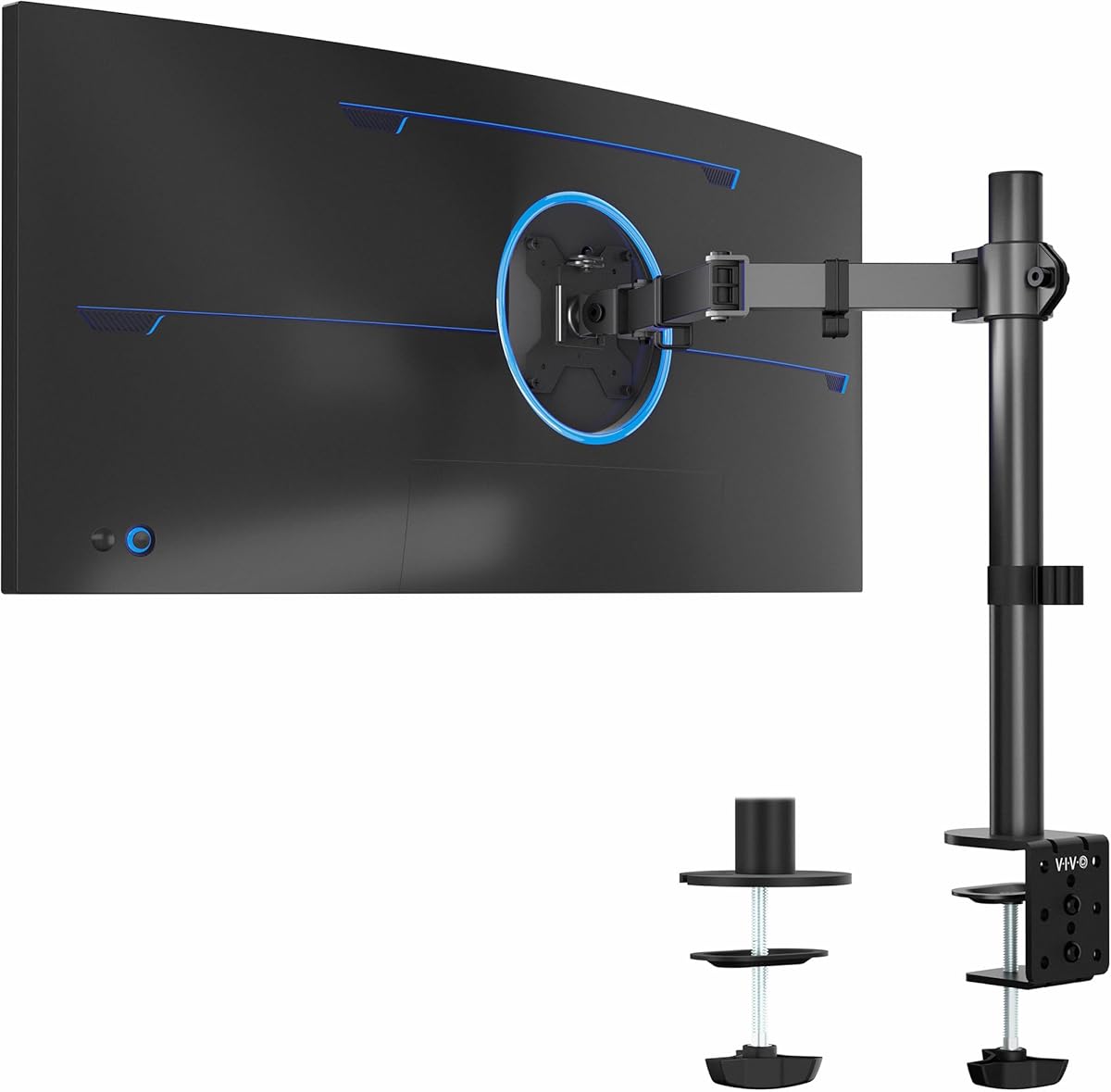
The VIVO Single Monitor Stand, model STAND-V001O, is a mechanical articulating option for 17- to 32-inch flat and curved screens. It has a 4.3 rating, supports displays from 4.4 to 19.8 pounds, and fits 75x75mm or 100x100mm VESA patterns. Its mechanical spring design gives the monitor a counterbalanced feel without requiring a gas-spring tension system.
We may earn a commission when you buy through this link, at no additional cost to you.
Adjustment includes 90-degree tilt in either direction, 180-degree swivel, and 360-degree rotation. The rotation allows a display to be moved from landscape into portrait orientation, while the open-top VESA plate slides onto the monitor for toolless placement. That quick connection is especially useful for users who switch between computer and console connections or move the display between workstations.
The arm mounts with a heavy-duty C-clamp on desktop surfaces up to 3.1 inches thick. An optional bolt-through grommet mount supports tops up to 1.9 inches thick. All hardware and step-by-step instructions are provided. One important installation consideration is that the back of the arm may extend past the desk edge, so the available rear clearance should be checked before mounting.
This model is a solid general-purpose option for office and gaming displays that fall within the 17- to 32-inch range. It offers fewer swivel degrees than arms that rotate through a full circle, but that directional movement can sometimes make it easier to maintain a chosen position. It is best for buyers who appreciate a mechanical design, quick VESA attachment, and substantial workspace savings.
The spring-assisted mechanism supports controlled movement while keeping the display balanced. It offers a straightforward alternative for users who do not need a gas spring or visual tension indicator.
The clamp-mounted design removes the need for a freestanding monitor base. That opens the working area for a keyboard, writing pad, game controller, or other accessories.
We may earn a commission when you buy through this link, at no additional cost to you.
The 5Rcom Single Monitor Arm offers broad compatibility and a high stated load capacity. It carries a 4.1 rating and is designed for most 13- to 35-inch flat and curved computer screens. Its alloy steel construction supports displays weighing from 4.4 to 22 pounds, giving it enough capacity for many larger mainstream monitors and gaming displays.
We may earn a commission when you buy through this link, at no additional cost to you.
The adjustment range is among the more generous in the guide. Height adjustment reaches 17.7 inches and horizontal extension reaches 21.2 inches. The monitor head tilts from 45 degrees backward to 90 degrees forward, swivels 90 degrees in either direction, and rotates 360 degrees for landscape or portrait use. This range allows a display to move close for detailed work or move away when desk space is needed.
Integrated cable management is included to route cords along the support structure and keep the desktop more orderly. The product is presented as a straightforward mounting solution for home and office setups, though the supplied information gives less detail about the included base and desktop-thickness limits than several competing listings. Buyers should therefore review the full product instructions and current listing photographs before assuming a specific desk will be compatible.
This arm is most suitable for a buyer who wants a large adjustment range and a high capacity without moving beyond a 35-inch display. Its 4.1 rating is the lowest among the ten products, so the most important next step is confirming fit and construction details in the current listing. It can still be a capable option for users who value 21.2 inches of reach, 22-pound support, and 360-degree plate rotation.
The combination of 21.2 inches of reach and 17.7 inches of height adjustment allows the display to move through much of the space above the desk. That flexibility is helpful for alternating between close work and a more distant viewing position.
Integrated routing helps keep power and display cables gathered near the arm. This reduces visual clutter behind the monitor and leaves more of the desktop available for active work.
We may earn a commission when you buy through this link, at no additional cost to you.
The right monitor arm depends less on its feature list than on a precise match among your display's size, weight, VESA layout, desk construction, and preferred movement. Use the following factors to narrow the field before installation.
Begin with the monitor's diagonal size and weight, then compare both with the arm's stated limits. Screen size alone is not enough because a large display can be light while a smaller panel may contain substantial internal hardware. Load capacity is particularly important for curved and ultrawide monitors, whose backs and mounting structures may differ from standard flat displays.
VESA compatibility determines whether the arm can physically attach to the display. Most products in this guide support 75x75mm and 100x100mm patterns, but the user must also check the display's mounting depth, screw length, and whether spacers are required. A display can have a compatible hole pattern and still need different hardware to sit flush against the VESA plate.
Choose between a C-clamp and a grommet base after measuring the desktop and inspecting its underside. Clamps preserve the grommet area and can be useful on existing desks, while grommet mounting can offer a more integrated appearance. Many manufacturers recommend wood and warn against crossbeams, panels, or other structures that can interfere with the mounting hardware.
Every mount has a permitted desk-thickness range, and using a desktop outside that range can affect stability or prevent installation. The products here offer different limits, including narrower ranges around two inches and broader ranges reaching three or four inches. Measure at both the clamp location and the grommet hole, and account for any desk pad or surface layer that may affect the fit.
Height adjustment determines how easily the top edge of the display can reach eye level, while reach controls how close the screen can be pulled toward the user. A taller arm is useful for raising a large display over a desk or cabinet. Extended reach is valuable for text-heavy work, media viewing, and sharing a screen, although greater extension can require more stable tension calibration.
Tilt controls the screen's viewing angle, swivel moves it horizontally, and rotation changes its orientation. Full rotation is valuable for portrait work, while broad swivel and tilt ranges improve comfort and support shared viewing. Check the direction and limits of each movement, because a model with 360-degree rotation may still offer only 180 degrees of swivel.
Mechanical springs, spring-assisted arms, and gas springs all attempt to make positioning easier. Gas springs often provide smooth one-handed movement, while mechanical designs may be simpler and avoid changing tension over time. Visible tension indicators and tool-free VESA plates improve setup, but stable positioning still depends on correctly setting the arm for the monitor's weight.
Cable clips, routing channels, and open designs keep wiring aligned with the arm and reduce clutter. Tool-free VESA plates are useful when the display must be removed frequently, while included instructions and all-in-one hardware simplify first-time setup. Compare installation claims carefully, especially when the product has demanding desk-thickness or clearance requirements.
Before installation, measure the desktop thickness, identify the location of any grommet hole, and inspect the area beneath the desk for crossbeams or supports. Confirm that the monitor's size, weight, VESA pattern, mounting depth, and screw requirements fall within the arm's specifications. Place the display face-down on a protected surface during preparation, and unplug all cables before attaching the VESA plate.
Install either the C-clamp or grommet base according to the manual, tightening the clamp securely without using excessive force. Connect the VESA plate to the monitor, route cables through the arm's cable clips or management path, and attach the display to the arm while keeping fingers clear of the joints. Once the monitor is supported, set the spring or gas tension to match its weight and confirm that the screen remains stable when released.
For daily use, move the display only within the arm's stated ranges and avoid forcing a joint past its limit. Inspect the clamp and VESA fasteners occasionally, particularly after moving the desk or making large height changes. Clean the arm with a soft, dry or lightly damp cloth, keep liquids away from moving parts and electrical connections, and retighten or adjust the setup if the monitor begins to droop, drift, or move unexpectedly.
The single monitor arms in this guide commonly support 75x75mm and 100x100mm VESA patterns. However, matching the hole pattern is only the first step. You should also verify the display's mounting depth, required screw length, and any spacer requirements before installation.
A C-clamp is convenient when the desk has no existing grommet hole or when the user wants to preserve the surface. A grommet base generally creates a more integrated installation but requires drilling through the desktop. The correct choice also depends on desk thickness, underside clearance, and the manufacturer's instructions.
Yes, if the display's size, weight, and VESA pattern fall within the arm's limits. In this guide, the VIVO model supports screens up to 38 inches and 22 pounds, while the WALI Ultrawide model extends to 49 inches and 33 pounds. Curved models may have a different load limit, so check every specification carefully.
Gas spring arms generally provide smoother, lighter movement and can be adjusted with one hand, while mechanical spring arms offer a straightforward counterbalanced design. The best choice depends on the display weight, how frequently you reposition the screen, and how much you value visible tension calibration or a simpler construction.
A curved monitor still needs a compatible VESA pattern and must remain within the arm's weight and size limits. Some arms specify separate capacities for flat and curved screens, while others use one limit for both. Confirm the exact model and mounting arrangement before purchasing.
Sagging usually means the spring or gas tension is too low for the monitor's weight. Consult the instructions, increase the tension gradually, and make sure the arm is operating within its rated range. If the display remains unstable, check the VESA connection and confirm that the monitor does not exceed the stated capacity.
Many of the listed arms rotate 360 degrees, allowing the display to move from landscape into portrait orientation. VESA compatibility, the monitor's mounting pattern, and the arm's rotation range should be confirmed first. A suitable VESA plate and the correct hardware are also important for safe alignment.
It depends on the selected model and mounting method. The products reviewed include desktop limits ranging from approximately 0.39 to 4 inches, with C-clamp and grommet ranges sometimes differing. Measure the desk before ordering and check for an underside beam, frame, drawer structure, or other obstruction.
The WALI Adjustable Single Monitor Arm is the most versatile overall option, offering broad screen compatibility, extensive articulation, and a strong flat-screen load limit. The HUANUO FlowLift Pro earns the premium distinction for its visible tension indicator, resistance to droop, and tool-free VESA attachment, while the VIVO STAND-V001 is the best budget choice for anyone needing support for a large monitor without moving to a heavier-duty arm.
Prioritize fit before features. Confirm the monitor's size, weight, VESA pattern, and mounting depth, then measure the desktop and inspect its underside. Among compatible products, choose the movement mechanism that matches how often you adjust the screen, and consider cable management, installation method, portrait rotation, and the space required behind the desk.
Product listings, ratings, specifications, and prices can change over time, so check the current Amazon page before making a final decision. The most suitable single monitor arm is the one that securely supports your exact display, fits the desk properly, moves as needed, and leaves the workspace looking the way you want it to look.