
JSAUX HB0609 Dock
4.3Editor score
4K at 120Hz output
Six-port practical layout
Up to 100W power delivery
Our ASUS ROG Ally Dock guide compares docks for display output, charging, wired networking, USB expansion, cooling, portability, and compatibility in October
An ASUS ROG Ally dock transforms a compact gaming handheld into a more practical desktop setup by adding an external display, wired networking, charging, and room for peripherals. The right model balances port selection, video performance, power delivery, cooling, portability, and compatibility with the exact handheld and accessories you use.
We compared ten current docks based on their published specifications, including HDMI version and maximum refresh rate, USB port speeds, Ethernet capability, charging limits, physical design, cooling features, and supported devices. The list includes compact hubs, upright docks, premium all-in-one stations, and models with storage expansion or adjustable fans.
Each review identifies the dock that best fits a particular need rather than treating every feature as equally important. We also note limitations such as lower-resolution HDMI, no VRR support, the absence of a stand, or reduced charging depending on the power adapter. Product availability and retailer offers can change, so confirm current details before buying.
4.3Editor score
4.4Editor score
4.7Editor score
The comparison highlights the trade-offs among display refresh rates, charging capacity, physical design, cooling, and expansion options, making it easier to select a dock for a specific ROG Ally setup.
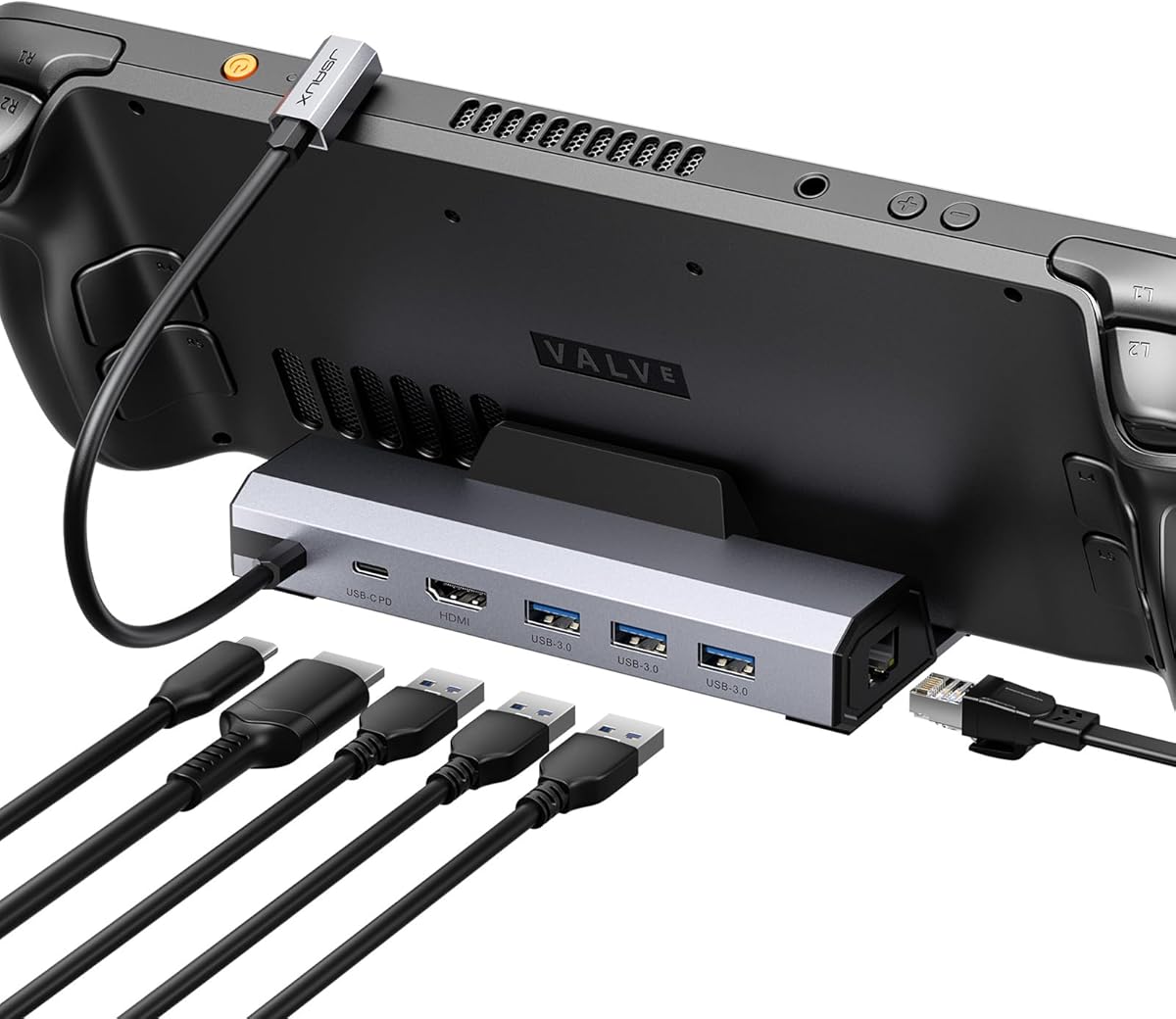


The JSAUX HB0609 is a six-port dock with a 4.3 rating that combines strong video output, wired networking, charging, and a flexible physical design. Its HDMI 2.1 connection supports 4K at 120Hz or 1080p at 240Hz, giving it enough capability for high-refresh monitors and compatible televisions.
We may earn a commission when you buy through this link, at no additional cost to you.
Gigabit Ethernet removes wireless-network variability, while two USB-A 3.2 Gen 1 ports and one USB-C 3.2 Gen 1 data port support keyboards, mice, controllers, and storage. Power delivery reaches 100W, enough to charge compatible handhelds at their intended rate when paired with a suitable 100W USB-C PD charger.
Its most distinctive feature is the modular base. The handheld can remain mounted for a desktop arrangement, or the base can be detached and used independently as a stand. A silicone pad improves stability, and the front cover accepts a custom card measuring 3.00 by 1.13 inches, although that card is not included.
Compatibility extends across ROG Ally, ROG Ally X, the 2025 ROG Xbox Ally models, Steam Deck, Legion Go, Legion Go S, and several other handhelds. It is a compelling general recommendation for a ROG Ally owner who values 120Hz video, a wired connection, and a dock that can travel easily, although it should not be chosen for VRR or ALLM.
The 4K at 120Hz capability is among the most useful specifications for a modern gaming dock. The monitor, cable, game, and handheld graphics settings must all support the target mode, so buyers should still verify their complete display chain.
Detaching the base lets the dock operate as a compact hub with the handheld on a desk. Its removable construction also makes the product more adaptable to different play positions and workspaces than a permanently enclosed dock.
We may earn a commission when you buy through this link, at no additional cost to you.
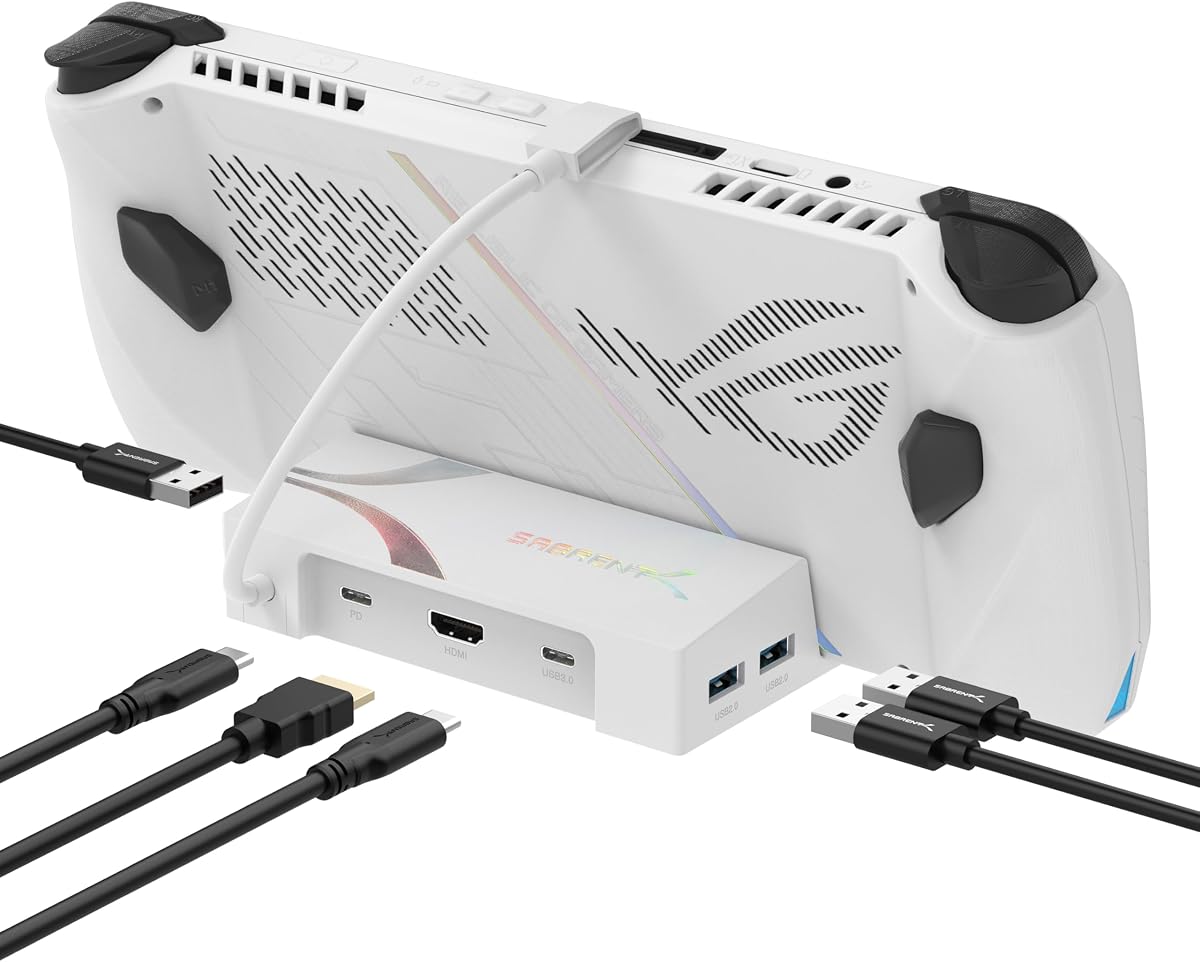
The SABRENT DS-RA6P is a compact six-port USB-C hub with a 4.0 rating. It is designed for ROG Ally, ROG Ally X, ROG Xbox Ally, Steam Deck, and Legion Go users, as well as phones, tablets, and laptops that support DisplayPort Alternate Mode over USB-C.
We may earn a commission when you buy through this link, at no additional cost to you.
Its HDMI 2.0 output reaches 4K at 60Hz with HDCP support. Three USB 3.2 Gen 1 Type-A ports and one downstream USB-C port operate at 5Gbps, creating enough expansion for a keyboard, mouse, controller, and external storage without requiring a large desktop hub.
The USB-C input provides up to 95W of PD 3.0 pass-through charging. A charger is not included, and a lower-wattage adapter can charge more slowly or fail to keep pace with a demanding session. The product is explicitly a hub rather than a stand and does not cradle or hold the handheld upright.
This is a strong choice for travelers, office workers, and anyone who wants a small wired hub in a bag. It is less appropriate for a permanent living-room station or for an enthusiast who wants a 120Hz external display, but its portability and clean port selection make it unusually versatile.
The external display function depends on a host device whose USB-C port supports DisplayPort Alternate Mode. Confirming that capability before purchase prevents the most common source of disappointing video results.
Four 5Gbps data connections cover common desktop accessories while keeping the hub relatively compact. This makes the SABRENT a practical traveling companion for short sessions away from a permanent gaming station.
We may earn a commission when you buy through this link, at no additional cost to you.
The JSAUX HB0603 is a six-in-1 dock with a 4.3 rating and a straightforward balance of display, charging, networking, and USB connectivity. Its HDMI 2.1 output supports 4K at 120Hz, a meaningful improvement over docks limited to 60Hz.
We may earn a commission when you buy through this link, at no additional cost to you.
Three USB-A 3.0 ports provide 5Gbps data connections, and Gigabit Ethernet supports stable online sessions and file transfers. The dock also accepts up to 100W of power delivery, making it suitable for ROG Ally Turbo Mode when used with the recommended 100W charger.
Compatibility includes Steam Deck LCD and OLED, ROG Ally and Ally X, Legion Go and Go S, and MSI Claw. It does not support the ROG Xbox Ally or ROG Xbox Ally X, an important limitation for buyers considering the newer Xbox-branded handhelds.
The HB0603 is an excellent general dock for the established ROG Ally family when 120Hz output and a simple six-port layout are priorities. It lacks the broader device support of the JSAUX HB0609 and HB0612, but that focused compatibility can make it easier to understand and use.
HDMI 2.1 support gives this dock a useful advantage for owners of high-refresh monitors. Actual performance still depends on the selected resolution, game rendering settings, and whether the game supports the target frame rate.
Up to 100W power delivery supports a power-intensive desktop setup when paired with a suitable adapter. A lower-rated charger may still work, but it may not maintain the intended charging rate during extended play.
We may earn a commission when you buy through this link, at no additional cost to you.
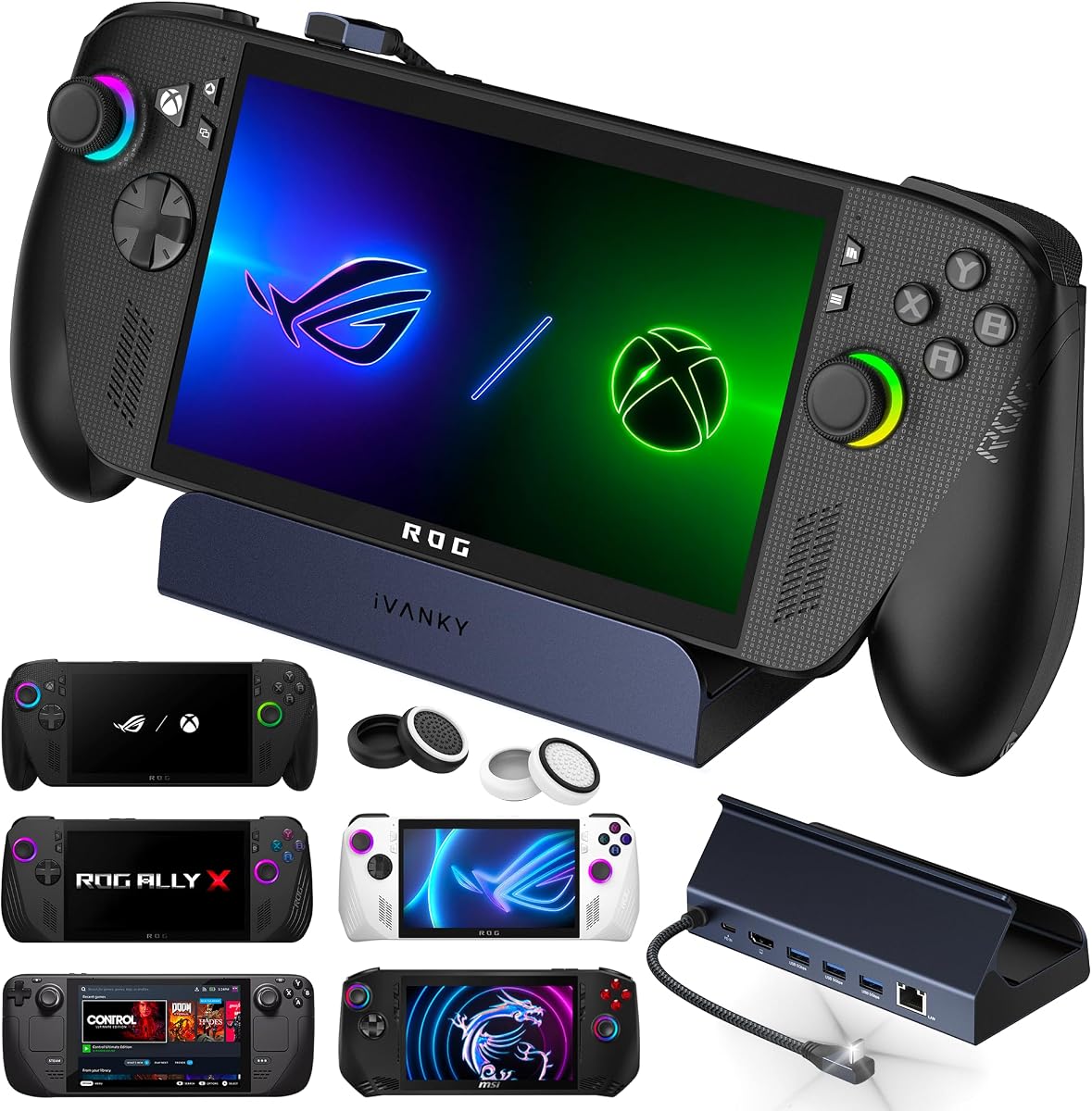
The iVANKY 8-in-1 Dock has a 4.4 rating and stands out with HDMI 2.1 output supporting 4K at 144Hz. That makes it especially appealing for owners of compatible high-refresh gaming monitors who want more headroom than a standard 60Hz or 120Hz dock provides.
We may earn a commission when you buy through this link, at no additional cost to you.
The connection layout includes 1Gbps Ethernet, three 5Gbps USB Type-A ports, a fast-charge USB Type-C port, and the central USB Type-C link to the handheld. It is designed for steady wired networking and can accommodate a keyboard, mouse, external storage, and other accessories simultaneously.
The product is optimized to unlock the ROG Ally's 30W Turbo Mode when the device BIOS is updated to version 323 or later. It supplies up to 100W PD charging, with listed limits of 65W for ROG Ally and 45W for Steam Deck, and includes joystick caps to reduce control wear.
The main qualification is that 144Hz output requires a compatible monitor, cable, game, and internal rendering capability. Even so, the iVANKY is our editor's choice for a high-refresh desktop setup because it combines an unusually strong display specification with broad port expansion and useful ROG-specific features.
The 144Hz ceiling differentiates this dock from the many alternatives that stop at 60Hz or 120Hz. It provides an upgrade path for compatible displays, although the handheld must actually render enough frames to take advantage of the higher mode.
Turbo Mode optimization and included joystick caps make the dock feel designed around ROG Ally ownership rather than general handheld use. Updating the BIOS before relying on Turbo-related features is an important part of setup.
We may earn a commission when you buy through this link, at no additional cost to you.
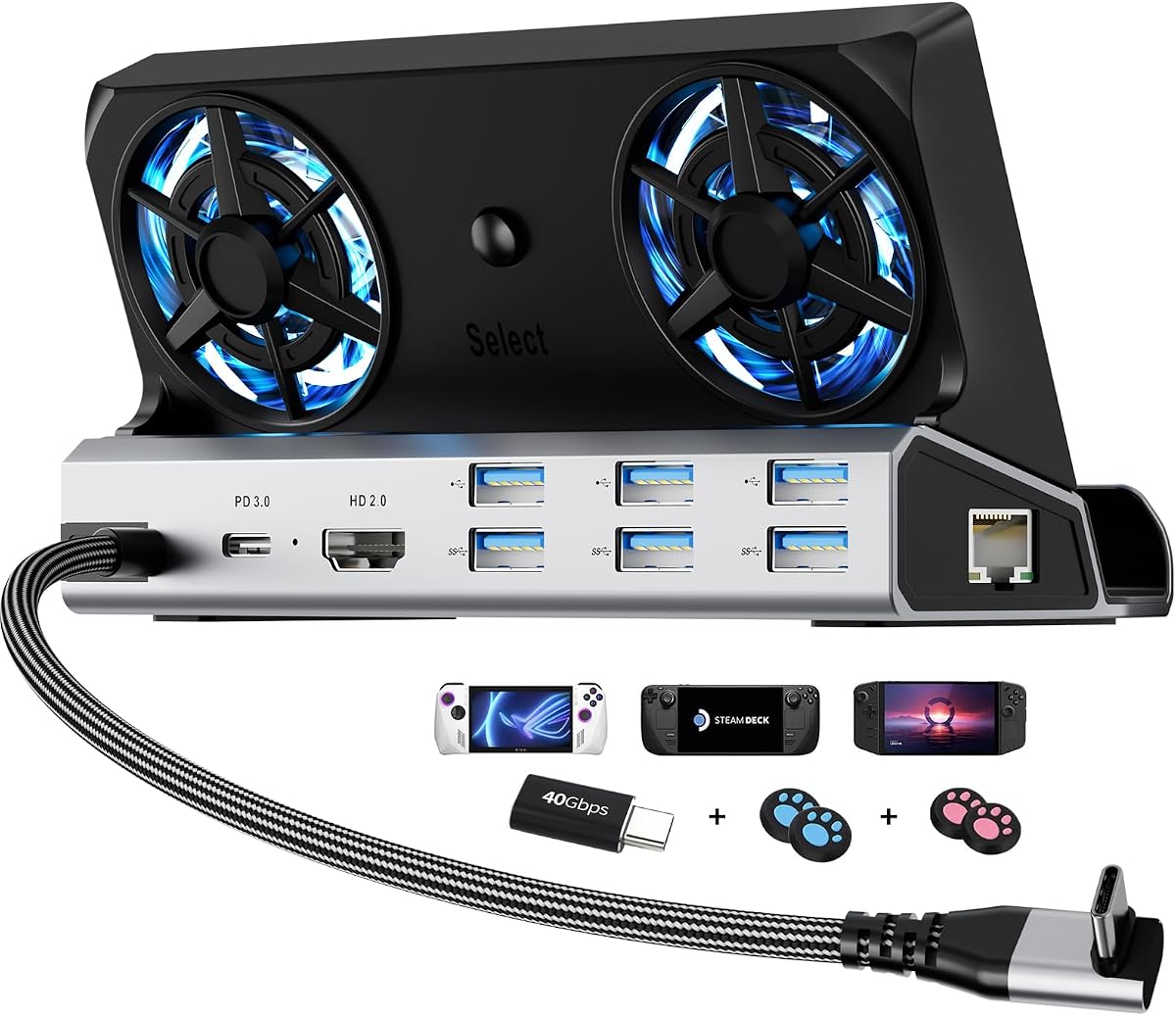
The YCE 12-in-1 is a feature-rich handheld dock with a 4.2 rating. Its defining feature is a pair of 5cm RGB cooling fans, considerably larger than the small fans common in compact docks, with an on/off control for turning off airflow and lighting when they are not needed.
We may earn a commission when you buy through this link, at no additional cost to you.
Video output is HDMI 2.0 at up to 4K and 60Hz. Connectivity includes Gigabit Ethernet, three 5Gbps USB 3.0 ports, three USB 2.0 ports, and a USB-C port supporting 100W charging and 40Gbps data according to the product description.
The screwless aviation-aluminum body is designed for durability and passive heat dissipation. A dedicated slot accommodates handhelds up to 27mm thick, while the included USB-C extender acts as a sacrificial connection point that can reduce repeated wear on the console's original port.
This dock is most attractive to owners who value active cooling and a broad selection of legacy USB ports. Its 60Hz video ceiling makes it less suitable for a dedicated high-refresh display, while the larger fan assembly means it is better suited to a permanent desk than minimalist travel.
The two larger fans are intended to move more air across the handheld than compact alternatives. Owners can switch them off during cooler conditions, and the stated design also promotes passive heat dissipation through the aluminum body.
Three faster USB ports and three USB 2.0 connections cover both modern accessories and slower peripherals. That breadth can reduce the need for a separate adapter hub when building a full desktop arrangement.
We may earn a commission when you buy through this link, at no additional cost to you.
The iVANKY 14-in-1 RGB Dock has a 4.4 rating and is aimed at builders who want a full desktop station rather than a minimal hub. It provides 4K at 120Hz over HDMI 2.1, 1Gbps Ethernet, two 10Gbps USB-A ports, two 5Gbps USB-A ports, a rapid-charging USB-C port, and 3.5mm audio.
We may earn a commission when you buy through this link, at no additional cost to you.
Two card readers add practical value: one accepts TF cards and another accepts SD cards, allowing media to be transferred without a separate reader. The product listing also highlights several USB connections and protective joystick caps, making it easier to build a stationary accessory ecosystem around a handheld.
A dual-foldable stand positions the console while avoiding obstruction of its cooling vents. Seven RGB lighting modes cover direct, breathing, rainbow wave, spectrum cycle, race cycle, and stacking effects, allowing the dock to blend with a gaming desktop.
The product supports up to 100W power delivery, although device-specific charging limits include 45W for Steam Deck, 65W for ROG Ally, and 85W for Legion Go. Firmware updating is strongly recommended to avoid HDMI mirroring issues and improve the extended-display experience.
Integrated SD and TF readers are more specialized than the standard USB-heavy port list found on simpler docks. The 3.5mm audio connection also supports a broader desktop setup with wired headphones or speakers.
The foldable structure can be adjusted to different viewing positions while keeping the rear area clear of the handheld's vents. That balance is useful for long desk sessions, particularly when the dock includes active or passive thermal provisions.
We may earn a commission when you buy through this link, at no additional cost to you.
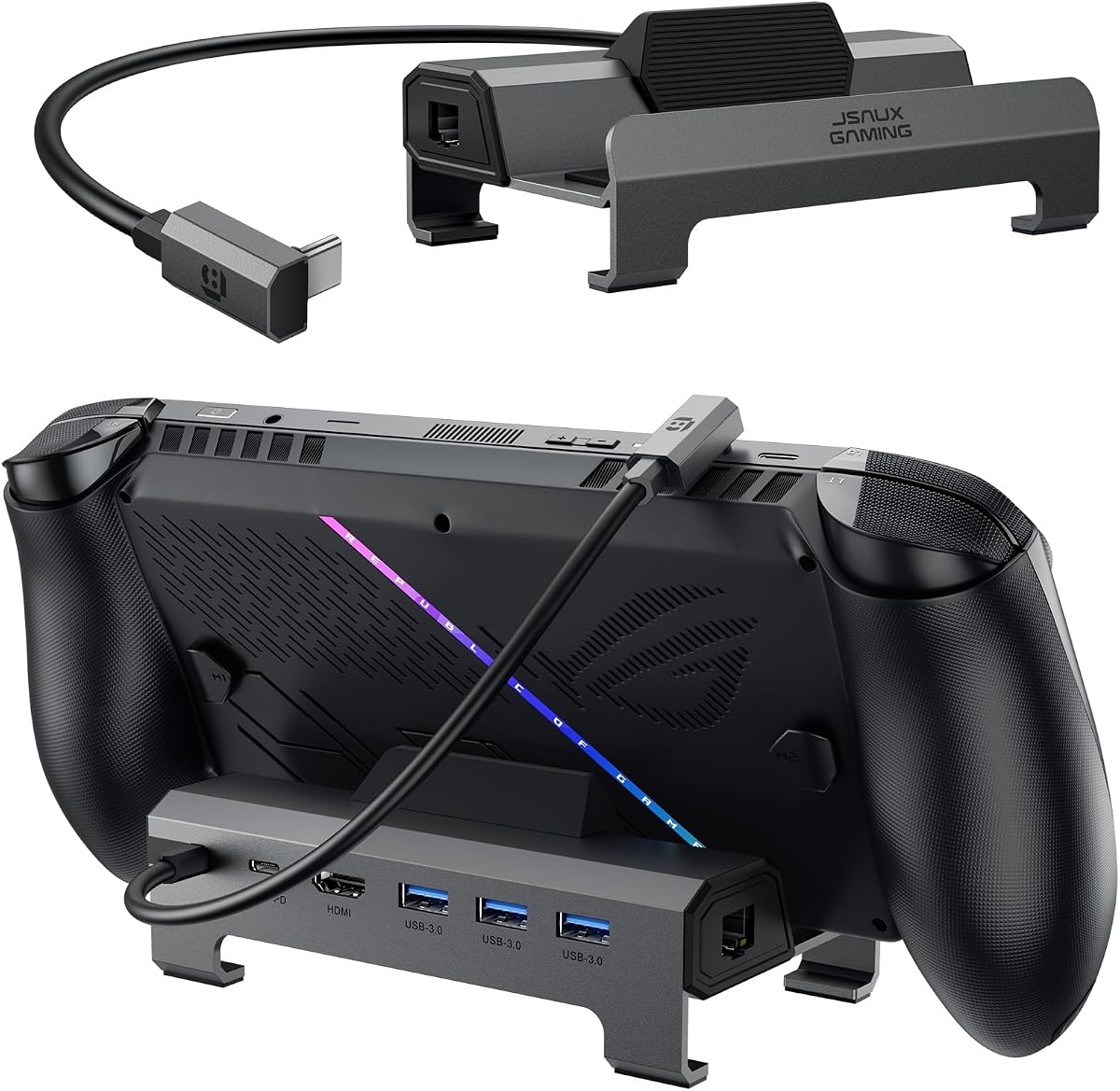
The JSAUX HB0612 earns the highest rating in this group at 4.7, reflecting a well-rounded feature set and a broadly useful design. It combines HDMI 2.1 output at 4K and 120Hz, Gigabit Ethernet, three 5Gbps USB 3.0 ports, and up to 100W pass-through charging.
We may earn a commission when you buy through this link, at no additional cost to you.
Its widened and raised base is designed to accommodate handhelds with protruding grips. That detail matters for the ROG Ally family, whose controls and body shape can look less secure on a narrow generic cradle. The dock also works with ROG Xbox Ally models, Steam Deck LCD and OLED, ROG Ally and Ally X, and several other Windows or SteamOS handhelds.
The three USB ports are sufficient for common accessories such as a keyboard, mouse, controller, or portable SSD, while Ethernet provides a stable alternative to wireless networking. The 100W charging specification supports full Turbo Mode behavior on listed compatible handhelds when paired with a 100W charger.
This is the strongest premium recommendation in the roundup because it does not rely on a single novelty feature. It combines high-refresh video, broad compatibility, a thoughtful grip-friendly base, wired networking, and strong charging support in a relatively focused six-port design.
The raised, widened base gives devices with larger controls and grips a more secure resting position. This is a meaningful improvement over narrow cradles that leave part of the handheld unsupported.
Support for major handheld families makes the HB0612 useful to owners who switch between Windows and SteamOS devices. Its common port layout avoids unnecessary complexity while preserving the most frequently used connections.
We may earn a commission when you buy through this link, at no additional cost to you.
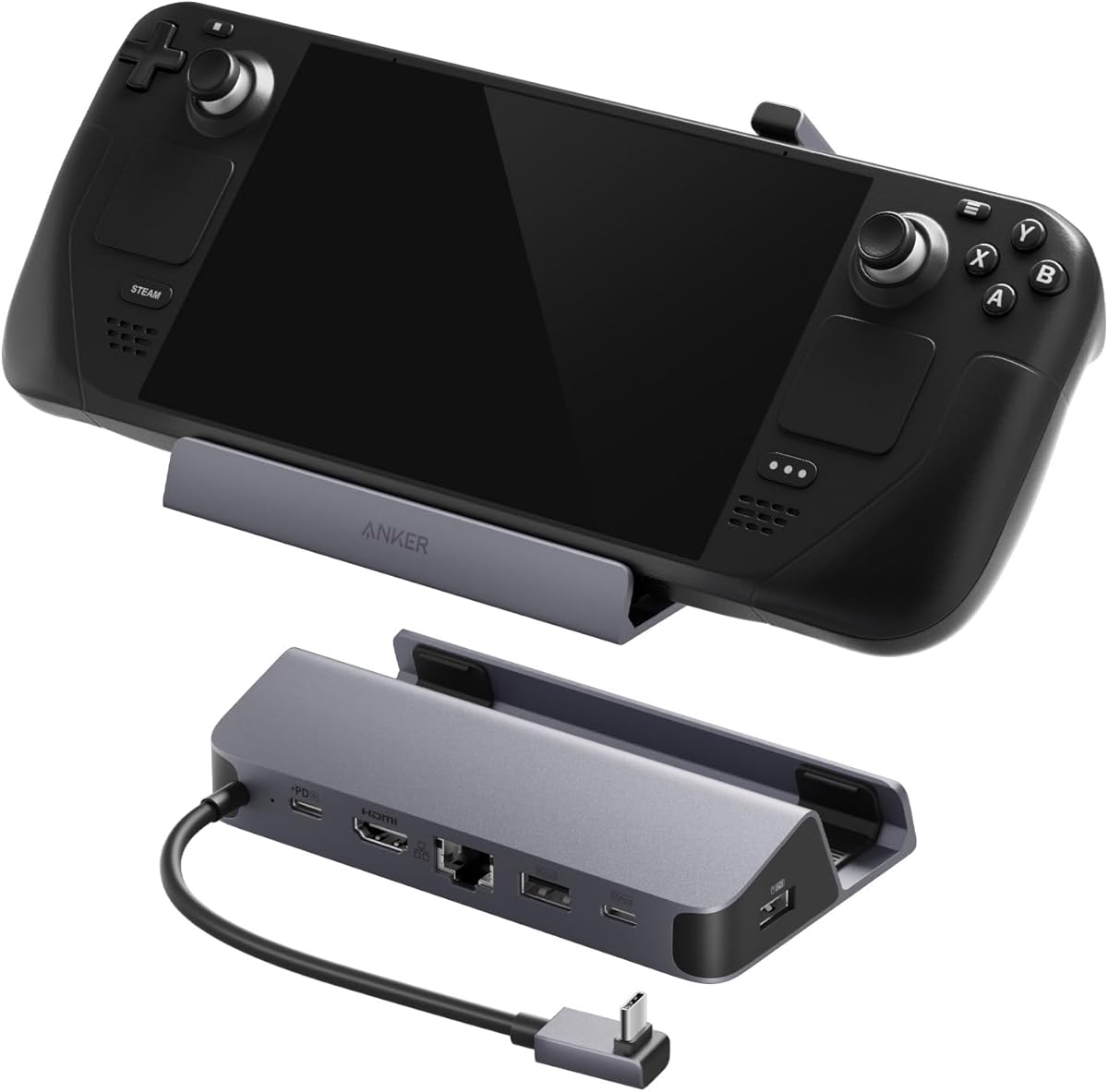
The Anker Steam Deck Dock is a six-in-1 hub with a 4.4 rating. It offers 100W PD input, 4K at 60Hz HDMI, 1Gbps Ethernet, two 5Gbps USB-A ports, and one 5Gbps USB-C data port in a design centered on straightforward desktop connectivity.
We may earn a commission when you buy through this link, at no additional cost to you.
The built-in 8.66-inch USB-C cable removes the need to pack a separate host cable, making the dock easier to carry between locations. Ethernet offers a stable wired option for games and downloads, while the USB ports accommodate a controller, keyboard, mouse, or storage device.
The 60Hz video ceiling makes this a better fit for 4K television gaming and standard desktop productivity than for competitive play on a 120Hz or 144Hz monitor. The USB-C data port does not support screen mirroring, so the dedicated HDMI connection remains the primary video route.
Anker's 18-month warranty and included welcome guide add reassurance, and the rating is favorable among this list. The Anker is a sensible choice for someone who values a simple, recognizable, portable hub more than high-refresh gaming or an upright cradle.
The integrated host cable removes a common packing problem for portable setups. It is especially convenient when the dock and handheld are moved together between a living room, office, or travel location.
Gigabit Ethernet and multiple 5Gbps USB connections cover the most common wired desktop needs. The straightforward arrangement is easy to understand and avoids paying for ports that rarely serve a practical purpose.
We may earn a commission when you buy through this link, at no additional cost to you.
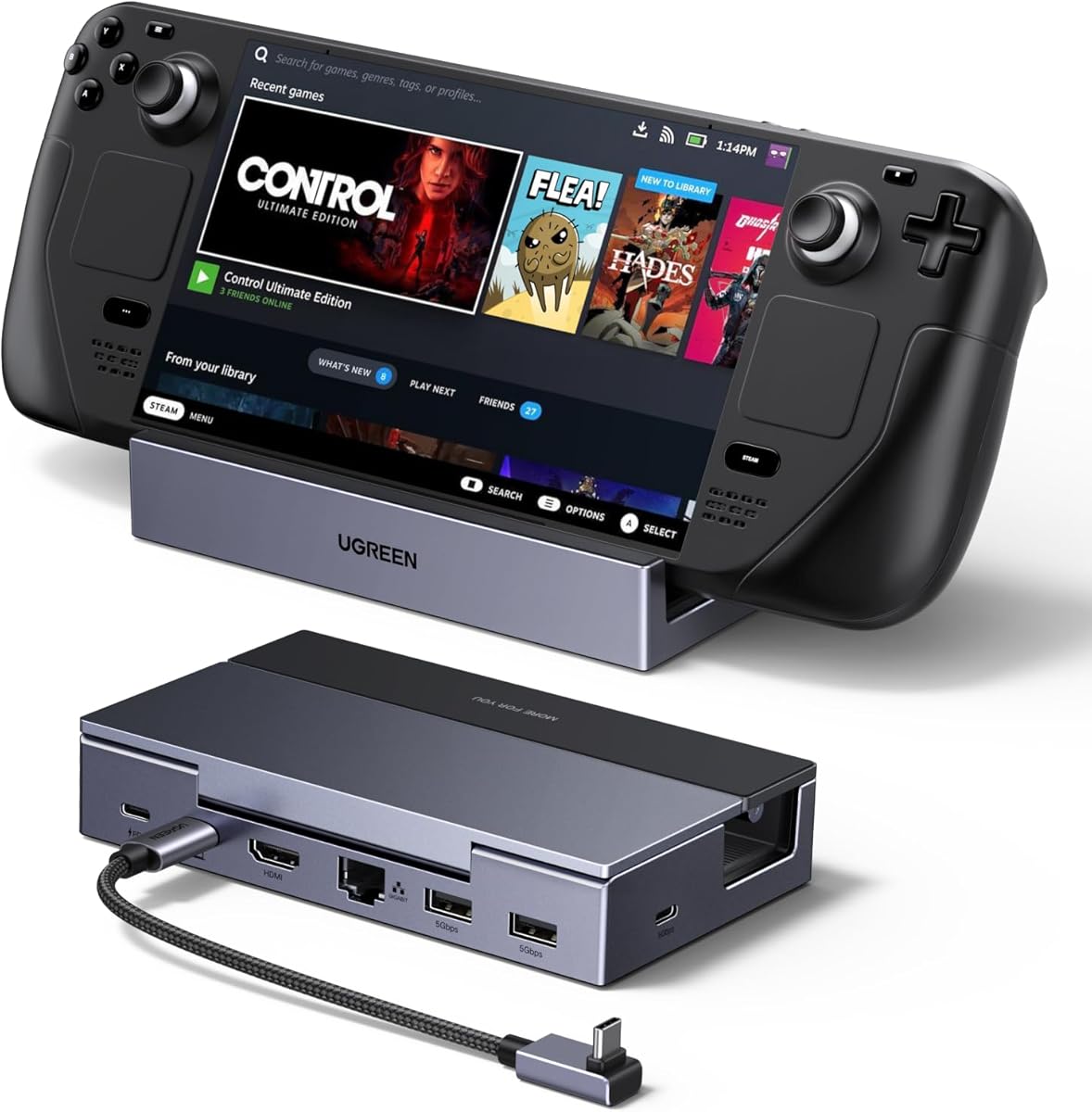
The UGREEN Steam Deck Dock is a 6-in-1 model with a 4.3 rating that combines 4K at 120Hz output, VRR, FreeSync, and G-Sync support. These features make it one of the most attractive options for owners of a compatible high-refresh and variable-refresh display.
We may earn a commission when you buy through this link, at no additional cost to you.
Its 100W PD 3.0 input powers the host device at up to 85W while operating the dock. Two USB-A 3.0 ports, one 5Gbps USB-C data port, and Gigabit Ethernet provide a focused set of wired connections for peripherals, storage, and networking.
The foldable stand uses aluminum alloy and PC+ABS to maintain a stable base while reducing the desk footprint. Broad compatibility covers ROG Ally, ROG Xbox Ally, ROG Xbox Ally X, Steam Deck, Legion Go, and other USB-C systems, with plug-and-play operation across Windows, macOS, Linux, and SteamOS.
This is a well-balanced pick for a modern display setup because it supports both 120Hz and VRR without expanding into a large collection of legacy ports. It is not compatible with Nintendo Switch 2, and owners needing many USB devices may prefer a dock with more data connections.
VRR, FreeSync, and G-Sync support can reduce tearing when the handheld and external display are operating within their supported ranges. The game, driver, and monitor must all participate for the feature to deliver its intended benefit.
The 100W input budget allows up to 85W to reach the host while leaving power for dock operation. Built-in TVS, ESD, and over-current protection are useful safeguards for a permanently installed setup.
We may earn a commission when you buy through this link, at no additional cost to you.
The YCE 14-in-1 is a large, permanent-style dock with a 4.0 rating. Its standout feature is an integrated M.2 NVMe expansion slot, allowing compatible supported devices to add storage for games, files, and other data without relying only on external removable media.
We may earn a commission when you buy through this link, at no additional cost to you.
The port selection includes HDMI 2.0 with 4K at 60Hz, Gigabit Ethernet, one 5Gbps USB 3.0 port, three USB 2.0 ports, USB-C PD 3.0 with 100W charging, an SD and TF reader, and a button for changing the screen output. A 40Gbps USB-C adapter, HDMI cable, and other accessories are included.
Cooling is handled by removable fans with three adjustable speed levels and multicolor lighting. Users can remove the fans when active cooling is unnecessary. The large stand, storage expansion, and extensive layout make this more of a complete desktop station than a travel accessory.
It supports Steam Deck, ROG Ally, Legion Go, Switch, and many USB-C devices. The trade-off is clear: storage and cooling flexibility are excellent, but 60Hz video, numerous legacy ports, and the larger construction make it less attractive to buyers who want a compact or high-refresh setup.
The M.2 NVMe slot offers a different kind of expansion from external USB storage. Buyers should confirm that the host device and operating system support the dock's storage feature and verify supported drive formats before installation.
Three fan speeds allow users to balance airflow, acoustics, and lighting according to the environment. Removing the fans also converts the dock into a less crowded stand for cooler rooms or lighter workloads.
We may earn a commission when you buy through this link, at no additional cost to you.
The best ROG Ally dock depends on how you play, which display you use, and how many peripherals need to remain connected. Prioritize the features used every session rather than selecting solely by port count or model name.
HDMI specifications determine the maximum resolution and refresh rate available to a dock. Options in this roundup range from 4K at 60Hz to 4K at 120Hz and 4K at 144Hz. A higher ceiling can make a visible difference in competitive games and fast motion, but only when the monitor, cable, game, and handheld settings support that mode.
Prioritize 120Hz or 144Hz for high-refresh gaming. Choose 60Hz when the dock mainly supports television play or productivity.
A dock's maximum charging figure describes its input capability, while the handheld has its own limit. Several models support up to 100W, and some list reduced device-specific maxima. Many do not include a power adapter, so an existing compatible USB-C PD charger may need to be purchased separately.
Use a 100W charger for the best chance of sustaining Turbo Mode and steady charging. Verify the dock and handheld limits.
Count the peripherals you expect to keep attached rather than choosing the model with the largest headline port total. USB-A 3.0 and USB 3.2 Gen 1 provide 5Gbps, while faster 10Gbps USB-A ports are useful for external storage. Legacy USB 2.0 ports remain handy for older controllers and inexpensive accessories.
Choose at least three data ports for a typical keyboard, mouse, and controller arrangement. Add storage ports when transfer speed matters.
Gigabit Ethernet is a major advantage for online multiplayer, large downloads, remote play, and streamed services. It can provide more consistent latency than a crowded wireless environment, especially when the handheld is physically close to a router.
Include Ethernet in your decision for competitive gaming. Wireless remains convenient for occasional travel use.
A dock can be a full stand, a detachable modular base, or a simple wired hub. Upright cradles are convenient for television gaming, while hubs are easier to pack and work with whatever support the player already owns. Grip-friendly widened bases improve stability for devices with protruding controls.
Choose a stand for permanent use. Choose a compact hub or detachable base for portability and flexible placement.
Active fans may improve airflow around a handheld during long sessions, while metal housings provide passive heat dissipation. Fans add size, noise, and lighting, so they are most useful in a stationary setup. A larger open structure may also keep rear cooling vents unobstructed.
Choose active cooling for frequent extended play. Favor a simpler open stand for quiet or portable arrangements.
Compatibility differs among the original ROG Ally, ROG Ally X, 2025 ROG Xbox Ally and ROG Xbox Ally X, Steam Deck, Legion Go, and other handhelds. Some JSAUX models explicitly exclude the new Xbox-branded ROG devices, making the model number and support list important to check.
Confirm the exact handheld model before buying. Update the device BIOS when a dock relies on newer firmware or Turbo Mode features.
Some docks add card readers, audio connections, storage slots, joystick caps, RGB lighting, or screen-output controls. These can be valuable in a permanent workstation, but they add complexity and physical bulk. A simple six-port hub may be more appropriate for occasional travel.
Prioritize specialized features only when they serve a clear purpose. Avoid paying for complexity that will remain unused.
Begin by identifying the dock's host connection, power input, video output, and peripheral ports. Place the handheld securely in the stand or connect its USB-C port to the dock, then attach the appropriate 100W USB-C PD charger when the setup calls for full charging or Turbo Mode. Connect the display with a compatible HDMI cable and select the correct input on the television or monitor.
Add Ethernet and only the USB accessories that will be used during the session. After connecting the display, adjust the handheld's resolution, refresh rate, and display mode through its operating system. If mirroring, high bandwidth, VRR, or multi-screen behavior is problematic, update the handheld and dock firmware and verify that every cable and display supports the intended mode.
Keep the handheld's intake and exhaust vents clear, particularly when using an enclosed stand or active cooling system. Wipe the dock with a dry, soft cloth, avoid moisture around the ports, and do not use aggressive solvents. Route the host and power cables so they cannot pull the handheld from the cradle, and periodically check connectors for heat, discoloration, or looseness.
A capable dock can provide external display output, charging, wired networking, and support for several peripherals. It does not replace the processing power, storage, cooling, or operating system of a desktop, so demanding applications may still perform differently. Docks with high-refresh HDMI, VRR, and strong power delivery offer the closest desktop-style experience.
It depends on the model. The SABRENT DS-RA6P explicitly ships without a charger, while the supplied information for other docks does not consistently identify an included adapter. Check the package contents and use a USB-C PD charger that meets the dock's stated input requirement. A 100W adapter is recommended for the strongest charging and Turbo Mode support.
No. Compatibility depends on the exact dock and its published support list. The JSAUX HB0609, HB0612, iVANKY models, and UGREEN dock list support for ROG Xbox Ally devices, while the JSAUX HB0603 explicitly excludes the ROG Xbox Ally and ROG Xbox Ally X. Always verify the model name and year before ordering.
It can be worthwhile when the external display and games support high frame rates. A 120Hz or 144Hz mode makes fast motion and competitive shooters feel more responsive than a 60Hz display. However, the handheld must render enough frames, and the game, monitor, cable, and graphics settings must all support the target mode.
VRR is desirable for a high-refresh monitor because it can reduce tearing when the frame rate changes. Among these products, the UGREEN model explicitly lists VRR, FreeSync, and G-Sync support. The JSAUX HB0609 specifically does not support VRR or ALLM, and other models do not make equivalent claims, so check the specifications before relying on adaptive-sync features.
Ethernet is usually more consistent because it avoids wireless congestion and offers a stable connection path. The advantage is especially useful for online competitive games, downloads, and streaming. A dock with 1Gbps Ethernet gives the ROG Ally a practical wired option, although it adds a cable that must reach the router or network switch.
Some docks actively move air toward the handheld using adjustable fans, while others use open stands and metal bodies for passive heat dissipation. Cooling can help maintain airflow around the device, but it does not replace good ventilation or responsible room conditions. Fans also add noise and make a dock less convenient for travel.
Confirm that the handheld supports the dock's output path, use an HDMI cable capable of the selected resolution and refresh rate, and update both the handheld and dock firmware. If image mirroring is undesirable, check the handheld's display and application settings. Also verify that the power adapter provides the wattage needed for the intended charging mode.
The JSAUX HB0612 is the strongest all-around premium choice because it combines a 4.7 rating, 4K at 120Hz output, Gigabit Ethernet, 100W pass-through charging, and broad support for modern handhelds. The JSAUX HB0609 offers a particularly practical modular design, while the iVANKY 8-in-1 leads the group with 4K at 144Hz output and ROG-oriented performance features.
The right dock for other buyers depends on the priorities. A 60Hz hub may be sufficient for television gaming, while a 120Hz model with VRR suits a modern gaming monitor. Storage slots, card readers, cooling fans, and many legacy USB ports make larger docks more useful but less portable.
Before ordering, verify the exact handheld model, display capabilities, charger wattage, and included accessories. Retailer listings and promotional offers can change, so confirm the current specifications and package contents to ensure the selected dock fits the intended setup.