ACMER S1 6W
4.3Editor score
Compact two-kilogram frame
Preassembled near shipping
130mm square workspace
Acmer laser engraver guide comparing ten models for power, precision, workspace, safety, software, material versatility, connectivity, and ease of use for home
An Acmer laser engraver can turn artwork, lettering, logos, and practical designs into personalized items, educational materials, decorative pieces, and small-batch products. The right machine balances cutting power, optical precision, workspace size, software support, safety provisions, and the materials you expect to work with regularly.
This guide compares ten current ACMER models using the specifications and product information supplied for each machine. It covers desktop engravers from compact 6W units to switchable 48W systems, highlighting differences in working area, air assist, connectivity, supported formats, and compatibility with ACMER Studio, LightBurn, or LaserGRBL.
The selections show why the best machine is rarely determined by wattage alone. A 7W model may suit detailed personalization, a 20W unit may serve more demanding cutting, and an enclosed system may appeal to operators prioritizing smoke control and safety. Product availability and selling prices can change, so confirm current specifications and terms before ordering.
4.3Editor score

4.4Editor score

5.0Editor score
This side-by-side comparison highlights each engraver's laser configuration, working area, precision, airflow, connectivity, and safety approach so buyers can match a machine to their preferred materials and production demands.



The ACMER S2 12W combines a true 12W laser module with a 300 × 300mm work area, giving it a balanced profile for engraving and moderately involved cutting. Its supplied information reports a 4.4 rating, a refined 0.08 × 0.08mm laser spot, and positioning accuracy of up to 0.01mm. Those characteristics make it the strongest general-purpose recommendation in this guide.
We may earn a commission when you buy through this link, at no additional cost to you.
The machine is listed as compatible with more than 100 materials, including wood, leather, acrylic, and coated metal. Its stated cutting capacity reaches 15mm paulownia wood and 12mm black acrylic over multiple passes, while the 72W total system power supports a broader operating range than a basic entry-level engraver. The large workspace also permits multi-piece layouts, layered artwork, and signs without constant repositioning.
Software flexibility is another strength. ACMER Studio handles design editing, material settings, engraving setup, and machine control, while LightBurn and LaserGRBL provide additional familiarity for users with existing workflows. Optional rotary modules, risers, and air assist can extend the system, although those upgrades are not part of the standard package. Buyers wanting the cleanest cutting environment may therefore need to budget for a separate enclosure or extraction solution.
The included anti-UV shield, safety goggles, and motion-protection pause function make this a sensible choice for home workshops, classrooms, and small creative businesses. It is not the most compact or enclosed option, but it offers a persuasive combination of power, fine detail, workspace, and expandability. Choose it when you want meaningful cutting capability without moving to a larger industrial-style machine.
The small focused spot is well suited to text, logos, photographs, and intricate line art, while the 12W module provides the force needed for repeated cuts in common craft materials. This makes the S2 useful for both decorative engraving and functional production pieces.
Compatibility with three major control environments and optional rotary, riser, and airflow accessories gives the machine room to grow. Verify the rotary attachment and other modules are compatible with the exact S2 configuration before purchasing them.
We may earn a commission when you buy through this link, at no additional cost to you.
This ACMER S2 12W listing combines the same true 12W laser and 300 × 300mm work area with a particularly clear emphasis on beginner-friendly software. It holds a 4.3 rating and uses a 0.08 × 0.08mm spot, with claimed engraving accuracy of up to 0.01mm. Its distinguishing feature is the free ACMER Studio workflow, including AI tools for converting text prompts or photographs into engraving designs.
We may earn a commission when you buy through this link, at no additional cost to you.
The advanced 32-bit controller is listed as supporting engraving speeds up to 10,000mm/min. Power performance is also substantial, with the system described as capable of cutting up to 15mm paulownia wood and 12mm black acrylic through multiple passes. A user who can already work in LightBurn or LaserGRBL may prefer those interfaces, while a first-time user can begin with the more guided ACMER Studio environment.
The product's main compromise is that its central selling point is software rather than a unique physical specification. Compared with the previous S2 listing, the machine shares a similar laser rating, workspace, speed, material range, and expansion path. That means buyer attention should shift to the included design experience, operating system support, and whether optional rotary or riser modules suit the intended projects.
This is a particularly accessible recommendation for users interested in rapidly creating personalized gifts, labels, ornaments, and artwork from prompts or imported photos. It also suits makers who want standard engraving software available for future use. Select it over the closely related S2 when the streamlined AI-assisted design process and clearly described software workflow matter most.
The built-in AI design tools reduce the barrier between an idea and a prepared engraving file. They are especially convenient for quick mockups, although established vector artwork can still be created in ACMER Studio, LightBurn, or LaserGRBL.
With a true 12W source and multi-pass cutting figures, the machine is more versatile than many similarly compact hobby units. Real results still depend on material composition, focus, settings, and the number of passes.
We may earn a commission when you buy through this link, at no additional cost to you.
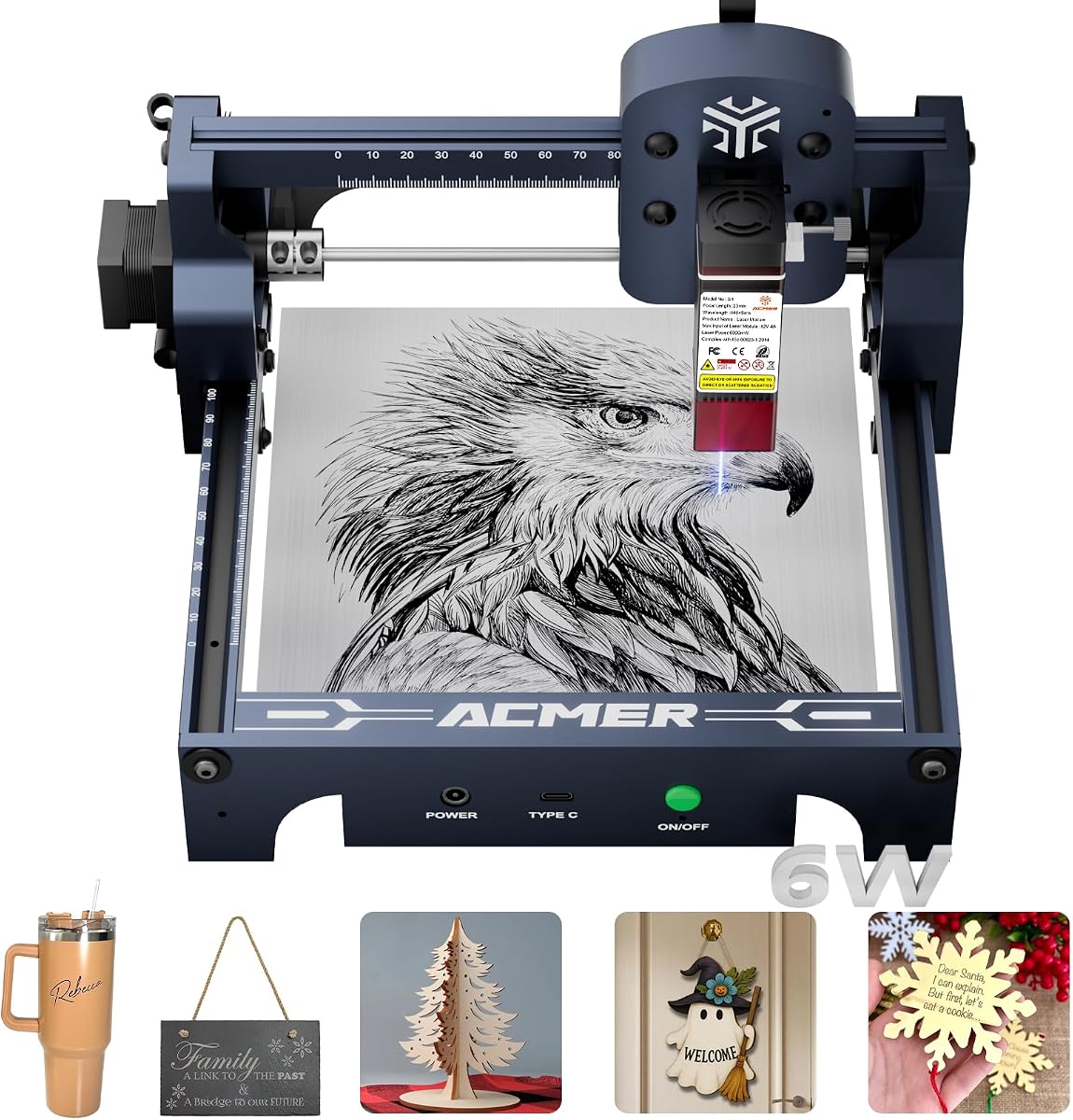
The ACMER S1 6W is built for beginners, hobbyists, and creators who value a small footprint more than large-format cutting. It arrives 99% preassembled and needs only a stated one-minute laser-head installation. The supplied rating is 4.3, and the machine's two-kilogram industrial aluminum frame is easy to move, store, or use in a shared workspace.
We may earn a commission when you buy through this link, at no additional cost to you.
Its 130 × 130mm working area is the main limitation. That is enough for compact tags, coasters, small ornaments, jewelry blanks, and prototypes, but it will require repeated positioning for signs or larger panels. The 6000mW diode laser reaches up to 10,000mm/min engraving speed and offers 0.01mm repeatable positioning, making it more than adequate for crisp text, logos, and graphic engraving on thin materials.
Material options include wood, bamboo, leather, plastic, PCB, aluminum oxide, and ceramics. It can also cut thin plywood, MDF, and acrylic, so the machine supports both engraving and light cutting tasks. Compatible file formats include NC, DXF, BMP, JPG, and PNG, while Windows, macOS, and Linux support broadens its usefulness across common creative computers.
The S1 is best for learning design preparation, focus, speed, power, and material settings in a compact setup. Its 12-month warranty, stated 24/7 support, Class 4 certification, and IEC 60825-1 compliance add reassurance, although safe operation still requires proper eyewear, ventilation, and responsible handling. It is a sensible first machine when portability and ease of assembly outweigh workspace size.
The largely assembled frame and simple head installation reduce the barrier to a first project. New users can focus on learning the software and testing settings rather than spending hours assembling a full-size machine.
Although the workspace is small, the stated laser accuracy, speed, file support, and lightweight frame make the S1 useful for personalization and small batch craft work. Larger workpieces are outside its practical advantage zone.
We may earn a commission when you buy through this link, at no additional cost to you.
The ACMER S2 7W combines a true 7W output with the same generous 300 × 300mm workspace found on larger S2 configurations. It has a 5.0 supplied rating and a 0.08 × 0.08mm laser spot, with engraving accuracy stated at up to 0.01mm. This combination makes it particularly attractive for users who prioritize fine detail and spacious layouts over maximum cutting force.
We may earn a commission when you buy through this link, at no additional cost to you.
The machine supports engraving across more than 100 materials, including wood, acrylic, leather, and coated metal. Its stated multi-pass cutting ability reaches 13mm paulownia wood and 6mm black acrylic. That places it between a dedicated engraver and the higher-output 12W S2, offering a middle path for users who occasionally cut but usually work with small, detailed designs.
Speed reaches up to 10,000mm/min, and the software arrangement includes free ACMER Studio with AI-assisted design functions plus LightBurn and LaserGRBL. Windows, macOS, and Linux compatibility makes the operating system less restrictive. The supplied feature set also includes an anti-UV shield, safety goggles, and motion detection that pauses operation after abnormal movement.
Optional rotary modules, risers, enclosures, and air-assist pumps allow the S2 7W to expand beyond flat work. That modular approach is useful for tumblers, bottles, taller workpieces, and applications that benefit from cleaner airflow. The primary reason to choose this model over the 12W version is simplicity and a lower-power configuration; the reason to choose the 12W is deeper, faster cutting.
A seven-watt source is sufficient for crisp surface engraving and measured cutting in suitable materials. The narrow spot helps preserve fine lettering and intricate outlines when the material is properly focused and configured.
The motion-triggered pause, anti-UV shield, and included goggles create a more considered safety setup than a bare open-frame system. Operators should still use extraction and follow all laser safety guidance.
We may earn a commission when you buy through this link, at no additional cost to you.
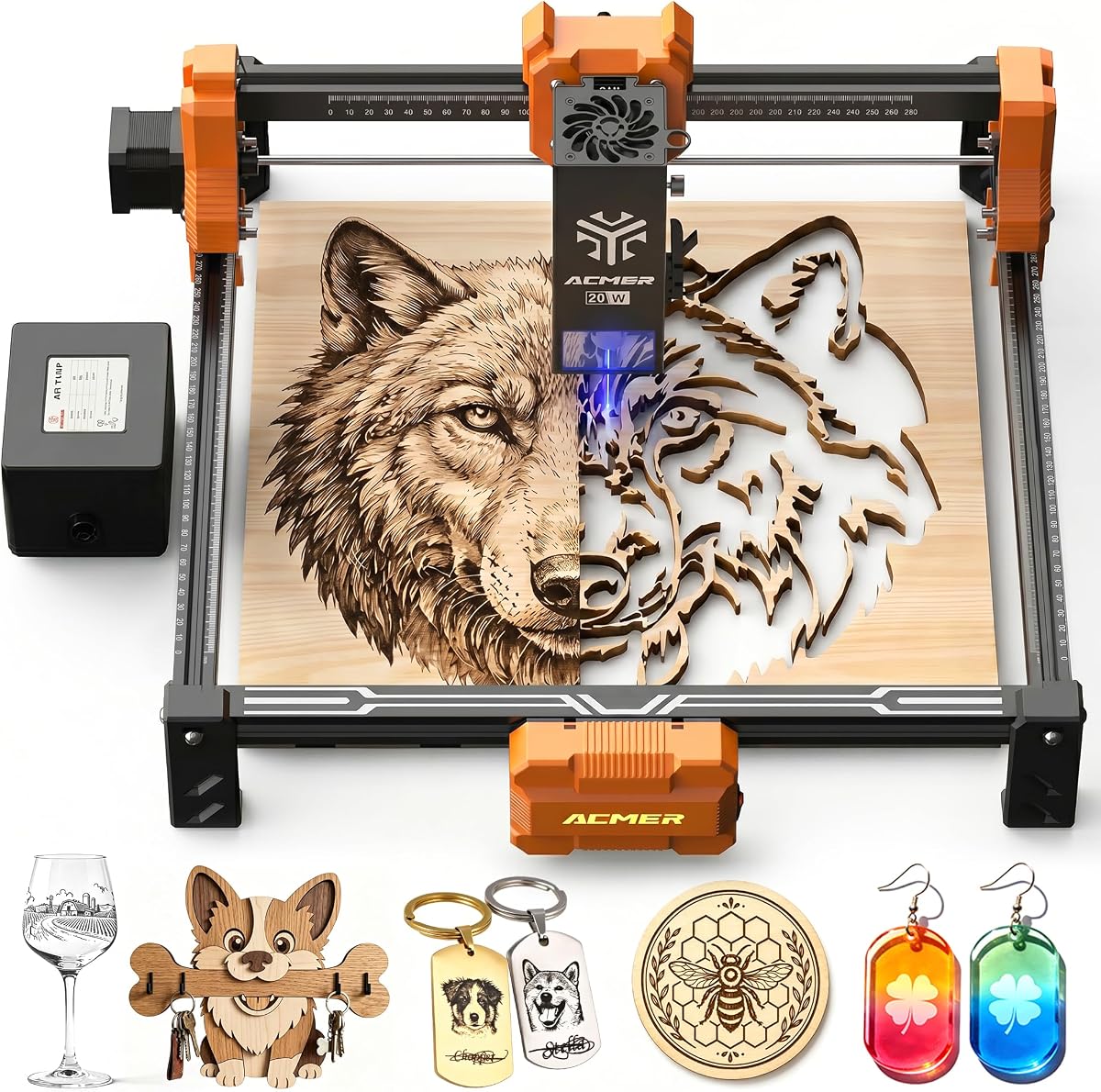
The ACMER P1 S Pro 20W is aimed at makers who need more cutting authority than a conventional hobby engraver. Its true 20000mW diode module operates at 455±5nm and has a 5.0 supplied rating. A compressed 0.08 × 0.1mm spot and engraving accuracy of up to 0.01mm allow it to handle logos, small text, photo engraving, gradients, and complex artwork.
We may earn a commission when you buy through this link, at no additional cost to you.
A major advantage is the included 25L/min air assist pump. Airflow can move smoke and loose debris away from the work, reduce burn residue, and help protect the lens. This is particularly helpful when cutting wood and acrylic. The listed performance reaches 10,000mm/min with acceleration up to 500mm/s², supporting both small batch work and larger creative runs.
The machine works with ACMER Studio, LightBurn, and LaserGRBL, and accepts NC, DXF, BMP, JPG, and PNG files. Windows, macOS, and Linux support keeps the workflow broad. The laser head reportedly uses blue-light synthesis technology and has an 8,000-hour lifespan, while limit switches help prevent over-travel at the machine boundaries.
Compared with a 6W or 7W model, the 20W source offers more headroom for deeper cuts and thicker materials, but it also increases the need for careful settings and smoke extraction. It is a strong choice for dedicated hobbyists, educators, and small businesses that regularly process wood, acrylic, leather, bamboo, PCB, ceramic, and paper.
The bundled air assist pump is a meaningful advantage for a 20W machine because it supports cleaner cutting and engraving. Position the airflow correctly and pair it with appropriate extraction to manage smoke effectively.
Limit switches, broad file compatibility, and familiar control software make this model suitable for repeat work. Speed and acceleration figures are most useful when paired with tested material settings rather than used as isolated performance promises.
We may earn a commission when you buy through this link, at no additional cost to you.
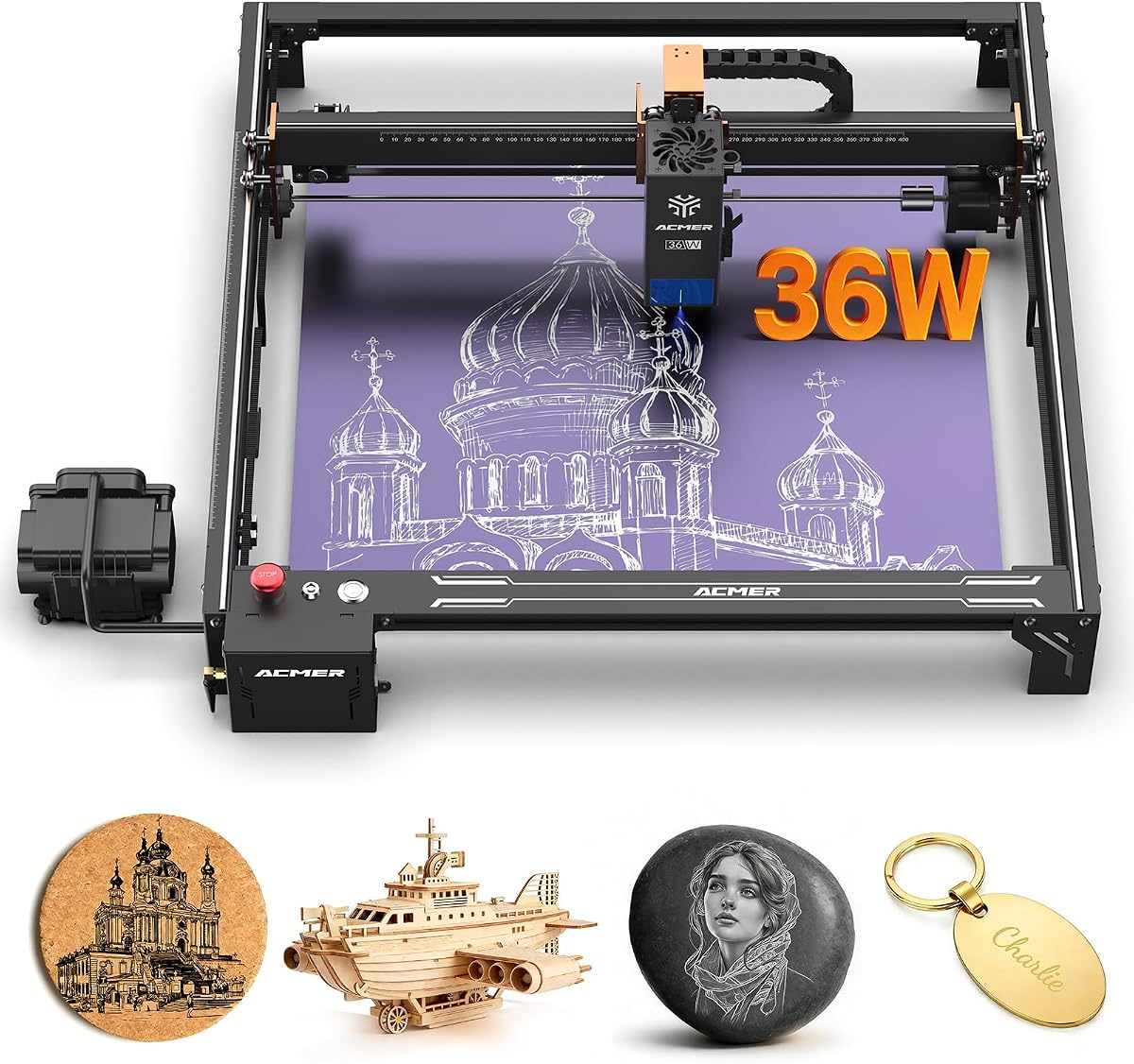
The ACMER S2 Pro 36W is the speed-focused choice in this roundup. Its true 36,000mW module, up to 24,000mm/min engraving speed, and 400 × 400mm workspace distinguish it from conventional desktop hobby models. The 4.1 supplied rating is the lowest among the listed products, but the specification set is aimed at operators who value throughput and structural stability.
We may earn a commission when you buy through this link, at no additional cost to you.
Dual linear rails support smoother movement at higher speeds and are intended to reduce vibration and alignment errors. The laser spot is 0.08 × 0.1mm, with accuracy stated at up to 0.01mm, allowing fine text and intricate graphics to remain legible during production runs. A built-in 30L/min air pump automatically assists engraving and cutting to clear smoke, debris, and burn residue.
Safety provisions include a gyroscope-based tilt protection system, emergency stop, and child lock. Connectivity through WiFi, TF card, or USB PC connection allows flexible control, including offline operation. The machine is described as compatible with ACMER Studio and LaserGRBL, making it practical for users who want computer-based control without relying on a single operating system.
The trade-off is that this remains an open-frame machine despite its advanced features, so fumes and possible light exposure still require an enclosure, extraction, and disciplined procedures. It is most appropriate for experienced operators or a dedicated small workshop handling larger runs, deeper cuts, and work that benefits from the stated 24,000mm/min speed.
The dual linear rail system is the key mechanical distinction, offering a steadier platform when moving at higher speeds. This can matter more than headline wattage for batch jobs that repeat the same path many times.
Integrated 30L/min airflow and three connection methods make the system convenient for continuous workflows. Offline TF card operation can add resilience when a live network or computer connection is not convenient.
We may earn a commission when you buy through this link, at no additional cost to you.
The ACMER S2 20W offers a strong balance of cutting power, precision, and work area for dedicated makers. It carries a 5.0 supplied rating and uses a true 20W diode module at 455±5nm. Its 300 × 285mm workspace is nearly square and large enough for signs, gift pieces, layered projects, and multi-piece arrangements.
We may earn a commission when you buy through this link, at no additional cost to you.
A compressed 0.09 × 0.1mm spot and up to 0.01mm engraving accuracy support clean lines, small text, logos, photographs, and smooth gradients. The supplied information also lists engraving speeds up to 10,000mm/min and acceleration up to 300mm/s², giving this machine a credible performance profile for both hobby and small-business production.
The included 25L/min air assist pump is a notable feature. It can reduce burn marks, clear debris, and improve edge quality by directing air toward the active cutting zone. Wood, acrylic, leather, paper, bamboo, PCB, and ceramic are all listed as supported materials, allowing a broad mix of craft and functional projects.
Built-in limit switches help define the working area and reduce the chance of the head striking the frame. NC, DXF, BMP, JPG, and PNG formats are supported, as are Windows, macOS, and Linux. This model is well suited to users who want a 20W system and bundled airflow without moving to the more specialized enclosed P3 designs.
Bundled air assist improves the working environment around the material and helps clear residue from the beam path. It does not replace proper smoke extraction, but it is a useful first layer of debris control.
The narrow spot, stated accuracy, and 300mm-class workspace let this system handle both decorative detail and larger arrangements. Whether a given project succeeds still depends on the material, focus, settings, and pass sequence.
We may earn a commission when you buy through this link, at no additional cost to you.
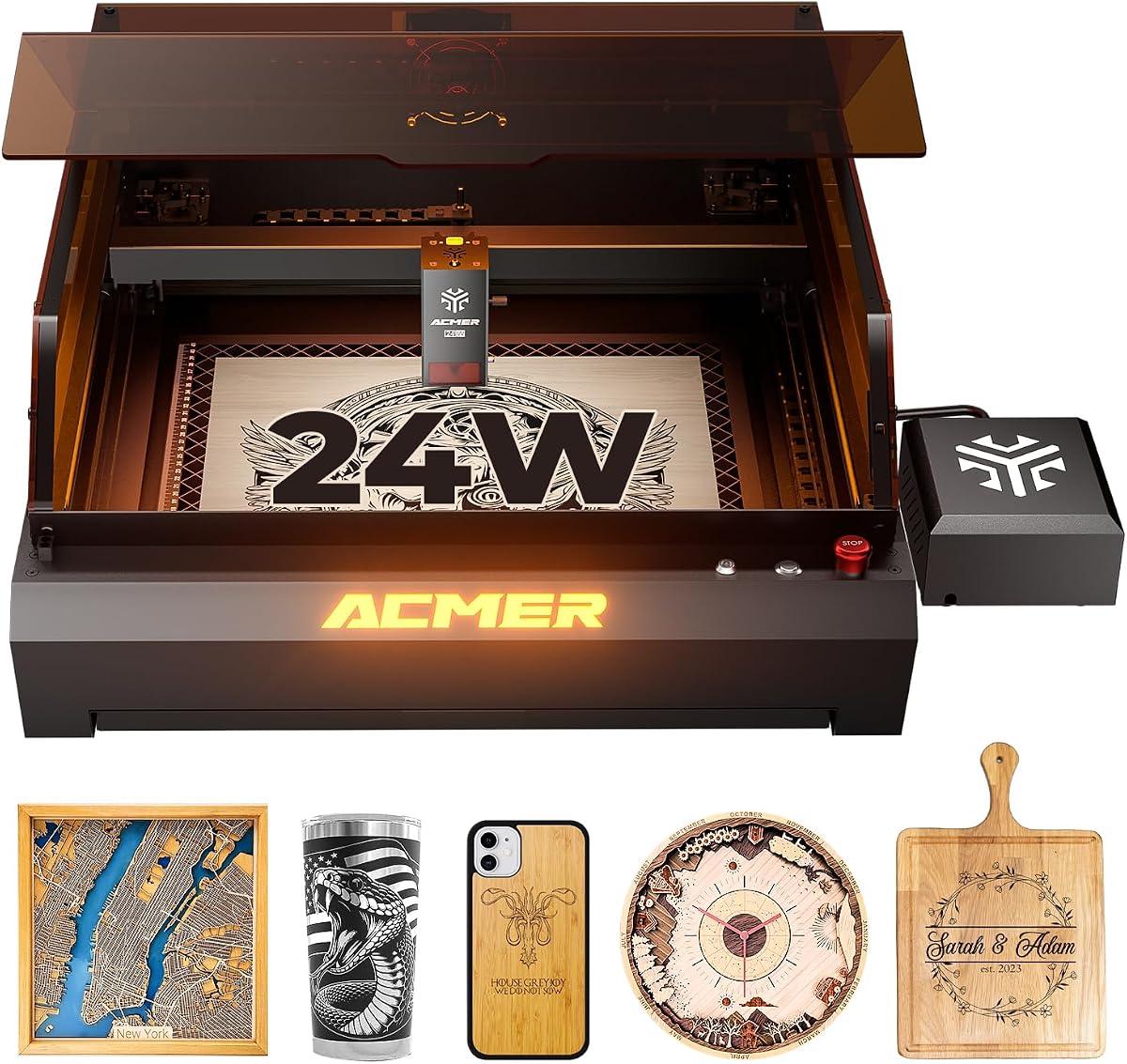
The ACMER P3 48W/24W is the most feature-rich premium model in this guide, combining switchable 24W and 48W diode output with an enclosed cabinet. It has a 5.0 supplied rating, a 0.08mm compressed spot, accuracy down to 0.01mm, and a maximum speed of 800mm/s. The CoreXY structure is designed to support speed and precision across a larger production area.
We may earn a commission when you buy through this link, at no additional cost to you.
Its closed-box construction is a major operational advantage. The listed design reduces smoke and noise by 90%, while automatic fire detection, over-temperature protection, a power lock, tilt protection, and flame detection provide multiple layers of protection. A 30L/min air pump adds active airflow to clear smoke, cool material, and support cleaner cutting and engraving.
Industrial-grade aluminum and linear guides add rigidity and durability. A free waste drawer and honeycomb plate help manage debris and improve the cutting environment. The enclosure also includes a visual camera, Wi-Fi, USB, and TF card support, allowing convenient operation with mobile apps or offline workflows.
The main trade-off is size and complexity. An enclosed, high-output system is naturally less portable and less approachable than a compact desktop engraver. Even so, it is the strongest option here for operators who value smoke containment, selectable power, advanced monitoring, and the ability to process more than 200 listed materials in a professional setup.
The ability to move between 24W and 48W lets operators match available power to the task and material. The higher setting provides deeper cutting potential, while the lower setting may be useful for detailed work or more conservative material settings.
The enclosed cabinet, integrated airflow, camera, and multi-sensor safety design create a materially different working environment from an open frame. These qualities are especially relevant for repeated production in a dedicated workshop.
We may earn a commission when you buy through this link, at no additional cost to you.
The ACMER P3 24W combines a 24W diode laser with an integrated housing and a broader dual-laser approach. The supplied information says infrared and diode lasers are integrated into one module, allowing the operator to switch between them for different material requirements. It carries a 5.0 rating and is aimed at users who want more than a basic open desktop platform.
We may earn a commission when you buy through this link, at no additional cost to you.
Its CoreXY structure and motion compensation algorithm are designed to reduce blurring and frame loss during high-speed movement. A 0.08mm compressed spot supports delicate imagery, while the stated engraving accuracy reaches 0.01mm. The 400 × 400mm work area creates ample room for larger signs, batches, and multi-piece layouts.
A built-in camera enables visual material positioning, and the supplied information states positioning accuracy of up to 2mm when material is dragged into position. Compatibility includes LaserGRBL, LightBurn, ACMER APP, Windows, and macOS through LightBurn, with mobile application support. This combination can simplify visual setup and reduce wasted material.
The enclosure is designed to reduce smoke and noise by 90% and includes fire detection and alarm, over-temperature protection, limit protection, tilt protection, flame detection, a power lock, and an emergency stop. The trade-offs are the machine's physical bulk and greater complexity. It is a persuasive choice for a dedicated studio or business workspace where containment and camera-based setup are worth the larger footprint.
The integrated camera gives operators a way to locate material and monitor the work area visually. It can reduce placement mistakes, although the supplied 2mm positioning figure should be considered separately from the finer engraving accuracy.
The integrated infrared and diode module approach expands the machine's material and project potential. Users should confirm how each laser source behaves with their preferred materials before committing to a workflow.
We may earn a commission when you buy through this link, at no additional cost to you.
The ACMER P1 S Pro 6W brings together a six-watt dual-beam laser and a notably large 380 × 370mm workspace. It has a 5.0 supplied rating, a fine 0.06mm spot, and engraving precision stated at up to 0.01mm. That combination makes it appealing for detailed designs on larger panels, especially when a maker wants more working room than a compact desktop unit provides.
We may earn a commission when you buy through this link, at no additional cost to you.
The machine supports engraving speeds up to 10,000mm/min. Its stated cutting ability reaches 12mm wood and 8mm acrylic in one pass, a useful figure for a machine of this class. More than 100 materials are listed, including wood, bamboo, acrylic, leather, coated metal, anodized aluminum, glass, and paper, giving it a broad project mix.
WiFi, USB, and TF card transfer provide flexible control with PC software and mobile apps. The modular frame supports quick installation and maintenance, and an optional rotary attachment extends engraving to tumblers, bottles, mugs, and other curved objects. Users should verify accessory compatibility before buying the rotary unit.
Safety features include IEC 60825-1 Class 1 certification and included protective glasses with 97% UV filtering. The main limitation is that a six-watt source will not match the cutting authority of the 20W, 36W, or 48W machines. It is a good match for engraving-led users who value workspace, fine detail, and connected control more than aggressive cutting.
A 380 × 370mm bed supports larger layouts than typical entry-level compact frames. It is useful for wall pieces, decorative panels, signs, and batch arrangements that would otherwise be divided into many small jobs.
WiFi control, mobile app support, and TF card transfer let the machine fit different production habits. Local file transfer can be particularly useful for repeatable jobs that do not need continuous computer supervision.
We may earn a commission when you buy through this link, at no additional cost to you.
The most useful machine is the one that fits your material mix, project size, control preferences, and safety setup. Compare output power, focus quality, work area, airflow, enclosure design, and software before making a final choice.
Laser output establishes a practical ceiling for engraving and cutting. The models in this guide range from 6W and 7W configurations designed mainly for detailed work and light cutting to 20W, 24W, 36W, and switchable 48W systems intended for more demanding jobs. The supplied figures show that the 12W S2 can cut up to 15mm paulownia and 12mm black acrylic with multiple passes, while the 20W P1 S Pro lists a 6W capacity of 12mm wood and 8mm acrylic in one pass. These are useful comparisons, but actual results depend on material density, coatings, focus, settings, and the number of passes.
Choose lower output for engraving, personalization, and thin craft materials. Choose 20W or more when deeper cuts, thicker wood, or repeated production are routine. A high maximum wattage is not automatically a better machine, so balance it against precision, workspace, ventilation, and the materials you actually use.
The work area determines how much material can be positioned at once. The ACMER S1 offers a compact 130 × 130mm bed suited to jewelry, tags, coasters, and small blanks. Several S2 models use a 300 × 300mm or 300 × 285mm space, the P1 S Pro 6W reaches 380 × 370mm, and the larger P3 systems provide a 400 × 400mm range. A larger bed reduces repositioning but increases the size of the machine and the material support needed underneath it.
Match the bed to your largest common project rather than an occasional oversized idea. If you make small personalized items, a compact frame may be more convenient. If you routinely sign panels, assemble batches, or engrave plaques, prioritize a larger area and confirm the machine can be positioned securely on a suitable work surface.
A focused spot helps preserve fine lettering, narrow outlines, and small graphic elements. Spot sizes across this guide range from 0.06 × 0.06mm on the 6W model to approximately 0.08 × 0.08mm on the 12W S2 and 0.08 × 0.1mm on several 20W and 36W systems. Most machines claim engraving accuracy or repeatability around 0.01mm, which is useful context for comparing fine-detail capability.
Look beyond a single accuracy number and consider the complete design path. A stable frame, accurate focus, consistent bed surface, appropriate file resolution, clean optics, and sensible speed and power settings all influence the result. The dual-rail S2 Pro and CoreXY P3 configurations are particularly relevant when consistent high-speed performance is important.
Air assist directs a stream of air at the working area to move loose debris and reduce smoke residue near the beam. The 20W P1 S Pro includes a 25L/min pump, the 20W S2 includes a 25L/min pump, the 36W S2 Pro integrates 30L/min airflow, and the premium P3 includes a 30L/min air pump. These are meaningful differences for wood and acrylic work, where residue and burning can affect edges and optics.
Air assist is not the same as complete fume extraction. An open machine still needs an appropriate extraction solution and a well-ventilated workspace. Consider an enclosed model when noise, visible smoke, or operator proximity are significant concerns. A closed housing can improve control, but it still requires correct exhaust routing and safe operation.
Most ACMER systems support familiar engraving environments such as ACMER Studio, LightBurn, and LaserGRBL, but the exact set varies by model. The 12W S2 explicitly supports all three, while other listings mention a subset. The 24W P3 also includes an ACMER app and mobile support, and the 6W P1 S Pro supports mobile apps through its listed connectivity options. Consider both your preferred interface and the file formats your artwork already uses.
Look for support for common formats such as NC, DXF, BMP, JPG, and PNG, along with the required operating system. AI-assisted design tools in ACMER Studio can help beginners begin from prompts or photographs, while established users may prefer the finer control associated with LightBurn or LaserGRBL. Free and paid software requirements should be checked before purchase.
Laser engravers demand deliberate safety practices regardless of certification. The S1 includes Class 4 laser certification and IEC 60825-1 compliance, while the 6W P1 S Pro is described as tested and certified under IEC 60825-1 as a Class 1 laser. Other systems add shields, goggles, motion pauses, tilt sensors, emergency stops, child locks, temperature monitoring, power locks, and flame or fire detection.
An enclosure can reduce visible smoke and noise, while guards, interlocks, and automatic pauses add protection. None of these features replaces proper eyewear, ventilation, fire planning, material testing, and safe operating procedures. Choose the protection features appropriate to your workspace, and never operate a machine without understanding its emergency controls.
Connection options influence how designs move from preparation to production. USB remains a common direct route, while TF card support can enable offline workflows. The 36W S2 Pro, 24W P3, and 6W P1 S Pro support WiFi, and the premium P3 adds a visual camera. Computer control remains important for advanced editing, and mobile connectivity can be convenient for sending prepared jobs or monitoring simple tasks.
Choose a method that matches your operating habits rather than simply accumulating connection options. WiFi convenience is less valuable in a locked-down studio, while offline transfer may be useful in a remote workshop. Confirm the required control software, computer requirements, and whether mobile features support full editing or primarily file delivery.
Several ACMER systems can grow with optional rotary modules, risers, enclosures, and air-assist pumps. Rotary attachments allow engraving around tumblers, bottles, and mugs, while risers support taller workpieces. The 12W S2 and 7W S2 provide clear expansion paths, while the 6W P1 S Pro supports an optional rotary attachment. Accessories are generally sold separately and should be checked for exact machine compatibility.
Plan upgrades around a real need. A rotary unit makes sense for a maker specializing in drinkware, while an enclosure may be more valuable for reducing fumes in a shared room. Ensure the base machine's power, bed size, and controller can support the intended accessory rather than choosing accessories based only on the ACMER brand name.
Begin by reading the machine's instructions, identifying its emergency stop and limits, and setting up the supplied equipment on a stable, level surface. Confirm the correct software and operating system, prepare a design in the supported format, and focus the laser at the correct height before using any production settings. Test the focus and settings on the same material and thickness you plan to use.
For every job, use appropriate laser-rated eyewear, secure the material, clear the work area, and start extraction or ventilation before energizing the laser. Keep flammable items away from the bed, never leave an operating machine unattended, and avoid pointing the beam at reflective surfaces. A simple first test can reveal focus, travel, and airflow issues before a larger design is started.
Between projects, clean the lens and mirrors as directed by the manufacturer, empty the waste drawer, clear debris from the honeycomb bed, and inspect cables and connections. Do not use compressed air if it could force dust into the optics. Store the machine in a dry area, protect the lens from accidental contact, and update control software only when the source is reliable and the machine is disconnected.
The ACMER S1 6W is a strong beginner option because it arrives almost fully assembled, weighs only two kilograms, and supports both ACMER Studio and established tools such as LightBurn and LaserGRBL. The 12W S2 is a better choice when a new user wants more cutting power and a 300mm workspace. Beginners should still learn focus, material settings, ventilation, and safe laser operation before starting demanding projects.
A 12W model is usually better for detailed engraving, personalization, and lighter cutting, while a 20W model provides more headroom for deeper cuts and thicker materials. The right choice depends on the material and workload rather than wattage alone. A 20W machine also deserves careful attention to fumes, settings, and ventilation, just as any higher-output laser does.
Many models support ACMER Studio, LightBurn, and LaserGRBL, although the exact compatibility list differs by product. Several also accept common NC, DXF, BMP, JPG, and PNG files. Windows, macOS, and Linux support is common, but buyers should verify the software and operating system requirements for the exact model before importing a large design library.
An enclosure is not essential for every project, but it can reduce visible smoke, noise, and beam exposure while improving the operator's working environment. Open-frame models still need effective ventilation and fume extraction. Enclosed P3 systems are especially attractive for shared rooms or repeated production, although they occupy more space and require correct exhaust setup.
Yes, the listed models support wood, acrylic, leather, paper, bamboo, PCB, ceramic, and other materials, with cutting depth varying by laser power and configuration. The S2 12W lists multi-pass cutting of up to 15mm paulownia and 12mm black acrylic, while the 20W P1 S Pro lists 12mm wood and 8mm acrylic in one pass. Actual performance varies with material composition, focus, settings, and pass count.
A 6W machine is generally intended for lightweight engraving and limited cutting, while a 12W model offers greater cutting power within a larger S2 platform. The workspace also differs substantially: the S1 6W has a 130 × 130mm bed, whereas the 12W S2 provides 300 × 300mm. Choose according to material thickness, project scale, and how often you expect to cut.
Several models, including the 12W and 7W S2 configurations and the 6W P1 S Pro, support optional rotary attachments for tumblers, bottles, mugs, and similar curved items. These accessories are sold separately and must be compatible with the specific model. Confirm the attachment, spindle configuration, and required software settings before purchasing.
Air assist can improve the working area by moving loose debris and reducing smoke residue around the beam, which is particularly useful on wood and acrylic. Models with included pumps include the 20W P1 S Pro, 20W S2, 36W S2 Pro, and premium P3. Air assist does not replace extraction, so open-frame machines still require good ventilation and an effective fume-control plan.
The ACMER S2 12W stands out as the most balanced overall recommendation because it combines meaningful cutting power, a 300 × 300mm workspace, fine spot size, broad software support, and room for expansion. The S1 6W is the practical compact starter, while the P3 48W/24W represents the premium choice for enclosed operation, selectable output, and advanced production features.
Prioritize the features your work will actually use. Choose a compact machine for portable personalization, a 300mm-class frame for flexible craft production, a 20W or 36W configuration for deeper cuts, and an enclosed P3 for smoke containment, monitoring, and high-output workflows. Confirm file formats, operating systems, safety equipment, ventilation, and accessory compatibility before ordering.
Specifications and product configurations can evolve, and selling prices change over time. Review the current listing for the exact model, included components, warranty terms, software requirements, and available accessories so your final purchase matches your materials, workspace, and operating environment.