NETGEAR Orbi 370 Series
4.2Editor score
Three-piece WiFi 7 mesh
Up to 6,000 square feet
Enhanced Backhaul connectivity
Our Long Range WiFi Routers guide compares coverage, wireless speed, multi-gig networking, mesh scalability, security, and ease of use across ten models.
Long range WiFi routers are built to deliver dependable connections across large homes, outdoor spaces, and challenging layouts. The right model combines sufficient transmit power with useful band capacity, efficient multi-device handling, and coverage that remains stable through walls, floors, and household interference.
We compared ten routers and mesh systems based on coverage claims, wireless standards, available bands, processor and memory information, Ethernet capabilities, security tools, expansion options, and setup features. The list includes WiFi 7, WiFi 6E, WiFi 6, and an entry-level dual-band option.
Each review explains where the router is strongest, what trade-offs to consider, and the type of home it best suits. Ratings and technical details reflect the supplied product information, while current prices can change and should be checked before purchase.
4.2Editor score
4.3Editor score

4.5Editor score
The comparison below places all ten routers side by side, highlighting their wireless generation, coverage approach, band configuration, and wired networking capabilities. These distinctions make it easier to match a router to the size, construction, device load, and internet connection of your home.





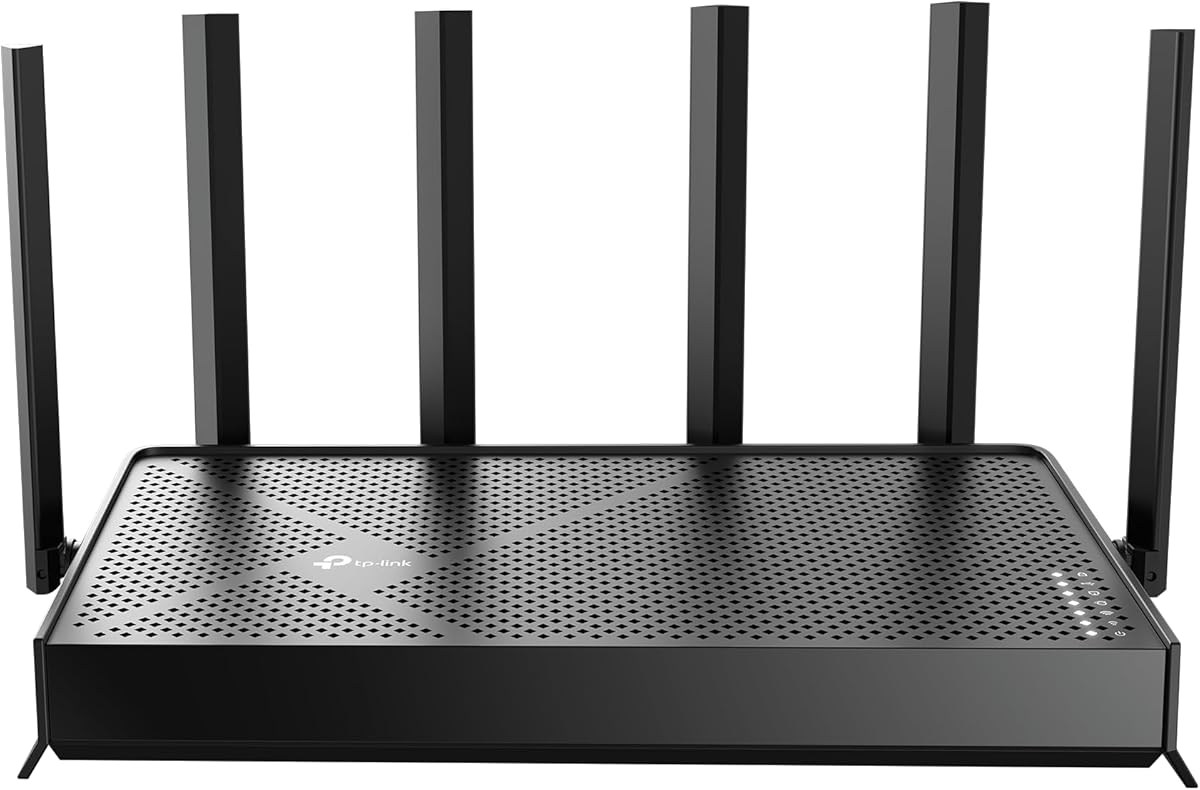
The TP-Link Archer BE400 is a dual-band WiFi 7 router with a 4.3 rating, and it stands out as a balanced option for households seeking modern wireless standards without moving to a full mesh system. Its claimed aggregate bandwidth is 6,452 Mbps across the 5GHz and 2.4GHz bands, while Multi-Link Operation, Multi-RUs, and 4K-QAM help improve performance for compatible devices.
We may earn a commission when you buy through this link, at no additional cost to you.
Coverage is listed at up to 2,400 square feet and up to 90 connected devices. Six antennas and beamforming support a stronger, more directed signal, while the two-band arrangement keeps the design relatively straightforward. The included 2.5Gbps WAN/LAN port can take advantage of faster internet plans, while a second 2.5Gbps LAN port and three 1Gbps LAN ports provide useful wired options for computers, televisions, and game consoles.
The main limitation is that BE400 does not provide a dedicated 6GHz band. It therefore cannot offer the same tri-band separation as the Archer BE550 or the featured NETGEAR Nighthawk tri-band model. Its most advanced WiFi 7 benefits also depend on the devices in your home; older WiFi 5 or WiFi 6 clients will not receive every advantage. Despite this, the router remains a capable long-range option with unusually flexible 2.5Gbps port options for a dual-band model.
This is our top overall recommendation for buyers who want WiFi 7, strong security features, and multi-gig wired connectivity in a single router. It is especially appropriate for medium-to-large homes where one well-positioned unit can provide useful coverage and where EasyMesh expansion may be needed later. Choose it over a tri-band router if a straightforward dual-band design and a balance of features matter more than maximum simultaneous capacity.
Multi-Link Operation lets compatible devices distribute traffic across available links, while Multi-RUs and 4K-QAM are designed to increase efficiency and throughput. Because BE400 uses only the 2.4GHz and 5GHz bands, it offers a simpler alternative for homes that do not yet need a dedicated 6GHz network.
The 2.5Gbps WAN/LAN port can serve as either an internet connection or a fast wired client connection. This flexibility makes the router suitable for high-speed internet plans, modern laptops, network storage, and other devices that can benefit from faster Ethernet.
We may earn a commission when you buy through this link, at no additional cost to you.
The TP-Link Archer AXE75 carries a 4.3 rating and uses a true tri-band design that combines 2.4GHz, 5GHz, and 6GHz radios. Its maximum aggregate throughput is listed at 5,400 Mbps, with 2,402 Mbps available on the 5GHz and 6GHz bands and 574 Mbps on the 2.4GHz band.
We may earn a commission when you buy through this link, at no additional cost to you.
The 6GHz band gives compatible devices additional bandwidth and can reduce contention in a busy home. TP-Link also cites OFDMA as a way to increase simultaneous device capacity. A 1.0GHz dual-core processor and 512MB of high-speed memory support the router's processing demands, while the vented housing is designed to dissipate heat and help maintain stable performance over time.
Although the AXE75 remains a capable WiFi 6E router, it does not offer the 320MHz channels, Multi-Link Operation, or 4K-QAM associated with WiFi 7. The supplied specifications also do not identify a multi-gig Ethernet port, so very fast internet plans may encounter a wired bottleneck. These limitations keep it behind newer models for maximum capacity, though its tri-band layout and EasyMesh compatibility remain meaningful advantages.
The Archer AXE75 is a compelling choice for households that want to dedicate 6GHz bandwidth to modern phones, laptops, and other compatible clients without adopting a mesh bundle. It is also a logical option for owners upgrading from an older dual-band router who want more capacity and broader expansion flexibility. For the newest WiFi 7 standard, consider BE400 or BE550 instead.
Keeping compatible clients on 6GHz can provide a cleaner path for demanding activities such as high-resolution video calls, gaming, and large file transfers. It is especially helpful when the 2.4GHz and 5GHz bands are crowded with smart-home equipment and older clients.
The 1.0GHz dual-core CPU and 512MB of memory give the AXE75 more room to manage multiple connections and network functions. The unique housing and improved ventilation are intended to keep that hardware cool during sustained use.
We may earn a commission when you buy through this link, at no additional cost to you.
The TP-Link Archer AX73 has a 4.5 rating, making it one of the highest-rated products in this guide. It is a dual-band WiFi 6 router with up to 5,400 Mbps aggregate throughput, combining 4,800 Mbps on 5GHz with 600 Mbps on 2.4GHz.
We may earn a commission when you buy through this link, at no additional cost to you.
Its 5GHz radio uses 4T4R and HE160 technology, while six antennas, high-power FEM, and beamforming work together to shape coverage. The stated coverage area reaches up to 2,000 square feet, although actual range depends on building materials, device placement, interference, and the capabilities of connected clients. MU-MIMO and OFDMA help the router serve multiple devices more efficiently.
The AX73 does not have a 6GHz band or multi-gig Ethernet port. It also predates WiFi 7 features such as Multi-Link Operation, Multi-RUs, and 4K-QAM. A USB 3.0 port remains useful for local media sharing and private cloud storage, but modern users may eventually want faster wired connections or broader wireless standards.
This router is a strong choice for a medium-sized home with many WiFi 6 clients and a need for dependable performance without a tri-band design. Its high rating, USB sharing, and conventional dual-band layout make it especially attractive for users who want established features rather than the newest generation. For homes with multi-gig service or newer devices, BE400 is the more forward-looking option.
The 4T4R configuration gives the 5GHz radio more spatial streams than a basic 2×2 design. Combined with beamforming and MU-MIMO, it is well suited to homes where several people use laptops, televisions, consoles, and mobile devices at the same time.
The USB 3.0 port lets connected users share files or use the router for private cloud storage. That is a useful benefit in a home with a desktop, media library, or users who prefer keeping files on a locally connected drive.
We may earn a commission when you buy through this link, at no additional cost to you.
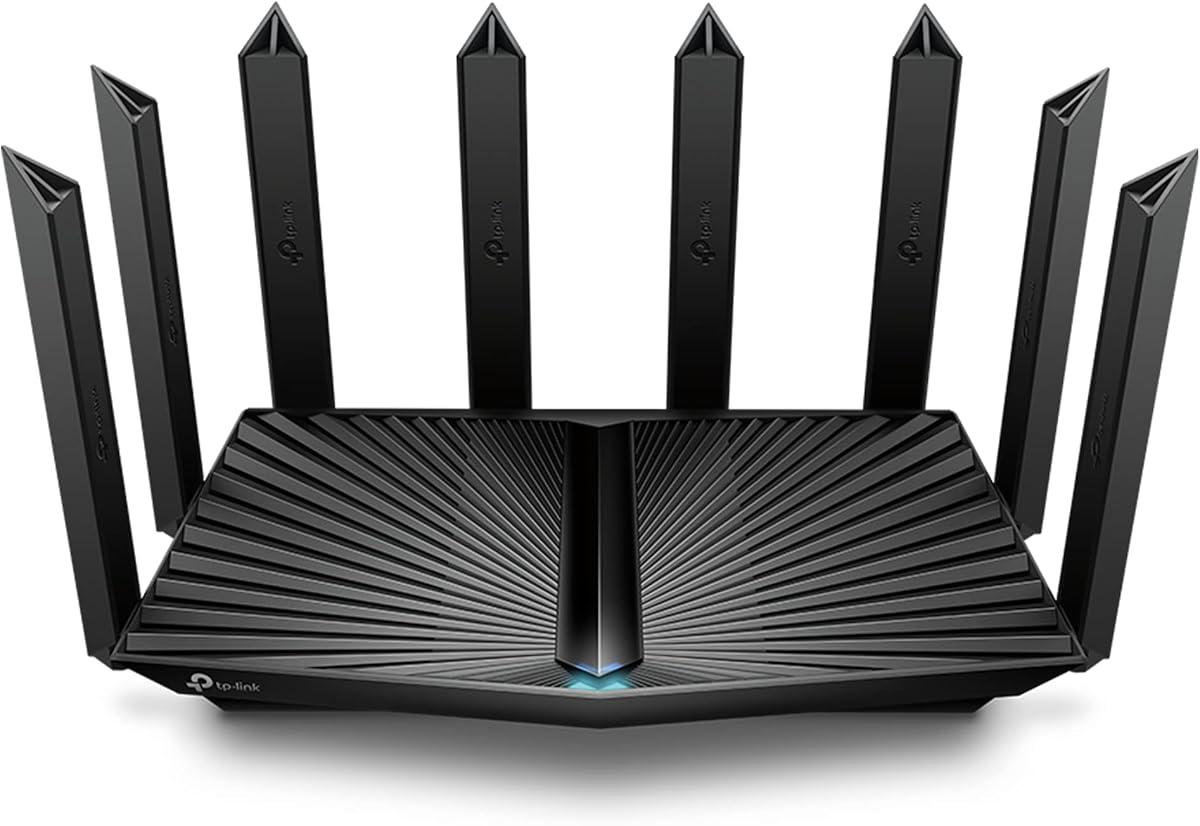
The TP-Link Archer AX80 earns a 4.4 rating and stands out for its eight high-gain antennas, dual-band WiFi 6 platform, and multi-gig Ethernet capability. Its listed maximum bandwidth is 5,952 Mbps, with up to 4,804 Mbps on 5GHz and 1,148 Mbps on 2.4GHz.
We may earn a commission when you buy through this link, at no additional cost to you.
Beamforming works with the antenna array to direct wireless energy toward connected clients, while MU-MIMO and OFDMA improve efficiency when several devices are active. The 2.5Gbps port is a significant practical addition because it can support faster wired connections without forcing every computer or television to share ordinary gigabit Ethernet.
Its eight antennas create a large, visually prominent router that may require more placement consideration than a compact model. The product does not include a 6GHz band, so it cannot offer the cleaner high-frequency path of the AXE75 or the tri-band separation of the BE550 and Nighthawk tri-band router. It also belongs to WiFi 6 rather than WiFi 7, limiting its future compatibility with emerging wireless features.
The AX80 is a good match for buyers who want abundant external antennas, multi-gig wired networking, and an established WiFi 6 platform. It may work particularly well in a home with several floors if the router is positioned carefully and paired with OneMesh extenders when needed. Buyers seeking a smaller, simpler router should consider the AX73, while those with compatible modern clients may prefer the BE400.
High-gain external antennas can help maintain signal in difficult layouts when they are positioned properly. Beamforming makes the array more purposeful by focusing transmissions toward clients rather than dispersing energy without direction.
The 2.5Gbps port is useful for a desktop, network storage device, or other wired system that needs more than a standard gigabit connection. It can also allow compatible users to take advantage of multi-gig home internet service.
We may earn a commission when you buy through this link, at no additional cost to you.
The NETGEAR Nighthawk RS90 has a 4.3 rating and offers a straightforward dual-band path to WiFi 7. It provides up to 3.6 Gbps of aggregate throughput across 2.4GHz and 5GHz, with MU-MIMO and OFDMA designed to improve performance for concurrent devices.
We may earn a commission when you buy through this link, at no additional cost to you.
Its stated coverage is up to 2,000 square feet and up to 50 connected devices. That makes it more modest than the BE400 in claimed capacity, but it remains appropriate for many apartments and medium-sized homes. A 2.5Gbps WAN port supports faster internet plans, while four 1Gbps LAN ports serve conventional wired devices such as computers, gaming consoles, smart televisions, and storage drives.
The lack of a 6GHz band means it does not provide tri-band traffic separation. Its maximum coverage also depends on walls, floors, interference, and router placement, just as with every other model. NETGEAR itself notes that larger or multi-story homes may benefit more from an Orbi mesh system, which is an important consideration for shoppers specifically seeking extensive range.
The RS90 is a compelling selection for buyers who want a current WiFi 7 standard, a multi-gig WAN port, and uncomplicated management without moving to a mesh bundle. It is a sensible match for a home with up to roughly 50 connected devices and moderate space requirements. For larger homes or heavier device loads, the Nighthawk tri-band model or Orbi 370 Series offers more capacity.
The RS90 focuses on the 2.4GHz and 5GHz bands, making it a practical option for households that do not yet have many 6GHz-capable clients. It still supports WiFi 7 efficiency features such as MU-MIMO and OFDMA.
The Nighthawk app provides guided setup, WiFi controls, speed tests, device pausing, and guest-network management. Automatic firmware updates and security features enabled out of the box reduce the need for manual maintenance.
We may earn a commission when you buy through this link, at no additional cost to you.
The NETGEAR Nighthawk tri-band WiFi 7 router combines a 4.3 rating with a substantial capacity claim of 9.3 Gbps across 2.4GHz, 5GHz, and 6GHz. The third band gives compatible high-performance devices a separate lane, reducing the likelihood that they compete with 2.4GHz smart-home devices or busy 5GHz traffic.
We may earn a commission when you buy through this link, at no additional cost to you.
Coverage is stated at up to 2,500 square feet for up to 100 devices. The wired configuration is also strong: a 2.5Gbps WAN port supports multi-gig service, and two 2.5Gbps LAN ports plus two 1Gbps LAN ports accommodate demanding systems such as gaming computers, network storage, and smart televisions.
As with every high-end router, the headline aggregate speed is not the same as the speed individual clients will receive. Device capabilities, distance, walls, radio contention, and the active internet plan all influence results. A tri-band design also uses more radio hardware than a dual-band model, and the supplied information does not provide a direct comparison of power use. For very large or multi-story homes, NETGEAR still recommends considering Orbi mesh.
This is an excellent choice for a busy household with newer WiFi 7 clients, a multi-gig internet plan, and a need for both wireless capacity and fast wired connections. It also suits users who want a dedicated 6GHz band without operating multiple mesh nodes. The Orbi 370 Series is the better choice for a property where coverage area, rather than raw local capacity, is the primary concern.
The 6GHz band can keep compatible phones, laptops, and other high-performance clients away from traffic on the lower bands. This separation can be valuable in homes where many older or low-bandwidth devices use 2.4GHz at the same time.
The 2.5Gbps WAN port helps users access faster internet tiers, while two matching LAN ports support demanding local connections. This combination is useful for users who transfer large files or operate network-attached storage.
We may earn a commission when you buy through this link, at no additional cost to you.
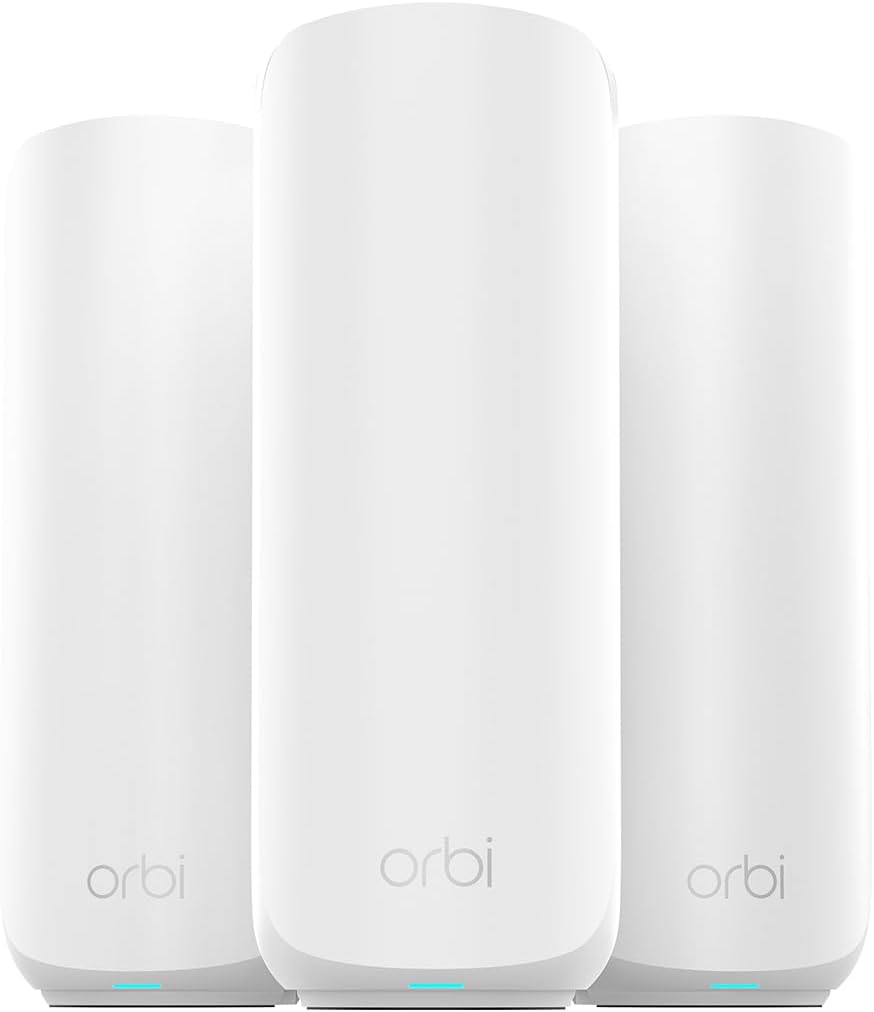
The NETGEAR Orbi 370 Series is a three-pack WiFi 7 mesh system with a 4.2 rating. Unlike a single-router design, it combines one router and two satellites to create a unified network advertised to cover up to 6,000 square feet and connect up to 70 devices.
We may earn a commission when you buy through this link, at no additional cost to you.
Enhanced Backhaul is intended to maintain communication between mesh nodes while client devices use the available wireless capacity. The system supports up to 5 Gbps of aggregate wireless throughput, with compatibility extending to WiFi 6 and WiFi 5 clients. The Orbi app offers guided installation, device management, and guest WiFi controls, while the included nodes can be positioned around a property to reduce dead zones.
The listed 6,000-square-foot coverage is still an estimate rather than a guarantee. Walls, floors, stairwells, household interference, wiring, and satellite placement all affect actual performance, and adding another satellite is described as adding up to 2,000 square feet of potential coverage. The three-node approach also requires more outlets and thoughtful placement than a single router. The supplied listing notes that the system is made for use in the United States.
The Orbi 370 Series is our premium recommendation for large homes, multi-story properties, and users who prioritize seamless whole-home coverage over a single compact unit. It is particularly attractive when there are several difficult-to-reach rooms or when future expansion is likely. For smaller homes, the Nighthawk RS90 or Archer BE400 will usually be simpler and more appropriate.
A router and two satellites work as one network, allowing connected devices to move among access points without requiring separate WiFi names. Proper placement can turn previously weak areas into usable coverage zones.
Another Orbi 370 Series satellite can be added when a new floor, wing, or outdoor area needs more coverage. This makes the system a practical long-term choice for buyers who anticipate changes to their property or network demands.
We may earn a commission when you buy through this link, at no additional cost to you.
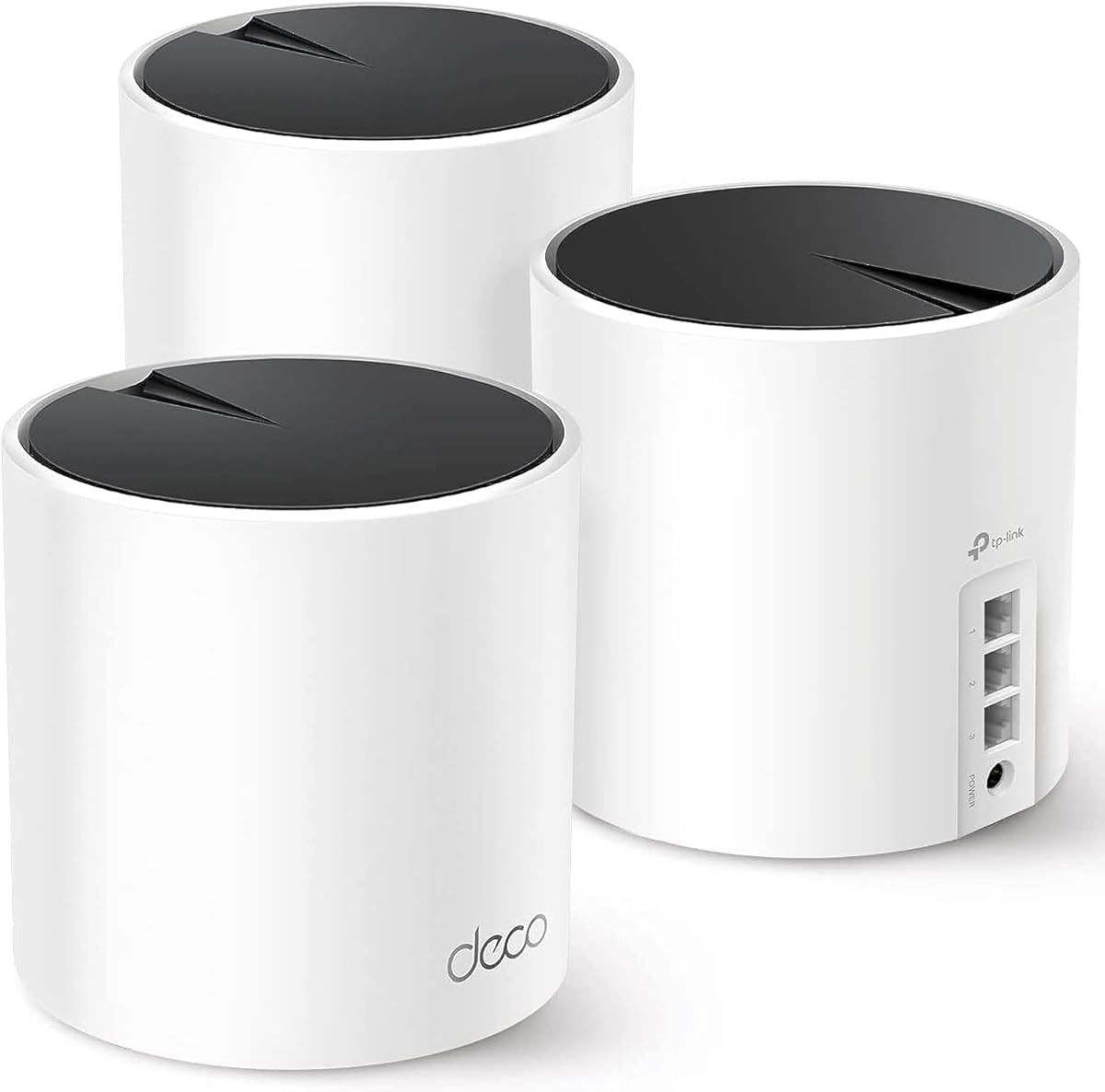
The TP-Link Deco X55 three-pack has a 4.4 rating and is built around WiFi 6 mesh networking. It combines 2,402 Mbps on 5GHz with 574 Mbps on 2.4GHz for an aggregate maximum of 2,976 Mbps, commonly described as AX3000 wireless performance.
We may earn a commission when you buy through this link, at no additional cost to you.
Its most notable claim is support for up to 150 devices across a stated coverage area of 6,500 square feet. AI-driven mesh technology is designed to learn the surrounding network environment and adapt the system. Each Deco unit also has Gigabit Ethernet ports, and the system supports wired Ethernet backhaul, which can provide a more reliable link between nodes when a suitable cable can be installed.
The system is based on WiFi 6 rather than WiFi 7, so it does not offer Multi-Link Operation, 320MHz channels, or 4K-QAM. Its ports are Gigabit rather than multi-gig, which can limit local transfers and faster internet tiers. Coverage figures remain dependent on layout and node placement, and three units require a sensible distribution around the home rather than being kept together.
The Deco X55 is an excellent fit for smart homes and families with a very large number of connected devices. It is also a good choice for buyers who value a broad coverage claim and the option of wired backhaul without moving to WiFi 7. For newer client hardware and faster wired networking, consider the Orbi 370 Series or Archer BE550.
The capacity for up to 150 devices makes the Deco X55 useful for homes filled with phones, televisions, speakers, cameras, appliances, and other connected products. Actual performance still depends on client capabilities, traffic type, node placement, and the internet connection.
Connecting Deco units with Ethernet can create a more dependable backbone between access points. This can improve performance in multistory homes where a cable route exists and may help keep distant clients from relying entirely on a wireless link between nodes.
We may earn a commission when you buy through this link, at no additional cost to you.
The TP-Link Archer BE550 is a tri-band WiFi 7 router with a 4.0 rating. It provides a maximum aggregate throughput of 9,214 Mbps, divided among 5,760 Mbps on 6GHz, 2,880 Mbps on 5GHz, and 574 Mbps on 2.4GHz.
We may earn a commission when you buy through this link, at no additional cost to you.
Its standout feature is comprehensive multi-gig Ethernet: one 2.5Gbps WAN port and four 2.5Gbps LAN ports provide a fast wired path for nearly every connected device. WiFi 7 features include Multi-Link Operation, Multi-RUs, 4K-QAM, and support for 320MHz channels. Six strategically positioned antennas and beamforming are intended to strengthen capacity and reliability.
The product information does not provide a stated square-foot coverage figure, so it is harder to compare its range directly with the BE400, Nighthawk models, or mesh systems. Its 4.0 rating is also the lowest among the products in this guide. As with other WiFi 7 routers, advanced features offer the greatest benefit to compatible clients, while older WiFi 5 and WiFi 6 devices remain supported but cannot realize the same capabilities.
The Archer BE550 is best suited to users with several multi-gig wired devices, modern WiFi 7 clients, and a need for a dedicated 6GHz band. It also supports EasyMesh expansion and a separate IoT network, making it a flexible central router for a security-conscious household. If simple whole-home range is the main goal, choose a mesh system; if high-speed local networking is the priority, the BE550 is hard to overlook.
Unlike routers that provide only one faster port, the BE550 includes 2.5Gbps networking throughout. That makes it especially useful for homes with multiple wired workstations, high-speed storage, or several devices that benefit from faster local connections.
The 6GHz band, 320MHz channel support, Multi-Link Operation, and 4K-QAM provide a strong foundation for compatible WiFi 7 equipment. EasyMesh compatibility allows the router to be combined with supported routers, extenders, or wireless powerline adapters when greater reach is required.
We may earn a commission when you buy through this link, at no additional cost to you.
The TP-Link Archer A6 carries a 4.5 rating and offers an affordable entry into dedicated dual-band routing. It supports up to 1,200 Mbps aggregate wireless throughput, with 300 Mbps on 2.4GHz and 900 Mbps on 5GHz.
We may earn a commission when you buy through this link, at no additional cost to you.
Four external antennas with beamforming help concentrate the wireless signal, while 5GHz MU-MIMO supports simultaneous transmission to multiple clients. Four Gigabit LAN ports make the router well suited to homes with several wired devices. Access Point mode can also transform the unit into a wireless access point for an existing wired network.
The Archer A6 uses WiFi 5 rather than WiFi 6 or WiFi 7. Its lower wireless capacity means it is best for smaller homes, older client devices, and basic browsing, streaming, and gaming rather than dense networks running demanding applications. It also lacks a 6GHz band, multi-gig Ethernet, and a dedicated mesh bundle. OneMesh support provides a path to broader coverage, but it cannot add the capacity of a newer tri-band system.
This is our budget recommendation for buyers who need a better all-in-one router than a basic ISP gateway, especially when wired connections and simple whole-home expansion are important. Its rating, Gigabit ports, WPA3 support, and OneMesh flexibility make it a practical entry point. Users with newer devices, larger homes, or faster internet plans should save for the Archer AX73, BE400, or a mesh system.
The Archer A6 separates 2.4GHz and 5GHz traffic while adding beamforming, MU-MIMO, WPA3, and four Gigabit LAN ports. These features make it a meaningful upgrade for many households that do not need the newest wireless standard.
OneMesh compatibility lets users add a compatible range extender while maintaining one network name. This can address a distant room or secondary floor, although a dedicated multi-node mesh system remains better for very large properties.
We may earn a commission when you buy through this link, at no additional cost to you.
Selecting a long range router requires balancing wireless standards, coverage, device count, wired ports, and the physical challenges of your home. A higher headline speed does not automatically guarantee stronger signal, so the layout and construction of the property should guide the decision.
WiFi 7 routers support the newest wireless features, including Multi-Link Operation, Multi-RUs, 4K-QAM, and wider channels on compatible models. WiFi 6E adds a dedicated 6GHz band to WiFi 6, while WiFi 6 remains effective for many mixed-device homes. The Archer A6 uses WiFi 5 and is more appropriate when affordability matters more than access to the latest standards.
Dual-band routers combine 2.4GHz and 5GHz, offering a simple two-network design. Tri-band models add a third radio, often on 6GHz, giving compatible high-performance clients a cleaner path. This can reduce contention and improve separation between demanding devices and ordinary smart-home equipment, but more bands do not guarantee better range through walls.
Stated square-foot figures provide a starting point, but walls, floors, appliances, wiring, and router placement can dramatically change the result. Larger homes and properties with multiple floors often benefit more from a mesh system than from additional antennas in one central unit. Choose a model based on the difficult areas that must remain connected.
A single router is usually simpler and may cover a small or medium home without additional equipment. Mesh systems place several coordinated nodes throughout the property and can eliminate dead zones more effectively. The Deco X55 and Orbi 370 Series are the strongest mesh options here, while the standalone models are easier to position and manage.
The listed capacity of a router reflects the number of clients it is designed to support, not the speed each client receives. The Deco X55 targets up to 150 devices, the Nighthawk tri-band model up to 100, the BE400 up to 90, and the Nighthawk RS90 up to 50. Consider smart-home devices, work-from-home computers, streaming televisions, gaming systems, and guests together.
Gigabit Ethernet is sufficient for many homes, but a 2.5Gbps port can support faster internet plans, high-speed local storage, and modern computing equipment. The BE400 includes two 2.5Gbps ports, the AX80 has a 2.5Gbps option, and the BE550 provides 2.5Gbps across its WAN and all four LAN ports. Choose a multi-gig router when your service or devices can use it.
A good router should have a practical way to extend coverage. EasyMesh compatibility, TP-Link OneMesh, and dedicated mesh satellites can all help. Wired Ethernet backhaul can produce a stronger link between nodes, while a compatible range extender is often easier to add. Confirm that expansion products use the same ecosystem and management platform.
Look for WPA3, automatic firmware updates, parental controls, guest networks, and device-pausing features. TP-Link HomeShield and NETGEAR Advanced Router Protection provide built-in network tools, while optional Armor protection is a separate subscription after its trial. The Nighthawk app and Deco app also simplify setup and remote management.
Begin by placing the router near the center of the home or in a high, open location rather than beside a television, microwave, metal cabinet, or floor-level obstruction. For a mesh system, distribute the router and satellites across separate rooms whenever possible, avoiding cramped cabinets. Connect the modem or gateway to the designated WAN or internet port, then use the manufacturer app for guided setup.
After installation, update the router firmware and change the default administrator credentials. Create a strong WiFi password, enable WPA3 where available, and set up a separate guest network for visitors or compatible smart-home devices. If using a VPN feature, understand whether the router acts as a VPN client, a VPN server, or both, and understand that the modes have different purposes.
For maintenance, periodically check for firmware updates, review connected devices, and remove guest access that is no longer required. Keep ventilation openings clear and avoid stacking the router under papers or inside enclosed furniture. A reboot can help clear minor connectivity issues, while persistent problems should be checked against the service provider, cabling, placement, and device compatibility.
A mesh system is usually preferable for large homes, multiple floors, or homes with thick masonry and many dead zones. A single router may be sufficient for a small or medium-sized property with a central layout. The best placement and compatible client devices can influence results as much as the advertised coverage figure.
Only when your internet service, wired connection, and client devices can support higher speeds. A newer router cannot exceed the speed delivered by your service plan. It can, however, improve local wireless performance, reduce congestion, and provide more capacity for compatible devices.
The 2.4GHz band generally travels farther and penetrates walls more effectively, but it has lower capacity and is more prone to interference. The 5GHz band supports faster connections and is usually better for nearby high-bandwidth devices. Dual-band routers let clients use each band according to their location and requirements.
A 2.5Gbps port can handle faster internet plans and local transfers than a standard Gigabit port. It is particularly useful for network storage, powerful computers, and other bandwidth-intensive wired devices. The speed of the complete connection still depends on the modem, service plan, switches, and connected equipment.
The number depends on hardware, traffic, applications, and the devices themselves. Listed capacities range from 50 devices for the Nighthawk RS90 to 150 for the Deco X55. A device may also receive only a small share of the available bandwidth when many clients are active.
No. Compatibility matters because the extender must work with the router's management system, security standards, and expansion features. The listed TP-Link models support EasyMesh or OneMesh as described, but users should confirm the exact model and required setup before combining equipment.
The 6GHz band generally provides more available bandwidth and can offer cleaner spectrum, but its shorter propagation and reduced penetration can limit range. Its main advantage is giving compatible modern devices additional capacity and separation from crowded lower bands. Tri-band systems can still be the right choice for busy homes.
No. Coverage claims are maximum estimates based on specific conditions. Walls, floors, electrical interference, room layout, antenna placement, client capabilities, and nearby networks can all reduce actual performance. Placing the equipment in open, central locations and using multiple mesh nodes where needed is usually more important than a headline range number.
The TP-Link Archer BE400 is the strongest all-around selection because it combines WiFi 7, multi-gig Ethernet, useful security tools, and 2,400-square-foot coverage in a conventional router. The NETGEAR Orbi 370 Series is the premium option for large properties, while the TP-Link Archer A6 serves buyers who want a capable, expandable dual-band router at a lower cost.
Prioritize the problems you need to solve rather than the largest advertised speed. A busy home may benefit from a tri-band model, a high device-count mesh system, or 2.5Gbps wired ports. A large home with weak areas needs strategically placed nodes, while a smaller home may be fully served by one well-positioned dual-band router.
Before ordering, confirm the coverage estimate, internet speed, client-device standards, and expansion options. Current prices and promotions can change, so check the latest listing and product details at the time of purchase. A router that matches your home and devices is more valuable than one with impressive numbers it cannot use.