
Bambu Lab A1
4.7Editor score
Automatic calibration and bed leveling
Quiet operation for home spaces
Optional multi-color printing
Our 3D Printer for Beginners guide compares 10 leading models for ease of setup, print quality, speed, safety, filament support, and room to grow over time.
A beginner-friendly 3D printer should make the path from digital model to finished object feel manageable rather than overwhelming. The most important qualities include straightforward assembly, reliable first-layer adhesion, useful automation, approachable controls, safe filament handling, and enough support for the projects you expect to make.
We compared ten current options across essential categories such as setup, automatic calibration, build volume, maximum speed, supported materials, multi-color capability, app-based control, and suitability for children or shared family spaces. The list includes enclosed and open designs, compact starters, complete kits, and more advanced machines with room to grow.
Each pick reveals what that particular model does best and where its compromises may matter. Ratings and technical specifications can change over time, and prices fluctuate frequently, so consult the current listing and verify the latest details before making a purchase.
4.7Editor score

4.9Editor score

4.2Editor score
The comparison below highlights the major differences in automation, speed, build volume, enclosure design, filament handling, and beginner-focused features across all ten printers.
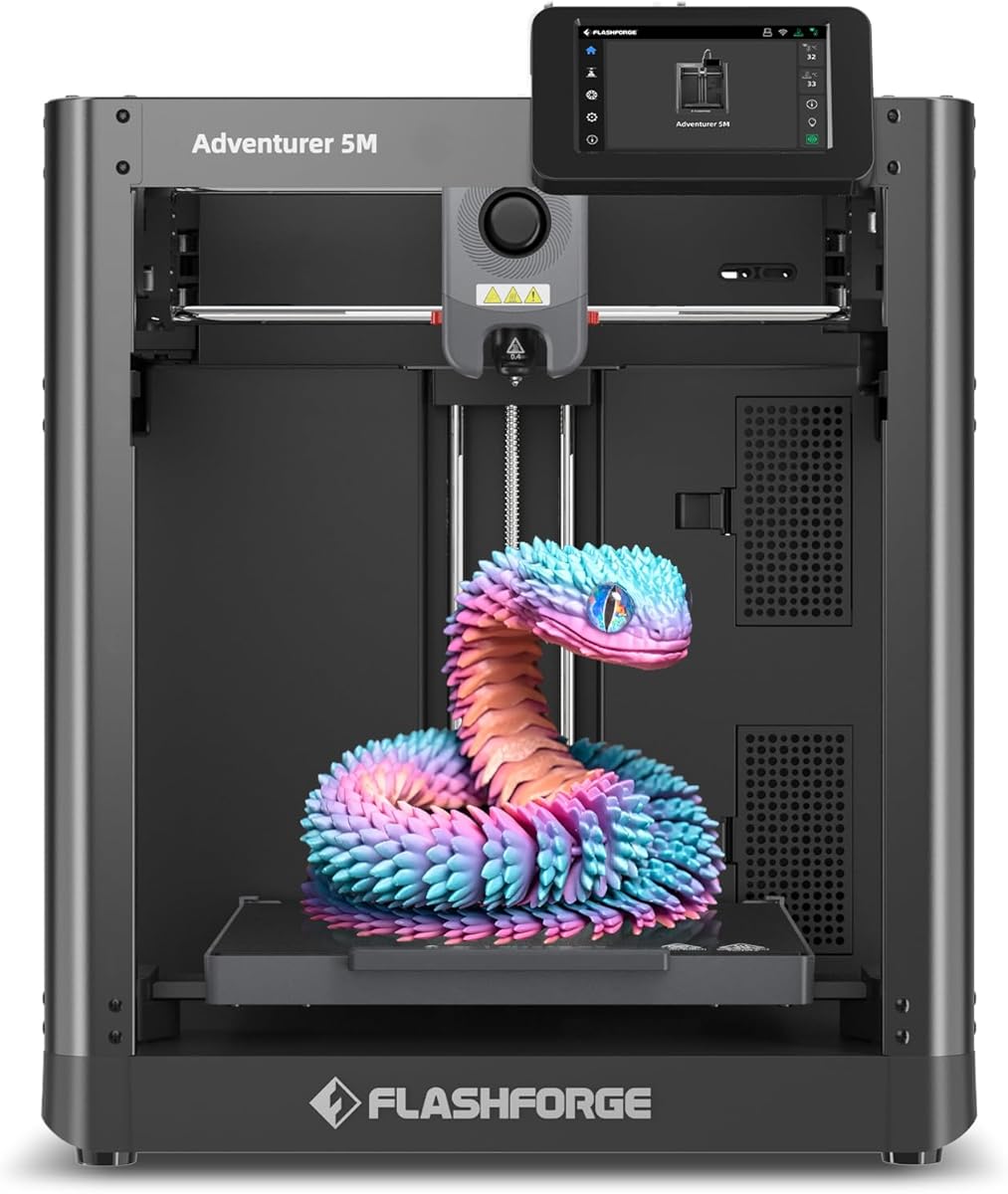


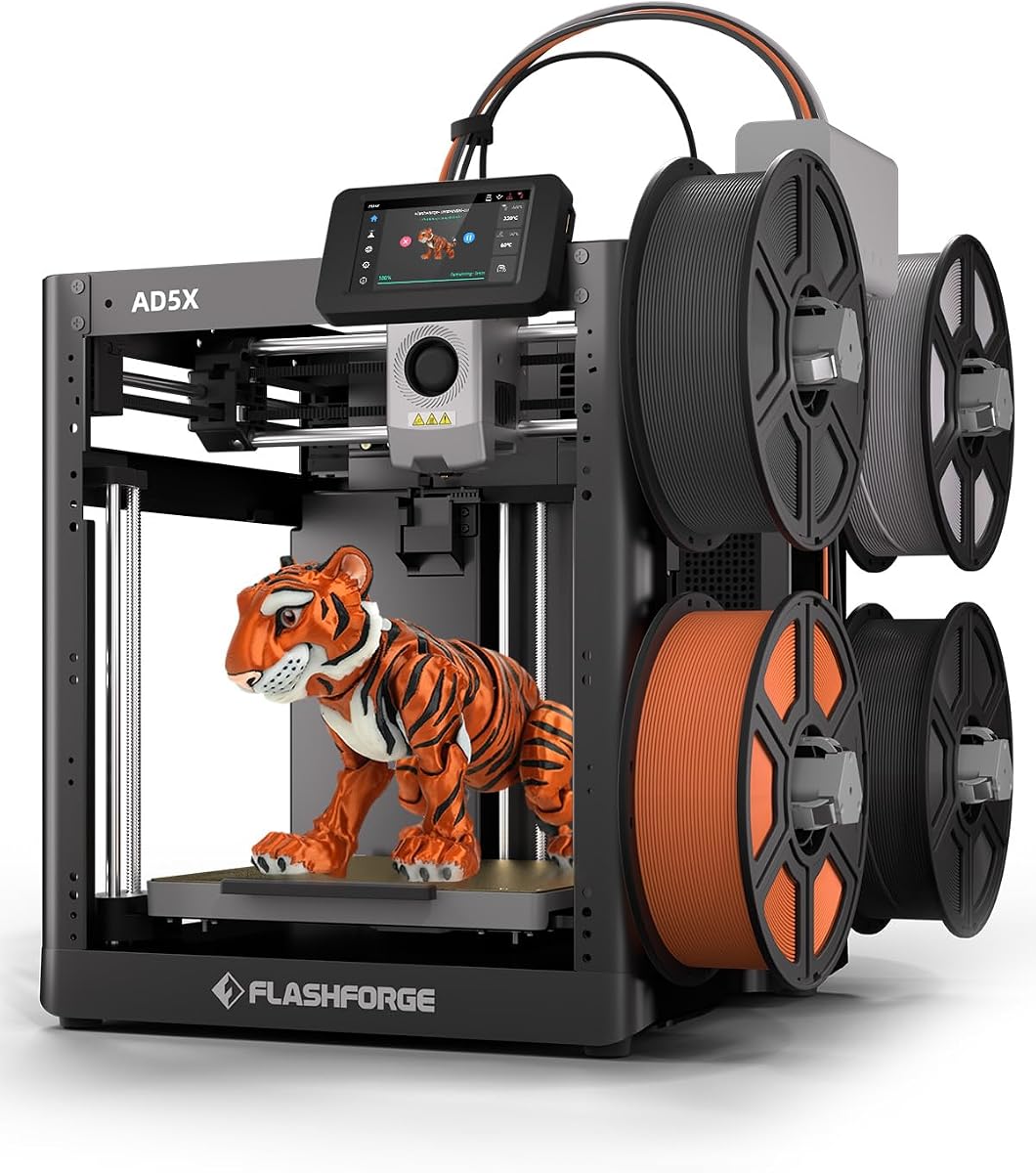


The FLASHFORGE Adventurer 5M combines a 220 × 220 × 220 mm build volume, CoreXY motion, and a listed travel speed of up to 600 mm/s. Its 3.9 rating places it below several other options in this guide, but the hardware specification makes it appealing for beginners who want room to grow and do not want to replace their printer after a few months.
We may earn a commission when you buy through this link, at no additional cost to you.
The strongest attraction is the combination of automation and speed. Automatic bed leveling removes a common early obstacle, while the all-metal CoreXY structure, 20,000 mm/s² acceleration, vibration compensation, and dual-fan cooling support consistent output. A 280°C direct-drive extruder expands the material range, and the removable nozzle can be changed in roughly three seconds when the standard 0.4 mm unit needs replacing.
The trade-offs are mostly about complexity and expectations. Maximum travel speed is not the same as a 600 mm/s finished-layer rate, and high-speed operation still depends on suitable geometry, cooling, and slicer settings. The 3.9 rating also suggests that some buyers may have encountered issues not fully captured in the feature summary. New users should therefore begin with conservative settings rather than assuming every high-speed profile will work perfectly on day one.
This is a strong recommendation for a technically curious beginner, a maker who anticipates larger prototypes, or anyone who values quick nozzle changes and remote print control. It may be less suitable for someone who wants the simplest possible product discovery experience. For a balance of speed, capacity, and advanced controls, the Adventurer 5M offers substantial capability in a beginner-friendly package.
Automatic bed leveling and app-based monitoring address two persistent beginner concerns: first-layer setup and print supervision. These features make it easier to start a project, check progress remotely, and make informed adjustments without remaining beside the machine.
The 280°C direct-drive extruder, 220 mm cubic build area, and optional nozzle sizes from 0.25 to 0.8 mm provide useful flexibility. A smaller nozzle can favor fine detail, while larger options suit faster production of sturdy objects.
We may earn a commission when you buy through this link, at no additional cost to you.
The Bambu Lab P1S is a ready-to-use enclosed FDM printer built for users who want a relatively simple introduction without limiting their future options. It carries a 4.5 rating, supports a stated 500 mm/s travel speed with 20,000 mm/s² acceleration, and includes automatic bed leveling to reduce the need for manual setup.
We may earn a commission when you buy through this link, at no additional cost to you.
Its enclosure is particularly important for beginners because it creates a more stable printing environment and improves performance with materials such as ABS and ASA. PLA and PETG are listed as ideal options, while TPU, PVA, and PET ABS also qualify. PA and PC are described as capable, although advanced settings may be needed. The P1S can support up to 16 colors when connected to a Bambu Lab AMS, but that accessory is not part of the standalone configuration.
The key limitation is that its headline color feature depends on an additional purchase. A first-time buyer interested only in single-color projects will not need the AMS, while someone planning decorative models may value the bundled option offered by the P1S Combo. As with any enclosed machine, ventilation and filament-drying habits matter, particularly for moisture-sensitive materials.
The P1S is a compelling recommendation for beginners who expect to move beyond basic PLA and want an enclosed, connected machine. Its rating, fast motion system, and broad material list create a strong foundation. Choose this model if enclosure and future material support matter more than having every color function in the initial package.
An enclosed chamber helps stabilize the environment around the printed object, making materials that are more sensitive to drafts and temperature changes more practical. It also provides a cleaner boundary between moving machinery and the rest of a home workspace.
The P1S can begin with familiar PLA and later accommodate PETG, TPU, ASA, and other materials as experience grows. Adding an AMS unlocks multi-color and multi-material possibilities without requiring a completely different printer.
We may earn a commission when you buy through this link, at no additional cost to you.
The Bambu Lab P1S Combo combines the enclosed P1S with the AMS, making multi-color printing available immediately rather than through a later accessory purchase. Its 4.2 rating reflects a generally capable package, while the supported 500 mm/s travel speed and 20,000 mm/s² acceleration align it with the faster machines in this roundup.
We may earn a commission when you buy through this link, at no additional cost to you.
For a beginner, the main benefit is the reduction in hardware decisions. The printer and automatic material system are designed to work together, allowing up to 16 colors through the described AMS workflow. PLA, PETG, TPU, PVA, PET ABS, and ASA are listed as ideal, with PA and PC described as capable. Automatic bed leveling and a setup process advertised at around 15 minutes help lower the learning curve.
There is more hardware to manage, however. The AMS increases the footprint and introduces consumable, drying, and loading considerations. Multi-color prints can also take longer because of tool changes and extra flushing, depending on the model and color sequence. Carbon- and glass-fiber-reinforced polymers are not recommended, so buyers should not confuse the broad filament list with compatibility for every engineering-style material.
The Combo is best for a beginner who already knows multi-color work will be a major part of their interest. It makes the P1S experience more complete from the start and avoids the first major compatibility expansion later. If you only need dependable single-color printing, the standalone P1S may be the more streamlined purchase.
Including the AMS makes the combination more approachable for projects that depend on multiple colors. New users can explore decorative objects, segmented models, and visual designs without first researching how separate material units connect and operate.
Automatic color changing is convenient, but the AMS still needs regular cleaning and properly dried filament. Treating the system as part of routine care rather than a maintenance-free feature will help preserve consistent results.
We may earn a commission when you buy through this link, at no additional cost to you.
The Bambu Lab A1 is explicitly positioned for beginners and kids, and its 4.7 rating is among the strongest in this list. It combines a 10,000 mm/s² acceleration rate with full-auto calibration, including bed leveling and Z-offset, while active flow-rate compensation helps the extruder maintain more consistent flow.
We may earn a commission when you buy through this link, at no additional cost to you.
A simplified touchscreen, active motor noise cancellation, and a one-clip quick-swap nozzle make the machine approachable in a home, classroom, or shared workspace. It connects to the Bambu ecosystem, where users can find models through MakerWorld and manage prints through the Bambu Handy app. The optional AMS lite expands the machine into a multi-color system when purchased separately or in an A1 Combo configuration.
Its open format is the central trade-off. Although the A1 can print everyday materials and its high acceleration is useful for larger batches, an enclosed chamber generally offers more consistent conditions for sensitive materials. The multi-color feature also remains unavailable without AMS lite. For a first printer focused on toys, models, organizers, and decorative objects, those limitations may be irrelevant.
The A1 is an excellent recommendation for beginners who value straightforward setup, quiet operation, and a polished app-based workflow. It is particularly attractive to families creating a shared creative space. Choose it when ease of use and everyday speed matter more than enclosed-material capability or immediate multi-color printing.
Full-auto calibration handles bed leveling and Z-offset so new users do not have to learn several separate calibration routines before the first print. This makes the A1 especially approachable for children and anyone taking their first steps in FDM printing.
Motor noise cancellation and quiet operation help limit disruption, while the touchscreen keeps everyday control straightforward. These details can matter more in a bedroom, classroom, or family room than raw motion specifications.
We may earn a commission when you buy through this link, at no additional cost to you.
This fully assembled mini 3D printer is built around a simple proposition: provide a complete, approachable package for children and first-time users. The package includes the printer, one roll of PLA filament, an SD card, and accessories, while its 4.4 rating suggests a generally satisfying beginner experience.
We may earn a commission when you buy through this link, at no additional cost to you.
A 250 mm/s maximum printing speed and claimed precision of 0.01 mm give the machine respectable performance specifications. More importantly, it removes common setup barriers. The printer arrives assembled, automatic nozzle cleaning supports consistent extrusion, one-button auto-leveling handles bed setup, and one-touch filament loading simplifies material changes. The heated PEI bed also helps parts adhere during printing and can be flexed for removal.
Compact size is the main constraint. A mini printer is ideal for small toys, accessories, organizers, and educational projects, but it cannot accommodate the larger volumes offered by full-size models. The listed 1 kg filament-holder file also indicates that a larger spool can be supported only with a compatible holder and appropriate handling, so buyers should verify machine clearance before planning around that accessory.
This is a strong choice for a child receiving a first printer, a teacher creating a simple classroom station, or an adult who values a complete kit over extensive specifications. It is less suitable for large props or advanced experimentation. For the simplest possible first experience, the included accessories and streamlined controls are compelling.
A machine, test filament, and SD card reduce the chance that a new owner encounters a missing basic component immediately. That completeness makes the package particularly useful as a gift or educational setup.
Automatic leveling, one-touch filament loading, and nozzle cleaning reduce the number of techniques that must be learned before making an object. These features make troubleshooting more approachable when a beginner is still building basic familiarity.
We may earn a commission when you buy through this link, at no additional cost to you.
The FLASHFORGE AD5X distinguishes itself with built-in support for as many as four colors at once, combining that feature with a CoreXY structure, 600 mm/s travel speed, and a 220 × 220 × 220 mm build volume. Its 3.9 rating is lower than many alternatives, so buyers should consider both the extensive feature set and the need to research common support issues.
We may earn a commission when you buy through this link, at no additional cost to you.
One-click auto leveling simplifies initial setup, while dual-channel cooling, vibration compensation, and the 300°C direct-drive extruder support quality and material versatility. The standard 0.4 mm nozzle is preinstalled, and optional 0.25, 0.6, and 0.8 mm choices allow users to balance detail, strength, and production time. Automatic filament feeding, retraction, and resume-after-power-loss functions add everyday convenience.
Four-color printing inevitably introduces more variables than single-color output. Different filaments may require distinct temperatures and retraction settings, and flushing between colors can add time. The 3.9 rating may reflect a combination of product, shipping, software, or service experiences that cannot be separated from the listing. Newcomers should not assume the headline specifications will guarantee flawless results in every material combination.
The AD5X is a compelling option for a beginner who wants high speed, automatic setup, and multi-color capability in one machine. It is less suitable for users seeking the simplest possible workflow or the strongest rating in the roundup. For makers interested in colorful decorative objects or efficient batch production, the feature set is extensive.
Integrated multi-color support makes the AD5X appealing for decorative projects, signage, game pieces, and models that benefit from contrasting sections. New users can begin with a simpler color plan and expand as they learn how the slicer handles changes.
The resume function is valuable when a power interruption occurs during a lengthy job. Automatic feeding and retraction further reduce the amount of hands-on intervention required during normal operation.
We may earn a commission when you buy through this link, at no additional cost to you.
The AOSEED AI 3D Printer is designed specifically around children, family creativity, and simplified model generation. It carries a 4.5 rating, reaches a listed peak speed of 400 mm/s, and offers precision up to 0.05 mm. Its defining feature is not advanced material flexibility but an ecosystem built to make idea creation easier.
We may earn a commission when you buy through this link, at no additional cost to you.
AI Doodle can generate models from voice, text, or image prompts, AI MiniMe converts photos into cartoon-style figures, and MINIMAKIE supports personalized avatars and toys. A built-in assistant guides users, while access to more than 8,000 human-reviewed, print-tested models across themed modules gives beginners a substantial library. The complete set includes eight PLA rolls, tools, a magnetic build plate, and stickers.
Despite its creative features, the printer supports single-color printing only. Multi-color designs must be produced as separate parts and assembled, which can be perfectly suitable for toys but should not be confused with automated color changing. The enclosed, pinch-resistant platform, leveling-free setup, quiet operation, and TÜV Rheinland ISO 16000-tested PLA support a family-oriented safety positioning.
A built-in camera allows parents to monitor progress from a smartphone and automatically create time-lapse videos, while filament runout detection pauses a job to help prevent failure. The product is an excellent fit for children and parents who want guided creativity rather than a bare technical introduction. It is less suitable for a maker who prioritizes multi-material capability immediately.
Turning a voice prompt, photograph, or text idea into a printable design lowers the barrier between imagination and a finished object. This makes the printer approachable for children who may not want to begin with conventional CAD software.
The enclosed design, pinch-resistant platform, quiet operation, and leveling-free workflow support a controlled home environment. A parent can also use the camera and app to keep an eye on progress without remaining beside the printer.
We may earn a commission when you buy through this link, at no additional cost to you.
The Bambu Lab A1 mini is a compact, ready-to-use printer aimed at creators who want a polished introductory experience in a home, studio, or classroom. Its 4.4 rating reflects a well-received compact option, and the included LED Lamp Kit gives the package a defined project focus beyond simply producing test objects.
We may earn a commission when you buy through this link, at no additional cost to you.
Automatic calibration, a smooth printing workflow, and a user-friendly ecosystem make the A1 mini appealing to first-time users. MakerWorld provides access to a large model library, while the Bambu Handy app assists with print management. Quiet operation is especially useful in a home environment, where a larger machine might create more vibration or background noise.
Compact dimensions inevitably constrain model scale. Users should verify the build area against the size of models they want to print, because a small object may scale well while a large sculpture, storage organizer, or enclosure may not fit. The LED kit also requires compatible printable designs and the correct assembly process, so buyers should treat it as a creative add-on rather than a core printer feature.
The A1 mini is a strong recommendation for a beginner working in a smaller space or someone who wants an immediate project that demonstrates how printed parts can become useful objects. It is less suitable for large-format work. Its combination of compactness, automation, and connected design makes it one of the most approachable choices for everyday creative use.
The compact form and quiet operation suit apartments, dorm rooms, classrooms, and dedicated work areas. A smaller machine can also be easier to position securely and maintain than a full-sized enclosed unit.
The LED Lamp Kit gives new owners a tangible goal beyond calibration cubes. Printing compatible components and assembling the lamp demonstrates the complete digital-to-physical workflow while producing a usable decorative item.
We may earn a commission when you buy through this link, at no additional cost to you.
The Creality Ender 3 V3 SE Bundle combines a full-size desktop printer with four PLA filament colors and earns the highest customer rating in this roundup at 4.9. Its listed maximum speed of 250 mm/s and acceleration of 2,500 mm/s² make it a capable everyday machine, while the included materials let a new owner begin printing immediately.
We may earn a commission when you buy through this link, at no additional cost to you.
Automation is a major strength. The CR Touch sensor handles automatic bed leveling, and a strain sensor provides automatic Z-offset, reducing two tasks that often trouble first-time users. The full-metal dual-geared Sprite direct extruder supports smooth filament feeding, while the dual Z-axis lead screws and two 8 mm Y-axis linear shafts improve structural stability and accuracy over extended prints.
The bundle is centered on PLA, a beginner-friendly material with a relatively low melting temperature, low warping, and easy handling. Although the direct extruder is described as compatible with TPU and PETG, those materials are not the central focus of the package. Multi-color work also requires separate prints unless additional color-changing equipment is used. Users doing sensitive-material work should examine the machine's enclosure and chamber conditions carefully.
The Ender 3 V3 SE is a strong all-round recommendation for a first desktop printer. It combines a highly favorable rating with automatic setup, capable extrusion, improved motion hardware, and a useful filament bundle. It is especially suitable for a new maker who values traditional single-color printing and dependable everyday performance.
CR Touch leveling and automatic Z-offset remove several common calibration steps. This is particularly helpful for beginners who may not yet understand how nozzle height and bed geometry affect the first layer.
The dual Z-axis arrangement and rigid Y-axis shafts help limit movement and maintain accuracy as a print progresses. These structural details create a more stable platform for detailed models and extended batches.
We may earn a commission when you buy through this link, at no additional cost to you.
The FLASHFORGE AD5M combines an all-metal CoreXY frame, a listed 600 mm/s travel speed, a 220 × 220 × 220 mm build area, and a 4.3 rating. It is positioned for both beginners and experienced makers, with particular attention to automatic calibration and low-friction maintenance.
We may earn a commission when you buy through this link, at no additional cost to you.
Its one-click system automatically measures the nozzle-to-build-plate distance and sets accurate offsets, helping users establish a reliable first layer. The patent quick-release nozzle can be replaced in about three seconds, and four diameters—0.25, 0.4, 0.6, and 0.8 mm—cover fine-detail, general-purpose, and rapid-production needs. The double-sided PEI steel plate also improves part removal, with the reverse side intended for PETG.
For network-oriented users, the Orca-flashforge slicer supports batch file transmission and multi-printer monitoring, while the Flash Maker app handles devices, real-time status, and parameter changes. Resume-after-outage functionality saves the current layer and continues the job when power returns. These are useful professional features, but they can make the software ecosystem feel more complex than the controls found on a dedicated starter kit.
The AD5M is a good recommendation for a beginner who wants high speed and convenient maintenance but does not need integrated multi-color printing. It may overwhelm someone seeking a sealed, toy-focused package, yet it rewards users willing to learn its tools. For a fast general-purpose machine with automated setup, the AD5M is a capable choice.
The tool-free nozzle and multiple diameter options let users adapt quickly when a model calls for finer detail or faster output. A fast swap is especially helpful for beginners who may be uncertain about which nozzle suits a new project.
Remote monitoring, parameter adjustment, batch transmission, and multi-printer management are valuable as a user prints more often. These tools add flexibility without requiring a separate enclosed unit or color system.
We may earn a commission when you buy through this link, at no additional cost to you.
The right beginner printer balances easy setup with dependable results, useful automation, and enough capability for your planned projects. Consider your experience, materials, environment, and appetite for troubleshooting before choosing a model.
Automatic bed leveling, automatic Z-offset, and full-auto calibration reduce the number of adjustments required before a reliable first layer. These features are especially valuable for users without previous experience because nozzle height, bed level, and first-layer adhesion are common sources of early failure. Look for clear descriptions of which calibration tasks the machine automates rather than assuming every automatic feature performs every procedure. App-guided setup can also be helpful when a new owner needs visual prompts and remote status information.
A printer's maximum travel speed indicates how quickly the toolhead can reposition, while acceleration describes how quickly it can begin and stop that movement. Actual print speed depends on the slicer profile, geometry, cooling, and motion settings. Fast machines are useful for batch production, but beginners may benefit more from a balanced system that produces consistent results at moderate settings. Reviewing the rating alongside speed helps identify machines that combine capable hardware with a generally positive user experience.
Build volume determines the largest object you can print without splitting it into multiple parts. A 220 mm cubic workspace offers more flexibility than a mini platform, while compact printers are easier to place in small rooms. Think about the dimensions of the models you want to make, including accessories or enclosures around them. Even when a printer's theoretical dimensions seem sufficient, orientation, brim settings, and clearance around moving components can reduce usable space.
An enclosed chamber can improve consistency by limiting drafts and stabilizing temperature, making it more practical for ABS, ASA, and other sensitive materials. Open printers are simpler and often work well for PLA, PETG, and many beginner projects. Check the extruder temperature and filament guidance carefully rather than relying only on a broad compatibility label. Also consider the effort required to dry filament, especially for hygroscopic materials, since correct storage remains essential even with a high-temperature extruder.
Multi-color systems can make decorative models and segmented objects much more convenient, but they also add hardware, maintenance, and longer print sequences. Some printers include a color unit, while others support an optional AMS-style accessory. Newcomers should decide whether color is a core requirement or a future possibility. If the goal is straightforward single-color work, a direct extruder with reliable automatic feeding may offer a simpler and more compact experience.
For children or shared family spaces, look for an enclosed or pinch-resistant design, quiet operation, and materials with relevant safety testing. Automatic nozzle cleaning and one-touch filament loading can make routine use easier, but adult supervision remains sensible around moving parts and hot components. Keep the printer on a stable surface with ventilation, and avoid placing it where children can access the heated nozzle or loose filament. Camera monitoring and remote alerts can improve supervision without requiring constant physical presence.
Beginner printers are easier to use when the slicing software, mobile app, and model library work together. A connected app can provide print monitoring, controls, alerts, and access to tested designs. Automatic model generation may be useful for children or anyone who does not want to design in CAD software, while experienced users may prefer a conventional slicer with advanced controls. Check whether the printer supports the file formats and workflow you expect, and whether common accessories are required for particular models.
Begin by unpacking the printer, securing the build plate and spool holder, and confirming that every moving axis travels freely. Level or calibrate the machine according to its automated setup routine, load the recommended filament, and perform a small test print before attempting a detailed model. Use a freshly prepared or properly dried spool, select the correct material profile in the slicer, and check the preview for missing walls, unsupported overhangs, and bed-adhesion issues.
Once printing begins, inspect the first layers without interrupting the job unless a serious fault is visible. Confirm that the line sticks to the bed and that layers are forming continuously. Use the printer's app or display to monitor progress, and avoid making abrupt parameter changes that could compromise an active print. When a power failure occurs, a model with resume support may continue from the saved layer, but the print should still be inspected before accepting the finished object.
For maintenance, clean the nozzle and build plate regularly, remove scraps promptly, and keep guides and drive components free of filament debris. Replace or dry filament according to the material manufacturer's instructions, especially for PETG and other moisture-sensitive filaments. If a multi-color unit is installed, clean its nozzles and feed paths as directed. Before changing a nozzle, cool the machine, remove the old unit carefully, and confirm the new nozzle is secure before resuming high-speed printing.
The easiest printer is usually one with automatic bed leveling, automatic Z-offset, simple controls, and a straightforward filament-loading process. The Bambu Lab A1, Bambu Lab A1 mini, and fully assembled mini starter kit are particularly approachable, while the Creality Ender 3 V3 SE offers familiar single-color printing with strong automation. Your experience level matters less when the machine handles the most error-prone setup steps for you.
Choose an enclosed printer if you expect to print ABS, ASA, or other materials that benefit from a stable chamber. An open printer is usually sufficient for PLA and many PETG projects and may be simpler, lighter, and less expensive. Beginners who are unsure should start with the materials they already know, keep filament dry, and avoid choosing a machine solely for capabilities they are not ready to use.
It can be worthwhile if decorative objects, game pieces, or personalized models are central to your plans. Integrated color systems and AMS-style accessories automate changes, but they add maintenance and can increase print time. If most of your planned models use one color, a dependable single-color machine offers a simpler experience and leaves room in your budget for filament, tools, and learning materials.
PLA is an excellent first material because it is widely available, relatively easy to print, and generally produces low odor with modest warping. PETG is a useful second choice for tougher parts, while ABS and ASA benefit from an enclosed printer and careful temperature control. Always use the filament manufacturer's settings as a starting point and ensure the spool is clean and dry.
No. Beginners can start with compatible, print-tested models from the printer's library or a reputable model repository. Bambu Lab's MakerWorld ecosystem, the AOSEED library, and the included SD-card model on the fully assembled starter kit provide convenient starting points. Learning basic design software later is still valuable, especially once you want to customize dimensions or create original objects.
Leave enough clearance for the printer's full build area, filament feed path, spool, ventilation, and access to the controls and build plate. Enclosed machines need additional space to remove the front or side panels and to handle filament drying equipment. A sturdy, level surface is also important because vibrations and an uneven desk can affect results and create safety concerns.
Automatic bed leveling measures the relationship between the build plate and nozzle and adjusts the relevant offsets so layers can begin at a consistent height. It reduces the need for manual paper-leveling or calibration routines, although users may still need to confirm that the nozzle is clean, the plate is correctly prepared, and the first layer is being accepted properly. It improves consistency but cannot prevent every adhesion issue.
Yes, the right model and material matter more than the word beginner. PLA and PETG are common choices for decorative models and light-use organizers, while tougher materials may be appropriate for certain functional parts. A printer with a larger build volume is more suitable for full-size cases and props, while compact models work well for toys, accessories, organizers, and smaller replacement components.
The Bambu Lab A1 stands out as an approachable all-around choice with a 4.7 rating, automatic calibration, quiet operation, and an optional path to multi-color printing. The Creality Ender 3 V3 SE is the strongest traditional starter, offering a 4.9 rating, automatic leveling and Z-offset, a capable direct extruder, and four filament colors in the bundle. For users ready for enclosed printing and automated color changes, the Bambu Lab P1S Combo is the most complete premium package.
Prioritize the features that remove your biggest sources of uncertainty. Automatic leveling and Z-offset matter for a first machine, while a larger build area becomes important if you already know you want substantial models. Enclosure, material temperature, and color capability should follow your project list rather than marketing claims. Also consider the software workflow, physical footprint, safety in shared spaces, and the amount of ongoing filament or nozzle maintenance you genuinely want to handle.
Before ordering, check the current listing for the exact build dimensions, included accessories, filament requirements, warranty details, and latest user feedback. Product configurations can change, and prices and ratings shift over time. Comparing the current version with your first project is the most practical way to select a 3D printer that feels exciting rather than intimidating.