
Dell UltraSharp U3226QER
4.6Editor score
Enhanced IPS Black contrast
Factory-calibrated Display P3 color
Built-in KVM for two computers
4K monitors with Thunderbolt combine high-resolution displays with a faster, more versatile connection than a conventional HDMI or DisplayPort setup. The best models can carry video, data, networking, and charging through one cable, making them especially valuable for laptops, compact desks, and professional creative workflows.
We compared the ten models in this guide by examining resolution, panel technology, color coverage, refresh rate, Thunderbolt or USB-C connectivity, power delivery, ergonomics, and intended use. The list includes Thunderbolt 4 and Thunderbolt 3 displays, USB-C alternatives, and several 4K monitors that provide a strong foundation for productive multi-device workspaces.
Each review identifies the strongest reasons to consider a particular display, along with any limitations suggested by its specifications. The top selections show the most balanced options for professionals, creators, and multi-monitor users. Product listings and prices can change, so confirm current specifications and availability before purchasing.
4.6Editor score
4.4Editor score

4.1Editor score
As an Amazon Associate we earn from qualifying purchases.
This side-by-side comparison covers the key distinctions among all ten monitors, including screen size, panel type, color performance, refresh rate, and the degree to which each model supports a streamlined Thunderbolt or USB-C workflow.


The Dell S2725QC is a 27-inch 4K UHD IPS monitor built around balance. It carries a 4.4 rating and combines a 3840-by-2160 panel with a 120Hz refresh rate, making it more versatile than many conventional office monitors. Its 99% sRGB coverage and 1500:1 contrast ratio are well suited to documents, web work, media consumption, and general creative tasks.
We may earn a commission when you buy through this link, at no additional cost to you.
The monitor also supports AMD FreeSync Premium and has an ultra-low 0.03ms response time, which gives it an advantage for casual and competitive gaming. ComfortView Plus is designed to reduce harmful blue-light emissions to 35% or less, while the re-engineered speakers provide more output and a broader frequency response than the previous generation. These features make the S2725QC effective as a general-purpose display.
Its main limitation is that the supplied specifications mention USB-C power delivery rather than Thunderbolt. Connectivity is simpler than on a full Thunderbolt hub, and the 65W charging ceiling may be insufficient for some demanding laptops under sustained heavy workloads. The 99% sRGB figure also places it below the Dell UltraSharp and ViewSonic options for wide-gamut photo or video work.
Even with those qualifications, the S2725QC is an excellent general-purpose 4K monitor for users who value smooth motion, sharp text, integrated sound, and a tidy single-cable laptop connection over maximum color coverage. It is a particularly sensible choice for mixed work-and-play setups that do not require a Thunderbolt dock or multi-monitor daisy chain.
The 120Hz refresh rate and FreeSync Premium support make this display more engaging than a standard 60Hz productivity panel. That benefit applies to scrolling, casual games, and animated interfaces, while the 4K resolution preserves the fine detail needed for work.
A single USB-C cable can carry display video while supplying up to 65W of power, reducing desk clutter for compatible laptops. It is a useful middle ground when full Thunderbolt bandwidth and extensive hub connectivity are unnecessary.
We may earn a commission when you buy through this link, at no additional cost to you.
The Dell UltraSharp U2725QE stands out as the most complete general-purpose option in this guide. It pairs a 27-inch 4K UHD IPS Black panel with a 120Hz refresh rate, 99% DCI-P3 coverage, and factory calibration to a Delta E of less than 1.5. That combination gives it the visual refinement and color consistency expected from a professional UltraSharp display.
We may earn a commission when you buy through this link, at no additional cost to you.
Its defining feature is the Thunderbolt 4 single-cable solution. One connection can transmit video, data, and up to 140W of power simultaneously. Dell also supports daisy-chaining as many as two additional 4K monitors, which is a major advantage for creators and office users who want a larger, tidier multi-screen arrangement without running separate display cables back to the computer.
Connectivity is equally impressive. HDMI 2.1, USB-C, USB-A, and Ethernet ports provide practical choices for accessories and networking, while the stand supports height, tilt, swivel, and pivot adjustment. An ambient light sensor can automatically adjust brightness, and ComfortView Plus is designed to reduce blue light during long working sessions. The 5ms response time and 120Hz rate are useful for productivity, though they are not aimed at the most demanding competitive gaming market.
This is the strongest recommendation for someone who wants one monitor to handle laptop charging, high-speed peripherals, precise color work, and future multi-monitor expansion. It may not be the ideal choice for a gaming-only build, but for a professional 4K Thunderbolt setup, its connectivity, calibration, and ergonomic design offer an exceptionally balanced package.
Thunderbolt 4 consolidates display, data, power, and peripheral connections. The U2725QE can charge a compatible laptop with up to 140W while leaving room for a mouse, keyboard, storage, and networked devices through the hub.
Factory calibration and a stated Delta E below 1.5 make the monitor more suitable for color-sensitive work than a general 4K panel. Its 99% DCI-P3 coverage supports demanding photo, video, and design workflows when paired with suitable software and calibrated output.
Supporting up to two additional 4K monitors through daisy chaining is a decisive feature for users who want to expand beyond one panel. The arrangement can reduce back-desk cable clutter while preserving full 4K output on each connected display.
We may earn a commission when you buy through this link, at no additional cost to you.
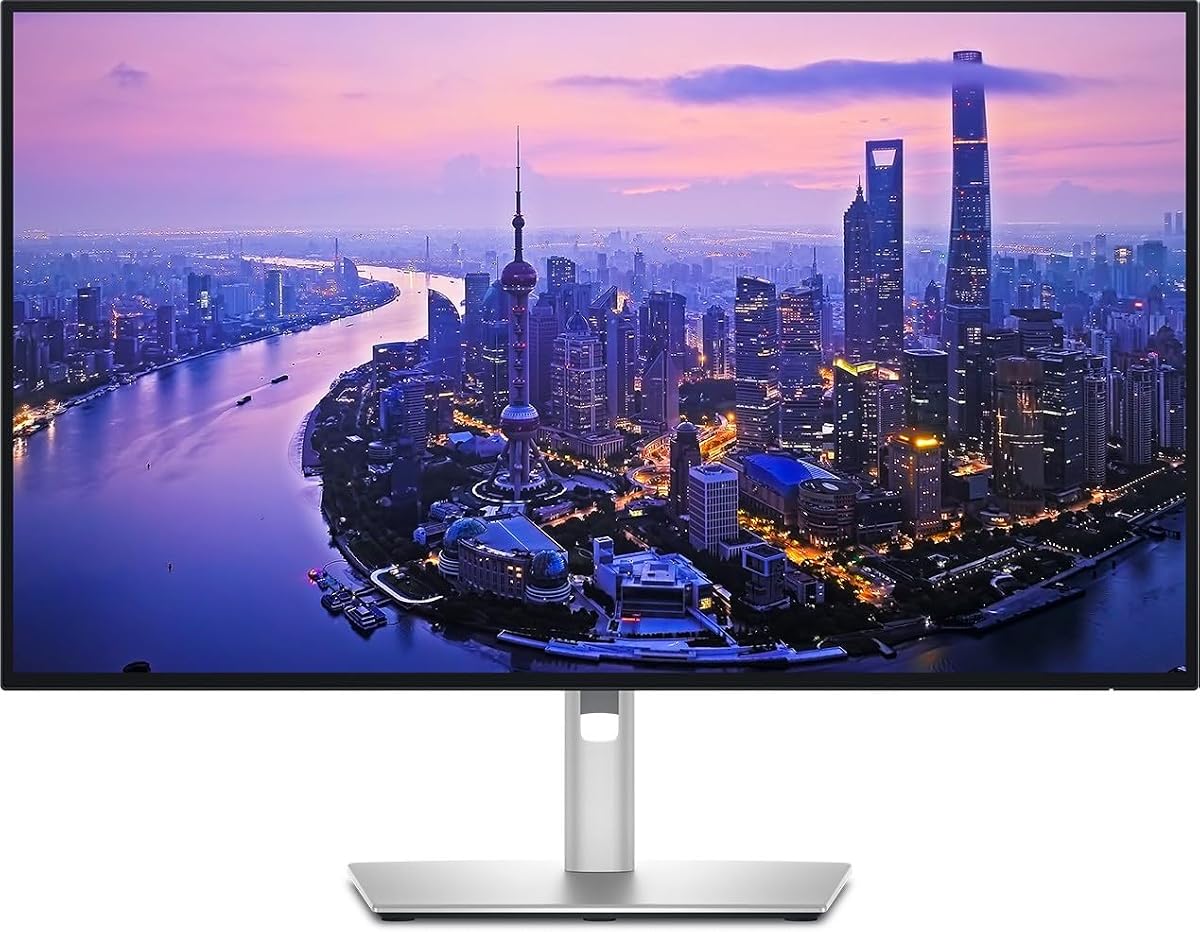
The Dell UltraSharp U3226QER is the premium choice for creators, developers, and executives who want a large 4K workspace without settling for a conventional office panel. It has the highest stated rating in the group at 4.6 and combines a 32-inch 4K display, 120Hz refresh rate, 99% Display P3 coverage, and factory calibration to Delta E below 1.5.
We may earn a commission when you buy through this link, at no additional cost to you.
The Enhanced IPS Black technology is central to its appeal. Dell states that the panel reaches a 3,000:1 contrast ratio and delivers blacks 47% deeper than conventional IPS. That makes it more suitable for photo review, video editing, interface design, and other work where shadow detail and color separation influence the final result. The near-borderless design further reinforces its professional appearance.
Built-in KVM functionality is particularly useful for people who alternate between a personal laptop and a work computer. Code, terminals, and browser windows can be spread across the crisp 4K workspace while a single keyboard and mouse move between devices. Fast Ethernet adds another wired-network option, and the monitor has been tested with devices running macOS for users building a Mac-oriented desk.
The trade-offs mainly concern size and positioning. A 32-inch premium display requires more physical room than a 27-inch model, and its professional panel and hub design place it in a more advanced tier. Even so, it is the most attractive choice here for users who need superior contrast, broad color, a large canvas, and a polished one-cable professional workflow in a single display.
The 3,000:1 contrast ratio and 47% deeper blacks provide a visible improvement over standard IPS when editing dark scenes or reviewing detailed imagery. The result is more dimensional than a basic 4K productivity panel, especially in a controlled viewing environment.
The built-in KVM makes it possible to share peripherals between a work computer and personal laptop. Switching becomes far more convenient for developers, consultants, and other users who alternate between professional and personal systems throughout the day.
Dell reports that the display was tested with devices running macOS, and its Display P3 coverage aligns well with the color workflows used by many Mac users. Dell Display and Peripheral Manager can be installed to fine-tune the screen for a more personalized setup.
We may earn a commission when you buy through this link, at no additional cost to you.
This Dell U2725QE Hub listing offers the same broad concept as a professional 27-inch 4K Thunderbolt display: sharp resolution, a built-in hub, and broad color coverage. Its 3.8 rating is lower than those of the other Dell UltraSharp listings, but the supplied specifications present a capable monitor for creative and productivity work.
We may earn a commission when you buy through this link, at no additional cost to you.
The 3840-by-2160 panel is designed to provide sharp detail for designers, photographers, and business professionals. Coverage of 100% sRGB and Display P3, together with factory calibration, makes it a stronger fit for color-critical work than a typical general-purpose 4K monitor. The built-in Thunderbolt hub supports daisy chaining, high-speed data, and a single-cable connection to compatible laptops.
Multiple USB-A, USB-C, and Thunderbolt ports allow the monitor to serve as the center of a desk. That is useful for external storage, peripherals, and other accessories, reducing the need for a separate dock. The stand also offers height, swivel, tilt, and pivot adjustments, while the design incorporates sustainable materials and energy-efficient operation.
The lower rating is the most important reason to compare this listing carefully with another U2725QE listing in the guide. The monitor may suit a buyer seeking a capable Thunderbolt hub and wide-gamut 4K panel, but buyers should review the current listing details, warranty information, and available ports before finalizing their choice.
Full sRGB and Display P3 coverage makes this model appropriate for professional photo editing, video production, and graphic design. Factory calibration adds an extra layer of consistency, although exact results depend on the source material and viewing environment.
The integrated Thunderbolt hub and varied USB connectivity can replace a separate desktop dock. A compatible laptop can connect through one cable, while peripherals plug directly into the monitor for a cleaner and more expandable workstation.
We may earn a commission when you buy through this link, at no additional cost to you.
The LG UltraFine 27UP850K-W is a 4.5-rated 27-inch 4K monitor that emphasizes versatility. Its IPS panel reproduces clear imagery with up to 95% DCI-P3 color coverage, while DisplayHDR 400 support expands the visible range for compatible content. The result is a strong all-rounder for productivity, entertainment, and general creative work.
We may earn a commission when you buy through this link, at no additional cost to you.
USB Type-C connectivity supplies data and up to 90W of power delivery, making it a practical one-cable option for many laptops. DisplayPort, two HDMI connections, two USB 3.0 ports, and a headphone jack provide additional ways to connect the monitor. Waves MaxxAudio stereo speakers add a level of convenience that many compact 4K displays lack.
Gaming-oriented tools include Black Stabilizer for brightening dark scenes and Dynamic Action Sync for more responsive perceived motion. The Switch app can divide the screen into as many as six sections, customize layouts, and launch calls. These features are especially helpful for users who alternate among work, streaming, communication, and entertainment rather than maintaining one fixed application.
The product is described with USB-C rather than Thunderbolt, so buyers seeking the full bandwidth or daisy-chain support of a Thunderbolt hub should verify compatibility before purchasing. DisplayHDR 400 is also modest compared with higher-tier HDR formats. Even so, the monitor's color, connectivity, speakers, multitasking software, and ergonomic stand make it an excellent productivity-focused USB-C display.
Built-in stereo speakers with Waves MaxxAudio reduce the need for external speakers during casual media use. Combined with 4K resolution and 95% DCI-P3 coverage, they make the display well suited to both focused work and entertainment.
The Switch app can create as many as six screen sections and provide quick access to video calls. This makes a single 4K panel more useful for mixed workflows where communication, browser content, and active applications must share the display.
Black Stabilizer can brighten shadowed content, while Dynamic Action Sync is designed to improve the perceived timing of on-screen action. These are helpful for casual gaming, although the product's core strength remains productivity.
We may earn a commission when you buy through this link, at no additional cost to you.
The Dell UltraSharp U2725QE W129125896 is a 27-inch 4K Thunderbolt hub monitor listing, but its available product data is unusually limited. The title identifies the model family and hub format, while the only descriptive line is the manufacturer part number. No customer rating is provided, so this listing cannot be judged using the same feedback signal as the other entries.
We may earn a commission when you buy through this link, at no additional cost to you.
Its strongest potential advantage is the combination of a familiar Dell UltraSharp platform with Thunderbolt hub functionality. That points toward a streamlined setup in which a compatible laptop connects through one cable and external devices use the display's hub. The implied 27-inch 4K format is also well suited to productivity and detailed work, where more pixels can improve text and interface density.
The limited information is a meaningful drawback. The listing does not state refresh rate, color gamut, contrast ratio, power-delivery capacity, supported inputs, or ergonomic adjustments. As a result, buyers should not assume that every specification matches the other U2725QE listings in this guide, even though the model name is similar.
This option is best approached as a listing to investigate rather than a recommendation based on detailed evidence. Review the current product page for panel specifications, port layout, warranty terms, and compatibility with your computer. If the full U2725QE feature set is confirmed, the monitor may suit a professional single-cable setup, but the available listing alone does not establish how it compares feature by feature.
A hub monitor is intended to become the connection point for a laptop and its peripherals. This can reduce desk clutter and simplify movement between a portable computer and a permanent workstation, provided the host device and attached accessories are fully compatible.
Because the supplied listing lacks detailed specifications, check the manufacturer and retailer pages for refresh rate, power delivery, color coverage, and port inventory. This is especially important when comparing an unfamiliar part number with a more fully documented U2725QE listing.
We may earn a commission when you buy through this link, at no additional cost to you.
The ViewSonic VP2488-4K is a compact 24-inch 4K IPS monitor built around Thunderbolt 4. It carries a 4.5 rating and targets professional users who want Mac-oriented visuals, accurate color, and a tidy one-cable connection without giving up the density of a 4K panel.
We may earn a commission when you buy through this link, at no additional cost to you.
Its Thunderbolt 4 port supports 40Gbps data transfer, 4K video, power delivery up to 100W, and high-speed daisy-chain arrangements. That makes it useful for a laptop-centered desk, external storage, and multi-monitor expansion. USB-C, HDMI, and DisplayPort inputs provide flexibility for PCs and accessories that do not use Thunderbolt.
Color is another major strength. The monitor covers 100% sRGB and 98% DCI-P3 and is Pantone Validated, making it well suited to photo editing, graphic design, and other professional creative tasks. Its compact 24-inch footprint can be especially helpful on smaller desks while retaining enough physical screen area for detailed work.
The primary trade-off is size. A 24-inch panel offers less canvas than a 27-inch or 32-inch 4K monitor, and some users may prefer larger windows and more spacious multitasking. Nevertheless, the combination of Thunderbolt 4, 100W charging, strong color coverage, and an adjustable stand makes this one of the most compelling compact choices in the guide.
The VP2488-4K delivers 40Gbps throughput and high-speed daisy-chain support in a smaller enclosure than many professional displays. It offers an appealing way to build a capable laptop workstation on a desk with limited physical space.
Coverage of 100% sRGB and 98% DCI-P3 supports advanced editing and design work. Pantone Validated status adds confidence for creators who need the display to align closely with widely used print and digital color references.
Thunderbolt 4 is a natural match for many modern Mac workflows, while 100W power delivery can charge compatible notebooks. HDMI and DisplayPort make the monitor equally practical for mixed-device offices that still rely on conventional PC connections.
We may earn a commission when you buy through this link, at no additional cost to you.
The Samsung ViewFinity S7 S71H has the highest stated customer rating in the roundup at 4.8. Its 32-inch 4K UHD IPS panel delivers a large, high-density workspace for professionals who regularly work with intricate diagrams, complex documents, design projects, and dynamic video content.
We may earn a commission when you buy through this link, at no additional cost to you.
HDR10 is the display's principal entertainment and imaging feature. Samsung states that it can reproduce a gamut of more than one billion accurate colors with darker blacks and brighter highlights. That gives supported games, films, and creative content greater perceived depth than a standard SDR panel while keeping the monitor focused on practical office use.
For longer sessions, Eye Saver Mode is certified by TÜV and is designed to reduce eye strain by minimizing blue light and preventing screen flickering. Game Mode can instantly adjust color and contrast to clarify scenes, while the 32-inch size offers ample room for professional multitasking without requiring a multi-monitor arrangement.
The important limitation is that the supplied specifications identify HDMI and DisplayPort rather than Thunderbolt. It is therefore a high-quality 4K display, but it does not offer the one-cable laptop charging, high-speed hub functionality, or daisy-chain benefits central to the keyword. Choose it for screen quality and value-oriented productivity rather than Thunderbolt integration.
At 32 inches, the ViewFinity S7 offers a generous working area while preserving 4K pixel density. It is a practical choice for comparing documents, editing detailed imagery, and keeping complex applications visible without immediately adding a second display.
TÜV-certified Eye Saver Mode addresses two common sources of screen discomfort by limiting blue light and preventing flicker. It is particularly helpful for office workers who keep a display active throughout the day.
HDR10 can produce brighter highlights and deeper shadows when the connected source and content support it. This makes the monitor more versatile for entertainment while preserving the core strengths of a productivity-oriented 4K IPS display.
We may earn a commission when you buy through this link, at no additional cost to you.
The Dell U3225QE is a 31.5-inch 4K UHD monitor built around an integrated Thunderbolt hub. Its 4.0 rating places it among the more highly regarded entries in the guide, and the large 16:9 display provides substantial room for documents, timelines, browser windows, and detailed creative applications.
We may earn a commission when you buy through this link, at no additional cost to you.
The integrated hub is the most important functional attribute. It is intended to handle compatible peripherals and devices while streamlining a professional workspace. A 4K LED panel supplies the sharpness needed for comfortable reading and detailed visual work, while the large dimensions can reduce the need to move windows between several physical monitors.
Its design also emphasizes a modern professional environment. Slim bezels and a restrained black finish help the screen blend into an office, while the wide canvas suits control rooms, editing suites, analyst desks, and creative studios. HDR support is indicated by the product title, although the supplied details do not specify a certification tier or measured brightness.
Some important details are missing from the listing, including exact color coverage, response time, refresh rate, power-delivery rating, and the complete port inventory. Those omissions make careful comparison essential. The U3225QE is most compelling for a buyer who prioritizes a large 4K area and a built-in Thunderbolt hub over a detailed specification sheet.
A 31.5-inch 4K screen can hold demanding layouts without sacrificing the pixel density needed for readable text. It is a strong alternative to a two-monitor arrangement when desk space is limited but the workload remains visually complex.
The integrated Thunderbolt hub is intended to simplify the connection of compatible laptops, storage, and accessories. This can produce a cleaner desk and make it easier to move between a portable computer and a permanent setup.
The slim bezel and understated finish suit modern offices, while 4K resolution keeps text and graphics crisp. The result is a display that can integrate visually with professional workspaces without overwhelming the desk.
We may earn a commission when you buy through this link, at no additional cost to you.
The Samsung TU87F is a 31.5-inch 4K UHD professional monitor that brings Thunderbolt 3 features to a value-focused configuration. Its 4.1 rating reflects a capable all-purpose display, with two Thunderbolt 3 USB-C ports, support for data and network traffic, and device charging up to 90W through a single cable.
We may earn a commission when you buy through this link, at no additional cost to you.
Daisy chaining is the headline feature. Compatible Macs and PCs can connect to one monitor, which can then pass a display signal and data to another screen while reducing the number of cables running to the computer. Picture-by-picture and picture-in-picture modes also allow two separate sources to be viewed simultaneously, making the monitor useful for a personal laptop and a work machine.
Visual performance is anchored by 3840-by-2160 resolution, a VA panel with 178-degree viewing angles, 99.9% sRGB coverage, and HDR10. Samsung highlights one billion hues, deep blacks, and bright whites. A 3-sided virtually borderless frame creates a seamless appearance when several screens are placed together.
The main compromise is the 60Hz refresh rate, which is less fluid than the 120Hz models in the guide. It is better suited to office work, content review, and general multimedia than fast competitive gaming. Even so, the combination of Thunderbolt 3, 90W charging, daisy chaining, and a large 4K canvas makes it an unusually capable budget-focused Thunderbolt display.
Two Thunderbolt 3 ports allow a compatible computer to connect through one display and continue to another. For users building a two-screen workstation, this can reduce clutter while preserving 4K output and high-speed data transport.
A single Thunderbolt connection can carry display video, USB data, Ethernet traffic, and up to 90W of charging. This is especially convenient for laptop users who want to arrive at their desk, connect once, and begin working.
Picture-by-picture and picture-in-picture viewing make it possible to monitor two devices simultaneously. The included window-management software supports this arrangement, which is useful for communication, monitoring, or separate work and personal tasks.
The three-sided virtually borderless design minimizes visual gaps between adjacent screens. Height, swivel, and tilt adjustments improve ergonomics, while VESA compatibility supports wall mounting or a separate monitor arm.
We may earn a commission when you buy through this link, at no additional cost to you.
The right 4K Thunderbolt monitor depends on how you work, which computer you use, and how much desk space you can devote to the display. Resolution, color, power delivery, expansion options, and ergonomics deserve careful attention before making a final choice.
Thunderbolt 4 provides 40Gbps of bandwidth, while Thunderbolt 3 also supports up to 40Gbps and remains common on high-end 4K displays. The practical benefits include one-cable laptop connections, high-speed data transfer, and daisy chaining. Check the port count carefully because a model may advertise a Thunderbolt connection without providing the full daisy-chain arrangement you need for multiple displays.
A monitor with USB-C or Thunderbolt can combine display output, data, and charging. This is particularly useful with laptops that have limited ports. Review the maximum power-delivery rating: 65W may suit lighter systems, while 90W or 140W provides more headroom for demanding mobile workstations. Video bandwidth, operating-system support, and required adapters should also be verified.
IPS panels offer accurate color, broad viewing angles, and predictable productivity performance. Enhanced IPS Black models can deliver substantially deeper blacks than conventional IPS, which benefits photo and video editing. VA panels may produce stronger contrast in some applications but can behave differently around viewing angles. Choose the panel based on color accuracy, contrast needs, desk placement, and viewing habits rather than refresh rate alone.
sRGB is enough for general office work and web content, but DCI-P3 or Display P3 is more appropriate for modern photographs, video, and design work. Factory calibration and a low stated Delta E add confidence that colors will appear consistent. Coverage alone does not guarantee accuracy, so consider the calibration claims, software support, and your actual editing requirements together.
A 24-inch 4K monitor offers a compact footprint and strong pixel density, making it suitable for smaller desks and laptops. A 27-inch model provides a familiar balance of workspace and scale. At 32 inches, 4K delivers a spacious canvas for timelines, documents, and control applications, but text and interface elements also appear larger by default. Consider both physical size and your operating system's scaling preferences.
A 120Hz display feels noticeably smoother than a 60Hz panel during scrolling, animation, and ordinary gaming. Faster response times and adaptive synchronization can further improve motion clarity. For specialized professional work, resolution, color, and connection features may matter more, but a higher refresh rate remains valuable if the monitor will also handle games or frequently animated interfaces.
A useful Thunderbolt hub should provide enough USB-A and USB-C ports for peripherals, along with direct display inputs for systems that do not use Thunderbolt. Ethernet can provide a reliable wired network over one cable, and KVM functionality can let two computers share a keyboard and mouse. Compare the exact port inventory, USB speeds, daisy-chain limits, and whether upstream data remains available on every port.
Height, tilt, swivel, and pivot adjustment help position the screen correctly and reduce neck strain. Look for a stand that suits your desk depth, particularly with a 32-inch model. Blue-light and flicker-reduction features can improve comfort during long sessions, although brightness control, room lighting, and sensible scaling remain more important than relying on a single eye-care feature.
Begin by confirming that your computer supports the display's Thunderbolt version or compatible USB-C video mode. Connect the appropriate cable, use the monitor's menu to select the correct input, and adjust the operating system's scaling so that text and applications appear at a comfortable size. On macOS, the ViewSonic model is specifically positioned for Mac workflows, while Dell provides management software for fine-tuning compatible UltraSharp displays.
For a Thunderbolt or USB-C single-cable setup, route display video, data, and charging through the primary upstream connection. Attach peripherals to the monitor's hub, connect Ethernet if needed, and use daisy chaining only when the monitor, computer, cable, and second display all support the intended arrangement. This prevents compatibility surprises and keeps a multi-monitor installation orderly.
Care for the display by cleaning with a soft, lint-free microfiber cloth and avoiding liquid cleaners directly on the screen. Use the on-screen menu to set brightness according to the room, enable the available eye-comfort features, and configure color profiles appropriate to your work. If precise editing is important, allow the display to warm up and calibrate it in the intended viewing environment before judging final color accuracy.
No, but it can make a laptop setup much cleaner and more versatile. A 4K display with compatible USB-C may already support video and charging, while Thunderbolt adds high-speed data, hub functionality, and often daisy-chain support. Choose Thunderbolt when you use fast storage, multiple peripherals, Ethernet, or a multi-monitor arrangement.
Yes, when the monitor and computer support Thunderbolt daisy chaining. The first monitor receives the computer connection and passes video and data to the second display, reducing the number of cables required. The Dell UltraSharp U2725QE supports daisy-chaining up to two additional 4K monitors, while the Samsung TU87F is designed around a dual 4K Thunderbolt 3 arrangement.
The correct level depends on the laptop and workload. A 65W connection may power lighter systems, while 90W or 140W offers more headroom for demanding notebooks. Check the laptop manufacturer's charging requirements and the monitor's supported power-delivery profile before relying on a single-cable setup.
Thunderbolt 4 is the newer and more capable option, with 40Gbps bandwidth and broad compatibility for modern laptops and accessories. Thunderbolt 3 also provides up to 40Gbps and remains suitable for many 4K workflows. The practical difference often comes down to host-device support, daisy-chain behavior, and the monitor's hub rather than 4K resolution alone.
No. A 99% sRGB monitor is already well suited to documents, browsing, spreadsheets, and general media. Wide-gamut coverage becomes more valuable when editing photos, producing HDR video, or working in Display P3 and DCI-P3 workflows, where a larger color space and careful calibration can materially affect results.
A 32-inch model provides more physical workspace and is useful for timelines, complex documents, and multitasking. A 27-inch model takes less desk space and often makes interfaces feel more familiar, while a 24-inch model is easiest to accommodate on a compact desk. Your operating system's scaling settings can also influence which size feels most comfortable.
Usually, yes, provided you have a compatible video connection and the necessary cable. The ViewSonic VP2488-4K includes HDMI and DisplayPort options, while the Samsung TU87F states compatibility with both PCs and Macs. Check operating-system support, USB-C video requirements, and the exact port needed for daisy chaining.
It is suitable for many strategy, simulation, puzzle, and general gaming experiences, especially at 4K resolution. However, the 60Hz models in this guide do not offer the smoother motion of 120Hz alternatives. Competitive fast-paced games generally benefit more from a higher refresh rate, while the Samsung TU87F's stronger advantages are productivity, connectivity, and large-screen 4K use.
The Dell UltraSharp U2725QE is the strongest all-around recommendation because it combines a 120Hz 4K IPS Black panel, factory-calibrated 99% DCI-P3 color, 140W charging, extensive hub ports, and daisy-chain support. The larger Dell UltraSharp U3226QER is the premium choice for creators who prioritize deeper contrast, a 32-inch canvas, and convenient KVM switching.
For buyers focused on value and established Thunderbolt integration, the Samsung TU87F provides two Thunderbolt 3 ports, 90W charging, dual 4K daisy chaining, and generous screen space. ViewSonic's 24-inch VP2488-4K is ideal when a compact footprint, Thunderbolt 4, and Pantone Validated color are more important than maximum screen area.
Before purchasing, verify the current specifications, warranty, port layout, and compatibility with your computer and accessories. Thunderbolt standards, supported resolutions, refresh rates, and charging behavior can vary by model and configuration. Product listings and prices also change frequently, so checking the latest retailer and manufacturer information will help ensure the display you choose fits your present workflow.