
Aliencell X1 Lite
4.8Editor score
Large 26-by-21-inch bed
Material-aware preview simulation
Enclosed Class 1 design
A 60W laser engraver is a substantial step up from entry-level hobby tools, combining greater cutting power with enough precision for personalized products, signage, batch work, and increasingly sophisticated fabrication. The best machine depends on whether you primarily cut nonmetals, mark metals, or need one system that can do both.
We compared all ten machines using their stated specifications, workflows, safety systems, working areas, software support, and material capabilities. The list covers enclosed diode systems, CO2 engravers, MOPA fiber lasers, and dual-laser machines designed for either small studios, batch production, or professional metal marking.
Each pick highlights the role its 60W configuration plays, from accessible desktop cutting to advanced color engraving and deep metal work. Product specifications and availability can change, so check the latest listing details and current seller information before making a final purchasing decision.
4.8Editor score

4.2Editor score

As an Amazon Associate we earn from qualifying purchases.
The comparison below places every 60W laser engraver on the same practical framework, including laser type, working area, primary material use, safety approach, software, and workflow features. It also distinguishes general-purpose nonmetal machines from dedicated fiber systems and dual-laser production tools.



The xTool F2 Ultra stands out as the most capable all-purpose option in this guide, with a 60W MOPA fiber laser and a separate 40W diode laser. Its 4.2 rating reflects an ambitious professional platform that brings metal marking, nonmetal cutting, deep engraving, color effects, and high-speed production into one desktop footprint.
We may earn a commission when you buy through this link, at no additional cost to you.
The MOPA source can engrave metals including aluminum, stainless steel, brass, titanium, gold, and silver, while the diode laser handles wood, acrylic, leather, glass, rubber, and fabric. Claimed capabilities include cutting up to 2mm of metal, 20mm of acrylic, and 23mm of wood, along with 3D embossing, deep engraving, laser cleaning, black marking, and thin-metal welding. The listed 8.7-by-8.7-inch workspace can expand to 8.7 by 19.7 inches with the optional conveyor.
Automation is another major strength. Two 48MP cameras support positioning accuracy stated at 0.2mm, material detection, setting suggestions, one-touch focus, and preview functions. Operating speeds reach a claimed 15,000mm/s, and the system offers preconfigured color files for more than 100 metal marking tones. Those features can reduce trial-and-error and make repeatable batch work more practical.
The trade-off is safety and operating complexity. This is a Class 4 system, so the enclosure, interlocks, eyewear, ventilation, and operator training demand attention. It is best suited to a serious studio or production business that can take advantage of both laser sources; buyers focused on ordinary craft cutting will find more than they need.
MOPA technology is especially useful for marking bare metals and creating a broad palette of color effects. The 60W source supports deep engraving, 3D relief work, and thin sheet cutting, making the F2 Ultra relevant to jewelry, industrial identification, and serialized product workflows.
Dual 48MP cameras, automatic focus, and an expandable conveyor target repeatable work. The optional larger setup is valuable when identical parts need to be positioned and marked without repeatedly resetting the machine.
We may earn a commission when you buy through this link, at no additional cost to you.
This Falcon2 Pro configuration offers one of the most versatile diode-based approaches available. Instead of using the 60W source at a single fixed level, the machine can operate at 22W, 40W, or 60W, allowing operators to balance cutting force, engraving detail, and the risk of scorching individual materials.
We may earn a commission when you buy through this link, at no additional cost to you.
A separate 1.6W laser supports precise positioning and fine detail work. The main 60W diode is intended for wood, acrylic, leather, bamboo, slate, coated metal, and similar materials, making it appropriate for signs, décor, personalized items, and batch orders. LightBurn, LaserGRBL, and rotary accessory support expand the available workflow.
The fully enclosed Class 1 construction includes a protective viewing window, emergency stop, and intelligent safety monitoring. Air assist and an exhaust system help control smoke and debris, while the HD camera provides live preview, positioning, and batch alignment. These features make the machine easier to use as a dedicated production station.
Its main limitation is that diode laser performance on bare metal remains limited, especially when compared with the fiber systems in this list. The absence of a published rating also leaves less customer-history context. Even so, adjustable output, enclosure design, and camera integration make it a strong general-purpose choice.
Switching among 22W, 40W, and 60W is more useful than a single maximum output because many jobs need control rather than maximum energy. Lower levels can support finer engraving and reduce scorching, while the highest setting handles demanding cuts.
The integrated HD camera reduces manual alignment and supports preview-based setup. For businesses engraving groups of similar objects, that can be more valuable than raw maximum power, particularly when repeatability and setup time are the main constraints.
We may earn a commission when you buy through this link, at no additional cost to you.
This Falcon2 Pro variant places emphasis on production speed, camera-assisted positioning, and straightforward maintenance. It has a 3.5 rating, so prospective buyers should weigh the strong stated specifications against a less extensive customer-rating history than several alternatives.
We may earn a commission when you buy through this link, at no additional cost to you.
The machine lists engraving speeds above 500mm/s and says it can cut 0.3mm stainless steel, 40mm basswood, and 60mm black acrylic in a single pass under specified conditions. Its integrated camera enables visual positioning and automatic placement of batch work, while intelligent focus is intended to simplify material setup and improve consistency.
Safety provisions include a flame detector, dual-wire limit switch, safety lock, emergency stop, and laser detection cover. The full metal enclosure and fire-resistant covering help isolate smoke, dust, and noise. A pull-out debris drawer collects residue and simplifies cleanup, which is a practical advantage during long runs.
This configuration is best for studios repeatedly cutting wood and acrylic or producing batches of similar engraved items. It is less appropriate when broad bare-metal marking is the primary requirement, and the reported 3.5 rating suggests buyers should closely examine the current listing and support terms.
The stated speed above 500mm/s and automated positioning are designed to shorten cycle times for repeated jobs. These features matter when the machine must produce many identical pieces rather than one highly customized item.
The integrated drawer makes debris removal more convenient, while air assist helps protect the optics from residue. For high-volume operation, accessible cleaning can improve consistency and reduce interruptions.
We may earn a commission when you buy through this link, at no additional cost to you.
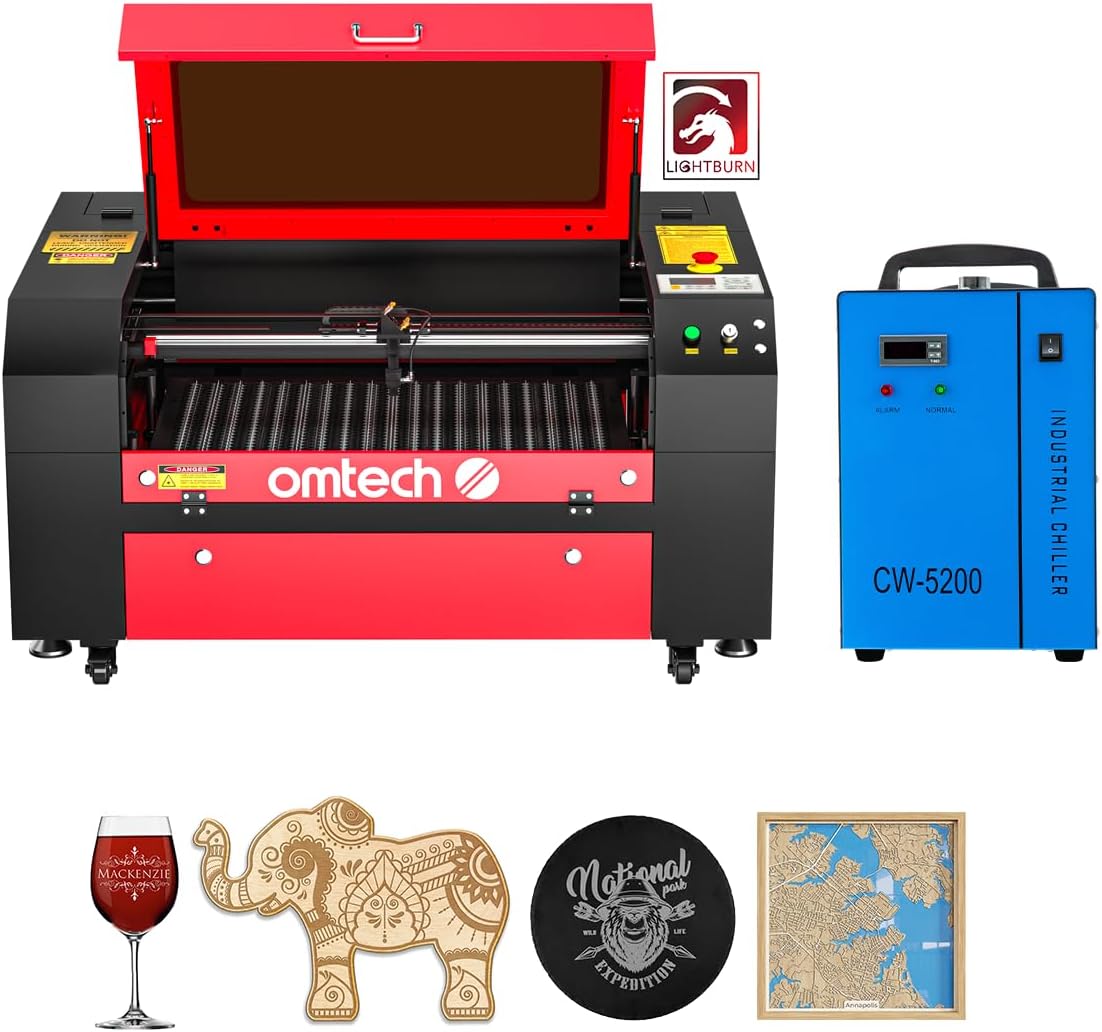
The OMTech Maker 60W CO2 combines a substantial 20-by-28-inch work area with autofocus and a 4.7 rating. It is designed for users who regularly handle nonmetallic materials and want enough area for signs, panels, boards, and oversized decorative pieces.
We may earn a commission when you buy through this link, at no additional cost to you.
Its honeycomb and aluminum-blade beds can be changed to suit different work, while four-way pass-through doors allow longer items to extend through the machine. The motorized bed adjusts vertically, and preinstalled autofocus determines focal distance automatically. That combination is especially useful when materials vary in thickness or operators change jobs frequently.
The bundle includes LightBurn and a water chiller, reducing the need to source core accessories separately. A widened flame-retardant viewing window supports observation of the work, and built-in air assist removes smoke and dust to protect the lens and mirrors. The maker's emphasis is clean, safe operation rather than metal processing.
The main trade-off is material compatibility. A CO2 laser is intended for wood, acrylic, paper, leather, glass, and similar nonmetals, not bare steel or aluminum. It also occupies more space than compact enclosed diode models. For a signage, packaging, or fabrication studio working primarily with sheet materials, however, the bed size and autofocus make it especially attractive.
The 500 by 700mm working area is more useful for signs, plaques, and production panels than a small hobby bed. Pass-through doors expand practical access to long stock without changing the nominal laser workspace.
Autofocus removes much of the repeated manual height adjustment associated with varied materials. The included water chiller supports stable laser operation, while LightBurn provides a familiar production and design environment.
We may earn a commission when you buy through this link, at no additional cost to you.
This Falcon2 Pro listing combines a 60W diode laser, a 1.6W light module, an HD camera, and a fully enclosed Class 1 structure. Its 3.9 rating places it in the middle of the group, but the feature set is particularly oriented toward visual setup and repeatability.
We may earn a commission when you buy through this link, at no additional cost to you.
The camera is intended to scan artwork and surface patterns, display operations more clearly, and assist with batch engraving and cutting. Listed speed exceeds 500mm/s, and stated single-pass cutting capabilities include 20mm wood and 30mm dark opaque acrylic. Creality Falcon Design Space works with Windows and macOS, while LaserGRBL and LightBurn offer additional options.
The fire-resistant enclosure includes an automatic stop when the lid opens or the bottom drawer is removed. An exhaust system works with the enclosure to filter and remove smoke and dust, while the air-assist system helps protect optics and improve cut quality. The preassembled format and listed installation video lower the initial setup barrier.
The principal nuance is that its camera workflow is described as operating through LightBurn, so users should confirm software compatibility and operating habits before purchase. As with other diode systems, results on stone, coated metal, or other specialized surfaces vary. It is a strong option for camera-guided wood, acrylic, and leather production.
Rather than requiring every design to be aligned manually, the camera can help locate patterns on a surface. This is useful for irregular shapes, limited blanks, and jobs where object placement changes from piece to piece.
The automatic stop adds a useful layer of protection around the enclosed work area. Supporting several software options gives users flexibility, although the clearest camera integration is tied to LightBurn.
We may earn a commission when you buy through this link, at no additional cost to you.
The Aliencell X1 Lite earns the highest listed rating in the group at 4.8 and targets users who need a large working area, high operating speed, and detailed workflow tools. Its defining feature is a simulation system that previews engraving results on material textures with a stated deviation below 5%.
We may earn a commission when you buy through this link, at no additional cost to you.
The 26-by-21-inch bed is 76% larger than the comparison baseline, which makes it relevant for oversized decor, signs, batch production, and mixed-size projects. The machine lists a 600mm/s cutting speed, 20,000mm/s squared acceleration, and a 20kHz pulse frequency. These specifications target smooth gradients, sharp edges, and rapid movement through complex artwork.
A one-touch autofocus system, crosshair positioning, and laser-guided alignment simplify setup. LightBurn is supported, while Aliencell Space offers a more intuitive alternative that simulates depth, contrast, and detail before processing. The enclosed Class 1 design is backed by SGS testing and more than ten global certifications, with ten flame sensors and UL94-V0 fire-resistant materials.
These are compelling claims, but buyers should verify exact configuration details and compatibility for their intended materials. The listing mentions metal among the broad supported materials, yet the precise capabilities of the included source should be confirmed before planning bare-metal work. For large-format nonmetal projects and detailed previews, the X1 Lite is one of the most polished options here.
Previewing depth, contrast, and texture can reveal whether an engraving will meet expectations before laser time is spent. That is particularly valuable for expensive sheet materials, multi-piece runs, and detailed grayscale work.
The stated 20kHz frequency and high acceleration are intended to preserve fine detail while moving quickly. Together with a large bed, they support productive work across many small parts or several larger panels.
We may earn a commission when you buy through this link, at no additional cost to you.
The VEVOR 60W CO2 has a 5.0 listed rating and combines a 24-by-16-inch workspace with broad operating-system and design-software compatibility. It is a general-purpose nonmetal cutting and engraving system with a clear emphasis on accessible production.
We may earn a commission when you buy through this link, at no additional cost to you.
The machine lists speeds up to 600mm/s and is recommended for acrylic up to 10mm, as well as wood, leather, glass, and other nonmetals. A honeycomb bed and aluminum blade bed allow users to choose the most appropriate support, while four-way pass-through design accommodates longer stock and allows easier manual feeding.
Focusing is manual through the control panel, head knob, or adjustable worktable, with a scale guiding the process. The system connects by USB or power cable and supports Windows, macOS, and Linux. LightBurn and RDWorks are among the listed compatible programs, along with CorelDRAW workflows, giving users broad design options.
It is explicitly not intended for bare-metal engraving and is only suitable for coated metals, an important distinction when comparing it with fiber machines. Its 3,500-plus-hour stated laser tube life provides a useful longevity indicator, while the pull-out waste tray, water pump cooling, and air assist simplify ongoing operation.
Support for Windows, macOS, and Linux is unusual and useful in mixed creative environments. LightBurn and RDWorks compatibility also allows operators to choose a workflow that matches their artwork and production habits.
Switching between honeycomb and blade beds improves support for different materials. Four-way access is useful for long pieces, while the pull-out tray keeps debris collection straightforward.
We may earn a commission when you buy through this link, at no additional cost to you.
This OMTech 60W CO2 configuration focuses on a large 20-by-28-inch bed, motorized height adjustment, and commercial throughput. It is designed for nonmetal production work and arrives with LightBurn and a water chiller, creating a broadly ready-to-use bundle.
We may earn a commission when you buy through this link, at no additional cost to you.
The listing states engraving depths up to 0.4 inch, or 10mm, on suitable nonmetallic materials, and operating speeds up to 600mm/s. The motorized bed eliminates repeated manual adjustment, while four-way pass-through doors allow long stock to pass through the workspace. Honeycomb and aluminum blade beds offer flexible material support.
The high-performance DC tube is rated at 60W and is stated to last for up to 1,000 hours, with its lifespan doubling when consistently operated at lower settings. Air assist manages smoke and dust, supporting cleaner results and helping protect internal components. The extended work area makes the system relevant to signs, panels, and production batches.
Like the other CO2 options, it is not a bare-metal engraving solution. It also lacks a published customer rating in the supplied data, making the detailed listing, warranty terms, and support resources especially important to review. Its motor-driven bed makes it a convenient choice for users who regularly change materials or work areas.
Motorized height adjustment reduces the need to reach under the machine and makes refocusing faster when material thickness changes. That convenience is useful for mixed-product studios and educational workspaces.
The included cooling unit and LightBurn software cover important operating and design needs. A large pass-through bed further improves the appeal for signage, panels, and repeated jobs.
We may earn a commission when you buy through this link, at no additional cost to you.
The Monport 60W Fiber is a compact, metal-focused engraver for users who need fiber-laser performance in a smaller package. It is rated at 60W, supports common metals including gold, silver, copper, stainless steel, brass, and titanium, and carries a stated lifespan of up to 100,000 hours.
We may earn a commission when you buy through this link, at no additional cost to you.
A customized galvanometer and F-theta field mirror are listed as supporting speeds up to 10,000mm/s and carving accuracy of 0.01mm. The 150 by 150mm working area is described as appropriate for this power level, with special tuning intended to maintain useful laser output near the edges.
The system supports 2.5D metal engraving, deep engraving, and some metal-sheet cutting, although actual results depend on material, speed, and focus. A red dot pointer assists positioning, and LightBurn compatibility gives operators access to a familiar control environment. Free alternative software and backup parameters are included on a USB drive.
The compact 5.9-by-5.9-inch area limits oversized work, so this is best for jewelry, tools, small components, and serialized items rather than large panels. It is also a Class 4 laser, requiring appropriate enclosure, ventilation, and protective procedures. Within that metal-specialist niche, its speed and stated precision are compelling.
Unlike a diode machine adapted for coated metal, the fiber source is designed around metals. It is therefore a more direct choice for jewelry, serial identification, and deep marking on small components.
High marking speed and a compact bed suit workflows with many small items. The limited workspace is a deliberate balance, while the red pointer and included parameters help simplify positioning and setup.
We may earn a commission when you buy through this link, at no additional cost to you.
The Cloudray 60W MOPA is built for metal engraving rather than mixed craft cutting. It combines a JPT MOPA source with a GSOBK galvo scanner, supports marking speeds up to 10,000mm/s, and is advertised as producing more than 100 color marking results on metal.
We may earn a commission when you buy through this link, at no additional cost to you.
Two F-theta lenses provide working areas of 110 by 110mm and 200 by 200mm. The manual lift column has a stated height adjustment of 130mm, allowing the machine to accommodate taller pieces. A positioning bar and red pointer support setup, while the package includes safety glasses, cables, tools, an aluminum card, and a USB drive.
The listing states that stainless steel, aluminum, and brass can be engraved, with deep engraving reaching approximately 0.5mm depending on the material and settings. It also lists a 0.01mm marking-resolution accuracy, making it suitable for small text, rings, bracelets, rods, and detailed industrial identification. It can reach cutting performance on some metal sheet, but the exact result is material-dependent.
Its listed 43-pound weight and compact package make it more portable than many enclosed desktop systems, though it remains a Class 2 listing in the supplied information despite 60,000mW output, so buyers should carefully verify the current safety classification and documentation. For a dedicated metal-marking operation, the dual lenses and MOPA source make it a capable specialist.
The small lens supports compact jewelry and detailed components, while the larger lens suits broader work areas. Having both allows operators to balance field size, resolution, and production flexibility.
MOPA technology is valuable when the appearance of the mark matters as much as its legibility. The stated 100-plus color capability and 0.5mm deep engraving broaden the creative and industrial uses of the platform.
We may earn a commission when you buy through this link, at no additional cost to you.
A 60W laser engraver is a major purchase, and the right model depends on material, part size, safety requirements, and expected workload. Comparing the source type, usable workspace, automation, and included accessories is more meaningful than focusing on wattage alone.
The laser source determines the materials you can process and how the machine behaves. Diode systems are efficient for wood, acrylic, leather, paper, and many plastics, but they generally cannot mark bare metal. CO2 systems also focus on nonmetals and are well suited to cutting, engraving, and larger sheet materials. MOPA and other fiber lasers are designed for metals, including stainless steel, aluminum, brass, copper, gold, silver, and titanium, while also supporting specialized marking effects.
Choose the technology that matches your primary revenue material. A nonmetal-oriented diode or CO2 laser is often the more sensible production machine for signs, décor, packaging, and gifts. A fiber laser is the better fit for jewelry, tools, serialized parts, and metal products. A dual-laser system is attractive when one operation regularly needs both categories.
A nominal 60W rating says nothing about the size of the workpiece. Desktop diode models often prioritize compact enclosures, while CO2 systems may provide a 20-by-28-inch or 24-by-16-inch bed. Fiber engravers frequently use much smaller fields because precision and focusing are more important than panel capacity. Four-way pass-through doors are especially valuable when long boards need to enter and leave the machine without awkward handling.
Choose a bed that fits your largest regular project plus clearance for fixtures and positioning aids. A machine that is too small causes constant reorientation, while an oversized workspace can add cost and occupy valuable bench space. For repeated production, weigh bed size together with camera alignment and conveyor options rather than looking only at dimensions.
Laser safety depends on the complete configuration, including enclosure, interlocks, viewing windows, flame detection, emergency stops, and operator procedures. Some enclosed desktop systems are listed as Class 1, while many open or fiber systems are listed as Class 4. The designation applies to a properly assembled and operated system, so accessories, covers, and work practices matter. Air assist, exhaust, fire-resistant materials, and accessible debris trays also reduce smoke, fire, and residue risks.
Prioritize safety systems that interrupt operation when a cover opens or a fault occurs. Ensure your room has suitable extraction and that combustible materials are kept out of the immediate work area. Follow the manufacturer instructions, use required protective equipment, and never treat a marketing label as a substitute for safe handling.
LightBurn is common across many of these systems, but camera features, material libraries, focus controls, and parameter tools vary. Creality Falcon Design Space, LaserGRBL, RDWorks, Aliencell Space, and the software supplied with fiber systems offer different levels of guidance. A camera can reduce alignment time, while material simulation can reveal how a design will appear before processing. Automatic focus is valuable when material thickness changes frequently.
Confirm the operating system, design formats, camera behavior, and licensing details before purchasing. Software can shape the entire daily workflow, so check whether the included tools support the exact tasks you need, such as batch placement, rotary handling, grayscale, parameter libraries, or production queues. The most flexible machine is not automatically the easiest one to operate.
Maximum travel speed is only one part of throughput. Acceleration, pulse frequency, focus time, extraction, bed loading, and operator setup can determine how many parts finish per hour. Some listings cite speeds around 500 to 600mm/s, while the xTool F2 Ultra and specialized fiber systems claim substantially higher maximum rates. Actual cycle time depends on material, design density, passes, and the need to clean or reposition work.
For batch production, run representative samples and time the complete workflow rather than relying on a headline speed. Consider camera alignment, autofocus, rotary support, conveyor expansion, and the time needed to load finished pieces. For occasional creative work, a simpler machine may be more satisfying than one optimized only for volume.
A 60W diode can be exceptionally capable with basswood and acrylic, but cutting performance varies by color, density, thickness, and machine design. CO2 lasers are naturally suited to materials such as wood, acrylic, leather, glass, and paper. MOPA systems can add metal color, deep relief, and clean ablation effects. Claims about a single pass should be treated as test conditions rather than universal guarantees, especially for dark acrylic, plastics, stone, or coated metal.
Prioritize the materials you expect to use regularly, then request verified cut and engraving examples under similar conditions. Check whether consumables, coatings, focus settings, and assist gas affect the result. Owning more advertised material compatibility is less useful than reliably processing the core products in your catalog.
Every high-output laser produces residue, and long jobs require attention to lenses, mirrors, filters, fans, water systems, and work surfaces. Enclosed machines with pull-out debris trays simplify cleanup, while air assist and extraction help keep optical components clearer. CO2 systems require attention to cooling, and fiber systems have additional considerations involving optics and metal debris. Tubes, lenses, mirrors, and filters are eventual service items.
Look for accessible cleaning points, clear replacement-part support, and a maintenance explanation in the documentation. Keep lenses clean with the approved method and avoid touching optical surfaces. For commercial workloads, build cleaning and inspection time into the schedule so throughput remains stable and consumables can be replaced before quality declines.
High-power equipment should have credible technical support, clear documentation, replacement parts, and a warranty that matches the operating environment. A preassembled machine can shorten setup, but installation videos do not replace safe assembly checks. Verify local service options, return terms, software support, and availability of lenses, mirrors, filters, hoses, chiller fluid, and other consumables before the machine leaves the seller.
The best support is not simply the longest warranty; it is help that answers material, software, and maintenance questions. Look for established documentation and clear communication about setup. Keep all guides, parameter backups, and test files organized, especially for fiber engravers whose calibrated settings can be difficult to recreate.
Begin with a safe, stable work area and install the machine according to its manual. Read the safety instructions, identify emergency controls, inspect the enclosure and cables, and connect suitable extraction. For enclosed models, keep the lid and shielding in place; for Class 4 fiber systems, establish a controlled operating area, wear the specified protective equipment, and follow all manufacturer instructions. Confirm the laser source, focus, and material before processing.
Create a test file using a material the machine is designed to cut or mark, and begin with conservative settings. Use Air Assist and appropriate focus, then make small adjustments while watching cut quality, heat, smoke, and material movement. With a camera, check alignment and previewed output before enabling the laser. Keep the laser path clear, never leave the machine unattended during operation, and stop immediately if flames, unusual smoke, or a safety fault appear.
After each session, allow the machine to cool as directed, disconnect power if required, and let the extraction system clear lingering smoke. Remove debris from the workbed and tray, clean the lens with the approved method, inspect mirrors and filters, and verify that fans, cooling, and air assist are working. Keep parameter files and test records organized, replace consumables according to condition, and arrange periodic professional service for a machine used in continuous production.
It depends on the laser technology. A diode or CO2 machine generally handles wood, acrylic, leather, paper, and other nonmetals, while bare-metal marking requires a fiber laser such as a MOPA system. Some diode machines can mark coated metals, but this is not equivalent to engraving bare steel or aluminum. Always use the material guidance for the specific machine and verify results with a test.
Common diode-laser materials include wood, acrylic, leather, paper, cardboard, bamboo, and some plastics. Actual cutting depth depends on the material's density, color, composition, machine optics, focus, assists, and number of passes. Dark acrylic and some plastics may require different settings or create additional fumes, so confirm that a material is safe for laser processing before using it.
It can be, provided its source and workspace match your products. Enclosed diode systems are useful for batch cutting and engraving of nonmetals, while CO2 machines suit larger sheet work. MOPA fiber systems are appropriate for metal-focused products such as jewelry, tools, and serialized parts. Include setup, cleaning, material testing, and software time when estimating whether the machine can support profitable volume.
A diode laser is primarily suited to wood, acrylic, leather, and other nonmetals, with relatively affordable and efficient operation. A MOPA fiber laser is designed for metals and can provide finer control over marks, color effects, deep engraving, and thin-sheet cutting. The best choice depends on whether your core business needs ordinary nonmetal production or specialist metal marking.
A camera is optional for simple one-off projects, but it becomes valuable when you need faster positioning, batch alignment, or a preview of the final result. Camera-based workflows can reduce waste and setup time, particularly with irregular objects or multiple copies of the same design. Check that the camera software works with your preferred computer and design platform.
An enclosure can reduce exposure to the laser, contain smoke and dust, and provide interlocks that stop operation when a cover opens. It does not remove every risk, and safety still depends on correct assembly, ventilation, maintenance, and operator behavior. Review the exact safety class, emergency controls, extraction requirements, and protective equipment instructions for the model you are considering.
A dual-laser system can handle both because it combines a fiber laser for metal with a diode laser for nonmetals. The xTool F2 Ultra is the example in this guide, pairing a 60W MOPA source with a 40W diode. A single-source machine is usually more specialized, so choose it according to your most frequent material rather than rare project possibilities.
Regular maintenance includes cleaning the workbed and debris tray, protecting the lens, inspecting mirrors and filters, checking airflow, and maintaining cooling and extraction equipment. You should also keep the focus system, emergency controls, cables, and enclosure in good condition. Follow the manual's cleaning schedule and replace damaged or contaminated optical components with approved parts.
The xTool F2 Ultra is the strongest all-around choice for buyers who need both metal and nonmetal capability, advanced positioning, and production automation. The Aliencell X1 Lite stands out for its large bed, detailed simulation, strong listed rating, and enclosed safety design. For accessible nonmetal production, the Creality Falcon2 Pro with adjustable 22W, 40W, and 60W settings offers a versatile balance of cutting, engraving, and camera-assisted work.
Before choosing, prioritize the material you sell most often, then evaluate working area, autofocus, camera alignment, software, safety systems, and cleanup. A CO2 system may serve large nonmetal panels better than a compact diode unit, while a dedicated MOPA machine may be more appropriate for jewelry or industrial marking than a multipurpose platform. The right 60W machine is the one that makes your intended work repeatable rather than merely impressive in a specification sheet.
Finally, check current listings, included accessories, software terms, warranty coverage, safety documentation, and seller support before purchasing. Machine configurations, included components, specifications, and prices can change, so the latest product page should be treated as the final source of truth. Compare the current offer with the workflow and materials that will actually keep your business productive.