
Acer HDMI 2.1 Cable
4.7Editor score
48Gbps bandwidth
eARC and ARC support
Dolby Atmos compatible
Braided cable construction
This HDMI Cable for Dolby Atmos guide compares 10 high-speed options for soundbars, TVs, consoles, and home theater systems.
An HDMI Cable for Dolby Atmos should do more than carry surround sound. It must also support the video bandwidth, eARC or ARC requirements, HDR formats, and refresh rates expected by your television, soundbar, game console, and other equipment. The right connection helps preserve rich spatial audio while supporting the sharpest picture your setup can display.
We compared ten HDMI 2.1 and HDMI 2.2 cables using the supplied specifications, including bandwidth, supported resolutions, eARC or ARC, gaming features, connector construction, shielding, cable length, and device compatibility. The list includes short and long options, single cables and multipacks, with emphasis on models explicitly supporting Dolby Atmos or eARC.
Each review identifies the setup that best suits the cable and explains any limitations based on its listed capabilities. A cable alone does not create Dolby Atmos: every source, display, soundbar, receiver, and audio format must be compatible. Product listings and technical support can change, so verify current specifications and prices before buying.
4.7Editor score

4.7Editor score

4.6Editor score
The comparison covers cable bandwidth, audio-return features, maximum listed resolutions, refresh-rate support, and practical construction. Dolby Atmos appears throughout the list, but cable length, certification, and the importance of eARC vary substantially among these models.
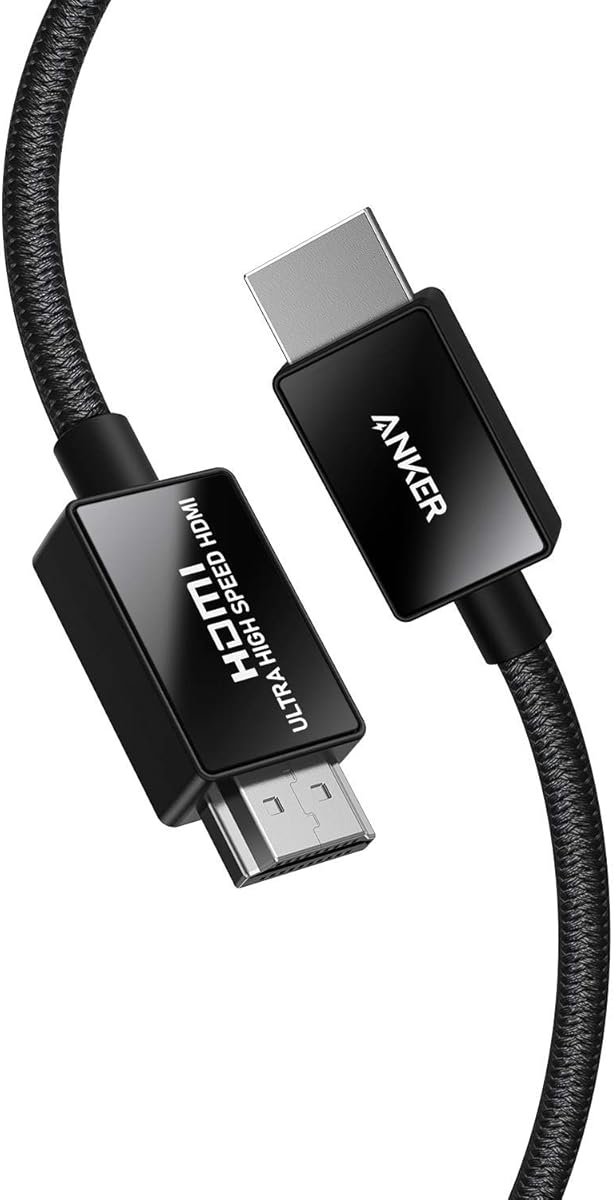

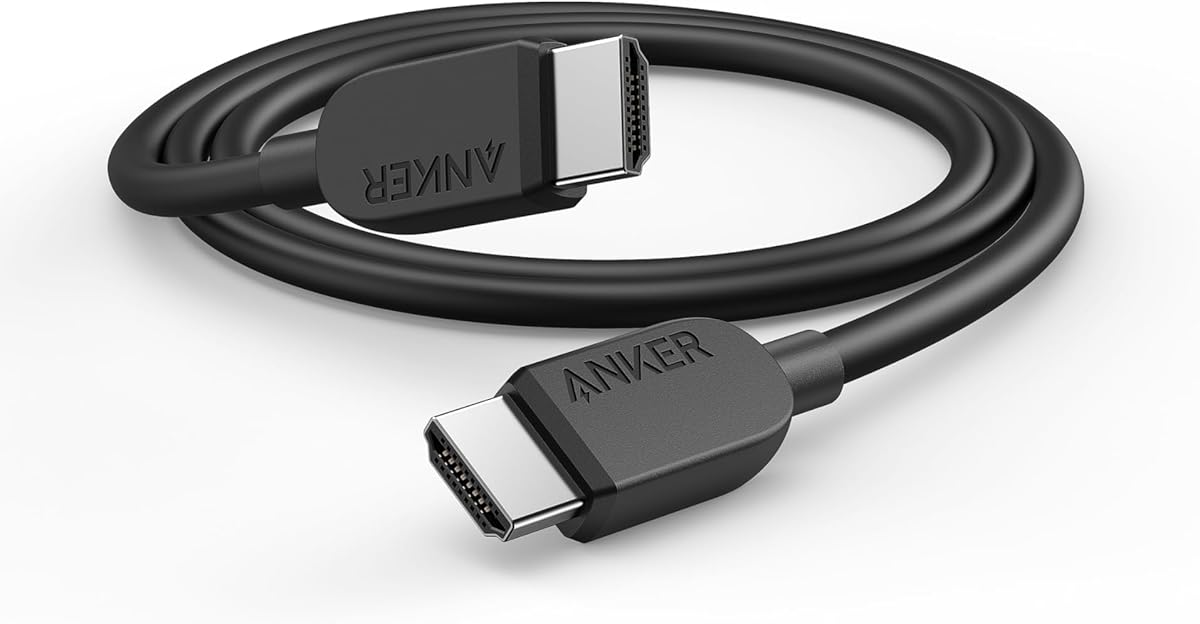



The Anker HDMI 2.1 Cable is a strong all-around choice for a home entertainment system that needs dependable video headroom and a durable physical connection. It carries a 4.8 rating, 48Gbps bandwidth, 8K at 60Hz support, and 4K at 120Hz support. Its official Ultra High Speed certification adds confidence for buyers who care about verified specification claims rather than headline resolution alone.
We may earn a commission when you buy through this link, at no additional cost to you.
The cable is especially relevant when Dolby Atmos travels from a television to a soundbar or receiver over eARC, although the listing focuses more heavily on its Ultra High Speed certification than on a specific Dolby Atmos feature. The 48Gbps bandwidth comfortably accommodates demanding 4K gaming, high refresh rates, HDR video, and compatible modern source devices. Compatibility is listed for PlayStation 5, Xbox Series X/S, Sony 8K UHD televisions, Apple TV, and Roku Ultra.
Construction details reinforce the premium specification. Anker uses carbon steel connector bodies, gold connector pins, and a double-braided nylon exterior. The stated plug-and-unplug durability is up to 10,000 cycles, while the cable includes an 18-month warranty and welcome guide. The main limitation is that the supplied information does not expressly identify ARC or eARC support, so buyers relying on television audio return should verify that feature before purchasing.
This is an excellent choice for a PS5, Xbox Series X/S, high-end television, or AV receiver setup where the primary priorities are 48Gbps bandwidth, certified high-speed performance, and robust construction. It may be less obvious for someone whose only requirement is a clearly documented Dolby Atmos and eARC connection, but as a general high-performance HDMI cable, it offers an unusually balanced feature set.
The 48Gbps bandwidth and support for 4K at 120Hz make this cable suitable for current high-output game consoles and compatible gaming displays. Actual resolution and refresh rate still depend on the source, display, game, and graphics settings.
Gold-plated pins, carbon steel connector bodies, and a double-braided jacket target dependable everyday use. The stated 10,000 plug-and-unplug cycles adds reassurance in entertainment centers where cables are moved regularly.
We may earn a commission when you buy through this link, at no additional cost to you.
The Silkland 8K HDMI ARC/eARC Cable is especially well matched to the keyword because its specifications explicitly connect eARC operation with high-bitrate formats including Dolby Atmos and DTS Master. It has a 4.7 rating, 48Gbps bandwidth, 8K at 60Hz support, and up to 4K at 120Hz or 144Hz depending on the source and display. It is a particularly relevant choice for a soundbar positioned close to a television.
We may earn a commission when you buy through this link, at no additional cost to you.
The cable is designed for a mixed entertainment ecosystem. Its dynamic HDR and 12-bit color support target more detail, brightness, and contrast, while the high bandwidth leaves room for current gaming consoles and high-refresh displays. The listing identifies Xbox Series X and PlayStation 5 among compatible devices. Triple copper shielding, zinc-alloy connector housings, and 24K gold-plated contacts are intended to maintain signal purity and resist corrosion.
The durability claim of more than 25,000 bends is notable, although real-world longevity also depends on routing, strain relief, and handling. A two-year replacement service is included, and the listing says customer service aims to respond within 24 hours. Some gaming claims require compatible hardware and software, and the 144Hz wording should not be read as a universal mode available to every device.
Choose this cable when the soundbar relies on ARC or eARC and Dolby Atmos is a central part of the setup. It also works well for users who want a single 6.6-foot connection to carry 4K or 8K video and spatial audio. It is our top pick for its unusually explicit combination of eARC, Dolby Atmos, strong bandwidth, and gaming capability.
Explicit eARC and ARC support makes the cable particularly useful for connecting a compatible television and soundbar. This matters when the TV handles Dolby Atmos processing and sends the resulting audio back to the soundbar.
The 48Gbps specification supports demanding display modes while retaining a cable focused on audio-video use. Dynamic HDR and 12-bit color processing complement high-resolution playback on suitable equipment.
We may earn a commission when you buy through this link, at no additional cost to you.
The UGREEN 8K HDMI 2.1 Cable is the practical choice when cable placement is the main obstacle. Its 16-foot length gives more freedom when a television, projector, soundbar, or receiver sits away from the wall, and it still carries a 4.8 rating with 48Gbps bandwidth. The supplied specifications also identify it as a certified Ultra High Speed cable.
We may earn a commission when you buy through this link, at no additional cost to you.
Audio is a major strength because the listing states that eARC can deliver full-resolution Dolby Atmos and DTS:X from a television to a soundbar or AV receiver. Video performance includes 8K at 60Hz, 4K at 240Hz, dynamic HDR, variable refresh rate, and quick media switching. These features make the cable suitable for mixed gaming, film, and television installations rather than a single-purpose soundbar link.
The construction uses an aluminum alloy case, nickel-plated connectors, and a nylon braided jacket. Its broad compatibility list includes Apple TV, several PlayStation and Xbox models, Nintendo Switch, Mac mini variants, laptops, PCs, Blu-ray players, AV receivers, television boxes, projectors, monitors, and popular 8K and 4K televisions. This wide support is helpful, but every device must still support the specific resolution and feature being used.
This is the pick for a long home theater run, a wall-mounted display, or a projector cabinet far from the source. The longer length also allows the soundbar to use eARC without forcing the television and soundbar into awkwardly close positions. If a six-foot cable will reach cleanly, no extra length is necessary, but this model offers valuable flexibility.
A 16-foot run can simplify installations where the television, projector, or soundbar is several feet from the source device. It also reduces strain from tight right-angle routing behind entertainment furniture.
The stated eARC capability allows compatible televisions to send full-resolution Dolby Atmos to a soundbar or receiver. Source, display, soundbar, format, and cable must all support the intended pathway.
We may earn a commission when you buy through this link, at no additional cost to you.
This Anker HDMI 2.1 Cable offers a straightforward high-speed connection for televisions, computers, projectors, and tablets. It has a 4.7 rating, carries up to 48Gbps, and supports 8K at 60Hz alongside 4K at 120Hz and 4K at 60Hz. Its six-foot length is versatile enough for most entertainment centers, desks, and nearby wall-mounted displays.
We may earn a commission when you buy through this link, at no additional cost to you.
The product data emphasizes quick, seamless video transfer and broad HDMI connectivity rather than a specific Dolby Atmos or eARC feature. That distinction matters for buyers whose soundbar needs audio returned from the television. If ARC or eARC is essential, this listing does not explicitly confirm it, making one of the cables with explicit audio-return specifications a more straightforward choice.
A stated lifespan of up to 1,000 bends provides a basic durability expectation, though it is less generous than the 25,000-bend claim listed for Silkland and the 10,000 plug cycles listed for Anker's 6.6-foot cable. The package includes the cable, a welcome guide, an 18-month warranty, and customer service. The cable is otherwise positioned as a useful, uncomplicated choice for high-resolution viewing and compatible gaming.
This model suits users who want a recognized-brand, certified cable without requiring any unusually long run. It works well when the display and source are close, and it can carry a compatible Dolby Atmos pathway so long as the rest of the equipment handles that function. Verify eARC requirements before purchasing if television audio return is the deciding factor.
Six feet is a versatile length for a television on a stand, a desktop monitor, or a projector positioned nearby. The simple HDMI-to-HDMI form also keeps setup and cable management uncomplicated.
The 48Gbps headline specification supports advanced display modes on compatible equipment. Remember that a cable cannot add a refresh rate or resolution unavailable from the source and display.
We may earn a commission when you buy through this link, at no additional cost to you.
The Highwings 8K HDMI 2.1 Cable 2-Pack provides two 6.6-foot cables, making it useful for connecting a television to one device and a soundbar or projector to another. It carries a 4.7 rating, 48Gbps bandwidth, and certified Ultra High Speed status. Support for 8K at 60Hz, 4K at 120Hz, and 4K at 240Hz gives it useful video headroom.
We may earn a commission when you buy through this link, at no additional cost to you.
The listing emphasizes gaming, including variable refresh rate and compatibility with demanding graphics hardware and CPUs. Aluminum alloy connector shells, an anti-bending tail design, and military-grade tensile nylon are listed as durability measures. Because it includes two matching cables, it can also serve as a backup for a frequently disturbed connection.
As with several other high-speed options, Dolby Atmos is possible only when the connected equipment supports the relevant audio path. The supplied product data does not explicitly identify ARC or eARC, so it is less definitive for a television-to-soundbar installation than the Silkland, UGREEN, Zeskit, Acer, or Highwings HDMI 2.2 options. That limitation narrows its advantage despite the two-pack format.
This is a practical choice for users who want two certified high-speed cables, need a spare, or are setting up multiple nearby devices. It is also a reasonable option for game-focused systems. For a soundbar setup where Dolby Atmos is carried through television eARC, verify that feature first or choose a model that documents it explicitly.
The two-pack is useful for entertainment centers with more than one device or for keeping a replacement within reach. Two 6.6-foot cables offer flexibility without introducing several different lengths.
The cable supports high resolutions and refresh rates associated with modern gaming hardware. Variable refresh rate support requires compatible source and display devices, with supported games and settings.
We may earn a commission when you buy through this link, at no additional cost to you.
The Zeskit Maya 6ft combines explicit Dolby Atmos support with certified 48Gbps bandwidth, making it one of the most clearly aligned products in the roundup. It has a 4.7 rating, supports eARC, and lists Dolby Vision, HDR10, DTS:X, HDCP 2.2 and 2.3, ALLM, QFT, QMS, and VRR among its supported features.
We may earn a commission when you buy through this link, at no additional cost to you.
Its resolution support covers 8K at 60Hz, 4K at 120Hz, and up to 10K according to the product information. Backward compatibility allows it to be used with earlier HDMI devices, which adds practical value when components are upgraded at different times. The soundbar emphasis is particularly relevant for spatial-audio users who understand that Dolby Atmos is a complete chain rather than a cable-only feature.
One concern is that the cable's headline refresh-rate ceiling is lower than some 48Gbps alternatives that list 4K at 240Hz. That distinction matters only for a user whose source, display, and content can actually operate at the higher mode. The listing also identifies the Maya as 2 meters, or 6.5 feet, which is a conventional entertainment-center length.
The Zeskit is a strong recommendation for buyers who want one cable that documents Dolby Atmos, eARC, modern gaming features, and broad home-theater standards. Choose it over a higher-refresh model when soundbar compatibility and comprehensive format support matter more than access to the most extreme gaming modes.
The product explicitly lists Dolby Atmos and DTS:X alongside eARC. That makes it easy to identify a cable intended for the same high-bitrate audio ecosystem used by modern soundbars and receivers.
eARC, high-resolution video, VRR, ALLM, HDR, and protected-content support make this a versatile option. It is suitable for a television, game console, projector, monitor, or soundbar arrangement.
We may earn a commission when you buy through this link, at no additional cost to you.
The Silkland Certified HDMI 2.1 eARC/ARC Cable is designed for close-range connections where a shorter lead is easier to manage. It has a 4.7 rating, 48Gbps bandwidth, and official HDMI 2.1 certification that can be checked through a QR code scanner. Dolby Atmos, DTS:X, ARC, and eARC are explicitly included among its supported features.
We may earn a commission when you buy through this link, at no additional cost to you.
This short cable is suitable for a soundbar sitting immediately below a wall-mounted television, a compact entertainment center, or a desktop display. Its listed resolution support is broad, including 10K at 8K 60Hz, 5K at 120Hz or 90Hz, 4K at 144Hz or 120Hz, and 2K at 240Hz or 165Hz. Some gaming claims depend on a game and source device supporting the relevant mode.
Silkland describes a double-layer fishnet winding and nylon braid as its E-Braid construction, with copper cores and ferrite magnetic beads intended to support stable signals. Dynamic HDR and HDCP 2.2 and 2.3 are also listed. The short physical length is the primary limitation, as it leaves less slack for wall-mounted displays or components positioned deeper inside a cabinet.
This is a compelling choice for a compact soundbar-and-television arrangement where Dolby Atmos is returned through eARC and cable clutter must be minimized. It is also useful for nearby gaming setups that benefit from 4K at 120Hz or 144Hz. Choose a longer model if the components are separated by more than a few feet.
A 3.3-foot cable reaches from a low-mounted soundbar to a nearby television without leaving excess slack. The short run also reduces the chance of a tightly bent connector.
The QR-code certification claim lets buyers check the cable's HDMI 2.1 status. Explicit eARC, ARC, Dolby Atmos, and DTS:X support makes it more targeted for modern soundbars.
We may earn a commission when you buy through this link, at no additional cost to you.
The Highwings HDMI 2.2 cable is built around a 96Gbps bandwidth target, offering more theoretical headroom than the 48Gbps HDMI 2.1 products in this guide. It has a 4.6 rating and lists support for 16K at 60Hz, 12K at 120Hz, 8K at 240Hz, and 4K at 480Hz. It also supports eARC, Ethernet, VRR, ALLM, Dynamic HDR, Dolby Vision, and Dolby Atmos.
We may earn a commission when you buy through this link, at no additional cost to you.
For a home theater, its eARC capability is the central attraction. The listing describes uncompressed Dolby Atmos transmission from a television to a soundbar or receiver, which makes the cable relevant to immersive-audio setups. A built-in Ethernet channel may also reduce the need for separate networking cables between compatible devices. These features still depend on the television and other connected equipment.
The physical design uses a double-braided nylon jacket, corrosion-resistant 24K gold-plated connectors, and aluminum foil shielding for electromagnetic and radio-frequency interference. Its most important caveat is that the extreme resolution and refresh-rate combinations require compatible future or current devices. The supplied data does not state official HDMI certification for this model, so buyers should distinguish listed capability from certification.
This cable makes sense for enthusiasts building toward next-generation displays, high-end gaming systems, or a setup that already includes HDMI 2.2 equipment. For an ordinary television and soundbar, the additional bandwidth may remain unused, but the eARC and Dolby Atmos focus still makes it a forward-looking choice.
The 96Gbps specification creates considerable room for very high resolutions and refresh rates. It is most valuable when both source and display can take advantage of those modes.
Aluminum foil shielding is intended to limit electromagnetic and radio-frequency interference. Gold-plated connectors and a braided jacket complement that focus on stable signal delivery.
We may earn a commission when you buy through this link, at no additional cost to you.
The Acer HDMI 2.1 Cable combines a useful 6.6-foot length with the features most likely to matter in an everyday Dolby Atmos setup. It carries a 4.7 rating, 48Gbps bandwidth, and explicit support for eARC, ARC, Dolby Vision, and Dolby Atmos. Its listed video modes include 8K at 60Hz and 4K at 240Hz, 120Hz, and 144Hz.
We may earn a commission when you buy through this link, at no additional cost to you.
This is a broadly applicable cable for televisions, soundbars, projectors, gaming consoles, streaming devices, and computers. Backward compatibility extends to HDMI 2.0, 1.4, 1.3, and 1.2 devices, making it easier to integrate older components. The compatibility list also includes PS5, PS4, Xbox, Roku, Fire TV, Apple TV, PCs, laptops, Mac mini M4 and M4 Pro, monitors, and projectors.
Construction details include a high-purity copper core, aluminum alloy shell, and braided jacket intended to resist interference, bending, and daily wear. The product information does not mention official Ultra High Speed certification, which is worth checking against your priorities. It also does not claim the unusually high bend counts listed by some competing models.
The Acer is our budget pick because it combines broad compatibility, documented eARC and Dolby Atmos support, and a mainstream cable length without an elaborate feature list. It is well suited to a soundbar beneath a television or a mixed gaming and viewing installation. Confirm the exact connector and port compatibility of your source, display, and soundbar before purchasing.
The combination of eARC, ARC, and Dolby Atmos support is ideal for buyers who want a television to send immersive audio to a compatible soundbar. The 6.6-foot length suits many common furniture arrangements.
Backward compatibility allows gradual home-theater upgrades without replacing every device at once. The broad device list also makes this a practical general-purpose cable.
We may earn a commission when you buy through this link, at no additional cost to you.
The Highwings 16K 8K HDMI Cable 2.2 is the specification-heavy option in this guide. Its 4.6 rating is accompanied by a listed 96Gbps bandwidth, support for 16K at 60Hz, 8K at 120Hz, and 4K at 240Hz, plus enhanced eARC+, Dolby Atmos, DTS:X, HDR10+, Dynamic HDR, VRR, and ALLM. It is aimed at users who want as much capability as possible from a 6.6-foot cable.
We may earn a commission when you buy through this link, at no additional cost to you.
The enhanced eARC+ description focuses on sending uncompressed Dolby Atmos from a television to a soundbar through one connection. That focus makes the cable more than a gaming lead, particularly for a dedicated home theater. An integrated Ethernet channel is also listed, potentially simplifying networking between compatible devices. As with every advanced option, actual behavior depends on the complete equipment chain.
The construction is premium in appearance and specification. A precision double-braided nylon jacket is paired with 24K gold-plated connectors and multi-layer aluminum foil shielding. The design targets stable signal integrity, reduced interference, and long-term resistance to daily wear. However, the supplied information does not state official certification for this HDMI 2.2 cable, so its listed capabilities should be checked against the source and display requirements.
This model is best for an enthusiast with compatible HDMI 2.2 hardware, a high-resolution display, or plans to upgrade before those extreme modes become common. It is our premium pick for the combination of 96Gbps bandwidth and enhanced eARC+ positioning. For a more immediately usable soundbar setup, a 48Gbps cable with confirmed Dolby Atmos support may be easier to justify.
The enhanced audio-return positioning directly targets single-cable television-to-soundbar arrangements. Dolby Atmos support makes it relevant to modern surround and object-based audio ecosystems.
Double braiding, gold-plated contacts, and layered aluminum shielding support both durability and signal stability. These features are useful in a home theater where cables may remain installed for years.
We may earn a commission when you buy through this link, at no additional cost to you.
Dolby Atmos compatibility depends on the entire entertainment chain, so the best cable is the one that matches your audio-return method, display capabilities, source resolution, and physical setup. Bandwidth, eARC, certification, length, and construction should be weighed together rather than in isolation.
Prioritize an explicitly documented ARC or eARC cable when the television sends Dolby Atmos back to a soundbar. A cable carrying that audio must also support the video mode used by the display.
Choose 48Gbps for mainstream 4K and 8K equipment, or consider 96Gbps when your current devices explicitly support HDMI 2.2 and exceptionally high modes.
Choose a model that expressly lists eARC for a Dolby Atmos soundbar connected through the television. Use ARC only when the equipment and desired audio format support it.
Verify source, television, soundbar, and format support before buying. The cable should be the final compatible link, not a substitute for compatible equipment.
Choose 3.3 feet for tightly grouped components, around six feet for typical stands, and 16 feet for distant displays or projectors. Measure first.
Prioritize certification when dependable documentation matters most. Compare 96Gbps claims carefully against certification and actual device requirements.
Match refresh-rate and HDR claims to your actual display. Choose a higher-bandwidth cable when gaming performance is as important as soundbar audio.
Prefer braided construction, sturdy shells, and multiple shielding layers for permanent setups. Handle the cable gently to preserve connector strain relief.
Begin by identifying which devices need to be connected. For a television-to-soundbar setup, connect the television's eARC or ARC output to the soundbar's matching eARC or ARC input. For an external receiver, connect the source device directly to the receiver and use the appropriate return connection between the receiver and television. Before moving the picture, check the soundbar and receiver manuals to identify the correct input and any required audio-format settings.
After connecting the cable, select the matching HDMI input on the television or receiver, then enable the appropriate ARC, eARC, Dolby Atmos, or surround-sound setting where available. The available options depend on the television and soundbar models. Many systems expose a Dolby Atmos or Atmos mode only when the source is playing compatible content, so test a film or television program that carries the format rather than relying on a menu alone.
For care, route the cable gently and avoid tight bends immediately beside the connector. Do not yank it from the port; grip the connector housing when unplugging. Keep the cable away from moisture, excessive heat, and strong electromagnetic interference where practical. If picture flickers, audio drops, or the intended mode is unavailable, test another port or cable and confirm that every device supports the selected resolution, refresh rate, and audio format.
No. A compatible cable can carry a Dolby Atmos signal, but the source content, source device, television, soundbar or receiver, audio settings, and cable must all support the intended format. If the television returns audio to a soundbar through eARC, every device in that path must be compatible. The cable alone cannot decode Atmos, add surround channels, or bypass format limitations.
eARC is strongly preferable when the television is sending Dolby Atmos to a soundbar over HDMI. It is designed for higher-bandwidth audio return and is listed alongside Dolby Atmos support on several products in this guide. ARC can work with some soundbars and formats, but its limitations may prevent certain high-bitrate audio configurations. Check both the television and soundbar before choosing.
A 4K Dolby Atmos setup does not automatically require the highest bandwidth listed here. The correct cable must support both the audio pathway and the video mode in use. A certified 48Gbps Ultra High Speed cable is a practical choice for many 4K and gaming systems, while 96Gbps options provide more headroom for newer or unusually demanding configurations.
A properly constructed quality cable should maintain stable audio and video over its supported length. The 16-foot UGREEN option in this guide provides a long-run solution with 48Gbps bandwidth and eARC support. Cable quality, connectors, routing, shielding, and correct installation still matter, so avoid damaged cables and sharp bends.
No. A higher HDMI specification primarily expands bandwidth and enables additional video, gaming, and control features. It may also carry enhanced audio-return functionality when the connected equipment supports it, but it cannot create better speakers, decode unsupported formats, or correct a mismatched audio setup. Soundbar and receiver processing determine much of the perceived audio quality.
You may need more than one physical connection even if one cable specification supports every device. A typical arrangement uses one cable from the console or streamer to the television, another from the television to the soundbar, and possibly another for a receiver or game console connected directly. Switch inputs on the television or receiver rather than frequently unplugging and reconnecting the same cable.
Confirm that the selected content actually carries Dolby Atmos and that the source device exposes the correct audio options. Then verify that the television, soundbar, or receiver is set to the appropriate HDMI input and that ARC or eARC is enabled. Finally, check the cable specification, port, and format support, because a compatible cable cannot overcome incompatible settings or unsupported equipment.
Certification gives buyers a standardized basis for evaluating bandwidth and cable performance, which can be reassuring for a permanent home-theater installation. However, certification does not make a cable appropriate for every setup, and length, eARC support, connector fit, and routing still matter. Compare certification together with the audio and video features your equipment requires.
The Silkland 6.6-foot HDMI 2.1 stands out for buyers prioritizing soundbar use because its listing explicitly combines eARC, Dolby Atmos, 48Gbps bandwidth, and high-refresh gaming support. Acer's 6.6-foot cable delivers a similar practical combination at the budget end, while the Highwings 6.6-foot HDMI 2.2 earns the premium position with 96Gbps bandwidth and enhanced eARC+ capabilities.
Prioritize the connection path before bandwidth. A soundbar relying on television audio return needs an expressly compatible eARC or ARC cable, a receiver system may need a direct source-to-receiver cable, and all connected equipment must support the selected Dolby Atmos format. After addressing audio, select a length that reaches cleanly, consider certification if you value documented performance, and match gaming and HDR features to your display.
Finally, verify current specifications, device compatibility, and prices before purchasing. Product details and formats evolve, and a listing alone cannot guarantee that an entire setup is ready for Dolby Atmos. Checking the latest television, soundbar, and receiver requirements first can prevent an otherwise capable cable from solving the wrong connection problem.