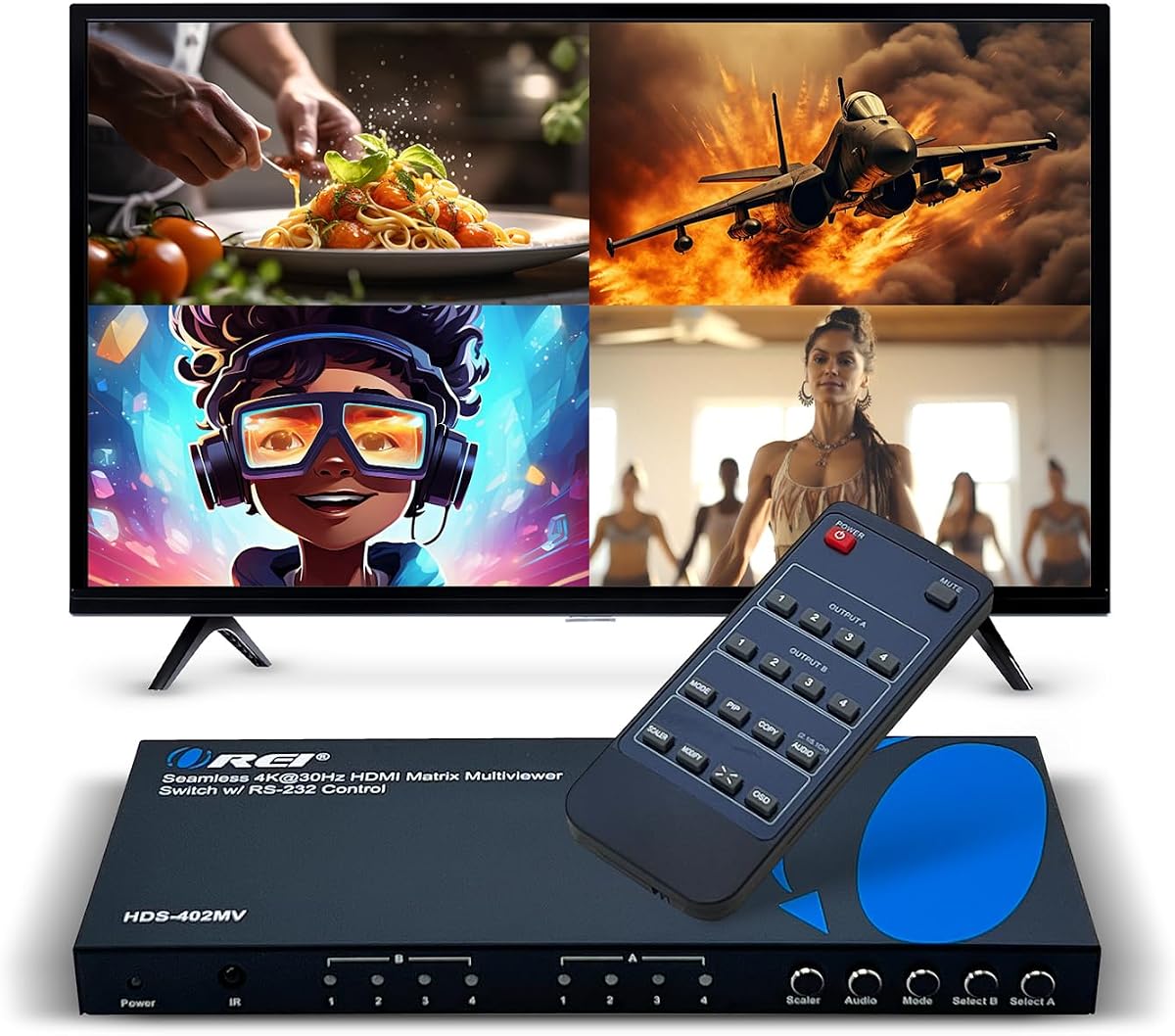
OREI 4×2 Quad Multi HDMI Viewer
4.7Editor score
Four inputs, two outputs
4K at 30Hz support
Optical and analog audio
Our HDMI Multiviewer guide compares 10 models for resolution, inputs, viewing modes, control options, audio, and installation needs. Find your ideal setup.
An HDMI multiviewer combines several video sources on one display, making it easier to monitor security cameras, game consoles, computers, broadcasts, or media players without constantly changing cables. A useful unit offers clear layouts, responsive switching, dependable control, and compatibility with the displays and source devices already in your setup.
This guide compares ten HDMI multiviewers across input and output counts, maximum resolution, viewing layouts, picture-in-picture functions, audio extraction, control methods, and installation requirements. It includes entry-level quad-screen models, 4K-oriented units, dual-output systems, and a professional matrix controller for demanding installations.
Each review highlights the product's most useful capabilities and honest limitations based on the available specifications. The top picks represent a strong overall choice, a premium installation, and a budget-oriented option. Product prices and availability can change, so check current listings and verify compatibility before purchasing.
4.7Editor score

4.3Editor score
4.8Editor score
The comparison below shows how the ten selected HDMI multiviewers differ in channel count, maximum resolution, viewing flexibility, audio options, and control capabilities, making it easier to identify the model that matches your equipment and installation requirements.


The PORTTA 4×1 HDMI Multiviewer combines four HDMI sources with a single display and carries a 4.3 rating. Its standout qualities are the balance between viewing flexibility and straightforward operation, with six layouts, seamless switching, and both IR and RS-232 control. It is especially well suited to users who want more than a basic four-way splitter without needing 4K at 60Hz.
We may earn a commission when you buy through this link, at no additional cost to you.
The layouts include four equal screens, two side-by-side views, top-and-bottom views, picture-in-picture, full screen, and one large screen accompanied by three small ones. This variety makes it practical for a security wall, gaming station, or workstation where one source occasionally deserves priority. Seamless four-port switching is particularly useful in full-screen mode, while downscaling support for 1080p and 720p provides flexibility when connected to displays with different capabilities.
Audio connectivity is another strength. The device includes Toslink and 3.5mm audio output, allowing video to be shown on a display while sound is directed to a separate amplifier or speaker system. It also supports HDCP 1.4 and 1.3 and is compatible with cameras, PCs, consoles, Blu-ray players, Chromecast devices, televisions, projectors, and monitors. The trade-off is that 1080p at 60Hz is its maximum stated video resolution, and it provides only one main HDMI output.
Those limits are acceptable for most monitoring and switching setups, particularly when the goal is dependable quad-screen viewing rather than high-bandwidth 4K distribution. The included remote, power components, manual, warranty, and technical support also make it a well-rounded package. For buyers seeking flexible layouts, dedicated audio outputs, and professional control options, this is the most balanced recommendation in the guide.
Six layouts let the display adapt without changing cables. The one-large-and-three-small mode is particularly useful when a primary feed, such as a live camera or active game, should remain prominent while other sources stay visible.
The IR remote is convenient for everyday operation, while RS-232 adds a more permanent control route for installations where front-panel access is limited. This combination suits both living rooms and semi-professional control setups.
Toslink and 3.5mm outputs let the selected source audio travel to external speakers or amplifiers. That is valuable when the television or monitor has weak built-in sound or when the multiviewer is positioned away from the listening area.
We may earn a commission when you buy through this link, at no additional cost to you.
The OREI 4×1 Out Quad Screen Multiviewer is a straightforward four-input solution with a 4.3 rating. It connects up to four HDMI sources to one HD display and provides five display modes through the included IR remote or front-panel buttons. Its appeal comes from uncomplicated operation rather than an extensive feature set, making it a practical choice for monitoring several standard-definition or high-definition sources.
We may earn a commission when you buy through this link, at no additional cost to you.
The product supports resolution up to 1080p and includes a VGA output, which can be useful when a display or projector has different interface options. Five layouts allow users to move between quad view and other arrangements without complicated software. The unit is also described as usable for 4×1 multiviewing and 1-in-2-out applications, giving it a little more flexibility than the basic channel count alone suggests.
The limitations are equally direct. It does not offer the 4K at 30Hz or 4K at 60Hz capability found in more advanced models, and its five layouts are fewer than the eight, nine, or twelve offered by several competitors. It also lacks the RS-232 control and digital audio extraction emphasized by premium OREI models. These omissions matter for professional control rooms but may not affect a home, office, or small monitoring installation.
The OREI package includes the multiviewer, power supply, remote control, and user manual, along with a one-year warranty. Choose this model if you need a straightforward 1080p quad viewer with both IR and panel-button operation. It is less suited to users who need 4K, advanced picture-in-picture positioning, or separate digital and analog audio outputs.
Front-panel buttons provide quick local control, while the IR remote makes switching comfortable from across a room. For users who do not need network or serial control, this is a practical combination.
The added VGA output provides another way to connect compatible equipment. It is a modest feature, but it can make the unit easier to integrate with an existing display that lacks the preferred interface.
A 1080p ceiling and five layouts cover the core needs of a four-camera wall, gaming comparison setup, or office monitoring station. Choose a higher-resolution alternative if fine 4K detail is essential.
We may earn a commission when you buy through this link, at no additional cost to you.
The OREI 4×1 Multiviewer Switch is a well-rounded 4-in-1-out unit with a 4.3 rating. It supports resolutions up to 4K at 30Hz and 2K at 60Hz, while offering five viewing modes, picture-in-picture, IR control, front-panel buttons, and RS-232. It therefore bridges the gap between basic 1080p quad viewers and more advanced premium models.
We may earn a commission when you buy through this link, at no additional cost to you.
Audio is a major strength. The integrated converter permits simultaneous digital and analog output, and the specification lists support for DTS Digital, Dolby Digital, LPCM, Dolby TrueHD, Master Audio, and two-channel pass-through. This is useful in installations where one system feeds external speakers or amplifiers. The VGA output adds another display connection, while EDID support can help simplify source and display negotiation.
The central compromise is resolution. It handles 4K at 30Hz rather than 4K at 60Hz, so it is not the right choice for demanding high-frame-rate 4K workflows. It also has one principal HDMI output, meaning a second display cannot receive an independent multiview through this unit. Some users may also prefer the digital audio and EDID features of this model over a simpler layout-focused design.
Overall, this is a strong fit for a professional-looking monitoring system that needs 4K input support, serial control, and flexible audio routing without moving to a top-tier 4K at 60Hz device. The package includes the HD-401MV switch, power supply, remote, manual, and a one-year warranty, making the package reasonably complete for straightforward installation.
Support for 4K at 30Hz is sufficient for many security, conference, and production-monitoring applications. It is most appropriate when sources do not require the bandwidth and motion handling associated with 4K at 60Hz.
Simultaneous digital and analog outputs are valuable for installations with both modern surround equipment and legacy stereo amplifiers. This flexibility distinguishes the unit from simpler quad viewers.
Use the remote for routine changes and RS-232 for integrated operation. EDID support also helps the multiviewer communicate display capabilities to connected sources more effectively.
We may earn a commission when you buy through this link, at no additional cost to you.
The OREI 4×2 Quad Multi HDMI Viewer has a 4.7 rating and stands out as the most complete premium option in this group. It accepts four HDMI sources and can display them across two HD televisions or monitors, with fast, seamless switching up to 4K at 30Hz. Its dual-output design, advanced picture-in-picture positioning, RS-232 support, and included mounting brackets make it especially relevant to fixed installations.
We may earn a commission when you buy through this link, at no additional cost to you.
Five display modes cover both multiview and single-source priorities. The picture-in-picture window can be positioned in any corner, which is more flexible than choosing among a small set of fixed arrangements. Sources can be selected using the IR remote, front-panel buttons, or the RS-232 interface. This gives operators both immediate local access and a path to integration with a larger control system.
Video support includes 4K at 24, 25, and 30Hz, 1080p at 50 and 60Hz, 720p at 50 and 60Hz, and 480p. Audio can leave the unit through optical or left/right connections, with LPCM and AC3/DTS formats listed. The trade-off is that 4K at 60Hz is unavailable, and a two-output installation requires more careful display configuration than a simple four-to-one model.
This is the best recommendation for control rooms, live-production monitoring, security installations, and other setups that need to show four sources on two displays. It also suits users who value mounting hardware and serial control. Choose it when the extra output and advanced picture-in-picture positioning justify a more involved installation.
The second HDMI output allows a multiviewer to support two televisions or monitors rather than restricting every operator to a single screen. This is especially useful for separate operator, client, and recording viewpoints.
Corner positioning gives users more freedom over the small window than fixed layouts provide. An urgent alert or secondary source can remain visible without permanently sacrificing the main presentation.
The included mounting brackets, RS-232 interface, international power converter, and structured output options suit equipment racks and fixed rooms. These details make the unit easier to integrate professionally.
We may earn a commission when you buy through this link, at no additional cost to you.
The OREI 4×1 Multi HDMI Viewer is designed for buyers who need a quad-screen system that can accept 4K at 60Hz. It has a 4.0 rating and supports four HDMI inputs, one HDMI output, 2K at 60Hz, optical output, and left/right analog audio. HDCP 2.2 support is another important feature for use with current high-definition source equipment and displays.
We may earn a commission when you buy through this link, at no additional cost to you.
Five display modes handle the primary multiview arrangements, while the included remote and front-panel buttons provide convenient source selection. RS-232 support extends the unit's usefulness in a fixed installation, and EDID support can assist in smoother display recognition. The audio converter can provide simultaneous digital and analog output across the available audio channels.
One important limitation applies to audio selection: only one source can output audio at a time, even though the multiviewer displays four sources. That is a normal distinction for this type of device but can surprise buyers expecting independent audio for every pane. The feature set also emphasizes video and overall connectivity rather than an exceptionally large collection of layouts.
This model is a strong choice for a high-resolution four-source monitor, gaming comparison system, or control display where 4K at 60Hz is necessary. The UHD-401MV package includes the switch, power supply, remote, and manual, and is backed by a one-year warranty. It is best for users who prioritize resolution and protocol support over a very broad menu of screen arrangements.
The 4K at 60Hz specification separates this model from the many multiviewers limited to 30Hz. It is the safer choice for fast-moving games, detailed computer interfaces, and demanding source equipment.
Optical and left/right outputs support modern digital equipment as well as traditional stereo systems. The integrated converter allows the selected audio feed to reach multiple output types at the same time.
Only one source can provide audio at once, and the remote's audio input button selects it. Users who need four independent audio tracks should look for a more specialized processor rather than assuming the video panes carry separate sound.
We may earn a commission when you buy through this link, at no additional cost to you.
The 4K 4-in-1 HDMI Multiviewer combines 4K at 60Hz support with eight viewing modes and carries a 3.9 rating. It can display four HDMI inputs on one screen, while the full-screen layout turns it into a conventional seamless switcher. That dual-purpose design makes it a flexible choice for users who alternate between monitoring several sources and giving one source the entire display.
We may earn a commission when you buy through this link, at no additional cost to you.
Its layouts include full screen, side-by-side, top-and-bottom, picture-in-picture, four equal screens, and one-large-with-three-small arrangements. Sources can be changed with the included remote or onboard buttons. The stated resolution support includes 4K at 60Hz, 4K at 30Hz, and 1080p, while compatibility covers HDCP 2.2, 2.0, and 1.4.
The product is also described as working with security cameras, Xbox consoles, Blu-ray players, televisions, projectors, and monitors. Synchronized audio transmission is listed as a feature, though the available specifications do not identify a dedicated analog or optical audio output with the same precision as the OREI models. That makes it worth checking the physical connections and manual before planning a separate sound system.
This is a useful general-purpose unit for home theaters, small control displays, and multi-source workspaces. Its 3.9 rating is lower than those of most products in the list, so buyers should consider the complete specification and compatibility details rather than treating the rating alone as decisive. For a strong mix of 4K, layouts, and easy switching, it remains a practical candidate.
The ability to move from a four-way layout to a seamless single full-screen source avoids carrying a separate basic switcher. That makes the unit convenient for presentations, game sessions, and monitoring environments.
Eight options offer enough variation for routine viewing, and the large-plus-three-small design gives a principal source visual emphasis. Picture-in-picture adds another way to keep a secondary feed visible.
HDCP support and compatibility with cameras, consoles, players, projectors, and monitors make the unit adaptable to many common source types. Verify the exact source and display resolutions before finalizing a professional installation.
We may earn a commission when you buy through this link, at no additional cost to you.
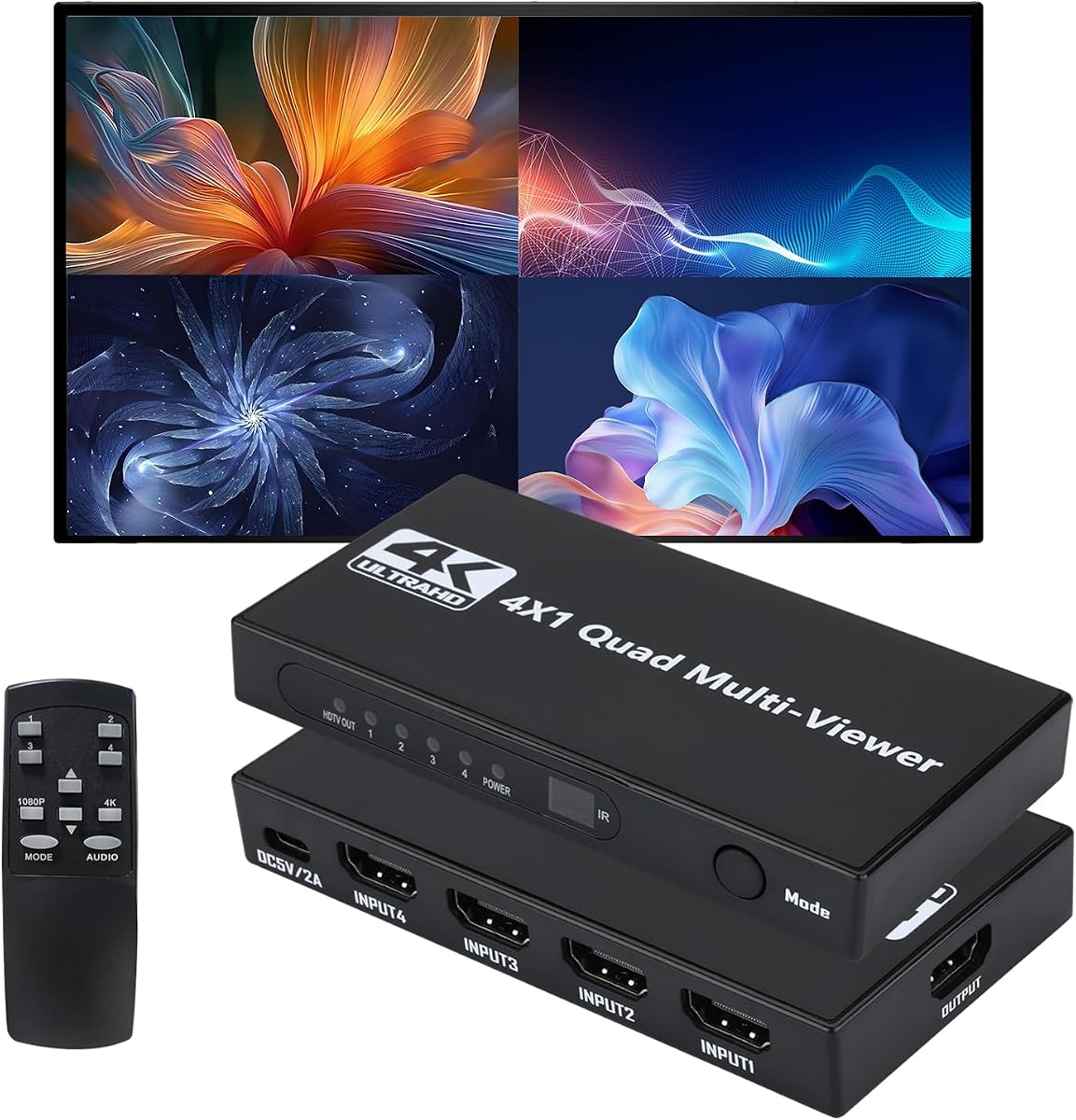
The 4×1 Quad HDMI Multiviewer is the best budget-oriented recommendation and holds the highest rating in the guide at 4.8. It combines four HDMI inputs with one output, provides twelve screen-switching modes, and supports full-screen 4K at 30Hz or 1080p at 60Hz in multiview mode. Its broad layout selection and straightforward controls make it especially useful for surveillance, retail, gaming, and conferencing environments.
We may earn a commission when you buy through this link, at no additional cost to you.
Input selection is available through panel buttons or an IR remote. The device can display four sources simultaneously, and the 16:9-to-4:3 scaling option helps adapt images in multiview mode. Its stated compatibility includes Windows, Linux, Unix, Mac OS, and other operating systems without requiring driver installation, which supports the plug-and-play positioning of the product.
There are two notable trade-offs. First, 4K output is limited to 30Hz, so it does not meet the needs of high-frame-rate 4K applications. Second, the specification notes that the remote requires an AAA battery and that the battery is not included. The available information also does not describe dedicated digital or analog audio extraction, so buyers needing independent sound should verify the hardware before ordering.
Despite those limits, the combination of a 4.8 rating, twelve layouts, four-input monitoring, and useful 4K full-screen performance is difficult to overlook. The package includes the unit, Type-C power cable, IR remote, and user manual. It is a strong choice for cost-conscious users who value layout choice and simple operation over premium 60Hz processing or advanced serial integration.
Twelve viewing modes give users a broader choice than the typical five-mode quad viewer. The selection is useful when the same four sources need to support different screen priorities over the course of a day.
Although multiview output is specified at 1080p at 60Hz, the unit can present a source in full screen at 4K at 30Hz. Users can therefore gain resolution when they commit the entire screen to one feed.
Support for major desktop operating systems and a no-driver approach reduces setup complexity. This is helpful in offices, studios, and temporary installations where compatibility matters more than extensive configuration.
We may earn a commission when you buy through this link, at no additional cost to you.
The J-Tech Digital 4×1 HDMI Multi-Viewer is a feature-rich four-input switcher with a 3.6 rating. It supports 4K at 60Hz, eight display layouts, picture-in-picture, picture-by-picture, quad viewing, on-screen display controls, and PC software. The ability to adjust the picture-in-picture window, source arrangement, and aspect ratios makes it attractive to users who want more layout control than physical buttons alone provide.
We may earn a commission when you buy through this link, at no additional cost to you.
Audio extraction is another significant feature. RCA and optical Toslink outputs can feed external amplifiers or sound systems, and the listed digital formats include Dolby Digital, DTS-HD, and up to 7.1-channel audio. For professional or home-theater integration, the ability to separate video and sound is more useful than a basic quad splitter that relies entirely on the display's HDMI audio return.
The trade-offs begin with the 3.6 rating, the lowest in this comparison. The product also does not emphasize RS-232 control in the supplied information, relying more on its OSD and PC software. Software operation can be an advantage for precise adjustment, but it may be less convenient for a user who wants immediate physical control in a busy room.
The included mounting ears and screws support permanent installation, while the one-year warranty and lifetime technical support provide useful backup. This J-Tech model is best for users who specifically want 4K at 60Hz, software-based layout editing, and flexible extracted audio. Those priorities may justify the trade-offs for many installations.
The OSD and PC software allow users to rearrange sources, resize or relocate the picture-in-picture window, and correct aspect ratios. This is particularly useful when a particular source needs more space than a standard preset provides.
Optical and RCA outputs support a broader range of connected audio equipment. The stated support for Dolby Digital, DTS-HD, and up to 7.1 channels is useful for carefully integrated home-theater systems.
Software control benefits users who value precision, but others may prefer the immediate response of front-panel or remote operation. Review the software requirements and control process before choosing this model for a simple household setup.
We may earn a commission when you buy through this link, at no additional cost to you.
The OREI 4×1 Out Quad Screen Multiviewer is a polished 1080p-focused option with a 4.4 rating. It supports four HDMI sources, one HDMI output, VGA output, and switching up to 2K at 60Hz. Five display modes, front-panel buttons, and an IR remote provide the essentials for a dependable monitoring system without requiring a more complex controller.
We may earn a commission when you buy through this link, at no additional cost to you.
One of its more useful distinctions is support for PCM 2.0 stereo audio through both HDMI and 3.5mm connections. That gives users a way to connect analog speakers or headphones while retaining HDMI audio where appropriate. The listed compatibility includes major gaming consoles, Roku, DVD and Blu-ray players, Amazon Fire TV, cable television, and Chromecast devices.
As with the simpler OREI 4×1 in this guide, the important limitation is that it does not support 4K output. Its five layouts also provide less variety than the models offering eight or twelve arrangements. A buyer who values a 4.4 rating, analog sound connectivity, and a familiar control pattern may find those strengths more valuable than 4K capability.
The package includes the HD-401MV switch, power supply, remote control, and manual, and the product includes a one-year warranty. It is a good fit for homes, offices, classrooms, and small monitoring rooms where standard high-definition sources dominate. Choose a 4K-capable model instead when the display or source equipment requires 4K at 30Hz or 60Hz.
Support up to 2K at 60Hz provides a useful step above basic 1080p multiviewers. It suits larger displays and high-refresh computer use where a standard 1080p ceiling would be limiting.
The 3.5mm output provides an easy route to powered speakers or a local amplifier. HDMI audio remains available for installations that prefer to use the display or a connected receiver.
Both an IR remote and front-panel buttons are included, offering a practical choice between seated and device-side operation. This makes the unit approachable for everyday users as well as operators.
We may earn a commission when you buy through this link, at no additional cost to you.
The J-Tech Digital 4×4 HDMI Matrix Video Wall Controller is the most advanced installation in the guide. It carries a 4.2 rating and supports four 4K at 60Hz 4:2:0 HDMI inputs, four outputs capable of 4K at 30Hz, seamless matrix routing, ten video-wall configurations, and five multiview presets. It is designed for control rooms, command centers, retail displays, and professional monitoring environments.
We may earn a commission when you buy through this link, at no additional cost to you.
Any of the four sources can be routed to any combination of four outputs. The controller can create 2×2, 1×4, and 4×1 arrangements, and its 180-degree rotation support makes it useful for displays mounted in unconventional orientations. Users can also view all four inputs on one display through layouts such as 2×2, 1x3L, 1x3U, 1×4, and 4×1.
Control is comprehensive, with RS-232, LAN, and web access available. This is a major advantage over simpler quad viewers, because operators can manage the system remotely or integrate it into a larger control environment. The limitation is resolution: input can reach 4K at 60Hz, but output is stated at up to 4K at 30Hz, with several lower selectable resolutions also available.
The feature set is excessive for someone who merely wants to divide one television into four panes, but it offers the routing and video-wall control that professional environments require. The product includes a one-year manufacturer replacement warranty and lifetime technical support. For a multi-display installation with many routing options, it is clearly the most capable choice.
Four inputs and four outputs allow source distribution beyond the fixed arrangement of a conventional quad viewer. Each output can be configured to receive the source needed at that location in the room.
Ten wall configurations and 180-degree rotation support accommodate screens installed horizontally, vertically, or in mixed layouts. This is valuable for command centers and commercial display environments.
RS-232, LAN, and web control allow operation from a central position or integration into a specialized system. These options make the controller more appropriate for professional use than the front-panel-only alternatives.
We may earn a commission when you buy through this link, at no additional cost to you.
The right HDMI multiviewer depends on your source count, display resolution, viewing environment, control method, and audio requirements. Compare these factors before choosing a model to avoid paying for unnecessary features or ending up with a limited installation.
Begin with the exact number of sources and displays you need. Most compact multiviewers in this guide are 4×1 units, meaning four HDMI inputs feed one output, which is ideal for a single television or monitor. The OREI 4×2 adds a second output for two screens, while the J-Tech 4×4 matrix controller can route four sources to four independent displays. Do not assume that a 4×1 device can serve a second operator; use an audio extractor, separate distribution equipment, or a true matrix system when that is required.
Maximum resolution is only one part of the equation because refresh rate affects motion and demanding game or computer use. Several products reach 1080p at 60Hz, while others support 2K at 60Hz, 4K at 30Hz, or 4K at 60Hz. A 4K at 30Hz model may be entirely suitable for cameras and static dashboards, while high-motion gaming or detailed computer work benefits from 4K at 60Hz. Also verify that both the source devices and the target display can support the selected resolution.
Viewing modes determine how sources share the screen. A basic unit with five modes may offer equal quadrants and several split arrangements, while models with eight or twelve layouts provide more options for emphasizing one source. Picture-in-picture is especially valuable when a secondary feed should remain visible over a main presentation. The OREI 4×2 goes further by allowing the small window to be positioned in any corner. More layouts are useful, but they are most helpful when the same sources serve several different operating priorities.
Consider who will operate the system and from where. An IR remote and front-panel buttons are sufficient for homes, offices, and small rooms. RS-232 becomes valuable when the multiviewer must be incorporated into a control system, touch panel, or automation environment. The J-Tech 4×1 offers OSD and PC software for detailed layout editing, while the J-Tech 4×4 adds LAN and web control for remote administration. The most capable control options are worthwhile only if the installation can use them effectively.
Many HDMI displays can return embedded audio, but a dedicated audio output gives you more freedom over where sound is heard. The PORTTA offers both Toslink and 3.5mm outputs, the OREI 4×1 provides simultaneous digital and analog conversion, and the J-Tech 4×1 includes RCA and optical outputs with broad format support. When choosing an extractor, check the required codec, channel count, and whether only one source can carry audio at a time. Video multiviewing does not automatically mean four independent audio tracks.
HDMI capability involves more than the shape of the connector. HDCP versions, supported resolutions, chroma formats, and EDID behavior can all affect whether a protected source displays correctly. The J-Tech 4×4 supports 4K at 60Hz 4:2:0 input, a detail worth noting for high-resolution computer sources. Some products mention backward compatibility with older HDCP versions, while others support HDCP 2.2. Verify every source, including cameras, streaming boxes, consoles, laptops, and receivers, against the multiviewer's specification.
A multiviewer also acts as a switcher, so seamless switching matters when moving from multiple views to one full-screen source. Scaling functions are useful when the input and display resolutions differ, and some models can change the apparent aspect ratio from 16:9 to 4:3. Seamless operation does not mean every source will be perfectly matched, so check the listed output resolutions and scaling support. A model designed for 4K inputs and 1080p multiview output may be a better fit than an expensive unit operating near your display's limits.
Permanent installations benefit from mounting brackets or ears, and professional units often include the necessary hardware. The OREI 4×2 and J-Tech 4×1 both provide mounting components, while the simpler products may be better suited to a shelf. Check the power supply, included cables, remote, manual, warranty, and technical support. The PORTTA includes a Type-C power cable and offers a two-year warranty with lifetime technical support, while the OREI and J-Tech products generally list one-year manufacturer warranties with varying support terms.
Begin by identifying the source and display connections, then assign each device to an HDMI input. Connect the main output to the television or monitor, connect any required analog or optical audio leads, and power the multiviewer before selecting a layout. Use the front-panel controls for initial testing, then switch to the IR remote, serial controller, OSD, or web interface once the basic picture is stable. If a source appears black, check that it is powered, selected, and sending a compatible signal.
Test the system in stages. First confirm a full-screen image from each source, then try every multiview layout, verify the aspect ratio of each window, and test audio separately. Do not repeatedly reconnect cables while the system is active; power down the multiviewer, display, and sources when changing the physical arrangement. For a network-controlled matrix system, document the input and output assignments and create a clear labeling plan so operators can restore settings quickly.
Keep the unit in a dry, ventilated location and avoid placing papers or other objects over its vents. Clean the enclosure with a dry or lightly damp cloth, avoiding liquid directly over ports. Update any required PC control software, preserve the manual and warranty information, and check the power supply periodically. A surge protector or appropriately conditioned power source can help reduce the risk of damage from electrical fluctuations in permanent installations.
An HDMI multiviewer combines several HDMI sources on one display and lets the operator change which source is shown. Depending on the model, you can view four equal panes, arrange sources side by side, use picture-in-picture, or switch seamlessly to one full-screen feed. It is commonly used for security monitoring, gaming, live production, conferencing, and control-room displays.
Any processing can introduce a small amount of latency, although the product specifications do not provide standardized latency measurements for most models. The J-Tech 4×1 is specifically described as offering zero-latency switching, while the J-Tech 4×4 promises seamless routing without visible delay. For gaming or live production, verify the manufacturer's current documentation and test the complete source-to-display path.
Not usually. Most four-screen multiviewers shown here provide audio for one selected source at a time, even though four video panes may be visible. The OREI 4×1 explicitly states that only one source can output audio simultaneously. Users who need independent audio for every pane should look for a specialized audio processor or a more advanced system designed for that task.
It depends on the output resolution you need. A multiviewer rated for 1080p may accept or scale sources but cannot display true 4K detail on the final screen. Models supporting 4K at 30Hz suit many fixed monitoring systems, while 4K at 60Hz is more appropriate for fast motion, high-end computer use, and demanding installations. Confirm the source resolution, multiview output resolution, and display capability together.
A 4×4 matrix is better when you need four independent outputs, flexible source routing, video-wall layouts, and remote management. A 4×1 multiviewer is simpler and more appropriate when four sources only need to appear on one screen. The J-Tech 4×4 also adds RS-232, LAN, and web control, making it more complex but substantially more capable for professional rooms.
Yes, if the computer has a compatible HDMI output and the selected viewing mode or resolution meets its needs. The 4×1 Quad Multiviewer explicitly supports major operating systems without driver installation. For high-resolution computer use, pay close attention to chroma format and refresh rate, particularly on the J-Tech 4×4, which supports 4K at 60Hz 4:2:0 input.
An HDMI switcher generally sends one selected source to one or more displays, while a multiviewer divides a screen so multiple sources can be seen together. Many modern devices combine both functions, allowing seamless full-screen switching and multiple-view layouts in one unit. This dual operation makes them useful for monitoring and presentation environments.
Check the number of inputs and outputs, maximum source and output resolutions, refresh rates, HDCP version, audio formats, and available control interfaces. Also confirm cable lengths, mounting space, power requirements, and whether the display can accept the selected resolution and aspect ratio. Testing each source individually before arranging the final layout will simplify troubleshooting.
The PORTTA 4×1 is the strongest overall choice because it combines six layouts, seamless switching, audio extraction, and IR plus RS-232 control without demanding a complex setup. The OREI 4×2 is the premium recommendation for users who need two outputs, advanced picture-in-picture placement, and professional mounting options, while the 4×1 Quad HDMI Multiviewer offers an impressive 4.8 rating, twelve layouts, and useful 4K full-screen operation for budget-conscious buyers.
Prioritize the features your setup genuinely requires. A single display and standard high-definition sources may be fully served by a five-mode 1080p quad viewer. Choose 4K at 60Hz for demanding motion, two outputs for multiple operators, more layouts for changing priorities, and serial or network control for fixed professional installations. Audio extraction and supported codecs should be checked as carefully as video resolution.
Ratings, product configurations, and availability can change, so consult the current listing and manufacturer documentation before ordering. Verify that every source, display, cable, and audio device is compatible with the chosen model. Current prices also fluctuate, so compare the complete feature set and installation requirements rather than choosing on cost alone.