MSI Cubi 5 Professional Mini Desktop
4.9Editor score
Thunderbolt 4 connectivity
16GB DDR4 memory
Triple 4K display support
Explore the best Mini Pcs with Thunderbolt, comparing performance, memory, display support, networking, expansion, and everyday versatility.
Mini PCs with Thunderbolt combine a remarkably compact footprint with the speed, flexibility, and device connectivity associated with modern desktop computing. A capable Thunderbolt port can support fast storage, external displays, docking stations, and other high-bandwidth accessories, making these systems especially useful for offices, studios, and home workspaces.
We compared all ten featured models using their stated processors, memory, storage, display capabilities, networking options, port selection, operating systems, and form factors. The guide highlights practical distinctions rather than assuming that every Thunderbolt mini PC serves the same purpose or that processor generation alone determines the better choice.
Each review explains the strongest reasons to consider a particular system, along with any limitations visible in the supplied specifications. Reader ratings are included where available, but configuration choices, peripherals, and current retailer offers can change, so verify the latest listing details before purchasing.
4.9Editor score

4.5Editor score

The comparison below places the ten systems side by side, focusing on processor tier, included memory and storage, Thunderbolt configuration, display potential, and the connectivity features that matter most in a compact workstation.




The ASUS NUC 13 Pro Tall is a business-oriented mini PC built around a 13th Gen Intel Core i5-13420H processor with boost speeds up to 4.6GHz. Its 3.2 listed rating is the lowest among the rated selections, but the underlying specification sheet shows a flexible platform for office productivity, trading, creative workflows, and professional display setups.
We may earn a commission when you buy through this link, at no additional cost to you.
Its most important strength is expandability. The system supports DDR4 memory from 8GB up to 64GB and PCIe NVMe storage from 128GB up to 8TB, so buyers can configure it more deliberately than a fixed-memory mini PC. Two HDMI 2.1 outputs and two Thunderbolt ports support flexible multi-monitor arrangements, while Wi-Fi 6E, Bluetooth 5.3, and high-speed networking cover modern wireless and wired requirements.
The trade-offs are the 3.2 reader rating and the emphasis on a tall enclosure rather than the smallest possible footprint. A rating alone does not reveal why individual buyers were satisfied or dissatisfied, so prospective owners should examine recent marketplace feedback and confirm their preferred display adapters. The stated high-resolution support also depends on the exact monitors, operating system, and connection configuration.
This NUC is most appropriate for a business user who values memory expansion, multiple displays, and a familiar Windows 11 Pro environment more than a low-cost, fixed configuration. It is a strong candidate for offices, conference rooms, and professional desks that need one compact system to serve several roles.
Supporting up to 64GB of DDR4 memory and 8TB of PCIe NVMe storage gives the system room to evolve. That flexibility is particularly useful for users who begin with general office tasks and later add heavier applications, larger project files, or additional virtual workloads.
Two HDMI 2.1 and two Thunderbolt connections provide multiple routes for high-resolution output. Wi-Fi 6E and Bluetooth 5.3 also make it easier to build a modern desk around wireless peripherals while retaining wired network options.
We may earn a commission when you buy through this link, at no additional cost to you.
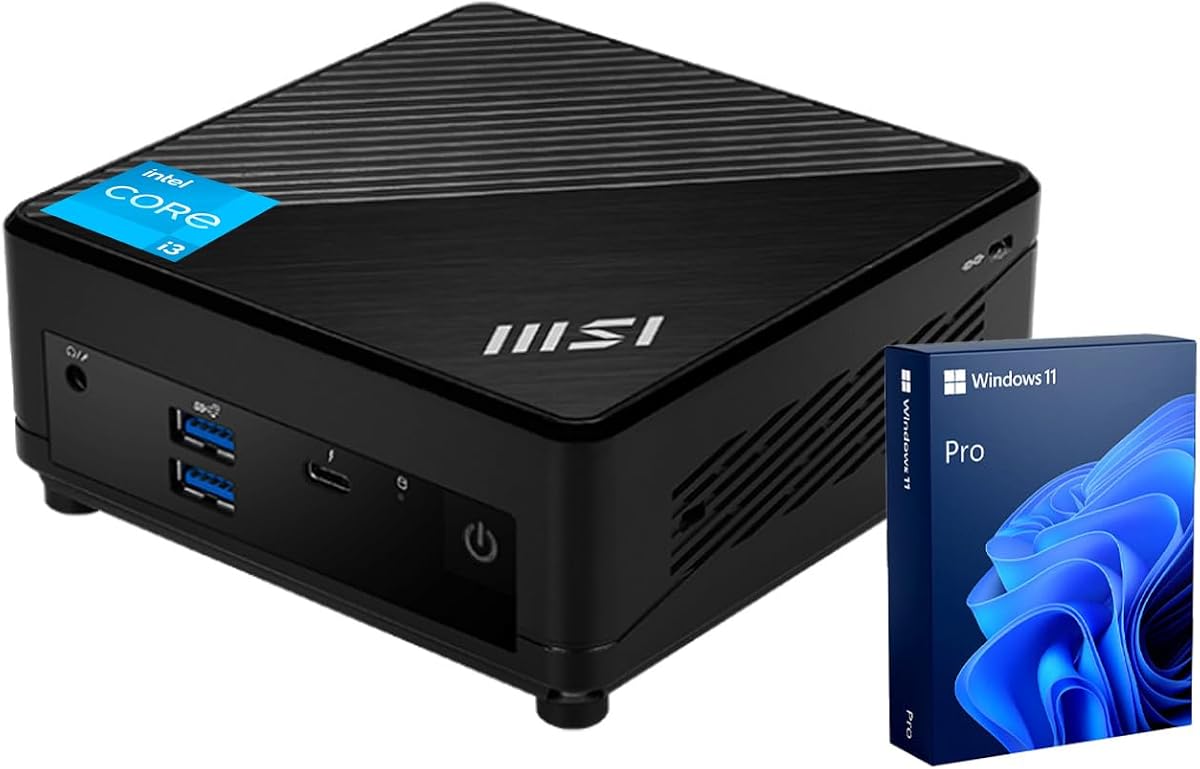
The MSI Cubi 5 Professional pairs a 4.9 reader rating with a practical set of everyday specifications. Its Intel Core i3-1215U processor has six cores, eight threads, a 10MB cache, and turbo speeds up to 4.4GHz, making it a sensible all-around system for office work, home productivity, and multi-application use.
We may earn a commission when you buy through this link, at no additional cost to you.
The included 16GB of DDR4 memory and 512GB PCIe M.2 storage form a more generous starting point than many compact PCs with smaller configurations. Connectivity is particularly strong: one Thunderbolt 4 port, DisplayPort 1.4, HDMI, four USB 3.2 Gen 2 Type-A ports, two RJ45 connections, Wi-Fi 6, and Bluetooth cover most standard desk needs.
The main limitation is having only one Thunderbolt 4 port, so a user planning to connect several high-bandwidth accessories or multiple displays exclusively through Thunderbolt will need to account for that limitation. The 12th Gen processor also provides less of a generational advantage than newer hardware in this list, though the stated specifications remain adequate for mainstream productivity.
This is an appealing recommendation for someone who wants Thunderbolt 4, Windows 11 Pro, and a polished port selection without focusing on the newest processor generation. It is particularly well suited to a home office or shared professional workstation with a mix of wired and wireless peripherals.
Sixteen gigabytes of DDR4 memory and a 512GB PCIe drive are useful foundations for browsing, document work, communications, and media. The system can serve as a general-purpose daily computer without immediately requiring a storage or memory upgrade.
DisplayPort, HDMI, and Thunderbolt 4 offer multiple display paths, while two RJ45 ports can be useful in managed office networks. Four high-speed Type-A USB ports make the system adaptable to existing keyboards, storage devices, and other peripherals.
We may earn a commission when you buy through this link, at no additional cost to you.
The Beelink EQi stands out for clean connectivity and a compact design centered on the Intel Wildcat Lake 304 processor. It has five cores and five threads with speeds up to 4.3GHz, a 4.5 reader rating, and a feature set aimed at office work, media, signage, surveillance, and light creative workloads.
We may earn a commission when you buy through this link, at no additional cost to you.
Two Thunderbolt 4 ports rated at 40Gbps and DisplayPort 1.4 compatibility provide the foundation for three simultaneous 4K 60Hz displays when paired with the HDMI output. The 16GB LPDDR5 memory, 500GB UFS 3.1 storage, and two M.2 2280 PCIe 4.0 expansion positions add useful flexibility, while the built-in 85W power supply reduces desktop cable clutter.
Networking is unusually robust for a mini PC, with 2.5Gbps and 10Gbps Ethernet ports, plus USB, HDMI, and an audio connection. As with every mini PC, the processor is not designed to replace a dedicated gaming desktop, and the supplied information only characterizes Intel graphics as suitable for 4K playback, 3D rendering, and modeling rather than demanding games.
The EQi is a strong recommendation for users who prioritize multiple displays, cable management, and flexible external storage. It also suits network-conscious offices that can benefit from 10Gbps connectivity. Buyers who need to upgrade system memory later should look elsewhere, because the LPDDR5 configuration is not user-expandable.
Dual Thunderbolt 4 ports can serve external storage, docks, or display connections with high bandwidth available. This gives the EQi more flexibility than a system with only one such port while still keeping the enclosure compact.
The integrated 85W power supply means the desk may need fewer external power bricks and wall outlets. That practical detail can make a noticeable difference in shared offices and minimalist home workstations.
We may earn a commission when you buy through this link, at no additional cost to you.
The Beelink EQ uses the same five-core, five-thread Intel Core 3 304 platform as the EQi but arrives with 12GB of LPDDR5 memory and 512GB of UFS 3.1 storage. Its 4.3 rating reflects a generally positive reception, and the dual Thunderbolt 4 specification gives it one of the strongest high-speed port selections in the roundup.
We may earn a commission when you buy through this link, at no additional cost to you.
Both Thunderbolt ports support 40Gbps transfers and DisplayPort 1.4, allowing a three-screen arrangement with the HDMI output. A 10Gbps Ethernet port supports large transfers and high-speed network infrastructure, while Wi-Fi 6E and Bluetooth 5.2 provide modern wireless connectivity. Two PCIe 4.0 storage slots can support as much as 8TB combined, according to the supplied information.
The lower 12GB memory allocation is the clearest drawback for intensive multitasking, and LPDDR5 memory cannot be upgraded in the same way as conventional slotted modules. The Core 3 304 also offers five cores and five threads, so buyers expecting heavy workstation performance should look toward a system with more processor and memory resources.
The EQ is a good match for a compact entertainment, office, or creative desk that prioritizes fast ports and networking. It is especially attractive when two Thunderbolt accessories or displays are expected and dual PCIe storage expansion could prove useful later.
Two 40Gbps Thunderbolt 4 connections are valuable for external SSDs, docks, and display adapters. They also reduce the need to purchase a separate multiport adapter for common desk arrangements.
Dual PCIe 4.0 M.2 positions make it possible to add substantial storage without replacing the included drive. This is helpful for media libraries, local backups, and projects that outgrow a single SSD.
We may earn a commission when you buy through this link, at no additional cost to you.
The Lenovo ThinkCentre M75q Gen 5 is a business Micro Form Factor desktop with a 4.4 reader rating. It uses the AMD Ryzen 3 8300GE processor with four cores and eight threads, pairing that platform with 16GB of high-bandwidth memory and a 512GB PCIe M.2 SSD for everyday office and commercial use.
We may earn a commission when you buy through this link, at no additional cost to you.
Its port selection includes one USB-C, six USB-A, HDMI 2.1, DisplayPort 1.4 with high bit rate 2, Ethernet, and a combined headphone and microphone connection. Wi-Fi 6, Bluetooth, Windows 11 Pro, and a VESA-mountable enclosure make it attractive for managed workspaces where a clean, reliable desktop is more important than maximum internal expansion.
The crucial limitation is that the supplied specifications do not identify Thunderbolt support. It therefore should not be selected solely on the strength of this roundup's broader connectivity theme, despite offering a useful USB-C port. A buyer who needs Thunderbolt for an external dock, high-speed storage, or display adapter should verify the exact connector and its capabilities.
The ThinkCentre M75q is best for business users who can meet their needs with standard USB, HDMI, and DisplayPort connections. Its clean mounting options and broad port assortment make it a logical choice behind a monitor or in a conference room where a full-size tower would be inconvenient.
Windows 11 Pro, Wi-Fi 6, Bluetooth, and a VESA-mountable micro form factor support a professional and uncluttered installation. The design is easy to position behind a monitor or place on a small credenza.
Six USB-A ports can accommodate a wide range of existing office accessories, while HDMI 2.1 and DisplayPort provide two dedicated display connections. The USB-C port adds another modern option, but its protocol capabilities are not specified as Thunderbolt.
We may earn a commission when you buy through this link, at no additional cost to you.
The TOPGRO K3 is a fanless mini PC positioned for users who need more processor headroom and high-resolution output. Its Intel Core i7-1265U has ten cores, twelve threads, and speeds up to 4.8GHz, while the supplied configuration combines 16GB DDR4 memory with a 1TB PCIe 4.0 SSD.
We may earn a commission when you buy through this link, at no additional cost to you.
Thunderbolt 4, 2.5G Ethernet, Wi-Fi 6E, and Bluetooth 5.3 create a modern connection package. The stated support for up to 8K UHD output is attractive for specialized monitors, although the exact number of simultaneous displays and which resolutions are active together will depend on the operating system, adapters, and workload.
A no published rating is a meaningful limitation when judging buyer satisfaction, so the K3's recommendation relies on its stated hardware rather than demonstrated customer consensus. The single Thunderbolt port and fixed included memory should also be considered if a planned dock setup requires several independent high-bandwidth devices.
The K3 is best for a creator, engineer, or business professional seeking a quiet Core i7 system, substantial storage, and high-resolution display capability. It is also a good fit for sensitive work areas because the fanless metal enclosure avoids the noise of a conventional fan-based desktop.
Ten cores and twelve threads provide a stronger foundation for multitasking than the lower-core systems in this list. The processor is intended to balance office productivity, development, light content work, and connected peripherals in a quiet enclosure.
Up to 8K UHD output can suit advanced displays, while 2.5G Ethernet offers a useful upgrade path over basic gigabit networking for large transfers and busy local workflows.
We may earn a commission when you buy through this link, at no additional cost to you.
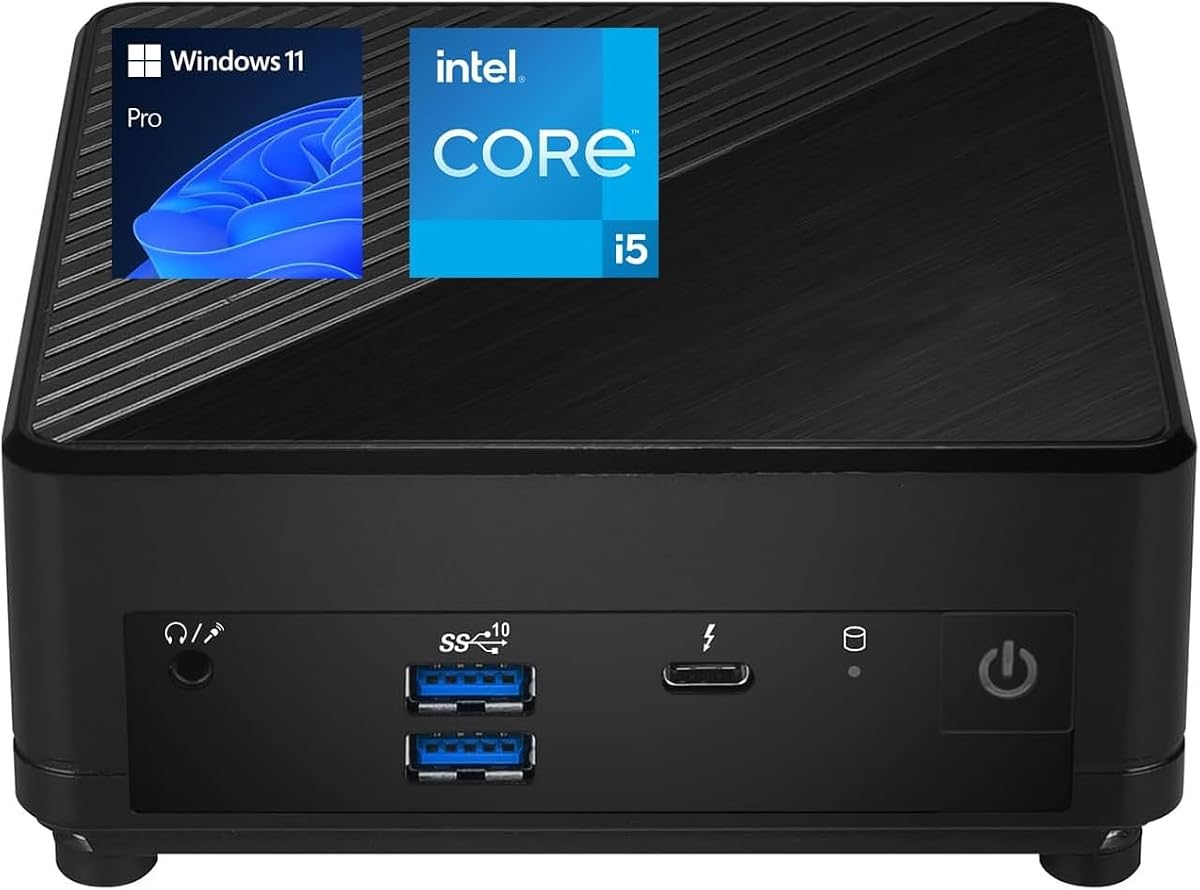
The MSI Cubi 5 i5 is a VESA-mountable business mini PC with a 4.3 reader rating and an Intel Core i5-1235U processor. Its ten cores and twelve threads make it well suited to multitasking, while Windows 11 Pro provides the security and management features associated with office and hybrid work.
We may earn a commission when you buy through this link, at no additional cost to you.
The listing includes one front-mounted Thunderbolt 4 Type-C port, along with DisplayPort, HDMI 2.1, two RJ45 connections, four USB ports, and Wi-Fi 6 with Bluetooth. The combination of front access and a wide selection of rear connections makes it convenient to move cables between devices without unplugging the entire setup.
A notable ambiguity appears in the supplied product information. The title says 16GB RAM and 512GB SSD, while the feature description says 8GB of RAM and a 256GB NVMe drive. These are materially different configurations, so a buyer should confirm the exact installed components on the current listing and avoid assuming that the title's memory and storage are physically present.
This Cubi 5 is appropriate for office users who prioritize processor capability, Thunderbolt access, and a mountable design. It may also appeal to light gaming users because the title references gaming, although the supplied information gives no detailed discrete graphics or gaming performance specifications.
The ten-core, twelve-thread processor is well matched to office applications, browser-heavy workflows, and connected peripherals. Windows 11 Pro adds remote access, BitLocker, and management features useful to organizations.
Putting Thunderbolt 4 on the front makes temporary connections more convenient. The HDMI, DisplayPort, dual Ethernet, and USB connections provide ample room to build a conventional or Thunderbolt-enhanced desk.
We may earn a commission when you buy through this link, at no additional cost to you.
The MSI Cubi Core i7 is a customizable professional mini PC based on the ten-core, twelve-thread Intel Core i7-1255U. It can be configured with up to 32GB of DDR4 memory and a 2TB PCIe M.2 NVMe SSD, giving buyers room to select a capacity appropriate for their workload rather than accepting a single fixed setup.
We may earn a commission when you buy through this link, at no additional cost to you.
The connectivity supports up to three independent displays or one 8K UHD monitor through Thunderbolt 4, HDMI 2.0b, and DisplayPort 1.4. Its 0.66-liter VESA-mountable enclosure measures 4.88 by 4.88 by 2.11 inches, making it particularly discreet behind a larger monitor. Wi-Fi 6 and Windows 11 Pro complete a business-oriented package.
One important buying consideration is that the original seal has been opened for upgrading. The seller states that upgraded memory and storage carry a three-year coverage from PCOnline US while the remaining components retain the original one-year manufacturer's coverage. Buyers should understand those terms and confirm the installed configuration, but they may benefit from a higher specification than a sealed base model.
The absence of a published rating means this recommendation rests on its flexible configuration and stated feature set. It is well suited to business professionals who need strong multitasking, multiple displays, and storage headroom in a very small enclosure.
Memory options from 8GB to 32GB and storage from 512GB to 1TB, with an upgrade path to 2TB, let buyers match the system to lighter productivity tasks or heavier multitasking. The upgraded components also come with a longer stated coverage period.
The 0.66-liter enclosure can be mounted behind a display, keeping the desk uncluttered. Thunderbolt 4, HDMI, and DisplayPort provide several display paths for spreadsheet analysis, monitoring, and professional multitasking.
We may earn a commission when you buy through this link, at no additional cost to you.
The MINIX NGC N512 is a performance-oriented mini PC with a 3.7 reader rating. Its Intel Core i5-12600H processor provides 12 cores, 16 threads, and speeds up to 4.5GHz, while 16GB of DDR5-4800 memory and a 512GB PCIe 4.0 SSD create a solid platform for office productivity, education, and heavy multitasking.
We may earn a commission when you buy through this link, at no additional cost to you.
Its standout feature is display flexibility. The system supports triple or four-screen 4K arrangements using HDMI 2.1, Thunderbolt 4 with 8K 60Hz output, and USB-C. Dual Ethernet includes a 2.5Gbps port and a 1Gbps port, and Wi-Fi 6 and Bluetooth 5.2 complete the network options. Large copper heat sinks are designed to manage sustained workloads quietly.
The platform also offers considerable internal scaling. Two DDR5 SODIMM slots support up to 32GB per module for 64GB total, and separate M.2 2280 positions support PCIe 4.0 and PCIe 3.0 storage. The modest rating suggests that buyers should read current customer feedback, particularly around noise, thermals, and the exact configuration received.
The N512 is a compelling recommendation for a power user who needs more memory, storage, networking, and display options than a basic compact PC provides. It is best suited to advanced multi-monitor offices, software development, education setups, and specialized productivity workflows.
A 12-core processor, 16GB of fast DDR5 memory, and strong cooling create a more substantial platform for simultaneous applications. Memory can be expanded to 64GB, which is useful for advanced productivity and development workloads.
Two Ethernet connections with different speeds allow flexible wired networking, while four-display support serves demanding multi-screen environments. These features make the N512 useful in professional environments where a single connection may not be sufficient.
We may earn a commission when you buy through this link, at no additional cost to you.
The MSI Cubi NUC Core 3 combines a 4.9 reader rating with an unusually broad selection of high-speed ports. Its 13th Gen Intel Core 3 100U processor has six cores, eight threads, a 1.2GHz base frequency, and boost speeds up to 4.7GHz, making it a responsive option for office work, media streaming, and light multitasking.
We may earn a commission when you buy through this link, at no additional cost to you.
Two Thunderbolt 4 ports are joined by four 10Gbps USB-A connections, two HDMI outputs, two RJ45 ports, a microSD reader, an audio jack, Wi-Fi 6, and Bluetooth. The 16GB memory allocation helps with browser-heavy work and multiple applications, although the 256GB M.2 SSD is likely to fill more quickly than the 512GB and 1TB configurations found elsewhere in this guide.
Its enclosure measures only 5.22 by 5.34 by 1.97 inches, offering a slim profile that suits mounted installations and compact workspaces. The supplied information also highlights PCR recycled plastics, FSC-certified packaging pulp, Energy Star compliance, and renewable-energy-powered production, which may matter to environmentally conscious organizational buyers.
This model is a particularly balanced choice for a business user who wants two modern Thunderbolt connections without moving to a higher-tier Core i5 or Core i7. It is best for productivity, conference-room use, and general office deployments, while users with large media libraries may want to confirm internal storage expansion options.
Two Thunderbolt 4 ports, four 10Gbps USB-A ports, and two HDMI outputs give the system exceptional flexibility. It can support a modern accessory mix without requiring several separate adapters.
The slim 1.97-inch-thick design saves space and can suit busy desks or shared facilities. Windows 11 Pro adds familiar management and security features for business deployment.
We may earn a commission when you buy through this link, at no additional cost to you.
The right mini PC depends on more than the presence of a Thunderbolt label. Processor capability, memory, storage expansion, display support, network speed, cooling, and the number of accessories you expect to connect should all influence the decision.
Thunderbolt 4 provides up to 40Gbps of bandwidth and broad support for external storage, docks, networking, and displays. The products in this guide explicitly featuring Thunderbolt 4 use one or two ports, so buyers should consider both the generation and the quantity. A single port may be enough for one dock or fast SSD, while dual ports can support separate accessories or provide more display-routing options.
Core count, thread count, generation, and boost speed indicate how well a system can handle simultaneous work. The list spans five-core processors, six-core Core 3 and Core i3 models, and ten- or twelve-core Core i5, Core i7, and Ryzen 3 configurations. More cores generally help with multitasking, development, media processing, and light creative work, although integrated graphics remain the limiting factor for serious gaming or GPU-heavy tasks.
Memory is one of the most important determinants of practical multitasking. Several listings include 16GB, while others offer 8GB, 12GB, or customizable configurations. Systems using replaceable DDR4 or DDR5 modules can be upgraded more readily, whereas LPDDR5 memory is generally fixed. Check both the installed capacity and the maximum supported capacity, and confirm whether the system has soldered memory or accessible slots.
A fast NVMe SSD is preferable for system responsiveness, but the included capacity also determines how soon storage becomes an issue. The guide includes 256GB, 500GB, and 512GB configurations, plus a 1TB option and systems with additional M.2 positions. Users handling large project files, media libraries, or local backups should look for expansion slots and confirm the interface, such as PCIe 4.0, PCIe 3.0, or UFS storage.
Thunderbolt is particularly useful for display connections, but the maximum resolution does not tell the entire story. Review the number of simultaneous displays, supported refresh rates, HDMI version, DisplayPort version, and whether a dock is required. Some systems support triple 4K output, one 8K display, or four-screen arrangements. The operating system, monitor capabilities, and adapter limitations can affect the final result.
The range of network options is unusually broad in this category. Basic gigabit Ethernet is suitable for everyday browsing, while 2.5G and 10G connections can accelerate large transfers and suit demanding local workflows. Dual Ethernet ports can be useful in advanced offices, while Wi-Fi 6 or Wi-Fi 6E and modern Bluetooth versions provide flexibility for peripherals and wireless networks.
Mini PCs generate less heat than many traditional desktops, but sustained performance still depends on cooling. Fanless systems such as the TOPGRO K3 favor silent operation, while models with fans use heat pipes, fins, or copper heat sinks to manage processor load. Compare chassis height, mounting options, and included power supplies. An integrated power supply can reduce cable clutter, while an external brick may make placement easier in a tight installation.
Windows 11 Pro appears across most of the featured systems and provides features such as BitLocker, Remote Desktop, enhanced window layouts, and broader management options. A preinstalled professional operating system can simplify deployment in an organization, although buyers should verify the edition, language, licensing, and activation status in the current listing. The Lenovo ThinkCentre also includes Windows 11 Pro, despite not advertising Thunderbolt in the supplied specifications.
Begin by inventorying the displays, storage devices, network equipment, and peripherals you plan to connect. Install the operating system updates supplied with the system, install the correct current drivers, and connect essential accessories one at a time. This makes it easier to identify whether a display, dock, or Thunderbolt peripheral is causing a bandwidth, resolution, or compatibility issue.
For a tidy setup, use the compact enclosure's VESA mounting support when available and route Thunderbolt cables with sufficient clearance from hot surfaces and stressed bends. If the system uses an external power adapter, position it for ventilation. If it includes an integrated power supply, follow the manufacturer's ventilation guidance and avoid placing the mini PC inside a fully enclosed cabinet.
Maintain the system by keeping vents clear, using a stable surface, and giving it room for airflow. Back up important files rather than relying on a single SSD, and check available free space as storage fills. For long-running work, monitor temperatures and update the operating system and firmware periodically. Thunderbolt accessories should also be connected or disconnected while the system is powered down if the manufacturer instructs you to do so.
Thunderbolt provides a fast, versatile connection for external SSDs, docks, displays, and other compatible accessories. Its stated 40Gbps bandwidth in Thunderbolt 4 systems can reduce transfer bottlenecks and make it easier to create a flexible desk with fewer separate adapters. Actual performance depends on the peripheral, cable, and computer.
No. USB-C describes a connector shape, while Thunderbolt is a specific high-speed interface and protocol. A USB-C port may support data, charging, DisplayPort Alt Mode, or some combination of those functions without supporting Thunderbolt. Always verify the exact port label or manufacturer specifications.
It depends on the model and its display outputs. Systems in this guide advertise support for up to three 4K displays, four-screen 4K arrangements, or a single 8K display. Simultaneous resolution and refresh rate can depend on operating-system settings, graphics support, dock bandwidth, and the chosen adapters.
Thunderbolt is most valuable for fast storage, docks, external displays, and accessories. Integrated-graphics mini PCs such as those listed here are primarily intended for productivity, media, and light creative work rather than demanding gaming. A Thunderbolt connection can still improve a desk setup, but it does not add dedicated graphics performance.
For current general use, 16GB is a more comfortable minimum, especially with many browser tabs, office applications, and background services. An 8GB or 12GB system may work well for lighter duties, but it has less room for multitasking. Also consider whether memory can be upgraded, because fixed LPDDR5 cannot be replaced as easily as slotted DDR4 or DDR5.
Not usually. Gigabit Ethernet is sufficient for typical web browsing, calls, and cloud applications. A 2.5G or 10G connection is more relevant for very large file transfers, high-speed local storage, professional media workflows, or compatible network infrastructure. The benefit depends on every device and switch in the network path.
Fanless systems are typically quieter and useful in offices, studios, and shared spaces. Their enclosure and processor design must dissipate heat without a fan, so sustained heavy workloads may be affected differently. Systems with active cooling can offer strong sustained performance, but they produce some fan noise.
A lower rating should prompt closer research, not necessarily rule out a product. Ratings can reflect configuration differences, shipping damage, expectations, or a small sample size. Review current feedback, verify the exact memory and storage, and compare the stated hardware against your requirements before deciding.
The MSI Cubi 5 Professional stands out as the strongest balanced budget-oriented recommendation, combining a 4.9 rating, 16GB memory, a 512GB PCIe SSD, and a useful port selection. The Beelink EQi is the top choice for users who prioritize two Thunderbolt 4 ports, multiple displays, built-in power, and fast networking, while the TOPGRO K3 offers the premium combination of a Core i7, 1TB storage, fanless metal construction, and high-resolution output.
Prioritize the details that affect your actual desk. Count Thunderbolt ports, check simultaneous display support, confirm memory and storage, and assess whether networking speed matters. Expandable DDR memory and multiple M.2 slots may provide more long-term value than a faster processor if your work is primarily document, browser, and communication based.
Retailer configurations and offers can change, and some listings contain conflicting memory details. Before ordering, verify the current processor, installed RAM, storage capacity, port configuration, operating system, warranty terms, and display support on the product page. Doing that final check will help ensure that the chosen mini PC matches both your immediate needs and your likely future requirements.