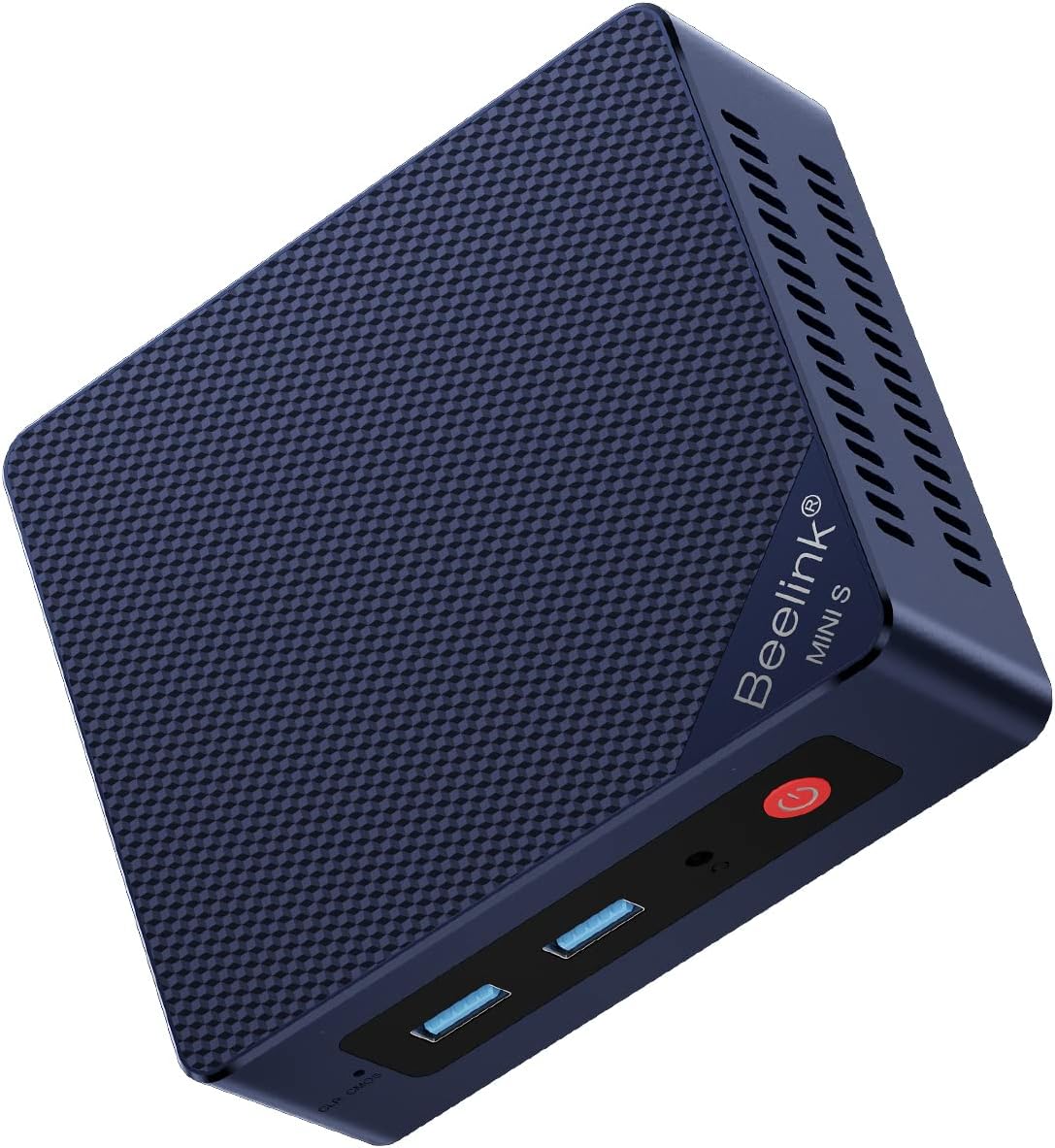
Beelink MINI S13
4.4Editor score
Intel Twin Lake N150
Dual 2.5GbE networking
Compact wall-mountable design
Four 4K-capable outputs
Our N150 Mini PC guide compares ten compact models for performance, connectivity, display support, memory, storage, cooling, and everyday computing needs.
N150 mini PCs combine an efficient Intel Twin Lake processor with a remarkably compact footprint, making them useful for office productivity, media playback, digital signage, light creative work, and always-available home computing. A good model should balance usable memory, expandable storage, quiet cooling, reliable networking, and enough ports to avoid a permanent dependency on adapters.
We compared all ten listed systems by processor capability, memory, storage, display support, networking, wireless standards, cooling, dimensions, and practical connectivity. The list includes several general-purpose Beelink configurations, a fanless ACEMAGIC model, a network-focused firewall appliance, a BMAX triple-display mini PC, a MeLE fanless system, and one higher-performance AMD alternative.
Each review shows what distinguishes its product and where its compromises lie, helping you match the machine to your workspace rather than relying on processor generation alone. Product details and availability can change, and prices fluctuate frequently, so confirm the current listing and configuration before purchasing.
4.4Editor score

4.7Editor score

4.4Editor score
This side-by-side comparison highlights the major differences in processor configuration, memory, storage, display support, networking, and physical design across the ten featured mini PCs.


The Beelink MINI S13 listed first combines Intel Twin Lake N150 processing with a compact 115 by 102 by 41 millimeter body and a 4.4 rating. Its standout quality is connectivity: three USB 3.2 Gen2 ports, one USB 2.0 port, two 2.5GbE Ethernet ports, HDMI 2.0, an audio jack, and a DC input give it more flexibility than many similarly compact systems.
We may earn a commission when you buy through this link, at no additional cost to you.
The quad-core, four-thread processor can reach 3.4GHz according to the supplied listing. Beelink describes it as suitable for Zoom and Skype calls, Office applications, internet browsing, streaming, and running several common tasks simultaneously. WiFi 6, Bluetooth 5.2, 4K playback, and wake-related functions such as Wake on LAN, PXE Boot, RTC Wake, and Auto Power On broaden its usefulness for both desktop and kiosk-style installations.
This configuration is not the fastest in the roundup, and buyers should confirm whether the desired memory and storage capacities are included. Its two Ethernet interfaces and extensive USB selection nevertheless make it unusually flexible. For a small office, home theater, or remote-work station that values ports and compactness more than maximum processing speed, those strengths are compelling.
The MINI S13 is a strong all-purpose recommendation for buyers who want a small N150 system without giving up wired networking, peripherals, or mounting flexibility. It stands out as a balanced pick for everyday productivity, while the included HDMI cable, VESA bracket, power adapter, and three-year warranty make setup straightforward.
Two 2.5GbE Ethernet ports distinguish this model from basic single-LAN mini PCs. Three high-speed USB ports, one USB 2.0 port, HDMI, and audio connectivity make it easier to connect existing peripherals, storage, and displays without constantly swapping dongles.
The enclosure can sit beside a monitor or attach behind one using the included VESA bracket. Its dimensions make it especially suitable for reception desks, compact workspaces, and home entertainment areas where a full-size tower would be intrusive.
We may earn a commission when you buy through this link, at no additional cost to you.
This MINI S13 configuration pairs the Intel N150 processor with 16GB of DDR4 memory and a 500GB M.2 SATA3 SSD. It carries a 4.3 rating and is a straightforward option for buyers who want familiar specifications without specialized networking hardware. Windows 11 Home is preinstalled, reducing the work required to begin using the machine.
We may earn a commission when you buy through this link, at no additional cost to you.
Its processor reaches up to 3.6GHz, while the integrated graphics are described as Intel Graphics with 24 execution units operating at 1000MHz. The listed HDMI output supports 4K at 60Hz, making it suitable for high-resolution media playback, web browsing, office applications, and common home-entertainment use.
A second M.2 slot accepts PCIe 3.0 x1 NVMe storage, which improves the likelihood of straightforward expansion. The trade-off is that this listing does not advertise the same extensive port suite as some other MINI S13 variants. It also has one stated 2.5Gbps Ethernet connection rather than a dual-network arrangement, so buyers needing a second LAN port should look elsewhere.
This is a sensible recommendation for a home office, study area, or living-room computer that will handle browsing, documents, communications, and streaming. The included memory and storage provide a more predictable starting point than a bare-bones configuration, while the processor remains appropriate for routine rather than demanding workloads.
Sixteen gigabytes of DDR4 gives the N150 room to handle several productivity applications and communication tools without relying on aggressive memory management. The 500GB SSD provides useful local capacity while keeping file access and startup times responsive for a compact system.
The additional M.2 PCIe slot means users can add storage without replacing the included drive. This is particularly useful for locally retaining media files, project archives, virtual-machine images, or a larger operating-system partition.
We may earn a commission when you buy through this link, at no additional cost to you.
The third Beelink offering expands the feature set with four USB 3.2 Gen2 ports, two HDMI connections, a 1GbE Ethernet port, WiFi 6, and Bluetooth 5.2. It uses the 13th-generation Intel Twin Lake N150 processor, rated at up to 3.6GHz with four cores, four threads, and 6MB of L3 cache. No buyer rating is shown in the supplied data.
We may earn a commission when you buy through this link, at no additional cost to you.
The listing highlights improved cooling through a larger fan, copper heat sink, and dedicated SSD cooling shield, alongside storage support for dual M.2 2280 NVMe or SATA3 drives. It supports 4K 60Hz output on two displays, Intel Unison integration, and wake features including Wake on LAN, PXE Boot, RTC Wake, and Auto Power On.
Its principal compromise is the move from dual 2.5GbE networking to a single Gigabit Ethernet connection, which is less suitable for specialized network aggregation. The lack of a visible rating also means buyers cannot use customer feedback as a supporting signal. Even so, the port selection, dual-display capability, storage flexibility, and VESA-compatible enclosure are substantial strengths.
Choose this version when display flexibility and high-speed peripherals matter more than multiple wired network interfaces. It is a particularly attractive fit for productivity setups, digital signage, and home-theater installations that benefit from a second video output and abundant USB connectivity.
Two HDMI outputs allow separate screens to be used for communication, reference material, monitoring, or media. At up to 4K 60Hz per listed connection, the system suits offices and control-room-style installations where a single screen would be restrictive.
The described copper heat sink, larger fan, and dedicated SSD shield address heat accumulation in a densely packed enclosure. Better thermal management supports consistent operation during long office sessions or media-heavy schedules.
We may earn a commission when you buy through this link, at no additional cost to you.
The ACEMAGIC V1 is a 4.4-rated N150 mini PC distinguished by its particularly small 3.9 by 3.9 by 1.3 inch body and full aluminum construction. It combines a Twin Lake N150 processor rated up to 3.6GHz with 16GB of DDR4 memory and a 512GB SSD, targeting office, communication, media, and light creative tasks.
We may earn a commission when you buy through this link, at no additional cost to you.
The system supports dual 4K 60Hz output through HDMI 2.0 and USB-C, along with WiFi 6, Gigabit Ethernet, and Bluetooth 5.2. The product information describes an axial fan operating below 22dB and an aluminum shell designed to improve heat dissipation, making the V1 appealing in quiet offices, bedrooms, and living spaces.
There is a minor inconsistency in the supplied description: the title states 512GB storage, while one feature section mentions 256GB. Buyers should verify the capacity on the live listing. The product data also provides less detail about individual USB ports than several competing listings, so specific accessory requirements merit a final check.
Overall, the V1 is the most design-focused entry in this guide. It is a strong recommendation for buyers who prioritize a tiny footprint, restrained styling, quiet cooling, and modern wireless connectivity, particularly when the enclosure will be visible on a desk or mounted behind a display.
The CNC aluminum shell is more than an appearance upgrade because the material contributes to the stated cooling strategy. Combined with the compact dimensions, it creates a mini PC that can remain present on a neat workspace without the visual weight of a traditional desktop.
The listed fan noise below 22dB makes the V1 suitable for calls, streaming, and focused work where fan noise would be distracting. Its cooling claims are particularly relevant because the tiny enclosure leaves little natural space for airflow.
We may earn a commission when you buy through this link, at no additional cost to you.
This MINI S13 listing has a 4.5 rating, the highest among the featured Intel N150 systems, and centers on a 16GB DDR4 and 500GB M.2 SSD configuration. The N150 processor reaches up to 3.6GHz, with Windows 11 Home preinstalled and Intel graphics intended for 4K playback and everyday browsing.
We may earn a commission when you buy through this link, at no additional cost to you.
Its standout feature is dual 2.5GbE Ethernet connectivity. The interface list also includes three USB 3.2 Gen2 ports, one USB 2.0 port, one 4K-capable HDMI connection, a 3.5mm audio jack, a locking port, and the DC input. That combination is well suited to a small business desktop, compact server-style role, or media station with more than one wired connection.
Storage can expand to 2TB using a compatible M.2 SATA3 or PCIe 2280 drive, according to the listing. Unlike some other MINI S13 variants, this one advertises a single HDMI output, making it less appealing for a two-monitor workstation unless USB display adapters or additional display hardware are planned.
This is a highly attractive recommendation for users who want dual fast Ethernet without moving to a specialized firewall appliance. It balances familiar everyday features, a strong customer rating, and a practical port selection, making it one of the most complete general-purpose N150 configurations in the guide.
Dual 2.5GbE interfaces offer a straightforward way to connect separate networks, retain a wired management path, or use the system for lightweight network services. This flexibility sets it apart from most compact office PCs with only one Ethernet connector.
The N150, 16GB of memory, and solid-state storage form a practical platform for browser-heavy work, office applications, messaging, and 4K media. It is better suited to those productive routines than to intensive rendering or modern high-end gaming.
We may earn a commission when you buy through this link, at no additional cost to you.
The BMAX B4 Turbo combines an Intel Twin Lake N150 processor with 16GB of DDR4-3200 memory and a 512GB SSD. It carries a 4.4 rating and supports Windows 11 Pro or Ubuntu. At 4.92 by 4.41 by 1.73 inches, it is compact enough for a study desk while leaving room for a cooling fan.
We may earn a commission when you buy through this link, at no additional cost to you.
Its defining advantage is triple 4K UHD video playback through two HDMI ports and one USB-C connection. The interface inventory also includes two USB 3.0 ports, two USB 2.0 ports, Gigabit Ethernet, a 3.5mm audio jack, and a DC port. A VESA mount is included, allowing the machine to sit behind a display.
Storage expansion uses an internal slot compatible with a 2.5-inch SSD or hard drive up to 2TB, although that drive is not included. Wireless connectivity is specified as dual-band WiFi 5 and Bluetooth 5.0, making it less current than the WiFi 6 and Bluetooth 5.2 options found among several rivals.
The B4 Turbo is a good recommendation for productivity users who need three screens, such as analysts, developers, traders, or control-room operators. Its one-key recovery function adds convenience, while the older wireless standard is the main reason to pause if fast, modern wireless performance is a priority.
The combination of two HDMI connections and USB-C display output allows separate applications to remain visible across three panels. This can improve workflow density without requiring a full-size workstation, particularly in trading, monitoring, and editing environments.
The one-key smart recovery feature can restore factory settings after a system issue, reducing the intimidation associated with troubleshooting a compact PC. A dedicated internal expansion bay also offers room for additional file or backup storage.
We may earn a commission when you buy through this link, at no additional cost to you.
The Glovary N150 Firewall is purpose-built for network roles rather than ordinary desk use. Its Intel Twin Lake N150 processor has four cores, four threads, 6MB of cache, a listed 6W TDP, and a maximum frequency of 3.6GHz. The system supports OPNsense, Linux, and OpenWrt, with a 4.3 rating.
We may earn a commission when you buy through this link, at no additional cost to you.
Six Intel i226-V 2.5GbE Ethernet interfaces form the core feature. They can support monitoring, routing, security, and related network functions when paired with appropriate software. The appliance includes 8GB of DDR5 memory, a 128GB NVMe SSD, two M.2 2280 NVMe positions, and a SATA connection for a 2.5-inch drive.
Unlike most general-purpose N150 systems, this model is fanless and built around an aluminum alloy body. A cable for an optional small fan is included, allowing additional cooling if required. Two HDMI outputs and one USB-C connection provide triple 4K 60Hz display support, which is useful for a network operations dashboard.
This is an excellent recommendation for a home lab, small branch office, or enthusiast who wants many wired interfaces in a compact enclosure. It is not the ideal general-purpose desktop for most consumers, and its limited installed memory and small system drive should be considered before installation.
Six 2.5GbE interfaces provide far more connectivity than standard office mini PCs. The system is better viewed as a compact infrastructure appliance than as a replacement for a conventional productivity computer.
Fanless construction minimizes noise in an office or home setting, while two NVMe slots and SATA connectivity support a larger system or separate data volume. The included fan cable offers a way to add active cooling if a particular workload or ambient temperature demands it.
We may earn a commission when you buy through this link, at no additional cost to you.
The GMKtec G11 Plus is the only non-N150 processor in the roundup and serves as a performance benchmark. It uses the AMD Ryzen 5 3500U, a quad-core Zen+ processor with a 2.1GHz base frequency, 3.7GHz boost frequency, and 15W TDP. The supplied data indicates 16GB of dual-channel DDR4 and a 512GB SSD.
We may earn a commission when you buy through this link, at no additional cost to you.
Its Radeon Vega 8 graphics running at up to 1.2GHz are presented as considerably stronger than Intel N150 integrated graphics. The system also supports three independent 4K displays through two HDMI 2.0 ports and a USB-C connection with DisplayPort Alternate Mode, making it better suited to graphics-heavy workflows.
Dual 2.5GbE Ethernet, WiFi 6E, Bluetooth 5.2, and several USB 3.2 connections make it exceptionally connected. The product information describes a 35W performance mode and discusses use with firewall, NAS, virtualization, container, VPN, and digital-signage software. No customer rating is supplied.
Buyers seeking a true N150 mini PC should choose one of the Intel alternatives, but those wanting more processing and graphics headroom should examine this GMKtec carefully. It is a strong recommendation for compact servers, light creative work, multi-display productivity, and users willing to use an AMD platform.
The Ryzen 5 3500U and Radeon Vega 8 combination provides a noticeable performance buffer over the N150 systems. That advantage is most useful for visual applications, multitasking, and compact-server roles that stretch a basic N100-class platform.
Dual 2.5GbE networking, WiFi 6E, and triple independent display outputs create a highly connected platform. It can serve as a compact infrastructure node or a productivity hub without relying on a pile of adapters.
We may earn a commission when you buy through this link, at no additional cost to you.
This MINI S13 listing is aimed squarely at straightforward home computing. It combines the Intel N150 processor, 4.4 rating, 16GB of DDR4 memory, a 500GB M.2 SATA3 SSD, and preinstalled Windows 11 Home. The processor operates at up to 3.6GHz, with four cores and four threads.
We may earn a commission when you buy through this link, at no additional cost to you.
Internet connectivity is handled by dual 2.5GbE Ethernet, WiFi 6, and Bluetooth 5.2. A secondary M.2 PCIe 3.0 x1 NVMe position provides storage expansion, while the integrated 24-execution-unit Intel graphics support 4K video playback. Wake on LAN, PXE Boot, RTC Wake, and Auto Power On are also listed.
It shares much of the core appeal of the higher-rated Beelink configuration, including fast wired networking and expandable storage. The key differences in the supplied information are its 4.2 rating and the single listed HDMI output. Those factors make it slightly less compelling for a multi-monitor office but still highly suitable for a single-screen household computer.
This model is a sensible recommendation for users who want a ready-to-use N150 mini PC for browsing, schoolwork, media, and communication. The preinstalled operating system and familiar storage layout reduce setup effort, while dual Ethernet adds unexpected flexibility for a home device.
Windows 11 Home is already installed, and 16GB of memory provides a comfortable foundation for web browsing, school tasks, office applications, and video calls. The result is a practical computer for a kitchen counter, bedroom, study shelf, or living-room display.
The secondary NVMe slot lets users add capacity while retaining the included 500GB drive. Dual Ethernet is also useful for separating a trusted home network from another connected device or service.
We may earn a commission when you buy through this link, at no additional cost to you.
The MeLE Cyber X1 is the highest-rated N150 product in the guide at 4.7. It combines the Intel Twin Lake N150 processor, rated up to 3.6GHz with four cores, four threads, 6MB of L3 cache, and an 8W TDP, with 16GB of DDR4 memory and a 512GB NVMe SSD.
We may earn a commission when you buy through this link, at no additional cost to you.
Its defining feature is completely fanless operation. The described copper heat sink, thermally conductive plastic housing, and patterned exterior surface increase the available dissipation area. The listing emphasizes stable round-the-clock use in offices, libraries, bedrooms, studios, home theaters, and industrial control environments.
Two HDMI 2.0 ports and one USB-C connection support three independent 4K displays. Memory and storage are expandable, with an additional M.2 2280 NVMe slot and a microSD card position. Windows 11 Pro is included, and Linux compatibility is stated. The networking package includes dual-band WiFi 5, Bluetooth 5.1, and Gigabit Ethernet.
This is the strongest overall recommendation for buyers seeking a polished, quiet N150 system. The older WiFi 5 and Bluetooth 5.1 standards prevent it from being the most current connectivity option, but the higher rating, fanless design, Pro operating system, triple-display support, and expandable hardware make it an especially well-rounded choice.
Eliminating a fan removes a common source of mechanical noise and makes the Cyber X1 attractive for recordings, calls, shared workspaces, and evening entertainment. The listed thermal design also supports the promise of continuous operation in sensitive environments.
Three independent 4K outputs create a compact multi-screen workstation, while Windows 11 Pro adds business-oriented features compared with the Home editions listed elsewhere. An unlocked BIOS with auto-power-on support also suits unattended installations.
We may earn a commission when you buy through this link, at no additional cost to you.
The right N150 mini PC depends less on raw processor generation than on the display, storage, networking, and operating requirements of your specific environment. Use the following factors to narrow the field before making a final decision.
Choose 16GB for general-purpose use and consider more if you will run virtual machines, intensive editing, or many browser-based applications concurrently. For ordinary productivity, however, 16GB is generally the more important balance between capability and efficiency.
NVMe drives provide the strongest general-purpose performance, while SATA3 M.2 drives remain suitable for documents, media libraries, and standard applications. Look for a second M.2 position if you expect to add capacity later. Several Beelink MINI S13 configurations include such a slot, while the BMAX offers an internal 2.5-inch expansion option and the MeLE combines an additional NVMe position with a microSD slot.
Prioritize the number and type of expansion options rather than storage size alone. A system with one good drive and a convenient upgrade path can be more useful over time than a larger drive with no room for future growth.
Match the output count to your actual workspace. More screens are useful, but they can also require a capable desk, more cabling, and applications that benefit from the extra space. For a typical single-screen setup, a simpler one-output machine may be perfectly adequate.
Most N150 mini PCs include Gigabit Ethernet, while several Beelink configurations and the BMAX offer dual 2.5GbE connections. The Glovary firewall appliance goes further with six i226-V 2.5GbE interfaces. For normal browsing and office use, one Gigabit port is usually enough, but dual fast Ethernet can support separate networks, network services, or a more robust management setup.
Wireless standards also vary. WiFi 6 and Bluetooth 5.2 appear on several systems, while the BMAX uses WiFi 5 and Bluetooth 5.0 and the MeLE uses WiFi 5 and Bluetooth 5.1. If you depend on current wireless accessories or crowded networks, select the newer standards where possible.
Choose fanless hardware for bedrooms, studios, libraries, and video calls where silence is valuable. If sustained heavy loads are likely, a model with a documented cooling system may be preferable. Always provide the enclosure with open airflow rather than placing it inside a closed cabinet.
Match the software to the machine rather than assuming every N150 system serves the same role. A desktop-oriented model is best for productivity and media, whereas a network appliance should be evaluated for its interfaces, storage, cooling, and supported operating systems.
Check the included bracket and the correct VESA pattern before ordering. Mounting behind a monitor saves desk space, but access to buttons, ports, and ventilation matters. Ensure cables can bend without straining connectors and that the computer is not mounted in a fully sealed position.
Choose N150 for efficiency, compactness, and affordability around everyday workloads. Choose the AMD alternative when graphics, more demanding multitasking, or compact-server performance justify the additional capability. Either way, verify that the operating system and peripherals you need are supported.
Begin by checking the processor, memory, storage, wireless standard, and display configuration in the current listing. Connect the included power adapter, monitor, keyboard, mouse, and network connection, then power on the system and complete the operating-system setup. If using a VESA bracket, attach it to a compatible display before placing the mini PC behind the monitor.
Install your essential applications, security updates, and device drivers through the operating system's normal update tools. Preserve at least some free storage space and use a separate drive for important files or backups. For a model with a secondary M.2 position, confirm the supported interface and form factor before adding a drive.
Keep the enclosure clear of books, fabric, and other objects that could block its vents. Clean dust from the exterior with a dry, soft cloth, and do not open the chassis while power is connected. When not in use, shut the system down normally, and use its documented wake or auto-power functions only if those features align with your security and operating requirements.
Yes, an N150 mini PC is well suited to web browsing, documents, spreadsheets, email, video calls, and media playback when paired with adequate memory. A 16GB configuration gives the system more breathing room than a smaller-memory configuration. It is better for routine productivity than for intensive rendering, engineering workloads, or high-end games.
It depends on the model's display outputs. The BMAX B4 Turbo and MeLE Cyber X1 support three independent 4K displays, while several Beelink MINI S13 configurations support two displays. Other models list a single HDMI output. Confirm connector types, supported resolution, refresh rate, and whether adapters are required before buying.
A fanless mini PC is usually preferable in bedrooms, offices, studios, and media areas because it operates without fan noise. Fanless models still need adequate surrounding airflow, however, and heavy sustained workloads can make active cooling helpful. A quiet but well-cooled system is more important than the presence or absence of a fan alone.
Sixteen gigabytes is the most practical general-purpose choice among the featured systems, especially for browsing, office applications, communication tools, and media. The Glovary firewall model comes with 8GB, which may be adequate for a focused network role but offers less flexibility for broader use. Users with virtual machines or intensive multitasking should consider additional memory if the model supports it.
Most home internet connections do not require 2.5GbE, but dual 2.5GbE ports can be useful for separating networks, connecting fast local storage, or running lightweight network services. A single Gigabit Ethernet port is sufficient for ordinary browsing and office use. Select faster networking when your existing router, switch, and storage infrastructure can take advantage of it.
Several systems are described as compatible with Linux, including the BMAX B4 Turbo and the MeLE Cyber X1, while the Glovary appliance explicitly supports Linux along with OPNsense and OpenWrt. Hardware support can vary by model, so check WiFi, Bluetooth, display, and audio compatibility with your preferred Linux distribution before installation.
Yes, the N150's integrated graphics support 4K video playback in the featured systems, making it appropriate for streaming, home-theater use, and digital signage with one or multiple displays. For continuous unattended operation, verify the cooling design, display outputs, networking, and wake or auto-power features. Also consider a model with a second storage slot for locally cached media.
Choose N150 for efficient routine productivity, education, media, and light business use. The Ryzen 5 3500U-based GMKtec G11 Plus is the better option when stronger graphics, more demanding multitasking, or compact-server capabilities matter. The choice should be based on software demands, display needs, networking, and thermal requirements rather than processor branding alone.
The MeLE Cyber X1 stands out as the strongest overall choice because it combines the highest customer rating with completely fanless construction, Windows 11 Pro, expandable memory and storage, and support for three independent 4K displays. The Beelink MINI S13 N150 with dual 2.5GbE Ethernet is a balanced, highly connected general-purpose recommendation, while the ACEMAGIC V1 offers the most premium compact aluminum design.
Prioritize the features your environment actually needs. Dual or triple display support matters in analytical workspaces, multiple fast Ethernet ports are useful for network tasks, and fanless operation is valuable where silence is essential. For most home and office users, 16GB of memory, a solid-state drive, WiFi 6, and a suitable collection of ports will deliver the most satisfying result.
Finally, verify the current configuration, included accessories, operating system, and exact display support on the live listing before purchasing. Product configurations and prices can change, so the current seller page remains the authoritative source for availability, technical details, warranty terms, and final cost.