
NetumScan 4K Book Scanner Document Camera
3.4Editor score
Runs on Windows, Mac, and Linux
Built-in OCR workflow
Portable overhead capture design
A scanner that works well on Linux must do more than produce clear images. It should connect reliably, offer useful drivers, support searchable document workflows, and integrate cleanly with the applications already running on your system. The best Scanner for Linux therefore depends on your operating environment, the types of paper you digitize, and how often you scan.
This guide compares ten document, photo, flatbed, and book scanners using their stated specifications, compatibility, ratings, design, and intended workflows. Particular attention is given to explicit Linux support, SANE availability, OCR, duplex scanning, portability, feeder capacity, image quality, and setup requirements. The list includes options suited to mobile work, home offices, classrooms, and higher-volume document processing.
Each numbered review identifies the strongest benefit and the most important limitation of its scanner, while the comparison table provides a quick reference. Some products explicitly name Linux, while others describe Windows and Mac compatibility without confirming Linux operation. Always verify the current driver, connection method, and software requirements, and note that prices and availability can change.
3.4Editor score

4.3Editor score

4.3Editor score
As an Amazon Associate we earn from qualifying purchases.
The comparison covers every scanner in the guide, emphasizing stated Linux compatibility, core document features, physical format, and workflow capabilities. Products with explicit Linux support are distinguished from those whose published information names only Windows and Mac.




The Brother DS-740D stands out as the strongest overall choice because it explicitly supports Linux and SANE drivers while offering a modern, mobile-friendly document workflow. Its 4.3 rating reflects a generally well-received balance of compact construction, quick scanning, and useful image processing. The scanner can handle single- and double-sided pages at up to 16 pages per minute.
We may earn a commission when you buy through this link, at no additional cost to you.
Its central advantage is single-pass duplex scanning, which captures both sides of a sheet without requiring the operator to flip and refeed it. Brother's software adds automatic color detection and adjustment, bleed-through prevention, background removal, text enhancement, color dropping, and OCR. Scan destinations include a PC, network locations, cloud services, email, and OCR workflows, reducing the need to move files manually.
The trade-off is its single-sheet feeder. It is designed for portability and frequent movement rather than uninterrupted processing of large document stacks. Linux users should confirm the currently published SANE package, device permissions, and preferred destination setup before purchasing, especially if they expect advanced network scanning. These considerations do not outweigh its unusually clear compatibility statement.
This is the best Scanner for Linux for someone who wants compact hardware, duplex capability, and broad scan-to destinations in one package. It particularly suits mobile offices, students, and home users who regularly convert receipts, reports, notes, and multipage documents while switching between Linux and other supported platforms.
Brother explicitly lists Linux compatibility and SANE drivers, making this scanner more straightforward to evaluate than models that mention only Windows and Mac. Confirm the relevant driver and permissions for your Linux distribution before setting up advanced destinations.
Single-pass duplex capture reduces interruptions, while the body measures less than one foot long and draws power through an included micro USB 3.0 cable. It is well suited to offices that need speed without a permanently installed desktop scanner.
We may earn a commission when you buy through this link, at no additional cost to you.
The Epson Workforce ES-50 is built for people who scan one page at a time from a laptop, and its 4.3 rating supports its reputation as a capable mobile document scanner. It can scan a single sheet in as quickly as 5.5 seconds, accepts documents up to 8.5 by 72 inches, and uses USB power without requiring batteries or another external supply.
We may earn a commission when you buy through this link, at no additional cost to you.
Automatic feeding combines multiple pages into one file, reducing the amount of interaction required during longer sessions. Epson ScanSmart provides review and save controls, while Nuance OCR creates searchable PDFs and editable Word and Excel files. Cloud scanning, a TWAIN driver, receipt capture, and ID-card digitization make it useful for accounting, records, and travel workflows.
The principal concern for this guide is compatibility. The supplied product information names Windows and Mac rather than Linux. A Linux buyer should investigate whether the included TWAIN driver, a compatible SANE backend, or community packages support the device before committing. The scanner also does not offer the duplex capability of the Brother DS-740D.
Despite that uncertainty, the ES-50 is an attractive option for a portable Linux workstation if compatible drivers are available. Its quick page processing, long-document support, automatic file grouping, and included OCR tools make it particularly effective for receipts, forms, travel records, and small daily batches.
Automatic feeding and a stated 5.5-second page scan help keep short document runs moving. The scanner is aimed at users who need compact hardware rather than a large automatic document feeder.
Nuance OCR turns captured text into searchable PDFs and editable office files, while Epson ScanSmart adds review, saving, and cloud destinations. Verify application and driver behavior under Linux before establishing an automated workflow.
We may earn a commission when you buy through this link, at no additional cost to you.
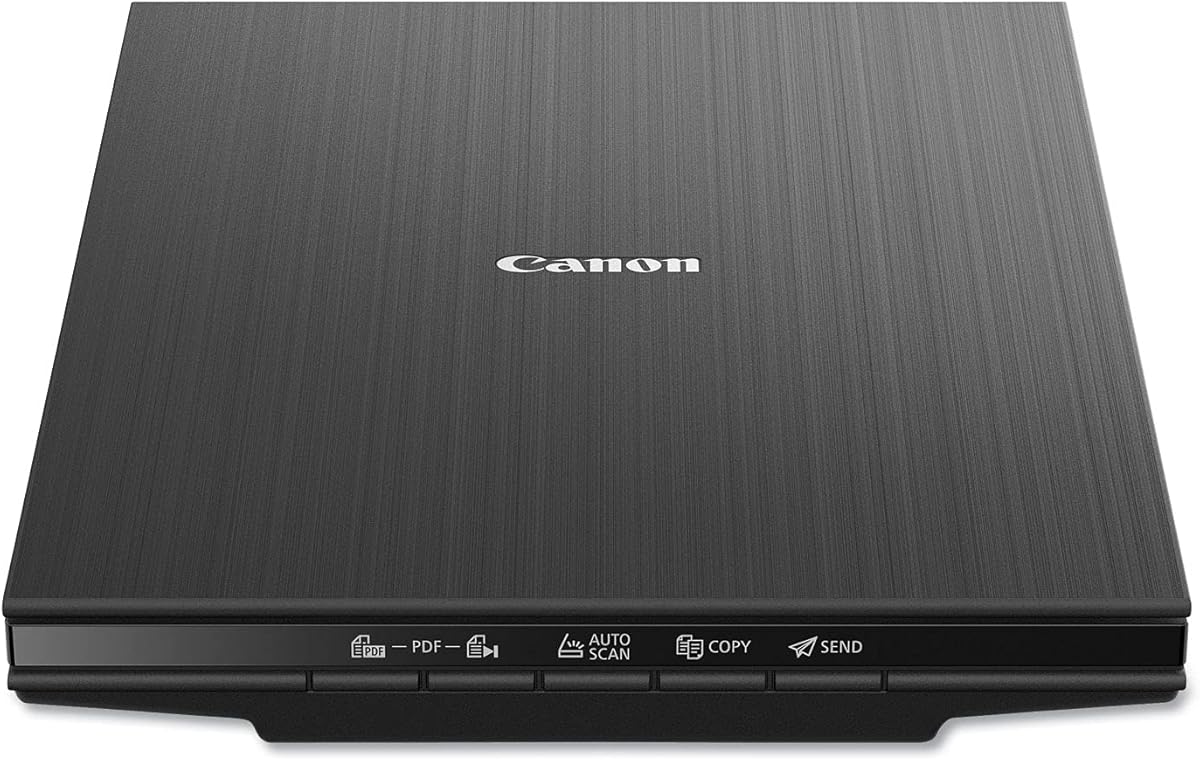
The Canon CanoScan LiDE 400 is a compact flatbed scanner aimed at users who need to digitize both documents and photographs without the bulk of a conventional desktop scanner. Its 4.1 rating and 4800 by 4800 dpi resolution make it a strong option for detailed images, while its stated 0.4-inch profile helps conserve space.
We may earn a commission when you buy through this link, at no additional cost to you.
The scanner includes automatic document detection, editable and searchable PDF creation, and image enhancements such as color restoration and dust removal. A USB Type-C cable handles both data and power, simplifying connections. Its supported paper dimensions cover common A4 and letter-size sheets, making it useful for photos, artwork, receipts, and ordinary office documents.
The important limitation is that the supplied specifications do not explicitly mention Linux. Linux users should confirm the presence of a suitable SANE backend or other maintained driver for the exact model. Its flatbed format also requires placing each page manually, making it less efficient than an automatic feeder for high-volume stacks.
Choose the LiDE 400 for detailed, occasional scanning in a space-constrained home office or creative workspace, provided its Linux driver support meets your needs. It is especially attractive for photograph preservation and image-focused work rather than routine multi-page administration.
The stated 4800 by 4800 dpi resolution supports detailed photo and document reproduction. Image restoration and dust-removal tools add value for older or imperfect source material.
At 7.7 by 14.5 by 0.4 inches, the scanner is designed to fit where full-size flatbeds are inconvenient. Its flatbed format handles books and fragile material without forcing them through rollers.
We may earn a commission when you buy through this link, at no additional cost to you.
The Brother DS-640 is the straightforward mobile document scanner in this group, combining an explicit Linux statement with a body under one foot long. It receives a 4.3 rating and scans color or black-and-white documents at up to 16 pages per minute, so it remains productive despite its compact form.
We may earn a commission when you buy through this link, at no additional cost to you.
Brother's free iPrint&Scan desktop application sends documents to a PC, network, cloud services, email, or OCR destinations. Linux is explicitly supported, with SANE drivers identified in the product information. Automatic color detection and adjustment, text enhancement, bleed-through prevention, background removal, and color drop help reduce manual cleanup.
Unlike the DS-740D, this model does not list duplex capture, making it less attractive for long two-sided reports. Its single-sheet format also means greater operator involvement than an automatic feeder. Users should also consider that some listed enhancements, including image rotation, are identified as PC-only.
The DS-640 is a strong choice for a Linux user who values portability and clear platform support more than duplex convenience. It is well matched to mobile administrative work, receipt capture, short reports, and quick digitization between different working locations.
Explicit Linux and SANE support is the key feature for this guide. The included micro USB 3.0 cable also removes the need to search for a nearby outlet when the computer supplies sufficient power.
Automatic color adjustment, background removal, bleed-through prevention, and text enhancement reduce the time needed to prepare ordinary pages. OCR and cloud destinations further streamline digitizing and distribution.
We may earn a commission when you buy through this link, at no additional cost to you.
The NetumScan 4K Book Scanner is a document camera rather than a traditional flatbed or sheet-fed scanner, and that distinction makes it especially useful for books, notes, and teaching materials. Its 3.4 rating is the lowest in the list, but the device explicitly runs on Windows, Mac, and Linux and includes a broad set of capture and OCR features.
We may earn a commission when you buy through this link, at no additional cost to you.
An 8MP CMOS sensor presents a live image, while integrated LED lighting with stepless dimming helps control glare and uneven illumination. Automatic correction can straighten skewed pages and form images quickly. The OCR system claims a recognition rate of 98% or more, supports multiple languages, symbols, and numbers, and can export editable text files. Live projection and video recording extend its use beyond static page capture.
The trade-offs are inherent to the overhead-camera format. It requires the source material to remain in place while the user turns pages, and image quality depends on camera angle, lighting, and alignment. The product also requires its relevant software to be installed, so Linux package availability and device permissions deserve careful investigation.
For a Linux user with a limited budget who needs to scan books, handwritten notes, music, or classroom material without feeding pages through rollers, the NetumScan offers unusual versatility. It is best viewed as a flexible document-capture station rather than a high-speed office scanner.
The overhead sensor avoids moving bound pages through a narrow feed path. This makes the device useful for textbooks, notebooks, recipes, sheet music, and material that could be damaged by a roller system.
OCR can convert captured pages directly into editable text, while real-time projection and recording support remote lessons and demonstrations. These features add value beyond conventional document storage.
We may earn a commission when you buy through this link, at no additional cost to you.
The ScanSnap iX2500 is the most productivity-focused scanner in the guide, combining 45 pages per minute duplex scanning, a 100-sheet feeder, Wi-Fi 6, USB-C, and a large touchscreen. Its 4.3 rating reflects a feature set built for offices that want quick intake, automatic optimization, and manageable file distribution.
We may earn a commission when you buy through this link, at no additional cost to you.
Custom profiles can direct files to a PC, Mac, mobile device, or cloud service, while the Quick Menu supports drag-and-drop delivery into favorite applications. The scanner automatically optimizes, names, and sorts output from documents, receipts, photos, and business cards. A brake roller, multi-feed sensor, and skew detection help reduce jams, missing pages, and damaged originals.
Its publication explicitly names PC, Mac, mobile devices, and cloud destinations, but the supplied information does not clearly state Linux compatibility. That distinction matters because direct device control, proprietary desktop software, and wireless setup may behave differently under Linux. Buyers should confirm current driver support and whether their preferred workflow uses a maintained third-party application.
The iX2500 is the premium Scanner for Linux for a business that can verify compatibility and needs high-volume, hands-off scanning. It is less compelling for a traveler or someone scanning only occasional single pages, but it offers the strongest combination of throughput, feeder capacity, automatic handling, and touchscreen-based organization.
A 45 pages per minute duplex rate and 100-sheet feeder make the iX2500 suitable for sustained office intake. Multi-feed and skew sensors are particularly useful when document quality cannot be compromised.
Wi-Fi 6 and USB-C provide flexible connection options, while touchscreen profiles simplify repeat tasks. Linux users should confirm control-software availability before committing to a fully wireless workflow.
We may earn a commission when you buy through this link, at no additional cost to you.
The Epson Perfection V19 II is a compact flatbed scanner that combines photo-oriented 4800 dpi optical resolution with basic document tools. Its 3.9 rating places it behind the stronger document scanners in the group, but it remains a practical choice for users who need a small, USB-powered unit for occasional scanning.
We may earn a commission when you buy through this link, at no additional cost to you.
Epson ScanSmart handles photos, artwork, illustrations, books, and documents. One-touch controls simplify routine jobs, while Easy Photo Fix can restore color to faded photographs. The removable high-rise lid accommodates books and albums, and the scanner can create searchable PDFs or editable Microsoft Office files through OCR.
Linux compatibility is not confirmed in the supplied specifications, making driver research essential. A flatbed also requires the user to place each sheet or book on the glass, and the model has no automatic feeder or duplex function. It is therefore better for careful, low-volume work than for rapidly clearing stacks of paper.
The V19 II is a good Scanner for Linux candidate when its available driver meets your needs and the priority is preserving photographs or scanning books without forcing them through rollers. Its small 3.1-pound body, vertical storage option, and USB power make it especially convenient for a compact home workspace.
The 4800 dpi optical resolution is designed to retain fine detail, while Easy Photo Fix provides a quick way to improve faded color. This combination suits family photos, illustrations, and artwork.
USB power eliminates a separate adapter, and the built-in kickstand permits vertical storage when the scanner is not in use. A removable high-rise lid also makes scanning bound material less awkward.
We may earn a commission when you buy through this link, at no additional cost to you.
The Canon imageFORMULA R10 is a portable document scanner designed to provide duplex capture and a modest automatic feeder without occupying much room. It carries a 4.0 rating, supports a suggested daily volume of 500 scans, and can produce searchable PDFs, JPEGs, and other digital formats.
We may earn a commission when you buy through this link, at no additional cost to you.
Its 20-sheet feeder scans both sides at up to 12 pages per minute. The device accepts receipts, business cards, plastic or embossed cards, reports, and legal documents, making it broader than many single-sheet mobile models. Built-in software updates automatically and offers previewing, straightening, trimming, custom buttons, and customizable destinations.
The product information names Windows and Mac compatibility rather than Linux. This prevents a confident Linux recommendation without checking for a current SANE driver or other supported backend. Users should also note that the scanner is explicitly not intended for photographs on photo paper or other photographic media.
The R10 is a good mobile-office choice for users who need duplex speed, a small feeder, and broad media support. It may suit a Linux setup if compatible drivers are available, but its automatic software-centered workflow should be validated before purchase.
A 20-sheet feeder and 12-page-per-minute duplex rate offer a practical balance for receipts, forms, and short reports. Single-pass capture avoids the need to turn each sheet manually.
Automatic software updates and integrated preview controls reduce setup friction. Users can straighten, trim, organize, and route files through customized buttons without relying on a separate editing interface.
We may earn a commission when you buy through this link, at no additional cost to you.
The Epson Perfection V39 II is a flatbed photo scanner with a broader document focus than its name may suggest. It has a 3.7 rating, 4800 dpi optical resolution, and support for photos, artwork, illustrations, books, and standard documents. Its letter-size scans can be completed in approximately 10 seconds.
We may earn a commission when you buy through this link, at no additional cost to you.
One-touch buttons streamline routine operation, and Easy Photo Fix offers one-click color restoration for faded images. Epson ScanSmart supports cloud destinations and the stitching of oversized images, while a removable high-rise lid helps users scan books and albums without removing the cover completely.
As with the other Epson flatbeds in this guide, the supplied specifications do not explicitly identify Linux compatibility. The included software and any available backend must therefore be checked for the user's distribution. Its manual flatbed design also makes it less useful for large document batches, and no automatic feeder or duplex feature is listed.
The V39 II is best considered for occasional creative scanning, photo digitization, and home-office projects where image quality matters. A Linux buyer should favor it only after confirming that the necessary driver and application support are current and suitable.
The 4800 dpi resolution preserves fine detail, while one-touch buttons shorten routine workflows. Easy Photo Fix and oversized-image stitching add useful tools for photo and artwork projects.
The high-rise removable lid makes bound material easier to position, and ScanSmart adds cloud destinations. These features help move scanned results from visual capture into practical storage.
We may earn a commission when you buy through this link, at no additional cost to you.
The Epson Workforce ES-400 II is the highest-rated product in this guide, earning a 4.5 rating, and it is built for steady document intake rather than occasional use. Its desktop format centers on a 50-sheet automatic document feeder, duplex scanning, and a software suite designed to move documents directly into common office destinations.
We may earn a commission when you buy through this link, at no additional cost to you.
Epson ScanSmart supports previewing, email, cloud upload, automatic file naming, and organization of scanned output. OCR creates searchable PDFs and editable Word or Excel files. Automatic cropping, blank-page removal, and background removal clean up common documents, while ultrasonic double-feed detection and dynamic skew correction help prevent missing pages.
Its limitation for this audience is platform clarity. The supplied information refers to a TWAIN driver and popular cloud services but does not explicitly state Linux support. Linux users need to determine whether a maintained SANE backend, TWAIN compatibility layer, or other driver can operate the ES-400 II reliably before making it part of a production workflow.
This is a strong high-volume Scanner for Linux candidate for an office with a suitable driver, because the 50-sheet feeder and automated corrections reduce operator time. It is less appropriate for mobile work, and its fixed desktop construction offers no advantage to someone who needs a compact travel scanner.
The 50-sheet feeder, automatic file naming, blank-page removal, and crop tools reduce the repetitive work associated with office scanning. Direct email and cloud destinations shorten the path from paper to shared storage.
Ultrasonic double-feed detection identifies stuck pages, and dynamic skew correction helps keep the digital result aligned. These safeguards are especially useful when a single missed page could affect a long record.
We may earn a commission when you buy through this link, at no additional cost to you.
The best Scanner for Linux depends first on confirmed platform support, but scan speed, feeder design, OCR, image quality, and intended source material should also guide the decision. Buyers should separate hardware requirements from workflow features and verify the complete software chain before purchasing.
Linux compatibility should be confirmed at the model level, not inferred from a brand or from the presence of a USB connection. The Brother DS-640 and DS-740D explicitly list Linux and SANE support, while the NetumScan 4K states that it runs on Windows, Mac, and Linux. By contrast, several Epson and Canon scanners in the guide list only Windows and Mac compatibility. For those models, look for a maintained SANE backend, a usable TWAIN compatibility layer, or a supported command-line workflow. Also consider distribution version, kernel updates, user permissions, and whether advanced features remain available when using an alternative driver rather than the manufacturer's original desktop application.
Sheet-fed scanners are best for loose pages, receipts, and routine office documents. Flatbeds are more forgiving with books, photographs, artwork, and fragile originals, but they require manual placement. Document cameras add live projection and are particularly useful for teaching, demonstrations, handwriting, and bound material because they do not move the source through rollers. A single-sheet mobile scanner is convenient for a few pages at a time, while a desktop automatic feeder is better for sustained intake. Choose based on the materials you actually scan rather than assuming that a more specialized device will be more useful.
Speed is most meaningful when it includes duplex capture, automatic document detection, and realistic feeder handling. The ScanSnap iX2500 reaches 45 pages per minute with a 100-sheet feeder, making it the strongest high-volume option in the list. The Canon R10 handles 12 pages per minute with a 20-sheet feeder, and the Brother DS-740D reaches 16 pages per minute with duplex capture but uses a more compact format. The Epson ES-50 scans an individual page in as quickly as 5.5 seconds. Compare daily capacity as well as peak speed; a fast unit is not necessarily the right choice if its feeder, setup, or software is too complex for occasional work.
OCR transforms an image of text into searchable content and editable documents, which can materially improve archiving, copying, and downstream productivity. Brother's software includes OCR destinations, Epson's ES-50 and ES-400 II offer OCR through their stated software, and the NetumScan includes direct text recognition with editable exports. The Canon LiDE 400 supports editable and searchable PDF creation. On Linux, confirm that OCR can be invoked from the supported backend or application, that multilingual text performs as expected, and that output can be routed to a chosen folder, cloud service, or office application. Stated recognition claims should be considered alongside document quality and your own language requirements.
Portable scanners can be less than a foot long, draw power from a USB cable, and fit into a bag or pocket. The Brother DS-640 and DS-740D are designed around this mobile approach, and the NetumScan uses a foldable overhead-camera format. Flatbeds such as the Epson V19 II and Canon LiDE 400 prioritize a low profile rather than active portability, while desktop feeders and the ScanSnap iX2500 are better suited to fixed workspaces. Check cable type, power requirements, storage dimensions, and whether the device can operate without a separate mains adapter. A portable scanner is only useful on Linux if the software setup is also manageable away from the primary workstation.
Flatbed scanners are generally the better choice for photographs, illustrations, and archival material because they capture from a stationary platen. The Canon LiDE 400 and Epson Perfection V19 II and V39 II advertise 4800 dpi optical resolution, and the V19 II and V39 II also offer color-restoration features. Document scanners prioritize speed, text clarity, contrast, and page handling rather than photographic detail. The Canon R10 is specifically not intended for photo paper or photographic media. Consider the actual mix of source material, whether you need color or monochrome, and whether originals are fragile, glossy, embossed, or bound. Higher nominal resolution alone does not replace suitable lighting, careful placement, or proper source preparation.
Connection choices affect convenience more than basic image capture. USB is the most consistent starting point for a Linux workstation, while the ScanSnap iX2500 adds Wi-Fi 6 and USB-C for direct wireless or device-based workflows. Cloud destinations can reduce manual file handling, but Linux users should confirm that the destination and authentication method work in the intended application. Some Brother features are desktop-oriented, and the supplied information notes that image rotation is PC-only. Build a workflow around the final destination—local folder, email, network location, cloud account, searchable PDF, or editable office file—and check each step rather than assuming all advertised options are available on every platform.
A fast scanner is not useful if it folds, tears, or omits pages. The ScanSnap iX2500 includes a brake roller, multi-feed sensor, and skew detection, while the Epson ES-400 II uses ultrasonic double-feed detection and dynamic skew correction. Automatic crop, blank-page removal, and background cleanup can improve output consistency, particularly for mixed stacks. For books, photographs, receipts, and cards, a flatbed or overhead camera may be gentler than a feeder. Check the manufacturer's suggested daily volume, supported media types, and whether the feeder can handle the thickness and condition of your paper. Regular cleaning and correct loading are equally important for preserving both the documents and the mechanism.
Begin by confirming the scanner's Linux driver or backend and installing the manufacturer's stated software where it is available. Connect the device using the supplied cable, grant the necessary user or group permissions, and perform a short test scan before loading important work. For a SANE-based model, confirm that the scanner appears in the system's scanning application and that a test document is detected correctly. Choose the output format first—image, searchable PDF, or editable text—because it determines which OCR and file-creation settings you need.
Prepare each page by removing fasteners, flattening folds, and placing text in the best possible orientation. For sheet-fed units, align the edges cleanly and feed one page at a time when beginning. Automatic detection and deskew features are helpful but cannot correct every poorly positioned or wrinkled source. For flatbeds and document cameras, clean the glass or sensor, position the material evenly, adjust the lighting, and keep the camera perpendicular to the page to avoid distortion.
Clean the device according to its manual, especially the feed rollers, sensor strip, or camera surface. Use appropriate cleaning material rather than spraying liquid directly into the mechanism. Remove dust and scraps, avoid forcing jammed sheets, and keep the unit in a dry environment. Periodically check that OCR output is searchable and correctly ordered. For unattended jobs, enable double-feed detection where available and review the first few completed files before processing the entire batch.
The Brother DS-640 and Brother DS-740D explicitly list Linux support and SANE drivers. The NetumScan 4K also states that it runs on Windows, Mac, and Linux. Other products mention Windows or Mac compatibility without explicitly confirming Linux, so their driver support should be checked for the exact model and Linux distribution before purchase.
SANE can provide basic image capture when a suitable backend exists, but complete feature parity may not follow. OCR, cloud destinations, wireless configuration, buttons, and proprietary image processing can depend on additional software or a different workflow. Confirm the required functions individually rather than assuming every feature advertised for Windows or Mac will work identically.
A flatbed or overhead document camera is usually safer for bound material because it avoids pulling covers and pages through a narrow feeder. The NetumScan is particularly relevant to Linux because it explicitly lists Linux support and captures books without moving them. The Brother models are more suitable for loose documents, and their page-feed path should not be used for fragile bound material.
The ScanSnap iX2500 offers the highest stated throughput, duplex scanning, a 100-sheet feeder, wireless connectivity, and automatic file organization. The Epson Workforce ES-400 II is another strong high-volume model with a 50-sheet feeder, OCR, and double-feed detection. Neither has explicit Linux support in the supplied information, so compatibility must be confirmed before either is used in a Linux-only workflow.
OCR is essential when you need searchable PDFs, editable text, or reliable copying of text-based documents. It is less important for simple image archiving or photographic reproduction. Because OCR quality depends on language support, page quality, and the available Linux application, test it with representative documents before relying on it for important records.
Choose a sheet-fed model for loose paper, receipts, and frequent multi-page intake. Choose a flatbed for photos, artwork, books, and fragile documents because the source stays still on the glass. A document camera offers a related alternative with live projection, especially useful for lessons, demonstrations, and overhead capture.
That depends on the scanner's software, the available Linux driver or backend, and the cloud provider's authentication method. Several products in the guide advertise cloud destinations, but those claims do not by themselves establish full Linux support. Local scanning followed by upload through a Linux-native synchronization tool may be the most dependable approach.
Use scanners with double-feed detection and dynamic skew correction whenever possible, and clean the feed rollers regularly. Align stacked pages carefully, avoid feeding wrinkled or stapled documents, and review a test batch before a long run. For flatbeds and cameras, square the source to the capture area and make sure the sensor or camera is positioned evenly.
The Brother DS-740D is the strongest overall Scanner for Linux because it combines explicit Linux and SANE support with 16-page-per-minute duplex scanning, automatic image cleanup, and a compact mobile form. The Brother DS-640 offers many of the same platform and workflow advantages for users who do not need duplex capture, while the NetumScan 4K provides an explicitly cross-platform overhead solution for books, notes, and live presentation work.
For a high-volume office, the ScanSnap iX2500 and Epson Workforce ES-400 II are the most capable feeders in the list, but their Linux support is not explicit in the supplied information. The Epson ES-50 is compelling for portable single-sheet work, and the Canon LiDE 400 plus Epson Perfection V19 II and V39 II suit flatbed photo and document capture. Prioritize confirmed driver support first, then choose based on paper type, OCR requirements, portability, and daily volume.
Before making a final selection, check current Linux driver packages, software documentation, connection requirements, and the output formats you need. Prices, availability, and manufacturer software can change, so verify the current product listing and support materials at the time of purchase. A driver that works today may not reflect every feature listed for other operating systems, making careful verification essential for a dependable Linux setup.