
Samsung Galaxy Tab A11+
4.6Editor score
Eleven-inch ninety-hertz display
Quad Dolby Atmos speakers
Six gigabytes memory
A tablet for Google Apps should make the Android ecosystem feel useful, dependable, and easy to live with. The strongest choices pair broad Play Store access with enough performance for documents, messaging, video calls, browsing, streaming, and occasional games, while offering a comfortable display and battery that can handle a full day away from home.
This guide compares ten tablets based on their supplied specifications, Google and Android capabilities, memory, storage, screen quality, cameras, connectivity, battery claims, included accessories, and intended users. It covers affordable general-purpose models, student-focused tablets with styluses, Samsung Galaxy options, compact children’s tablets, and more specialized configurations for travel, learning, or productivity.
Each numbered recommendation reveals what makes a tablet particularly suitable for Google Apps, while the comparison table makes the major differences easier to scan. Ratings and specifications can change over time, and retailer prices fluctuate frequently, so readers should confirm the current configuration, accessory inclusions, software details, and availability before purchasing.
4.6Editor score

4.6Editor score
4.2Editor score
As an Amazon Associate we earn from qualifying purchases.
This side-by-side comparison highlights each tablet’s core size, processing platform, memory and storage, display, Google integration, battery, cameras, connectivity, included accessories, and strongest use case so buyers can identify the most suitable option for their own apps and routines.


The Samsung Galaxy Tab A11+ is a particularly well-rounded Android tablet for households that use Google Apps for communication, entertainment, browsing, and light productivity. Its 4.6 rating reflects a favorable balance of qualities, while the supplied configuration combines 6GB of RAM, 128GB of storage, expandable storage, an upgraded chipset, and an 11-inch screen with a refresh rate of up to 90Hz. The result is a tablet designed to feel responsive in ordinary family use rather than specialized for only one task.
We may earn a commission when you buy through this link, at no additional cost to you.
Its biggest attraction is the combination of a large, fluid display and quad speakers powered by Dolby Atmos. Those two features work together especially well for YouTube, streaming, gaming, and casual video viewing, where a bright screen alone cannot create an immersive experience. Google Gemini assistance and Circle to Search add convenience for finding information without manually switching among apps. The five-megapixel front camera also makes the device suitable for face-to-face family video calls, while the long-lasting battery and fast charging are designed to reduce interruptions during browsing, streaming, and play.
There are reasonable trade-offs. The 128GB storage configuration is less generous than the 256GB Galaxy Tab A11+ also included in this guide, so buyers who routinely download large games, keep extensive offline media, or archive many files may prefer that alternate model. The supplied information also does not detail the included charger or stylus, meaning buyers should check the package contents rather than assume those accessories are present. Even so, the 6GB version provides enough memory for common multitasking, and its performance specifications are well matched to mainstream Google Apps use.
This is an excellent choice for a shared family tablet, a student seeking a portable media device, or a household that wants Samsung’s familiar Android experience with useful Google AI tools. It handles the core Google ecosystem well without making the user choose between a large screen, capable audio, and portability. For most shoppers, it is the most balanced recommendation in the roundup, while the 8GB, 256GB version is the logical alternative when extra memory and storage justify the additional cost.
The 11-inch panel provides enough room for readable documents, comfortable video, and useful app layouts, while the up-to-90Hz refresh rate makes scrolling and touch interactions appear smoother. Quad Dolby Atmos speakers then provide the audio quality needed to make movies, lessons, and music feel more engaging.
Google Gemini can assist with everyday questions and tasks, while Circle to Search makes it easier to identify visible content without creating a separate search workflow. These features complement the wider Google Apps experience without changing the tablet’s core Android layout.
We may earn a commission when you buy through this link, at no additional cost to you.
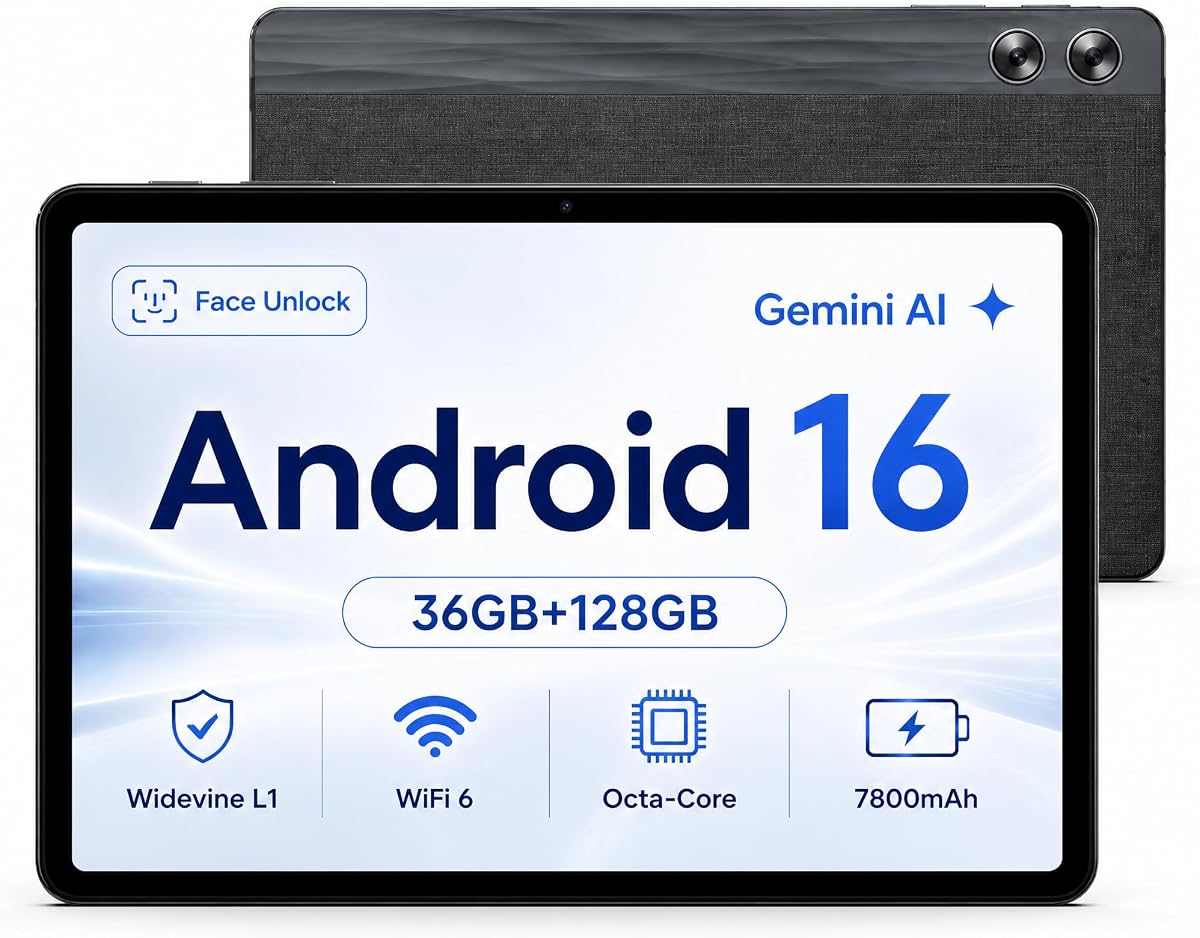
The Jeazans X7 stands out in this guide with the highest listed rating, 4.8, and an unusually generous memory specification for a tablet. It runs Android 16 with full Google Play Store access, giving users direct access to the apps, streaming services, and productivity tools that make the Google ecosystem useful. The combination of 36GB RAM, 128GB internal storage, and expansion up to 1TB creates ample room for app data, documents, media, and heavier multitasking.
We may earn a commission when you buy through this link, at no additional cost to you.
Its octa-core processor and Mali-G57 MC1 GPU are intended to support smooth app switching and dependable everyday performance. Gemini AI adds voice control, real-time translation, and AI summarization, which could be useful for students, travelers, and casual users who want quick ways to organize information. The 11-inch HD in-cell display is suitable for reading, browsing, and video, while Widevine L1 support enables HD streaming on platforms such as Prime Video, HBO, and Disney+ when the content provider and device combination allow it.
The main limitation is the screen specification. A 1280-by-800 HD panel is less detailed than the 2.5K display on the Lenovo Idea Tab or the 3K LCD on the Lenovo Idea Tab Pro. That difference becomes noticeable when reading dense documents, editing photos, or viewing fine text, though the X7 may still satisfy buyers who prioritize memory, storage, and charging convenience over maximum sharpness. The stated 68-hour continuous-use figure should also be understood as a supplier claim rather than a guarantee for every workload.
The X7 is a compelling option for users who want abundant memory without moving to a premium tablet. Its Google Play Store access, expandable storage, USB OTG, and strong rated battery make it a flexible Android companion for productivity and media. It is particularly suitable for buyers who regularly keep many apps open, download files, or connect keyboards, mice, and USB drives.
The 36GB RAM figure sets this tablet apart from the other listed models. In practice, that specification offers ample headroom for switching among browsing, messaging, productivity, and streaming applications, although actual software behavior depends on the apps and operating system.
The USB Type-C 2.0 interface supports charging, data transfer, and OTG, while microSD expansion can add up to 1TB. Together, these features make the tablet easier to adapt to larger media libraries, external accessories, and changing storage needs.
We may earn a commission when you buy through this link, at no additional cost to you.
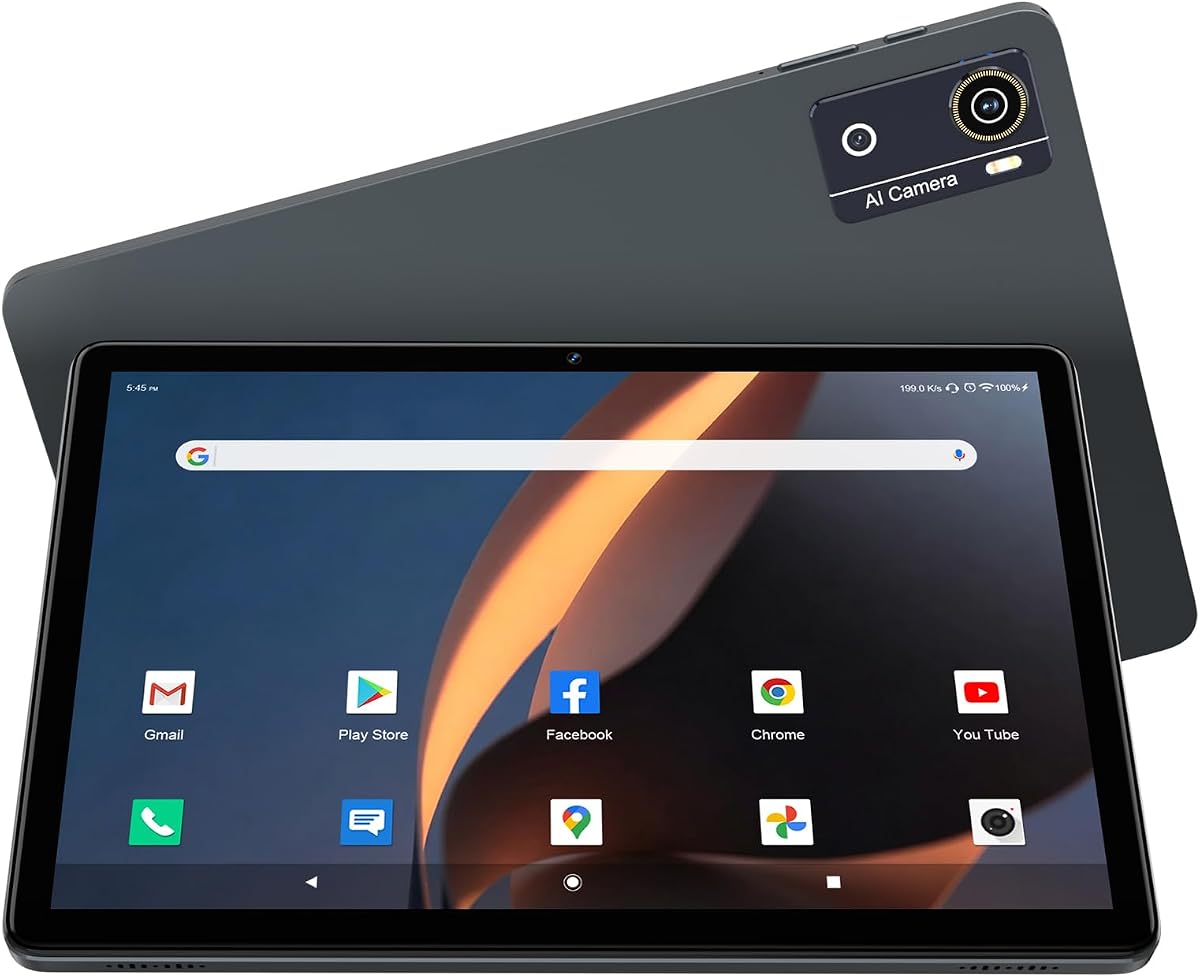
This Android 15 tablet is appealing to buyers who prioritize a complete accessory package rather than premium specifications alone. It includes a stylus and foldable protective case, allowing users to begin taking handwritten notes, sketching, or navigating more precisely while also protecting the device during travel. The tablet has a 4.1 rating and a 10.1-inch HD IPS touchscreen, making it a practical choice for reading, web browsing, media, and basic study tasks.
We may earn a commission when you buy through this link, at no additional cost to you.
Its listed 8GB RAM includes a stated 5GB expansion, while 32GB of internal storage can be supplemented by up to 1TB through supported expansion. The quad-core processor is sufficient for routine Google Apps use, including Docs, Sheets, Gmail, video calls, browser-based work, and standard media consumption. A 6000mAh battery is claimed to support six to eight hours of continuous use, while the Type-C port provides a convenient charging method.
The compromises are understandable given the bundle. The 1280-by-800 screen is not as sharp as higher-resolution alternatives, and the 2MP front and 8MP rear cameras are modest compared with models offering 5MP, 8MP, or 13MP front and rear combinations. The 32GB starting storage also fills quickly if the owner downloads many games or keeps a large offline media collection. The supplied information does not state whether Google Play Store access is fully certified, so buyers relying on specific Google Apps should verify that detail before ordering.
This tablet is best for students, casual users, and families seeking a stylus and case as part of one purchase. It also makes sense as a portable second device for note-taking and browsing. If Google app compatibility is confirmed, its practical bundle and expandable storage make it a strong value-oriented option.
A bundled stylus can make handwriting, drawing, and precision navigation easier, while the folding case adds both grip and physical protection. These accessories are particularly valuable for students or anyone using a tablet away from a desk.
Although the built-in 32GB capacity is modest, the stated 1TB expansion support gives owners a practical route for storing more offline media, documents, and app data. It reduces the need to replace the tablet simply because its starting storage fills.
We may earn a commission when you buy through this link, at no additional cost to you.
The 2026 Upgraded Android 16 Tablet combines Google Mobile Services certification, a 12GB memory allocation, 64GB of storage, and Gemini AI in a well-equipped budget-oriented configuration. Its 4.2 rating places it among the stronger choices in this roundup, while Android 16 and certified Play Store access make it directly relevant to anyone seeking an Android tablet for Google Apps.
We may earn a commission when you buy through this link, at no additional cost to you.
The Helio G80 octa-core processor is designed for steady everyday multitasking, including browser tabs, Google Docs, and routine switching between apps. Its 10.1-inch 1280-by-800 IPS panel supports clear viewing from multiple angles, and dual stereo speakers improve the experience for video and music. Gemini features can help draft emails, summarize articles, and plan itineraries, while split-screen functionality supports working with two apps at once.
Its 7000mAh battery and USB Type-C connection suit commuting, flights, and regular travel, while dual-band Wi-Fi, Bluetooth 5.0, GPS, and wireless screen casting broaden its usefulness. The cameras are unusually capable for the segment, with a 13-megapixel rear camera and 8-megapixel front camera suited to calls, classes, and casual photography. One caveat is that the 1TB expansion depends on a TF card that is not included. The HD display also lacks the resolution of the two premium Lenovo tablets.
This is a well-rounded recommendation for users who want modern Android, Google Play Store access, generous memory, and useful AI features without moving to the highest-cost models. It is a strong all-rounder for web-heavy work, streaming, navigation, social communication, and everyday productivity. Buyers who value Google certification and flexibility more than high-resolution displays will likely find it especially compelling.
Google Mobile Services certification means buyers can access standard Google apps and the Play Store without relying on an unverified software workaround. That is an important distinction for anyone whose daily workflow includes Gmail, Docs, YouTube, Maps, or Play Store downloads.
Gemini-assisted drafting and summarization can shorten routine tasks, and split-screen mode helps users place two applications side by side. Face unlock adds another convenient way to return to the tablet without repeatedly entering a password.
We may earn a commission when you buy through this link, at no additional cost to you.
The TUOHAITIME Android 16 Tablet combines certified Google access with a generous 24GB memory configuration, described as 4GB plus 20GB, and 64GB of internal storage. Its 4.1 rating reflects a capable budget package for users who want Google Apps, children’s controls, and expandable storage without paying for a premium device.
We may earn a commission when you buy through this link, at no additional cost to you.
Its 2.0GHz octa-core processor is claimed to deliver faster performance than a regular quad-core design. The 10.1-inch 1280-by-800 screen suits home entertainment and office tasks, while Wi-Fi 6 and Bluetooth 5.0 support modern wireless connections. A 6000mAh battery is listed with up to eight to twelve hours of reading or video use, and fast charging helps reduce downtime between sessions.
Google Kids Space and parental controls make this particularly relevant to families. Children can use age-appropriate activities such as coloring, crafts, story listening, and puzzles, while adults can set targets, filter content, and establish time restrictions. Widevine L1 compatibility supports high-quality playback on several major services, although the supplier notes that some platforms may still impose device restrictions and fall back to Widevine L3. The supplied instructions also warn against using 20W or 30W adapters, making the included charging guidance important.
The tablet is best for households that need one screen for both adult Google Apps and controlled children’s entertainment. It also works for travel, reading, and casual media use. Buyers should follow the specified charging guidance and confirm current accessory details, but the combination of GMS certification, parental tools, and expandable memory makes this a practical family choice.
Google Kids Space provides a child-oriented starting point, while parental controls allow adults to filter content, set screen-time limits, and define educational goals. These features can make a shared Android tablet more manageable for families with younger users.
The tablet supports expansion as high as 512GB, which is useful for downloaded media and children’s content. Its Google Mobile Services certification also means standard apps such as YouTube and Netflix can be installed directly through the Play Store.
We may earn a commission when you buy through this link, at no additional cost to you.
The Lenovo Idea Tab is explicitly positioned for college life, and its feature set reflects that focus. It combines an 11-inch 2.5K IPS touchscreen with a 90Hz refresh rate, 4GB of memory, 128GB of storage, and a MediaTek Dimensity 6300 processor. The 4.3 rating indicates a solid overall showing, while the included Tab Pen and folio case create a more complete study package.
We may earn a commission when you buy through this link, at no additional cost to you.
Google’s Circle to Search allows a student to circle visible content with the included pen or a fingertip and begin a search without first capturing a screenshot. Lenovo AI Note, Squid, Nebo, and MyScript Calculator support writing, organization, sketching, and calculation. These applications make the tablet more useful for lecture notes, research, and assignment planning than a standard entertainment-focused Android tablet.
The 2.5K screen is one of its strongest features, offering more detail than the HD displays used by many competing models in the roundup. Quad Dolby Atmos-tuned speakers support video lectures and study breaks, while TÜV Rheinland low-blue-light hardware solutions are intended to improve viewing comfort. Up to 12 hours of YouTube use is claimed, and a 20W charger is included for faster replenishment. Smart Connect can also simplify transitions between devices.
The main limitation is 4GB of RAM. It should suit standard Google Apps and focused coursework, but buyers who expect intensive multitasking may favor the Idea Tab Pro or another model with 8GB or more memory. The folio case can also be bulkier than a bare tablet. Nevertheless, this Lenovo is an excellent pick for students who value a sharp screen, handwriting tools, learning apps, and Google search features in one package.
The included Tab Pen, folio, and four learning applications create a more complete note-taking setup than a standard tablet provides. Circle to Search further reduces friction when researching unfamiliar terms encountered in class or online materials.
The 2.5K IPS panel provides significantly more resolution than a conventional 1280-by-800 screen, benefiting documents, handwritten notes, and streaming. Its 90Hz refresh rate also supports smoother visual interaction during scrolling and stylus use.
We may earn a commission when you buy through this link, at no additional cost to you.
The 8GB, 256GB Samsung Galaxy Tab A11+ is the higher-capacity version of the roundup’s most balanced Samsung tablet. It keeps the same family-friendly strengths as the 6GB model—an 11-inch display with up to a 90Hz refresh rate, quad Dolby Atmos speakers, fast charging, and a long-lasting battery—but adds memory and storage for users with heavier app libraries or more offline media.
We may earn a commission when you buy through this link, at no additional cost to you.
The 8GB RAM allocation provides additional headroom for switching among Google Docs, Gmail, browser tabs, messaging, and streaming applications. The 256GB storage configuration is particularly helpful for downloaded videos, music, large projects, and offline reference files. Samsung’s upgraded chipset is described as keeping everyday tasks responsive, while the slim, light design makes the tablet convenient to carry between rooms, classes, or travel destinations.
As with the base Galaxy Tab A11+, the entertainment experience is a major strength. The large display provides room for video and games, and the quad speakers support richer sound than a typical single-speaker tablet. Fast charging helps when the battery runs low, although the supplied information does not identify the exact charging wattage. No stylus is listed for this configuration, so users who need precise input should plan to use a finger or separately consider a compatible pen.
This is the Galaxy model to choose when storage longevity and multitasking headroom matter more than minimizing the purchase cost. It is a strong match for a power user who wants Google Apps but still values a portable, approachable tablet rather than a desktop replacement. For a typical family that streams and browses, the 6GB version may be more than sufficient; this model is the better fit for heavy multitaskers, media collectors, and users who prefer not to manage storage frequently.
The 256GB capacity gives users more room for applications, Google Photos libraries, downloaded entertainment, and offline documents. It reduces the need for frequent cleanup or immediate reliance on expansion storage.
Eight gigabytes of memory gives the tablet additional capacity for keeping several apps and background tasks active. This is helpful for students and commuters who move frequently between browsing, messaging, documents, and media.
We may earn a commission when you buy through this link, at no additional cost to you.
The Lenovo Idea Tab Pro is the most advanced Google-centric tablet in this roundup, combining a 12.7-inch 3K LCD with Google Gemini, Circle to Search, a MediaTek Dimensity 8300 processor, 8GB of memory, 128GB of storage, a Tab Pen Plus, and a folio case. Its 4.6 rating places it among the highest-rated products, and its specifications make it well suited to students and power users who want more than a basic app viewer.
We may earn a commission when you buy through this link, at no additional cost to you.
The large 3K display is the defining feature. It provides substantial room for Google Docs, spreadsheets, web research, lecture notes, and entertainment while retaining enough pixel density to make small text more legible. Quad JBL Dolby Atmos speakers improve streaming, music, and video, creating a much more complete media environment than a typical entry-level tablet. The included pen and folio also make the device ready for handwritten study sessions from the beginning.
Google Gemini can assist with assignments and planning, while Circle to Search enables quick visual lookups by circling content with a finger or the pen. The Dimensity 8300 supports demanding multitasking, and Wi-Fi 6E is included for faster wireless performance on compatible networks. A 360Hz touch sampling rate and claimed 90fps performance make the tablet appealing for supported games, while the device is PUBG certified according to the supplied information.
The trade-offs concern portability and charging demands. A 12.7-inch display is less convenient in one hand than a 10-inch model, and the 45W quick-charge system is more substantial than the chargers used by budget tablets. Still, for a buyer who spends hours on Google Docs, research, notes, and video, the combination of screen quality, audio, processing power, AI features, and included accessories is difficult to overlook. It is the premium selection in this guide.
The 12.7-inch 3K panel offers enough space to place documents beside reference material or comfortably view detailed web pages. It also makes the included folio and pen feel purposeful, creating a portable study workstation rather than merely a media slate.
Gemini can help brainstorm, revise, and organize study work, while Circle to Search provides a fast path from visible content to relevant results. Low Blue Light certification and mono and chromatic reading modes add further comfort for long sessions.
We may earn a commission when you buy through this link, at no additional cost to you.
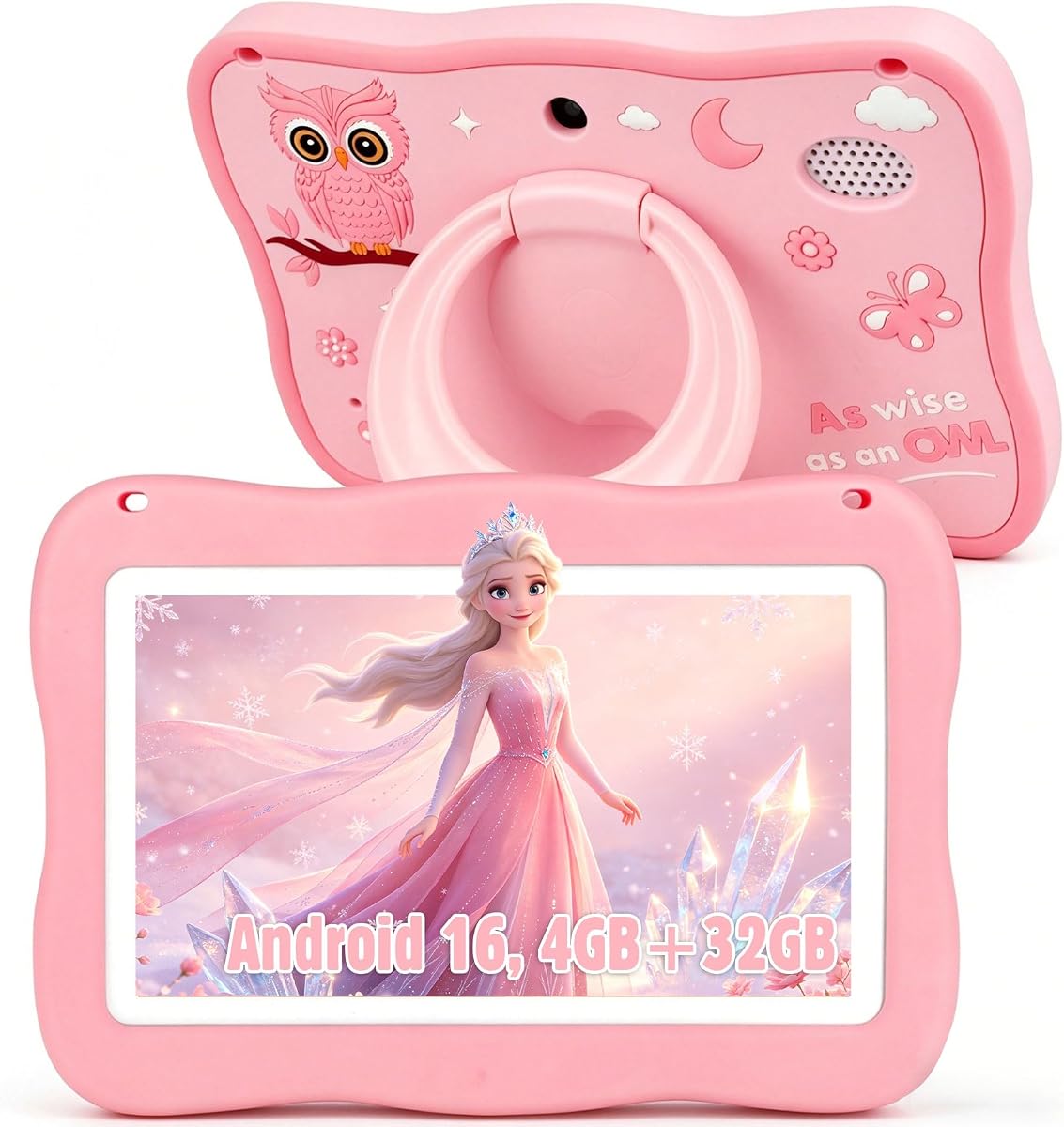
The YosaToo Kids Tablet is designed specifically for children aged three to twelve, and its most useful distinction is the combination of a compact seven-inch body, offline learning content, Google Kids Space, and detailed parental controls. It runs Android 16 with 4GB of RAM and 32GB of internal storage, earning a 4.1 rating and offering a conventional Android foundation rather than a restricted tablet operating system.
We may earn a commission when you buy through this link, at no additional cost to you.
The preinstalled YUBABE software gives younger children offline access to Montessori activities, mini games, STEM material, and art content. That makes the tablet useful on flights, long road journeys, or in locations where stable Wi-Fi may be unavailable. Older children can explore kid-friendly applications through Google Kids Space, while the full Play Store gives families access to a wider selection of age-appropriate downloads.
Parental tools allow adults to filter content, set daily screen-time limits, monitor app usage, and block unwanted applications. These controls are essential because full Play Store access can otherwise expose younger users to unsuitable material. The included silicone case is designed to absorb impact during drops and tumbles, and its adjustable stand supports hands-free viewing.
This is a strong choice as a dedicated first tablet for a young child, especially for travel and supervised learning. It is less appropriate as an adult productivity device because the small screen and modest memory are not intended for extensive multitasking. The included 64GB expansion option and offline library add flexibility, while the full Android experience allows the tablet to grow with the child rather than remaining a sealed appliance.
Montessori lessons, mini games, STEM activities, and art content remain available without a stable internet connection. This makes the tablet considerably more useful during flights, long drives, and trips where streaming would otherwise be unavailable.
The seven-inch format is easier for small hands to hold, while the impact-absorbing case and adjustable stand support frequent use. Parental filters, time limits, and app blocking add the safeguards needed for unsupervised or partially supervised sessions.
We may earn a commission when you buy through this link, at no additional cost to you.
This second YosaToo Kids Tablet listing shares the same core platform as the preceding recommendation, giving buyers another purchasing option for a compact Android device made for children. It combines Android 16, 4GB of memory, 32GB of storage, 64GB of expandable capacity, Google Kids Space, a full Play Store, and preinstalled camera, drawing, and learning applications.
We may earn a commission when you buy through this link, at no additional cost to you.
Its defining benefit is offline access to the YUBABE learning platform. Young users can explore Montessori exercises, mini games, STEM activities, stories, and art without depending on a live connection. The added storage can hold downloaded applications, books, photographs, videos, and games, allowing the device to function as a self-contained entertainment and learning environment during travel or periods of unreliable internet access.
Parents can use the included controls to filter material, limit daily use, review app activity, and block unwanted applications. The drop-resistant silicone case is intended to protect against everyday knocks, while the built-in adjustable stand offers a stable hands-free position for videos and lessons. These physical and software protections are more relevant than raw performance for the intended audience, making the tablet suitable for children who may handle devices less carefully than adults.
The limitations follow from its specialist purpose. A seven-inch display is small for adult work, and 4GB of memory is modest for advanced multitasking. It is not the right choice for a buyer seeking a general tablet for Google Docs, complex research, or large-screen streaming. For a parent looking for a child-focused first tablet with offline learning and strong controls, however, it is a focused and practical option, supported by the seller’s stated return and technical-support policy.
With educational material available without a connection, children can continue learning or entertaining themselves in a controlled app environment. The approach is particularly useful during travel and also limits the amount of unfiltered online content encountered.
The silicone case protects the hardware from common drops, the stand supports stable viewing, and the parental controls regulate access and duration. Together, these measures make the tablet better suited to independent use by younger children.
We may earn a commission when you buy through this link, at no additional cost to you.
Choosing a tablet for Google Apps involves balancing Android compatibility, processing power, memory, storage, display quality, battery endurance, and the accessories or controls needed by the intended user. The most important distinction is whether the tablet must handle everyday work, serious study, entertainment, or a child’s supervised digital experience.
Full Google Play Store access is the foundation of a good tablet for Google Apps. A certified device should provide a familiar Android environment with easy installation and updates for Gmail, Docs, Sheets, Maps, YouTube, Photos, and other essential applications. The Jeazans X7, the 2026 Upgraded Android 16 Tablet, and the TUOHAITIME model explicitly state that they are GMS certified. By contrast, the other listings do not make full certification equally explicit, so buyers should confirm it in the product listing and device settings before ordering.
A stronger processor makes app switching, web browsing, video calls, and split-screen work feel more dependable. The Lenovo Idea Tab Pro uses a MediaTek Dimensity 8300, the X7 uses an octa-core platform, and the budget Android 16 tablet lists a Helio G80 octa-core processor. These specifications are better aligned with sustained multitasking than the quad-core configuration in the 10.1-inch bundle. A more capable processor also provides useful headroom as apps and operating-system services become more demanding over time.
RAM determines how comfortably several applications can remain active, while internal storage holds apps, offline media, documents, and cached content. The X7’s 36GB RAM is the largest listed figure, the 8GB Galaxy Tab A11+ is a strong premium balance, and the 2026 Upgraded Android 16 Tablet provides 12GB. A 32GB starting point is acceptable when expansion is supported, but many users will prefer 64GB or more to reduce the need for constant cleanup.
Screen size and resolution serve different purposes. A seven-inch panel is portable and easier for children to handle, while 10- and 11-inch screens are better for documents, browsing, and family use. Resolution affects clarity: the Lenovo Idea Tab offers 2.5K, the Idea Tab Pro uses 3K, and several other models use 1280-by-800 HD panels. Higher resolution is particularly useful for dense text, handwritten notes, spreadsheets, and creative work.
Battery capacity should be considered alongside screen size, processor load, and charging speed. Listed capacities range from 6000mAh to 7800mAh, with several models claiming fast charging and extended use. A USB Type-C connection is standard across the group, but the supplied details for the TUOHAITIME specify use of an 18W or 10W adapter and caution against higher-wattage alternatives. Users should follow the manufacturer’s charging instructions to avoid compatibility concerns.
A stylus and case can materially improve a tablet’s usefulness for students or note-takers. Both Lenovo Idea Tab models include a pen and folio, while the 10.1-inch Android 15 bundle includes a stylus and folding protective case. Google Apps users should also look for an accessible keyboard, compatible mouse, or USB OTG support, all of which can turn a general tablet into a more practical productivity device.
A children’s tablet needs more than a small screen and playful preinstalled apps. Useful controls include content filtering, app blocking, screen-time limits, usage monitoring, and safe learning spaces. Both YosaToo listings provide these features, while the TUOHAITIME includes Google Kids Space and parental tools for children aged three and above. The protective cases and stands are also important because they address both physical safety and comfortable viewing.
Widevine L1 support is important for HD playback on services such as Prime Video, Disney+, and other platforms. Both the X7 and TUOHAITIME list L1 compatibility, although service-specific restrictions can still affect output. Bluetooth 5.0 is widely present, Wi-Fi 6 appears on several models, and USB OTG support on the X7 expands compatibility with keyboards, mice, and drives. Buyers should check the exact accessories and networks they plan to use.
Start by completing the initial Android setup, connecting the tablet to a trusted Wi-Fi network, signing into the intended Google account, and configuring screen lock, biometrics, backup, and parental controls. Install only the Google Apps needed for work, communication, learning, or entertainment. Updating the operating system and applications after setup can also improve compatibility, stability, and access to current features.
To keep the tablet running smoothly, leave adequate free storage and avoid filling internal memory with large inactive media. Review installed apps, browser downloads, cached files, and unused downloads regularly. Use split-screen where supported, close applications that are no longer needed, and restart the device occasionally when performance slows. For children, establish content filters, app permissions, and daily time limits before handing over the tablet.
Protect the device with the supplied case or a compatible cover, keep the charging port free of dust, and use the charger guidance provided by the manufacturer. Avoid leaving the tablet in extreme heat, direct intense sunlight, or damp conditions. A screen protector can reduce scratches, while careful charging and periodic software updates help maintain battery health and long-term reliability.
The best tablet for Google Apps depends on how it will be used. The Samsung Galaxy Tab A11+ is the most balanced option for general family use, the Lenovo Idea Tab Pro is the strongest premium and study-focused choice, and the 2026 Upgraded Android 16 Tablet offers a capable budget configuration. Confirm Google Play Store access, performance needs, and preferred screen size before purchasing.
Not every Android tablet provides the same level of built-in Google service support. Models explicitly described as GMS certified are the safest choices for direct Play Store access and standard Google applications. For other products, buyers should check the listing, user interface, and setup process to confirm that Google Play Store, Google services, and required apps work as expected.
Four gigabytes is generally adequate for ordinary Google Docs, Gmail, browsing, video calls, and streaming, particularly when the user does not keep many applications open. Eight gigabytes provides better multitasking headroom, while 12GB or 36GB suits heavier workflows and users who prefer fewer interruptions. Actual performance also depends on the processor and software optimization.
Sixty-four gigabytes is a practical starting point for a smaller app library, cloud-based Google account storage, and some downloaded media. Heavy video use, large games, and offline files can consume that capacity quickly. If the tablet supports microSD or TF expansion, additional storage can provide flexibility, although some apps may still perform best when installed on internal storage.
A 10-inch screen offers more room for reading, video, and drawing, but it is larger and heavier for young hands. A 7-inch model is easier to carry and can be useful for supervised play and travel. The more important considerations for children are parental controls, protected accounts, safe preinstalled content, a durable case, and limits on screen time.
Yes, when the tablet supports a compatible stylus and the selected app recognizes touch or pen input. The 10.1-inch Android 15 tablet and both Lenovo Idea Tab models include pens according to their supplied descriptions. Buyers of other models should check the package contents and stylus compatibility, and should confirm that a third-party pen will work with their preferred note-taking or drawing applications.
Widevine L1 is an important requirement for many HD streaming services, but it does not guarantee every title will play in its highest quality. The streaming provider can impose account, device, subscription, and content restrictions. The X7 and TUOHAITIME list L1 support, while the TUOHAITIME description specifically warns that some services may still use L3.
Google Gemini can be helpful for drafting text, summarizing articles, translating information, and planning tasks, but it is not the only consideration. Buyers should also evaluate processing power, memory, display quality, battery, stylus support, and parental controls. Gemini availability can vary, so the buyer should check current compatibility and terms for the apps and services they intend to use.
The Lenovo Idea Tab Pro is the premium leader because its 12.7-inch 3K display, Dimensity 8300 processor, eight gigabytes of memory, Google Gemini, Circle to Search, strong audio, and included pen create an unusually complete package. The Samsung Galaxy Tab A11+ remains the best-balanced recommendation, offering an excellent eleven-inch screen, quad Dolby Atmos speakers, useful Google features, and a portable design. For budget-conscious shoppers, the 2026 Upgraded Android 16 Tablet stands out with certified Google access, 12GB of memory, and expandable storage.
The right tablet still depends on the user. A student may prioritize the Lenovo Idea Tab’s pen, folio, learning apps, and sharper 2.5K panel. A family may prefer Samsung’s simpler entertainment experience or the budget tablet’s combination of cameras, face unlock, and flexible storage. A parent may find the YosaToo’s compact body, offline lessons, protective case, and parental controls more valuable than high resolution or desktop-class processing.
Before buying, verify the current Google Play Store status, exact memory configuration, storage capacity, included accessories, charger requirements, and warranty terms. Retailer prices and promotions change regularly, so it is worth comparing the final configuration rather than relying only on a model name. With those checks completed, any of the recommended tablets can provide a useful entry point into the Google Apps ecosystem.