
THINKWARE ARC900 Dash Cam
4.1Editor score
4K front, 2K rear
Dual STARVIS 2 sensors
3.5-inch IPS touchscreen
Optional LTE connectivity
Our Thinkware Dash CAM guide compares ten premium and value systems, covering resolution, night vision, parking mode, GPS, displays, and connectivity.
A Thinkware Dash CAM can provide dependable visual evidence while also adding driver alerts, night visibility, and parked-vehicle surveillance. The strongest models balance recording quality with usable parking protection, straightforward app control, and accessories that help conceal or organize wiring.
This guide compares ten Thinkware systems and one ROVE model listed for the keyword, examining resolution, front and rear coverage, sensors, night performance, parking modes, GPS, displays, storage, and installation requirements. The list includes single-camera, dual-camera, premium, and more approachable options.
Each pick highlights a different reason to consider Thinkware: the ARC800 stands out for 4K recording, the ARC900 offers a large touchscreen and LTE readiness, and the U3000 brings radar-assisted parking surveillance. Product configurations, included accessories, availability, and pricing can change, so confirm current details before buying.
4.1Editor score

4.9Editor score

4.0Editor score
The table below compares the selected dash cams by channel count, recording format, sensor technology, parking features, and connected functions, making it easier to identify the model that best matches a particular vehicle and recording setup.




The THINKWARE ARC800 4K Dash Cam Front Rear holds a 4.9 rating, the highest among the selected products, and combines a detailed front camera with a capable rear camera. Its standout combination includes 4K UHD front recording, Sony STARVIS 2 technology, AI Image Signal Processing, AI Night Vision, built-in GPS, and a 2.3-inch IPS touchscreen.
We may earn a commission when you buy through this link, at no additional cost to you.
The front camera can record at 4K UHD 30fps or 2K QHD 60fps, while the rear records at 1080p. Dual HDR helps balance bright and dark areas, and viewing angles of 147.2 degrees at the front and 124.5 degrees at the rear provide broad road coverage. Wi-Fi supports wireless review and settings management through the THINKWARE Dash Cam Link app.
Its parking protection is comprehensive without requiring radar. Motion Detection, Impact Detection, Time Lapse, and Energy Saving Mode are supported, while the supercapacitor and thermal protection are designed for dependable operation. Storage can reach 512GB when a suitable microSD card is used, and Anti-File Corruption Technology adds another layer of resilience.
The ARC800 is a strong all-around choice for drivers who want high-resolution front evidence, rear coverage, useful driver alerts, and a capable night-vision system. It is especially appealing for everyday road use, long trips, and connected video review, although those wanting a larger display, a 2K rear camera, radar-based parking, or LTE may prefer another premium model.
The front camera gives drivers a choice between 4K UHD at 30fps and 2K QHD at 60fps. That flexibility allows higher spatial detail or smoother motion depending on the recording priority.
Sony STARVIS 2 and AI Night Vision target low-light visibility, while built-in Wi-Fi makes footage and settings accessible through the THINKWARE Dash Cam Link app.
We may earn a commission when you buy through this link, at no additional cost to you.
The THINKWARE ARC Dash Cam 2K QHD is a balanced front-and-rear system with a 4.1 rating. It records 1440p video from both cameras at 30fps, provides 125-degree viewing angles, and adds a 2.7-inch IPS touchscreen for direct playback, settings, and viewing safety alerts.
We may earn a commission when you buy through this link, at no additional cost to you.
One of its most useful features is the included GPS antenna. It can provide speed and red-light camera warnings while embedding speed, time, and location in the recordings. Front Vehicle Departure and Traffic Light Change alerts add driver-assistance information, and the included hardwiring cable supports the 24/7 parking mode.
Parking surveillance includes Motion/Impact Detection, Time Lapse, Smart Parking Mode, Energy Saving Mode, and 20-second impact recording. A Privacy Lock, thermal sensors, and supercapacitors support unattended operation. The complete package also includes a 32GB microSD card, mounts, cable holders, trim tool, 12V power cable, and rear camera cable.
This ARC model makes sense for drivers who value equal 2K resolution at both ends, a built-in touchscreen, and a generous installation package without moving into the highest-resolution tier. It is less suitable for anyone requiring native 4K, radar parking, or live cellular monitoring, but it remains a well-rounded dual-camera option.
Recording 1440p at 30fps from the front and rear gives both channels consistent detail. The 125-degree field of view also seeks to balance road coverage with a natural-looking perspective.
The included hardwiring cable, multiple parking modes, 20-second event clips, thermal protection, and supercapacitor make the system ready for extended parked-vehicle monitoring.
We may earn a commission when you buy through this link, at no additional cost to you.
The THINKWARE ARC700 Dash Cam carries a 4.1 rating and pairs a 4K UHD front camera with a 2K QHD rear camera. It records the front at 30fps and the rear at 45fps, creating a useful resolution combination for drivers who want detailed forward evidence alongside higher-resolution rear coverage.
We may earn a commission when you buy through this link, at no additional cost to you.
The listed Sony STARVIS technology supports the system's imaging capabilities, while Dual HDR helps balance exposure when bright and dark areas appear together. Built-in GPS embeds speed, time, and location in footage and enables speed and red-light camera alerts. A 3-axis sensor is also included to help lock incident files when the vehicle is struck.
Parking functionality includes Motion/Impact Detection, Time Lapse, and Smart Parking Mode. Thermal sensors and supercapacitors are designed to support recording reliability and protect data, while Wi-Fi allows the THINKWARE DashCamLink app to handle footage viewing, downloads, and settings management.
The ARC700 is a compelling option for drivers who prioritize 4K front detail and 2K rear footage but do not need the ARC900's large touchscreen or optional LTE. Buyers should confirm the complete package and installation details for their exact configuration, as the supplied listing emphasizes the core recording and connected features.
The combination of 4K front and 2K rear recording is well suited to evidence collection. Motion, impact, and time-lapse parking modes add protection when the vehicle is stationary.
Built-in GPS adds location and speed context to recordings, while Wi-Fi connectivity reduces the need to remove the memory card for routine review and configuration.
We may earn a commission when you buy through this link, at no additional cost to you.
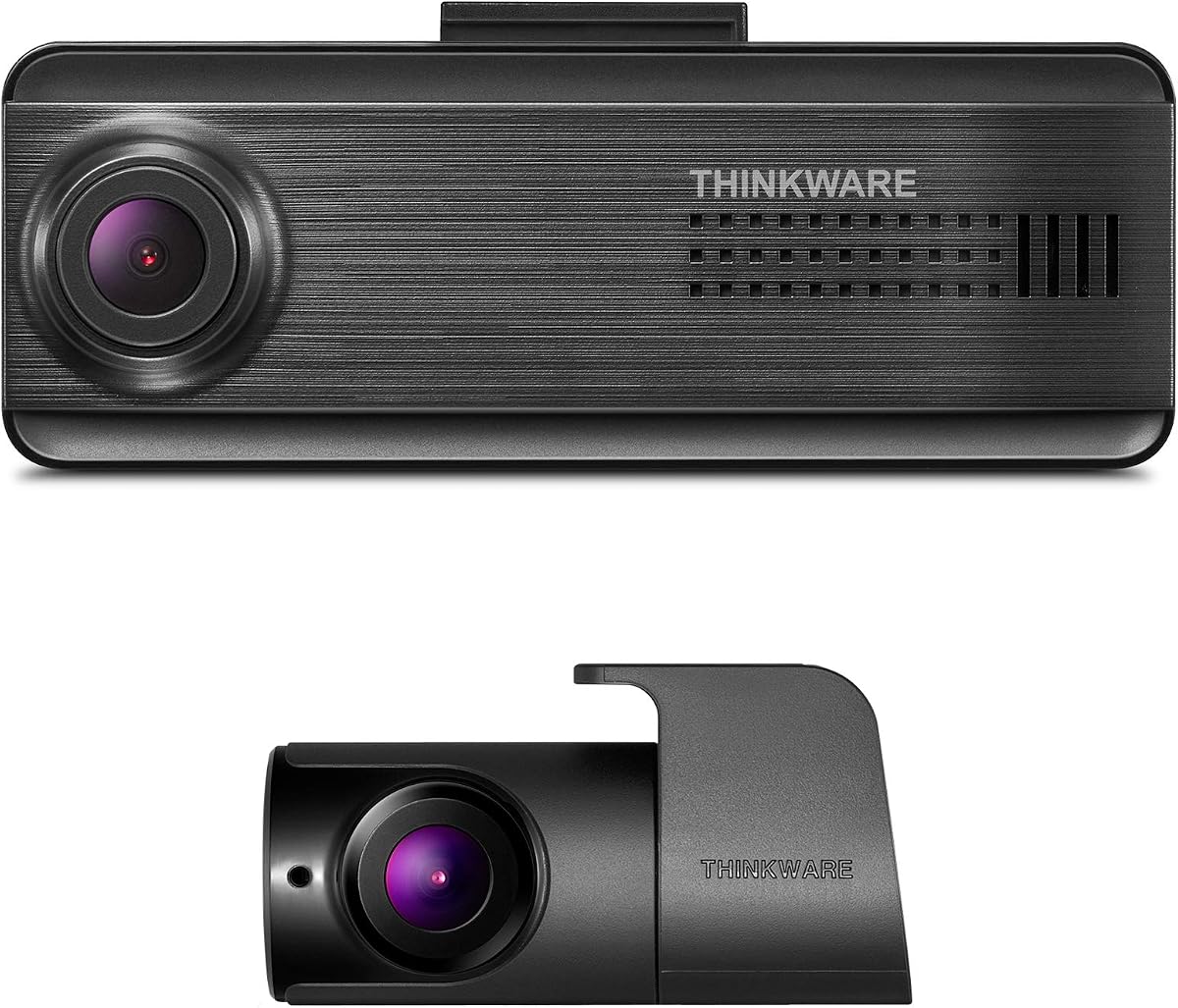
The THINKWARE ARC900 Dash Cam is a premium dual-camera system with a 4.1 rating. Its most distinctive features are 4K front recording, 2K rear recording, separate Sony STARVIS 2 sensors, Dual HDR, a 3.5-inch IPS LCD touchscreen, and optional LTE connectivity.
We may earn a commission when you buy through this link, at no additional cost to you.
The front camera uses a Sony IMX678 sensor and the rear uses an IMX675 sensor. That two-sensor arrangement is intended to sharpen both views in daylight and darkness, while HDR improves contrast and visibility when lighting changes abruptly. The 3.5-inch touchscreen allows playback and settings changes without relying entirely on a phone.
Its LTE capability is the biggest distinction for buyers who want remote access. When paired with the optional LTE Module ASIN B0FSGHLDM4 and firmware version 1.01.03, the system can provide live view, remote access, impact alerts, and GPS tracking. The listing notes that the module is optional and includes a complimentary three-year basic LTE plan when purchased with it.
For drivers who want a large on-dash display and the possibility of cellular monitoring, the ARC900 is the most feature-forward choice here. It is not essential for everyone, since LTE adds another component and the normal front-and-rear recording features remain strong without it. Drivers primarily interested in radar-based parking may prefer the U3000.
Separate Sony IMX678 and IMX675 STARVIS 2 sensors support detailed front and rear recording. Dual HDR helps preserve usable information when scenes contain both bright and dark areas.
With the separately identified LTE module and required firmware, live viewing, remote access, impact alerts, and GPS tracking become available. The compatibility requirement should be checked before installation.
We may earn a commission when you buy through this link, at no additional cost to you.
The Thinkware F70 PRO Dash Cam has a 4.0 rating and delivers the core functionality of a modern dash cam in a compact, single-camera format. It records 1080p Full HD video, connects through Wi-Fi, and provides Smart Parking Mode with Super Night Vision for more complete day-and-night coverage.
We may earn a commission when you buy through this link, at no additional cost to you.
Parking features include motion and impact detection, 20-second incident clips, Time Lapse, and Energy Saving Mode. A 3-axis G-sensor locks detected incidents into a separate folder, while Anti-File Corruption technology and thermal protection are intended to preserve recordings. A supercapacitor supports operation in hot conditions.
The package includes the mount, 12V power cable, 32GB memory card, and adhesive cable clips, making it straightforward to install and keep wiring tidy. Bluetooth pairing through the Thinkware Dash Cam Link app supports setup and downloads. An optional GPS antenna can add red-light and speed camera alerts along with embedded speed and location.
The F70 PRO is a sensible pick for a new driver, rideshare use, or anyone seeking a compact camera without paying for dual-channel 4K hardware. Its main limitation is obvious: it only records the forward view, and GPS requires an extra accessory. Even so, it offers a balanced set of parking and file-protection features for a simpler setup.
The F70 PRO keeps the physical design discreet while retaining Wi-Fi, Super Night Vision, incident locking, and multiple parking options. It is easier to consider for simple forward coverage.
A 32GB microSD card, windshield mount, 12V cable, and adhesive clips provide the core installation package. The app assists with settings, pairing, and footage transfers.
We may earn a commission when you buy through this link, at no additional cost to you.
The THINKWARE U3000 4K Dash Cam Front and Rear is a feature-heavy dual-camera model with a 4.0 rating. It records 4K footage at the front and 2K at the rear, uses a Sony STARVIS 2 sensor, and introduces a built-in radar designed to improve parking surveillance.
We may earn a commission when you buy through this link, at no additional cost to you.
Its Radar Parking Mode is a low-power recording method that monitors motion with reduced power consumption. With buffering, the camera retains footage leading up to an event and saves a 20-second clip containing 10 seconds before and 10 seconds after detection. Hardwiring or the included OBD-II cable is required for this parking functionality.
Recording is supported by Super Night Vision 4.0, adjustable bitrate, and an Ambarella processor. The THINKWARE CONNECTED app can provide live remote viewing and impact notifications when an internet connection is available, while the THINKWARE Link app handles local pairing, recent-video playback, and settings through Bluetooth and 5GHz Wi-Fi.
The U3000 is the strongest choice in this roundup for drivers who specifically want radar-assisted parking. The tradeoff is installation complexity: sustained parking surveillance requires a stable power connection, and remote cellular features may involve carrier charges. Drivers who do not need radar may find the ARC800 or ARC900 simpler alternatives.
The built-in radar can monitor parked-vehicle movement with low power use. Buffering preserves context before an impact, while event clips combine footage from before and after detection.
A 4K front camera, 2K rear camera, STARVIS 2 sensor, and Super Night Vision 4.0 support detailed recording. Adjustable bitrate gives drivers another way to balance image sharpness and storage use.
We may earn a commission when you buy through this link, at no additional cost to you.
The THINKWARE Q200 Dash Cam 2K is a front-only model rated 3.7 among the selected products. It focuses on detailed 2K QHD recording at 30fps, with WDR and Super Night Vision 2.0 designed to improve clarity across glare, daylight, and low-light conditions.
We may earn a commission when you buy through this link, at no additional cost to you.
Its 125-degree lens uses dewarping to reduce the exaggerated fisheye effect common in wide dash cam footage. This helps preserve a more natural view of lanes, vehicles, and roadside signs. The built-in 3-axis G-sensor can automatically save a 20-second incident clip containing 10 seconds before and 10 seconds after an impact.
Smart Parking Mode adds Motion/Impact Detection, Time Lapse, Energy Saving Mode, and a Smart Parking option that reduces power draw in high heat. Hardwiring or an optional OBD II cable enables continuous protection, while Anti-File Corruption technology helps guard stored recordings.
The Q200 suits drivers who want a capable forward camera and parking surveillance but do not need rear coverage. Wi-Fi and the THINKWARE DASH CAM LINK app allow settings changes, previews, and downloads from an iOS or Android device. Its lower rating should be considered alongside its more specialized single-channel design.
The 125-degree dewarped lens captures a broad view without the extreme edge distortion associated with some wide-angle lenses. It aims to retain useful detail around the vehicle.
The G-sensor locks a pre- and post-impact clip, while the parking suite captures movement or collisions. Anti-File Corruption technology provides additional protection for stored footage.
We may earn a commission when you buy through this link, at no additional cost to you.
The THINKWARE F200 PRO Dash Cam is a dual-channel 1080p system with a 3.7 rating. It records both the front and rear, uses a 140-degree front viewing angle, and includes a Cradle GPS unit that records speed, time, and routes while supporting speed and red-light camera alerts.
We may earn a commission when you buy through this link, at no additional cost to you.
Driver-assistance features cover lane departures, collisions, and front vehicle movement. A G-sensor helps identify and secure incident recordings, while built-in Wi-Fi allows access through the THINKWARE DASH CAM LINK app for viewing, downloading, and sharing without routinely removing the memory card.
The system also supports continuous recording and parking surveillance for unexpected impacts. Its package includes front and rear cameras, a 32GB memory card, car charger, windshield mount, Cradle GPS, and hardwire kit, making it a more complete dual-camera arrangement than many basic front-only products.
The F200 PRO is most attractive to buyers who want both viewing directions, GPS functionality, and parking support at a simpler resolution level. It is compatible with cars, minivans, and RVs according to the supplied information. Those wanting sharper 4K or 2K rear video should examine the ARC700, ARC800, or ARC900 instead.
Front and rear 1080p cameras cover both directions, while the included Cradle GPS embeds speed, time, and route information and supports camera alerts.
The inclusion of a memory card, hardwire kit, GPS cradle, and mounting hardware provides the main components needed for a complete installation.
We may earn a commission when you buy through this link, at no additional cost to you.
The ROVE R2-4K Dual Dash Cam is included because it closely matches the Thinkware Dash CAM search intent and offers a distinctive combination of dual recording, high storage capacity, and fast wireless transfers. It has a 4.4 rating, with front footage captured at 2.5K and upscaled to 4K, while the rear records at 1080p.
We may earn a commission when you buy through this link, at no additional cost to you.
Its front camera uses a Sony STARVIS 2 IMX675 5MP sensor with an F1.5 aperture, while the rear uses an F1.8 aperture. HDR and Super Night Vision target improved low-light visibility. A 3-inch IPS screen shows live speed and compass information, and built-in GPS records routes, locations, and speed stamps.
Dual-band 2.4GHz and 5.8GHz Wi-Fi supports downloads reported at up to 20MB per second through the ROVE app. The supplied 128GB microSD card is unusually substantial for a new installation, and the system also supports cards up to 1TB. A supercapacitor, thermal protection, G-sensor, emergency video lock, and seamless loop recording round out the feature set.
The ROVE is best for buyers who prioritize storage and wireless transfer over native 4K recording. It is important to understand that the front 4K output is upscaled rather than native. Parking surveillance offers time-lapse, motion, and collision detection, but a hardwire kit is not included, so that capability requires an additional installation component.
Dual-band Wi-Fi and transfer speeds stated at up to 20MB per second make the ROVE app practical for reviewing and sharing recordings. Over-the-air firmware updates are also supported.
A 128GB card is included, with support listed for cards up to 1TB. The IPS display provides speed and compass information while GPS stamps routes and locations into recordings.
We may earn a commission when you buy through this link, at no additional cost to you.
The THINKWARE U3000 4K Front is a single-camera premium model with a 4.0 rating. It combines 4K recording, a Sony STARVIS 2 sensor, built-in radar, GPS, and WDR, concentrating on front-facing evidence and a more advanced feature set.
We may earn a commission when you buy through this link, at no additional cost to you.
Its built-in radar is intended for parking surveillance, where low-power monitoring and buffered event recording can be useful. The THINKWARE CONNECTED app supports live remote viewing and impact notifications, although an internet connection is required and carrier charges may apply. The app's remote functions are separate from ordinary local operation.
For everyday connectivity, built-in Bluetooth works with the THINKWARE Link app on compatible Android and iOS devices. Drivers can pair the camera, replay recent driving videos, and manage settings. Built-in GPS tracks speed and time, enabling alerts for red-light and speed cameras.
The front-only U3000 is worth considering when radar and remote access matter more than rear coverage. It is less comprehensive than the dual-camera U3000, but it still provides a high-resolution forward image, low-light-oriented sensor technology, and flexible connected services. Check power and connectivity requirements before installation.
The camera records 4K front footage with a Sony STARVIS 2 sensor and WDR. These specifications target detailed daytime evidence and more usable footage when lighting is uneven.
THINKWARE Link supports Bluetooth pairing, playback, and settings, while THINKWARE CONNECTED adds live viewing and impact notifications when internet access is available.
We may earn a commission when you buy through this link, at no additional cost to you.
The right dash cam depends on how much coverage you need, where you drive, how you access recordings, and whether parked-vehicle monitoring justifies additional installation work. These factors help narrow the field before comparing the included accessories and app ecosystem.
A front-only camera is simpler to install and concentrates storage on the direction of travel, making it a practical choice for commuters who mainly need immediate road evidence. A dual-camera system adds a rear channel for incidents that occur behind the vehicle, parked-vehicle monitoring, and a broader record of the surrounding environment. In this roundup, the ARC, U3000, F200 PRO, and ROVE dual systems provide two-channel recording, while the F70 PRO and Q200 focus on the front view.
Choose dual coverage if rear incidents, parking protection, or complete trip evidence matter to you. Choose a front-only design when simplicity, a compact windshield footprint, and lower hardware complexity are more important.
Resolution affects the amount of fine detail retained in footage, while frame rate influences how smoothly motion is presented. The ARC800 records 4K UHD at 30fps or 2K QHD at 60fps at the front. The ARC700 and ARC900 pair a 4K front camera with 2K rear recording, and the U3000 follows a similar front-and-rear pattern. Lower-resolution models can still produce useful evidence, particularly when their sensors, HDR processing, and lenses are effective.
For maximum detail, favor native 4K rather than an upscaled designation. For smoother movement, consider whether a higher-frame-rate mode better fits your driving conditions and storage capacity.
Night recording depends on more than a night-mode label. Sony STARVIS and STARVIS 2 sensors are used across several models, while Super Night Vision, AI Night Vision, WDR, and Dual HDR contribute different forms of image processing. Wider apertures, as found on the ROVE front camera, can also support low-light capture. Evaluate these features together because sensor sensitivity, HDR behavior, lens design, and processing all influence visible detail.
Drivers who regularly travel after dark should prioritize a recognized low-light sensor and strong exposure balancing. Daytime-only users may not need to pay as much attention to these specifications.
Parking surveillance can use motion detection, impact detection, time-lapse recording, or energy-saving recording. The U3000 adds radar-assisted monitoring and buffered footage, while most other models rely on visual motion or impact detection. Extended parking operation generally needs a hardwired power connection, and some systems can also use an OBD-II cable. The F200 PRO includes a hardwire kit, the ARC Dash Cam 2K includes a hardwiring cable, and the U3000 dual listing includes an OBD cable, but the ROVE hardwire kit is not included.
Check the power requirements before buying. A car charger is convenient for driving, while a hardwire or suitable OBD-II connection is generally needed for reliable long-duration parking protection.
GPS can embed speed, time, and location into footage while enabling alerts for red-light and speed cameras. Some models integrate the GPS antenna directly, whereas the F200 PRO uses an included Cradle GPS and the F70 PRO requires an optional antenna. ADAS features vary across the list, including Front Vehicle Departure, Traffic Light Change, lane departure, collision, and front vehicle movement alerts. These tools are aids rather than substitutes for attentive driving.
Choose integrated GPS if location context is important to your evidence. Consider ADAS by its specific warnings, but verify which features apply to the exact product and whether updates or regional alert databases are involved.
A built-in screen makes it possible to review footage and change settings without a phone. The ARC900 has the largest listed display at 3.5 inches, the ARC Dash Cam 2K has a 2.7-inch IPS touchscreen, the ARC800 uses a 2.3-inch IPS touchscreen, and the ROVE has a 3-inch IPS display. App-based management remains important because it supports downloads, settings changes, firmware updates, and recent-video playback.
Choose a touchscreen when direct vehicle control is important. If you prefer managing the camera from your phone, compare Wi-Fi, Bluetooth, and app compatibility rather than assuming every model offers the same connectivity.
Local Wi-Fi review differs from remote cellular monitoring. The ARC900 is LTE ready when paired with the separately identified module and the required firmware. The U3000 models use THINKWARE CONNECTED for live remote viewing and impact notifications, with internet access and possible carrier charges involved. These features can be valuable for fleet use, security monitoring, or drivers who need access while away from the vehicle.
Remote access is optional functionality rather than a universal dash cam standard. Confirm the hardware module, service requirements, supported phones, and ongoing connectivity costs before relying on it.
Storage capacity determines how much footage can be retained before older files are overwritten in loop recording. The ARC800 supports microSD cards up to 512GB, and the ROVE supports up to 1TB while including a 128GB card. The F70 PRO and F200 PRO include a 32GB card, and the ARC Dash Cam 2K also includes a 32GB card. Installation packages vary in whether they include a hardwire kit, OBD-II cable, GPS unit, mounts, cable clips, and a trim tool.
Match the memory card to the system's supported capacity and recording format. Also check the box contents before purchase so you know whether additional wiring or mounting accessories are required.
Begin by choosing a suitable microSD card, formatting it in the dash cam, and testing the camera before mounting it permanently. Install the main unit where it does not block the driver's view, keep the lens inside the windshield area, and route the rear camera cable carefully along the headliner or trim. For parking surveillance, use the appropriate hardwire or OBD-II connection and confirm that the vehicle's parking circuit can supply continuous power.
After installation, connect the camera through Wi-Fi or Bluetooth, complete the app setup, and adjust the date, time, recording mode, and preferred settings. Verify the front and rear camera angles with test footage, and test both an impact-triggered event and the applicable parking modes. Verify that the app can locate, play back, and download recordings before relying on the camera for evidence.
Review footage regularly, keep the memory card and contacts clean, and avoid leaving the device exposed to excessive heat or moisture. Check the hardwire, OBD-II connection, mounts, and cables for looseness or damage, particularly after changing weather or having work performed inside the vehicle. Keep the camera firmware current when using features that depend on a specified version, and retain important incident files before loop recording reuses their storage.
It depends on the sensor and use. A native 4K front camera can preserve more fine detail, while dual 1080p systems provide coverage in both directions. Consider night performance, HDR, storage capacity, and whether rear coverage is more important than maximum front resolution. Upscaled 4K output should not be treated as equivalent to native 4K.
Many models in this guide support motion detection, impact detection, time-lapse recording, energy saving, or smart parking modes. Reliable long-duration parking operation generally requires a hardwired power connection or a compatible OBD-II setup. Check the selected model's installation requirements and confirm that the parking circuit is suitable before installation.
Local Wi-Fi lets a nearby phone connect to the dash cam through an app without an internet connection. Cellular remote access allows live viewing, impact notifications, or remote GPS information from a distance, but it requires compatible hardware and service. The ARC900 needs its optional LTE module and specified firmware, while U3000 remote features may involve carrier charges.
Core recording, storage, and many local app functions generally do not depend on a cellular subscription. Any service tied to live remote viewing, impact notifications, or cellular tracking may have separate requirements or charges. Review the exact product listing and current service terms before purchase, particularly for LTE-ready and radar-equipped models.
Required storage depends on resolution, frame rate, bitrate, and how long you want to retain recordings. The products listed support different capacities, with the ARC800 supporting up to 512GB and the ROVE up to 1TB, while some bundles include 32GB or 128GB cards. Use a card that meets the dash cam's stated requirements and format it according to the manufacturer's instructions.
Radar can detect movement across a broader area and may support lower-power monitoring, but it requires compatible installation and continuous power. Motion detection remains a practical parking method on many models and is easier to set up. The U3000's radar-assisted buffered mode is a specialized advantage for drivers who want pre-event context and extended surveillance.
Both channels are useful when you want evidence from behind the vehicle or complete parking coverage. A front-only camera is simpler, smaller, and focused on the most common driving view. The F70 PRO and Q200 are front-only options, while the ARC, U3000, F200 PRO, and ROVE models provide front-and-rear recording.
Mount the main camera high enough to avoid blocking the driver's view, and aim the lens so the road and relevant lane markings are visible. Clean the glass before mounting, secure the bracket, and route cables so they do not obstruct controls or airbags. For a rear camera, route its cable along the headliner or trim and check the final image from both cameras.
The THINKWARE ARC800 4K is the strongest all-around choice because it combines a high-rated 4K front camera, 2K-capable recording option, Sony STARVIS 2, AI Night Vision, GPS, Wi-Fi, and a broad parking feature set. The ARC900 is the premium alternative for its larger touchscreen, dual STARVIS 2 sensors, and optional LTE connectivity, while the F70 PRO is the simplest and most budget-conscious selection.
Prioritize native resolution when fine detail matters, but also consider sensor quality, HDR, rear coverage, and the parking methods you will actually use. Radar-assisted monitoring is compelling for frequent parkers, while a hardwired dual-camera system may offer broader everyday protection. Check included accessories and power requirements before choosing.
Product bundles, firmware requirements, optional modules, app services, and pricing can change. Confirm the current specification, storage support, connectivity terms, and included components with the seller before purchasing, then format and test the selected memory card immediately after delivery.