
QCNCM865 WiFi 7 Card
4.1Editor score
Wi-Fi 7 multi-link operation
Up to 5.8 Gbps link
Bluetooth 5.3 connectivity
M2 Key E WiFi cards compared for Wi-Fi generation, speed, Bluetooth support, compatibility, installation, and features.
M2 Key E WiFi cards give desktop and laptop users a compact way to add modern wireless connectivity without relying on an external USB adapter. The right card depends on your motherboard slot, operating system, Bluetooth needs, and whether your router supports Wi-Fi 6E or Wi-Fi 7.
We compared the ten cards in this guide by examining their stated wireless generation, supported frequency bands, maximum link rates, Bluetooth version, physical interface, platform restrictions, included accessories, and driver requirements. The list also distinguishes complete modules from adapter-only products that still require a separate M.2 card.
Each review identifies the strongest use case and important limitations, while the comparison table provides a quick side-by-side view. Product ratings and specifications may change over time, and retailer offers fluctuate, so compare the current listing, hardware requirements, and warranty terms before buying.
4.1Editor score

4.5Editor score
4.4Editor score
This side-by-side comparison highlights each card's wireless standard, interface, Bluetooth capability, and principal installation requirement so you can quickly narrow the field before checking the detailed reviews.



The AX210NGW DTK WiFi Card combines an Intel AX210-based M.2 2230 module with an 11-inch RF cable, two 5 dBi antennas, and low-profile brackets. It carries a 4.5 rating, and its strongest distinction is that it arrives as a practical installation kit rather than a bare module. Buyers can connect a compatible desktop motherboard's M.2 E-key slot to external antennas without separately sourcing both antenna hardware and mounting accessories.
We may earn a commission when you buy through this link, at no additional cost to you.
Its stated maximum link rate is 574 Mbps at 2.4 GHz, 2,400 Mbps at 5 GHz, and 2,400 Mbps at 6 GHz. The card also supports OFDMA, MU-MIMO, Target Wake Time, and Bluetooth 5.3, making it well suited to a modern mixed-band home or office network. Bluetooth can serve headsets, keyboards, controllers, and other wireless peripherals without occupying a USB port for a separate adapter.
The included high-gain antennas and low-profile brackets are particularly useful in desktop cases where the Wi-Fi card sits far from the router. They also introduce considerations: external antenna placement affects the signal path, and the 11-inch cable may be tight in compact cases. As with other AX210 products, suitable Wi-Fi and Bluetooth drivers must be obtained from Intel by searching for AX210.
This is the strongest all-around choice for someone who wants a complete Wi-Fi 6E and Bluetooth upgrade for an E-key desktop. It suits users who need tri-band connectivity, value a coordinated accessory kit, and use a compatible Wi-Fi 6 or Wi-Fi 6E router. Those willing to install the module, position the antennas, and configure the drivers will gain a flexible and capable internal wireless solution.
The bundled RF cable, antennas, and brackets remove the usual inconvenience of assembling a desktop wireless upgrade from separate parts. This makes the kit especially convenient for first-time builders and mini-ITX or compact-case users who need a low-profile installation option.
Supporting 2.4, 5, and 6 GHz lets the card use the 2.4 GHz band for range, 5 GHz for high throughput, and 6 GHz for a cleaner high-speed connection where the router and local conditions support it.
We may earn a commission when you buy through this link, at no additional cost to you.
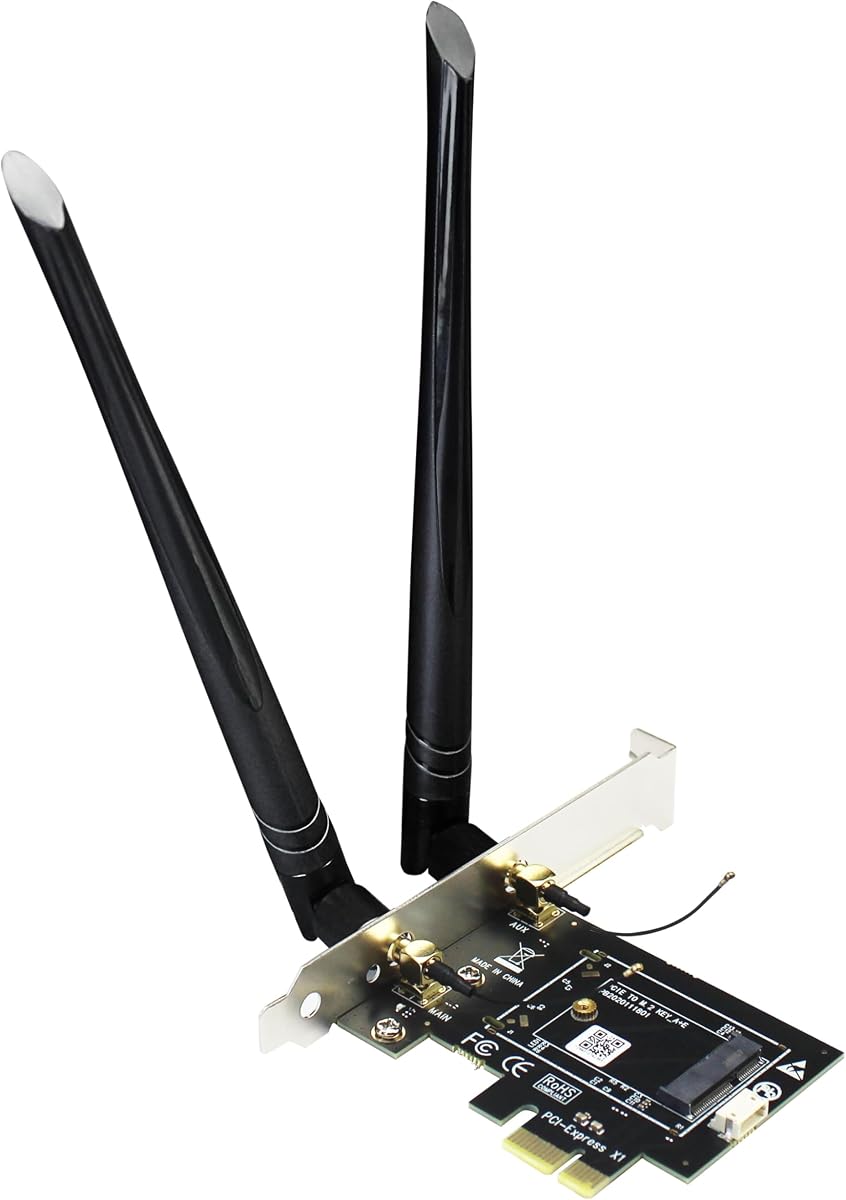
The GLOTRENDS WA01 is an M.2 E-key-to-PCIe x1 carrier rather than a complete wireless card. It has a 4.1 rating and gives desktop builders a way to reuse or install a supported NGFF module while positioning two external 6 dBi RP-SMA antennas outside the chassis. That distinction is essential because buyers must already own or separately purchase a compatible M.2 wireless module.
We may earn a commission when you buy through this link, at no additional cost to you.
The adapter supports numerous Intel and third-party NGFF modules, including BE200NGW, AX210NGW, AX200NGW, 9260NGW, 8265NGW, 8260NGW, 7265NGW, and 7260NGW. It can also accept Coral TPU modules. Wi-Fi data travels through the PCIe x1 interface, while Bluetooth is routed through a separate USB connection to the motherboard.
Its main limitation is the same one that makes it flexible: it is not a turnkey Wi-Fi purchase. It cannot work with CNVio2 or CNVio modules such as AX211NGW, AX201NGW, AC 9560NGW, AC 9462NGW, or AC 9461NGW, and it does not support Mini PCIe modules. The listed Bluetooth support also depends on the particular module installed rather than on a Bluetooth radio built into the carrier.
Choose the WA01 when your desktop lacks an accessible M.2 E-key slot, you want external antennas, and you need broad support for replaceable wireless modules. It is best viewed as a desktop integration platform rather than a standalone card. Make sure your chosen module matches the supported list and that your motherboard exposes a USB header for Bluetooth.
The included 6 dBi antennas can be positioned outside a metal desktop chassis, potentially improving signal reception compared with an internal card placed near walls or electronics. Their actual benefit depends on antenna orientation, placement, router location, and local interference.
Supporting current and older NGFF modules makes the carrier useful for builders who want to choose a radio independently. Because the module is not included, compare both the adapter and module cost before deciding whether this approach meets your needs.
We may earn a commission when you buy through this link, at no additional cost to you.
The 10Gtek PCIe x1 to M.2 adapter is another carrier-based solution, earning a 4.4 rating. It installs an NGFF A+E or E-key wireless module in a desktop's PCIe slot and includes a 30 cm USB 9-pin female to small 4-pin cable for Bluetooth. The product explicitly does not include a Wi-Fi card, so it should be compared as an accessory rather than a complete wireless upgrade.
We may earn a commission when you buy through this link, at no additional cost to you.
The carrier can use PCIe x1, x4, x8, or x16 physical slots and supports listed modules such as 3160, 3165, 7260, 7265, 8260, 8265, 9260, AX200, and AX210. It supports both Intel and AMD motherboard systems. Two included 5 dBi antennas are dual-band, covering 2.4 and 5 GHz, and can often provide better placement flexibility than an internal card with fixed antennas.
It is not as flexible as the GLOTRENDS WA01 for newer module generations because its antennas are specified only for dual-band operation. It also does not support hot swapping, and Bluetooth depends on both a compatible module and a proper USB 9-pin header connection. Older desktop systems without internal USB headers may require another solution.
The 10Gtek adapter is best for a desktop owner who already has a supported M.2 module or plans to buy one separately. It is a straightforward way to move wireless capability to an older PCIe-capable system while retaining external antenna placement. Verify module support, antenna band coverage, and USB header availability before purchasing.
A desktop without a usable motherboard M.2 E-key slot can gain wireless connectivity through this PCIe carrier. Its broad slot support lets it fit systems with larger physical PCIe connectors while communicating through the x1 lane.
The included small 4-pin to USB 9-pin cable links Bluetooth to the motherboard's USB header. Users should confirm that the cable reaches the header without strain and that the installed wireless module actually provides Bluetooth functionality.
We may earn a commission when you buy through this link, at no additional cost to you.
The QCNCM865 WiFi 7 M.2 Key E card is one of the guide's most forward-looking choices, with a 4.1 rating. It uses the M.2 2230 E-key format and supports tri-band 2.4, 5, and 6 GHz operation. Its stated capabilities include 4K-QAM, 320 MHz channel support, Multi-Link Operation, and a theoretical maximum link rate of 5.8 Gbps under suitable conditions.
We may earn a commission when you buy through this link, at no additional cost to you.
Multi-Link Operation is the feature that most distinguishes Wi-Fi 7 from earlier client cards. With a compatible router, the system can use multiple bands and channels simultaneously to improve responsiveness, throughput, and reliability. The card remains backward compatible with Wi-Fi 6 and Wi-Fi 6E routers, although its headline Wi-Fi 7 performance depends on matching router capabilities, WPA3 security, and the required Windows version.
The platform requirements are significant. Full Wi-Fi 7 performance requires Windows 11 version 24H2 or newer, and the product description specifically recommends a compatible Wi-Fi 7 router with WPA3. It supports Intel and AMD platforms with an M.2 Key E slot, including several named desktop chipset and processor families, but it cannot serve as a general solution for older operating systems.
Choose this card when your router and PC are ready for Wi-Fi 7, you value low latency, and your platform satisfies the Windows 11 requirement. It is a premium-class upgrade for a modern build, but the advantage will be limited on a Wi-Fi 6E network. Confirm the slot, router generation, security settings, and driver source before ordering.
MLO can aggregate information across multiple links, reducing the effect of congestion on any single band. This is particularly relevant to gaming, large transfers, and busy modern networks where predictable latency matters as much as headline throughput.
The card can operate with older Wi-Fi 6 or 6E routers, but buyers should not expect Wi-Fi 7 transfer rates on legacy equipment. A compatible Wi-Fi 7 router and current Windows release are needed to realize the complete feature set.
We may earn a commission when you buy through this link, at no additional cost to you.
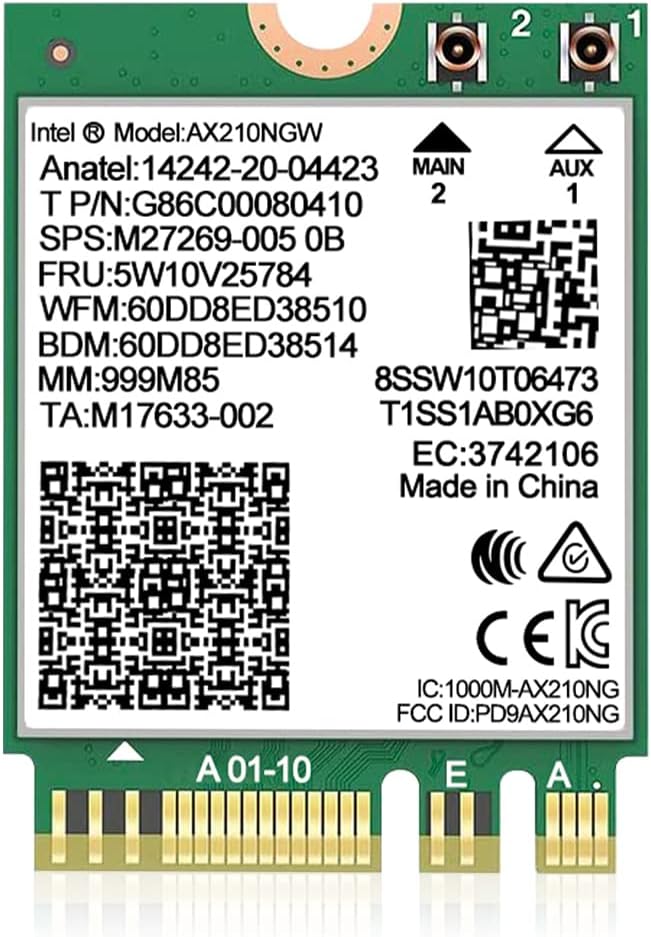
The Intel AX210 NGW Wireless Card is a bare M.2 2230 module that carries a 4.6 rating, tying for the highest customer rating among the listed products. It provides tri-band Wi-Fi 6E, Bluetooth 5.3, and a stated aggregate maximum of 5,374 Mbps, with 2,400 Mbps offered on each of the 5 and 6 GHz bands and 574 Mbps on 2.4 GHz.
We may earn a commission when you buy through this link, at no additional cost to you.
The AX210 platform is familiar and broad, supporting features such as MU-MIMO, OFDMA, 160 MHz channels, and Target Wake Time. Bluetooth 5.3 adds lower-latency operation and power-efficiency benefits for compatible peripherals. The card is a good match for laptop repairs, desktop motherboards with E-key slots, and systems that need an upgrade without moving to a proprietary CNVio module.
Its installation requirements are more restrictive than the product category name may suggest. It requires an NGFF M.2 2230 A/E-key slot and a 64-bit Windows 10 or Windows 11 system. It does not work with CNVio2 protocol slots, and it cannot replace a mini PCIe radio. Drivers are not presented as automatically installed; the buyer must search Intel's website for AX210NGW and install the appropriate Wi-Fi and Bluetooth software.
This is an excellent general-purpose module for a compatible system, especially one already using Intel Wi-Fi hardware. Its high rating and mature feature set make it a safe choice for general productivity, gaming, and media use. Be aware that the product is a module alone, so a desktop with a fixed internal antenna arrangement must have suitable antenna connectors and routing.
The AX210's combination of 2.4, 5, and 6 GHz support provides flexibility across congested and modern networks. The 6 GHz band can offer additional channel capacity, while 2.4 GHz remains useful for distance and wall penetration.
Unlike integrated CNVio and CNVio2 solutions, the standard M.2 module can often be replaced independently. That makes it a practical option for builders who want a replaceable radio instead of a permanently soldered platform feature.
We may earn a commission when you buy through this link, at no additional cost to you.
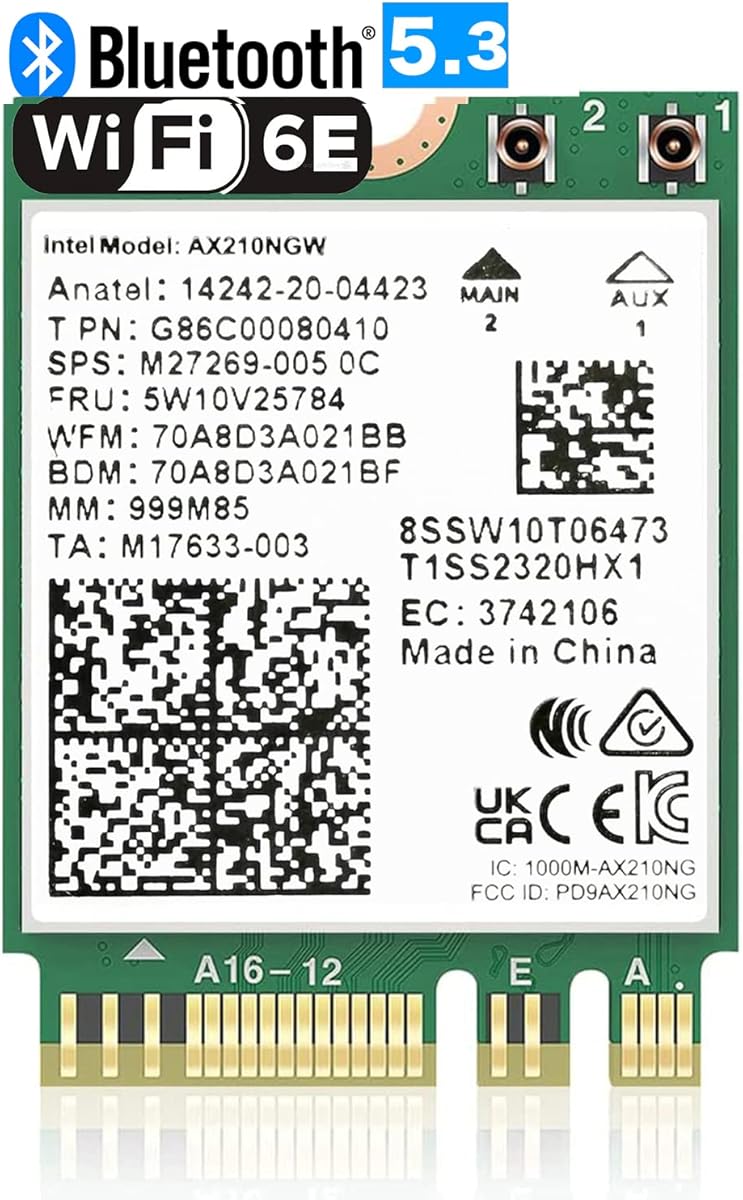
The OKN AX210 NGW module earns a 4.6 rating and offers a broad feature set centered on Intel's AX210 platform. It supports all three major Wi-Fi bands, with listed maximums of 574 Mbps at 2.4 GHz and 2,400 Mbps on both 5 and 6 GHz. That gives it the same high aggregate link rate as other AX210-based choices in the guide.
We may earn a commission when you buy through this link, at no additional cost to you.
The card supports MU-MIMO, 1024-QAM, OFDMA, 160 MHz operation, ultra-low latency, and WPA3 security alongside WPA and WPA2. It also provides Bluetooth 5.3, making it suitable for users who want a single internal module to handle both network connectivity and wireless accessories. Its stated platform support includes Windows 10 and 11 in 64-bit configurations.
The design retains the familiar weaknesses of an internal M.2 radio. It requires an E-key or A+E-key M.2 2230 slot, suitable antenna connectors, and a working Bluetooth USB connection on the motherboard. The product listing specifically mentions Intel and newer AMD CPU systems, while driver installation involves searching for AX210 on Intel's site.
The OKN module is a strong alternative for users who want AX210 compatibility, Wi-Fi 6E, and current network security without paying for a Wi-Fi 7 card. It is especially attractive for a compatible laptop whose original wireless module has failed. Desktop builders should verify antenna availability and route the cables appropriately rather than assuming the module includes antennas.
WPA3 support allows the card to join appropriately secured modern networks while maintaining backward compatibility with WPA2. OFDMA and MU-MIMO improve efficiency in crowded environments by serving multiple clients and managing simultaneous traffic more effectively.
Integrated Bluetooth 5.3 turns the card into a combined Wi-Fi and Bluetooth solution. This can reduce the need for a separate USB Bluetooth dongle, provided the host motherboard exposes the required internal USB connection.
We may earn a commission when you buy through this link, at no additional cost to you.
The AX210 NGW Wireless Card with antenna kit is designed for users who want a module and external antennas as a coordinated desktop package. It holds a 4.4 rating and supports tri-band Wi-Fi 6E over 2.4, 5, and 6 GHz. Bluetooth 5.3 is also included, allowing the card to support modern wireless peripherals alongside network access.
We may earn a commission when you buy through this link, at no additional cost to you.
The most notable feature is the pair of 8 dBi antennas. External placement can make a meaningful difference in a desktop because the card can sit inside a metal chassis while the antenna remains exposed in a better location. The supplied Ipex cable and brackets support that arrangement. However, antenna gain should not be confused with a guaranteed increase in internet speed; router capability, interference, distance, and antenna orientation remain important.
The module supports WPA3 and remains compatible with WPA2. Its installation requirements include an M.2 2230 A/E-key slot and a 64-bit Windows 10 or Windows 11 system. As with other AX210 products, the user needs to install the appropriate Intel driver after searching for AX210 online. The product is aimed at motherboards with compatible slots and Intel CPU-based systems.
This kit is a good match for a desktop whose internal location would obstruct the radio or where a user wants more control over antenna direction. It is less compelling for a laptop unless the laptop already has a suitable modular card design and antenna routing system. Confirm the connector style, card orientation, and available case space before installing.
Antennas mounted outside or near the edge of a chassis can avoid some of the signal loss caused by metal panels and surrounding components. The benefit depends on correct placement, so experimenting with different positions may produce better results than leaving the antennas fixed inside the case.
The combination of tri-band Wi-Fi and Bluetooth 5.3 makes this a practical replacement radio for compatible desktops. It covers modern high-speed networks while retaining support for peripherals, without requiring a separate USB Bluetooth adapter.
We may earn a commission when you buy through this link, at no additional cost to you.
The second QCNCM865 option in this guide provides another route into Wi-Fi 7 and carries a 4.4 rating. It is a compact M.2 Key E card for Windows 11 systems, supporting the 2.4, 5, and 6 GHz bands, 4K-QAM, 320 MHz bandwidth, and Multi-Link Operation. Its maximum stated data rate is 5.8 Gbps under appropriate network conditions.
We may earn a commission when you buy through this link, at no additional cost to you.
The card can operate across simultaneous 2.4 GHz plus 5 GHz or 2.4 GHz plus 6 GHz combinations, depending on the router. MLO allows multiple links to work together, which can improve latency and reliability in congested settings. Bluetooth 5.3 supports peripherals such as headsets, keyboards, and mice with lower latency and improved power efficiency.
Windows 11 is the only supported operating system in the supplied details, which narrows the audience compared with AX210 choices that support Windows 10 and 11. The listing also advises disabling older Wi-Fi and Bluetooth drivers in Device Manager to avoid conflicts. Drivers are obtained from the Fenvi website by searching for QCNCM865, and a compatible Wi-Fi 7 router is needed for the complete feature set.
This card makes sense for a current Windows 11 build that already has a suitable M.2 E-key slot and a Wi-Fi 7 router. Compared with the other QCNCM865 listing in the guide, it provides a similarly capable platform with a more explicit focus on Windows 11 compatibility and driver-conflict guidance. Verify your operating system and router before purchasing.
The card's ability to operate on multiple frequency combinations gives compatible routers more ways to manage traffic. This can be valuable in dense areas where a single channel becomes congested, although results remain dependent on router firmware and network configuration.
Replacing an existing wireless module can leave older drivers active and cause conflicts. The recommended approach is to remove or disable the previous Wi-Fi and Bluetooth software in Device Manager before installing the latest QCNCM865 driver.
We may earn a commission when you buy through this link, at no additional cost to you.
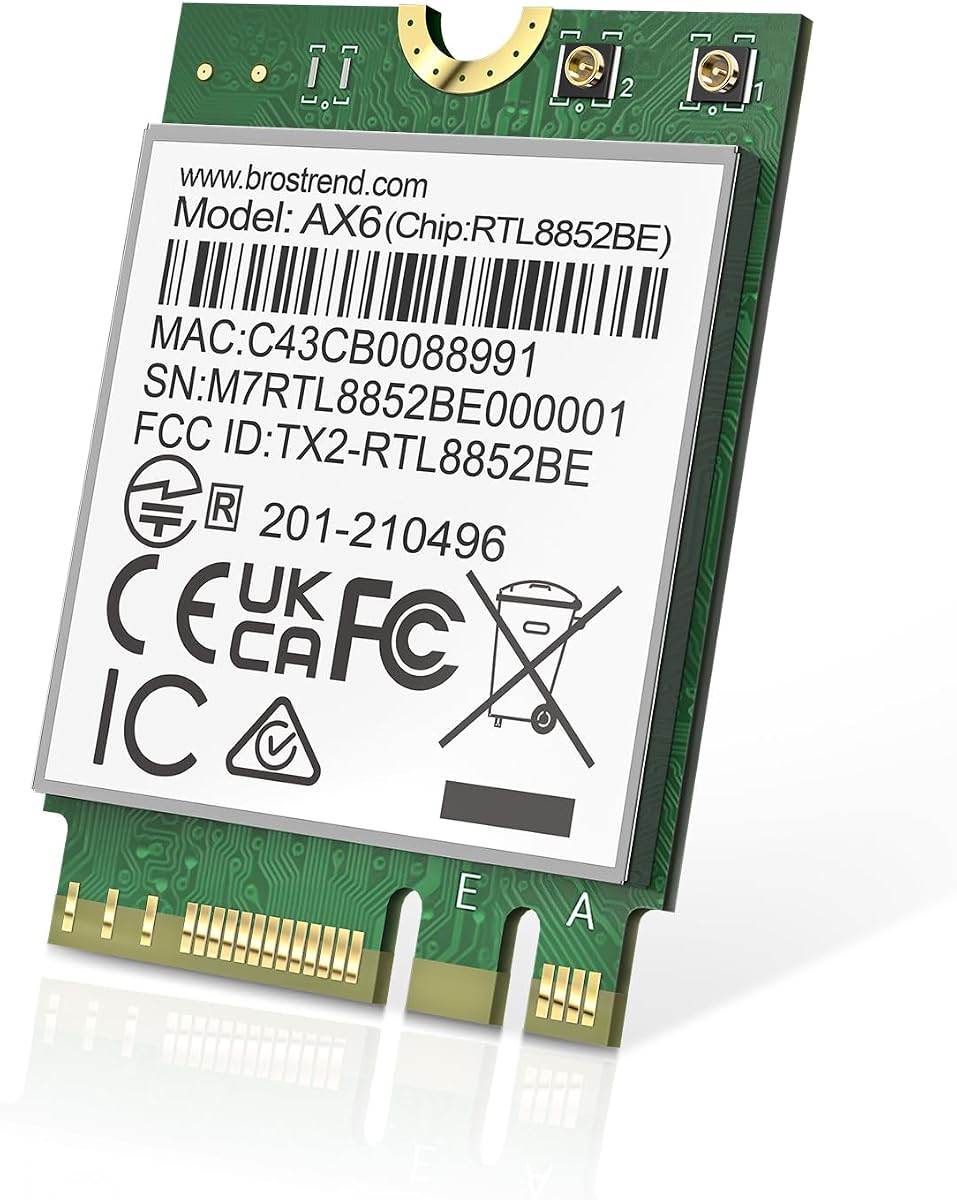
The BrosTrend AX1800 M.2 card is the most straightforward budget-oriented complete module in the list, with a 4.4 rating. It supports dual-band Wi-Fi 6 and lists maximum link rates of 1,201 Mbps at 5 GHz and 574 Mbps at 2.4 GHz. That aggregate AX1800 figure is lower than tri-band AX210 and Wi-Fi 7 alternatives, but it remains suitable for many homes and offices.
We may earn a commission when you buy through this link, at no additional cost to you.
Its feature set includes uplink and downlink MU-MIMO, OFDMA, and 1024-QAM. These technologies help a Wi-Fi 6 access point serve multiple devices efficiently and can improve responsiveness under load. Bluetooth 5.2 supports common wireless accessories, with the listing describing improved transmission speed and range over Bluetooth 4.2.
The card uses the M.2 2230 form factor, measuring 22 mm by 30 mm, and fits Key A and Key E slots. It supports 64-bit Windows 10 and Windows 11, while the stated Linux requirement is kernel 6.5 or higher. The latest driver should be downloaded from BrosTrend's official website, and the company notes that Linux technical support is not provided.
Choose this module when you need a straightforward Wi-Fi 6 upgrade, your router operates on 2.4 and 5 GHz, and avoiding the expense of a 6 GHz radio makes sense. It lacks Wi-Fi 6E, so it cannot exploit the cleaner 6 GHz spectrum. Desktop users will also need to provide compatible antennas and the appropriate internal USB connection for Bluetooth.
MU-MIMO, OFDMA, and 1024-QAM provide a useful feature set for busy dual-band networks. Although the card does not offer 6 GHz, it can still deliver strong performance on a modern Wi-Fi 6 router whose service area is mainly covered by 2.4 and 5 GHz.
Its compact 2230 format and support for current Windows releases make it suitable for replacing a failed laptop module. Check the original card's antenna connectors and Bluetooth wiring before ordering because the module itself does not include those parts.
We may earn a commission when you buy through this link, at no additional cost to you.
The Intel Killer BE200 card is a Wi-Fi 7 option aimed specifically at Intel systems, and it carries a 4.6 rating. It supports tri-band 802.11be operation across 2.4, 5, and 6 GHz, with a stated maximum of 5.8 Gbps when connected to compatible Wi-Fi 7 equipment. The card also adds Bluetooth 5.4 for wireless peripherals.
We may earn a commission when you buy through this link, at no additional cost to you.
For an Intel gaming build, the combination of Wi-Fi 7, low-latency positioning, and Killer branding may be attractive. The wider platform requirements are decisive: the supplied details state that Windows 11 64-bit is required, the computer must have an available M.2 PCIe slot with Key E, and AMD-based systems are not supported. Maximum speeds also depend on router quality, distance, and configuration.
The product is a single M.2 module rather than a complete antenna kit. A desktop installation therefore requires suitable antenna hardware and an internal USB connection for Bluetooth, while a laptop replacement must match the original system's connectors and layout. The listed country-of-origin markings are batch identifiers and do not affect functionality.
Buy the BE200 when your system is an Intel desktop with a compatible E-key slot and you already use or plan to use a Wi-Fi 7 router. It is a strong gaming-oriented choice for a modern platform, but it is less flexible than the AX210 options because it excludes Windows 10 and AMD systems. Confirm all platform requirements before making a purchase.
A compatible Wi-Fi 7 router and clean radio path can help reduce network delay during online games. The card's headline speed alone does not guarantee better results, so network congestion, router firmware, signal strength, and the game server remain equally relevant.
The BE200 is best suited to recent Intel-based systems running Windows 11 with a standard M.2 E-key slot. Users with AMD processors or older Windows installations should choose a more broadly compatible module rather than attempting to work around the stated restrictions.
We may earn a commission when you buy through this link, at no additional cost to you.
The right M.2 Key E WiFi card depends on a combination of radio generation, physical compatibility, Bluetooth support, driver availability, and the wireless environment you actually use. Prioritize fit and platform requirements before considering headline speed.
An M.2 2230 card with a Key E or A+E layout is common, but physical shape alone does not guarantee compatibility. Some laptops and desktop platforms use CNVio or CNVio2 connections, which are not interchangeable with a standard PCIe M.2 slot. AX201NGW, AX211NGW, and several older AC-series modules are explicitly excluded by some adapters in this guide. Check the motherboard manual, the existing wireless card, or a system inventory tool before buying. If the original card uses a proprietary routing or antenna arrangement, matching the general M.2 size may still not be enough to complete the installation.
A Wi-Fi 7 card cannot deliver its full benefits on a Wi-Fi 6E router, and a Wi-Fi 6E card cannot use a 6 GHz network unless the router provides one. AX210-based products offer tri-band Wi-Fi 6E, while the BE200 and QCNCM865 options support Wi-Fi 7. The BrosTrend AX1800 is dual-band Wi-Fi 6, and the two adapter products accept separate modules whose capabilities vary. Consider your current router and likely upgrade path. A modern Wi-Fi 6E router is necessary for 6 GHz access, while Wi-Fi 7 features such as 320 MHz channels and Multi-Link Operation require a matching Wi-Fi 7 router.
The advertised rate is a theoretical maximum under ideal radio conditions, not the speed of a typical internet connection. AX210 modules list 2,400 Mbps on both 5 and 6 GHz plus 574 Mbps on 2.4 GHz. Wi-Fi 7 cards can list up to 5.8 Gbps using 320 MHz channels, while the budget-oriented AX1800 card lists 1,201 Mbps on 5 GHz. Real results depend on the router, channel width, distance, interference, client hardware, and network configuration. Faster links can also be less useful if the internet service or local storage is the bottleneck.
Most complete modules include Bluetooth, but the host system still needs a way to route that signal. Desktop motherboards often expose a USB 9-pin header for internal Bluetooth connections, while laptops may have a dedicated internal USB connection. The two PCIe adapter products require a separate USB connection for Bluetooth, and their included cables are intended for motherboard headers. A card with Bluetooth does not guarantee that every desktop can use it without another cable or adapter. Check the motherboard manual and existing Bluetooth wiring before ordering, especially when replacing a laptop module.
A bare M.2 module usually does not include the antennas needed for a desktop installation. Some notebooks have small built-in antenna assemblies designed for their original radio, while desktops may use external antennas attached to the card through Ipex or RP-SMA connectors. Kits that include cables, brackets, and antennas can simplify assembly, but connector type and antenna band coverage still matter. Two of the adapter products include dual-band antennas, so they should not be assumed to support the 6 GHz capabilities of Wi-Fi 6E or Wi-Fi 7 modules.
The AX210 options in this guide support 64-bit Windows 10 and Windows 11, which gives them broad desktop and laptop applicability. The QCNCM865 listings and Intel Killer BE200 are Windows 11 options, and the QCNCM865 product descriptions also recommend a recent release for full Wi-Fi 7 functionality. Drivers may not be installed automatically. AX210 users are directed to search Intel's website for AX210NGW, while QCNCM865 users are directed to Fenvi. The BrosTrend module supports Windows 10 and 11 and Linux with kernel 6.5 or higher, although Linux support assistance is not offered.
The AX210, AX1800, QCNCM865, and BE200 listings are modules that can function as the wireless card itself. The GLOTRENDS WA01 and 10Gtek PCIe x1 products are carriers and explicitly do not include a Wi-Fi card. A carrier is useful when a desktop lacks a convenient M.2 slot, or when you want the flexibility to change modules. It also adds another purchase, another installation step, and potentially a band limitation on the supplied antennas. Do not treat the presence of antennas or a PCIe connector as proof that a product includes a wireless radio.
The AX210 products support current WPA3 security and commonly cited features such as OFDMA, MU-MIMO, 1024-QAM, and Target Wake Time. Wi-Fi 7 adds 4K-QAM, wider channels, and Multi-Link Operation, which can improve reliability in congested networks. The AX1800 option supports Wi-Fi 6 but lacks 6 GHz. For a large home or office, 2.4 GHz range, antenna placement, and router coverage may influence results more than the highest possible link rate. For gaming, low latency and network stability should take priority over a dramatic increase in maximum throughput.
Before installation, power the computer down completely, disconnect the power cable, and remove the side panel if you are working inside a desktop. Locate the M.2 2230 E-key slot and confirm the required antennas and internal USB header. If replacing a laptop radio, photograph the original card, note antenna cable positions, and consult the manufacturer's service guide because access procedures and internal cables vary substantially.
Insert the module at the angle specified by the motherboard, press it down, and secure it with the small retaining screw. Connect the correct Ipex or RP-SMA antenna leads before tightening the card. Route the cables without sharp bends or pressure, and position external antennas away from metal panels and sources of interference. If using a PCIe carrier, install the module in the carrier, attach the antennas, secure the carrier to the chassis, and connect the Bluetooth cable to the internal USB header.
Turn the computer on, open the operating system's device manager, and check for the wireless and Bluetooth devices. Install the current driver from the chip or module manufacturer's official site, following the instructions for AX210, AX210NGW, QCNCM865, or BrosTrend as appropriate. Connect to the intended network, test both Wi-Fi and Bluetooth, update the router firmware, and confirm that the connection uses the expected band and security protocol. For Wi-Fi 7 cards, also verify the router, WPA3 configuration, and required Windows 11 version.
No. M.2 Key E and mini PCIe cards use different physical shapes, connectors, and keying, so one is not a direct substitute for the other. A system designed for mini PCIe generally needs a physical adapter and may still have protocol or driver limitations. Verify the exact interface supported by the computer before buying.
Usually not directly. AX211 uses the CNVio2 protocol, while a standard AX210 M.2 module uses the normal M.2 interface. A physical adapter cannot change the underlying electrical protocol, so an AX201- or AX211-based laptop generally needs a compatible interface solution or a different replacement approach specified by its manufacturer.
Most bare desktop modules need external antennas with the correct connector, although some complete kits include them. Laptops normally route signals to built-in antenna cables, so the replacement must match those connectors and locations. The 10Gtek and GLOTRENDS PCIe carrier products include antennas, but they do not include the actual M.2 wireless module.
Yes, generally. Wi-Fi 7 clients are backward compatible with older Wi-Fi 6 and Wi-Fi 6E routers, but they will use the capabilities available from the router. The full 5.8 Gbps theoretical rate, 320 MHz channels, and Multi-Link Operation require compatible Wi-Fi 7 infrastructure and current software.
Install the module's Bluetooth driver and connect the internal Bluetooth cable from the card or carrier to the motherboard's internal USB header. The exact header varies by board, so consult its manual and confirm that the supplied connector matches. Without a valid USB connection, the network radio may work while Bluetooth remains unavailable.
Yes, provided the motherboard has a compatible M.2 2230 E-key or A+E-key slot and the necessary antenna and USB connections. If the desktop lacks that slot, a PCIe x1 carrier can hold a supported module. Check the module list because CNVio, CNVio2, and mini PCIe systems are not universally compatible.
The likely causes are an older router, a 2.4 GHz connection, a narrow channel, weak signal, outdated drivers, or an operating system that does not support the card's advanced features. Maximum card speed is only an upper limit. Verify the negotiated link rate, router band, driver version, and hardware compatibility before assuming the card is faulty.
It is often helpful, especially when replacing a module from a different chipset or manufacturer. The QCNCM865 listing specifically recommends disabling old Wi-Fi and Bluetooth drivers in Device Manager to avoid conflicts. Other AX210 and BrosTrend cards also require their current drivers, so follow the relevant installation instructions rather than reusing software for an unrelated radio.
The AX210NGW DTK WiFi Card is the most complete general-purpose package, combining a tri-band AX210 module, Bluetooth 5.3, antenna hardware, an RF cable, and low-profile brackets. For a premium Wi-Fi 7 build, the QCNCM865 or Intel Killer BE200 provides newer wireless capabilities, while the BrosTrend AX1800 delivers a more restrained dual-band Wi-Fi 6 upgrade for compatible laptop and desktop systems.
Before choosing, verify the M.2 protocol, antenna arrangement, internal Bluetooth header, operating system, and router generation. Full Wi-Fi 7 performance requires a Wi-Fi 7 router, while 6 GHz access requires Wi-Fi 6E infrastructure. If your desktop lacks a usable E-key slot, consider the GLOTRENDS WA01 or 10Gtek PCIe carrier, but remember that both require a separate compatible wireless module.
Retailer offers, driver revisions, and hardware details can change, so review the current listing before ordering. Compare the final product bundle and support terms as well as the card's headline specifications. A compatible installation with the correct antenna and current drivers will usually matter more in everyday use than a small difference in advertised maximum link speed.