
BUFFALO LinkStation 210 6TB 1-Bay NAS
3.9Editor score
Six terabytes included storage
Closed-system personal cloud
Router-based network access
Our Buffalo NAS guide compares ten desktop, rackmount, and Windows Server models, helping you assess capacity, RAID, connectivity, security, and backup
A Buffalo NAS gives homes and businesses a private, always-available place for files, photos, backups, and shared storage. The right model depends on capacity, drive bays, RAID protection, network speed, operating-system needs, and how much advanced management your environment requires.
This guide compares ten Buffalo desktop, rackmount, and Windows Server options across storage capacity, included hard drives, RAID configuration, connectivity, security, backup tools, and support coverage. It covers models designed for simple personal storage as well as systems aimed at professional workloads and hybrid-cloud use.
Each review explains the strongest reasons to consider a particular NAS, along with its important limitations. The top selections reflect suitability for different needs, including value, professional performance, and premium features. Product availability and pricing can change, so verify current details before purchasing.
3.9Editor score

4.8Editor score
4.3Editor score
This side-by-side comparison highlights each Buffalo model's form factor, included storage, RAID approach, networking, and principal management features, making it easier to match a NAS with your home, office, or professional storage requirements.


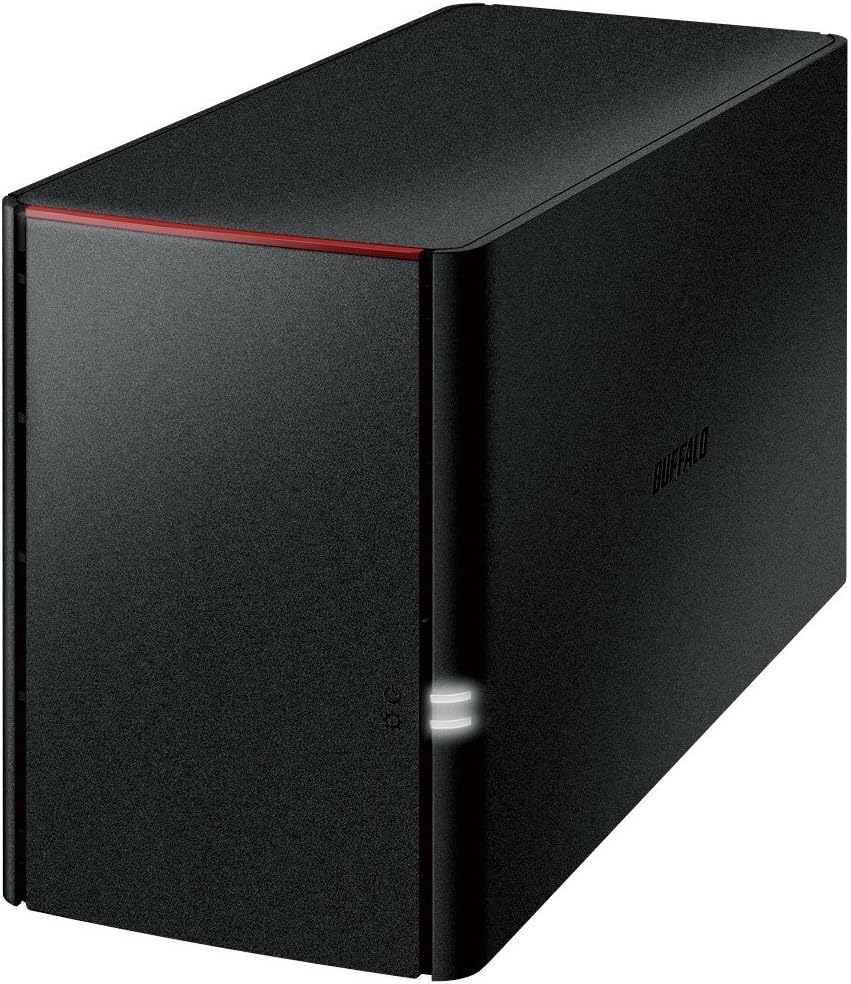


The Buffalo LinkStation 210 is a straightforward one-bay NAS built around an included 6TB hard drive. Its 3.9 rating reflects a simple device aimed at households that want centralized storage without a complicated setup. It supports shared network access, private personal-cloud functions, automated computer backups, and secure folder sharing.
We may earn a commission when you buy through this link, at no additional cost to you.
Its main appeal is the combination of a sizable included drive and a compact, approachable design. Connecting the LinkStation to a router creates a central location for videos, music, photos, and important documents. Buffalo includes NAS Navigator management software and PC backup tools, while SSL encryption and a closed system help reduce exposure to third-party applications.
The important limitation is the single-drive arrangement. Although the product supports RAID, a one-bay unit cannot provide the mirrored redundancy available from a two-bay NAS. The enclosure also supports Windows and macOS 15 Sequoia and earlier rather than macOS 26, according to the supplied product information. Buyers needing current Mac support should choose the newer LS 700 series instead.
This is the most approachable option for someone who mainly wants to move personal files away from individual devices and onto a private network. It is particularly suitable for document storage, household media, and routine computer backups. Those who cannot tolerate the loss of a drive without a backup should pair it with another copy of important data or consider a multi-bay alternative.
The LinkStation 210 provides subscription-free access to stored videos, music, photos, and files. It is best suited to users who want a personal cloud controlled from their own network rather than paying for ongoing external storage services.
Included NAS Navigator and PC backup software support automated backups, while per-folder access restrictions help keep private data separate from shared areas. These tools make the unit practical for families sharing a home network.
We may earn a commission when you buy through this link, at no additional cost to you.
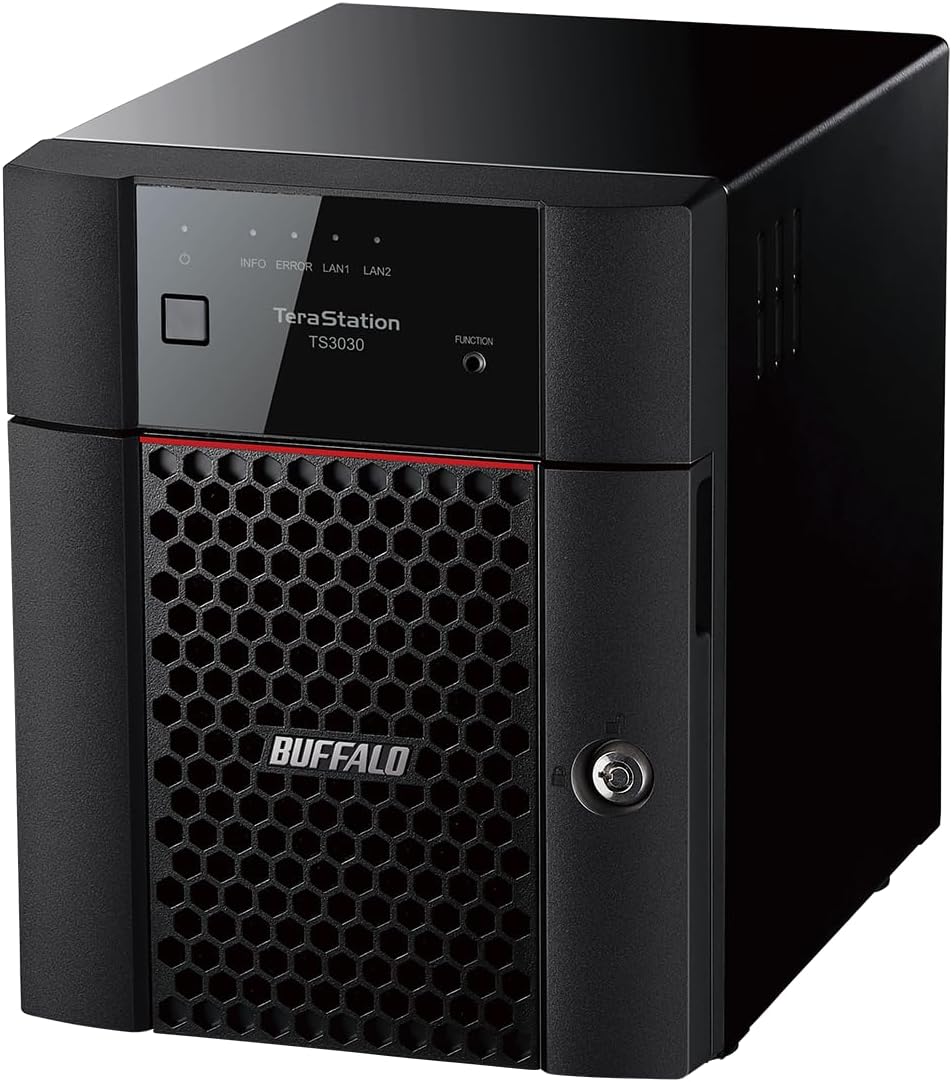
The 2025 TeraStation Essentials is a four-bay desktop NAS that combines 24TB of included storage with a native 2.5GbE connection. Its 4.3 rating reflects a capable, professional-oriented system designed for organizing, sharing, protecting, and backing up substantial collections of files.
We may earn a commission when you buy through this link, at no additional cost to you.
The four included 6TB drives arrive with RAID 5 preconfigured, providing 18TB of usable capacity. Administrators can also select RAID 6 for additional redundancy or RAID 0 to use all 24TB. The 2.5GbE port supports faster transfers without requiring the cabling approach associated with a 10GbE upgrade.
Data-protection features include 256-bit drive encryption, a closed system, replication, and backup options. Integration with Amazon S3, Dropbox, Azure, and OneDrive supports hybrid-cloud workflows. The trade-off is complexity: users who need only basic file sharing may find multi-bay RAID and enterprise-style management more than necessary.
This model is a strong choice for a growing home office, creative team, or small business that needs both capacity and faster networking. Its included drives and preconfigured RAID simplify the initial build, while flexible configurations allow it to evolve. For users who only need one shared drive and occasional backups, a lower-capacity two-bay model may be more economical.
Native 2.5GbE is the standout specification for media libraries, project folders, and other large collections. It offers more headroom than Gigabit networking without requiring a 10GbE-class network path.
RAID 5, RAID 6, and RAID 0 provide clear storage trade-offs between usable space, redundancy, and performance. Cloud synchronization adds a secondary layer for compatible organizations that want flexible hybrid-storage workflows.
We may earn a commission when you buy through this link, at no additional cost to you.
The LinkStation SoHo 220 combines two included 2TB hard drives with a two-bay desktop enclosure. It is designed for small offices and home offices that need more resilience than a single-drive NAS. Its 4.1 rating reflects a balanced mix of RAID support, personal-cloud access, and straightforward administration.
We may earn a commission when you buy through this link, at no additional cost to you.
The drives ship in RAID 1, which mirrors the stored data and leaves 2TB usable. This arrangement protects against one hard-drive failure while maintaining a manageable footprint. Switching to RAID 0 can expose the full 4TB, but it removes the redundancy. Direct Copy through USB is a convenient feature for moving photos, videos, and files without routing every transfer through a computer.
The NAS includes NAS Navigator, PC backup software, and individual folder-access controls. SSL encryption and a closed system support secure transfers. As with the LinkStation 210, the supplied information limits macOS compatibility to version 15 and earlier, so users running macOS 26 should examine the SoHo 720 line instead.
This model fits users who want mirrored storage in a home office or a small shared workspace. It is a stronger choice than a one-bay system when continuity matters, although the mirrored capacity may be restrictive for large media collections. It is also a simpler alternative to the more elaborate TeraStation family for basic backup and file sharing.
RAID 1 mirrors the two included drives, so a copy remains available if one drive fails. That makes this NAS more suitable for irreplaceable working files than a single-bay enclosure with a similarly sized drive.
The Direct Copy feature lets users back up eligible devices over USB without a computer. It is especially convenient for moving camera media, phone files, and other portable collections directly into shared storage.
We may earn a commission when you buy through this link, at no additional cost to you.
The TeraStation 5420DN is a high-capacity business desktop NAS built for demanding storage environments. It includes four 8TB NAS-grade drives, offers native 10GbE networking, and carries the highest rating in this roundup at 4.8. Snapshots, encryption, and two-factor authentication distinguish it from simpler home models.
We may earn a commission when you buy through this link, at no additional cost to you.
The supplied drives ship in RAID 5, resulting in 24TB of usable capacity. RAID 6 offers more redundancy, while RAID 0 exposes all 32TB without the same failure protection. The native 10GbE port is a major advantage for large files, concurrent workflows, and organizations already operating a high-speed switched network.
Snapshot functionality can create and restore recoverable points with little disruption, helping mitigate the effects of accidental changes or ransomware. The closed system, 256-bit drive encryption, two-factor authentication, and flexible backup features create a more comprehensive protection framework than the entry-level LinkStation products.
This is the strongest all-around recommendation for a business or advanced home lab that prioritizes performance and recovery capabilities. It may be excessive for occasional photo storage, and a 10GbE network can add installation complexity. Users who need maximum flexibility with moderate capacity can save space and complexity with a 2.5GbE TeraStation model.
Snapshots allow administrators to preserve recoverable states and restore data near-instantaneously. This makes the NAS better suited to active business files than a simple file-sharing appliance without comparable versioning tools.
The native 10GbE connection is well suited to large media repositories, engineering files, and busy shared workspaces. It is most beneficial when both the client and network switch can support the higher link speed.
We may earn a commission when you buy through this link, at no additional cost to you.
The 8TB TeraStation Essentials rackmount NAS combines four included 2TB drives with a value-focused 2.5GbE platform. Its 4.4 rating makes it one of the stronger choices for organizations that want rack-oriented storage without moving to the 10GbE TeraStation 5420DN.
We may earn a commission when you buy through this link, at no additional cost to you.
The drives are preconfigured in RAID 5, yielding 4TB of usable capacity. RAID 6 is available for greater redundancy, and RAID 0 can use the full 8TB. Its 2.5GbE interface provides a meaningful speed increase over Gigabit networking while retaining a more approachable infrastructure than the 10GbE model.
The closed system, 256-bit drive encryption, replication, backup functions, and integration with Amazon S3, Dropbox, Azure, and OneDrive provide a professional feature set. The supplied information specifically directs iSCSI users toward the TeraStation 3420RN series, so this model should not be chosen for that requirement without checking compatibility.
This rackmount NAS makes sense for a small business, media room, or home lab that values physical organization and flexible RAID. Its limited capacity may be the deciding constraint for growing archives, and rack installation can be unnecessary outside a server cabinet. For those cases, the larger 24TB desktop Essentials model offers more room without a rack enclosure.
The rackmount format keeps storage close to other infrastructure equipment and is useful where a desktop enclosure would be inconvenient. It combines that physical organization with a fast 2.5GbE connection and professional protection features.
RAID 5 balances usable capacity and drive redundancy, while RAID 6 emphasizes resilience. RAID 0 provides maximum space but should be selected only when separate backups and acceptable data-loss risk are in place.
We may earn a commission when you buy through this link, at no additional cost to you.
The TeraStation WS5220DN is a two-bay desktop NAS running Windows Server IoT 2025 for Storage Workgroup Edition. It is tailored to organizations that want familiar Windows Server management, professional backup tools, and Microsoft-compatible cloud integration rather than a simplified consumer NAS interface.
We may earn a commission when you buy through this link, at no additional cost to you.
Two pre-tested NAS-grade drives arrive in a RAID 1 configuration, leaving 2TB usable. Administrators can switch to RAID 0 for the full 4TB when maximum capacity matters more than mirrored protection. The server license does not require client-access licenses, which can simplify deployment for multiple users or connected PCs.
Azure, OneDrive, and other compatible services support hybrid-cloud workflows. Included NovaBACKUP licenses add professional-level server and PC backup capabilities. These strengths come with a more complex operating environment than Buffalo's Linux-based TeraStation and LinkStation systems, so hands-on Windows Server familiarity is valuable.
Choose this model when Windows Server compatibility is a firm requirement or when an administrator already prefers that platform. It is less appropriate for a simple household seeking basic shared storage. Because the supplied data does not include a numerical customer rating, the product's feature set and platform fit should guide the decision more heavily than a review score.
Windows Server IoT 2025 gives administrators a familiar management environment with established server and identity features. That can be advantageous for Windows-centered offices that want to avoid introducing a separate NAS operating system.
NovaBACKUP licenses support server and PC backup work, while Azure and OneDrive integration can extend storage workflows into Microsoft's cloud ecosystem. These features make the system most relevant to organizations already invested in that toolchain.
We may earn a commission when you buy through this link, at no additional cost to you.
The Buffalo LinkStation 220 4TB is a compact two-bay-era network storage option built around a Marvell ARMADA 370 processor. It has a 4.0 rating and a specification list that emphasizes practical basics: Gigabit LAN, USB 2.0, TCP/IP, and DLNA support.
We may earn a commission when you buy through this link, at no additional cost to you.
Its Marvell 800MHz ARM processor and 256MB of DDR3 memory position it as an entry-level appliance for basic file storage, media serving, and network sharing. The compact design is appropriate for a home office or a shelf where a larger desktop enclosure would be inconvenient.
The main trade-off is age. Its platform details are considerably less advanced than the native 2.5GbE and 10GbE systems in this guide, and the supplied data does not describe newer management, encryption, snapshot, or hybrid-cloud capabilities. Buyers should confirm current operating-system compatibility and essential feature requirements before settling on this older model.
This NAS may appeal when a straightforward, established LinkStation unit is available and the requirement is limited to basic network storage. It is not the strongest choice for intensive transfers, advanced backup workflows, or modern hybrid-cloud applications. A newer multi-bay model generally offers a clearer long-term feature path.
Gigabit Ethernet, USB 2.0, DLNA, and standard TCP/IP support cover the fundamentals of a compact home-storage appliance. It is best for users who value simplicity over advanced administration.
The older ARM platform and modest memory specification do not match the capabilities of current 2.5GbE and 10GbE TeraStation systems. Potential buyers should treat it as a basic solution and verify current compatibility.
We may earn a commission when you buy through this link, at no additional cost to you.
The TeraStation 1200D is a two-bay desktop NAS with two included standard-grade hard drives and a 4.0 rating. It is designed as an economical small-office or home-office file server, with RAID preconfigured for easy deployment and broad access from computers, tablets, and phones.
We may earn a commission when you buy through this link, at no additional cost to you.
The two drives ship in RAID 1, providing 2TB of usable mirrored capacity. That redundancy is valuable for working documents because one drive can fail without eliminating the shared copy. Setup is designed around connecting the enclosure to a router or switch, allowing users to establish network storage without a complex installation process.
The product also provides personal-cloud access, business-oriented server and PC backup tools, and data-recovery software. Its three-year warranty and 24/7 North American support add reassurance. The trade-off is the relatively small mirrored capacity, which can become restrictive as media libraries and retained project files grow.
This is a sensible option for a small household or office that wants two-drive protection without a large configuration. It may appeal particularly to buyers comparing it with the lower-cost LinkStation SoHo alternative mentioned in the product information. For faster networking, greater capacity, or newer enterprise features, a current TeraStation Essentials or 5420DN offers a better fit.
The default RAID 1 setup duplicates data across two included drives, leaving 2TB usable. This provides a useful degree of protection for office documents and regularly accessed project files.
Connecting the NAS to a router or switch creates shared network storage for multiple device types. Personal-cloud access adds another route for reaching stored files through compatible PCs, tablets, and smartphones.
We may earn a commission when you buy through this link, at no additional cost to you.
The Buffalo NAS ls220dg is a compact two-drive network appliance intended for smartphone, tablet, and PC storage. Its 4TB raw configuration uses two drives with mirroring, reducing usable capacity to 2TB. It carries a 3.9 rating and emphasizes a small footprint, wired networking, and protection for family media.
We may earn a commission when you buy through this link, at no additional cost to you.
The product is positioned for users whose personal devices have limited storage and who want an additional place for family photos, music, and other files. Mirroring helps protect against a single hard-drive failure, while Gigabit Ethernet offers a direct network connection for local access.
Its main constraints are age and capacity. The single USB 2.0 port is modest, and the supplied data does not identify the newer encryption, snapshot, 2.5GbE, or hybrid-cloud functions found in newer Buffalo products. The mirrored half of the raw 4TB also needs to be considered before treating the enclosure as a general archive.
This model is most useful for a small home network where compactness and mirrored storage matter more than advanced administration. The included two-meter network cable, AC adapter, and manual simplify setup. Buyers planning substantial growth, large media collections, or business applications should consider a newer and faster multi-bay NAS.
The enclosure measures 87 by 128 by 205mm and weighs about 2.5kg, making it relatively easy to place on a desk or shelf. It offers a practical local alternative to keeping every media collection on individual devices.
Two included drives are mirrored to protect against one-drive failure, although only half of the raw capacity remains usable. The design prioritizes continuity and compact placement over maximum storage volume.
We may earn a commission when you buy through this link, at no additional cost to you.
The DriveStation Duo is a direct-attached storage device rather than a network NAS, but it earns inclusion because it offers a distinctive Buffalo option for local backups, creative work, and server storage. It includes two 4TB NAS-grade drives and connects through USB 3.2 Gen 1, with a 3.8 rating.
We may earn a commission when you buy through this link, at no additional cost to you.
The drives ship in RAID 1, leaving 4TB of usable mirrored capacity. This gives the enclosure a similar redundancy principle to a two-bay NAS while keeping the connection local to one host. The hot-swap feature allows a failed drive to be replaced without powering down the device, and included NovaBACKUP Buffalo Edition supports scheduled PC or office-server backups.
Mac users should note that the unit is plug-and-play for PC, but compatibility after formatting is required. It also cannot provide the browser-based, multi-device file sharing that comes with a networked Buffalo NAS. Its strongest advantages are speed, local attachment, and simple mirrored storage rather than collaborative network access.
Choose the DriveStation Duo when a single workstation or server needs a high-capacity local backup volume. It is less appropriate as the central hub for a household or multi-user office. For Time Machine workflows, the supplied information notes support, but the device must be formatted for the intended Mac environment and integrated into the user's backup routine.
USB 3.2 Gen 1 provides a direct path to a host computer, avoiding dependence on network-switch or router performance. This can be useful for scheduled local backups, creative files, and storage-server workflows.
The default RAID 1 arrangement protects against one-drive failure, while hot swapping allows replacement without shutting down the unit. The design is practical where uninterrupted local access matters more than remote sharing.
We may earn a commission when you buy through this link, at no additional cost to you.
Selecting a Buffalo NAS requires balancing usable capacity, drive redundancy, network performance, security, management style, and physical placement. The most important first step is deciding how the system will be used and what must happen if a drive or file is lost.
Choose enough usable space for current files plus expected growth, and remember that a RAID array is not a substitute for backups.
Prioritize RAID 1 or RAID 5 for general resilience, and consider RAID 6 for more demanding storage environments.
Choose 2.5GbE for a balanced modern upgrade or 10GbE for demanding professional workflows with matching infrastructure.
Match the bay count to your current needs while considering whether adding drives later will be practical and compatible.
Choose a model that automates routine backups and adds snapshots when rapid recovery from logical errors is essential.
Prioritize encryption, folder permissions, and secure administration, especially for business or sensitive personal data.
Choose desktop for flexible placement or rackmount when the NAS belongs in a structured server environment.
Choose Windows Server for Windows-centric administration or TeraStation/LinkStation systems for more conventional NAS workflows.
Begin by positioning the NAS in a stable, ventilated location near the router or network switch. Connect it to the network and power it on, then use the supplied management utility to initialize the drives, assign a network name, configure administrator credentials, and confirm the intended RAID arrangement. Create separate shared folders for organized access and restrict permissions according to who needs each type of file.
Next, create a backup plan. Use the included PC backup software for workstations, direct copy for eligible USB devices, or the NAS's replication and snapshot features according to your recovery goals. Keep at least one additional copy on a separate system or location, and periodically test that important files can be restored. A successful backup display is not enough without a planned recovery process.
Ongoing care includes monitoring drive health, keeping the enclosure's firmware and management software current, and checking that the active RAID array is healthy. Do not remove or replace a drive without confirming the correct procedure for the specific model. Provide good airflow, avoid abrupt power loss, and keep the system powered and connected long enough for maintenance tasks to complete.
No. RAID can keep a volume available after certain drive failures, but it does not protect against accidental deletion, ransomware, file corruption, theft, or a failed controller. Important files should also be copied to another system or storage location. A backup plan and RAID should be treated as complementary layers of protection.
A NAS connects to a network and shares files with multiple devices, while the DriveStation Duo attaches directly to one computer through USB. The Duo is useful for fast local backups and creative or server workflows, but it does not provide the same multi-device network file access as a NAS.
The LinkStation SoHo 220 is a simple two-bay option with mirrored RAID 1 storage, personal-cloud access, folder permissions, and direct USB copying. The 24TB TeraStation Essentials is a stronger option when faster 2.5GbE networking, more capacity, and professional cloud integration are important.
The single-drive LinkStation 210 cannot provide drive-level RAID redundancy because there is only one bay. If that drive fails, the stored data may be unavailable unless another independent copy exists. Users requiring continued access after a drive failure should consider a two-bay or larger RAID-capable model.
Several TeraStation models support synchronization with Amazon S3, Dropbox, Azure, and OneDrive, while the Windows Server WS5220DN emphasizes Microsoft-compatible cloud integration. Feature coverage varies by model, so check the specific system requirements and supported services before planning a hybrid-cloud workflow.
2.5GbE offers a practical upgrade for most home offices and smaller businesses without the infrastructure demands of 10GbE. The 10GbE TeraStation 5420DN is better for heavy concurrent workloads, very large files, and organizations with compatible clients, switches, and cabling already installed.
Yes, but compatibility depends on the model. The supplied information for the LinkStation 210 and SoHo 220 specifies macOS 15 Sequoia and earlier, while noting that the corresponding newer 700-series models support macOS 26. Check the current operating-system requirements for the exact model before purchasing.
Confirm the supported expansion method, drive compatibility, minimum capacity rules, and current RAID level in the model's documentation. Back up all critical data before changing the array, use appropriately sized drives, and avoid interrupting power during the expansion process. Administrative procedures can differ between Buffalo series.
The Buffalo LinkStation 210 stands out as a value-focused starting point for household storage, while the LinkStation SoHo 220 adds mirrored protection in a two-bay format. For buyers seeking professional storage features and fast networking, the 24TB TeraStation Essentials provides 2.5GbE performance, flexible RAID, encryption, and cloud integration.
The TeraStation 5420DN is the strongest all-around performer for demanding business use because of its native 10GbE connection, snapshots, two-factor authentication, and substantial included capacity. The Windows Server WS5220DN is the natural choice for Windows-focused administrators, and the rackmount Essentials model serves organized server installations.
Before buying, confirm usable capacity after RAID, current device compatibility, backup strategy, and the network speed available at the intended location. Product details, ratings, availability, and pricing can change, so check the current listing and manufacturer documentation before making a final purchase.