
Art Projector for Tracing and Drawing
4.0Editor score
Browser-based image control
Adjustable projection stand
Online and offline operation
Manual focus adjustment
A projector for murals must do more than display an image. It needs to place a clear reference on a wall, canvas, ceiling, or other work surface, maintain accurate proportions, and remain easy to adjust as the artwork changes. The best options combine focused image tools with enough brightness for practical working conditions.
This guide compares ten projectors based on resolution, brightness, focus, keystone correction, image-transfer methods, projection range, mounting flexibility, and suitability for tracing or large compositions. The list includes dedicated art projectors, portable entertainment models, and premium laser options, so each recommendation reflects a different project size and workflow.
The first three selections represent the strongest all-around art projector, a capable budget tracing tool, and a premium laser model for exceptional image quality. Each numbered review explains the features that matter for murals, along with practical limitations. Product configurations, ratings, and prices can change, so confirm the latest specifications and current price before ordering.
4.0Editor score

4.0Editor score

4.5Editor score
As an Amazon Associate we earn from qualifying purchases.
The comparison below highlights the brightness, image handling, adjustment features, and practical considerations that separate general-purpose projectors from models well suited to mural planning, tracing, and large-scale artwork.



The Caydo P2 is designed specifically around the needs of artists, making it a practical candidate for murals, canvas transfers, and wall compositions. It carries a 3.8 rating, but its specialized feature set distinguishes it from general entertainment projectors. The 250 ANSI-lumen output, native 1080p resolution, and dedicated drawing application give users a more direct path from a reference image to a projected outline.
We may earn a commission when you buy through this link, at no additional cost to you.
Its drawing assistant includes zoom from 0–200%, 360-degree rotation, a 3×3 grid, four artistic modes, and three background colors. Images can be transferred by scanning an in-app QR code or by using a USB drive, while the drawing tools continue to work without an internet connection. The rotating base and standard 1/4-20 thread make it easy to project onto walls, ceilings, tabletops, or tilted canvases, while automatic focus and keystone correction help keep the image sharp and rectangular.
The main compromise is its 40–100-inch image range, which is less accommodating than the much larger displays offered by several entertainment-oriented models. The 3.8 rating also suggests that buyer experiences are less uniformly positive than those of the higher-rated products. In addition, the stated 30,000-hour lamp life and 4K video playback describe the hardware, but they do not mean the P2 outputs native 4K for artwork reference images.
This is a strong option for an artist who wants mural-specific controls, offline operation, and flexible placement without moving beyond a conventional art projector. Choose it for medium-sized walls and canvases, particularly when the drawing app and quick image transfers matter more than entertainment apps or a very large image size.
The P2's dedicated app is more relevant to mural planning than a standard streaming interface. Rotation, scaling, grids, and visual modes make it easier to enlarge, position, and reinterpret a reference before paint reaches the wall.
Its rotating base and tripod-compatible 1/4-20 mount let the artist aim the image at vertical walls, horizontal surfaces, ceilings, or tilted easels. Automatic focus and keystone correction reduce the need for repeated manual setup.
We may earn a commission when you buy through this link, at no additional cost to you.
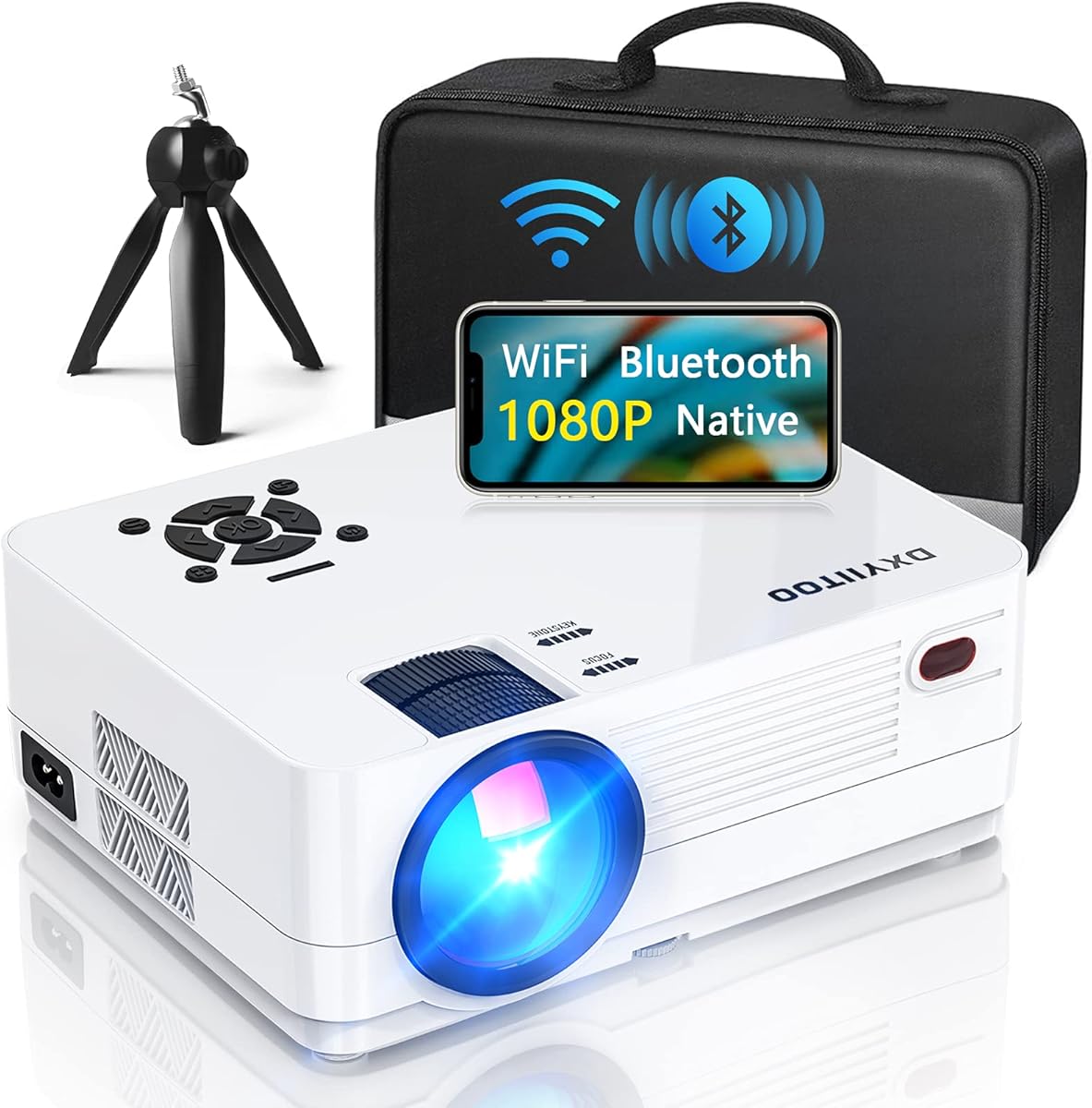
The Dxyiitoo native 1080p projector is a general-purpose entertainment model that can also serve as a large-format reference display for murals. Its 4.3 rating places it among the stronger-reviewed choices, while native 1920x1080p output provides enough detail for many line drawings, photographic references, and compositional studies. It supports displays up to 300 inches, making it useful when a wall is considerably larger than the area a dedicated art projector can cover.
We may earn a commission when you buy through this link, at no additional cost to you.
The listed 20,000-lumen specification and 10000:1 contrast ratio are intended to produce a bright, colorful picture, while the integrated dual speakers make the unit useful for presentations and reference playback. It supports AirPlay, screen mirroring, data-cable connections, WiFi, and hotspot use from compatible iOS and Android devices. Its ports include HDMI, USB, USB-SM, AV, and a 3.5mm audio jack, giving artists several ways to display images from computers, phones, tablets, and media devices.
The biggest limitation for mural work is the lack of purpose-designed drawing tools. There are no listed grid, rotation, artistic-mode, or offline drawing-assistant features, so users must position and scale images through the device or projector interface. The 20,000-lumen figure also differs from the ANSI-lumen measurements used for some other products, making direct brightness comparisons imperfect. This model is better viewed as a flexible reference-display option than a tracing specialist.
Choose the Dxyiitoo when the mural occupies a broad area, the image may come from several media sources, or the project also involves presentations and video. Artists who depend on grids, fine rotation, and automatic artistic modes will likely find a dedicated art projector more convenient.
Support for images up to 300 inches gives the model an advantage on broad walls and large installation areas. It is a practical way to enlarge a digital reference when precise tracing controls are not the main requirement.
AirPlay, screen mirroring, HDMI, USB, AV, and wired-audio connections make it straightforward to alternate among computers, tablets, phones, and media players. The built-in speakers also cover basic reference viewing without extra equipment.
We may earn a commission when you buy through this link, at no additional cost to you.
The Caydo P3 stands out as the most complete dedicated art projector in this guide. It holds a 4.0 rating and delivers 400 ANSI lumens, giving mural artists a brighter projection than the smaller P2 while preserving the drawing-focused features that matter for wall work. Native 1080p resolution, automatic focus, and keystone correction make it well suited to transferring designs and photographic references.
We may earn a commission when you buy through this link, at no additional cost to you.
The built-in drawing assistant provides 0–200% zoom, 360-degree rotation, a 3×3 grid, three background colors, and four modes named Gridify, Sketchify, Comicize, and Monochromize. Artists can import an image by scanning the app's QR code or by using the included 8GB USB flash drive. Importantly, the drawing tools work offline after transfer, making the P3 suitable for basements, studios, and other locations where reliable internet access may be unavailable.
The P3 supports projection distances from 3.6 to 8.7 feet and includes rapid automatic focus that is described as completing in under three seconds. A 360-degree swivel base accommodates walls, easels, chalkboards, ceilings, and tilted surfaces, while the tripod thread provides additional height and stability. Its trade-offs are that it is not a native 4K projector and does not include a smart operating system with built-in entertainment apps. The 30,000-hour lamp figure also should not be confused with a guarantee of color consistency over a decade.
This is the strongest general recommendation for artists who want a balance of brightness, focused workflow, and flexible placement. It suits intermediate and large mural projects where a grid, accurate scaling, and repeatably positioned reference are more important than streaming services or home-theater audio.
At 400 ANSI lumens, the P3 offers more practical headroom for mural work than many portable art projectors. That extra brightness can make a reference easier to see while daylight or workshop lighting remains around the wall.
The grid, rotation, background, and artistic modes help an artist break a complex image into manageable shapes. These controls add useful structure to enlargement, portrait studies, and large-scale planning.
We may earn a commission when you buy through this link, at no additional cost to you.
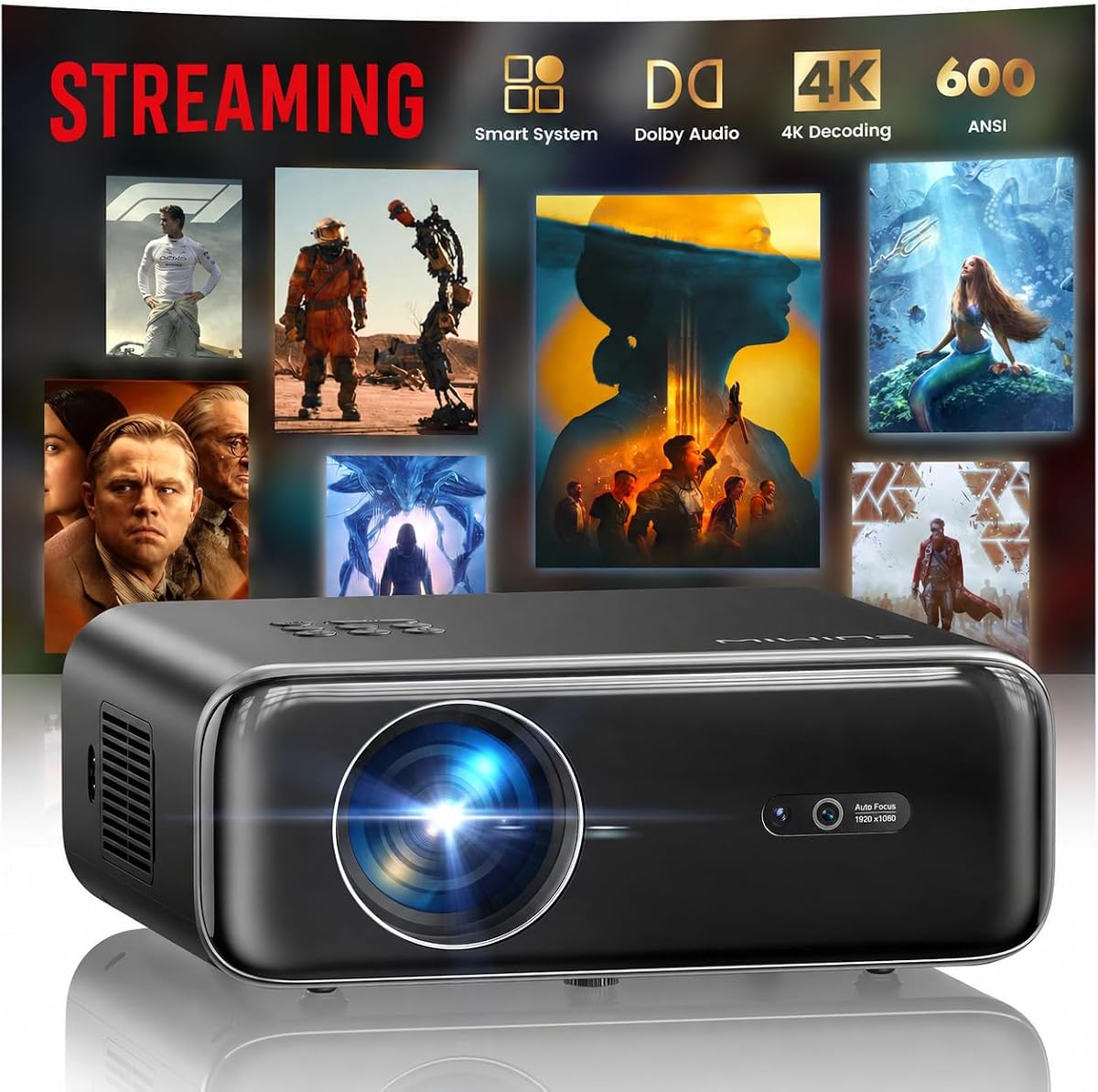
The WIMIUS P62 Pro combines 600 ANSI lumens with smart-projector features and holds a 4.5 rating, making it an attractive option for large mural references. Its native 1080p output supports 4K input, HDR10, and a stated 200-inch image capability. The picture is designed for vivid color, deep shadows, and bright highlights, while automatic focus and keystone correction reduce setup time.
We may earn a commission when you buy through this link, at no additional cost to you.
A smart operating system provides access to YouTube, Prime Video, an app store, a browser, and other applications, along with regular OTA updates. Connectivity includes two HDMI ports, two USB ports, a 3.5mm audio output, and WiFi 6 with AirPlay and Miracast. AI-assisted features include auto focus, auto keystone, smart obstacle avoidance, screen alignment, and 50–100% zoom, making the projector adaptable to tables, tripods, walls, and ceilings.
For mural planning, the lack of a dedicated art application is the main drawback. Artists must rely on device mirroring, file playback, or the operating system's image controls rather than purpose-built grids, trace modes, and artistic filters. The product also notes that videos labeled 4K are displayed at native 1080p, which is common but important to understand when judging specifications. It also does not include a carrying case.
The P62 Pro is best for a user who wants one projector for artwork references, presentations, video playback, and streaming. It can serve large-scale mural planning effectively, but an artist who spends most of the time tracing should compare its general controls with a dedicated art projector's more specialized tools.
Auto focus, auto keystone, obstacle avoidance, and screen alignment help the P62 Pro establish a clean rectangular image on imperfect walls. This automation is particularly useful when the projector cannot be placed exactly square to the surface.
Built-in applications and wireless casting let the same unit display streamed references, videos, and computer content. That versatility makes it convenient for clients who want to review concepts before the artist commits them to a mural.
We may earn a commission when you buy through this link, at no additional cost to you.
The Aurzen Roku TV D1R is not marketed as a dedicated art projector, but it offers an accessible way to display mural references. It has the highest rating in the lineup at 4.6, along with native 1080p resolution, automatic focus, and automatic keystone correction. It can create a 60–150-inch display, giving it enough scale for medium and substantial wall compositions.
We may earn a commission when you buy through this link, at no additional cost to you.
Roku provides a familiar home screen, quick search, personalized recommendations, and access to a wide selection of streaming applications. The included remote keeps operation simple, while the Roku mobile app offers phone control, text entry, and voice commands. WiFi 6, dual-band connectivity, Bluetooth 5.2, AirPlay, and Android support broaden the ways references can be delivered.
The absence of a drawing assistant means it is better for displaying a finished image than for precision tracing. Users cannot expect built-in grids, trace styles, offline drawing modes, or project-specific image controls. It also requires a Roku account and internet connection for activation. The manufacturer recommends inspecting and cleaning the lens every three months, using the device in a low-dust area, and leaving at least 20 centimeters of clearance around the sides and rear.
This projector is most appropriate for artists who value simple streaming, attractive image quality, and automatic setup more than specialized tracing. It can be a useful secondary display for client presentations or for viewing a digital mural design before manually transferring it.
Automatic focus and keystone correction allow the D1R to become useful without a prolonged technical setup. The result is particularly convenient for temporary installations and client reviews.
Roku's straightforward navigation and integrated applications make content discovery easy. Voice control and mobile-app operation also reduce friction when an artist is comparing multiple saved references.
We may earn a commission when you buy through this link, at no additional cost to you.
The Caydo M1C is the most portable dedicated art projector in this roundup, offering a palm-size body, a built-in drawing application, and a rechargeable battery. It has a 4.2 rating and can project images, designs, and photographs onto walls, easels, or smaller creative surfaces. Although it can produce images from 10 to 100 inches, it is better suited to intimate studies and smaller mural sections than large wall-scale work.
We may earn a commission when you buy through this link, at no additional cost to you.
Its drawing app includes zoom, rotation, a 3×3 grid, three background colors, and Gridify, Sketchify, Comicize, and Monochromize modes. The app should be updated to version 1.8 for the intended experience. Images can be imported using a QR code or USB drive, and the artistic tools can continue working with poor internet connectivity. EShare, AirPlay, and Miracast provide additional mirroring options for compatible devices.
The 110 ANSI-lumen lamp is the principal limitation. Its output is lower than the P2 and P3, making controlled lighting more important for seeing fine outlines. The 8000mAh battery supports up to 2.5 hours of cordless playback, which is useful for moving between a design desk, a stairwell, or several sections of a project, but the battery is not designed for an entire workday. The product also supports 4K video playback rather than native 4K artwork output.
Choose the M1C for travel, workshops, location sketches, and smaller canvas work where a built-in battery is more important than maximum brightness. For a monumental exterior or an extended indoor installation, a brighter and more stable mains-powered model would be the better choice.
The M1C preserves the same core grid, rotation, and artistic-mode tools found on larger Caydo art projectors. Its small footprint and included tripod make it practical for sketching concepts in temporary locations.
Up to 2.5 hours of cordless operation allows an artist to project without a nearby outlet. This is especially helpful for concept reviews, site visits, and quick work on smaller surfaces.
We may earn a commission when you buy through this link, at no additional cost to you.
The HAPPRUN model's 2000 ANSI lumens make it one of the brightest options considered, while its 4.4 rating is among the strongest in the group. It can support images up to 300 inches and accepts HDMI, USB, AV, and 3.5mm audio connections. This combination makes it suitable for displaying a mural reference in a bright room or across a large architectural surface.
We may earn a commission when you buy through this link, at no additional cost to you.
Automatic focus and 6D auto-keystone are designed to establish a clear rectangular picture within five seconds of startup. AI obstacle avoidance and automatic screen alignment add further convenience when the projector is mounted on a table, bedside, wall, or ceiling. WiFi 6 supports screen mirroring from compatible iOS and Android devices, and the stated 20,000:1 contrast ratio should provide visible separation between light and dark portions of a reference image.
The model does not include a dedicated drawing assistant, so precise enlargement and tracing depend on the source device or standard projector controls. The manufacturer also warns that autofocus can fail when the angle exceeds 15 degrees, making careful placement important. Content from certain subscription services may require a compatible streaming dongle because of app restrictions. The 4K label refers to decoding support rather than native 4K panel resolution.
This projector is a good choice when brightness and scale matter more than a purpose-built tracing workflow. Artists using a wall as a digital canvas will appreciate the strong output and fast automatic setup, while technical artists should use an external grid or dedicated art projector for pixel-level tracing control.
A stated 2000 ANSI lumens gives the HAPPRUN considerably more light than the compact art models. That makes it more suitable for workshops, classrooms, and rooms that cannot be fully darkened.
Six-direction keystone correction, obstacle avoidance, and screen alignment reduce the work involved in projecting onto a real wall. These features are helpful when the projector is installed at an angle or moved between locations.
We may earn a commission when you buy through this link, at no additional cost to you.
The Art Projector for Tracing and Drawing offers one of the most approachable ways to begin mural planning. It carries a 4.0 rating and avoids the need for a dedicated mobile application: after scanning a QR code, users can adjust projection settings, image rotation, and scaling through a phone or tablet browser. This keeps the workflow accessible to artists who do not want to manage a complex creative app.
We may earn a commission when you buy through this link, at no additional cost to you.
Dual-band WiFi is designed for stable, low-latency mirroring of detailed lines and intricate sketches from a phone or tablet. The projector also works without WiFi, which is valuable in studios and remote locations. Manual focus adjustment gives users direct control over sharpness, while the adjustable stand can change height and tilt for horizontal canvases, vertical walls, and small craft surfaces.
Published specifications are less complete than those of the higher-ranked art projectors. The product description does not provide a native resolution, ANSI-lumen rating, maximum image size, or a specific projection-distance range, so buyers must evaluate those details with the seller. It also lacks the named drawing modes, built-in grid, and more comprehensive offline import workflow offered by the Caydo models. Manual focusing is less convenient when the projector is bumped or moved.
This is a sensible budget choice for students, hobbyists, teachers, and artists beginning with traced compositions. It works especially well when the artist wants phone-based control, occasional offline use, and a simple adjustable stand rather than extensive smart-projector features.
Browser-based control removes a common obstacle to getting started. The phone becomes a convenient remote for image rotation, scaling, and projection settings without requiring a dedicated native application.
The adjustable stand can be raised and tilted to suit walls, horizontal canvases, and small DIY projects. This flexibility is valuable when the artwork changes shape from one part of a mural to another.
We may earn a commission when you buy through this link, at no additional cost to you.
The Epson EpiqVision Flex CO-W01 prioritizes accurate color, consistent brightness, and portability. It has a 4.4 rating, produces 3,000 lumens of color and white brightness, and uses 3-chip 3LCD technology to display the full RGB color signal in every frame. For mural artists, that combination makes it especially useful when a reference's colors and tonal relationships must be communicated accurately.
We may earn a commission when you buy through this link, at no additional cost to you.
Its 3LCD implementation is described as avoiding the distracting rainbow effect associated with some projection technologies. The projector supports widescreen images up to 300 inches, giving it considerable scale, and its compact, lightweight design fits into a backpack for mobile use. A built-in HDMI port allows connection to an Apple TV, Roku, Amazon Fire TV, or Android TV device for streaming.
This is a conventional display projector rather than an art-specific tool. It does not list a drawing application, grid system, trace filters, automatic art-oriented image placement, or offline reference importing. Streaming applications require an external device because they are not built into the projector. While 3,000 lumens supports relatively bright conditions, measured output and mural contrast will still depend on the surface, ambient light, and image size.
Choose the Epson when color fidelity, professional display technology, and a portable form factor matter more than built-in tracing tools. It is well suited to presenting a digital mural concept to clients, displaying color references, and working on large wall areas with a computer or streaming device.
Three-chip 3LCD technology displays the full RGB signal for each frame, supporting accurate and consistent color reproduction. That makes the Epson appealing for saturated designs and clients evaluating a palette.
A 3,000-lumen output, wide image capability, and backpack-friendly design allow the unit to move between a studio, meeting, and installation site. HDMI connectivity provides a straightforward connection to laptops and streaming devices.
We may earn a commission when you buy through this link, at no additional cost to you.
The AWOL Aetherion Pro 4K is the premium image-quality selection, with a 4.5 rating and specifications aimed at demanding large-screen use. Native 4K resolution, 2,600 ISO lumens, 110% Rec.2020 color coverage, and 6000:1 native contrast create a technically advanced image. Its ultra short throw design can produce a 200-inch picture from a much shorter distance than a conventional projector.
We may earn a commission when you buy through this link, at no additional cost to you.
The Aetherion's advanced lens architecture and PixelLock technology are designed to maintain crisp edges across the large display. Its Noirscene System II uses a six-level iris and EBL algorithm for deeper blacks, while support for Dolby Vision, HDR10+, HDR10, HLG, and Dynamic Tone Mapping gives the image greater tonal range. ISF certification and a professional color-management system support accurate, creator-oriented presentation.
Although the picture quality is exceptional, the Aetherion is optimized for home theater and gaming rather than tracing. It lacks the dedicated drawing application, grid, zoom-and-rotate workflow, and offline image import offered by art-focused projectors. The 200-inch capability is also less useful if the artist needs to project in a compact room or work across separated wall sections. Anti-RBE technology reduces rainbow-effect distractions, while the 1ms latency specification supports responsive gaming.
This premium model makes sense for a professional studio, gallery, or high-end home where a mural presentation benefits from true 4K detail, deep contrast, and precise color. It is best viewed as a premium visualization and presentation tool, with dedicated art projectors remaining more practical for hands-on transfer and tracing.
The ultra short throw configuration enables a massive 200-inch image without requiring the projector to be positioned far from the wall. This can simplify setup in a gallery or presentation room where floor space is limited.
Native 4K resolution, 110% Rec.2020 coverage, and 6000:1 native contrast provide a high standard for reviewing detailed artwork. HDR formats and dynamic tone mapping further improve the presentation of bright and dark visual elements.
We may earn a commission when you buy through this link, at no additional cost to you.
The right mural projector depends on the artwork's scale, the room's lighting, your preferred transfer method, and whether you need tracing controls or simply a large reference display. Brightness, geometry correction, image stability, and mounting flexibility deserve particular attention before making a selection.
Brightness determines how clearly the artist can see a projected reference while the room is occupied or partially lit. Models described with 400 ANSI lumens or more, such as the Caydo P3, offer greater headroom than compact 110-ANSI-lumen alternatives, while entertainment projectors may advertise much higher output. Compare ANSI-lumen figures where possible because some listings use nonstandard brightness terminology that may not support a perfectly direct comparison.
Choose brightness according to the environment rather than maximizing it without regard to the wall. A controlled studio benefits from a modest projector, while a classroom, workshop, or active home may need substantial output. A high-contrast surface can also improve perceived clarity, so wall color and ambient light matter as much as the lumens figure.
Dedicated art controls can save considerable setup time. Look for zoom, rotation, a 3×3 grid, background choices, and trace-oriented modes that simplify enlargement and composition. The Caydo P2, P3, and M1C include these features, whereas entertainment-focused models generally depend on the phone, laptop, or standard projector interface.
Prioritize art controls if your workflow involves physically tracing outlines. If you only need to review a finished digital design with a client, a standard media player and stable screen mirroring may be sufficient. Test the available scaling workflow before committing to a model with limited published control information.
Native 1080p provides a useful balance for many mural references, especially when the source is displayed at a moderate enlargement. Native 4K offers more visible detail on very large images, as in the AWOL Aetherion Pro, but it is not automatically the better choice for tracing. A complex drawing projected across a broad wall can still become difficult to follow if brightness, contrast, or line contrast is weak.
Check whether a 4K claim refers to native panel resolution, 4K input decoding, or 4K-supported playback. The P3 and P2 are native 1080p, the HAPPRUN supports 4K decoding, and the Aetherion is native 4K. For most still-image planning, brightness and geometry may improve usability more than additional resolution.
Automatic focus and keystone correction are especially valuable on real walls, which are rarely perfectly square or flat. Dedicated art projectors such as the P2 and P3 can lock focus and correct proportions automatically, while the HAPPRUN uses 6D keystone, obstacle avoidance, and screen alignment. Manual focus remains useful for fine adjustments after the projector is positioned.
Look for a combination of automatic and manual controls. Automatic correction provides a quick starting point, while manual focus or adjustment can clean up the edges. Keep the projector as square as practical to the projection surface, since extreme angles can distort lines or cause automatic systems to struggle.
The usable image size depends on both the projector's throw ratio and the room's depth. The Caydo P3 projects from 3.6 to 8.7 feet and supports image sizes appropriate to art studios, while entertainment models advertise displays up to 300 inches. Ultra short throw options such as the AWOL can create a large image while remaining close to the wall.
Measure the available distance before ordering. A projector that theoretically supports a huge image may still produce an inconveniently small one in a shallow room. Also consider whether the mural is one continuous wall or several separate sections, because a stable medium-sized reference can sometimes be more useful than an enormous image with reduced visibility.
A reliable way to load reference images is essential. The Caydo art projectors accept QR-code transfers and USB drives, and their drawing tools continue working offline. The budget tracing projector offers browser control and offline operation, while general entertainment models emphasize HDMI, USB, AirPlay, Miracast, WiFi, and Bluetooth connections.
Choose the transfer method that matches your existing equipment. USB is dependable for static images and controlled studio work, while wireless mirroring is convenient for phones and tablets. Check copyright restrictions on streaming and mirroring apps, and confirm whether an external dongle is required for desired services.
Mural work often involves uneven surfaces, temporary stands, tilted easels, and walls that are not ideal for permanent installation. The P2 and P3 use 360-degree swivel bases and standard 1/4-20 tripod threads, while the M1C includes a compact tripod. Other models support table, wall, ceiling, and tripod placement through separate mounting hardware.
Verify whether the necessary mount is included. A fixed projector may be fine for digital concepts but inconvenient for moving between an interior sketch and an exterior wall. Adjustable height and tilt are particularly useful when working on horizontal canvases, ceilings, or partially finished wall sections.
Portable projectors trade brightness and image size for convenience. The Caydo M1C includes an 8000mAh battery and offers up to 2.5 hours of cordless playback, while the Epson has a compact backpack-friendly design. Mains-powered models generally suit longer sessions because they avoid battery limits and provide more consistent output for extended work.
Decide whether cordless operation is a genuine requirement. If the projector will remain beside one wall, power reliability and brightness may matter more than battery life. If you need to travel between locations, consider the size, included accessories, and time required to establish a stable setup.
Begin by identifying the projection surface, measuring the available throw distance, and cleaning both the lens and the wall. Position the projector as squarely as possible, then connect the image source and load the reference through the recommended transfer method. For dedicated art projectors, use the grid and rotation controls to establish proportions before making any marks on the mural.
Fine-tune the image with automatic focus and keystone correction, followed by manual focus if the surface is uneven or the angle is significant. Step back and compare the projected reference with the original image, checking scale, cropping, color, and alignment from several points around the wall. Secure the projector on a stable tripod or stand and avoid moving it once the composition has been finalized.
Keep the device powered and ventilated during long sessions, and avoid pointing it directly at dust-prone surfaces. Clean the lens periodically using the recommended method, keep the intake and exhaust areas clear, and follow the manufacturer's guidance for storage and cooling. If the image appears dim or washed out, check the room lighting and wall color before assuming the projector is malfunctioning.
Yes, a general-purpose projector can display a digital reference on a wall. The main limitations are fewer tracing controls, no built-in grid, and less convenient offline image management. An art-focused projector is generally better when you need to enlarge, rotate, align, and physically trace a design.
More brightness improves visibility when ambient light cannot be fully controlled. An ANSI-lumen comparison is useful, but wall color, projector contrast, and image size also affect clarity. A dedicated art projector around 400 ANSI lumens offers a practical balance for many controlled studios and active rooms.
Automatic correction is helpful because most walls are not perfectly square to a projector. It creates a more rectangular image with less manual work, although manual fine-tuning may still be needed. Very large murals are easier to work on when the projector can be placed close to square with the wall.
The Caydo P2, P3, and M1C can use USB or QR-code transfers and keep their drawing tools functional offline. The dedicated budget tracing projector also supports offline use. Streaming-based models generally require an internet connection for activation, applications, and wireless casting features.
Native 1080p means the projector itself renders at 1920×1080, while 4K support usually means it can accept a higher-resolution input and downscale it. A native 4K model displays more detail without that processing step, which can benefit a massive image or fine reference artwork.
Yes. A grid divides a complex image into smaller sections that are easier to enlarge, locate, and transfer. The Caydo P2, P3, and M1C include a 3×3 grid, which is particularly helpful for portraits, architectural references, and detailed compositions.
It should have the distance required by its specified projection range, and the air vents need clearance. Some models, including the Aurzen Roku TV D1R, call for at least 20 centimeters on the sides and rear. Ultra short throw models can sit closer, but still require proper ventilation.
You can use a projected image as a guide, but a projector should not normally be treated as the finished mural medium. Projection is most useful for planning, gridding, enlarging, and tracing. Apply your chosen paint or finish separately, following the surface's preparation and safety instructions.
The Caydo P3 is the strongest all-around recommendation because it balances 400 ANSI lumens with a dedicated drawing assistant, offline image transfers, automatic adjustments, and flexible mounting. The Art Projector for Tracing and Drawing is the most approachable budget option, while the AWOL Aetherion Pro 4K delivers the highest level of native resolution, color, contrast, and large-screen image quality.
Prioritize the features your method actually requires. Trace-heavy artists should focus on grids, scaling, rotation, and offline import; presentation-led users may prefer streaming, wireless casting, and built-in speakers. Brightness, the wall's reflectivity, throw distance, and the ability to place the projector square to the artwork can matter more than entertainment features.
Before purchasing, verify the current specifications, included accessories, compatibility requirements, and latest price with the seller. Projector ratings and configurations can change, and room conditions can materially affect the result. A short setup with the intended wall and source image is the best way to confirm that a model suits your particular mural workflow.