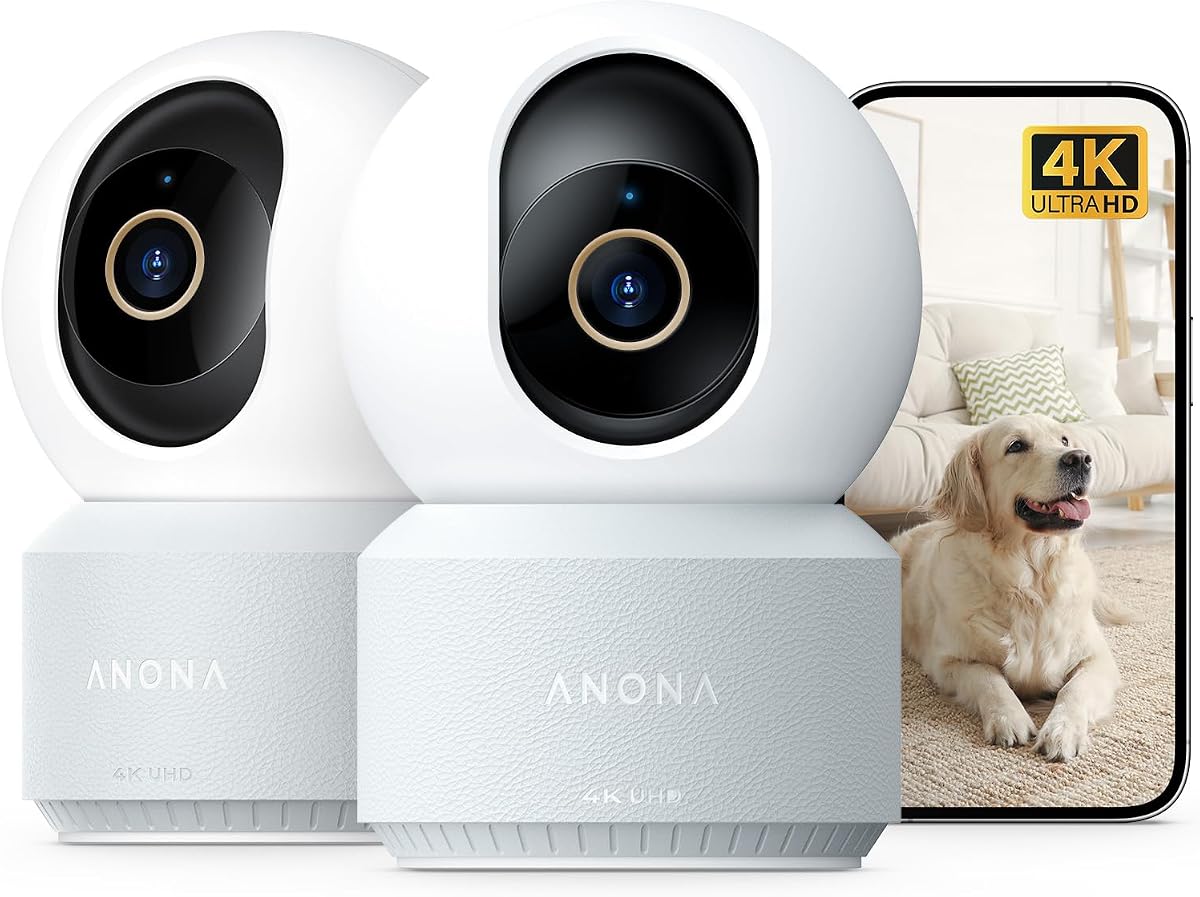
Anona 4K UHD Indoor Camera
4.4Editor score
4K UHD video
Eight-times digital zoom
Baby crying detection
Dual-band Wi-Fi 6
Security Camera for Kids Room guide comparing 10 indoor options for video quality, night vision, two-way audio, detection features, privacy, and ease of use.
A security camera for a kids room should provide a reassuring view of naps, playtime, and bedtime without making the space feel cold or overly institutional. The most useful models combine clear video, reliable night vision, sensitive motion alerts, two-way audio, flexible viewing options, and simple controls that both parents and other caregivers can manage.
This guide compares ten indoor security cameras using the specifications and features supplied for each product. It examines resolution, viewing range, connectivity, storage choices, detection features, audio functions, privacy controls, night performance, and multi-camera flexibility, with particular attention to the needs of a child’s bedroom or nursery.
Each review explains the strongest reasons to consider the camera, along with its meaningful trade-offs and ideal buyer. Rankings reflect how well the listed features fit a kids-room use case, but product specifications, software behavior, availability, and prices can change, so readers should confirm current details before buying.
4.4Editor score

4.5Editor score

4.9Editor score
The table below compares all ten cameras by resolution, room coverage, connectivity, and the features most relevant to monitoring a child’s room. It is a quick way to narrow the field before reading the detailed reviews.


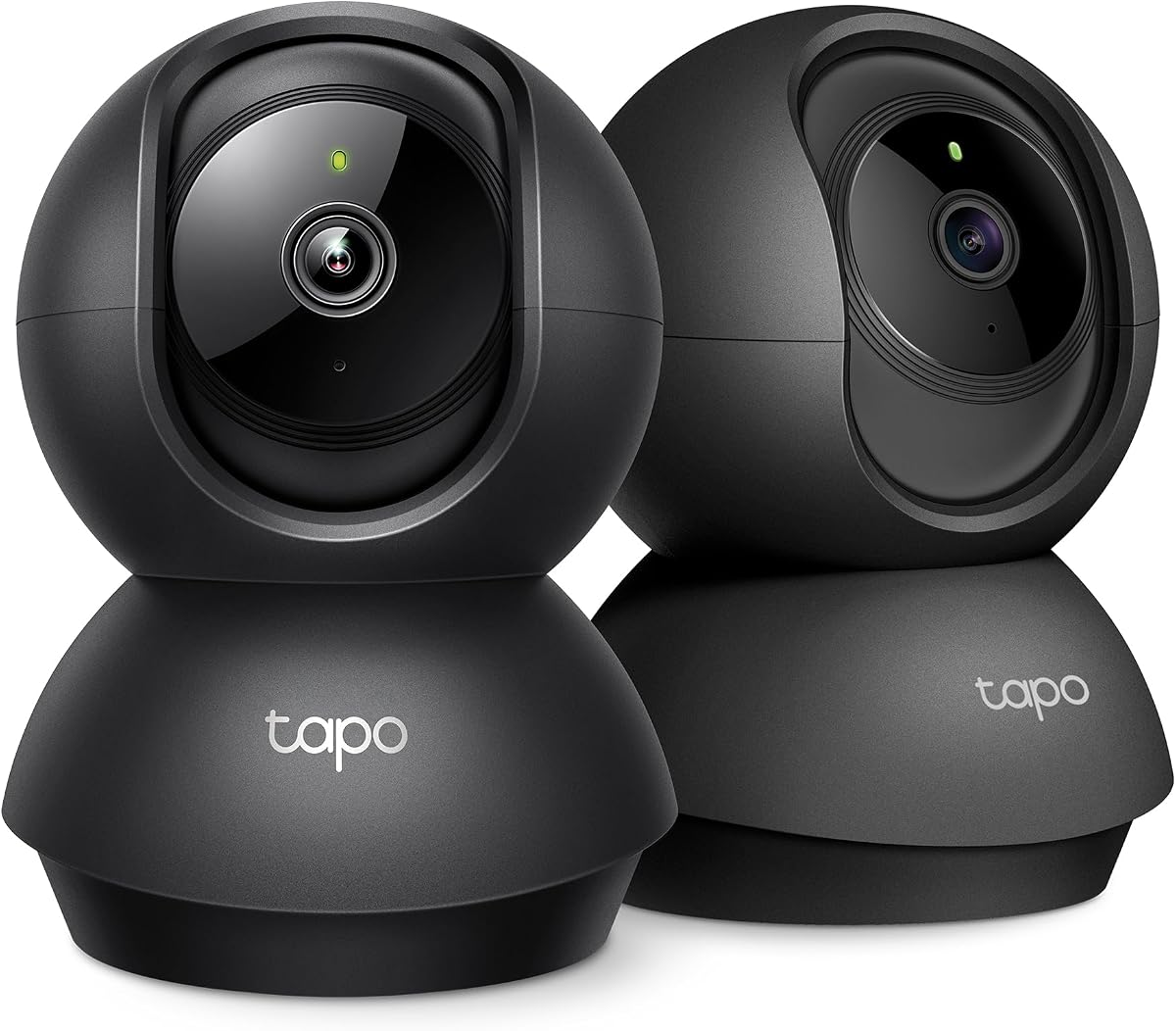

The Tapo C210 combines a 4.5 rating with an unusually balanced set of functions for a child’s bedroom. Its 2K high-definition feed is detailed enough to show what a baby is holding, while the 360-degree horizontal and 114-degree vertical pan/tilt range lets one camera cover a crib, play mat, doorway, and other important areas. It also includes person, motion, and baby crying detection, along with two-way audio and night vision reaching up to 30 feet.
We may earn a commission when you buy through this link, at no additional cost to you.
The local microSD option is especially important for a kids-room camera because it allows continuous or event-based recording without requiring a cloud subscription. Parents can save clips to a supported card of up to 512GB, while Tapo Care remains available for users who prefer cloud access. The camera can also share its feed with two smartphones, making it practical for two caregivers to check in without buying separate units.
There are some limitations. The C210 requires a 2.4GHz Wi-Fi network, so homes limited to 5GHz will need to adjust their router or add compatible dual-band equipment. Some cloud services and extended cloud-history features require a paid plan, and the built-in siren is useful as a deterrent but should never be treated as a substitute for direct supervision.
This is the strongest all-around recommendation for most families because it combines clear 2K video, flexible coverage, useful baby-specific alerts, local recording, and caregiver sharing without an unnecessarily complex feature set. It is especially suitable for a nursery, toddler room, or shared play area where a parent wants to check in remotely during naps and bedtime.
The C210’s broad pan-and-tilt range reduces the need to place the camera directly beside the crib. Caregivers can reposition the view in the app when a child moves to a different part of the room, helping one unit cover more of the space.
Smart detection can distinguish among motion, a person, and baby crying, while the app sends push notifications. This makes the camera more useful than a basic live-view device when a caregiver wants relevant events without opening the app continuously.
We may earn a commission when you buy through this link, at no additional cost to you.
The Anona 4K Indoor Camera stands apart with 4K UHD recording, an eight-times zoom, and a two-camera configuration. Its 4.4 rating reflects a feature set aimed at buyers who want more detail than a conventional 1080p or 2K indoor camera provides. That extra resolution can be helpful in a child’s room when the crib is across the space and you need to distinguish small objects, toys, or movements more precisely.
We may earn a commission when you buy through this link, at no additional cost to you.
The camera pans through 360 degrees, tilts through 110 degrees, and can automatically track a moving subject. AI detection covers people, pets, and baby crying, with immediate app notifications. It also supports 2.4GHz and 5GHz networks through dual-band Wi-Fi 6, avoiding the 2.4GHz-only limitation found on several competing models. Two-way audio provides a way to communicate with family members, and privacy mode helps limit what the lens can view.
The trade-offs are mostly about complexity and optional costs. A microSD card for local recording is not included, and Anona Cloud uses AES-128 encryption for customers who prefer cloud storage. As with many modern indoor cameras, buyers should review account requirements, firmware updates, and the exact functions available in the app before installation.
The Anona is best for families that value maximum image detail, want flexible Wi-Fi connectivity, or need to monitor two rooms at once. It is a particularly compelling premium choice for a nursery and adjoining playroom, provided the higher specification level matches their need for sharper viewing and automatic tracking.
The 4K sensor and 8x zoom are the camera’s defining strengths. They can make small details easier to inspect in a larger nursery or playroom, although digital zoom is most useful when the subject remains reasonably close to the camera.
The included two-pack allows a parent to place cameras in separate children’s spaces or use one in a child’s room and another in a playroom. Sharing and auto-tracking reduce the need to intervene whenever a subject changes position.
We may earn a commission when you buy through this link, at no additional cost to you.
The ZEEPORTE 2K Indoor Camera has the highest customer rating in this group, at 4.9, while focusing on the functions that matter most in a kids’ room. It records in 2K QHD, includes activity-zone controls, and provides two-way audio, a built-in siren, and advanced night vision reaching up to 30 feet. This combination makes it a strong budget-oriented choice for parents who need dependable monitoring rather than a broad smart-home ecosystem.
We may earn a commission when you buy through this link, at no additional cost to you.
Custom activity zones are particularly useful in a nursery. A caregiver can focus on a crib, window, doorway, or another defined area to avoid unnecessary alerts caused by movement elsewhere in the room. The phone app provides quick setup, while a microSD card of up to 128GB can be used for local recording without a cloud subscription. Six infrared LEDs support monitoring in darkness without adding visible light to the room.
The camera is wired, which means a nearby outlet is required, and the microSD card is not included. Its listed 2K resolution and 30-foot night-vision range provide a strong base, but it does not offer the higher resolution or advanced baby-specific AI detection of the Anona. The built-in siren should likewise be used carefully around a sleeping child.
Choose the ZEEPORTE when straightforward local monitoring, 2K clarity, and night visibility matter most. It is a sensible pick for a nursery, young child’s bedroom, or play area and offers a compelling balance of capability and simplicity for cost-conscious buyers.
Configurable activity zones make it possible to prioritize the part of the room that matters most. This can reduce irrelevant motion notifications while retaining visibility of the crib, doorway, or a child’s play area.
Local microSD storage supports up to 128GB and avoids a recurring cloud fee. The card is sold separately, but this option is useful for families that want recorded footage without depending on a remote subscription service.
We may earn a commission when you buy through this link, at no additional cost to you.
The Tapo C100 is a straightforward 1080p indoor camera with a 4.4 rating and a feature set that includes activity zones, free person and motion detection, local microSD storage, and optional cloud storage. It is a practical choice for a child’s room when 1080p is sufficient and a wired installation is acceptable.
We may earn a commission when you buy through this link, at no additional cost to you.
The camera’s large-aperture lens, built-in spotlights, and full-color night vision up to 30 feet can make nighttime monitoring easier than a basic infrared-only view. Users can speak remotely through two-way audio, while the built-in siren and dual spotlights provide a way to alert or deter someone unexpectedly present. Storage can be handled locally with a microSD card of up to 512GB.
The supplied product information also describes a separate solar configuration and references the Tapo SolarCam C402 KIT, although the listed title identifies this model as the wired C100. Buyers should confirm the exact contents and model in the product listing. As a wired camera, it also requires a dependable outlet and cable placement, which may limit installation options compared with a battery-powered unit.
The C100 is a good fit for a family already familiar with the Tapo ecosystem, particularly if local storage, night visibility, and remote audio are priorities. It is less compelling for shoppers seeking higher-resolution imagery or flexible pan-and-tilt movement.
Built-in spotlights and full-color night vision make the camera useful after lights-out. This can offer a more natural view of a sleeping child while still providing infrared-assisted visibility in darker conditions.
A microSD card of up to 512GB keeps recordings independent of a cloud subscription. The listed privacy measures include encrypted video, two-factor authentication, and a broader data-defense system for account protection.
We may earn a commission when you buy through this link, at no additional cost to you.
The Luna 2K Indoor Camera offers a 4.4 rating, 2K video, 360-degree panning, dual-band Wi-Fi, and a one-touch privacy mode. The privacy function is particularly relevant in a child’s room because it moves the camera to a preset position when private family moments or dressing changes make continuous viewing undesirable.
We may earn a commission when you buy through this link, at no additional cost to you.
The integrated spotlight and color night vision are designed to improve visibility after dark, while two-way audio allows a caregiver to speak with a child, another family member, or a pet. Motion zones can be customized around a baby room, and automatic tracking follows moving subjects. The Luna AI App also provides descriptive intelligent-alert options, although the subscription requirement after a free trial should be considered.
Local recording is available through a separately sold memory card of up to 256GB, while cloud storage requires a subscription. The camera also includes a siren and infrared night vision. Buyers should review which alerts remain available without a paid plan and confirm app permissions before relying on the camera for unattended monitoring.
The Luna is best for caregivers who value a clear privacy mechanism, flexible network support, and color nighttime viewing. It works well in a child’s bedroom where the camera must rotate to cover the crib and play area but should be physically turned away during private moments.
One-touch privacy mode sends the camera to a preset position instead of requiring the user to navigate through several settings. That makes it easier to establish a dependable routine around dressing, quiet time, and other private activities.
Support for both 2.4GHz and 5GHz Wi-Fi is useful in homes where the child’s room is far from the router. Bluetooth pairing also assists with initial setup through the Luna AI App.
We may earn a commission when you buy through this link, at no additional cost to you.
The Cinnado D1 has a 4.3 rating and provides a straightforward 2K indoor camera designed for pets, babies, and general home monitoring. Its live stream, pan-and-tilt movement, four infrared lights, two-way audio, and support for multiple family accounts cover the core needs of a parent checking on a child’s room.
We may earn a commission when you buy through this link, at no additional cost to you.
When motion is detected, the camera can automatically record a 10-second clip and save it through the app. Parents can also install a microSD card of up to 128GB for continuous recording, avoiding the need for cloud storage if local retention is preferred. Push notifications and the built-in siren add monitoring and deterrence functions, while encrypted cloud storage and a trial period are available for users who want remote backup.
The D1 only supports 2.4GHz Wi-Fi, and setup requires connecting within three feet of the Wi-Fi source during the initial process. The storage card is not included. Its night vision is based on infrared illumination rather than the listed color-night-vision features of the Roku or Luna, so buyers prioritizing a natural-color nighttime image may prefer another model.
The Cinnado D1 is a practical choice for families wanting simple two-way communication and shared access at an accessible specification level. It is especially suitable for monitoring a baby or pet and supports both motion clips and continuous local recording.
The ability to create multiple family accounts and share the camera with family and friends makes the D1 useful in homes where several relatives help with childcare. Each authorized person can use the app without setting up separate hardware.
Ten-second event recordings are created when the motion sensor is triggered. This gives caregivers a quick way to review changes in the room without searching through a continuous stream.
We may earn a commission when you buy through this link, at no additional cost to you.
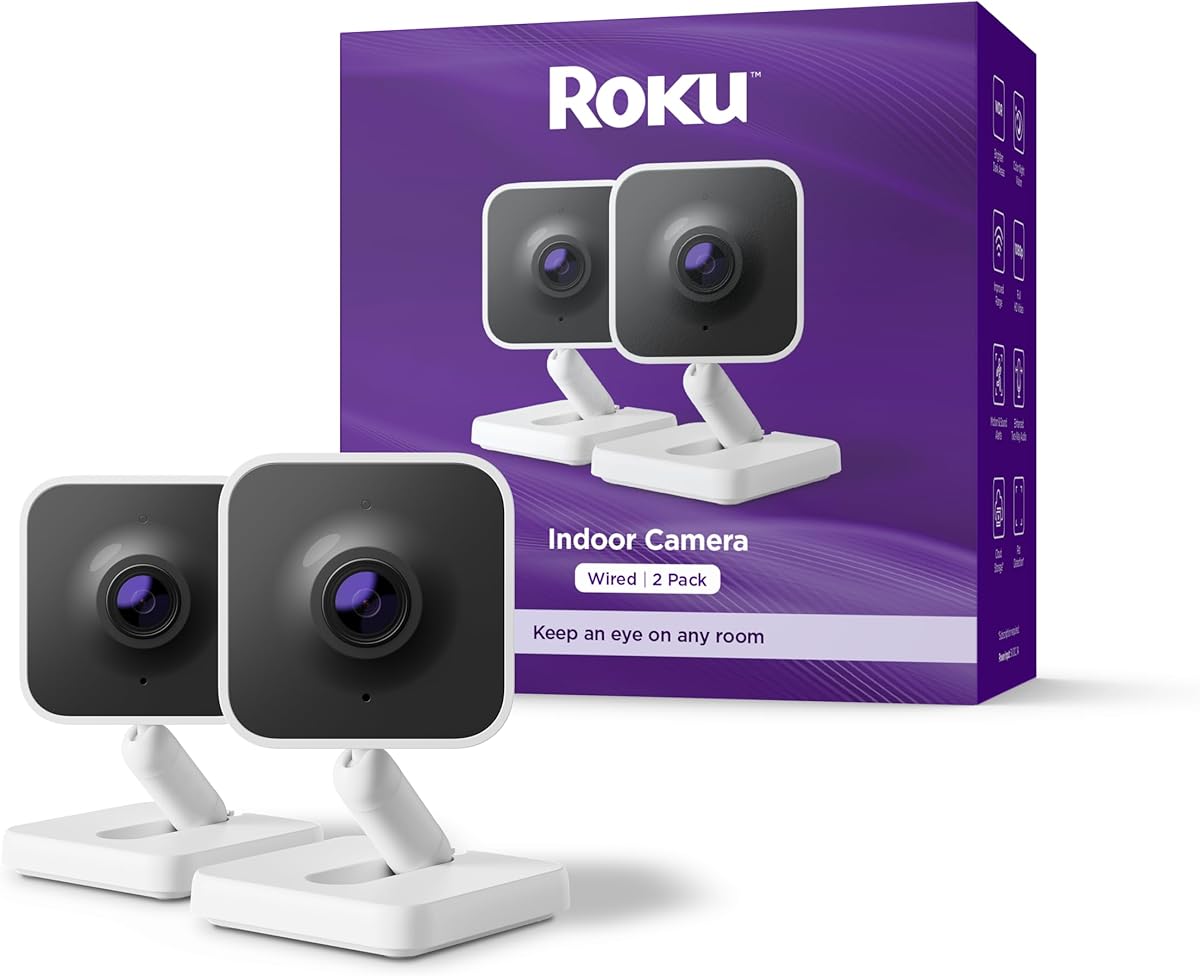
The Roku Indoor Camera is a 4.4-rated 1080p option whose defining advantage is simple viewing within the Roku ecosystem. Caregivers can check a child’s room from the Roku Smart Home app, a Roku TV, or a Roku player, using the remote or Roku Voice. The two-pack can cover two rooms or provide a second camera for a different angle.
We may earn a commission when you buy through this link, at no additional cost to you.
Its 1080p HD picture is designed to remain clear in daylight, at night, and when sunlight enters through a window. Full-color night vision is another useful feature for a child’s room, while motion and sound detection can send alerts within seconds of activity. The app also provides a live stream, settings, and two-way pet communication.
The camera does not offer the 2K or 4K detail available on several alternatives, nor does its listed feature set include advanced baby crying recognition. Its strongest appeal depends on access to Roku devices, although the mobile app allows phone-based monitoring. Shoppers should compare the ecosystem’s ongoing account requirements and storage options with those of competing brands.
The Roku Indoor Camera is an excellent choice for households that already use Roku TVs or players and want the easiest path from television viewing to checking a child’s room. The included two-pack is also useful for connecting with a baby monitor, sibling room, and family pet.
A camera feed can be opened directly on a Roku TV or player with the remote or by using Roku Voice. This makes the camera convenient for a family that spends much of its evening watching television.
Sound detection complements the motion sensor, potentially helping a caregiver notice a cry or other meaningful noise. This dual approach is more useful than relying on movement alone in a quiet nursery.
We may earn a commission when you buy through this link, at no additional cost to you.
The Tapo C211 2-Pack shares many of the strengths that make the C210 our leading pick, while adding a second camera. Its 4.5 rating, 2K resolution, 360-degree horizontal movement, and 114-degree vertical tilt make it a strong choice for a nursery plus another play area, two children’s rooms, or a child’s room and a pet space.
We may earn a commission when you buy through this link, at no additional cost to you.
Person, motion, and baby crying detection can generate useful push notifications without an additional baby-monitoring fee. Video can be saved continuously to a compatible microSD card of up to 512GB, or remotely through Tapo Care. The cloud service retains 30 days of history and provides additional benefits such as motion tracking and baby crying detection, depending on the selected plan.
As with the C210, the C211 operates on a 2.4GHz Wi-Fi band. The microSD card is not included, and the broader cloud feature set requires a subscription. A user should also check current device compatibility in the TP-Link FAQ before buying a memory card, as the listing specifically advises this step.
Choose the C211 when the main goal is to monitor two spaces with coordinated 2K cameras. It offers a more useful package than buying separate units for a child’s bedroom and nursery, and it preserves the strong room coverage and baby-focused detection found in the single-camera version.
Two cameras can cover separate rooms while maintaining similar image quality and control. This is useful for siblings in different bedrooms or for keeping watch over both a nursery and an adjacent play area.
Compatibility with Amazon Alexa and Google Assistant allows compatible displays such as Echo Show and Chromecast with a screen to show the live feed. Larger viewing can make the camera easier for multiple adults to check at once.
We may earn a commission when you buy through this link, at no additional cost to you.
The aosu 2K Indoor Camera is a 4.4-rated camera offering 2K QHD video, 360-degree horizontal rotation, and a 155-degree vertical tilt. That broad viewing range makes it a useful option for a child’s room where the crib, floor play area, and doorway do not line up in the same direction.
We may earn a commission when you buy through this link, at no additional cost to you.
Its touch-to-talk control provides quick access to two-way audio, allowing a parent to communicate with a child, elder family member, or pet. Smart motion tracking can follow actions within the room, while smooth live video provides the detail needed for everyday monitoring. Compatibility with Alexa also allows the feed to be viewed on an Alexa screen, giving the camera some value as a baby monitor.
The camera supports only 2.4GHz Wi-Fi, so it cannot operate on a 5GHz-only network. Compared with some rivals, its listed smart-home integration is narrower, and the supplied information does not describe a physical privacy shutter. Buyers who prioritize broad ecosystem support or the most advanced baby-specific AI should look at the Tapo or Anona options instead.
The aosu is a good fit for a parent who wants a wide field of view, simple touch-to-talk communication, and 2K clarity without a complicated setup. It is particularly attractive where the child moves between a crib and play mat and the caregiver wants the camera to follow the action.
The 155-degree vertical tilt gives the camera more room to cover both floor-level play and a higher sleeping position. That versatility reduces the chance that a child leaves the frame during normal activity.
The one-touch talk button starts two-way communication without requiring a separate microphone. This is convenient for a caregiver who wants to reassure a child from another part of the home.
We may earn a commission when you buy through this link, at no additional cost to you.
The myQ Indoor Plug-in Security Camera Gen 2 has a 4.0 rating and offers a compact combination of 2K resolution, night vision, a 130-degree wide-angle lens, and two-way audio. It is a straightforward option for a child’s room where a parent wants a sharp picture and broad coverage without a complex pan-and-tilt motor.
We may earn a commission when you buy through this link, at no additional cost to you.
Motion detection produces real-time alerts, while smart detection distinguishes people from pets to reduce irrelevant notifications. The camera can be viewed and controlled through the myQ app, and the wide-angle lens captures a substantial portion of a room. Two-way audio allows a parent to say hello or offer reassurance while away from the room.
The main limitation is that the view is manually adjusted rather than motor-controlled, so it will not automatically follow a child around the room. Smart detection requires a subscription, and the camera depends on a plug-in power connection. Compared with the Tapo C211 or Anona two-packs, it is a single-camera solution with a simpler physical design.
The myQ Gen 2 is best for a small or medium children’s room where a stationary wide-angle view is sufficient. It suits buyers who prioritize 2K clarity, straightforward setup, and app-based communication but do not need advanced baby crying detection, auto-tracking, or remote camera movement.
The Gen 2 combines 2K resolution with a 130-degree wide-angle lens, giving it useful room coverage without requiring a larger pan-and-tilt housing. Night vision helps maintain visibility when the room is dark.
Smart detection aims to reduce alerts caused by ordinary pet activity. The distinction is useful in a family home, although access to this feature depends on the required subscription.
We may earn a commission when you buy through this link, at no additional cost to you.
The best camera for a child’s room is the one that balances visibility, relevant alerts, dependable communication, privacy, and simple setup. Evaluate how each model will function in the actual room, on the household’s Wi-Fi network, and for every caregiver who needs access.
Resolution determines how much visual information is available when the camera is not close to the child. A 2K model offers a useful middle ground for most rooms, while 4K provides more detail for a larger nursery or a camera mounted at a distance. The Anona adds an 8x zoom for inspecting small areas, and the Tapo C210 and C211 focus on smooth 2K images without claiming advanced optical zoom.
Choose enough resolution to recognize meaningful activity, not simply the highest number. Higher resolution can be useful for toys, crib details, and expressions, but lighting, lens quality, and network conditions also influence what the caregiver actually sees.
A fixed wide-angle lens works well in a small, predictable space, while pan-and-tilt cameras can follow a sleeping child or redirect toward a play area. The Tapo models cover 360 degrees horizontally, the aosu adds a 155-degree vertical tilt, and the Anona tilts through 110 degrees. Auto-tracking can make movement more useful, although it should be tested for accuracy.
Look for enough vertical adjustment to cover a crib and the floor. If a child moves around the room frequently, motorized pan and tilt is generally more adaptable than a manually swiveled camera.
A nursery camera must remain useful after lights-out. Infrared night vision provides visibility without visible illumination, while full-color night vision uses added light to produce a more natural image. The Tapo C100, Luna, and Roku emphasize full-color night views, and the Tapo C210, Cinnado, and ZEEPORTE list night-vision ranges of up to 30 feet.
For a small room, the difference may be subtle. For a larger play area, check the stated range and consider whether added spotlight illumination could disturb a sleeping child.
A generic motion alert tells a caregiver that something moved; baby crying detection provides a more specific event. The Tapo C210 and C211 and the Anona explicitly include baby crying detection, while the Luna offers descriptive intelligent alerts. Activity zones can help cameras focus on a crib, doorway, or play area and reduce irrelevant notifications.
Prioritize baby-specific detection when the camera will serve as a nursery monitor. For a wider view of a playroom, reliable person detection and auto-tracking may matter more.
Two-way audio lets a parent speak through the camera, soothe a child, or communicate with another family member. The aosu emphasizes a touch-to-talk button, while most other models provide standard two-way communication through their apps. A built-in siren may deter an unexpected visitor, but it can also startle a child and should be used cautiously.
Test microphone and speaker clarity in the intended room. Communication is most useful when the parent can speak calmly without needing a very loud room or moving close to the device.
Local microSD recording can reduce dependence on cloud subscriptions and gives caregivers direct control over footage. Supported capacities range from 128GB in the Cinnado and ZEEPORTE to 512GB in several Tapo and Anona models. Cards are generally sold separately. Cloud plans differ by brand and may unlock longer history, tracking, or intelligent alerts, so compare recurring costs before committing.
Review account requirements, encryption, authentication, and privacy controls. The Tapo C100 lists encrypted video and two-factor authentication, the Anona offers AES-128 cloud encryption, and the Luna provides a one-touch physical privacy behavior.
Most indoor cameras require 2.4GHz Wi-Fi, including the Tapo C210 and C211, aosu, Cinnado, and ZEEPORTE. The Luna and Anona add 5GHz support, while the Anona also lists Wi-Fi 6. A dual-band camera may produce a more stable connection in a crowded home, but setup should still be attempted close to the router when required.
Check the signal in the child’s room before drilling or mounting. A stable connection is especially important for smooth live viewing, timely alerts, and reliable remote access.
A camera that several relatives can use is more valuable than one with excellent hardware but awkward sharing. The Tapo C210 supports viewing from two smartphones, the Cinnado allows multiple family accounts, and the Tapo and Cinnado products work with Alexa or Google Assistant. The Roku camera is particularly convenient for households already using Roku TVs and players.
Choose the ecosystem that caregivers already understand. Confirm that the mobile app, smart displays, notifications, and sharing features work together without creating unnecessary setup complexity.
Begin by choosing a stable location that gives the camera a clear view of the crib, bed, or primary play area without creating a climbable or tipping hazard. Confirm the required power and Wi-Fi connection, then complete setup in the manufacturer’s app. Create the camera’s account, update its firmware, and test the live feed before positioning it permanently.
Configure alerts around real priorities. Adjust motion zones to include the crib or play space while excluding frequently moving curtains, windows, or household traffic. Select the most useful notification types, assign a baby crying detection event if the camera supports one, and test two-way audio from another room. Assign appropriate access to other caregivers and verify which recordings remain available without a cloud subscription.
Care for the camera by keeping the lens clean and checking that the power connection remains secure. Review privacy mode or physical positioning when children are dressing or when the room should be private. Test local and cloud playback periodically, keep the app and firmware current, and replace or reformat the memory card according to the manufacturer’s guidance. A security camera is a helpful monitoring tool, but it does not replace attentive in-person supervision.
A properly positioned indoor camera can help a parent check on a sleeping child, monitor play, and receive relevant alerts. Choose a secure mount, keep cables out of reach, and avoid placing the camera where it could become a climbing hazard. Privacy controls and responsible account sharing are just as important as image quality.
2K is usually sufficient for a small or medium room and offers a strong balance of detail and convenience. A 4K camera can help when the camera is mounted farther away or the buyer wants greater detail, as with the Anona. The difference should be weighed against lighting, placement, and network performance rather than resolution alone.
Not necessarily. The Tapo, Anona, Cinnado, Luna, and ZEEPORTE cameras listed here support local microSD storage, subject to card compatibility and capacity. Cloud subscriptions can add remote access, longer history, tracking, or intelligent-alert features, so check which functions require a plan after any free trial.
Some models can. The Anona supports 2.4GHz and 5GHz dual-band Wi-Fi with Wi-Fi 6, and the Luna supports both bands. The Tapo C210 and C211, aosu, and Cinnado cameras are limited to 2.4GHz, so homes must confirm router compatibility before purchase.
No. The Tapo C210 and C211 and the Anona explicitly list baby crying detection. Other cameras offer motion, person, sound, pet, or descriptive intelligent alerts, but those should not be treated as equivalent unless the manufacturer identifies a crying-detection function.
The Roku Indoor Camera is designed for direct viewing on Roku TVs and players using the remote or Roku Voice. Several other models also support compatible smart displays, including Echo Show and certain Chromecast or Nest displays, but the specific devices and app support should be verified.
One camera is enough if each child spends time in the same room and the camera’s pan, tilt, and tracking can follow the relevant area. A two-camera pack is more useful for separate bedrooms, a nursery plus playroom, or a child’s room plus another family space.
No. These cameras support remote awareness, but they cannot respond to a child’s emotional needs, perform hands-on care, or guarantee that an alert will be noticed in time. They work best alongside regular supervision, safe sleep practices, and clear caregiver handoff procedures.
The Tapo C210 is the most balanced recommendation because it combines 2K video, broad pan-and-tilt coverage, baby crying detection, two-way audio, local storage, and two-phone sharing. The Anona 4K Indoor Camera is the premium option for buyers prioritizing maximum detail, eight-times zoom, dual-band Wi-Fi 6, auto-tracking, and two included cameras, while the ZEEPORTE offers a budget-focused combination of 2K recording, 30-foot night vision, activity zones, and subscription-free local storage.
For a broader comparison, the Tapo C211 is ideal for two rooms, the Luna is notable for its one-touch privacy mode and color night vision, and the Roku Indoor Camera integrates neatly with Roku televisions. The Cinnado D1, aosu, myQ Gen 2, and Tapo C100 each serve particular needs involving family sharing, wide-angle coverage, straightforward monitoring, or established ecosystems. Prioritize night visibility, relevant alerts, reliable two-way audio, secure storage, and the caregiver experience over resolution alone.
Before making a final selection, verify current specifications, app compatibility, memory-card requirements, subscription details, and Wi-Fi support. Product features, software behavior, and prices can change, so check the current listing and manufacturer support information. The right camera should make remote childcare monitoring simpler while fitting naturally into the family’s routines and privacy expectations.