
Canon EOS R50
4.5Editor score
24.2MP APS-C sensor
Close-up demo autofocus
Vari-angle touchscreen display
This guide compares the best camera for dental photography, including clinical intraoral systems, DSLR, mirrorless, and lighting options for every need.
Dental photography demands a camera that can capture clean, well-lit details while fitting comfortably into a clinical workflow. The right choice depends on whether you need true intraoral imaging, versatile clinical documentation, polished video, or a simple way to improve smartphone photographs.
We compared all ten products across image capability, focus and zoom behavior, lighting, compatibility, portability, accessories, and ease of use. The list includes dedicated intraoral systems, conventional interchangeable-lens cameras, compact creator cameras, and a purpose-built dental lighting accessory.
Each review explains where the product excels, what trade-offs to consider, and which dental professionals may benefit most. Product configurations and promotions can change, so readers should verify current features, software compatibility, and prices before purchasing.
4.5Editor score
4.4Editor score

4.6Editor score
The table below compares dedicated clinical cameras with general-purpose photography and video options, highlighting the image format, workflow, lighting, and connectivity features most relevant to dental professionals.


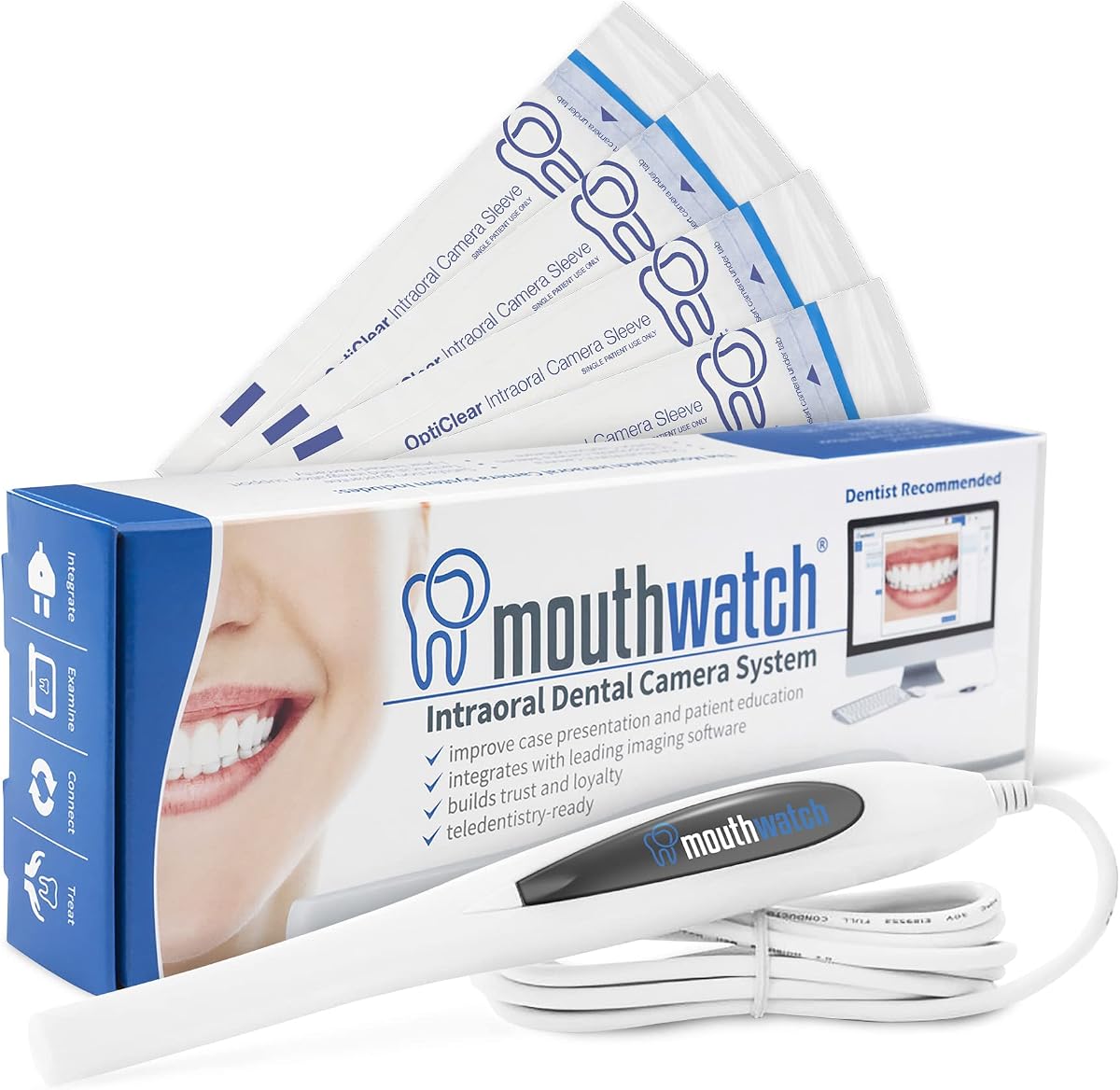
The MouthWatch is a dedicated dental imaging camera with a 4.4 rating and a clear emphasis on speed, simplicity, and clinical compatibility. It is designed for practitioners who want to capture intraoral photographs without navigating a general camera's menus or managing complicated focus changes. Its single-button operation makes it especially appealing for frequent patient consultations and case presentation.
We may earn a commission when you buy through this link, at no additional cost to you.
The standout feature is the combination of illumination, a fixed 4mm-45mm focal distance, and immediate image capture. Because the focus range is fixed, the camera avoids the delay associated with autofocus hunting, which is valuable when a patient is uncomfortable or moving. Images can be saved directly to the patient's chart with one press, eliminating the need to handle a mouse or keyboard during the immediate capture process.
Compatibility is another major strength. The included capture software supports major dental imaging environments such as Eaglesoft, Dexis, Schick, and Apteryx, with more than 50 integrations listed. The trade-off is that this is a specialized intraoral system, not a conventional interchangeable-lens camera. It is intended for close clinical documentation and patient education, while a standard DSLR or mirrorless camera offers more freedom for portraits, equipment, and office imagery.
This is the strongest all-around choice for a dental practice that wants a dependable internal camera integrated into its existing workflow. Confirm your exact imaging platform and integration requirements before ordering, and establish a consistent lighting and positioning routine. For users who prioritize rapid intraoral capture over broader photographic versatility, the MouthWatch offers the most convincing balance of ease, compatibility, and focused design.
One-button capture removes several steps from the patient conversation. The fixed focus range also helps maintain consistency when a dentist needs to move quickly between teeth, gums, and other intraoral views.
Support for more than 50 integrations makes the camera relevant to practices using major dental imaging suites. A buyer should still verify the specific platform, operating environment, and current driver requirements before installation.
We may earn a commission when you buy through this link, at no additional cost to you.
The Canon EOS Rebel T7 is a conventional DSLR kit that combines a 24.1-megapixel APS-C sensor with an 18-55mm lens. Its 4.6 rating reflects its position as a straightforward, well-regarded entry point for photographers. It is not a dedicated intraoral camera, but it can produce high-resolution clinical photographs, staff portraits, treatment-room images, and detailed views of dental models.
We may earn a commission when you buy through this link, at no additional cost to you.
The included zoom gives users more framing flexibility than a fixed-lens clinical device. This is valuable when the subject is a full smile, a single tooth, a mirror reflection, or an object of moderate size. The optical viewfinder provides approximately 95 percent viewing coverage, while the nine-point autofocus system and AI Servo AF support conventional still-image shooting. Built-in Wi-Fi and NFC also support convenient transfer to compatible devices.
A key limitation is that the camera does not provide the built-in, directed illumination of an intraoral camera. A dentist would need a separate lighting arrangement, and ordinary room lighting may not reveal subtle enamel, gingival, or restorative details consistently. The DSLR is also bulkier than dedicated clinical handsets or compact creator cameras, although its optical viewfinder and physical controls can feel more precise in some situations.
The Rebel T7 is a strong selection for a practice that wants one camera for dental documentation, office marketing, portraits, and educational content. It is most appropriate for users who already understand basic exposure and are willing to add separate lighting. Compared with the T7 bundle reviewed later, this kit is the more straightforward choice when the buyer already owns essential accessories.
The 18-55mm zoom covers everything from wider smile portraits to tighter detail views. That flexibility makes the camera useful for clinical documentation, marketing images, and everyday practice content with one body.
Built-in Wi-Fi and NFC simplify moving images to compatible smartphones, tablets, or computers. This makes the camera useful for workflows that require prompt image transfer after a clinical session.
We may earn a commission when you buy through this link, at no additional cost to you.
This Canon EOS Rebel T7 bundle combines the same 24.1-megapixel APS-C foundation and 18-55mm lens with several accessories needed to begin shooting. It carries a 4.6 rating and may appeal to new dental photographers who want a camera, battery, charger, memory card, bag, strap, and body cap in one coordinated purchase.
We may earn a commission when you buy through this link, at no additional cost to you.
The included 64GB memory card, LP-E10 rechargeable battery, LC-E10 charger, and shoulder bag reduce the need to source basic components separately. The camera also includes a 3.0-inch LCD screen, simplified menus, built-in Wi-Fi, and NFC. Its compatibility with Canon EF and EF-S lenses creates a broad upgrade path, including wide-angle, macro, telephoto, and specialty optics that can help with specific clinical or practice photography needs.
As with the standard Rebel T7 kit, the bundle does not solve intraoral illumination. Dental close-ups may require careful control of ambient light or a dedicated lighting accessory. The camera's conventional autofocus system is also less specialized for the extremely close working distances encountered in some dental photography, so a compatible macro lens could be important for highly detailed tooth imagery.
This bundle is a good option for a dental office building an all-purpose photography setup rather than a dedicated intraoral system. It offers more equipment than the standard T7 kit and remains flexible enough for portraits, smiles, office scenes, and educational media. Buyers should verify the lens they ultimately need, because the included 18-55mm kit lens is optimized more for general photography than extreme macro work.
The memory card, rechargeable battery, charger, bag, strap, and body cap cover many immediate setup needs. This reduces friction for a practice that has no prior digital photography equipment.
EF and EF-S lens compatibility supports future macro, wide-angle, or specialty lens purchases. The body can therefore grow from general documentation into more specialized dental imaging work.
We may earn a commission when you buy through this link, at no additional cost to you.
The Canon EOS R50 is the premium conventional camera in this group, combining a 24.2-megapixel APS-C sensor with a DIGIC X processor. Its 4.5 rating and extensive feature set position it as a strong option for dental professionals who want advanced still photography, close-up video, and modern autofocus performance in a relatively compact mirrorless body.
We may earn a commission when you buy through this link, at no additional cost to you.
A major advantage is the autofocus system, which covers up to 100 percent of the frame with 651 zones and offers subject detection and tracking. The Close-up Demo Mode can quickly shift focus to the closest subject, a useful behavior for demonstrations in which hands, instruments, or multiple oral structures move through the frame. The vari-angle Clear View LCD II touchscreen also supports low, high, and side compositions that can be awkward with a standard fixed screen.
Video capabilities extend the camera's value beyond still documentation. It can record 6K oversampled, uncropped 4K footage at up to 30 frames per second, plus high-frame-rate Full HD recording at up to 120 frames per second. Bluetooth and Wi-Fi enable file viewing and transfer through Canon Camera Connect. These features are particularly relevant for treatment explanations, procedure education, and practice social content.
The R50 is best for a practice that treats photography as part of its communication system and can justify a premium investment. It still lacks a clinical probe and built-in intraoral lighting, so a separate light is necessary for consistent close-ups. Even so, its tracking, screen articulation, sensor quality, and video tools make it the most advanced non-dedicated camera in the roundup.
Subject detection, tracking, and the Close-up Demo Mode help maintain focus during demonstrations. These functions are particularly useful when the closest element in the frame changes during an examination or procedure explanation.
The vari-angle touchscreen makes overhead and side-angle documentation easier, while oversampled 4K recording supports polished educational clips. Together, they broaden the camera beyond conventional still portraits.
We may earn a commission when you buy through this link, at no additional cost to you.
The Sony ZV-1 is a compact camera system built around content creation, making it a compelling option for short dental videos, treatment explainers, and social media. Its 4.3 rating reflects a capable combination of image quality, portability, audio tools, and creator-focused controls rather than a clinical imaging system.
We may earn a commission when you buy through this link, at no additional cost to you.
The camera combines a 20.1-megapixel one-inch stacked Exmor RS CMOS sensor with a fast 24-70mm ZEISS Vario-Sonnar T* lens. This package supports detailed still images and 4K video, while the relatively wide zoom range helps frame both a clinician and a close working area. Background defocus and product showcase buttons can make transitions more polished without requiring a complex menu workflow.
Audio is handled by a three-capsule directional microphone system, and the bundle includes a windscreen. A microphone input and multi-interface shoe allow for further audio and accessory expansion. The flip-forward vari-angle screen simplifies selfie-style framing, while built-in Wi-Fi and Bluetooth support file transfer through Sony's Imaging Edge app. USB-C also supports direct live streaming.
The ZV-1 is a good fit for a dentist or dental educator who creates video as a central part of patient communication. It is less suitable for anyone expecting direct capture into a patient chart or a close-up probe for internal oral imaging. Its lens and body are optimized for creator workflows, so the best results still depend on purpose-built dental lighting and disciplined positioning.
Dedicated background-defocus and product-showcase controls help creators shape a presentation quickly. The flip-forward screen and straightforward creator interface also reduce setup time during short recording sessions.
The bundle includes a memory card, reader, soft case, flexible tripod, and cleaning kit. These additions support a more complete ready-to-shoot arrangement than the camera alone.
We may earn a commission when you buy through this link, at no additional cost to you.
This dual-lens digital camera is an ambitious, budget-oriented creator package with advertised 8K recording, an 88-megapixel sensor, a 3.2-inch touchscreen, and two lenses. Its 4.0 rating places it below the more established branded systems, but the broad accessory package and approachable controls may appeal to buyers seeking many features without a specialist purchase.
We may earn a commission when you buy through this link, at no additional cost to you.
Front and rear lenses support different shooting angles, including self-facing and vlog-style compositions. The touchscreen lets users frame, focus, and navigate without relying exclusively on physical controls. A 16X digital zoom, Wi-Fi transfer through the iSmart DV2 app, a 360-degree mode dial, and 6-axis stabilization round out a feature list oriented toward travel and everyday content creation.
The most important caveat is that headline specifications do not by themselves establish dependable clinical image quality. The listing describes an 88MP sensor and 8K mode, but it does not provide the kind of detailed imaging information or dedicated control ecosystem associated with recognized camera manufacturers. It also lacks a dental probe, directed intraoral light, and integration with practice management or imaging software.
This camera is best considered an inexpensive general-purpose option for staff training, office content, or informal close-up images rather than a primary clinical documentation system. A dentist may also pair it with the separate dental lighting kit reviewed later. Prospective buyers should evaluate actual sample images, storage format support, manual controls, and warranty coverage before committing.
Two lenses, two batteries, a charging stand, memory card, lens hood, and touchscreen provide many functions in one package. It is a practical choice for creators who want to experiment without assembling each component separately.
The stated iSmart DV2 app workflow moves photos and videos to a connected device. This supports prompt sharing of general practice content without requiring a conventional card reader every time.
We may earn a commission when you buy through this link, at no additional cost to you.
The DY-50 is a dedicated intraoral camera that earns a 4.5 rating through practical compatibility, a simple USB connection, and a lightweight handset. It is aimed at practices using common North American dental imaging software and offers a capture-button driver, 50 disposable sheaths, a holder, and a USB cable.
We may earn a commission when you buy through this link, at no additional cost to you.
Its most important feature is the long list of supported platforms, including Eaglesoft, Dexis, Apteryx, Schick, Dentrix Ascend, Carestream, Sopro, and many others. The included driver allows the camera's capture button to work with the listed software, and the camera connects directly to a computer through USB without additional hardware. That makes it potentially convenient for clinics that already use one of the named systems.
The handset weighs 34 grams, has an anti-fog non-spherical lens, and includes autofocus. Images are captured at 1600×1200 in JPEG format, while the stated video size is 640×480. The technical combination is more modest than newer clinical systems, and the included compatibility warning is important: buyers should not assume the camera will operate with unlisted software.
The DY-50 is a sensible option for a practice that needs an inexpensive, focused intraoral tool and runs one of the explicitly supported applications. It is less attractive for users seeking modern high-definition video, broad creative controls, or guaranteed support for every practice platform. Confirm the software name, operating system, and workflow requirements before purchase.
The included capture-button driver is designed to communicate with the listed imaging applications. This allows images to be saved through a familiar dental software workflow rather than a separate general-purpose editing process.
At 34 grams, the handset is light enough for extended use, while the anti-fog lens and disposable sheaths support routine clinical handling. The automatic power-off feature also helps avoid unnecessary battery drain.
We may earn a commission when you buy through this link, at no additional cost to you.
The DARYOU DY-60 is a dedicated intraoral camera offering 720p HD video and a 4X digital zoom. Its 4.3 rating reflects a practical middle ground for dental practices that want more framing control than a basic fixed-view probe while retaining direct capture into established imaging platforms.
We may earn a commission when you buy through this link, at no additional cost to you.
The included capture-button driver is designed to support listed applications such as Dexis, Apteryx, Schick, Carestream, Suni, Dentrix Ascend, and others. It connects through USB, and no foot pedal is required, reducing the number of accessories needed for routine image acquisition. The 4X zoom can help a user frame a particular tooth, restoration, or soft-tissue area more closely.
As with other budget intraoral cameras, compatibility requires careful attention. The product information explicitly warns against buying if the dental imaging software is not in the listed group unless the buyer is willing to use the camera's own software. The listing also provides fewer details about sensor performance, focus behavior, field of view, and clinical construction than the more thoroughly documented MouthWatch option.
The DY-60 is best for a practice already using one of the supported platforms and seeking an affordable upgrade with zoom capability. It is less suitable for a buyer seeking detailed image-quality specifications, broad modern integration, or advanced video capabilities. The deciding factor should be confirmed software support rather than resolution alone.
The 4X digital zoom provides a practical way to isolate smaller oral details without changing lenses. It can reduce wasted frame space when documenting a specific tooth or restoration.
A compatible capture driver lets the on-camera button feed images into supported dental platforms. This makes the camera practical for practices that do not want to reconfigure their entire image-management process.
We may earn a commission when you buy through this link, at no additional cost to you.
The UNK Kime-X8S Elite is a multimedia intraoral camera system built around a 17-inch all-in-one touchscreen. It is designed for clinics that want a large display, internal camera, and wireless transfer in a single setup. Because the supplied product data includes no customer rating, its long-term reliability is harder to assess from user feedback than the other products in this guide.
We may earn a commission when you buy through this link, at no additional cost to you.
The integrated display supports full-screen and quad-split views, allowing a clinician to compare before-and-after images or inspect multiple angles together. Paired with the new 5mm ultra-slim camera, the system is designed to improve access in confined oral areas while maintaining detailed, high-definition visuals for analysis and patient communication.
Wi-Fi QR code transfer is the most notable workflow feature. A user can scan a code and move patient photos to a compatible device without relying on a cable or a complicated transfer process. The plug-and-play positioning simplifies initial setup, although the 17-inch screen creates a permanent countertop footprint and requires appropriate power and placement in the operatory.
This system is most suitable for a practice that values a complete visual presentation station and wants images displayed at a large size. Buyers should investigate the software interface, patient-data handling, network security, support coverage, and export formats before adopting it. Its feature set is promising, but the lack of a listed rating means greater reliance on documentation, demonstrations, and warranty terms.
Quad-split viewing places multiple images on one screen, supporting before-and-after discussions and multi-angle examination. A large display can also make treatment explanations easier for patients to see.
Scanning a Wi-Fi QR code moves photos to a compatible device and reduces physical connections at the chair. This can make case sharing and documentation more convenient after an appointment.
We may earn a commission when you buy through this link, at no additional cost to you.
The Dental Photography Lighting Kit is not a camera, but it is a valuable budget accessory for anyone photographing teeth with a smartphone or another device. Its 4.6 rating is especially notable for a product whose core purpose is to improve the light reaching the oral cavity. It addresses a common weakness of smartphone photographs: inconsistent or insufficient illumination inside the mouth.
We may earn a commission when you buy through this link, at no additional cost to you.
Two light units can be positioned around a support bar to create an omnidirectional setup, while individual knobs adjust brightness from zero to 100 percent. The removable handpiece bracket allows the user to change the angle, helping reduce glare, shadows, and uneven illumination. This configuration gives the photographer more control than a single phone light mounted directly above the device.
The kit is designed to work with most cell phones and is also suitable for existing dental photography equipment. Its other applications include product photography, food photography, cosmetology, and medical photography. A non-slip handle supports secure positioning, and USB charging eliminates the need to replace disposable batteries during a session.
This is the best budget choice for a practice that already owns a capable phone or camera but struggles with dark, uneven oral images. It does not provide better sensor resolution or software integration; its benefit comes entirely from better light. For users starting from nothing, it works best as an addition to a separate imaging device rather than a complete dental camera system.
The paired LED arrangement directs light into the oral cavity, helping reveal enamel and soft-tissue detail that ordinary room lighting may miss. Individual brightness controls allow the result to be adjusted for different conditions.
The adjustable support and removable bracket make the system adaptable to phones, dental equipment, and other close-up photography tasks. The included zip case also simplifies transport between rooms or locations.
We may earn a commission when you buy through this link, at no additional cost to you.
The right camera for dental photography depends on clinical workflow, compatibility, lighting, and the types of images a practice needs. These factors are more important than headline resolution alone.
Confirm the operating system, exact software edition, cable requirements, and capture-button behavior before buying. In short, software compatibility should determine which clinical camera is viable.
Choose illumination that can be positioned on both sides of the working area. Consistent, repeatable lighting matters more than adding a second unrelated light source.
Prioritize dependable close focus and clear images over a large number on the box. Sample images and realistic workflow footage are more useful than resolution alone.
Look for a focus system that can hold detail at the distance you actually work at. Faster is helpful, but stable and repeatable focus is more important in a clinical setting.
Consider balance, cable freedom, grip shape, and infection-control requirements. A comfortable tool that can be positioned consistently is more valuable than one with an impressive specification sheet.
List the accessories you already own before choosing a bundle. Avoid paying for redundant equipment, and make sure the supplied power, storage, and mounting parts meet local requirements.
Choose based on the output you use most. Internal chart images, polished video, and rapid social sharing require different priorities and should not be treated as interchangeable.
Ask how patient data is stored, transferred, and removed. Convenience features should support—not compromise—the practice's established privacy and record-keeping procedures.
Begin with the camera's manual and the requirements of your practice software. Install any capture driver, confirm the probe is recognized, and test a short image-saving workflow before seeing a patient. Establish a consistent sequence for opening the file, positioning the patient, selecting the view, and reviewing the result. This reduces delays and prevents images from being saved to the wrong patient or location.
Clean the camera and any contact surfaces according to the manufacturer's infection-control instructions, using only compatible disinfectants. Protect the lens from scratches, avoid abrupt bending of probe cables, and keep openings dry. For a conventional camera, remove the lens when storing it, keep the sensor covered, and use a proper padded case. For smartphone-based lighting, wipe the LEDs and support bar regularly and recharge the unit before a full clinical day.
Use images to support diagnosis, education, and documentation rather than relying on a photograph to replace clinical judgment. Review sharpness, exposure, color, and moisture artifacts before sharing. Keep a consistent lighting setup and record the view and angle, because repeatable technique often improves image quality more than changing equipment. Back up patient images according to the practice's data-retention policy and remove copies from temporary devices when appropriate.
A dedicated intraoral camera is usually better for routine internal images because it combines a narrow probe, local illumination, and direct workflow integration. A DSLR or mirrorless camera is more flexible for smiles, portraits, equipment, and office content, but it usually requires separate lighting and a separate image-management process. The right choice depends on whether chart documentation or general visual content is the priority.
Yes, but reliable lighting and suitable close-focus or macro capability are important. The included 18-55mm kit lenses on the Canon Rebel T7 options can be limiting for extreme tooth detail, while a dedicated macro lens can extend the system. A dental lighting accessory can also reduce shadows and uneven illumination inside the mouth.
Find the exact name and version of your practice imaging software, then compare it with the manufacturer's supported-platform list. For the DY-50, DY-60, and MouthWatch, also confirm operating-system and driver requirements. If your platform is not listed, do not assume a generic USB connection will save images into the chart; ask the manufacturer for a verified integration.
A dental camera captures the image, usually through a narrow intraoral probe, while a lighting kit only illuminates the subject. The lighting kit can improve smartphone or camera photographs and may be a low-cost upgrade for an existing setup. It cannot replace the image sensor, focus system, patient file management, or dental software integration provided by a true clinical camera.
Resolution is only one part of a useful educational video. Focus stability, exposure, color accuracy, audio, framing, and editing also influence the final result. The Canon EOS R50 and Sony ZV-1 offer capable 4K tools, but a dentist should prioritize controlled lighting and clear communication over pursuing the highest available resolution.
Consistency matters most. Use the same camera position, lens, lighting, retraction technique, and background whenever possible so before-and-after images are easy to compare. The Kime-X8S supports quad-split viewing, while the MouthWatch and conventional Canon cameras can support clear image capture and patient education. A consistent process often reveals more about workflow quality than adding an extra camera feature.
Use the approved workflow defined by the practice and its imaging-software vendor. Wired USB capture may keep the transfer local, while Wi-Fi and QR-code transfer offer convenience but require attention to network security and device access. Confirm the destination, patient association, export format, and backup policy, and avoid leaving images on shared or personal devices longer than necessary.
Some devices can function in demonstrations, training, travel, or temporary settings, but intended use and software licensing should be checked. The MouthWatch supports major imaging platforms, while the DY-50 and DY-60 depend on their listed drivers and the Kime-X8S relies on an integrated system. A conventional camera may be more portable for mobile education, but it will not automatically connect to a clinical chart.
The MouthWatch stands out as the best overall camera for dental photography because it combines focused illumination, fixed focus, one-button capture, and broad integration with dental imaging suites. The Canon EOS R50 is the premium option for practices that want advanced autofocus, flexible screen positioning, and strong video, while the Dental Photography Lighting Kit offers the most affordable way to improve an existing phone or camera setup.
Before purchasing, prioritize the output you need. Choose a compatible clinical probe when images must enter a patient chart, a conventional camera when you need portraits, smiles, video, and office content, and better lighting when your current device is capable but produces dark or uneven oral images. Verify the actual imaging environment rather than relying only on headline specifications or resolution.
Finally, compare current configurations, included accessories, support policies, and prices at the time of purchase. Dental systems can have meaningful differences in driver support and integration, while standard camera bundles may change without altering the core body. Checking those details before ordering helps ensure that the selected camera fits both the clinical workflow and the practice's budget.