
HYTE Y70 Taro
4.7Editor score
Four-slot vertical GPU support
Color-matched PCIe riser
Three-piece panoramic glass
Extensive rear cable space
Compare the best PC cases with vertical GPU mounts, evaluating compatibility, cooling, cable management, anti-sag support, expansion, and build quality.
A vertically mounted graphics card can turn a finished gaming PC into a more dramatic display, but choosing the right enclosure requires attention to more than appearance. A useful case must coordinate GPU size, motherboard format, cooling hardware, expansion slots, cable routing, and structural support without creating airflow restrictions or difficult installation steps.
This guide compares ten cases, riser kits, and vertical GPU mounting solutions according to the information supplied by their manufacturers and retailers. It examines chassis format, motherboard support, radiator capacity, included fans, PCIe generation, adjustment options, anti-sag hardware, storage provisions, and the practical clearance limits that can affect a vertical installation.
Each pick reveals a different route to a showcase-style build: some provide a complete case with cooling and lighting, while others are add-on kits for builders who already own a suitable chassis. Product ratings and specifications can change, and prices fluctuate frequently, so check the latest listing and current component dimensions before making a final purchase decision.
4.7Editor score

4.7Editor score

4.4Editor score
The comparison below covers complete mid-towers, full towers, a storage-focused ATX enclosure, and dedicated vertical GPU kits. It highlights the different approaches to cooling, compatibility, support, and cable management so builders can identify the option that best matches their existing hardware and preferred layout.




The SSUPD Xhuttle Black is a complete mid-tower designed around a visually prominent vertical GPU layout, and its 4.7 rating reflects a strong combination of presentation, cooling provisions, and organized construction. It is not merely a basic enclosure with a vertical bracket: the dual-chamber layout, panoramic tempered glass, reverse fans, RGB strip, and integrated controller all contribute to a coordinated finished-build approach.
We may earn a commission when you buy through this link, at no additional cost to you.
Its dual-chamber architecture separates the main hardware display area from the power supply and cable-management zone. This helps the internal layout look cleaner while supporting a vertical GPU orientation designed to improve the graphics card's appearance. Three pre-installed 120mm ARGB reverse fans add cooling and visual depth, while support for as many as ten 120mm fans and two 360mm radiators offers room for a more elaborate thermal configuration.
The main limitation is the stated maximum GPU length of 370mm. This is substantial, but some of the latest high-end cards can exceed that figure, so exact measurements remain essential. The case also supports hidden-connector motherboards and PSUs up to 190mm, while CPU cooler clearance reaches 170mm. Its flexible vertical or horizontal orientation is useful, though changing the layout may alter clearances around the GPU and other components.
This is a strong recommendation for a builder who wants a ready-to-assemble showcase case rather than a standalone mounting accessory. It is particularly attractive when visual design, cable management, and lighting matter alongside cooling. The main practical caution is straightforward: compare the case's GPU and CPU cooler limits with the exact dimensions of the components already owned or planned for the build.
The separated chamber keeps the display side visually open while giving cables and the power supply a dedicated route. That makes the vertical GPU easier to present without allowing wiring to distract from it.
Three ARGB reverse fans provide a useful starting point, but the stated capacity for ten 120mm fans and dual 360mm radiators allows builders to create a more substantial cooling arrangement when their hardware and budget justify it.
We may earn a commission when you buy through this link, at no additional cost to you.
The LIAN LI VG4v4 in black is a vertical GPU kit for builders who want a four-slot card displayed upright without replacing their entire chassis. It carries a 4.4 rating and centers on a 200mm PCIe 5.0 x16 riser, an adjustable support structure, and several mounting positions that help balance visibility, airflow, and clearance.
We may earn a commission when you buy through this link, at no additional cost to you.
The bracket offers three height levels in 10.16mm increments, along with forward, neutral, and backward tilt positions. Those adjustments are valuable because vertical installation changes the card's relationship to the CPU cooler, bottom fans, radiators, and motherboard accessories. A reinforced anti-sag arm is specified for GPUs weighing as much as 10kg, while the riser supports PCIe 2.0 through PCIe 5.0 arrangements.
Compatibility is the defining trade-off. The kit requires six accessible expansion slots for vertical mounting or seven for angled installation, and the manufacturer expressly warns that it is not guaranteed to fit every ATX case. Its dimensions are 168.63 by 147.5 by 234.86mm, and it shifts a mounted GPU forward by 31mm. GPUs with overclock buttons, three full-size DisplayPort layouts, or other edge-mounted features may interfere.
Choose this kit if you already own a spacious case and understand its internal layout. It offers more control than a fixed vertical bracket and supports modern graphics hardware, but it demands a compatibility check before ordering. Buyers who have not yet selected a chassis may find one of the complete cases in this guide easier to plan around.
The combination of three height levels and three tilt positions lets the installer make small corrections that can be decisive when a large card sits close to a tower cooler, bottom fan, or radiator. These controls are more useful than a fixed mounting position.
The included PCIe 5.0 x16 riser is designed for current-generation connectivity, while the support structure is rated for cards up to 10kg. Buyers should still confirm that the card, connector arrangement, and case can accommodate the complete assembly.
We may earn a commission when you buy through this link, at no additional cost to you.
The white LIAN LI VG4v4 offers the same four-slot vertical mounting platform as the black version in a finish better suited to pale, silver, or coordinated white-build themes. Its 4.4 rating and adjustable construction make it a credible option for builders who want vertical GPU presentation without buying a new case.
We may earn a commission when you buy through this link, at no additional cost to you.
A 200mm PCIe 5.0 x16 riser provides the central connection, and the kit remains compatible with older PCIe generations. The anti-sag arm supports GPUs up to 10kg, while three height levels and forward, neutral, or backward tilt positions help optimize the card's position. These features are particularly relevant for bulky four-slot graphics cards and builds where the CPU cooler is tall.
As with the black edition, the mounting kit is not a universal case accessory. Six accessible expansion slots are required for standard vertical mounting, seven for angled mounting, and the bracket adds 31mm of forward GPU offset. Edge-mounted controls, full-size DisplayPort arrangements, and certain E-ATX motherboard accessories can interfere. The specified bracket dimensions should be compared with the available space before purchase.
This version makes the most sense for a builder with an existing light-colored case and a graphics card whose dimensions and connector placement are compatible. It offers the same technical flexibility as the black kit in a different finish. For someone beginning from scratch, a complete chassis with an integrated vertical mount may reduce the amount of compatibility planning required.
The white finish lets a vertical GPU assembly blend into a coordinated interior rather than creating a dark structural contrast. It offers the same adjustment range and riser specification as the black version.
A case may look spacious from the outside and still lack the accessible slots, rear opening, and forward clearance needed by this kit. Counting the slots and checking the card's edge connectors prevents the most common fitment problems.
We may earn a commission when you buy through this link, at no additional cost to you.
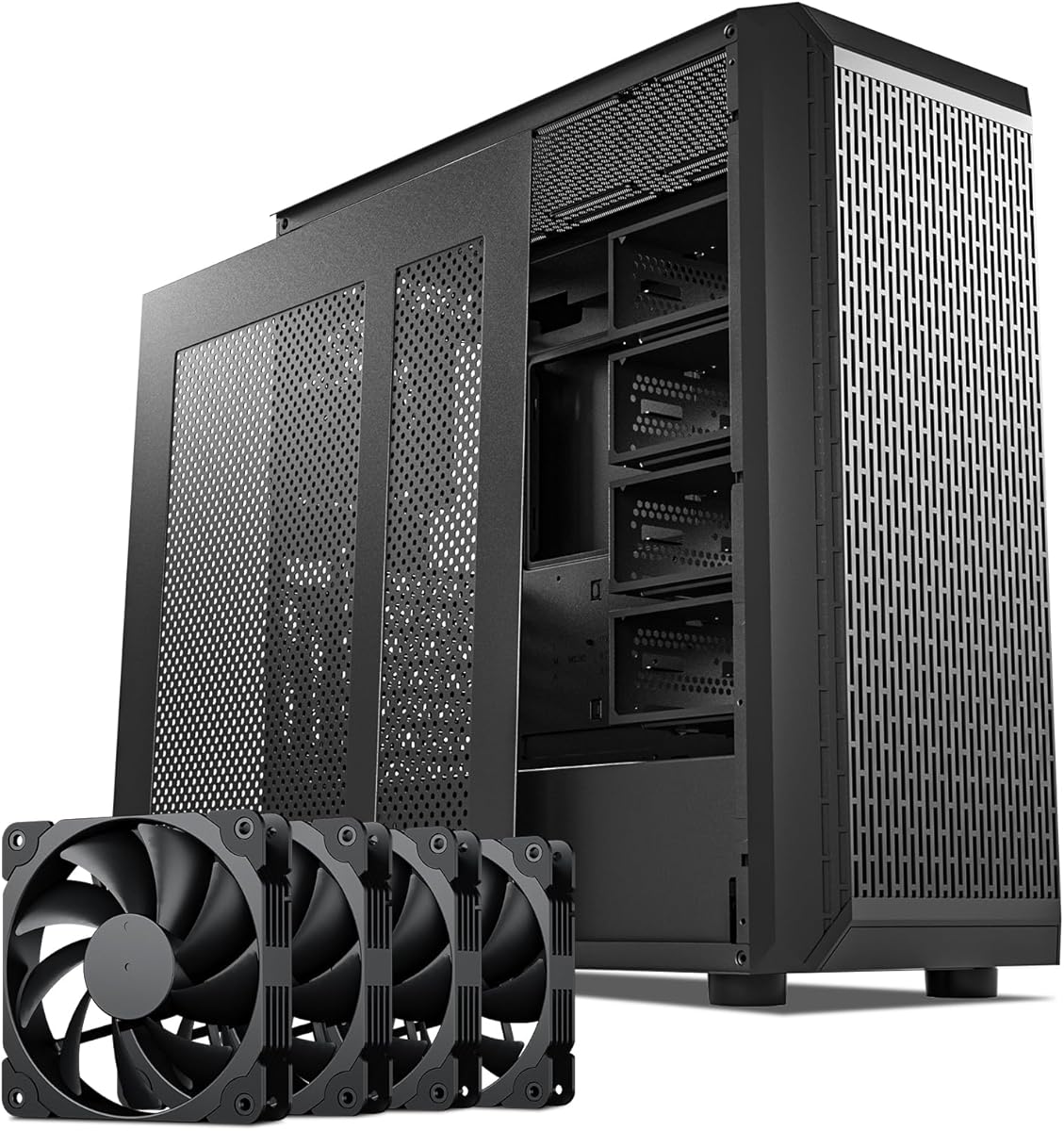
The Zalman i4 stands out in this list because it combines an ATX mid-tower, six included 120mm fans, and two vertical PCI slot brackets in one practical package. Its 4.4 rating suggests a balanced approach, particularly for builders who prioritize included components and straightforward installation over a highly decorative panoramic presentation.
We may earn a commission when you buy through this link, at no additional cost to you.
Six pre-installed ultra-quiet, high-airflow case fans provide a useful thermal foundation without requiring separate fan purchases. The two vertical PCI brackets give the installer options for orienting the graphics card, and the included height-adjustable anti-sag bracket helps support a heavier card. A full mesh layout promotes airflow, while the top I/O panel provides audio input and output, USB 3.0, and USB 2.0 connections.
The main trade-off is presentation. This product is described as a desktop case with a full mesh exterior rather than a premium panoramic showcase chassis, so the visual result of a vertical GPU may be less dramatic. The supplied information also does not state maximum GPU length, motherboard variants, radiator support, or power-supply limits. Those omissions make exact component verification especially important.
For a builder seeking a capable vertical option with abundant fan inclusion, the Zalman i4 is a compelling choice. It may also appeal to those who want multiple mounting brackets and tool-less component installation. Treat it as a functional enthusiast case rather than a fashion-led display enclosure, and confirm the dimensions of the planned graphics card and cooling equipment.
Having six 120mm fans already positioned can give a new build immediate airflow and simplify the initial setup. Additional fans or radiators can still be added if the case's stated capacity and mounting positions support the intended configuration.
The two vertical PCI brackets and height-adjustable anti-sag support address two related concerns: GPU orientation and long-term strain. The exact bracket arrangement should be reviewed with the case's internal layout in mind.
We may earn a commission when you buy through this link, at no additional cost to you.
The darkFlash C280 is a dual-chamber E-ATX case built around high airflow, flexible cooling, and vertical GPU readiness. Its 4.7 rating makes it one of the stronger-rated complete cases in the guide, and the specification is especially relevant to builders using larger motherboards or creating a substantial multi-fan cooling setup.
We may earn a commission when you buy through this link, at no additional cost to you.
The chassis supports E-ATX, ATX, and M-ATX motherboards and can accommodate two 360mm radiators, one at the top and another at the front. Four PWM fans are included, while a six-sided ventilation strategy is intended to maintain airflow through the case. The movable and raised cable cover, offset fan mounting, lowered bottom fan position, back-connect motherboard compatibility, adjustable hard-drive cage, and extended power supply chamber all support easier assembly and tidier cable routing.
Although the case is explicitly ready for vertical GPU installation, the supplied information does not give a maximum GPU length, supported GPU thickness, or detailed bracket adjustments. Those omissions are meaningful for a product whose key appeal includes a vertical card. It also includes fewer fans than the Zalman i4, even though its radiator flexibility makes it more of an expandable cooling platform.
The C280 is well suited to builders who want a roomy E-ATX chassis, clean cable management, and extensive radiator options while retaining a vertical GPU layout. It is less immediately conclusive than a case with detailed GPU dimensions, so review the current product diagrams and manual before committing. The included fans provide a starting point for a larger airflow-focused system.
Full ventilation on all six sides, offset fan mounting, and the lowered bottom fan position are designed to keep the primary intake and exhaust paths open. This focus is valuable when the vertical graphics card is intended to operate as part of a high-load gaming system.
Support for E-ATX, ATX, and M-ATX boards gives the chassis broader relevance than a compact enclosure. Back-connect motherboard compatibility and the spacious rear chamber can make a visually clean build easier to organize.
We may earn a commission when you buy through this link, at no additional cost to you.
The Thermalright A70 ATX is a mid-tower designed around a wide, pillar-free view of the internal hardware, and its 4.8 rating is the highest among the products in this guide. The vertical GPU is supported by a removable, tool-free quick-release bracket with a dedicated anti-sag structure, making the enclosure a compelling choice for a visual showcase.
We may earn a commission when you buy through this link, at no additional cost to you.
Three-sided toughened glass panels provide a 270-degree panoramic perspective that can display internal RGB lighting, fans, and the upright graphics card. The bracket accommodates GPUs up to 420mm, one of the more generous figures listed here, and its adjustable height helps reduce stress on long or heavy cards. A front Type-C 3.0 port supports data rates up to 10Gbps, alongside two USB-A ports, audio connections, and a power button.
The case supports ATX, M-ATX, and Mini-ITX motherboards, CPU coolers up to 168.4mm, and ATX power supplies up to 200mm. A fixed module accommodates a 360mm radiator. This is a broad but finite component envelope, and the CPU cooler limit is slightly less than the 170mm figure offered by the Xhuttle. A dedicated hard-drive bay and power-supply mounting area support a conventional organized layout.
This is an excellent recommendation for a builder who prioritizes an unobstructed view of a large vertical GPU and appreciates quick-release installation features. Its 420mm card allowance offers useful headroom, although exact motherboard, cooler, and radiator clearance should still be checked. It is particularly compelling for a build where the internal layout itself is a major part of the computer's appeal.
Removing structural pillars from the viewing side gives the GPU, cooling fans, and lighting a broad, uninterrupted presentation. That visibility is more than cosmetic: it makes it easier to inspect a finished build and gives a vertical card more visual presence.
Supporting GPUs up to 420mm gives builders more freedom than many compact cases. The removable anti-sag bracket adjusts in height and is designed to protect both the graphics card and motherboard from the strain associated with large, heavy components.
We may earn a commission when you buy through this link, at no additional cost to you.
The DARKROCK Classico Storage Master is an ATX NAS-oriented case with a distinctly different objective from most gaming enclosures. Its defining feature is support for thirteen hard drives, while the 4.4 rating and vertical GPU mount broaden its appeal to users who want a substantial working or hybrid system that can still display a modern graphics card.
We may earn a commission when you buy through this link, at no additional cost to you.
A mesh front panel and side panel encourage airflow through a chassis that can contain a considerable amount of storage hardware. Four 120mm fans are included, and the case supports a 360mm radiator, providing enough stated cooling flexibility to handle a demanding processor and a high-capacity data system. The vertical GPU mount is intended to showcase the card and help prevent sagging while maintaining suitable temperatures.
The storage emphasis may not suit everyone. A builder focused primarily on gaming, compact dimensions, or extensive liquid-cooling layouts may find the drive capacity less valuable than other features. The supplied information also does not specify maximum GPU dimensions, expansion-slot requirements, or exact motherboard variants, so compatibility must be confirmed for a planned build.
This case is most appropriate for a NAS enthusiast, content creator, or home-lab builder who needs extensive drive support and also wants a conventional ATX system with a vertical graphics card. For those priorities, the thirteen-drive capacity is difficult to overlook. For a pure gaming build, one of the more explicitly gaming-focused cases may be a simpler and more transparent choice.
Supporting thirteen hard drives creates a clear reason to choose this enclosure over a conventional mid-tower. It is built for builders whose data-storage requirements are as important as the appearance of the gaming hardware.
Four included fans, mesh side and front panels, and support for a 360mm radiator provide a useful cooling foundation. The airflow design is especially relevant when numerous hard drives occupy space inside the chassis.
We may earn a commission when you buy through this link, at no additional cost to you.
The darkFlash AIR NOVA is a full-tower E-ATX enclosure that combines vertical GPU mounting with a large included fan package. Its 4.2 rating is lower than the other complete cases listed here, but the specification makes it an interesting fit for builders who want extensive cooling, broad component capacity, and a finished white-themed presentation.
We may earn a commission when you buy through this link, at no additional cost to you.
Seven PWM ARGB fans are included, and the six-sided ventilation layout is intended to maintain airflow through the full-tower structure. The case supports two 360mm radiators at the top and front, making it a natural fit for a high-power CPU and a thermally demanding graphics card. A dedicated vertical GPU mount includes a reinforced metal support bracket to reduce sag and give the card a prominent display position.
The trade-offs are size and specificity. A full tower occupies more room than a mid-tower, and the listed 4.2 rating does not place it among the highest-rated products in this comparison. Although the case supports E-ATX, ATX, and M-ATX motherboards, the supplied data does not state maximum GPU length, supported power-supply length, or the number of expansion slots. Those details should be verified.
The AIR NOVA is a sensible recommendation for an enthusiast who values a large number of included ARGB fans, a high-airflow structure, and a reinforced vertical GPU mount. It is best suited to a spacious room and a cooling-intensive build. Buyers seeking a more compact case with a higher rating and similarly long GPU allowance may find the Thermalright A70 or Xhuttle easier to reconcile with available space.
The high included fan count can create a coordinated ARGB appearance without an immediate need for additional case fans. It also provides more airflow options for a full-tower system built around demanding components.
A dedicated mount and metal support bracket give the upright graphics card both prominence and physical support. This is especially relevant in a large chassis where the vertical card may be positioned farther from the rear expansion area.
We may earn a commission when you buy through this link, at no additional cost to you.
The Cooler Master Gen5 Vertical Graphics Card Holder is a white mounting kit for builders who already own an ATX-class case and want to rotate a three-slot graphics card into a vertical display position. Its 4.2 rating reflects a versatile mounting approach, including a PCIe 5.0 riser and tool-less positional adjustment.
We may earn a commission when you buy through this link, at no additional cost to you.
The included 165mm PCIe 5.0 x16 riser supports current graphics-card standards and is also described as backward compatible with PCIe 4.0 and older versions. Unlike many solutions that constrain card length, the bracket is listed as supporting graphics cards of any length, provided they are no more than three slots wide. Its reinforced SGCC steel construction is intended to reduce sagging and flex.
The mounting system can move a GPU up to 65mm toward the front panel and 30mm toward the side panel, offering useful control over spacing and airflow. At least four PCI slots are required. The three-slot limit is the principal concern because some modern graphics cards are physically wider, and a standard riser arrangement can also introduce installation and cable-routing considerations that direct mounting avoids.
This holder is a good fit for a builder with a suitable case and a graphics card no thicker than three slots. It is particularly useful when the case's native rear layout cannot provide the desired vertical view. For a four-slot card, the LIAN LI VG4v4 kits offer broader thickness support, while buyers starting from scratch may prefer a complete case with integrated vertical mounting.
Moving the card toward the front or side panel can create room for a thick CPU cooler, a radiator, or an oversized graphics card with multiple power connectors. Tool-less adjustment makes these positioning changes more convenient during installation.
The ability to accommodate any stated GPU length is useful for long cards, but the three-slot maximum is a firm constraint. Measure both card thickness and the available expansion area before selecting this holder.
We may earn a commission when you buy through this link, at no additional cost to you.
The HYTE Y70 Taro is a premium mid-tower that combines a three-piece panoramic glass panel, dual-chamber interior, and a four-slot vertical GPU arrangement. Its 4.7 rating and included color-matched PCIe 4.0 riser position it as a highly finished option for a builder who wants the upright card and internal lighting to become central features of the design.
We may earn a commission when you buy through this link, at no additional cost to you.
The included luxury riser uses a milky canopy designed to preserve an uninterrupted visual flow around the vertically mounted graphics card. Supporting up to four slots is useful for substantial modern GPUs. The dual-chamber structure separates cooling components from the cable-management area, while reusable Velcro straps, labeled connections, floating storage sleds, and tool-less panels assist with organized assembly and maintenance.
Cooling capacity is another strength. The case supports a 360mm radiator up to 125mm thick at the side and an adjustable top radiator up to 68mm thick. The cold-floor area accepts either three 120mm fans or two 140mm fans up to 32mm thick, and the overall capacity is listed at ten fans. These are generous provisions, but thickness limits make radiator planning essential.
The Y70 is a strong premium recommendation for a builder who values materials, visual continuity, and a finished design language. The main caveat is that the included riser is PCIe 4.0 rather than PCIe 5.0, so buyers should determine whether that generation aligns with their graphics card and system. Detailed GPU and CPU cooler limits are also absent from the supplied information, so measured components should be checked before assembly.
The color-matched riser canopy and four-slot mount treat the graphics card as a central design element rather than an afterthought. The panoramic glass allows the card, fans, and lighting to be viewed together from multiple angles.
Floating storage sleds, reusable straps, useful labels, and a separate cable chamber make the build easier to organize. Tool-less panels and the dual-chamber layout also support a cleaner path for future access and component changes.
We may earn a commission when you buy through this link, at no additional cost to you.
The best vertical GPU setup balances display appeal with mechanical support, clearance, airflow, and cable routing. Before choosing a complete case or standalone mounting kit, compare every relevant dimension against the exact components in the build and decide how much flexibility the mounting system must provide.
A vertical graphics card occupies a different volume from a standard horizontal installation, so its length, height, thickness, power connectors, and cooler design all affect fitment. The Thermalright A70 supports cards up to 420mm, while the Xhuttle lists a 370mm maximum. The Cooler Master holder supports any stated GPU length but only up to three slots wide, whereas the LIAN LI kits support up to four slots. Edge-mounted controls and multiple full-size DisplayPort layouts can also conflict with a vertical bracket.
Measure the actual card rather than relying on the GPU's model name, and account for connector bends and the space needed behind the power plugs. Compare those numbers with every published case limit before purchasing.
A vertical mounting solution must coexist with the motherboard, CPU cooler, rear I/O, expansion cards, and cable-routing openings. Complete cases in this guide range from Mini-ITX and M-ATX support to E-ATX compatibility, while the LIAN LI kits require six accessible expansion slots for vertical mounting or seven for angled mounting. The Cooler Master holder needs at least four PCI slots. A case that supports E-ATX is not automatically compatible with every E-ATX accessory, particularly when a full-length GPU shares the rear area.
Check the motherboard form factor, number of usable slots, and the intended position of any add-in cards. Ensure the mounting hardware will not cover connectors or prevent access to motherboard components.
Large modern graphics cards can place considerable weight on the PCIe connector and motherboard slot. A proper support bracket reduces long-term strain and helps prevent the card from drooping. The Zalman i4 includes a height-adjustable support bracket, the Xhuttle and HYTE Y70 use dedicated vertical structures, and the LIAN LI VG4v4 kits include adjustable anti-sag arms rated for GPUs up to 10kg. The Cooler Master holder uses reinforced SGCC steel and is intended to reduce sag and flex.
Prefer a bracket that is firmly attached to the chassis rather than resting on temporary supports. Confirm that the support can be positioned at the card's heaviest point and adjusted to the chosen vertical height.
A vertical card may sit directly in front of intake fans, preventing them from drawing air through the card's own cooler. The Xhuttle specifically describes optimized vertical airflow, while the C280 and AIR NOVA emphasize full or six-sided ventilation. The DARKROCK Classico uses mesh front and side panels, and the Thermalright A70 combines panoramic glass with a ventilation-oriented chassis. Radiator placement is equally important because a front-mounted radiator can position the GPU directly behind a fan and radiator thickness.
Map the card's intake and exhaust paths against the case's fan locations. Choose a layout that supplies cool air to the GPU and allows warm air to leave without being trapped behind the motherboard tray.
Vertical mounting is often paired with visible liquid cooling, so radiator size and thickness can be just as important as GPU clearance. The Xhuttle, C280, and AIR NOVA support two 360mm radiators. The HYTE Y70 supports a side-mounted 360mm radiator up to 125mm thick and a top position up to 68mm thick, plus a cold floor for three 120mm or two 140mm fans. The Thermalright A70 has a fixed 360mm radiator module, and the DARKROCK Classico also supports 360mm cooling.
List the radiator width, length, and thickness, then compare all three with the case limits. Remember that a thick radiator may change GPU clearance or overlap with vertical mounting hardware.
A riser cable replaces the motherboard's direct PCIe connection with a longer, flexible route. The LIAN LI VG4v4 kits include a 200mm PCIe 5.0 x16 riser rated for up to 32Gbps and support PCIe 2.0 through 4.0. The Cooler Master Gen5 holder includes a 165mm PCIe 5.0 x16 riser with backward compatibility. The HYTE Y70 instead supplies a PCIe 4.0 x16 riser. Each approach requires correct routing away from sharp edges, fans, and other components.
Verify that the case provides the necessary mounting points and that the riser can reach the motherboard socket without being sharply bent. Builders who want the simplest connection may prefer a native vertical mount without a riser.
A display-oriented case is only as effective as its hidden cable layout. Dual-chamber designs from HYTE, SSUPD, and darkFlash create a separate space for the power supply and excess wiring. Back-connect motherboard compatibility is explicitly listed for the C280 and AIR NOVA, while the HYTE Y70 includes Velcro straps, labeled connections, and a substantial rear chamber. The C280 adds a movable and raised cable cover, an adjustable hard-drive cage, and an extended power supply area.
Consider whether your chosen motherboard uses traditional headers or a back-connect layout. Review the cable path needed for the 24-pin connector, storage power, fan hubs, lighting controllers, and GPU power leads.
A complete case bundles the chassis, cooling options, cable management, and mounting hardware into one coordinated package. The Xhuttle, Zalman i4, C280, Thermalright A70, DARKROCK Classico, AIR NOVA, and HYTE Y70 take this approach. The LIAN LI and Cooler Master products are add-on kits that make sense for builders who already own a suitable case and want to preserve it. Complete cases are generally easier for new builders to plan, while kits can be more economical and flexible for an existing chassis.
Choose a kit only after confirming slot count, internal dimensions, riser routing, and bracket compatibility. Choose a complete case when coordinated appearance, fan placement, and a complete set of mounting provisions are priorities.
Begin by assembling the system in a logical order rather than installing the graphics card first. Fit the motherboard, CPU cooler, power supply, storage, fans, and radiator according to the case manual, while leaving enough room to route the riser or vertical power cable. Confirm that the chosen bracket, support arm, and cable path can reach their intended positions without tension.
Install the GPU in its intended orientation, connect power cables with the required bends, and secure the anti-sag bracket to the case structure. Check that the card does not contact a fan, radiator, side panel, or neighboring component. If using a riser, route the cable smoothly and keep its connectors fully seated without forcing them into an unsupported angle.
After the build is complete, power on the system and verify that the motherboard, GPU, fans, and lighting are all recognized. Monitor temperatures under a representative workload and compare them with the system's normal operating range. Keep the side panel installed while checking airflow, and periodically inspect the support bracket, riser connection, and cable bends for loosening or wear.
A vertical mount is not inherently better or worse for cooling; the surrounding airflow arrangement determines the result. If the GPU blocks a bottom intake fan, its cooler may receive less cool air and produce more heat. If the case places fresh intake air directly toward the vertical card and provides a clear exhaust path, the layout can perform well. Radiator position, fan direction, and card thickness should be evaluated together.
It depends on how the case positions the card. Some chassis include a riser and use a dedicated vertical mount, while others use a bracket that preserves the normal motherboard slot connection. Standalone kits such as the LIAN LI VG4v4 and Cooler Master Gen5 include riser cables. A native mount can be simpler because it avoids a separate high-speed cable and its routing requirements.
A heavy card can sag if its weight is not supported, so a properly mounted anti-sag bracket is important. Products in this guide include adjustable supports or reinforced brackets designed to reduce strain on the card and motherboard. The support should attach securely to the chassis and contact the card near its heaviest section. Check the bracket after installation and periodically thereafter.
Measure the card's length, thickness, cooler height, power-connector position, and any edge-mounted controls. Then compare those dimensions with the case or kit's published limits, including the space occupied by brackets, riser cables, and power plugs. Expansion-slot count and the position of a tall CPU cooler or bottom radiator can also affect whether the card physically fits.
Yes, but radiator size and thickness must be checked carefully. A front radiator can place the graphics card directly behind its fans, while a thick side radiator may interfere with a wide card. Several cases support 360mm radiators, but their exact positions and thickness allowances differ. Plan the radiator, pump tubing, GPU dimensions, and vertical support as one coordinated layout.
No. Color is primarily an aesthetic consideration, and a white kit can create a contrasting focal point in a dark or mixed-color build. The more important compatibility points are expansion-slot availability, case dimensions, GPU thickness, connector access, and the space required by the bracket. Choose the finish that best complements the rest of the system.
It can, particularly in a dual-chamber case with a dedicated vertical mounting area. The GPU's power cables can be routed directly behind the motherboard tray, leaving fewer visible leads crossing the display side. A standalone mounting kit does not automatically improve the case's overall cable organization, so the chassis layout and management features still matter.
A vertical case is a complete enclosure designed to accommodate a vertical graphics card and usually includes fans, panels, cable management, and other features. A vertical GPU kit is an accessory that adds an upright mounting position to a compatible existing case, usually with a riser and support bracket. Kits can suit established builds, while complete cases are usually easier to coordinate from the start.
The SSUPD Xhuttle Black stands out as the most balanced complete option, combining a polished dual-chamber layout, vertical GPU presentation, three included ARGB reverse fans, and broad cooling capacity. The HYTE Y70 Taro offers the most deliberately premium presentation, especially for builders attracted to panoramic glass, a color-matched riser, and detailed cable management. The Zalman i4 is the most straightforward budget-oriented pick because it combines a complete mid-tower with six fans and two vertical PCI brackets.
The most important lesson is that vertical GPU support is a system-level decision rather than a single case feature. GPU dimensions, motherboard format, CPU cooler height, radiator thickness, expansion slots, riser routing, and support hardware must all work together. The Thermalright A70 deserves attention for long-GPU clearance, the darkFlash C280 and AIR NOVA for expandable airflow, and the DARKROCK Classico for extensive storage, while the LIAN LI and Cooler Master kits suit builders refining an existing case.
Ratings, component availability, manufacturer details, and prices can change over time. Before ordering, compare the latest product listing and instructions with the exact measurements of your graphics card, motherboard, cooling hardware, and power supply. Checking current specifications and pricing will help ensure that the selected vertical solution fits both the planned build and the available space.